What the Newb Glow Legacy Shader Does (and Why Players Love It)
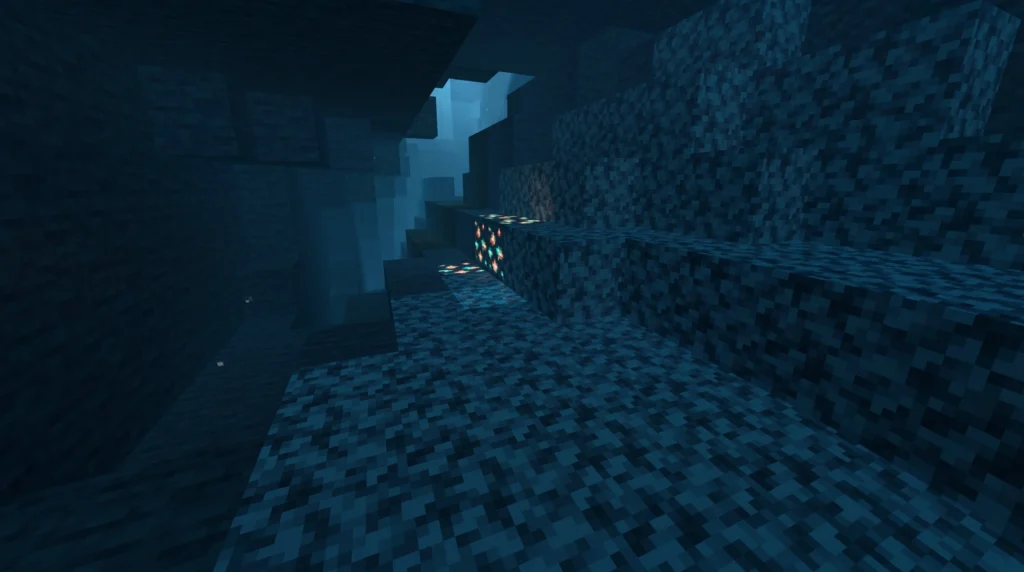
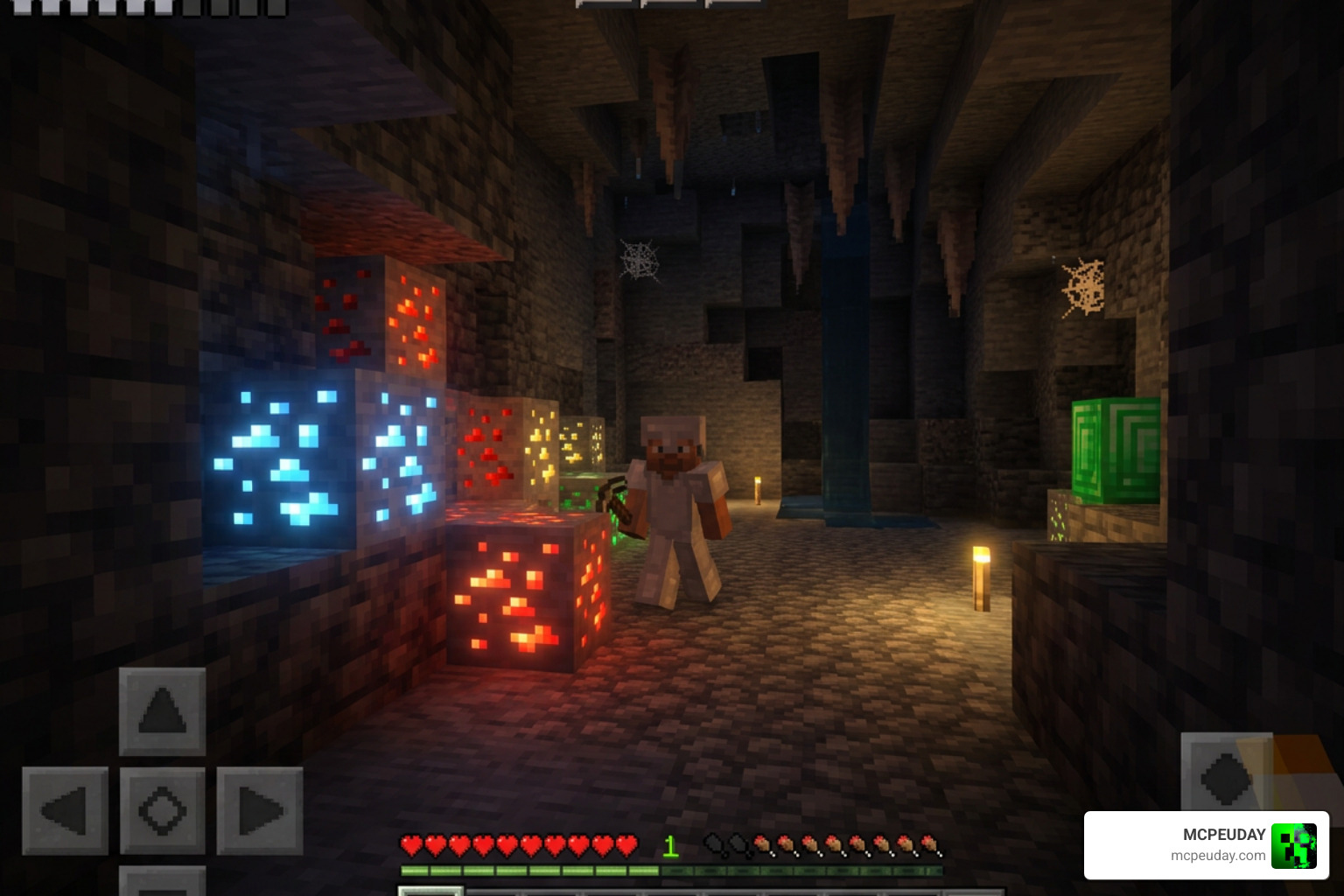
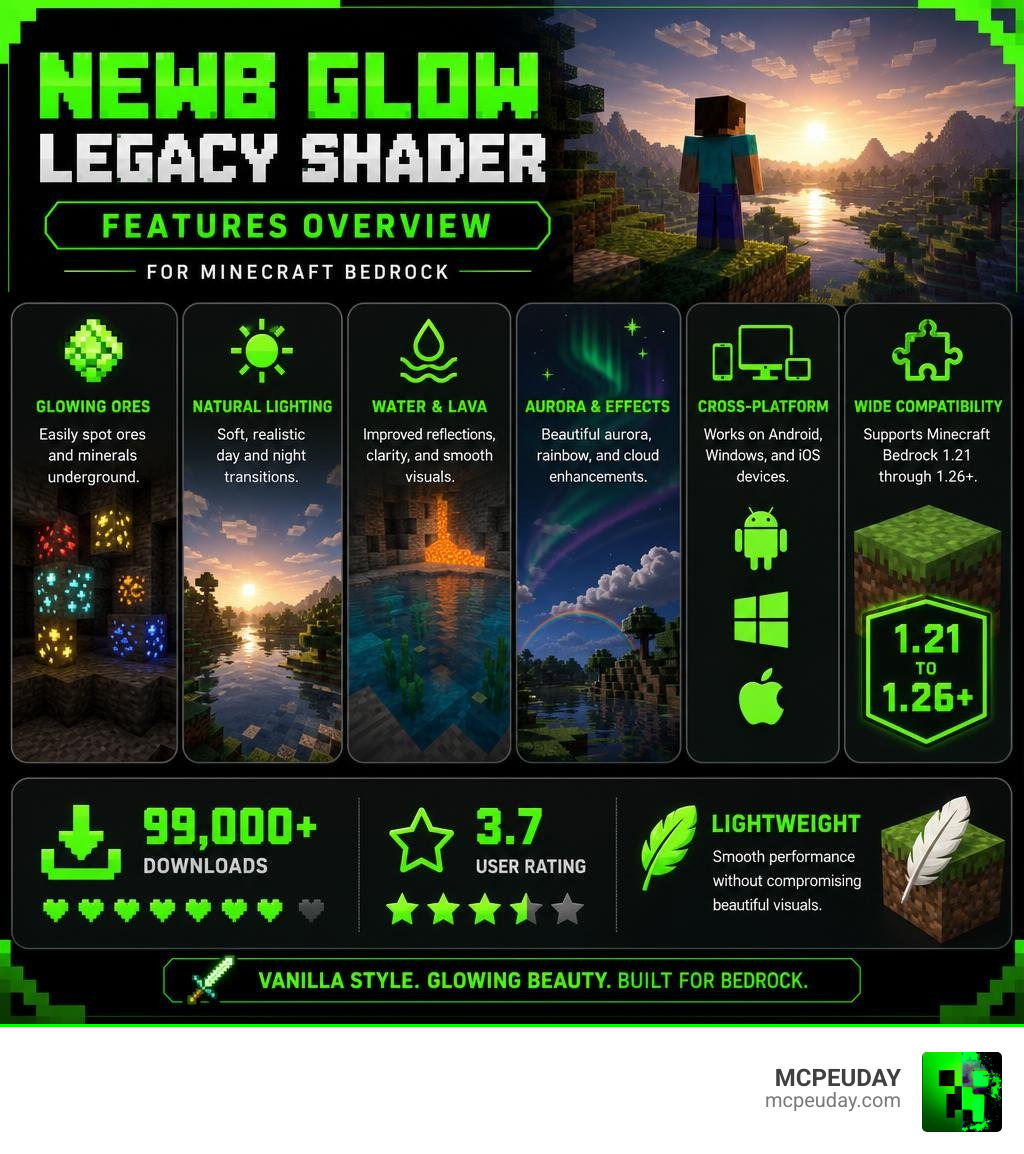
The Newb Glow Legacy Shader is a lightweight, vanilla-styled shader pack for Minecraft Bedrock Edition that adds glowing ores, soft lighting, water reflections, aurora effects, and more — without tanking your performance.
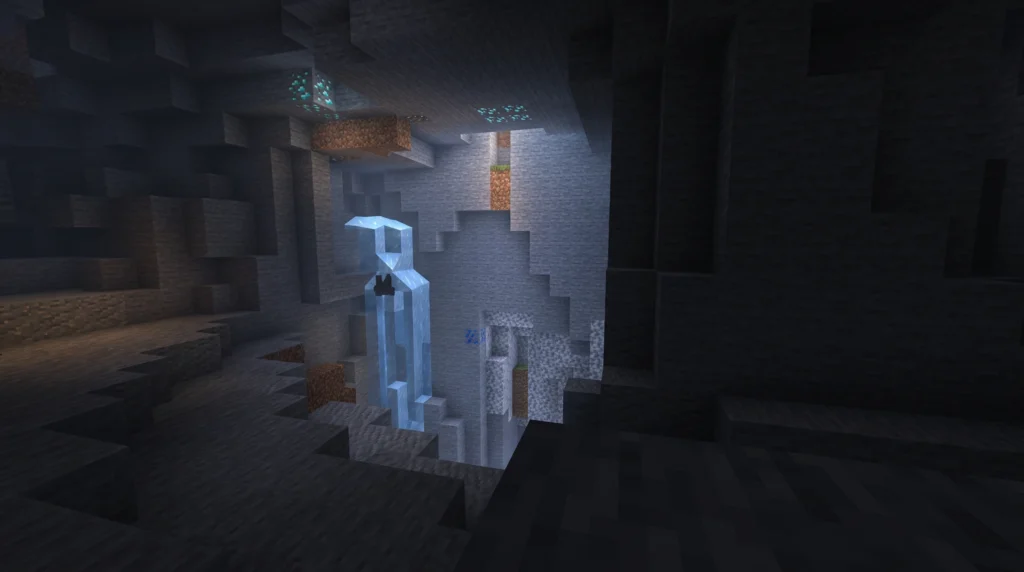
Quick answer for what it offers:
- Glowing ores and minerals for easier spotting underground
- Soft, natural sky lighting with day/night transitions
- Water and lava visual improvements
- Aurora, rainbow, and cloud effects
- Platform support: Android, Windows, and iOS
- Compatible with Minecraft Bedrock 1.21 through 1.26+
- Over 99,000 downloads with a 3.7 user rating
It sits in the Newb shader family — one of the most downloaded Bedrock shader series, with the main Newb Shader alone pulling over 907,000 downloads on CurseForge. The Glow Legacy branch takes that same lightweight philosophy but puts a stronger focus on glowing effects on blocks and ores.
If you’ve been frustrated by heavy shaders that slow your game down, or by shaders that break after a Minecraft update, Newb Glow Legacy is built to stay lean and stay compatible.
It works through unofficial tools like MB Loader (Android) or BetterRenderDragon (Windows) — because Minecraft Bedrock doesn’t officially support custom shaders. That sounds complicated, but the installation is straightforward once you know the steps.
This guide covers everything: features, subpacks, installation on every platform, and how it stacks up against other Newb variants.
What is the Newb Glow Legacy Shader?
The Newb Glow Legacy Shader is a specialized, performance-friendly visual enhancement pack designed for Minecraft Bedrock. Historically, Bedrock shaders relied on the legacy GLSL shader engine. However, when Mojang introduced the RenderDragon rendering engine, older shaders broke. The Newb family adapted, finding clever ways to inject beautiful, soft lighting and custom materials back into the modern RenderDragon engine.
At its core, this shader aims to preserve the vanilla aesthetic of Minecraft while gently polishing its rough edges. It replaces harsh, flat lighting with soft, natural day-to-night transitions, and adds realistic environmental touches. If you want to see how the base version looks, you can check out the classic Newb Shader which laid the groundwork for this entire project.
While the creator, devendrn, noted that v16 is the final legacy release from their end, the active community continues to maintain compatibility and release optimized versions to keep the magic alive in 2026.
Differences Between Newb Glow Legacy Shader and Newb X Legacy
While they share a similar name and development lineage, the Newb Glow Legacy Shader and the Newb X Legacy shader serve slightly different visual tastes and performance budgets:
- Visual Focus: The Newb Glow Legacy variant focuses heavily on block luminosity, highlighting ores, redstone components, and magical blocks with a distinct glow. Newb X Legacy focuses on a broader “lightweight and soft aesthetics” theme, incorporating more comprehensive shadow mapping and atmospheric fog.
- Minimalist Approach: If you prefer a minimalist, glow-only approach, the community also developed the Newb X Glow Legacy variant. It strips away heavy shadow calculations entirely, focusing solely on adding a brilliant shine to ores, rails, magma, and enchanting tables.
- Performance Impact: Because Newb Glow Legacy and Newb X Glow target specific block materials rather than rendering complex real-time shadows across the entire world, they run significantly faster on low-end mobile devices.
- Popularity: The numbers speak for themselves. Newb Glow Legacy has achieved over 99,100 downloads on MCPEDL with a 3.7 user rating. Meanwhile, the ultra-minimalist Newb X Glow Legacy has around 3,185 downloads with a highly positive rating of 6 out of 10.
Key Features and Customization Options
What makes this shader so beloved in the community is its rich feature set. It doesn’t just make things brighter; it carefully redesigns the atmosphere of your world:
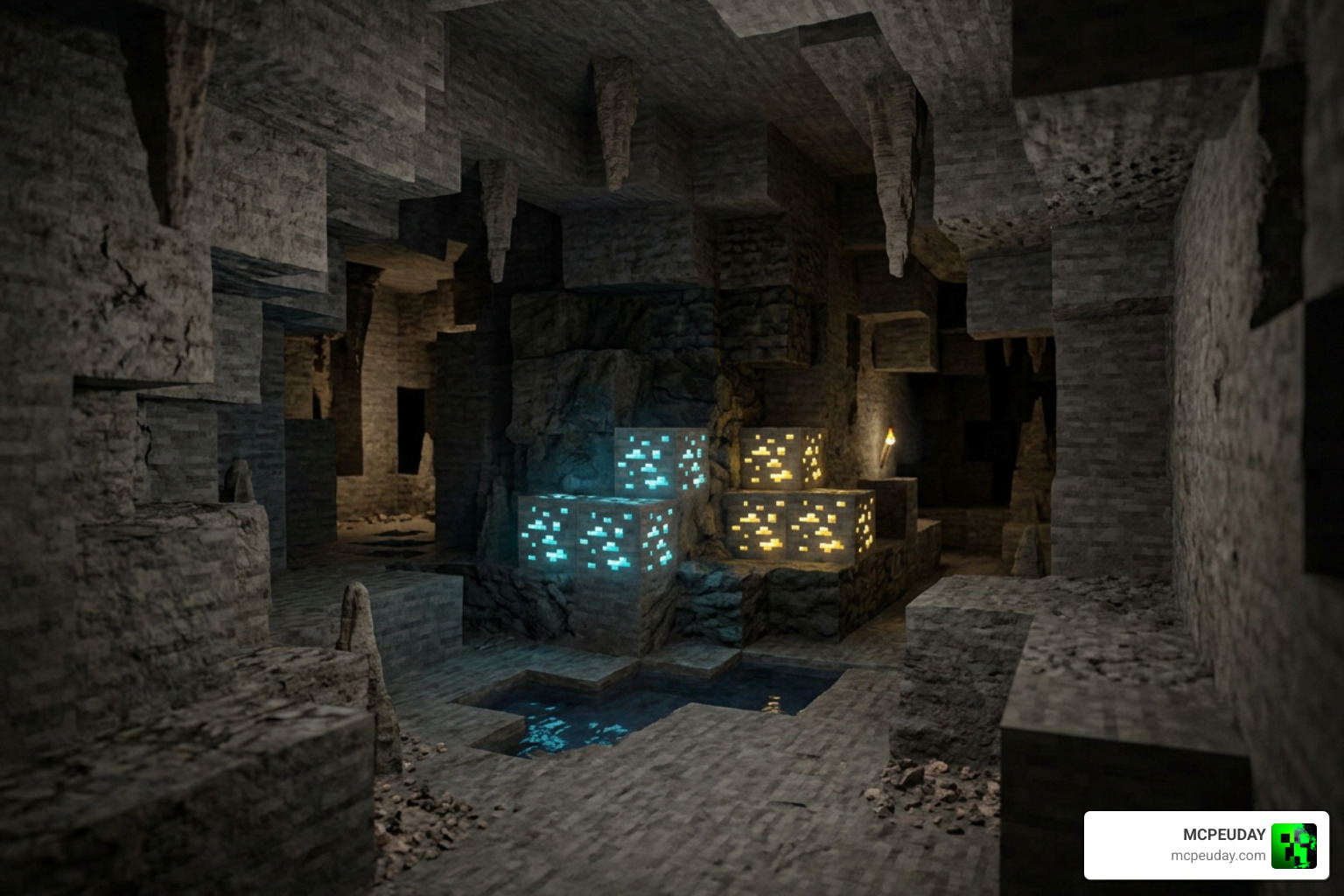
- Vibrant Ore Glow: Finding resources in deep caves is a breeze. Coal, iron, gold, redstone, lapis, diamond, and emerald ores emit a soft, localized glow. This feature also extends to utility blocks like furnaces, repeaters, comparators, and enchanting tables.
- Atmospheric Sky and Stars: It features custom sun and moon rotations that eliminate the standard in-game scaling effect. At night, you can look up to see shooting stars and brilliant auroras.
- Dynamic Weather Visuals: Rainstorms feel immersive with rain tilt and a dynamic rainbow system that automatically positions itself based on the direction of the sun.
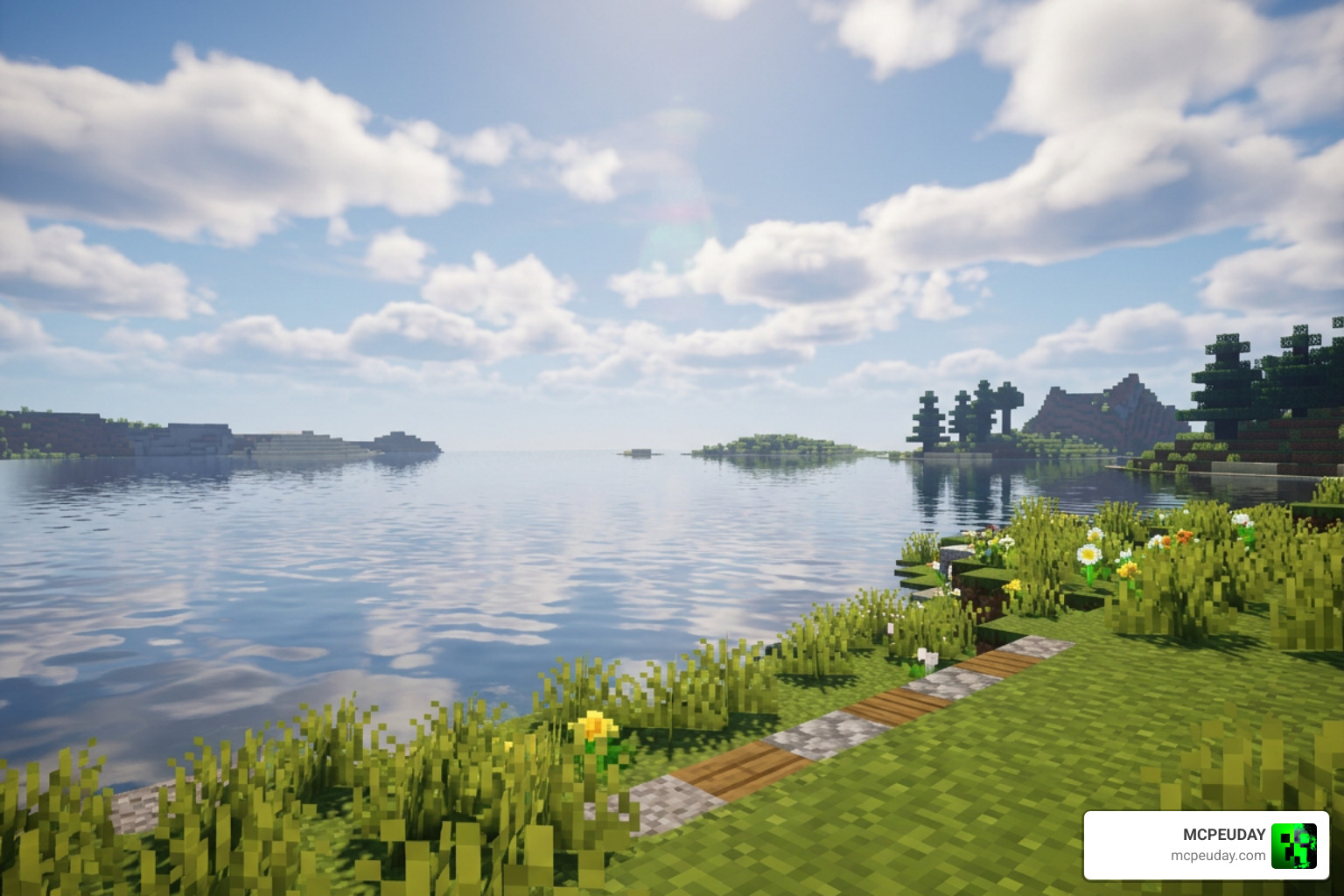
- Water and Lava Enhancements: Enjoy realistic water reflections that sync perfectly with the clouds above, alongside beautiful underwater light streaks and revamped lava noise effects.
- Foliage and Lantern Movement: Leaves and grass gently wave in the wind, and hanging lanterns swing subtly, making your builds feel alive.
Subpacks and Customization Options for Newb Glow Legacy Shader
To make sure every player gets the exact look and performance they want, the shader comes with built-in subpacks. You can toggle these subpacks directly inside your Minecraft Global Resources settings:
- Realistic Clouds Subpack: Replaces the blocky sky with beautifully rounded, soft clouds that match the terrain reflection.
- No Wave, No Fog Subpack: A high-performance preset. It turns off waving foliage and atmospheric fog, giving a massive frames-per-second (FPS) boost to older mobile devices.
- Custom Configuration: For advanced users, the shader is highly open-source under the MIT License. By accessing the pack files, you can open the config file located at
src/newb/pack_config.tomlto manually toggle features like rain reflection intensity, aurora brightness, or specific block glows before compiling your custom build.
Note: The older multipixel subpack was removed in recent updates due to file corruption issues caused by Windows system updates.
Compatibility and Installation Guide
Because Mojang’s RenderDragon engine does not officially support custom community shaders, installing the Newb Glow Legacy Shader requires a few extra steps depending on your gaming platform.
The shader is fully compatible with Minecraft Bedrock versions 1.21 through 1.26+. To help you get started, here is a quick requirements overview:
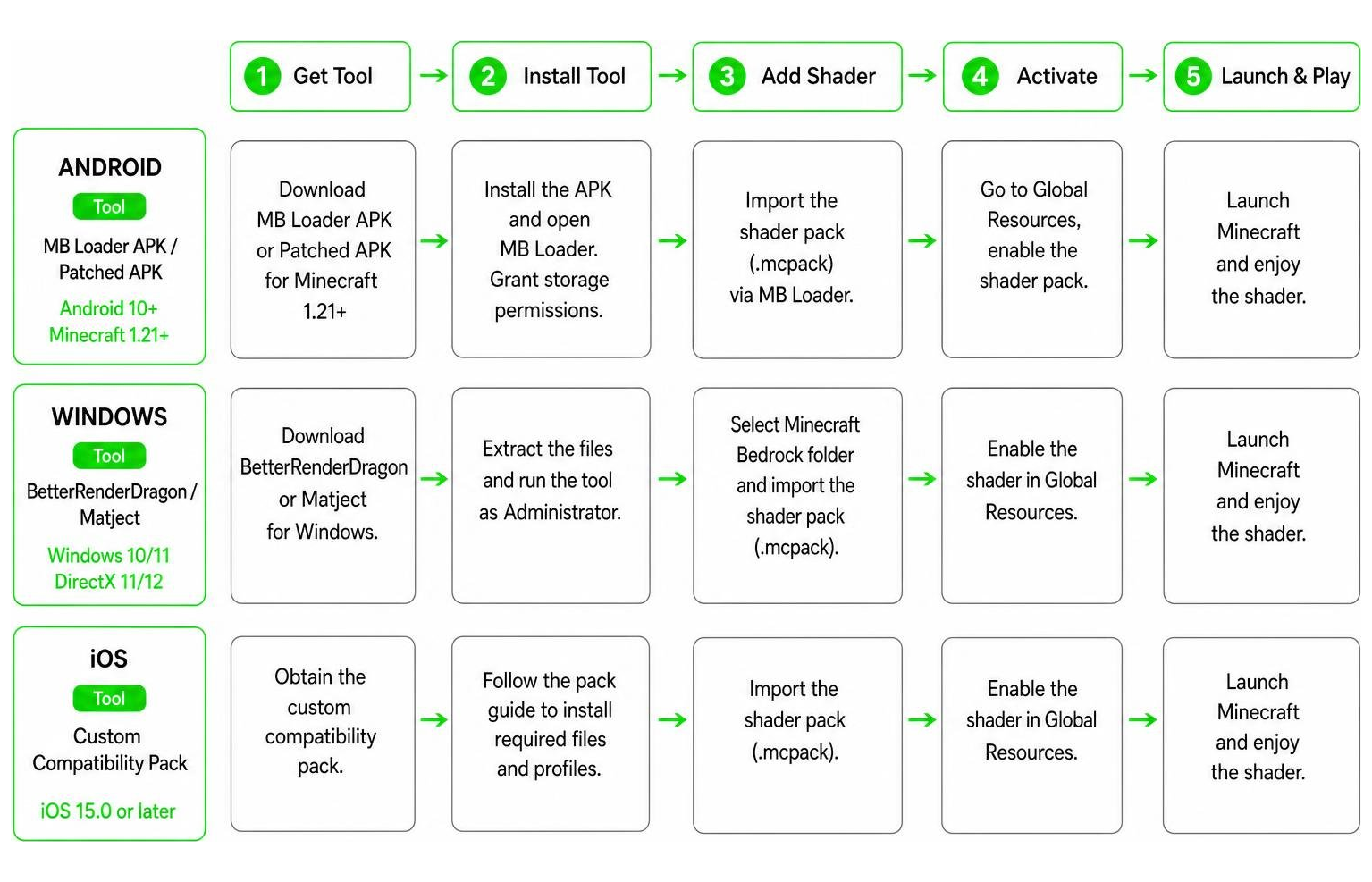
| Platform | Recommended Tool | Core System Requirements |
|---|---|---|
| Android | MB Loader APK / Patched APK | Android 10+, Minecraft 1.21+ |
| Windows | BetterRenderDragon / Matject | Windows 10/11, DirectX 11/12 |
| iOS | Custom Compatibility Pack | iOS 15.0 or later |
Installation on Android
Android is the most popular platform for mobile shaders. To run the shader, you cannot simply import it into the vanilla app; you must use a loading tool.
- Download the Android-specific
.mcpackor the merged pack from the Newb Glow Legacy | Now compatible with 26+ – MCPEDL page. - Download and install the MB Loader APK (MaterialBinLoader), which is the safest and most recommended tool for loading custom shader materials.
- Open MB Loader, and use it to import your downloaded Newb Glow Legacy resource pack.
- Launch Minecraft through the MB Loader app.
- Go to Settings > Global Resources, select the shader, and activate it. Make sure it is placed at the very top of your active packs list!
Installation on Windows
Windows players must inject the shader materials directly into the RenderDragon engine using a helper mod.
- Download the Windows-specific shader pack.
- Download BetterRenderDragon, an open-source mod launcher that enables MaterialBinLoader on Windows systems.
- Extract the BetterRenderDragon files into your Minecraft installation directory as instructed by the mod’s documentation.
- Place the Newb Glow Legacy
.mcpackinto your Minecraft resource packs folder and double-click to install it. - In game, make sure your video settings have Beautiful Skies, Smooth Shading, and Fancy Graphics turned on for the best visual experience.
Installation on iOS
iOS installation is slightly more restricted, but still entirely possible using custom compatibility packs.
- Download the iOS-compatible version of the shader.
- Ensure your Apple device is running iOS 15.0 or later.
- Use a file manager app to copy the downloaded
.mcpackfile directly into the Minecraft “resource_packs” folder. - Open Minecraft, go to your Global Resources, activate the pack, and set your in-game brightness between 10% and 90% for optimal lighting balance.
Comparing Newb Glow Legacy to Other Newb Variants
The Newb family is vast. Depending on your device’s capabilities, you might want to try other variants. Here is how they compare:
- Newb Renewed Shader for Minecraft: This is a modern, rebuilt version of the classic shader designed to work seamlessly with newer RenderDragon updates. It features balanced lighting and clean water.
- Newb Reforged Shader for Minecraft PE Bedrock: If you have a high-end device, this is the pack to choose. It pushes the boundaries of Bedrock graphics with ultra-realistic lighting, deep shadows, and cinematic fog.
- Newb Nostalgia Edition Shader MCPack: Designed for players who miss the classic, warm look of early console and pocket edition graphics. It offers cozy, golden-hour lighting.
- Newb Experimental Edition Shader for Minecraft: This version tests cutting-edge rendering techniques, including advanced deferred lighting features, while remaining surprisingly FPS-friendly.
Frequently Asked Questions about Newb Glow Legacy
Can I use Newb Glow Legacy on multiplayer servers?
Yes! Since this shader functions as a client-side resource pack, you can safely use it on multiplayer servers, Realms, and local worlds without any issues. It does not alter server gameplay, meaning you can enjoy glowing ores and beautiful skies while playing with friends. You are also permitted to use it in your streams, videos, or include it in your custom addon packs (just remember to credit the creators!).
Who are the creators and what are the licensing terms?
The original creator of the Newb Shader family is devendrn. The shader is open-source and distributed under the MIT License. This liberal license allows community members to modify, update, and distribute their own custom variants, which is why we have fantastic spin-offs like the glow-focused editions.
Where can I download the latest version and find support?
You can download the official, community-approved builds from trusted platforms:
- To download the core glow pack, visit Newb Glow Legacy | Now compatible with 26+ – MCPEDL .
- For the minimalist glow-only variant, check out Newb X Glow Shader for Minecraft – ModBay .
- To explore the original project files and community discussions, visit the Newb Shader – Minecraft Bedrock Texture Packs – CurseForge page or join the official Newb Community Discord server.
Conclusion
At MCPEUDAY, we love graphics mods that bring your worlds to life without requiring a NASA-grade computer. The Newb Glow Legacy Shader strikes the perfect balance. It delivers gorgeous glowing ores, realistic water reflections, and a stunning skybox while keeping your gameplay incredibly smooth.
If you want to see how this pack compares to other top-tier options, head over to our curated list of the Best Shaders for MCPE 1.21 to find the perfect visual upgrade for your Minecraft adventures!