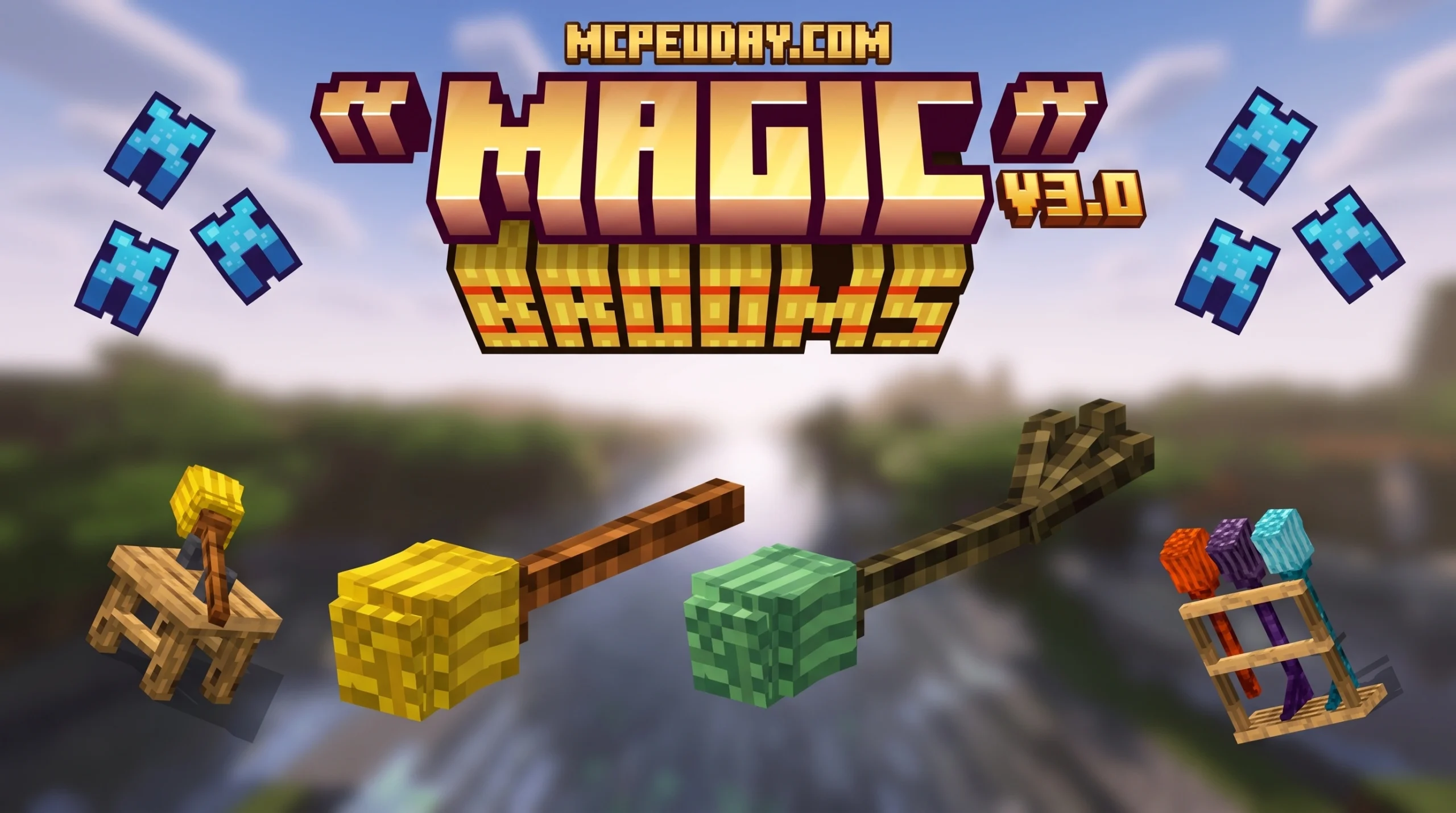
Why the Magic Brooms Addon Is the Best Elytra Alternative in 2026

The Magic Brooms Addon is one of the most popular flight mods for Minecraft Bedrock Edition — and for good reason. Here’s a quick overview of what it is and how it works:
- What it is: A Minecraft Bedrock/PE addon that lets you craft and ride flying magic broomsticks
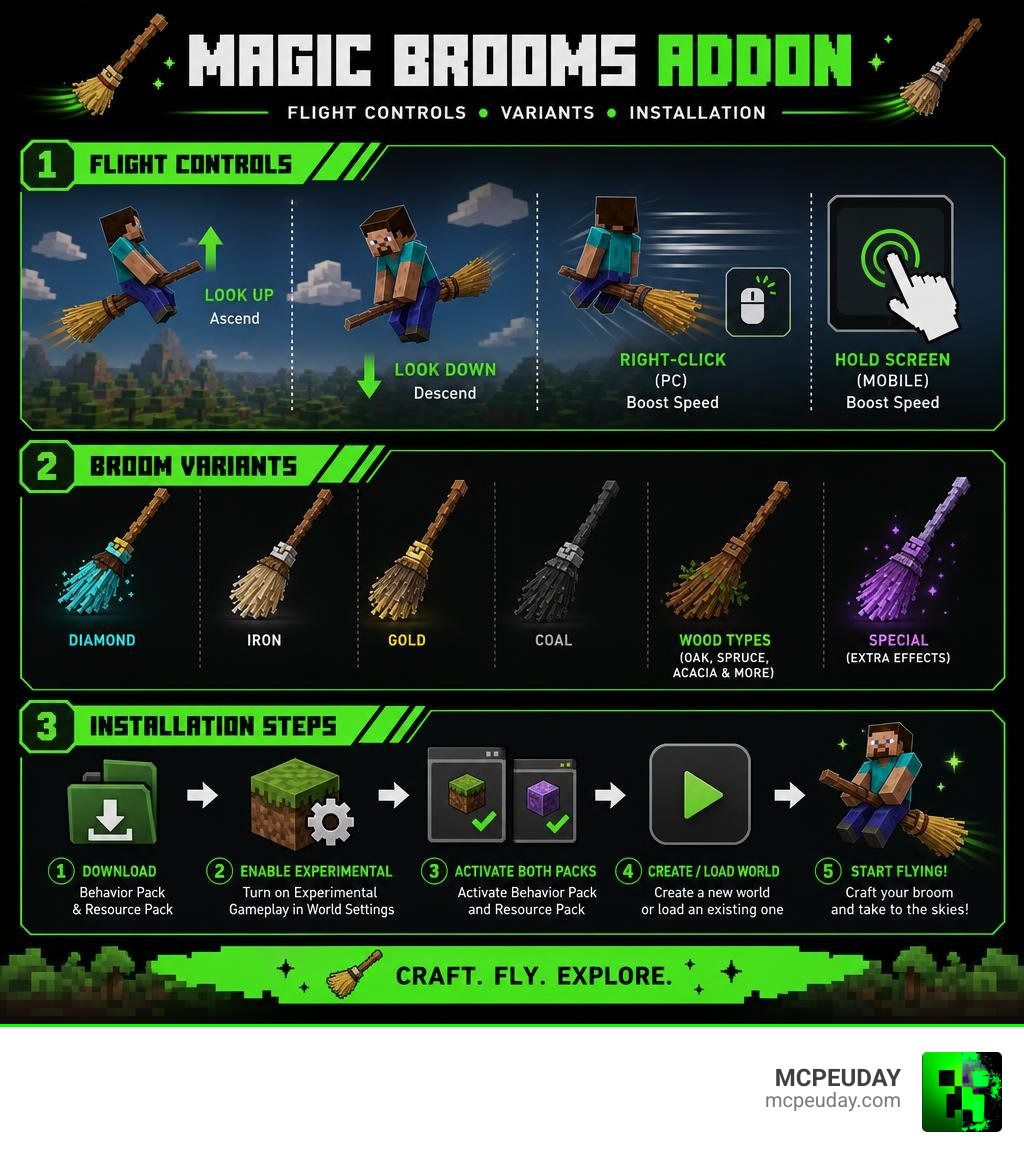
- How to fly: Hold the broom in your hand, look up to ascend, look down to descend, and hold the screen (mobile) or right-click (PC) to boost speed
- How to get it: Download the Behavior Pack and Resource Pack, enable Experimental Gameplay in your world settings, and activate both packs
- Versions supported: Minecraft Bedrock 1.19, 1.20, and 1.21
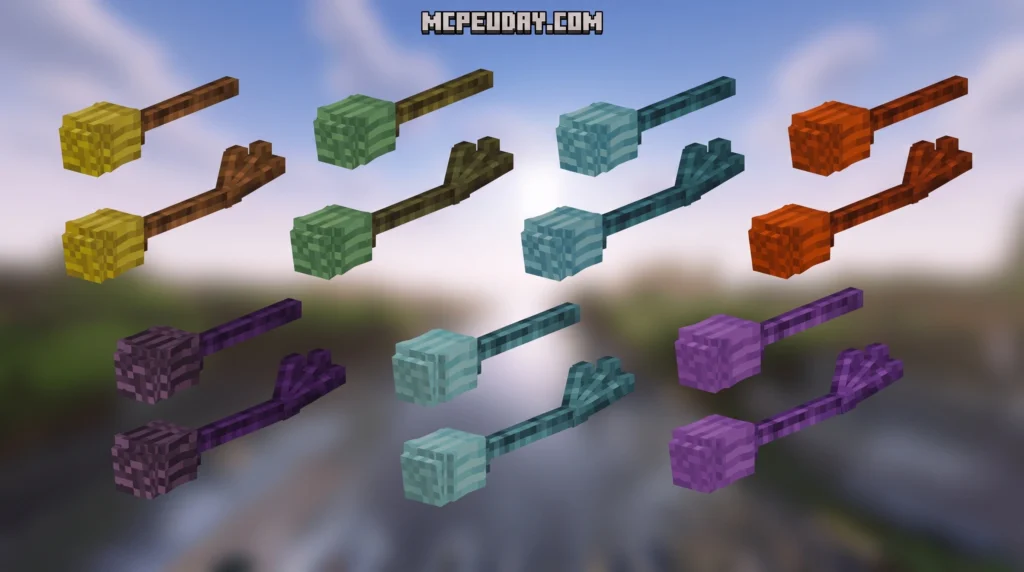
- Variants available: Multiple addons exist, offering material-based tiers (diamond, iron, coal, etc.) or wood-type customization (Oak, Spruce, Acacia, and more)
If you’ve ever felt like the Elytra comes too late in the game, or you just want a more magical way to explore your world, a magic broom addon is exactly what you need. Instead of grinding for end-game gear, you can take to the skies much earlier — soaring over oceans, mountains, and biomes with ease.
Several different magic broom addons exist for Bedrock Edition, each with its own crafting system, broom styles, and features. One even gives you night vision while flying. Knowing which one fits your playstyle makes a big difference.
I’m UDAY GAMER, and in this guide I’ll walk you through everything — from comparing the top addons to installing them correctly — so you can start flying without the headaches.
What is the Magic Brooms Addon?
At its core, the Magic Brooms Addon is a fantasy-themed transportation mod designed to bring vertical mobility to your survival world. Instead of walking through dangerous terrain or spending hours building bridges, we can simply hop onto a custom 3D broomstick and glide through the air.
Highly inspired by classic wizard lore and Harry Potter, this addon integrates beautifully with fantasy RPG-themed Minecraft worlds. It solves one of the biggest progression gaps in survival gameplay: early-to-mid-game aerial exploration. Since Elytras require defeating the Ender Dragon, these magical brooms provide a balanced, fun, and highly immersive alternative.
Depending on the specific version you download, you can craft basic wooden broomsticks, tier-based material brooms, or even use ancient magic altars to customize your magical ride. It turns your standard survival journey into a mystical adventure, making you feel like a true sorcerer as you navigate tight mountain gaps or soar high above the clouds.

Comparing the Best Magic Broom Addon Variants
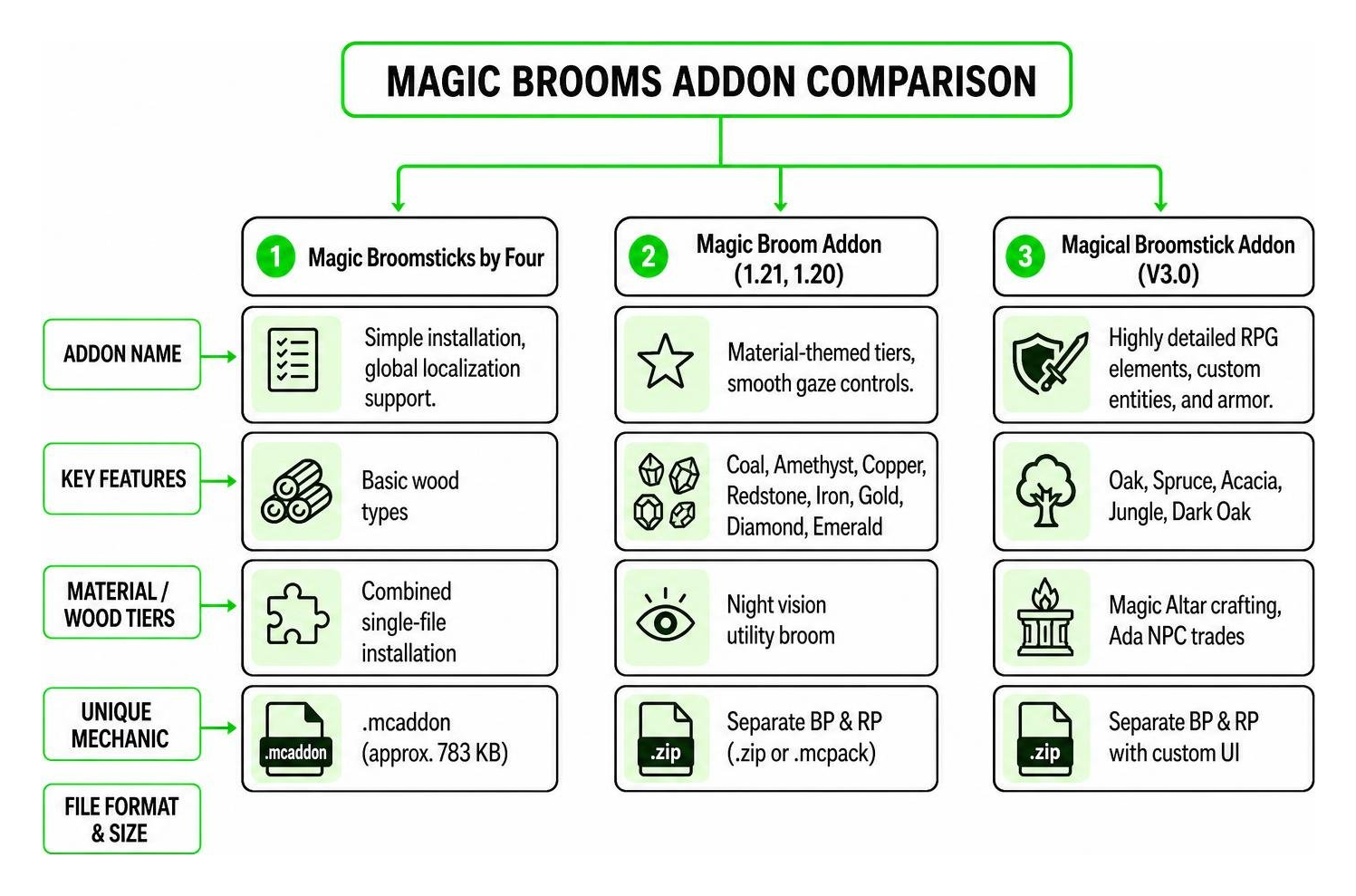
Because multiple creators have developed their own versions of this concept, we have several incredible options to choose from. Let us break down the key differences between the most popular versions available in 2026:
| Addon Name | Key Features | Material/Wood Tiers | Unique Mechanic | File Format & Size |
|---|---|---|---|---|
| Magic Broomsticks by Four | Simple installation, global localization support. | Basic wood types | Combined single-file installation | .mcaddon (approx. 783 KB) |
| Magic Broom Addon (1.21, 1.20) | Material-themed tiers, smooth gaze controls. | Coal, Amethyst, Copper, Redstone, Iron, Gold, Diamond, Emerald | Night vision utility broom | Separate BP & RP (.zip or .mcpack) |
| Magical Broomstick Addon (V3.0) | Highly detailed RPG elements, custom entities, and armor. | Oak, Spruce, Acacia, Jungle, Dark Oak | Magic Altar crafting, Ada NPC trades | Separate BP & RP with custom UI |
Key Features of the Magic Brooms Addon
No matter which variant you choose, these addons share several outstanding features that make them superior to standard travel methods:
- Intuitive Gaze Controls: Flying is completely seamless. You do not need complex button configurations; simply look up to ascend and look down to descend.
- Dynamic Speed Boosting: Need to escape a pack of Phantoms? Holding down your screen on mobile devices or right-clicking on PC/console activates a high-speed boost.
- Special Utilities (Night Vision): Certain advanced variants, such as the Redstone or Amethyst brooms, grant you automatic night vision while mounted, making cave exploration and night travel incredibly safe.
- Bedrock Version Compatibility: These mods are fully optimized to run smoothly on Bedrock versions 1.19, 1.20, and the latest 1.21 updates.
Magical Broomstick Addon V3.0 Mechanics
For players who want a deeper RPG experience, the V3.0 update of the Magical Broomstick Addon introduces immersive survival mechanics:
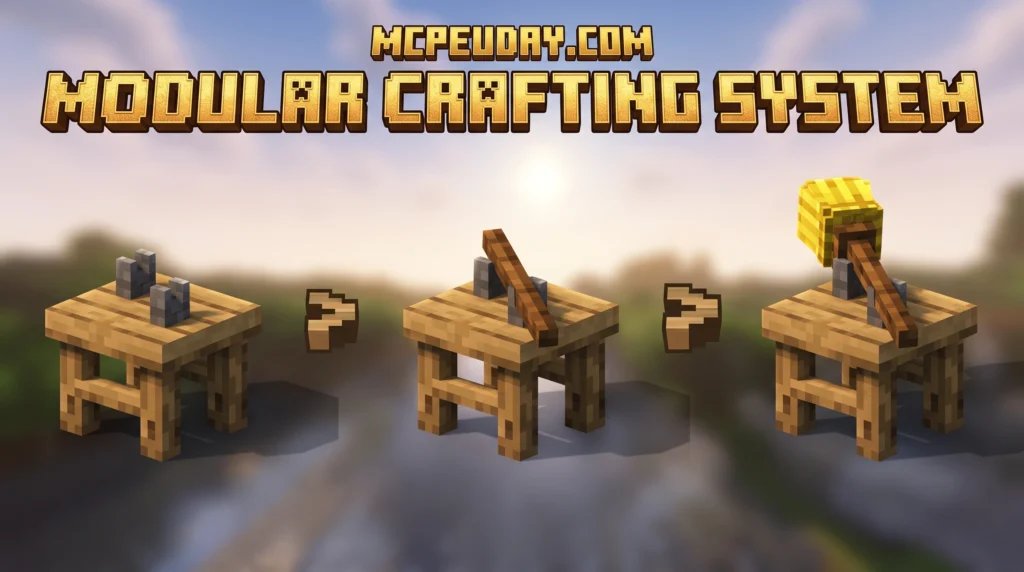
- The Magic Altar: A custom block featuring a unique UI and a magical circle that glows in the dark. It is used to assemble and customize your broomsticks.
- Ada the Peddler: A custom friendly NPC entity who spawns in your world. You can trade with her to get valuable magical resources.
- Magirno Butterfly Scales: Obtained either as a rare drop from witches or by trading with Ada. These scales are the core fuel used to infuse your wooden brooms with flight magic on the Magic Altar.
How to Craft and Control Your Magic Broom
Crafting your broom varies slightly depending on the addon version you choose. For the standard material-tier version, you can craft different brooms (like Diamond, Iron, or Redstone) using their respective vanilla materials combined with sticks and brush materials.
For the advanced V3.0 edition, the process is beautifully complex:
- Craft the Magic Altar: Build the altar to begin your magical journey.
- Craft the Parts: You will need to craft a broom grip and a broomstick tip using your preferred wood type (such as Oak, Spruce, or Dark Oak).
- Combine on the Altar: Place your completed wooden broom on the Magic Altar.
- Infuse with Magic: Use Magirno Butterfly Scales on the altar to infuse the broom with the power of flight.
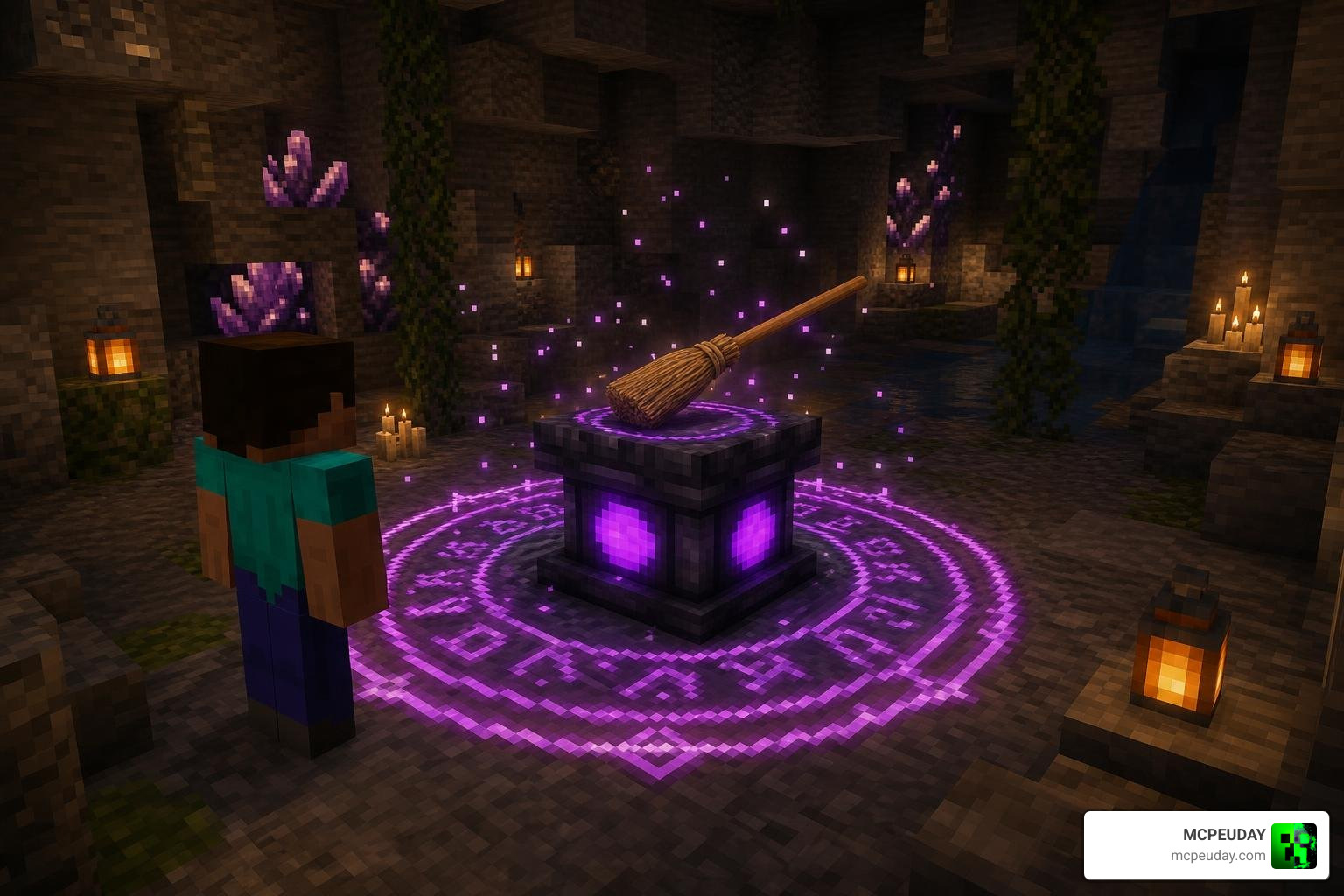
Once crafted, controlling your broom is incredibly simple. Hold the broom in your hand to mount it. To fly, simply look up. To land safely, look down toward the ground. If you ever need to pick your broom back up into your inventory quickly, simply hold an axe, crouch, and right-click (or long-press on mobile) the broom.
Step-by-Step Installation Guide
Installing Bedrock addons is easy once you understand how Behavior Packs (BP) and Resource Packs (RP) interact. Before you begin, always make sure to back up your favorite worlds to prevent any data loss. If you are new to Bedrock customization, Mojang’s official overview of Minecraft add-ons is also a helpful reference for understanding how addons change gameplay.
How to Install the Magic Brooms Addon on Bedrock
Follow these simple steps to get your broomstick working perfectly:
- Download the Files: Download the addon. If you are using version 0.2.2 of Four’s addon, you can download a single combined
.mcaddonfile. For other versions, download both the Behavior Pack and Resource Pack files. - Import to Minecraft: Double-click or tap the downloaded
.mcpackor.mcaddonfiles. Minecraft will open automatically and import the packs. - Create or Edit Your World: Go to your world settings menu.
- Enable Experimental Toggles: Scroll down to the “Experiments” section and toggle on Experimental Gameplay (including custom biomes, creator features, or upcoming creator features if prompted).
- Activate the Packs: Under “Active Packs,” enable both the Behavior Pack and the Resource Pack for the Magic Brooms Addon.
- Launch and Enjoy: Load up your world, craft your broom, and take to the sky!
Frequently Asked Questions About Magic Brooms
We have gathered some of the most common questions Bedrock players ask when setting up their magic broomsticks.
Do I need to enable Experimental Gameplay for the Magic Brooms Addon?
Yes! Because these addons introduce custom entity models, unique player riding behaviors, and custom blocks like the Magic Altar, turning on Experimental Gameplay in your world settings is mandatory. Without these toggles enabled, the brooms may not render correctly, or the crafting recipes will fail to load.
How do you fly faster on the magic broom?
To activate your broom’s speed boost, simply hold down on your device’s screen (if you are playing on a mobile phone or tablet) or right-click (if you are playing on PC with a mouse). This dynamic boost makes traveling across massive oceans and biomes incredibly fast.
Can you customize the look of your broomstick?
Absolutely! If you are using the V3.0 update, you can customize your broom’s aesthetic by choosing different wood types (such as Spruce, Acacia, or Jungle wood) for your grips and tips. You can also use the Magic Altar to remake and alter your existing broom designs without wasting your hard-earned materials.
Conclusion
The Magic Brooms Addon is the perfect way to bring whimsical, fast, and balanced flight to your Minecraft Bedrock experience in 2026. Whether you prefer the sleek, material-based tiers of the standard mod or the deep, magical crafting mechanics of the V3.0 Magic Altar, taking to the skies on a custom broomstick completely transforms how you explore your world.
If you are looking to add even more excitement to your gameplay, why not pair your magical adventures with some spooky thrills? Check out our ultimate Best Minecraft Horror Mods for Java & Bedrock 2026 Guide to find the perfect mods to test your survival skills!
