
What the Vanilla Waypoints Addon Does for Minecraft Bedrock Players
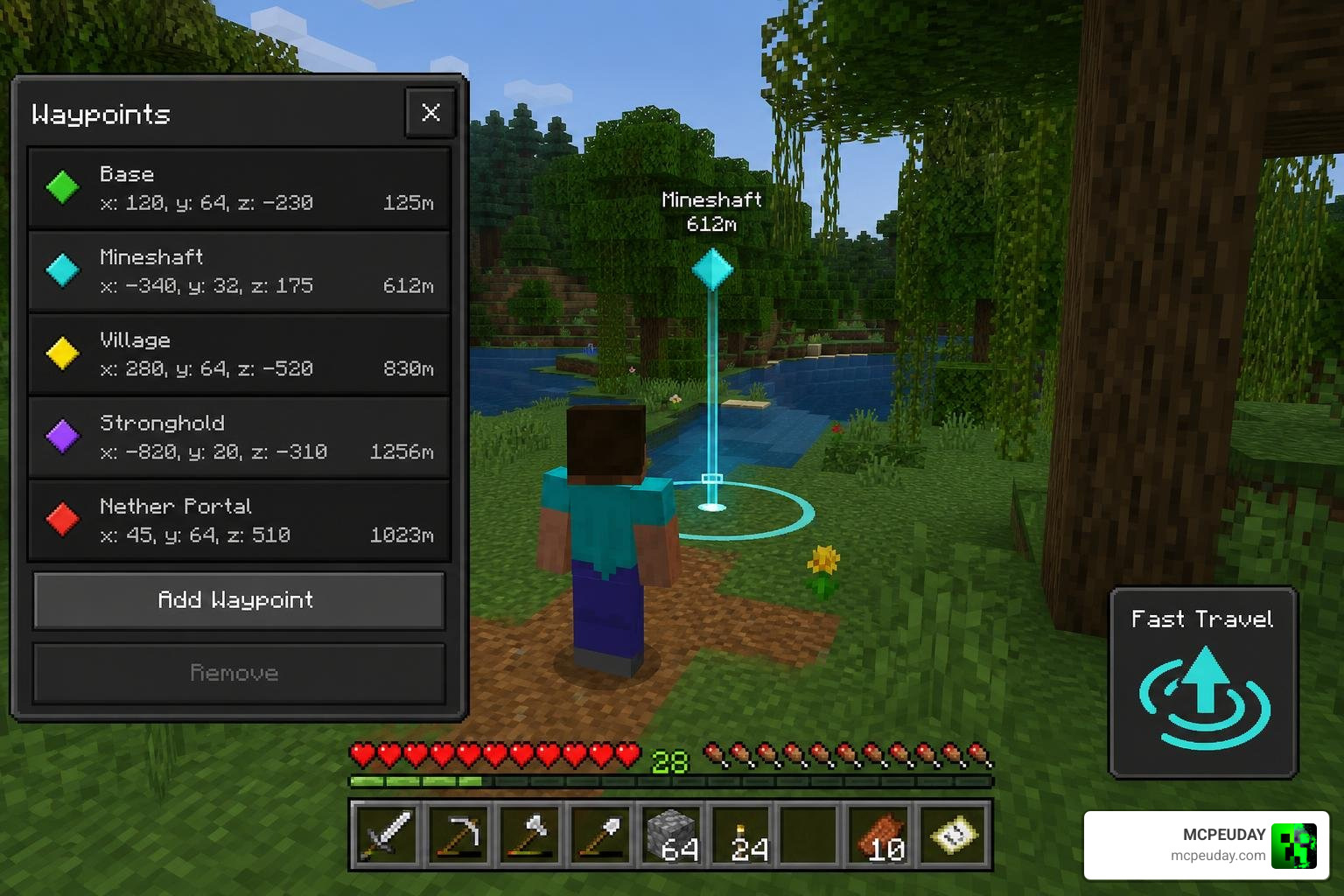
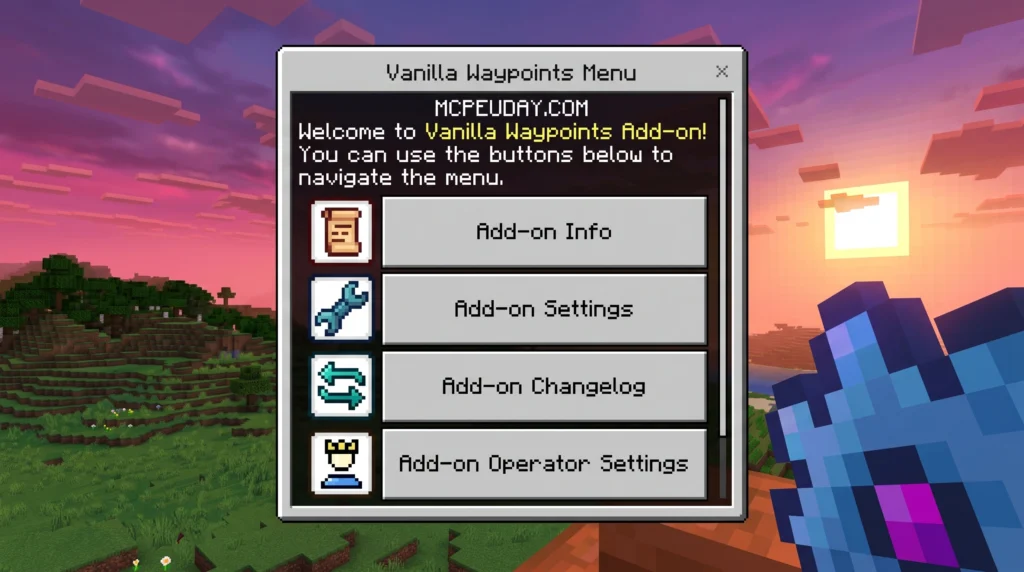
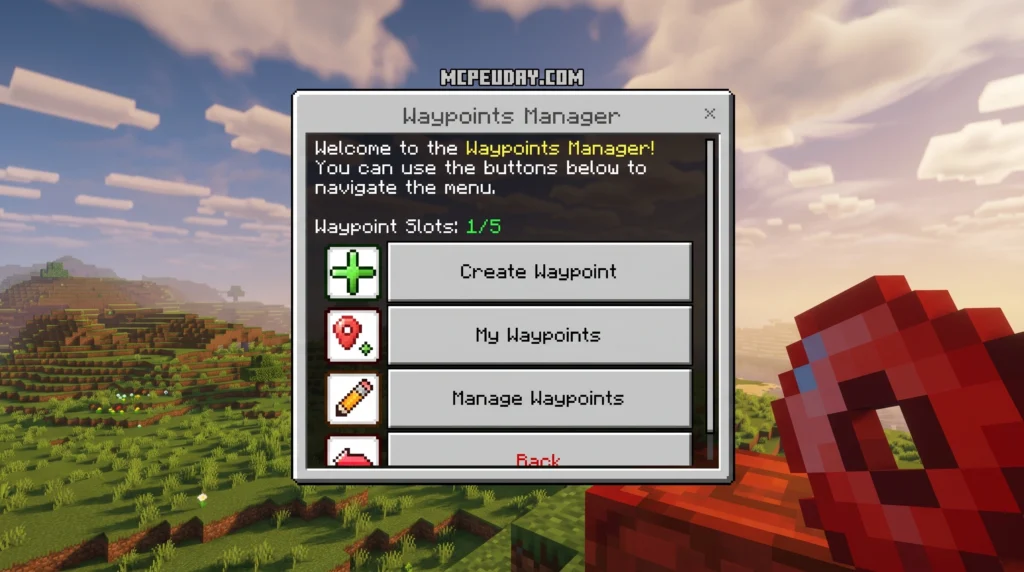
The Vanilla Waypoints Addon is a Minecraft Bedrock/MCPE addon that lets you save custom locations and teleport to them instantly — without getting lost in massive worlds ever again.
Quick answer for what you need to know:
- What it is: A navigation addon for MCPE/Bedrock that saves coordinates as named waypoints
- How to teleport: Use the Waypoints Manager item to teleport to any saved pin in your current dimension
- Dimension support: Works across Overworld, Nether, and End — but teleportation is locked to your current dimension
- Multiplayer ready: Includes a Server Mode so operators can control settings and prevent abuse
- Current version: v1.9.4, supporting Minecraft 26.32 and higher
- Downloads: Over 205,600 downloads with a 4.4/5 star rating
- File sizes: Behavior Pack (122.93 KB) + Resource Pack (51.91 KB)
Picture this: you finish a deep mining run, your inventory is full, and your base is three ravines and two biomes away. Instead of hiking back through dangerous terrain, you tap a waypoint called “Home” and you’re there instantly — complete with a countdown sound, arrival camera effect, and particle burst.
That is exactly the problem the Vanilla Waypoints Addon solves.
It is one of the most downloaded navigation addons for Minecraft Bedrock, built by creator DARKLEXx and last updated in June 2026. Whether you play solo survival or run a multiplayer server, it gives you a clean, lag-free fast travel system that does not feel out of place in vanilla Minecraft.
I’m UDAY GAMER, and in this comprehensive guide I’ll walk you through every feature, setting, and install step you need to get the most out of this addon.
Features and Mechanics of the Vanilla Waypoints Addon
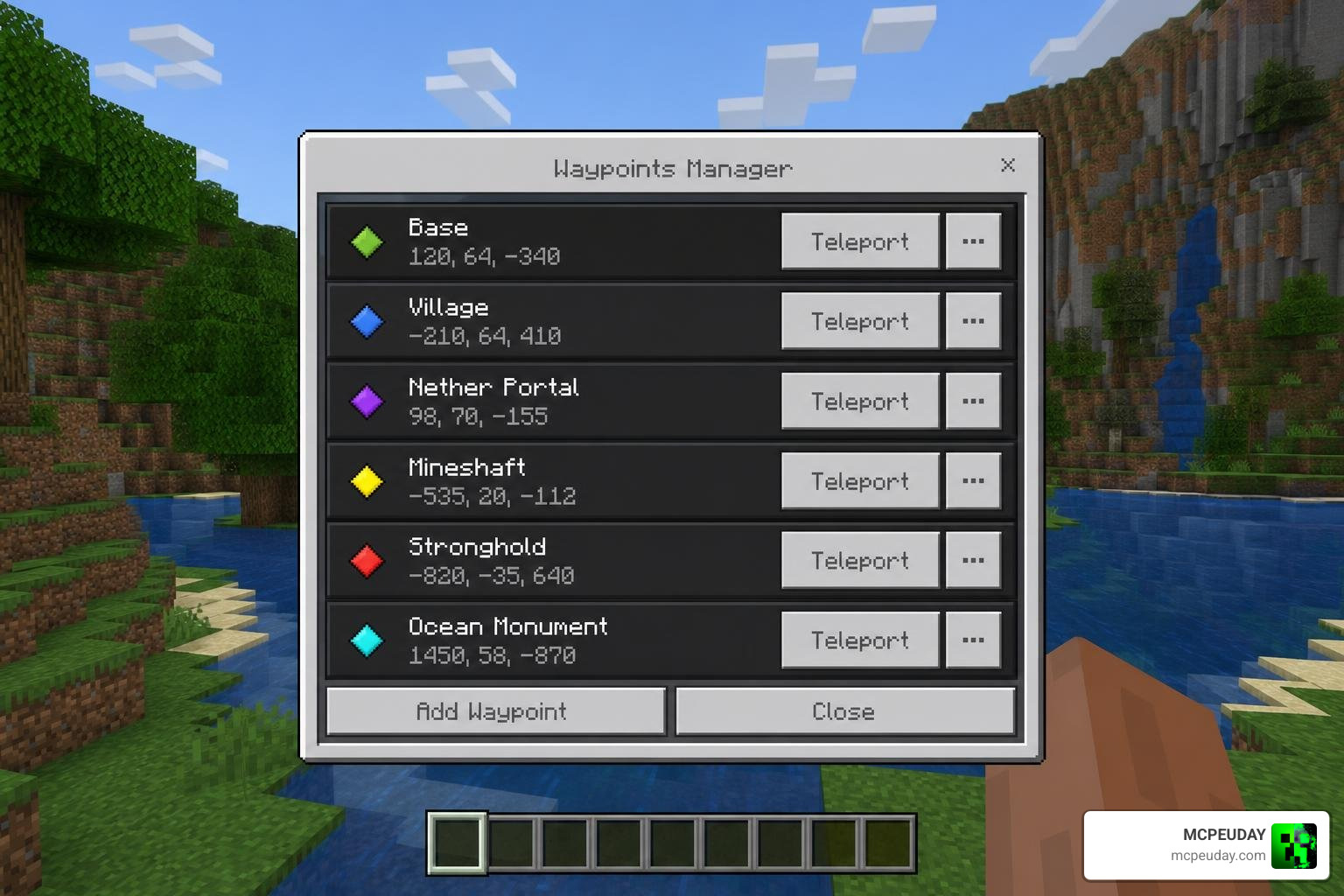
The core appeal of the Vanilla Waypoints Addon is how seamlessly it integrates into your active gameplay. Instead of forcing you to memorize long strings of numbers or clutter your desk with sticky notes of coordinates, the addon provides a clean in-game interface.
When you open the Waypoints Manager, you are greeted with a lightweight user interface (UI) that lists all your saved coordinates. From here, you can click to teleport instantly, edit existing markers, or create a brand new one.
In the latest v1.9.4 update, the teleportation sequence is highly immersive. Rather than a silent, jarring snap from one location to another, the addon features:
- A countdown teleport sound effect that builds anticipation.
- Cancellation particles if you move or get interrupted.
- An arriving sound effect and camera shake to make the teleport feel powerful and physical.
Managing Your Saved Locations
Managing your pins is incredibly straightforward. The Waypoints Manager lets you perform several key actions:
- Creating Waypoints: Drop a pin at your current coordinates, give it a custom name, and save it.
- Renaming Pins: Easily change names like “Temporary Camp” to “Main Quarry” as your builds progress.
- Updating Coordinates: If you move your portal or expand your base, you can update an existing waypoint to your current position without deleting and recreating it.
- Deleting Waypoints: Clean up obsolete markers once a mine is depleted or a structure is fully explored.
- Custom Categorization: Organize your locations by naming them systematically (such as “Farm: Iron”, “Biome: Ice Spikes”, or “Nether: Fortress”) to keep your navigation list tidy.
Teleportation Rules and Dimension Restrictions
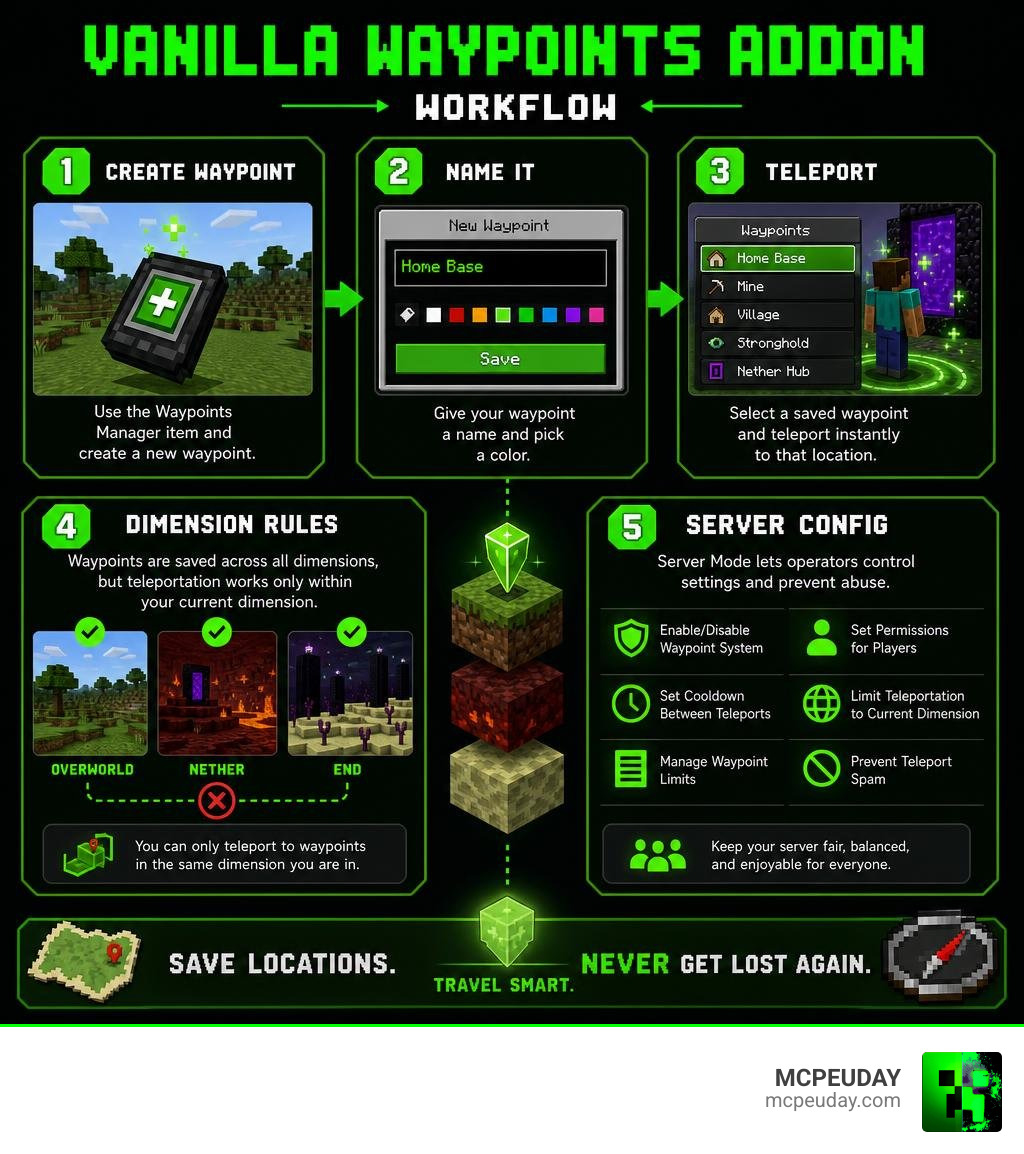
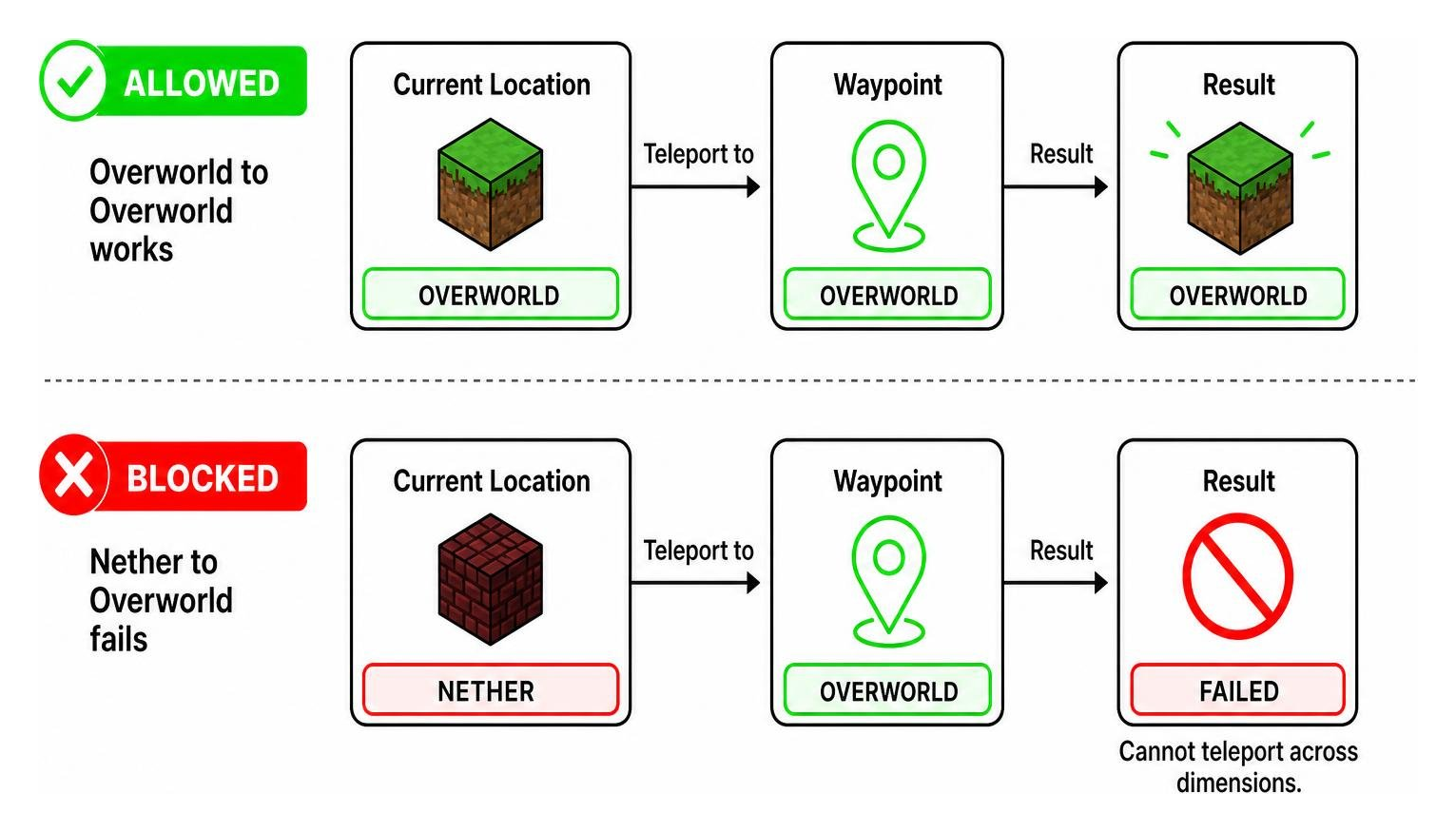
While this addon is fully multi-dimension aware, it respects the natural structural progression of Minecraft. It saves and tracks your coordinates across the Overworld, the Nether, and the End. However, teleportation is strictly dimension-bound.
This means you cannot teleport from the Nether directly to an Overworld waypoint. You must be in the same dimension as your destination pin to initiate the teleport. This same-dimension restriction keeps the survival challenge intact, forcing you to use portals to cross dimensional boundaries before fast-traveling.
Configuration and Multiplayer Server Management
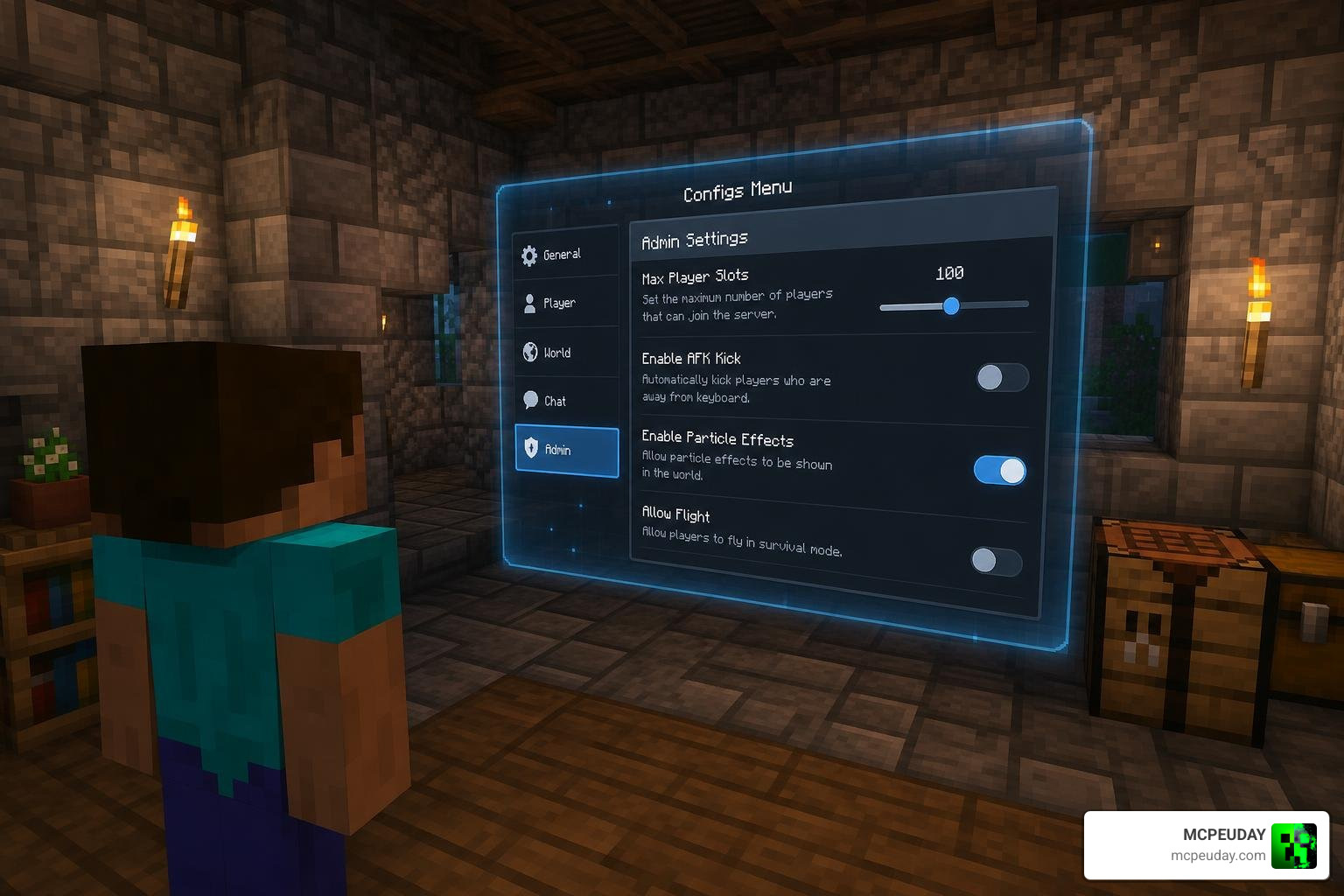
If you are hosting a cooperative world or running a dedicated multiplayer server, you might worry about players abusing teleportation. Thankfully, the Vanilla Waypoints Addon includes a robust Configs Menu that makes server administration painless.
By opening the Configs Menu, you can toggle Server Mode. This hands setting controls exclusively to server operators (admins). This prevents regular players from changing slot limits or altering global settings.
Key configuration settings include:
- Max Waypoint Slots: Limit the maximum number of waypoints a player can create to maintain a survival challenge and prevent database bloat.
- Sound and Particle Toggles: Turn off visual particles or audio cues if you prefer a quieter UI or want to save system resources on lower-end mobile devices.
- Grief Prevention: Stop players from spamming teleportation points across the map on day one.
Crafting and Commands for Waypoint Items
In survival mode, you do not need to rely on cheats or creative mode to access these features. The configuration menu is fully craftable in-game using basic survival materials:
- Configs Menu Recipe: Combine 1 cobblestone and 1 pink dye in a standard crafting table.
If you are an operator and prefer using commands, you can instantly obtain the necessary items by typing these commands into the chat:
- For the Waypoints Manager: /give @s dlvw:waypointsmanager
- For the Configs Menu: /give @s dlvw:configsmenu
Best of all, the Waypoints Manager item features built-in item retention on death. If you fall into a lava pit or get blown up by a creeper, you will not lose your manager item. It stays safely in your inventory, ensuring you can quickly teleport back to retrieve your dropped gear.
Comparing Popular Bedrock Navigation Addons
To help you decide which navigation tool fits your playstyle, we have compared the top three waypoint addons available for Minecraft Bedrock.
| Feature | Vanilla Waypoints Addon | Advanced Waypoints | Basic Waypoints |
|---|---|---|---|
| Total Downloads | ~205.6K | ~428.4K | ~23.4K |
| User Rating | 4.4 / 5 Stars | N/A | 3.9 / 5 Stars |
| Teleportation Cost | Free (Configurable) | 1 XP Level per 500 blocks | Requires XP for slots |
| Cooldown | None (Instant) | None | 8-Second Cooldown |
| Dimension Rules | Same-Dimension Only | Same-Dimension Only | Same-Dimension Only |
| Achievements | Disabled (Requires BP/RP) | Achievements-Friendly | Disabled |
| Special Features | Immersive camera/audio effects, kept on death | Shared waypoints, death counter, cartography table craft | Lightweight, minimal footprint |
Why Choose the Vanilla Waypoints Addon Over Alternatives?
While Advanced Waypoints is highly popular due to its achievement compatibility and XP-based costs, it requires physical items like papers and cartography tables to function. On the other hand, Basic Waypoints is lightweight but enforces a strict 8-second cooldown and an XP-based slot system that can feel restrictive.
The Vanilla Waypoints Addon strikes the perfect balance. It delivers a highly polished, lag-free performance with immersive audio-visual feedback that makes teleportation feel like a feature Mojang built themselves. For players who want a clean, dedicated UI and robust admin controls, it is the superior choice. You can view the open-source development of similar systems on the Fisch37/waypoints-vanilla repository or check out alternative designs on main/README.md .
Installation Guide and Version Compatibility
Before installing, make sure your game client is compatible. The latest version (v1.9.4) supports Minecraft Pocket Edition / Bedrock version 26.32 and higher, including the latest 1.21.x updates.
The addon is split into two lightweight files:
- Behavior Pack: 122.93 KB
- Resource Pack: 51.91 KB
Both packs must be installed and active for the addon to work correctly.
How to Install the Vanilla Waypoints Addon on Bedrock
Follow these simple steps to install the addon on your mobile device, console, or PC:
- Download both the Behavior Pack and Resource Pack .mcpack files.
- Open the downloaded files to automatically launch Minecraft and import the packs.
- Go to your World Settings.
- Scroll down to the Active Packs section and activate both the Vanilla Waypoints Resource Pack and Behavior Pack.
- Go to the Experiments tab in your world settings and ensure that Beta APIs or any required experimental gameplay toggles are enabled.
- Restart your mobile client or game to ensure all textures and scripts load correctly.
Practical Use Cases for Survival and Exploration
How does this addon change your day-to-day survival gameplay? Here are some of our favorite practical use cases:
- Nether Highways: Mark locations like “Nether Fortress” or “Bastion Remnant” to quickly gather blaze rods and gold without getting lost in dangerous biomes.
- Mining Quarries: Save the coordinates of deep underground ravines, then teleport back to your surface base to empty your inventory before returning instantly to mine.
- Safe Havens: Set a waypoint at your home base so you can teleport to safety during a surprise phantom attack or raid.
- Cooperative Hubs: In multiplayer, set up public teleportation hubs at spawn while keeping your private bases hidden from other players.
Frequently Asked Questions about Vanilla Waypoints
Can you teleport across different dimensions using this addon?
No. While you can save waypoints in the Overworld, Nether, and End, you can only teleport to a waypoint if you are currently standing in that same dimension.
Does the Vanilla Waypoints Addon disable achievements in survival?
Yes. Because this addon utilizes custom behavior packs and scripting APIs, activating it in your world settings will disable Xbox Live achievements.
What happens to the Waypoints Manager item when a player dies?
The Waypoints Manager item has death retention enabled, meaning it will not drop on the ground or burn in lava when you die. It stays safely in your inventory.
Conclusion
The Vanilla Waypoints Addon is an essential utility mod that transforms how you explore, build, and survive in Minecraft Bedrock. It eliminates the frustration of getting lost while preserving the core survival experience through smart dimensional limits and server settings.
Ready to upgrade your world? Download the resource and behavior packs today and build your ultimate fast travel network! While you are upgrading your survival world, why not add some firepower? Check out our guide to the Upgrade your survival experience with the best Minecraft Bedrock gun mods to defend your new waypoints in style!
