Why the Simple Capitator Addon Makes Tree Farming Instant and Effortless
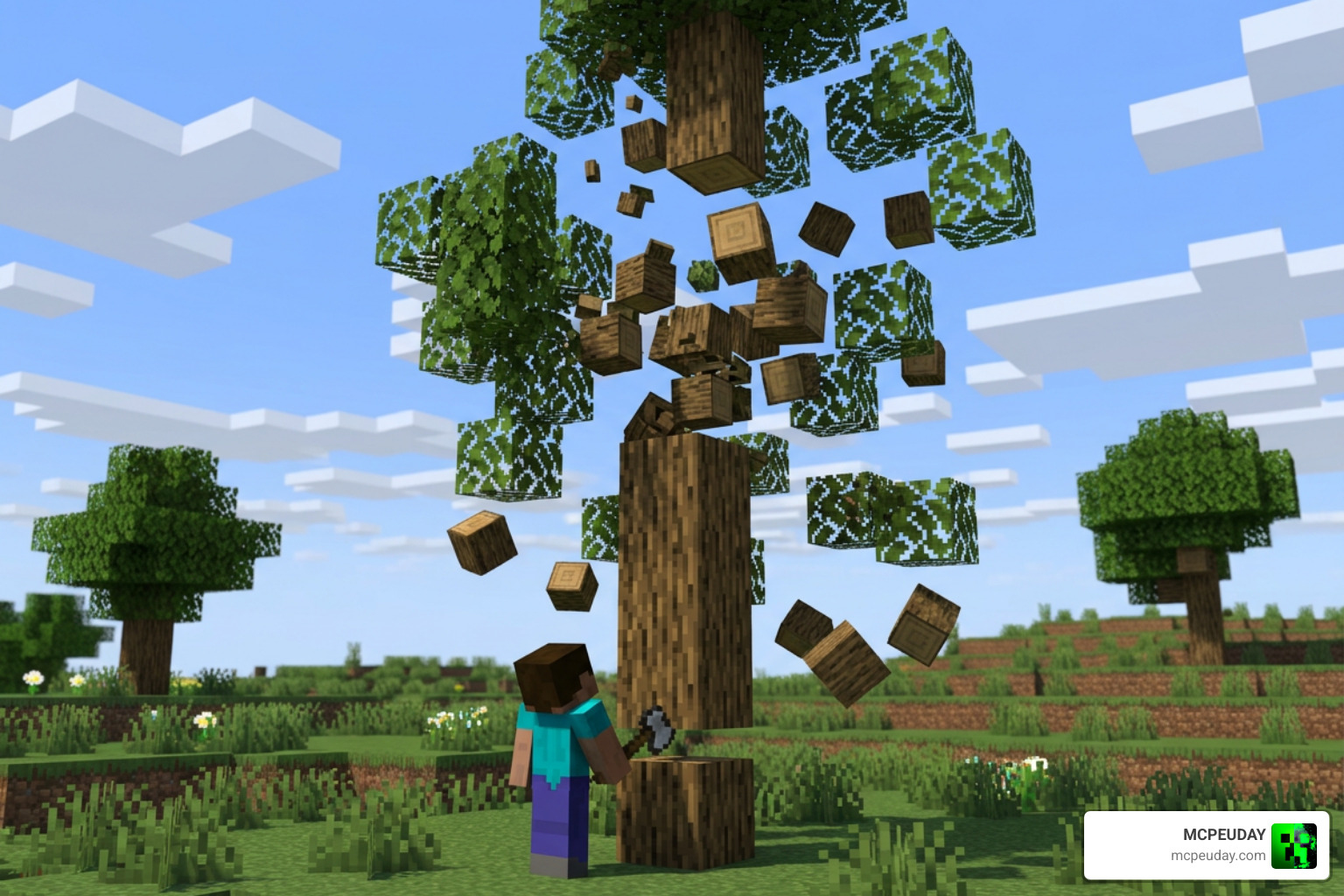
The Simple Capitator Addon lets you chop down an entire tree by breaking just one log — no more punching every block one by one. Wood harvesting is one of the most fundamental tasks in survival Minecraft, but spending endless minutes chopping giant trees block by block can slow down your progression significantly.
Here is a quick summary of what it does:
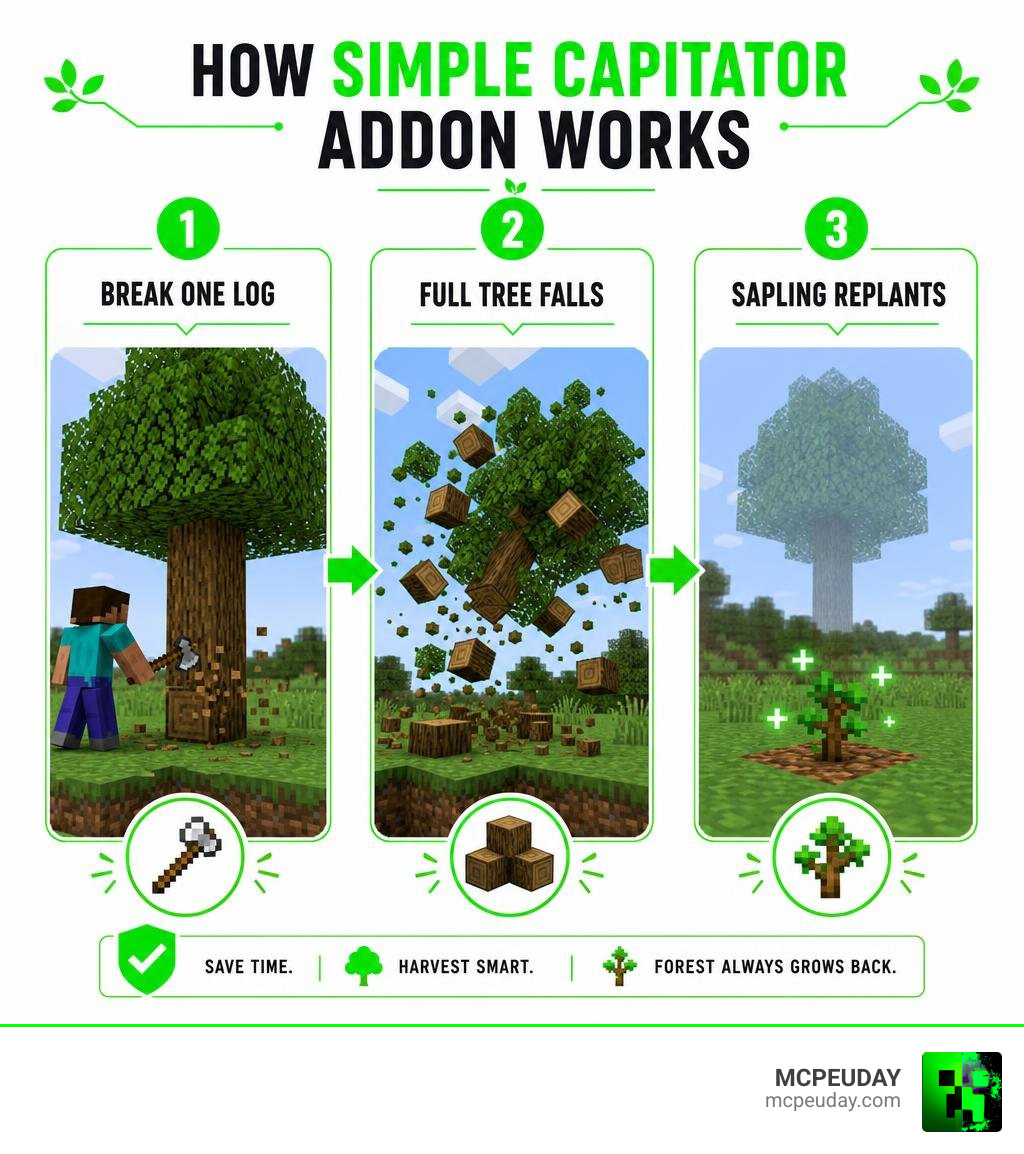
- Chop full trees by breaking a single log at the base
- Auto-replants saplings so your forest grows back automatically
- Works on Bedrock/MCPE via a simple
.mcpackfile install - Supports nether trees and custom block types
- VIP/permission mode lets server owners control who gets the ability
- Toggle it on or off per player so you never accidentally break your wooden house
Whether you are playing solo survival or running a multiplayer server, this addon saves a lot of time when gathering wood, allowing you to focus on building, exploration, and crafting.
I’m UDAY GAMER from MCPEUDAY, and in this guide I’ll walk you through everything you need to know — from installing the addon to configuring it the right way for optimal world management.
Overview of Simple Capitator Addon and Core Features
At its core, the Simple Capitator Addon solves one of the oldest chores in Minecraft: tedious timber harvesting. Instead of building scaffolding to reach the top of giant oak, dark oak, or jungle trees, breaking a single log at ground level brings down the entire tree instantly.
When comparing this addon to traditional Java plugins like Cristichi’s Tree Capitator, the key difference lies in platform accessibility and lightweight design. While Java Bukkit plugins rely heavily on Spigot Material enums and server-side configurations, the Simple Capitator Addon is tailored specifically for Bedrock Edition and MCPE players. It offers smooth performance without overburdening mobile devices or consoles during large tree destruction events.
If you are ready to try it out right away, you can grab the Simple Capitator .mcpack file to get started on your Bedrock worlds.
Key Features of the Simple Capitator Addon
We love practical gameplay upgrades, and this addon brings several standout features to your survival experience:
- One-Log Tree Destruction: Break the bottom log of any naturally generated tree, and every attached log breaks instantly.
- Automatic Sapling Replanting: The moment a tree falls, the addon places a sapling right where the trunk stood. It even includes sapling protection to prevent players from accidentally destroying newly planted saplings before they mature.
- Fast Leaf Decay: Instead of waiting minutes for leaves to slowly drop apples and saplings, the foliage clears away cleanly and rapidly.
- Lag Prevention Settings: You can configure leaf destruction settings to ignore distant foliage, which keeps server frames per second high during massive wood farms.
- Structural Safety Toggles: Built-in commands prevent players from accidentally tearing down log cabins or wooden bridges when harvesting near base builds.
Version Compatibility and Block Support
Compatibility is a common worry when adding mods to Minecraft. Fortunately, testing confirms that this tool supports a massive range of game versions, working seamlessly on Minecraft versions 1.13 through 1.21.
When it comes to block support, the addon handles every standard tree type in the game, including Oak, Birch, Spruce, Jungle, Acacia, Dark Oak, Mangrove, and Pale Oak. Beyond standard trees, it full-throatedly supports Nether flora such as Crimson and Warped Fungi.
For server administrators hosting Java-Bedrock crossplay servers using Spigot or Paper software, custom block mappings can be added using JSON files like extralogs.json and extraleaves.json. This allows custom modded or addon trees to work seamlessly alongside vanilla blocks while maintaining full script performance.
Step-by-Step Installation Guide
Installing the Simple Capitator Addon is straightforward, whether you play on mobile, console, PC, or host a dedicated multiplayer server for your gaming community.
Installing the Simple Capitator Addon on Bedrock and MCPE
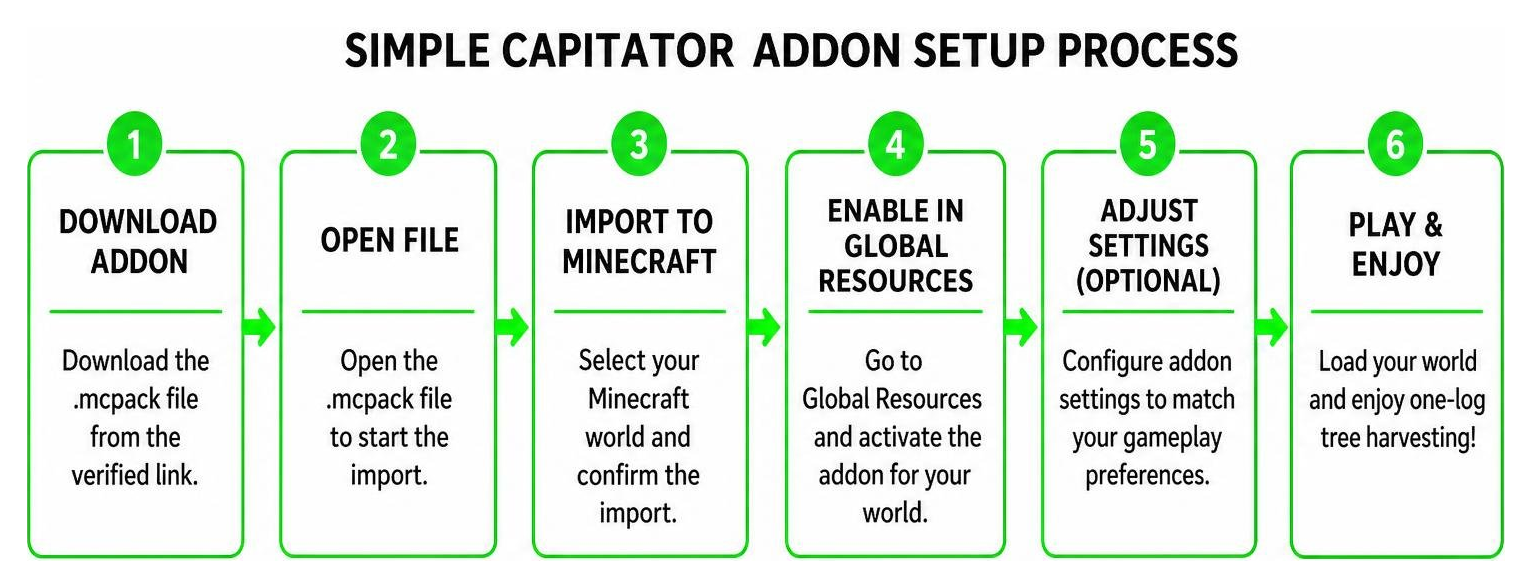
To set up the addon on your Bedrock Edition or MCPE device, follow these exact steps:
- Download the file from our verified link: Simple Capitator .mcpack download.
- Open your file manager and tap or double-click the downloaded
.mcpackfile. Minecraft will launch automatically and import the package. - In Minecraft, navigate to your world settings screen.
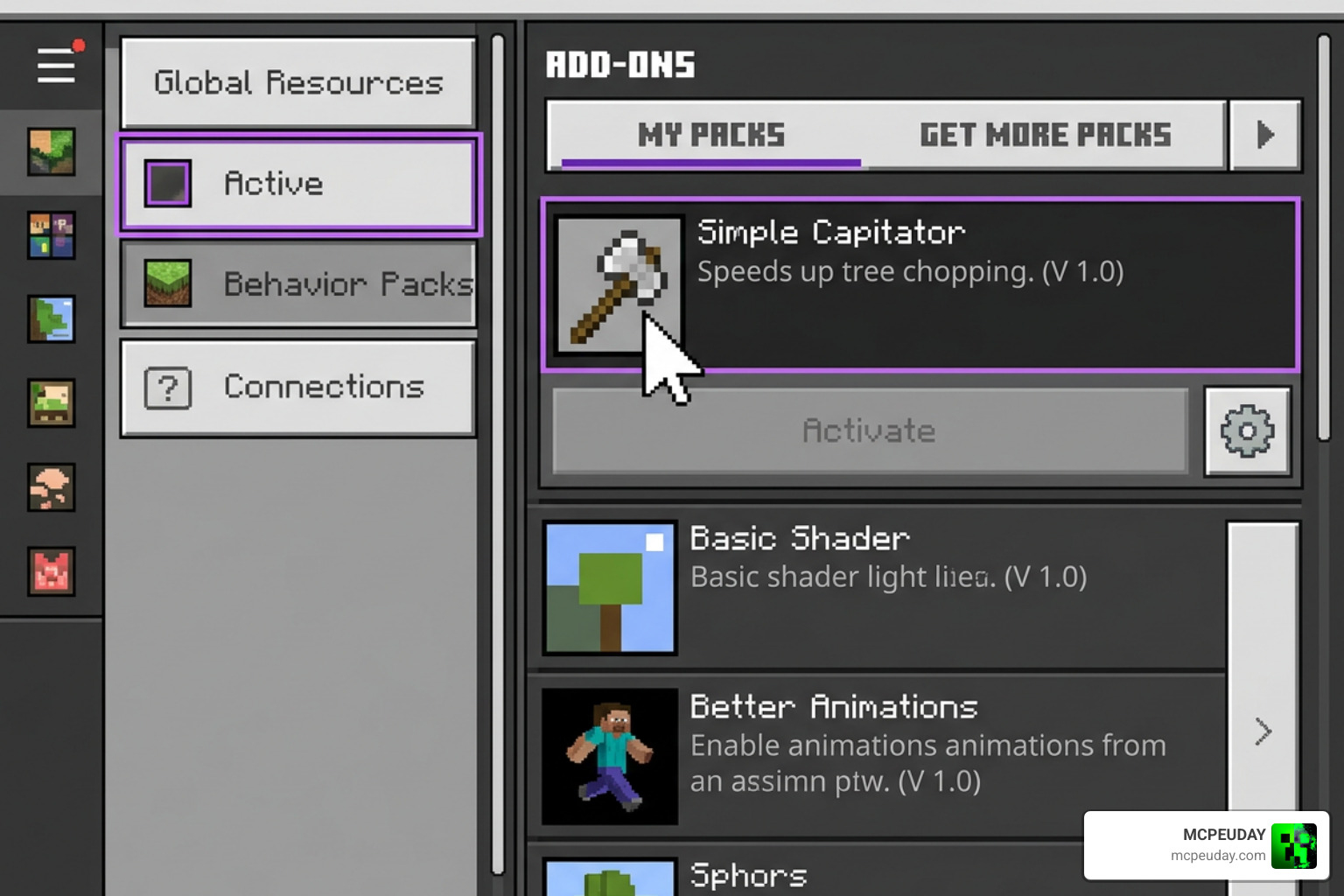
- Scroll down to the Resource Packs tab on the left menu and activate Simple Capitator.
- Go to the Behavior Packs tab right below it and activate Simple Capitator there as well.
- Ensure experimental gameplay options (like Holiday Creator Features or Beta APIs) are enabled if prompted by your game version to ensure full script execution.
- Enter your world and start chopping!
Server Plugin Setup and Commands
If you are running a Java or Geyser crossplay server, setting up the server-side capitator plugin takes less than two minutes:
- Download the plugin package file from the distribution link.
- Place the file directly into your server’s
/plugins/directory. - Restart your server or run the console command to generate initial configuration files.
- Use the main command
/tcin-game or in the server console to view the full command list.
Server owners can grant fine-grained permissions using nodes like cristreecapitator.user for standard players, cristreecapitator.vip for donor tiers, or cristreecapitator.admin for full access to reloading configuration files via /tc reload.
Advanced Configuration, Durability, and VIP Permissions
Fine-tuning your settings ensures that tree felling remains fair and balanced for all players on your world or server.
| Feature / Setting | Default Mode | VIP Mode |
|---|---|---|
| Tree Felling | Available to all players | Restricted to VIP permission node holders |
| Axe Durability Loss | 1 durability per tree | 1 durability per individual log destroyed |
| Player Toggle Option | Enabled (/tc toggle) | Enabled (/tc toggle) |
| Crouch Requirement | Optional | Configurable (Force crouch to break) |
| Auto-Replant Saplings | Enabled | Enabled with unbreakable sapling protection |
VIP Mode and Access Controls
Server admins frequently ask us how to monetize or balance server perks without breaking gameplay harmony. By enabling VIP mode in the config.yml or JSON settings file, you can restrict automatic tree felling exclusively to players who hold specific permission nodes.
Individual players also retain full control over their own gameplay. If a player is building a wooden house and wants to avoid accidentally felling their walls while making edits, they can simply type /tc toggle in chat. This command toggles the capitator function on or off for that specific player instantly without needing admin privileges.
Durability System and Protection Plugins
To prevent tree felling from becoming overpowered in survival mode, the system correctly calculates tool wear based on tree size. When you chop down a 15-log oak tree, your axe will lose 15 points of durability rather than just 1 point. If your axe does not have enough durability remaining to break the entire tree, felling stops automatically to keep your valuable tool from breaking unexpectedly.
For multiplayer protection, the Simple Capitator Addon integrates cleanly with popular region protection plugins like WorldGuard. If a player attempts to break a tree inside a protected town, claim, or spawn region without build permissions, the capitator effect is cancelled, keeping your protected areas safe from griefers and unauthorized timber harvesting.
Frequently Asked Questions
What Minecraft versions are supported by Simple Capitator Addon?
The build is fully tested and working across all major Minecraft releases, including versions 1.13, 1.14, 1.15, 1.16, 1.17, 1.18, 1.19, 1.20, and 1.21. Automatic updating ensures that as new Minecraft patches release in 2026, your settings remain intact.
How does crouch prevention work with tree felling?
Crouch prevention is a safety feature designed to stop accidental tree felling. Depending on your configuration, you can set the addon to require players to crouch while chopping to trigger multi-log destruction. Alternatively, you can invert the setting so that crouching disables the feature, letting you chop single logs normally when working around wooden structures.
What should you do if auto-replant fails or bugs occur?
If saplings fail to replant, ensure that the ground block beneath the tree is valid dirt, grass, podzol, or moss. If you encounter bugs after updating your game version, execute /tc reload in the command console or restart your Bedrock world to refresh the scripts. You can also report issues on official project support channels or community forums for quick technical assistance.
Conclusion
The Simple Capitator Addon is easily one of the best quality-of-life additions you can make to your Minecraft world. It cuts down hours of tedious wood grinding while maintaining survival balance through realistic axe durability loss, auto-replanting, and region protection.
We at MCPEUDAY are committed to bringing you the best tools and guides to enhance your Minecraft sessions. If you want to customize your game even further with custom tools, immersive shaders, or unique survival worlds, Explore more mods and addons in our extensive resource library!
