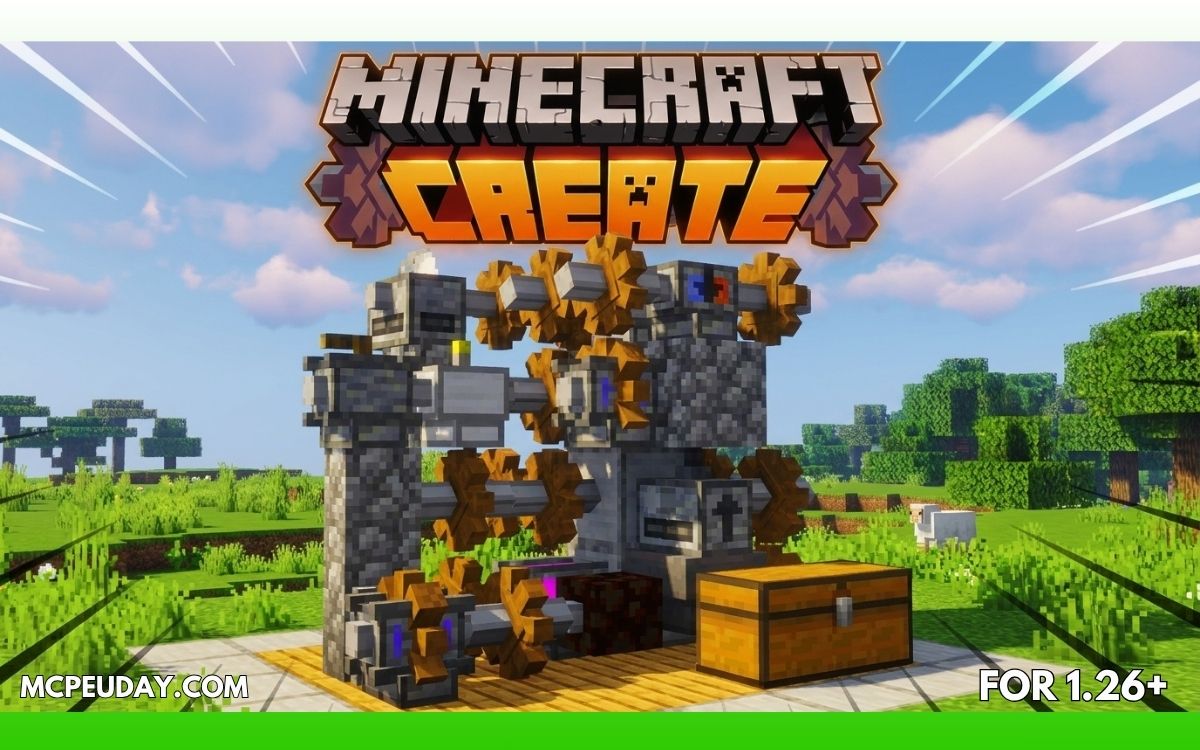
Minecraft survival becomes much more interesting when you stop doing everything manually.
That’s why the Create Addon (26.x, 1.21) has become one of the most popular engineering-style addons for Minecraft Bedrock Edition. Inspired by the famous Java Create Mod, this addon adds machines, automation systems, moving mechanisms, and industrial-style gameplay into MCPE.
If you love building factories, automatic farms, or mechanical systems in Minecraft, this addon completely changes the experience.
In this guide, I’ll explain everything — features, gameplay mechanics, performance, installation, pros & cons, and whether it’s worth using in Minecraft 1.21.
What is Create Addon in MCPE?
Create Addon is a mechanical and automation-focused addon for Minecraft Bedrock Edition that introduces:
- Rotational power systems
- Machines
- Conveyors
- Automated farming
- Mechanical crafting
- Industrial-style engineering gameplay
Instead of relying only on redstone, players can create large-scale automated systems using gears, shafts, and machines.
The addon is heavily inspired by the Java Edition Create Mod and brings similar creativity into MCPE survival worlds.
Why Players Love This Addon
The biggest reason players enjoy Create Addon is simple:
👉 It makes Minecraft feel smarter.
Instead of repetitive manual farming and crafting, you can build:
- Automatic crop farms
- Mining systems
- Mechanical doors
- Conveyor transport systems
- Factory-style production lines
For technical Minecraft players, this addon adds almost unlimited creativity.
Main Features of Create Addon (1.21)
⚙️ 1. Mechanical Power System
The core mechanic of the addon is rotational energy.
Machines connect using:
- Shafts
- Gearboxes
- Wheels
- Rotational generators
This creates a realistic engineering-style system instead of basic redstone logic.
🌾 2. Automated Farming
You can automate:
- Wheat farms
- Sugarcane farms
- Tree farms
- Item collection systems
This makes survival gameplay much less grindy.
🚂 3. Conveyor & Transport Systems
The addon includes moving systems that transport items automatically.
You can build:
- Conveyor belts
- Sorting systems
- Automated storage
- Factory pipelines
This feature alone makes large survival bases feel incredible.
🔨 4. Mechanical Crafting
Some advanced items require machine-based crafting instead of normal crafting tables.
This adds progression and makes the addon feel balanced instead of overpowered.
🏭 5. Industrial Factory Builds
One of the best things about Create Addon is the visual style.
Factories actually look alive because:
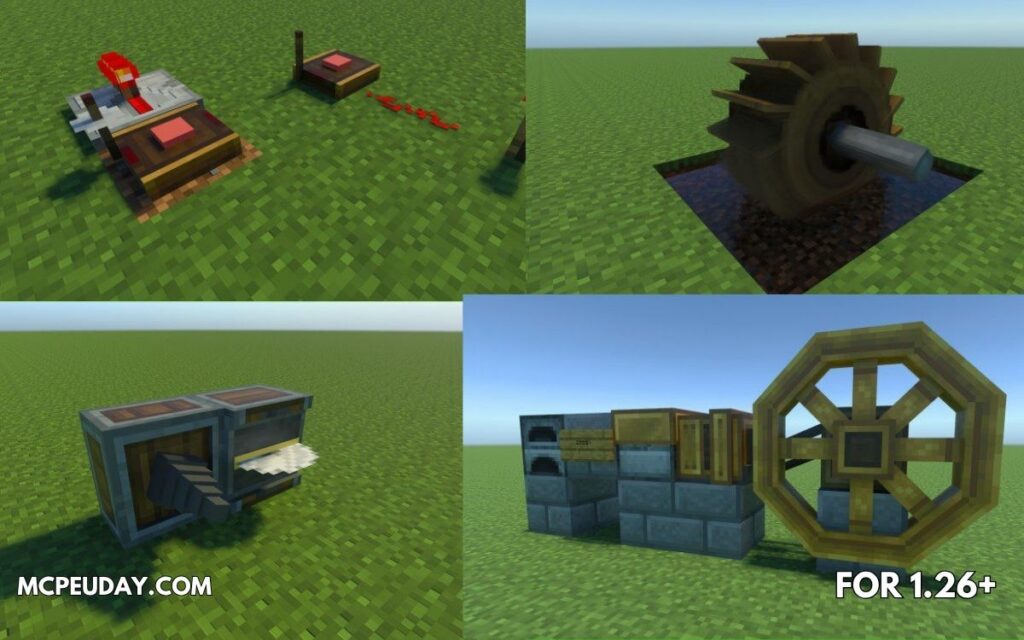
- Machines rotate
- Gears move
- Components animate in real time
It gives Minecraft a modern engineering vibe.
Screenshots:-
Gameplay Experience (Real Use)
I tested this addon in a survival world focused on farming and automation.
At first, the system feels slightly complicated.
But once you understand:
- rotational power,
- gear connections,
- and machine speed,
the addon becomes extremely addictive.
The most satisfying part was building an automatic wheat farm where harvesting, item collection, and storage all worked together automatically.
👉 It genuinely felt like playing a completely different game.
Performance on Mobile Devices
Surprisingly, the addon is fairly optimized for Bedrock Edition.
On mid-range phones:
- Smooth gameplay
- Minimal lag
- Stable machine animations
On low-end devices:
- Large factories may reduce FPS
- Too many moving machines can cause lag
For best performance:
- Reduce render distance
- Avoid massive machine networks in one chunk
Supported Versions
The addon supports:
- Minecraft Bedrock 1.21+
- Android
- iOS
- Windows Bedrock Edition
Some versions may require Experimental Features to work properly.
Installation Guide
Installing the addon is simple:
- Download the addon files
- Open the
.mcaddonfile - Import into Minecraft
- Activate:
- Behavior Pack
- Resource Pack
- Enable Experimental Settings if required
- Create or load your world
💡 Restarting Minecraft after import can help avoid bugs.
Pros and Cons
✅ Pros
- Amazing automation system
- Adds engineering-style gameplay
- Great for technical players
- Makes survival more creative
- Huge replay value
❌ Cons
- Learning curve for beginners
- Can lag on weak devices
- Some machines require experimentation to understand
- Complex systems may break after Minecraft updates
Best Ways to Use Create Addon
This addon works best for:
- Technical survival worlds
- Multiplayer servers
- Factory builds
- Industrial cities
- Automation-focused gameplay
If you enjoy redstone, you’ll probably love this addon even more.
Common Problems & Fixes
❓ Machines not working?
Enable Experimental Features.
❓ FPS drops?
Reduce the number of moving machines and animations.
❓ Addon not importing?
Make sure your Minecraft version supports 1.21 addons.
Community Feedback
Many Minecraft Bedrock players enjoy Create-style addons because they add long-term progression and creativity to survival gameplay. Some Reddit discussions around automation-heavy Minecraft servers mention how engineering systems and progression mechanics make multiplayer worlds feel more engaging and skill-based. (Reddit)
Final Verdict – Is Create Addon Worth It?
Absolutely — especially if vanilla Minecraft feels repetitive.
Create Addon transforms MCPE from a simple survival game into a mechanical sandbox full of creativity and automation.
It’s not just another addon with flashy weapons or mobs.
👉 It changes how you play Minecraft itself.
If you enjoy:
- engineering,
- automation,
- technical building,
- or factory-style gameplay,
then this is easily one of the best addons to try in Minecraft Bedrock 1.21.
Author
Written by a Minecraft addon reviewer who tests MCPE addons in real survival gameplay with focus on performance, balance, and long-term usability.
1 thought on “Create Addon (26.x, 1.21) for MCPE – Best Automation Mod for Minecraft Bedrock”