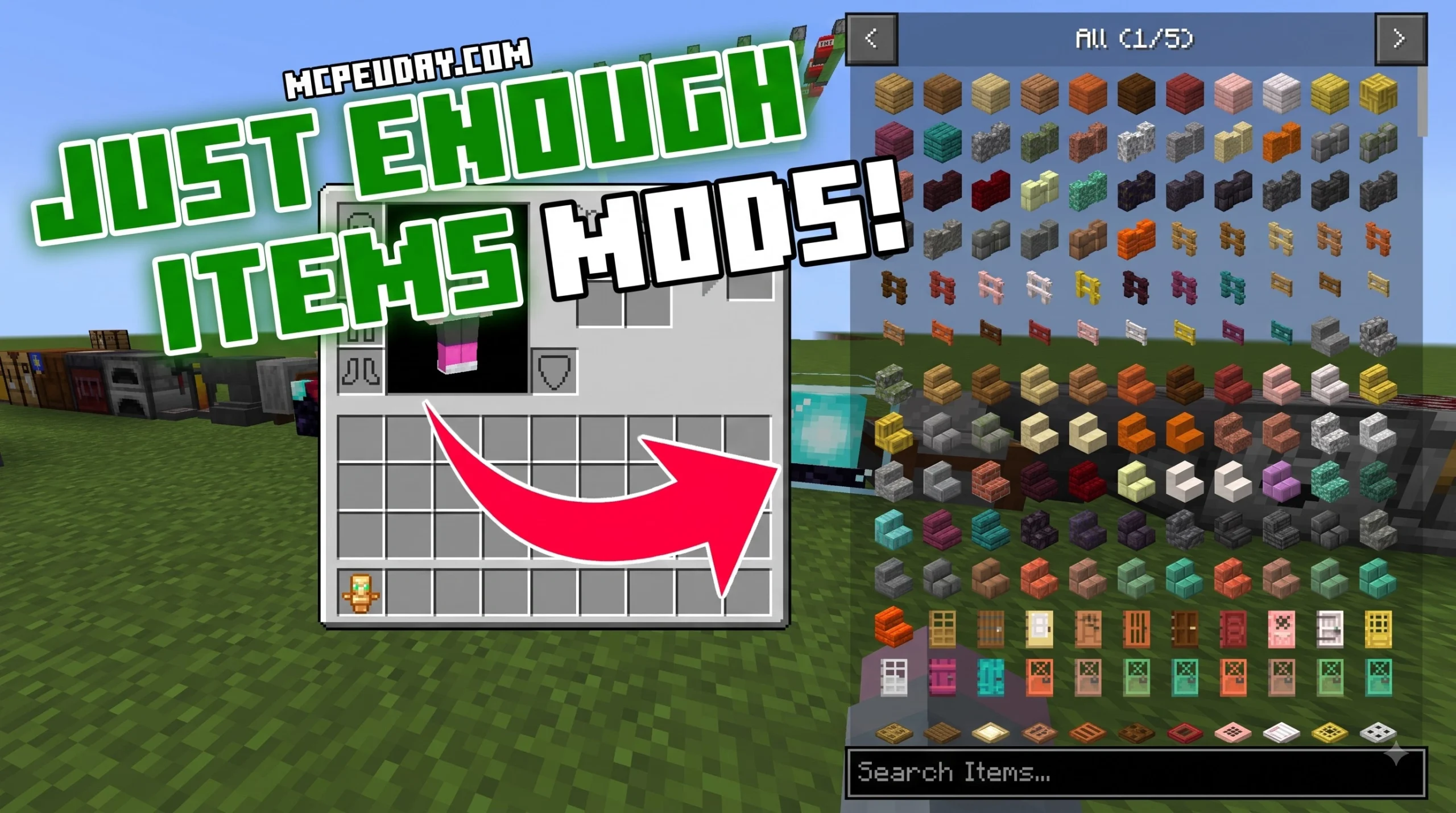
What Is the JEI Recipe Book Layout Texture Pack?
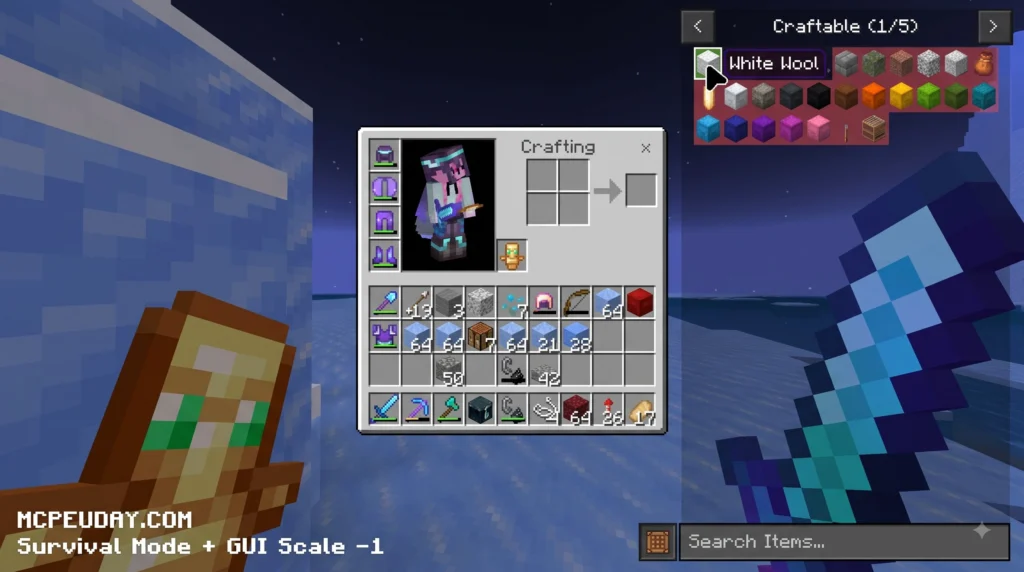
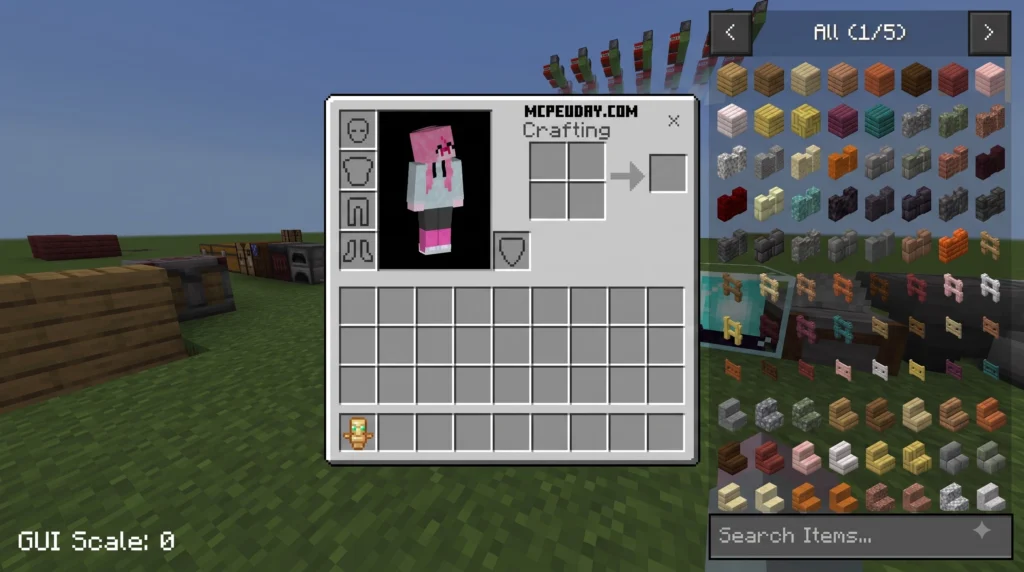
The JEI Recipe Book Layout texture pack is an interface redesign for Minecraft Bedrock Edition and MCPE. It changes how item recipes are displayed in your inventory and crafting table screens. Instead of modifying core gameplay rules or adding custom blocks, this project operates entirely as a pure UI resource pack.
Because Bedrock UI screens can sometimes feel oversized or require excessive scrolling, this pack restructures the interface layout. It brings full compatibility for Minecraft Bedrock 1.20 and 1.21, giving players on mobile, console, and PC a cleaner crafting environment. Designed specifically for optimal usability, it reorganizes standard crafting panels into a streamlined layout that reduces screen clutter, organizes recipes into neat categories, and speeds up daily inventory navigation.
Key Features of the JEI Recipe Book Layout Texture Pack
- Compact Grid Display: Shows a higher density of item slots on a single screen, sharply increasing your crafting speed.
- Organized Recipe Categories: Separates blocks, tools, redstone, and miscellaneous items into intuitive tabs.
- Enhanced Icon Clarity: Sharpened visual borders make individual craftable items easy to spot on high-resolution and low-resolution displays alike.
- Pure Resource Pack Integration: Functions without behavior packs or experimental toggles, making it safe for long-term survival worlds.
- Cross-Platform Interface Scaling: Adapts seamlessly to touchscreens, mouse controls, and gamepad navigation without overlapping UI elements.
By restructuring the vanilla Bedrock interface JSON files, the pack expands the visible crafting area while preserving native button functions. Players can navigate categories effortlessly, search for specific recipes without UI lag, and craft multiple items in rapid succession during intense survival scenarios.
Java Edition JEI Parity for Minecraft Bedrock
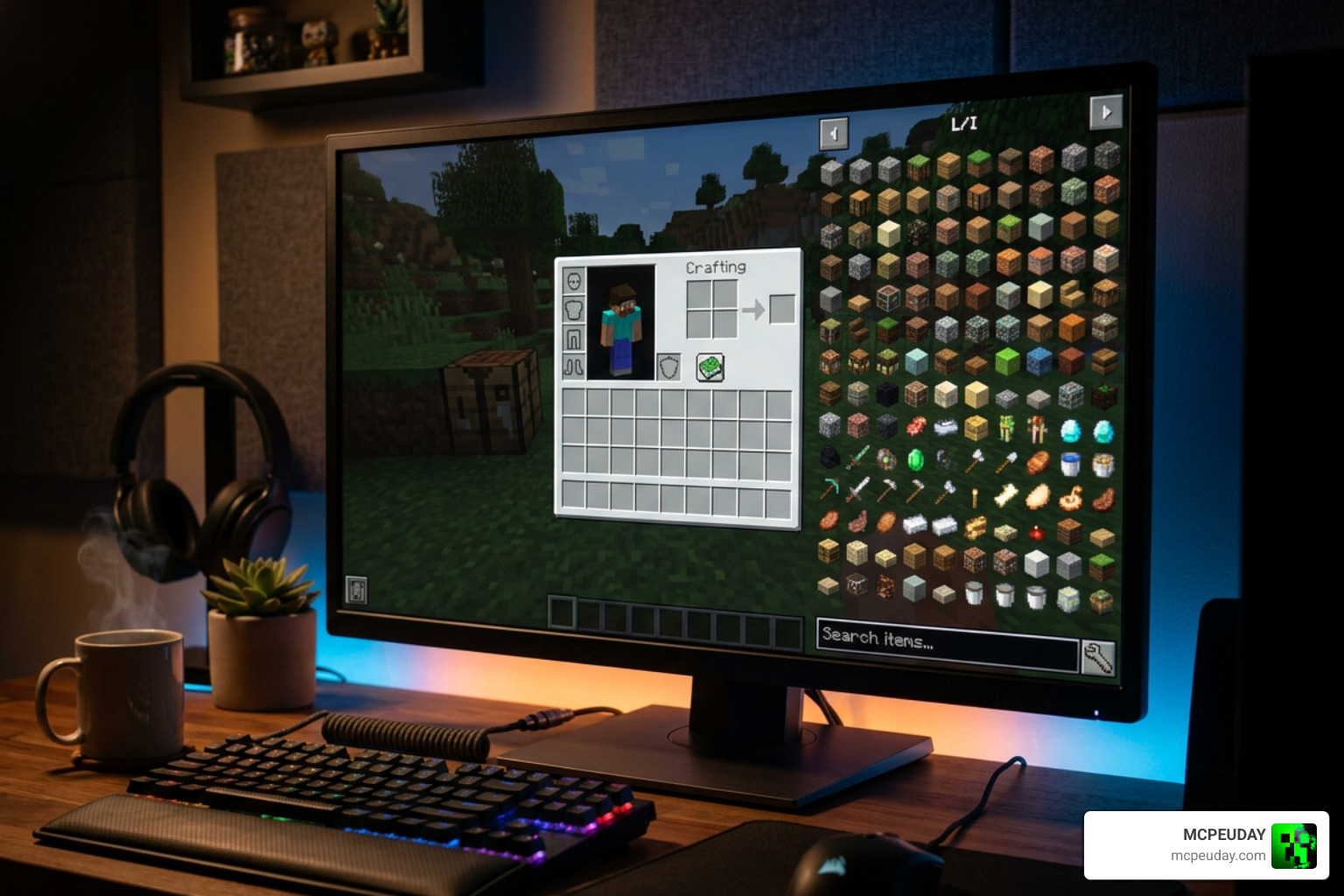
For years, Java Edition players have enjoyed the Java parity provided by the Just Enough Items (JEI) mod. That mod revolutionizes interface structure by giving players immediate grid access to every craftable item and formula.
While Bedrock Edition does not natively support Java Forge or Fabric mods, the JEI Recipe Book Layout texture pack delivers user familiarity by recreating that iconic interface structure inside Bedrock’s native JSON layout engine. This gives cross-platform players a seamless transition between Java Edition and MCPE without sacrificing performance or vanilla mechanics. By standardizing panel dimensions and slot spacing, players transitioning from PC modded environments to mobile or console Bedrock worlds instantly feel at home.
Core Gameplay Benefits and Layout Differences
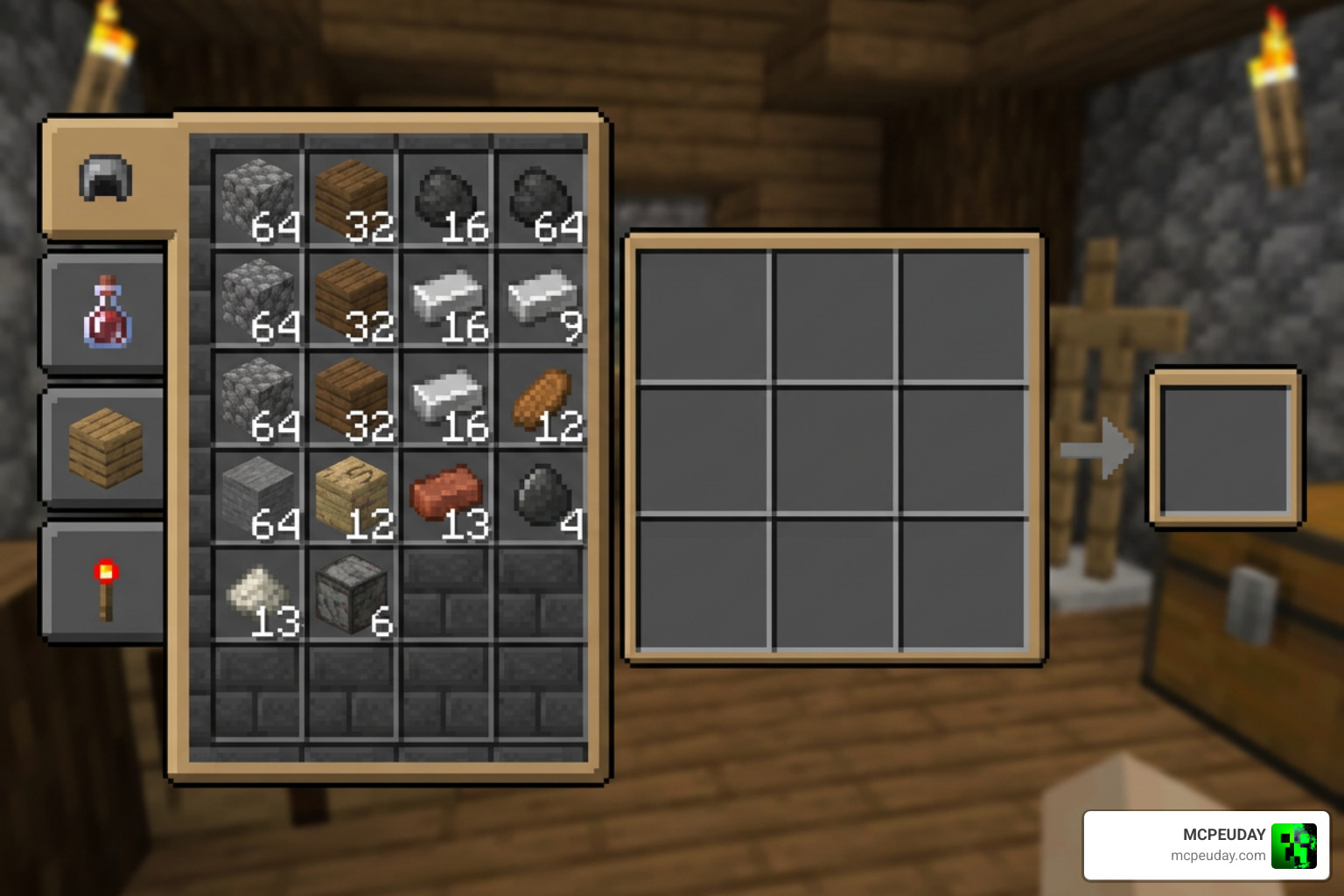
When you are deep in a survival building project, momentum is everything. Pausing every two minutes to scroll through a lengthy crafting menu can slow down your creative flow. Using an optimized layout speeds up resource management whether you are crafting stacks of quartz stairs, redstone repeaters, or simple chest storage systems. Efficient inventory management allows builders, redstoners, and survivalists to stay focused on gameplay without fighting unoptimized user interfaces.
Compact Grid Layout vs Default Bedrock Recipe Book
The vanilla Bedrock crafting book defaults to large icons arranged with generous spacing. While this works well for TV screens or large monitors, it limits how many recipes appear on screen at once. The JEI Recipe Book Layout texture pack increases slot density, fitting far more items per page.
When playing in survival mode, speed and precision are paramount. In vanilla Bedrock Edition, opening the crafting menu presents a sparse grid that requires continuous swiping or scrolling to locate basic items. The JEI Recipe Book Layout pack solves this by organizing items in a tight, structured matrix, minimizing empty margins and making dozens of recipes immediately visible upon opening the crafting panel.
| Feature / Aspect | Default Bedrock Recipe Book | JEI Recipe Book Layout Pack |
|---|---|---|
| Grid Density | Low (Large icons, wide padding) | High (Compact, optimized grid) |
| Scrolling Need | Heavy (Frequent swipe/scroll needed) | Minimal (More recipes visible per page) |
| Item Visibility | Limited items visible at once | Maximum items visible instantly |
| Java JEI Visual Parity | No | Yes |
| Achievement Friendly | Yes | Yes (100% pure resource pack) |
Mobile Usability and Touch Screen Optimization
On mobile screens, standard touch controls can lead to accidental taps when icons are misplaced or buried in long scrolling menus. By scaling GUI bounds intelligently, this pack enhances visual readability across mobile devices.

Because it is a lightweight visual pack, it delivers smooth performance stability on older mobile devices, low memory footprints, and zero extra battery drain. You can enjoy long multiplayer sessions on Android or iOS without experiencing thermal throttling or UI lag. The modified layout also integrates comfortably with Bedrock’s native GUI scale slider, allowing mobile players to customize touch targets to fit their screen dimensions perfectly.
Installation Guide and Pack Stacking Priority
Installing resource packs in Minecraft Bedrock is simple, but ensuring they override default interfaces requires correct layer placement in your Global Resources menu. Proper configuration guarantees that custom texture files load in the correct priority order across all your worlds.
Step-by-Step MCPE Download and Setup
- Download the
.mcpackfile for the JEI Recipe Book Layout texture pack to your Android, iOS, or PC device. - Open your file manager and tap on the downloaded file. Minecraft Bedrock will open automatically and import the pack.
- In Minecraft, navigate to Settings > Global Resources > My Packs.
- Select the pack and click Activate.
- Move the pack to the top of your Active list to ensure its layout overrides vanilla UI files.
- Return to the main menu to let the resource stacks load, then enter your world.
If you are playing on Windows or mobile devices, double-clicking or tapping the .mcpack file handles installation automatically via Minecraft’s built-in pack importer. For console players, importing can be done through dedicated world options or realm management menus. Once imported, enabling Global Resources ensures the interface update applies across all offline survival worlds, online servers, and multiplayer realms.
Stacking the JEI Recipe Book Layout Texture Pack with Other UI Themes
If you enjoy custom user interfaces, you can stack this pack alongside other aesthetic adjustments like dark mode UI styles, clean inventory themes, or customized HUD elements.
To stack effectively without layout glitches, always place the JEI Recipe Book Layout texture pack near the top of your active resource list. This gives it priority when rendering the recipe book bounds while allowing lower-tier themes to supply background colors or custom slot textures. If you experience visual overlaps, simply adjust the order of active packs in your Global Resources settings until panel components render correctly.
Achievements Preservation and Technical Mechanics
A major benefit of using this modification is that Xbox achievements remain 100% active. Because it functions purely as a texture and UI resource pack without behavior scripts, Minecraft treats your world as unmodified vanilla.
From a technical perspective, custom layouts in Minecraft draw heavily from layout logic concepts found across modding history. If you are interested in how recipe screens calculate slot dimensions and bounds in modding environments, you can read technical documentation like Recipe GUI | mezz/JustEnoughItems | DeepWiki and Recipe Layout Builder | mezz/JustEnoughItems | DeepWiki. Standard slot backgrounds typically occupy an 18×18 pixel frame while output slots use a 26×26 pixel frame, concepts that inspire compact grid designs across all platforms.
Frequently Asked Questions
Does this pack disable Xbox Live achievements?
No. The JEI Recipe Book Layout texture pack is a pure resource pack that only alters client-side user interface files. It contains no behavior packs or gameplay-altering scripts, so Xbox Live achievements stay fully active in all survival worlds and realms.
Is the pack compatible with Minecraft Bedrock 1.20 and 1.21?
Yes. The pack is fully updated and tested for Minecraft Bedrock versions 1.20 and 1.21. Because it uses simple, robust UI JSON replacements, it remains compatible across standard minor game updates on Android, iOS, Windows, and console platforms without causing crashes or broken menus.
Can I use this pack with other UI texture packs?
Yes, you can stack it with other visual resource packs such as dark mode interfaces or custom item icon packs. Just ensure you place the JEI layout pack at or near the top of your Global Resources priority list so its layout structures take priority over default settings.
Will this pack lag my game or drain battery on mobile devices?
No, the JEI Recipe Book Layout pack is lightweight and strictly visual. It alters JSON layout definitions and lightweight texture assets, meaning it consumes minimal memory and places virtually zero extra load on your device CPU or GPU.
Does this layout pack work in multiplayer servers and Bedrock Realms?
Yes. Since the JEI Recipe Book Layout pack is applied client-side through your local Global Resources settings, it functions flawlessly across public servers, private realms, and local LAN multiplayer worlds without requiring server-side installation or host permissions.
Conclusion
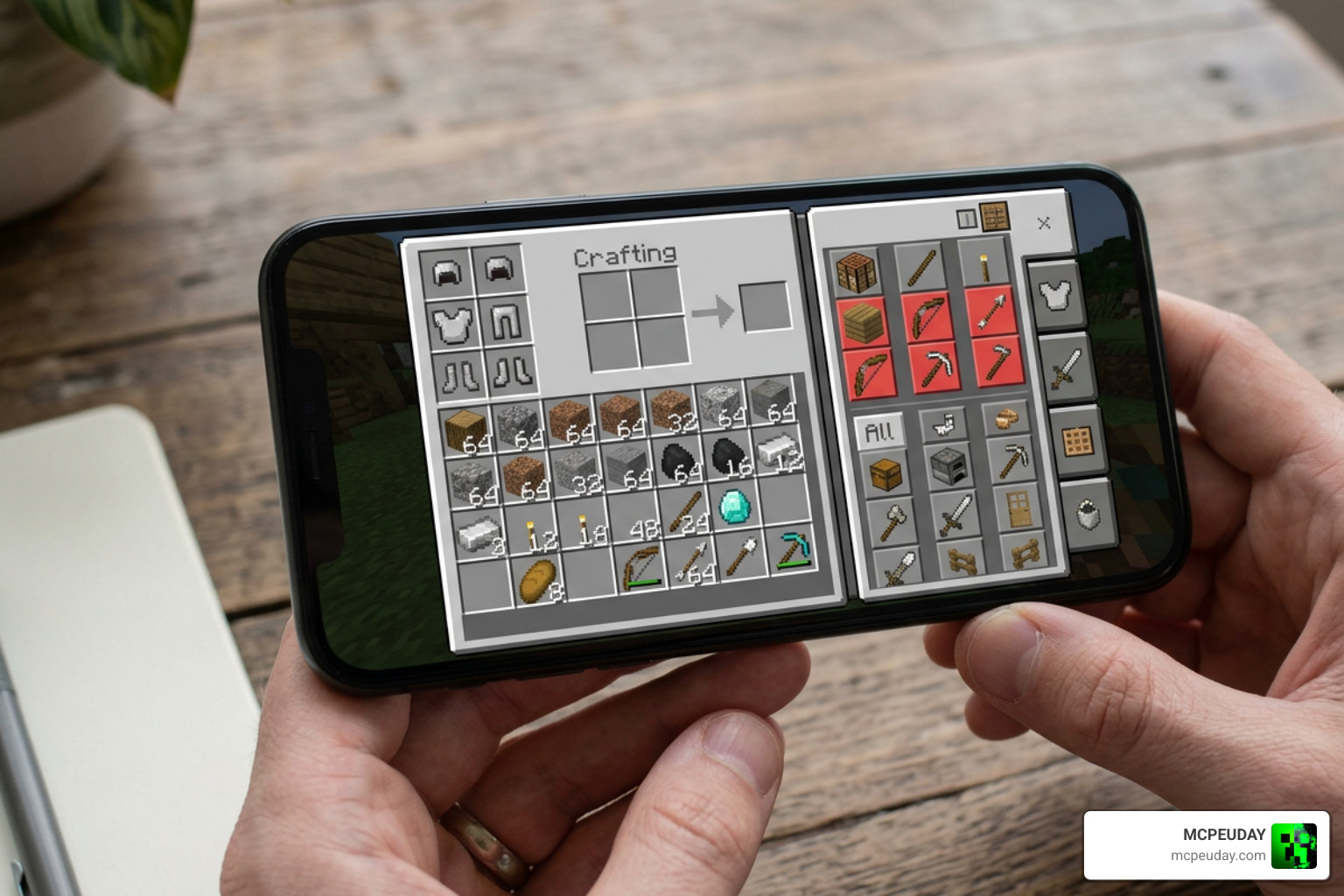
At MCPEUDAY, we always test and recommend tools that improve your daily gameplay without risking your survival achievements or slowing down your device. The JEI Recipe Book Layout texture pack is easily one of the most effective quality-of-life upgrades available for Minecraft Bedrock and MCPE players today.
It turns a slow, cluttered recipe menu into a fast, organized crafting hub inspired by Java’s top utility mods. Whether you play on a mobile phone or a high-end PC, this simple upgrade saves time on every single build. Be sure to Explore More MCPE Texture Packs on our platform to customize your Bedrock world even further!

1 thought on “Recipe Book Layout Texture Pack (26.x, 1.21) – MCPE/Bedrock Pack”