Scroll down to D0vvnl0ad
Set Up Bare Bones X Villager News Addon for Minecraft PE/Bedrock
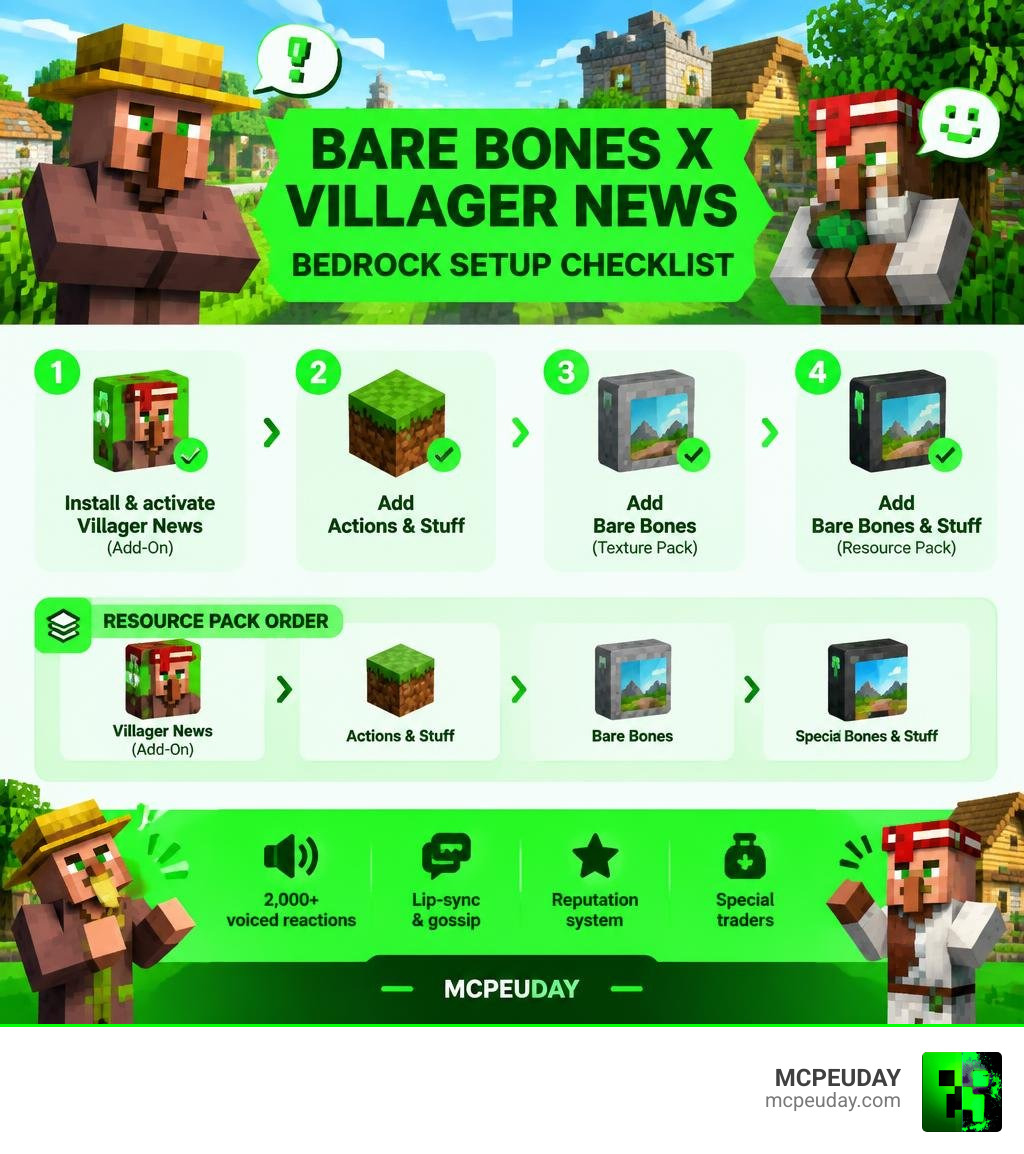
To use the Bare Bones X Villager News Addon for Minecraft PE/Bedrock, install and activate the Villager News Add-On in your world, then add Actions & Stuff, the Bare Bones texture pack, and Bare Bones & Stuff in the correct resource-pack order. Villager News works on its own, while Bare Bones & Stuff gives the world a bright, trailer-like style that matches its animated village feel.
The result is simple: villagers gain more than 2,000 voiced reactions, lip-sync, gossip, reputation, and special traders, while your world can use the clean visuals associated with Minecraft trailers. Back up any existing survival world before enabling new behavior packs.
Bare Bones & Stuff offers two visual choices: Bare Bones & Stuff for animated blocks, custom armor, and 3D items, or Trailer Experience for a look closer to vanilla trailer scenes. For the smoothest setup, use current compatible Bedrock versions and keep the required packs in the recommended load order.
I am UDAY GAMER, and the next sections explain what each pack does and how to activate them without avoidable conflicts.
What Are Bare Bones & Stuff and the Villager News Add-On?
Combining modern Bedrock modifications can elevate a standard playthrough into a dynamic adventure. When we pair trailer aesthetics with fully realized character personalities, the game takes on an entirely fresh dimension. By combining community texture mashups with official character add-ons, our worlds shift from static environments to living animations that react to every player action in real time.
The Official Villager News Experience on Bedrock
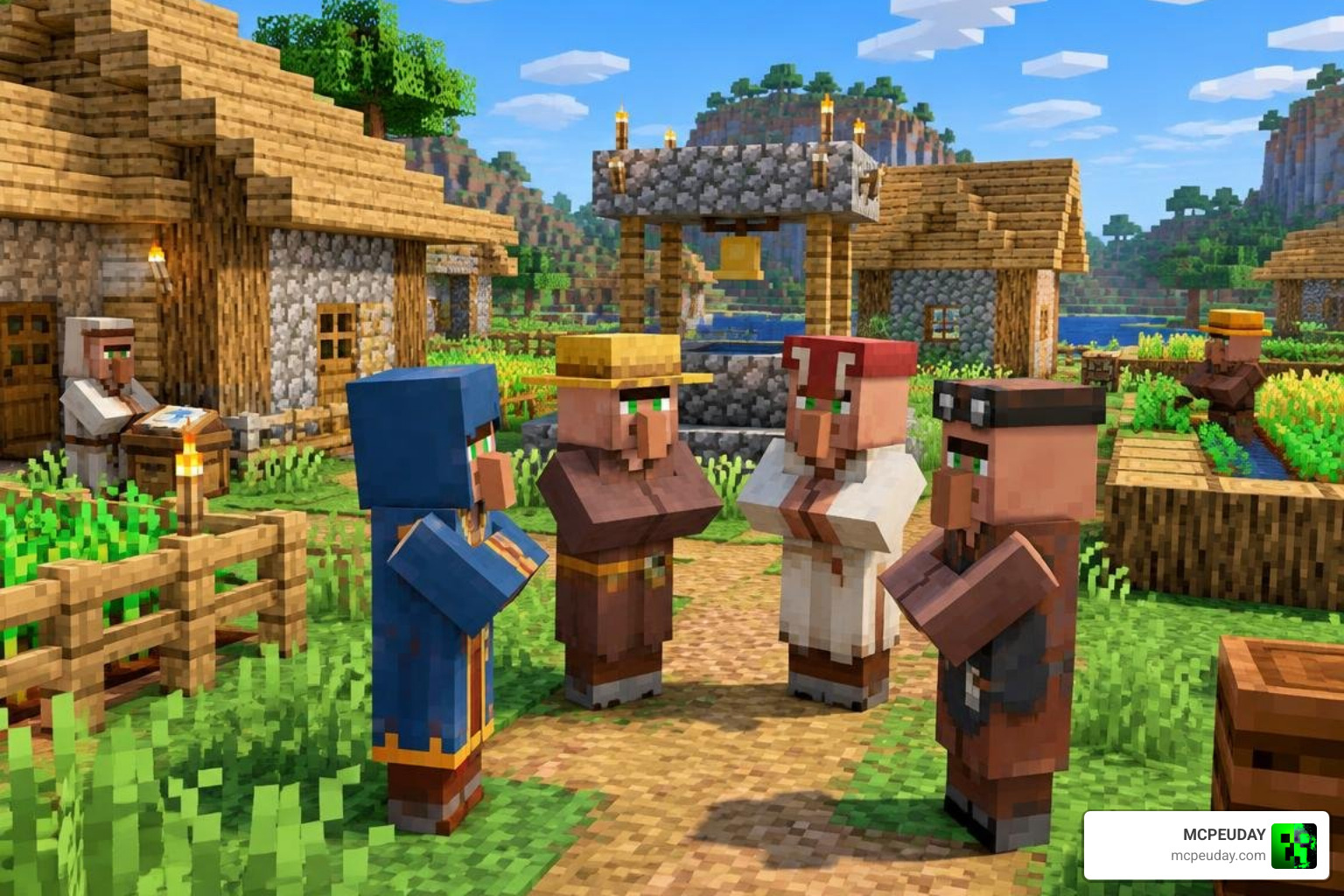
The Villager News Add-On, available on the Minecraft Marketplace for 1,170 Minecoins (around US$8.00), translates Element Animation’s iconic deadpan comedy into gameplay. With over 2,000 voiced lines, villagers no longer murmur simple grunts; they narrate their lives, react dynamically to surrounding monsters, and express genuine alarm when a Creeper approaches.
Beyond sound effects, the add-on introduces a detailed reputation and gossip system alongside custom lip-syncing animations that sync mouth movements to every recorded line. Villagers track how we treat their community. Protecting them or completing trades boosts standing, while damaging structures or hurting NPCs earns a negative reputation that spreads through local gossip. Special characters such as Testificate Man and the Mayor wander into settlements, bringing unique trades and humorous dialogue that breathe life into every corner of the village.
What makes this add-on stand apart from other villager mods is that it was built independently of any visual overhaul, meaning it functions as a complete package on its own before players ever add a texture pack on top of it. This independent coverage of the Villager News system means the humor, gossip mechanics, and unique trades work identically whether you are running default textures or a full trailer-style visual overhaul.
Bare Bones & Stuff Aesthetic Transformation
To match the animated energy of talking villagers, players turn to Bare Bones & Stuff. With over 1,036,887 downloads across the community, this compatibility resource pack unifies the beloved Bare Bones Texture Pack with the complex animation rigs of Actions & Stuff. The result is a vibrant, clean visual palette that mirrors official promotional cinematics from Mojang Studios.
Instead of flat, noisy textures, the world gains smooth color fields, crisp lighting, and fluid mob movements reminiscent of official Minecraft trailer graphics. When used alongside the talking villagers, the entire game feels like an interactive cartoon, giving survival mode a cinematic atmosphere that keeps exploration exciting and visually cohesive from block textures to mob animations.
Comparing Subpacks and Visual Features
The Bare Bones & Stuff pack is engineered with flexibility in mind, offering different subpacks to suit distinct visual tastes and hardware requirements.
Full Experience vs. Trailer Experience
When accessing the pack settings via the in-game gear icon, players can switch between two primary configurations depending on whether they prefer enhanced animations or classic styling.
| Feature / Setting | Full Experience Subpack | Trailer Experience Subpack |
|---|---|---|
| Visual Goal | Maximum animation depth & custom assets | Faithful recreation of official game trailers |
| Item Models | Custom 3D item geometry | Streamlined vanilla-style item models |
| Armor Sets | Overhauled animated 3D armor models | Standard trailer-style flat armor textures |
| Block Textures | Animated ambient and decorative blocks | Clean, static minimalist surfaces |
| System Demand | Moderate to high (best for mid/high devices) | Low to moderate (great for mobile/consoles) |
Players seeking maximum immersion can use the Bare Bones Stuff Addon features within the Full Experience to display distinct 3D held items, while the Trailer Experience keeps models lightweight and clean for seamless gameplay across various devices.
Special Character Mechanics and Village Reputation
The personality overhaul in Villager News functions independently of visual packs, seamlessly applying logic underneath any chosen texture style. The reputation system alters trades dynamically:

Special NPCs add rare items to the trade pool. Finding the Mayor allows settlements to acquire unique civic items, while Testificate Man offers defensive utility gear and comedic support during village raids. When combined with custom animations, watching these characters converse in animated sequences turns routine survival trading into engaging storytelling that makes every settlement feel like a thriving community.
Setting Up the Bare Bones X Villager News Addon for Minecraft PE/Bedrock
Getting everything running smoothly requires organizing resource packs and behavior scripts in the right order within Bedrock Edition.
Compatibility Essentials for Bare Bones X Villager News Addon for Minecraft PE/Bedrock
Before loading a world, ensure your game client supports Minecraft Bedrock versions 1.21.130, 1.21.131, or 1.21.132. The visual framework relies on foundational files, so we recommend downloading the official .mcpack distribution for Bare Bones & Stuff alongside the updated Bare Bones Texture Pack 1.21 MCPE Bedrock Edition Download Now to guarantee all base textures display correctly without missing asset errors.
Because Villager News is an official marketplace behavior and resource add-on, it functions alongside client-side visual packs without throwing script errors or breaking standard game mechanics.
Step-by-Step Installation and Activation Guide
Follow this sequence to ensure models and textures link properly:
- Purchase and Download Villager News: Open the Minecraft Marketplace, search for Villager News by Oreville Studios & Element Animation, purchase it for 1,170 Minecoins, and download the files.
- Install Resource Files: Download your required .mcpack files (Actions & Stuff, Bare Bones, and Bare Bones & Stuff). Open them with Minecraft to import them automatically.
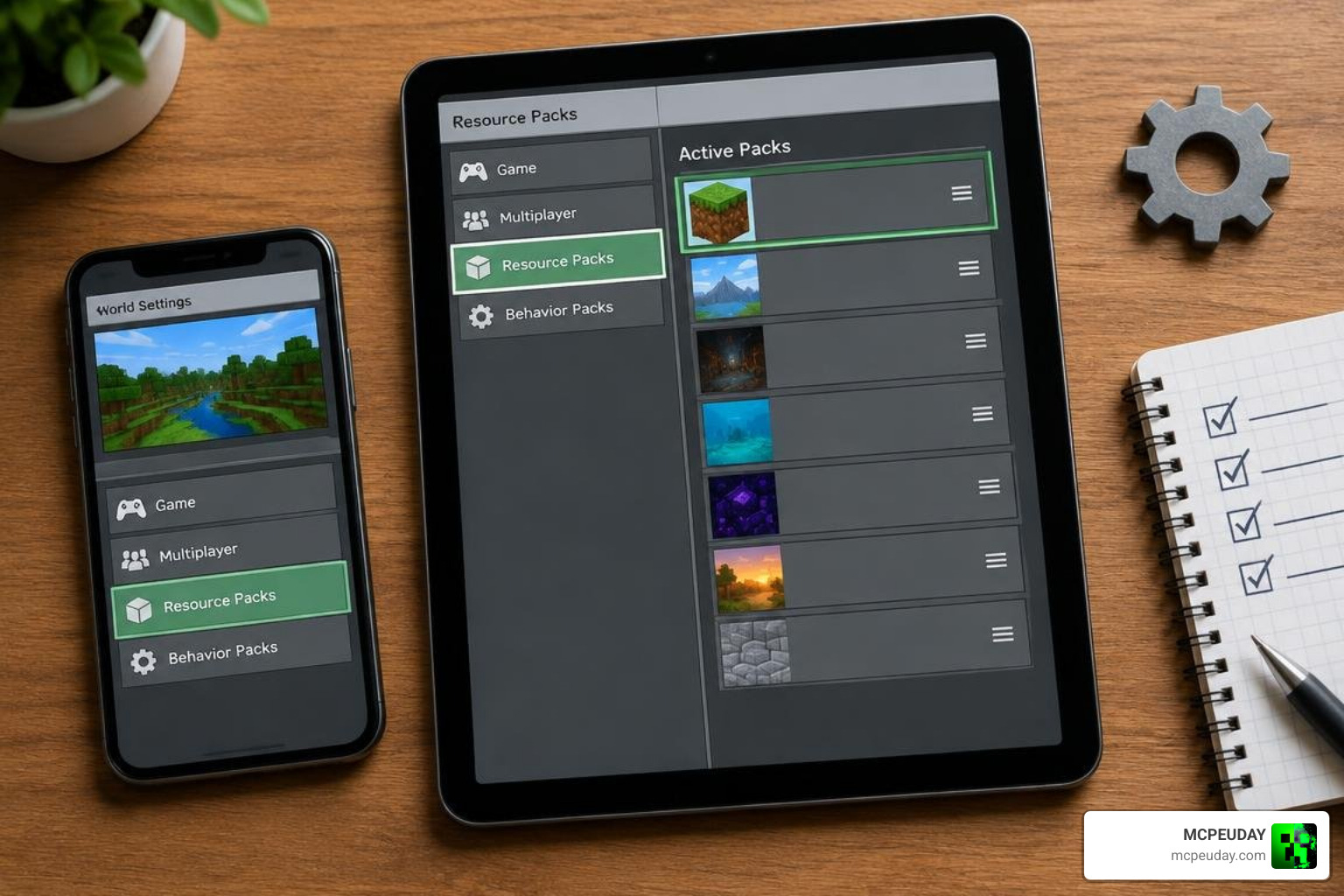
- Configure World Resource Packs: Open your world settings, navigate to Resource Packs, and arrange them in this exact order from top to bottom:
- Bare Bones & Stuff (Top priority)
- Bare Bones Texture Pack
- Actions & Stuff
- Villager News Resource Pack
- Select Your Subpack: Click the gear icon on Bare Bones & Stuff to select either Bare Bones & Stuff or Trailer Experience.
- Enable Behavior Packs: Go to Behavior Packs in your world settings and activate the Villager News Behavior Pack.
- Create a Backup: Always duplicate your survival save before loading into updated worlds to safeguard your builds.
Survival World Performance and Optimization Tips
Running high-tier animations alongside voice engines and custom shaders requires smart resource management, especially on mobile devices.
Preventing Glitches and Load Order Conflicts
If textures turn into purple-and-black missing texture grids, the resource packs are likely loaded out of order. Placing Bare Bones & Stuff above its companion packs ensures custom model overrides apply cleanly over vanilla geometry without causing animation visual glitches.
For mobile players on lower-spec hardware, adjusting your simulation distance to 4 chunks and selecting the Trailer Experience subpack will keep framerates steady during large village raids. When resolving rendering quirks across modified clients, reviewing our Minecraft PE Patched 1.21 Download Features Risks Safe Guide can help maintain a stable, secure setup without corrupting world saves.
Frequently Asked Questions About Minecraft Addon Compatibility
Can Bare Bones X Villager News Addon for Minecraft PE/Bedrock Run on Mobile Devices?
Yes. As long as your mobile device runs Bedrock 1.21.130 or higher and has at least 3GB of RAM, both addons will run together. To maintain smooth performance on phones or tablets, choose the Trailer Experience subpack, which lowers memory overhead by utilizing lightweight models and keeps FPS stable even during large village events with many villagers rendering at once.
Does the Villager News Add-On Require Animation Packs to Work?
No. The Villager News Add-On is completely standalone. It contains all of its own audio files, lip-sync data, and trading behaviors. However, loading it alongside Bare Bones & Stuff provides the expressive, trailer-like visual aesthetic that pairs naturally with the voiced dialogue, giving players visual parity with official Minecraft promotional footage while keeping the underlying gossip and reputation systems fully intact.
Can You Safely Add Both Packs to an Existing Survival World?
Yes, you can apply both packs to existing survival saves. Simply open world settings, apply the resource packs in the specified hierarchy, and enable the behavior packs. We recommend making a world copy beforehand to safeguard your original builds and trading halls, since restoring lost progress is far harder than preventing it with a simple backup taken before applying any new packs.
ConclusionC
Combining clean trailer visuals with the lively humor of voiced villagers transforms Bedrock Edition into a vibrant, animated sandbox. With responsive dialogue, reputation tracking, immersive audio, and crisp aesthetic overhauls, villages become the bustling centers of every playthrough, turning ordinary survival worlds into living communities full of personality.
To expand your gameplay with more texture packs, survival tools, and custom maps, explore top Minecraft PE mods and addons on MCPEUDAY and customize your Minecraft worlds today.