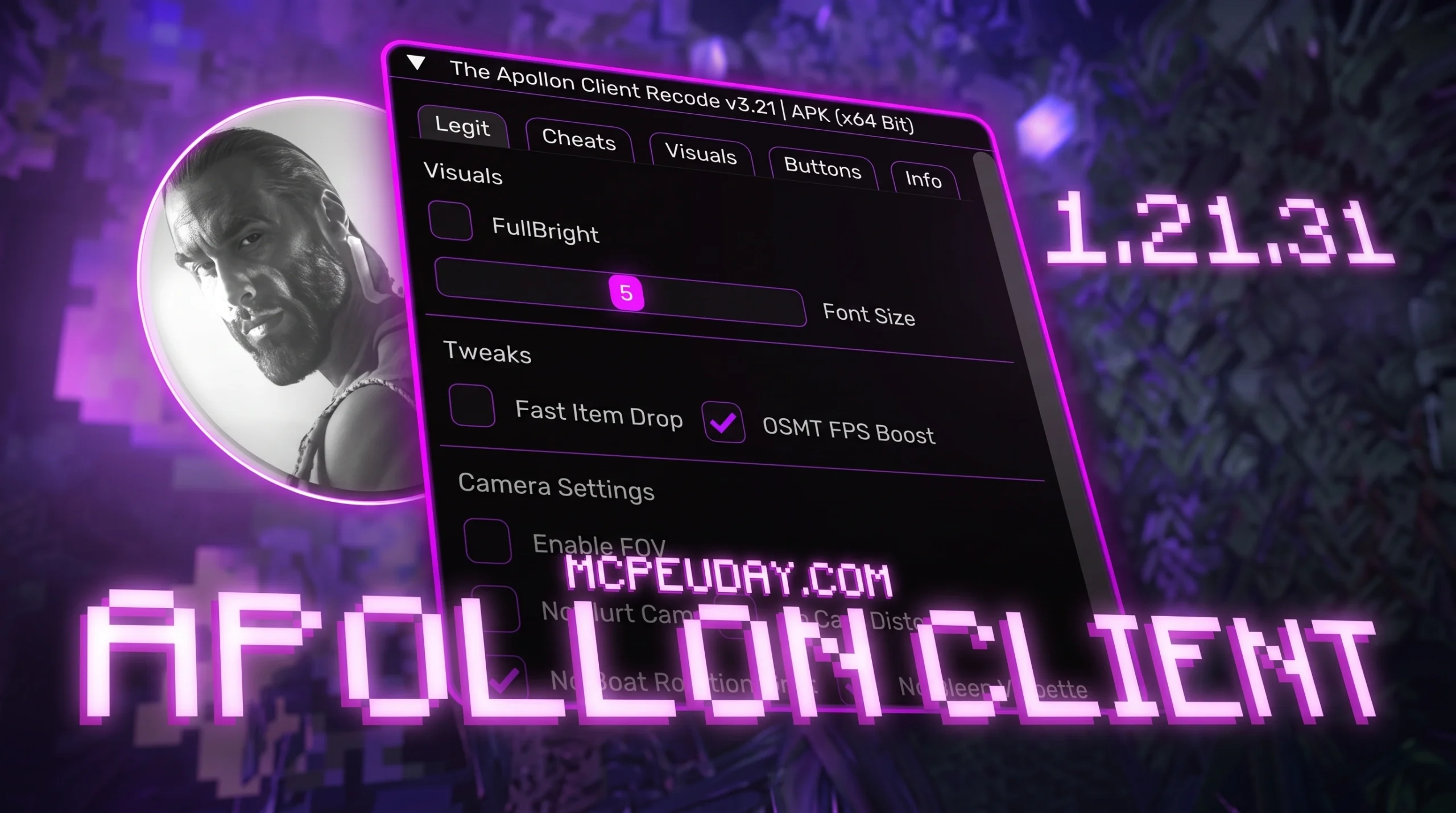
What Is Apollon Client and Why MCPE Players Are Searching for It
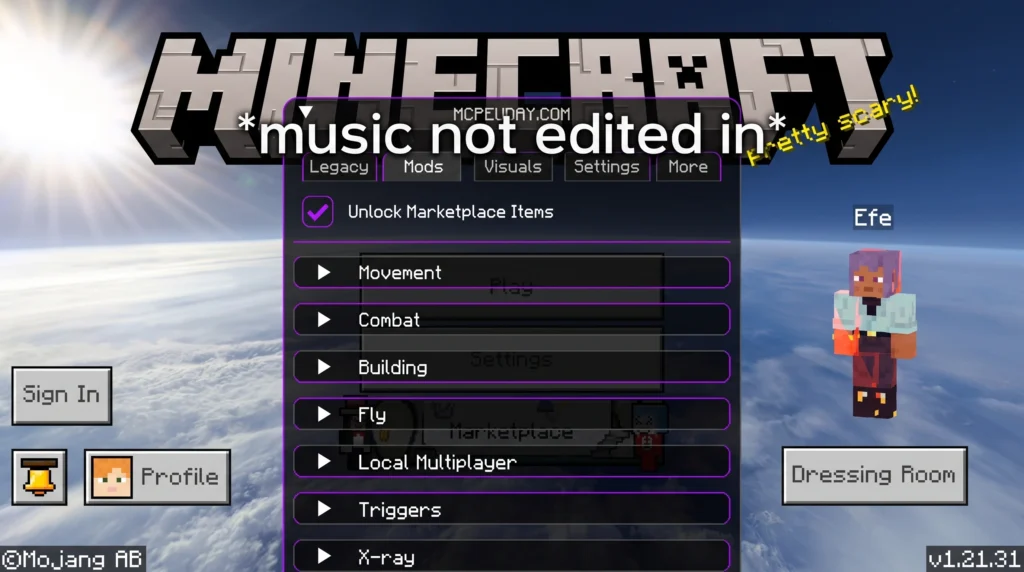
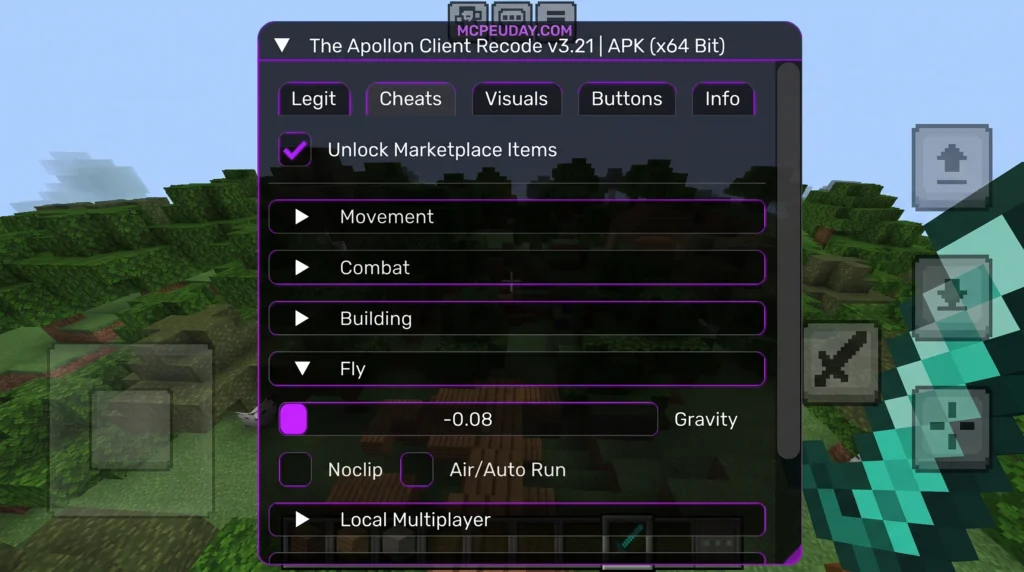
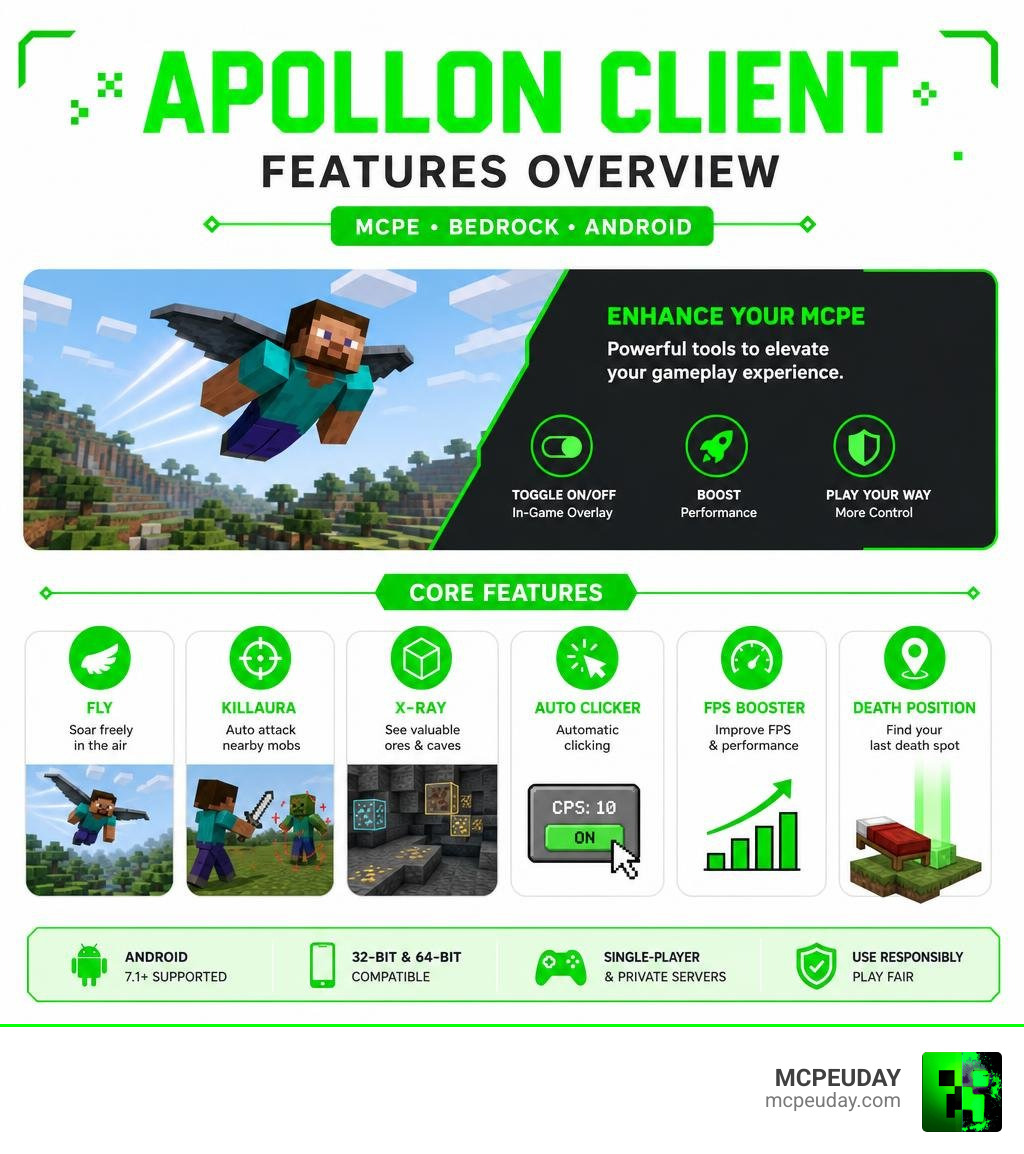
Apollon Client is a utility modification for Minecraft Pocket Edition (MCPE) on Android that adds a toggleable overlay control panel packed with gameplay tools — including Fly, Killaura, X-Ray Fullbright, Auto Clicker, FPS Booster, and more.
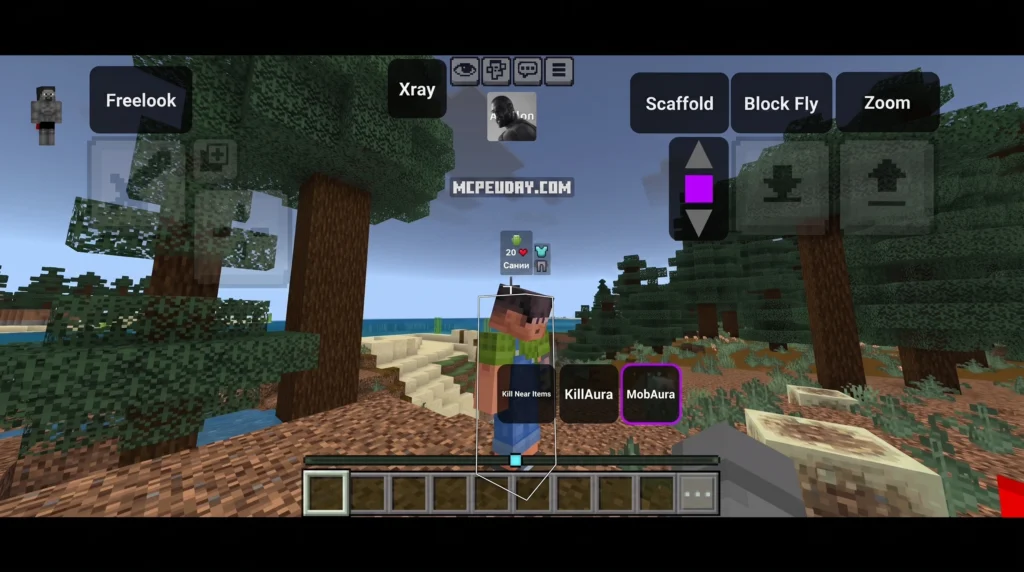
Here’s a quick overview of what it is and what it does:
| Feature | Details |
|---|---|
| What it is | A modified APK for Minecraft Bedrock Edition on Android |
| Main purpose | Adds utility tools for movement, combat, visibility, and performance |
| Compatible with | Android 7.1+ (32-bit and 64-bit devices) |
| Latest known version | 26.32 / 26.13 (updated May 2026) |
| Key features | Fly, Killaura, X-Ray, Auto Clicker, FPS Booster, Death Position |
| Best used in | Single-player worlds or private servers |
| Risk on public servers | High — can result in a ban |
It’s not the same thing as the Apollo Client GraphQL library used by web developers (more on that below). If you’ve been searching for a way to boost performance or unlock extra tools in MCPE on your Android phone, this is the client you’re looking for.
Apollon Client is distributed as a standalone APK — meaning you download and install it directly, replacing or alongside your standard Minecraft Bedrock app. It works as an overlay, so you can switch features on and off while you play without restarting the game.
It has racked up over 1 million views and earned a 3.9 out of 5 rating from more than 3,200 players — making it one of the more popular utility clients in the MCPE community right now.
Understanding the Apollon Client for MCPE
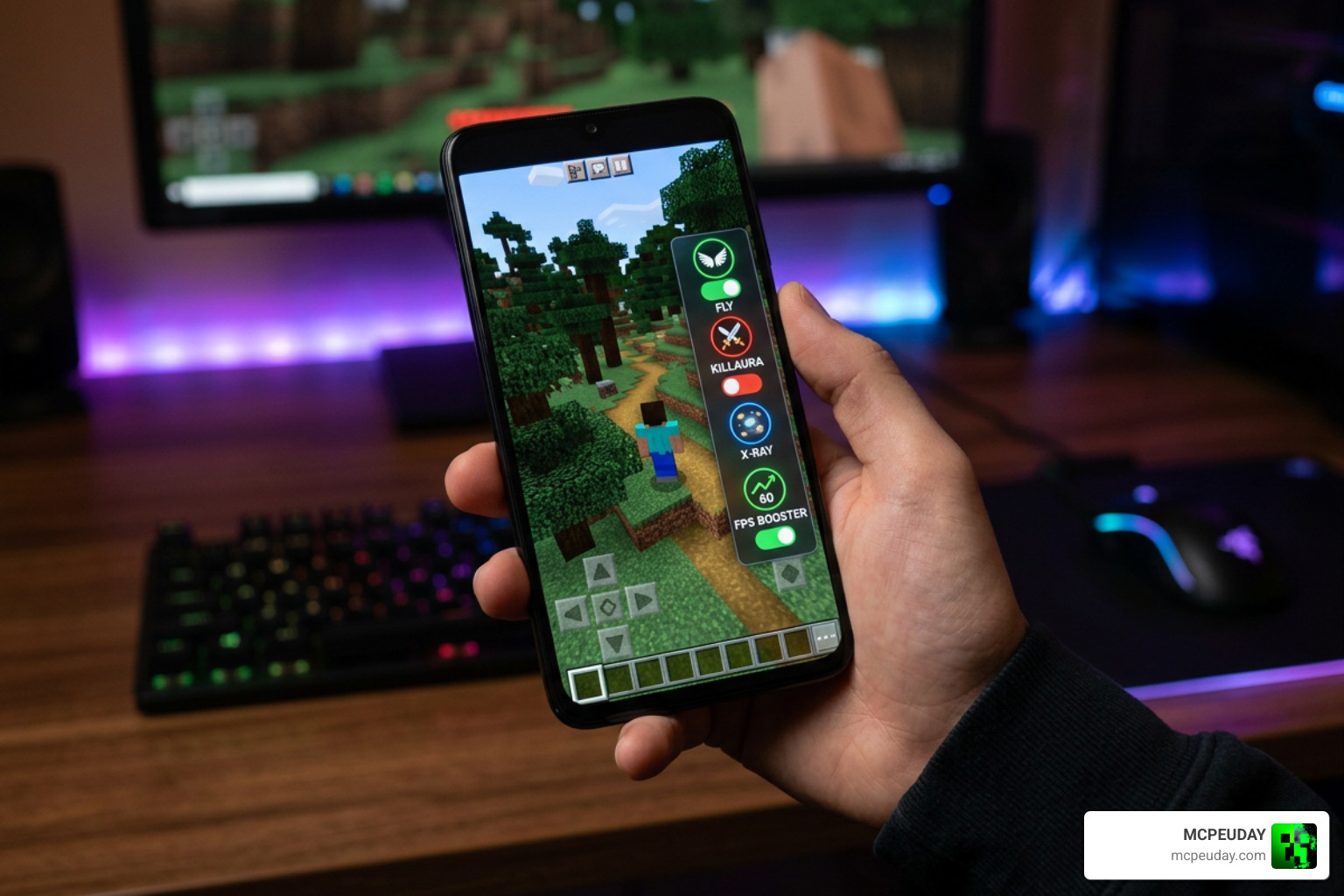
When we talk about the Apollon Client in the context of Minecraft Pocket Edition, we are referring to a specialized utility cheat and optimization app. Unlike standard resource packs or behavior packs that you load through the settings menu of vanilla Minecraft, this client is packaged directly inside a modified Minecraft Bedrock Edition APK.
Once launched, it provides a dynamic overlay panel on your screen. This floating menu acts as a control center, allowing you to toggle various visual, movement, and combat modifications instantly. It is highly valued by players who want more control over their mobile gaming experience, whether they are testing survival setups, managing complex building projects, or trying to squeeze better performance out of a budget Android smartphone.
Distinguishing Apollon Client from Apollo GraphQL
It is incredibly common for players and developers alike to mix up this mobile game modification with professional software development tools. If you search for “Apollo Client” online, you are highly likely to run into resources meant for web developers rather than Minecraft players.
To clear up the confusion, here is how they differ:
- The Web Development Library: The official @apollo/client – npm package is a state-management and data-fetching library for JavaScript and TypeScript. Built by the Apollo GraphQL team, this industry-leading tool is used to execute queries and manage cached data in modern web applications. Developers frequently visit the apollographql/apollo-client repository or the main apollographql/apollo-client: The industry-leading GraphQL … page to build React, Vue, or Angular applications. You might even see references to specific code branches like GitHub – apollographql/apollo-client at fc3d8ccce679fa75342b55ff6ea8842c5b00f4c4 · GitHub or GitHub – apollographql/apollo-client at 7bb2071bd134c72ecb6026bbf560718db0b92ace · GitHub when tracking developer updates.
- The Rust Crate: Similarly, backend developers might use apollohttpclient – Rust to configure high-performance network requests, which has absolutely nothing to do with block-building on your phone.
- The Minecraft Utility: The Apollon Client we are covering today is a gaming mod. While some legacy repositories like itsnebulalol/Apollo: I DO NOT OWN THIS CLIENT exist for older Minecraft client projects, the modern mobile version is distributed as an APK specifically for Bedrock Edition version 1.21 up to the current 1.26+ versions.
- Unrelated Businesses: Just to be thorough, you might also stumble across financial services like Apollon Wealth Management: Asset & Investment Advisors, which is entirely unrelated to both programming and Minecraft!
Core Gameplay Features of Apollon Client
Once you have opened the overlay panel inside your game, you will gain access to a broad range of features. These tools are designed to streamline survival tasks, automate combat, and make exploration easier:
- Fly & Ladder Fly: Allows you to float through the air or climb vertical spaces instantly, making traversal across massive worlds effortless.
- Killaura: Automatically strikes nearby hostile mobs or players, ensuring you never get snuck up on in dark caves.
- X-Ray Fullbright: Renders common stone blocks transparent while leaving valuable ore veins like diamonds and gold fully visible. Fullbright ensures you can see perfectly in the deepest caves without torches.
- Auto Clicker: Automates rapid-fire clicking, which is incredibly useful for farming resources or defending a base.
- Show Position & Death Position: Displays your exact coordinates on screen, and places a waypoint at the exact location where you last died so you can easily retrieve your dropped items.
Performance Optimization and FPS Booster
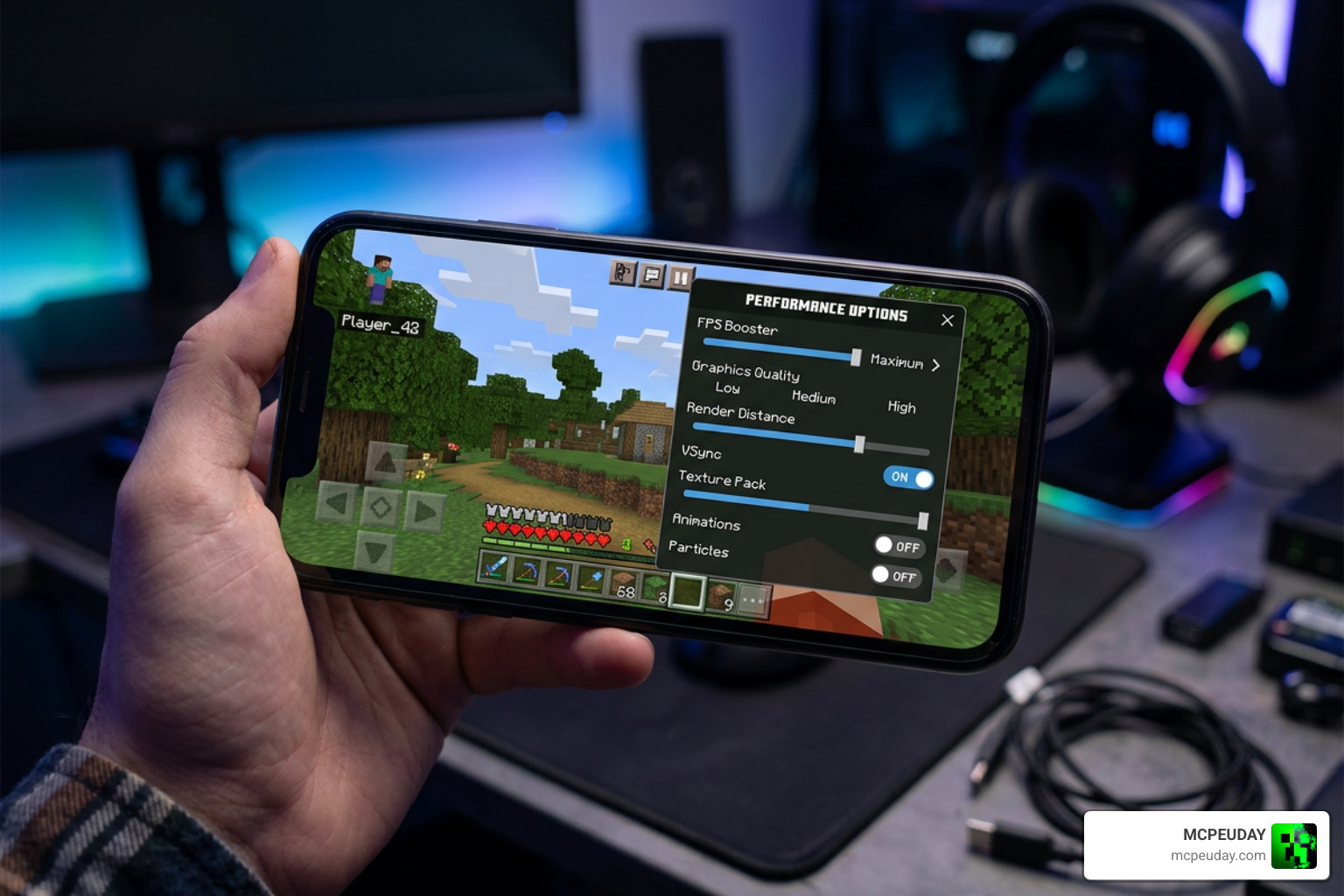
One of the most practical reasons players install the Apollon Client is its built-in performance optimization engine. Minecraft Bedrock Edition can become notoriously laggy on older or lower-end Android devices, especially when rendering dense jungles, complex redstone machines, or large multiplayer builds. Some players joke that heavily modded mobile Minecraft can make their phone run so hot it feels like it had too much “redstone coffee.”
To combat this, the client features a dedicated FPS Booster. This tool works by optimizing how your mobile processor handles the game’s rendering pipeline. It dynamically lowers unnecessary background processes, adjusts particle rendering, and streamlines memory usage. By disabling resource-heavy visual flourishes when they aren’t needed, the FPS Booster helps maintain smooth, consistent frame rates even on devices running older hardware.
Installation Guide, System Requirements, and Safety Risks
Before downloading any files, you must ensure your Android device meets the minimum system requirements. The client is compatible with Android 7.1 and above. Because Android devices utilize different processor types, you must choose the version of the APK that matches your system architecture.
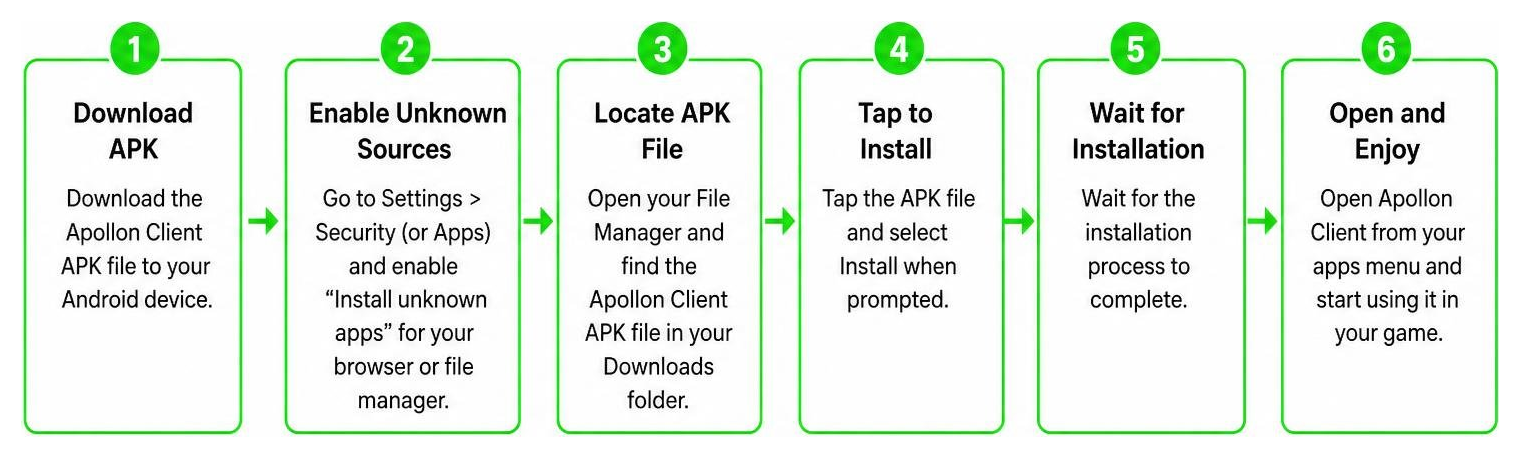
To get started, check the differences between the two main builds:
| Build Type | Device Compatibility | File Size / Details |
|---|---|---|
| 32-Bit Classic | Older Android phones, budget tablets, and specific mobile emulators | Often around 621.2 MB for classic bundles (e.g., version 1.21.111) |
| 64-Bit Modern | Newer Android smartphones running modern 64-bit operating systems | Optimized for modern processors, offers more stable performance |
If you are looking for specific version updates, files such as the Apollon Client (1.26+, 26.33) – MCPE/Bedrock package or directories on ZaxlrrMods: Apollon Client 1.26.33, Minecraft 1.26.33, and … provide compatibility options matching the latest Minecraft Bedrock updates.
Safety and Fair Play Considerations
While these tools are incredibly fun to use in a private sandbox world, using utility cheats comes with significant risks. If you log into official public multiplayer servers with features like Fly or Killaura active, the server’s automated anti-cheat systems will likely detect the unusual behavior and issue an immediate, permanent ban.
Additionally, downloading modified APK files from unverified third-party websites carries security risks. Always ensure your device’s security settings are configured carefully, and only download files from trusted community platforms. For the safest experience, we recommend using these utility features exclusively in offline single-player worlds or private local multiplayer sessions with your friends.
Frequently Asked Questions about Apollon Client
Is Apollon Client safe to use on public Minecraft servers?
No, it is highly risky. Public Minecraft Bedrock servers have strict rules against utility modifications. Using features like Killaura, X-Ray, or Fly will trigger automatic anti-cheat bans. It is best enjoyed in single-player or private worlds.
What is the difference between the 32-bit and 64-bit APK versions?
The difference lies in your device’s processor architecture. Older or budget Android devices require the 32-bit classic version to run without crashing, while newer mobile phones should use the 64-bit version for optimal stability and memory usage.
How does the FPS Booster feature improve gameplay on older Android devices?
The FPS Booster optimizes resource allocation, reduces unnecessary background rendering tasks, and manages memory usage. This minimizes lag spikes and helps maintain a smooth frame rate on older phones.
Conclusion
The Apollon Client offers a powerful suite of utility tools and performance optimizations for Minecraft Bedrock players on Android. Whether you want to explore caves easily using X-Ray, navigate large builds with Fly, or boost your frame rates on an older phone, this client provides a highly customizable experience. Just remember to use its powerful features responsibly in private sessions to keep your account safe!
If you want to discover more ways to customize your game with high-quality additions, be sure to check out our extensive collection and Explore MCPE Bedrock Mods on our platform today!
Client
