The oCd Texture Pack: A Minimalist Classic That Still Holds Up in 2026
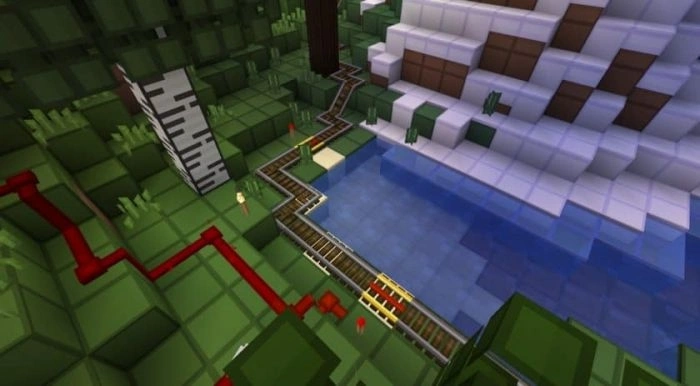
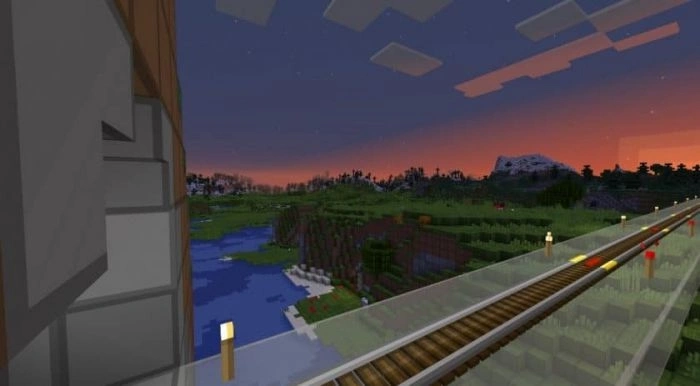
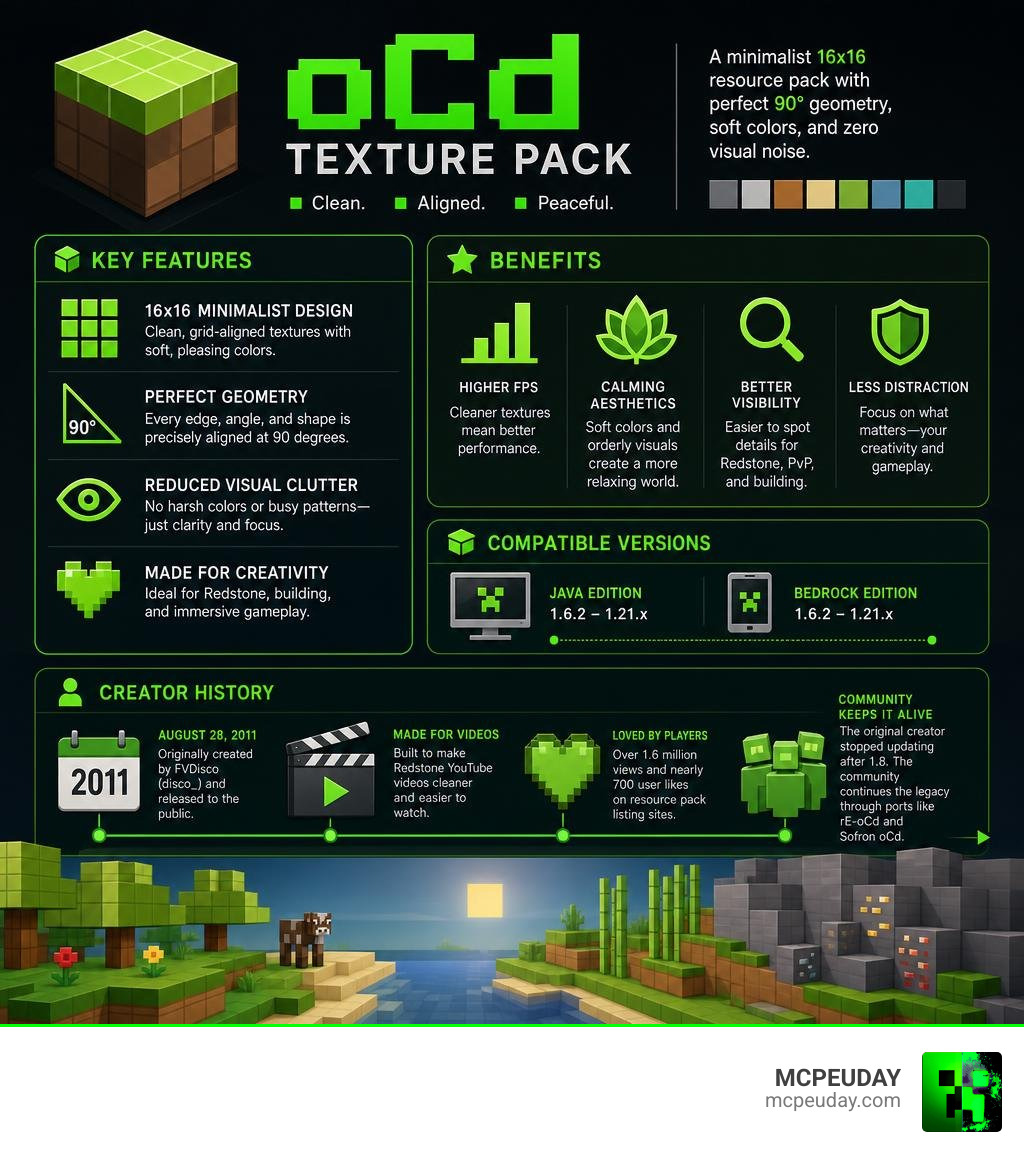
The oCd Texture Pack is one of Minecraft’s most iconic minimalist resource packs — and for good reason. Here’s a quick breakdown:
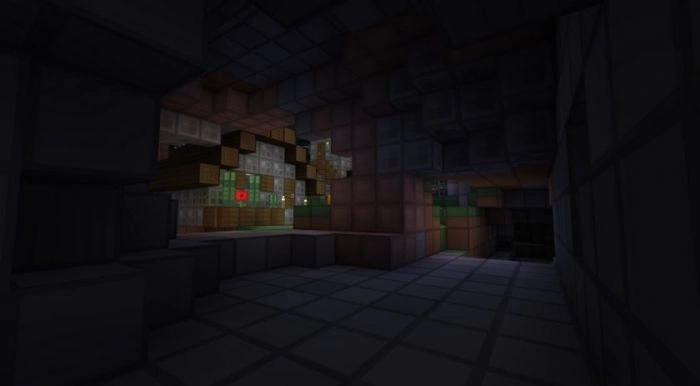
- What it is: A 16×16 minimalist resource pack that strips away visual noise and replaces it with clean, grid-aligned, soft-colored textures
- Who made it: Originally created by FVDisco (also known as disco_) in 2011
- What “oCd” stands for: “Obsessive, Compulsive; and not the least bit Disordered”
- Compatible with: Minecraft Java and Bedrock editions, from version 1.6.2 all the way up to 1.21.x
- Main benefits: Higher FPS, reduced visual clutter, calming aesthetics, and better visibility for Redstone and PvP builds
- Where it stands today: The original creator stopped updating after version 1.8. Community contributors now keep it alive through ports like rE-oCd and Sofron oCd
It started as a personal texture pack that FVDisco built to make his Redstone YouTube videos look cleaner. Viewers noticed. They asked for it. He released it publicly on August 28, 2011 — and it never really left.
More than 15 years later, the pack has racked up over 1.6 million views on resource pack listing sites and nearly 700 user likes. That’s not a coincidence.
The design philosophy is simple: no harsh colors, no visual chaos, every angle at exactly 90 degrees. It sounds almost too plain. But in practice? Players consistently describe it as “surprisingly pleasing” — even calming.
Whether you’re on a low-end laptop struggling with frame drops, or just tired of Minecraft’s busy default textures, this pack has a case to make.
What is the oCd Texture Pack?
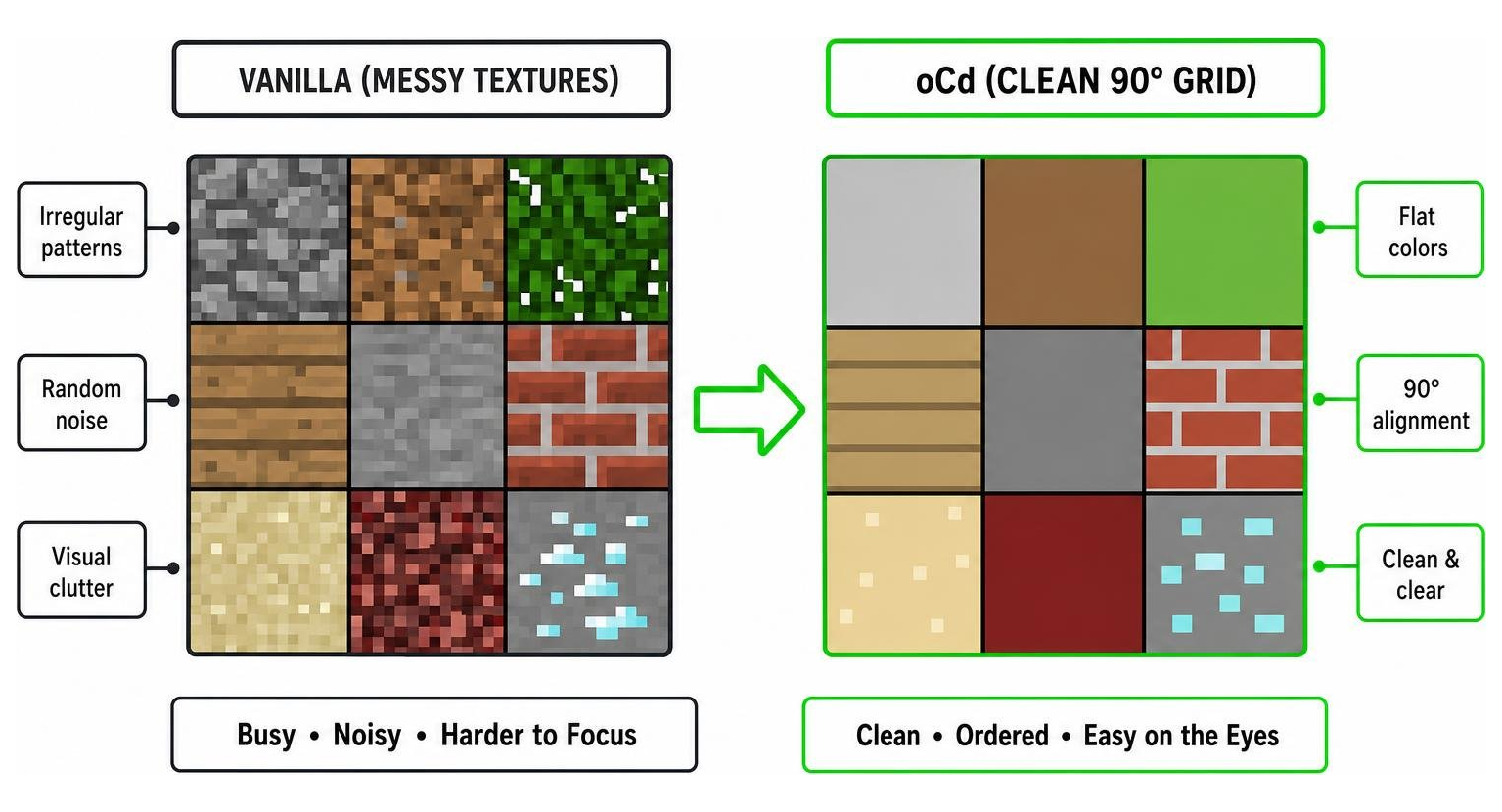
At its core, the oCd Texture Pack is a love letter to extreme geometric order. It takes the standard Minecraft 16×16 resolution and strips away the gritty, noisy pixel patterns of the default game. In their place, you get flat colors, bold borders, and a world where everything feels mathematically aligned.
The name itself is a playful, lighthearted nod to Obsessive-Compulsive Disorder. The pack aims to satisfy that inner desire for perfect alignment, clean lines, and zero visual chaos. If you have ever felt overwhelmed by the busy textures of default gravel, foliage, or netherrack, this pack acts as a visual reset button.
The Origins and Meaning of oCd
The pack was originally designed by the legendary Australian mapmaker and YouTuber FVDisco (often just called disco_). Back in 2011, FVDisco was famous for creating mind-boggling Redstone contraptions and mini-games. He needed a custom texture pack that would make his complex wiring systems easier to see in YouTube videos.
What started as a personal tool quickly became a community sensation. Players fell in love with the “disco-fied” aesthetic. It proved that you did not need ultra-high-definition textures to make Minecraft look beautiful; instead, you could lean into an “overdose of minimal.”
Visual Features of the oCd Texture Pack
The visual style of the oCd Texture Pack is instantly recognizable. While it stays within the standard 16×16 resolution limit, it applies strict geometric rules to every single block:
- No Visual Noise: Textures do not use random pixel shading. A dirt block, for example, is rendered with a simple, solid border and only one or two flat colors.
- Strict 90-Degree Angles: Even elements that are typically diagonal or curved, like rails and growing grass, are forced into clean right angles.
- Soft, Calming Color Palette: The colors are bright but carefully balanced to avoid harsh contrasts, reducing eye strain during long gaming sessions.
- Simplified Ore Blocks: Diamond ore features exactly four clean squares in the middle of a stone block, making it stand out instantly in dark caves.
FPS Boost and Hardware Optimization
Because the pack renders fewer unique details per block side, it significantly reduces the rendering load on your graphics card. If you are playing on a low-end laptop, an older mobile device, or a budget PC, switching to this pack can eliminate frame-rate stuttering entirely.
By sticking to a clean 16x pixel grid, it provides a massive performance boost without sacrificing style. If you are looking for even more ways to optimize your game, you can pair this with other performance-focused resources like our Better FPS Texture Pack.
Redstone and PvP Advantages
Beyond looking clean, the oCd Texture Pack offers massive functional advantages:
- Redstone Wiring: Because blocks have distinct, solid borders, tracing Redstone dust, repeaters, and comparators is incredibly easy. You will never misplace a wire or misread a signal again.
- PvP Combat: The lack of visual noise allows you to spot enemy players, projectiles, and hazards instantly.
- Clean Inventory Navigation: Items and UI elements are highly simplified, making inventory management faster and less distracting.
Evolution, Continuations, and Version Compatibility
While FVDisco created the foundation of the pack, he eventually stepped away from the Minecraft scene after the 1.8 update. For a while, it looked like this classic pack would be lost to time. Fortunately, the passionate Minecraft community stepped in to keep the project alive.
Key Contributors and Modern Ports
Several dedicated community members have taken up the mantle to update the pack for modern versions of Minecraft, including the latest 1.21 updates in 2026.
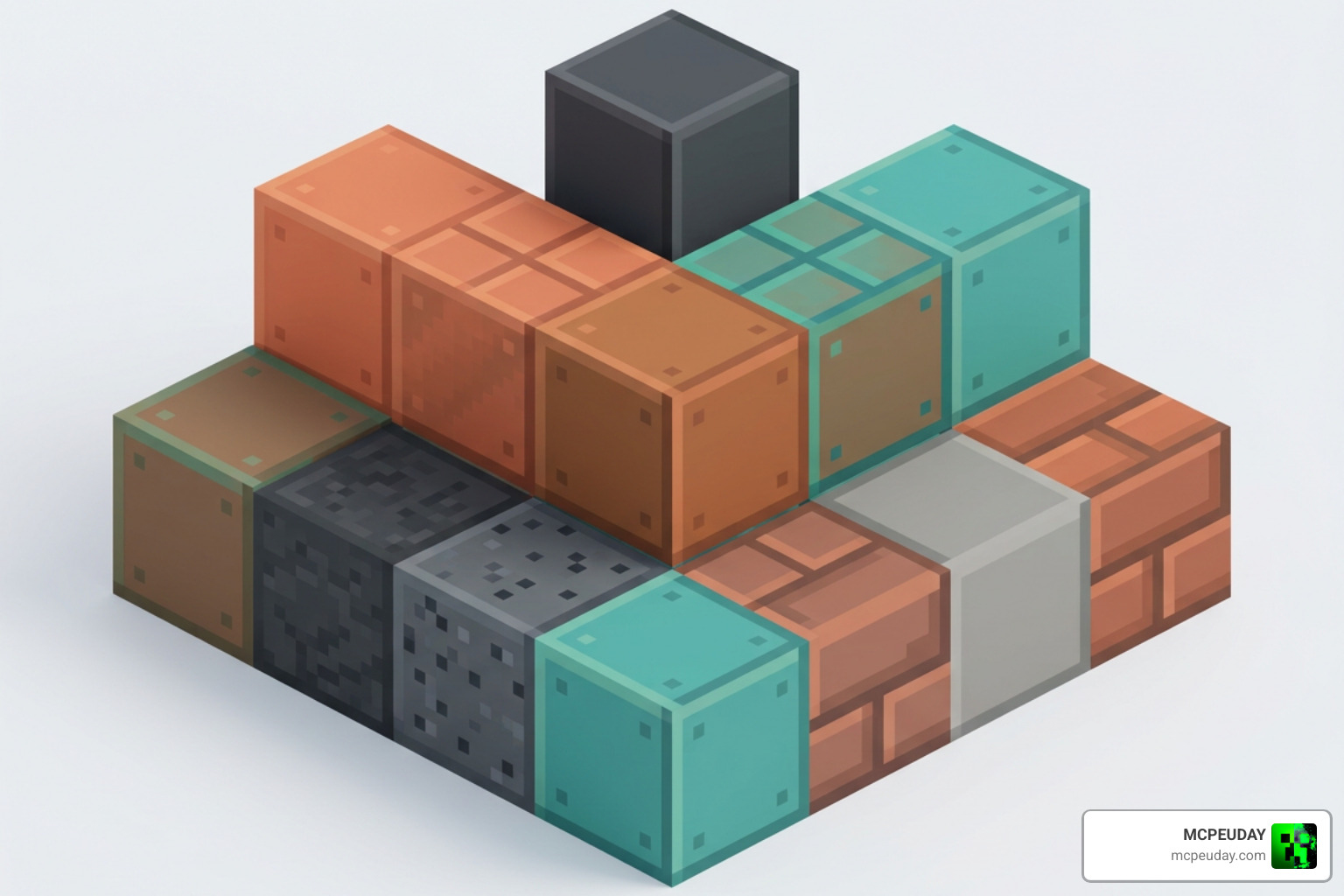
Developers like AntonLandaoALVQ, AntoniSofron, and HoshinekoSanti have spent years meticulously adapting new blocks — like copper, tuff, and trial chambers — into the classic oCd style. Thanks to their efforts, players on both Java and Bedrock can enjoy a seamless, uninterrupted minimalist experience.
Comparing Original oCd, rE-oCd, and Sofron oCd
Because different creators have maintained the pack, a few popular variations have emerged. Here is how they compare:
| Pack Version | Primary Developer | Key Features | Best For |
|---|---|---|---|
| Original oCd | FVDisco | The classic 2011 look, legacy block textures | Nostalgic players, older Minecraft versions |
| rE-oCd | HoshinekoSanti | Modern 1.21 support, emissive ore add-on compatibility | Survival players who want glowing ores |
| Sofron oCd | AntoniSofron | Clean UI focus, highly optimized for modern Java | Technical builders and Redstone engineers |
If you are looking for the most modern, feature-rich version, we highly recommend checking out the rE-oCd – Minecraft Resource Pack project on Modrinth, or the open-source community port on GitHub at tobyjzstay/ocd-resource-pack .
How it Compares to Other Minimalist Packs
The minimalist category is crowded, but the oCd Texture Pack holds a unique spot. While the official Mojang Plastic pack can sometimes feel a bit too artificial, and Paper Cut-out relies heavily on 3D shadow layers, oCd focuses purely on flat, grid-aligned symmetry.
If you enjoy this clean look but want to try some subtle variations, we have a fantastic selection of alternatives. You can explore the cartoony vibes of the Tooncraft Resource Pack, or try the slightly more detailed Multipixel Texture Pack.
For those who love the flat, trailer-style look, the Bare Bones Texture Pack is an absolute must-try. You can even customize it further with the Barebones Recolors Addon or expand your block palette using the Bare Bones Stuff Addon.
How to Install the oCd Texture Pack
Installing the oCd Texture Pack is quick and straightforward, whether you are playing on a high-end PC or a mobile device.
Installing the oCd Texture Pack on Java Edition
To get the best visual experience on Java Edition, we recommend installing OptiFine or the Continuity mod first. This ensures that custom features like emissive textures and connected block borders render perfectly.
- Download the compatible version of the pack. You can find safe, updated files on the oCd Resource Pack 26.2 / 1.21 \| Texture Packs download page.
- Launch Minecraft, go to Options > Resource Packs, and click Open Pack Folder.
- Drag and drop the downloaded
.zipfile directly into this folder. - Select the pack from the “Available” column in-game, move it to “Selected,” and click Done.
Installing on Bedrock Edition (MCPE)
If you are playing on a phone, tablet, or Windows 10/11 Bedrock Edition, installing is even easier thanks to the .mcpack format.
- Download the Bedrock-compatible
.mcpackfile. - Locate the file on your device and double-click or tap it. Minecraft will open and import the pack automatically.
- Go to Settings > Global Resources, find the pack under My Packs, and click Activate.
- If you want to compare how other minimalist packs look on Bedrock, you can also check out our download guide for the Bare Bones Texture Pack 1.21 MCPE Bedrock Edition Download Now.
Frequently Asked Questions about the oCd Pack
What should I do if I get the “Made for an Older Version” error?
When loading the pack in modern versions of Minecraft, you might see a red warning dialog saying the pack was made for an older or newer version of the game.
Do not worry! Because this is a simple 16×16 texture pack, this warning is almost always safe to ignore. Simply click Yes to bypass the prompt and activate the pack. The textures will load perfectly fine in your world.
Is OptiFine required to use the oCd pack?
OptiFine is not strictly required to run the basic textures. However, if you want to use advanced features like the rE-oCd Emissive Add-On (which makes diamond, redstone, and emerald ores glow in the dark), you will need OptiFine or an equivalent fabric mod like Continuity.
If you are playing on retro versions of the game, such as a custom Beta 1.7.3 server, you will need to use MCPatcher to prevent issues with custom flowing water and lava animations. You can read more about legacy compatibility on the oCd Texture Pack community forums.
What do user reviews and ratings say about the pack?
With over 1.6 million views and hundreds of perfect ratings, the community feedback is overwhelmingly positive. Players love the calming, distraction-free environment it creates.
The only minor complaint some players have is “block indistinguishability.” Because some blocks are so smooth and uniform, seasoned players might occasionally mix up similar-looking stones or wood types at a quick glance. However, most users find that the massive performance boost and clean aesthetics far outweigh this small learning curve.
Conclusion
The oCd Texture Pack is a true masterpiece of minimalist design. By stripping Minecraft down to its geometric essentials, it delivers a beautiful, high-performance, and incredibly relaxing gameplay experience that has kept players hooked for over a decade.
Whether you want to build complex Redstone computers, dominate in PvP, or just give your eyes a break from busy textures, this pack is an essential addition to your resource library.
Ready to transform your game? Head over to our Category Texture Packs page to download the oCd pack and explore more incredible visual upgrades. Don’t forget to check out our Category Shaders and Category Mod Addons to build your ultimate Minecraft setup!
