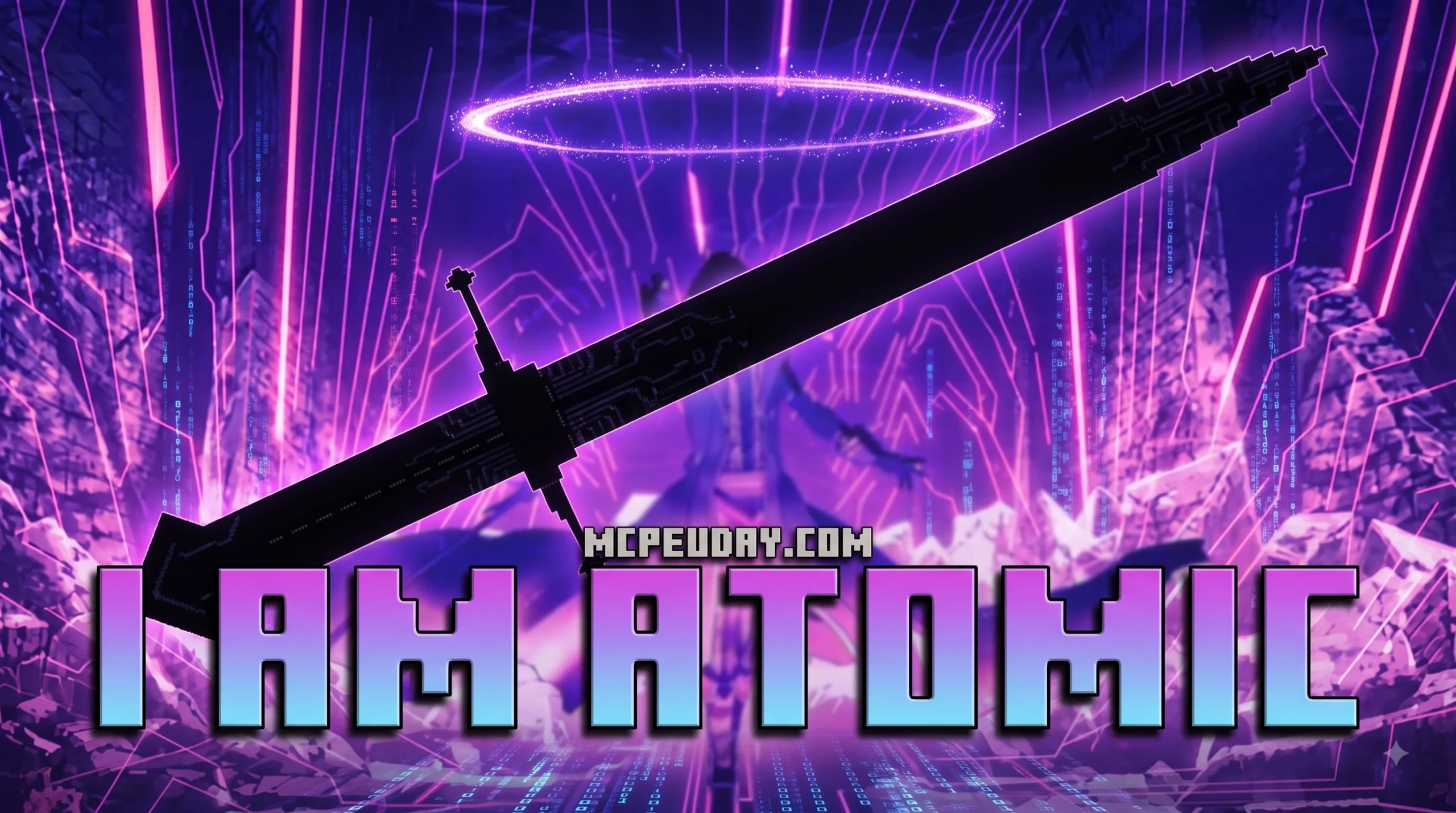
What the I Am Atomic Addon Is and How to Install It Fast
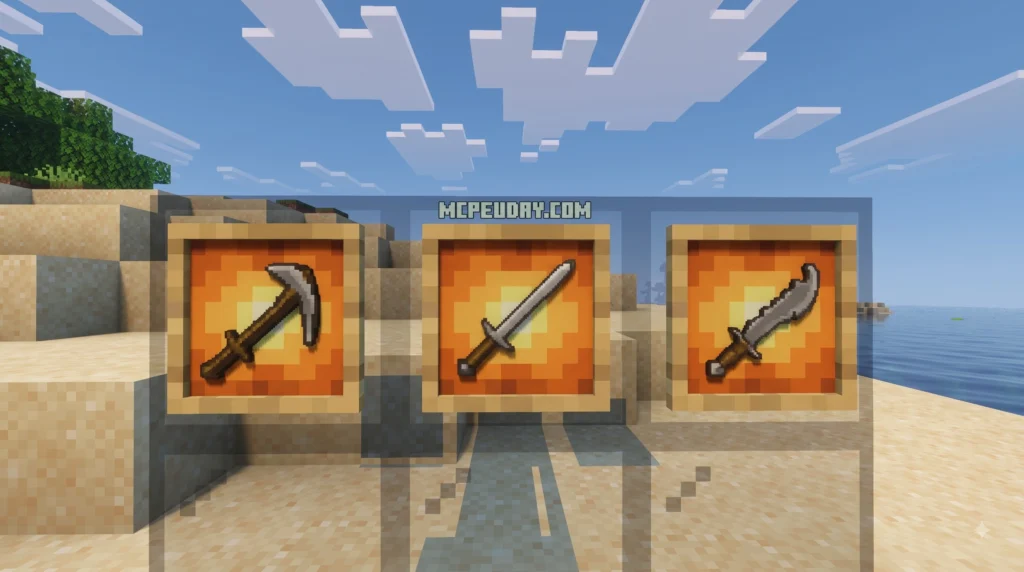
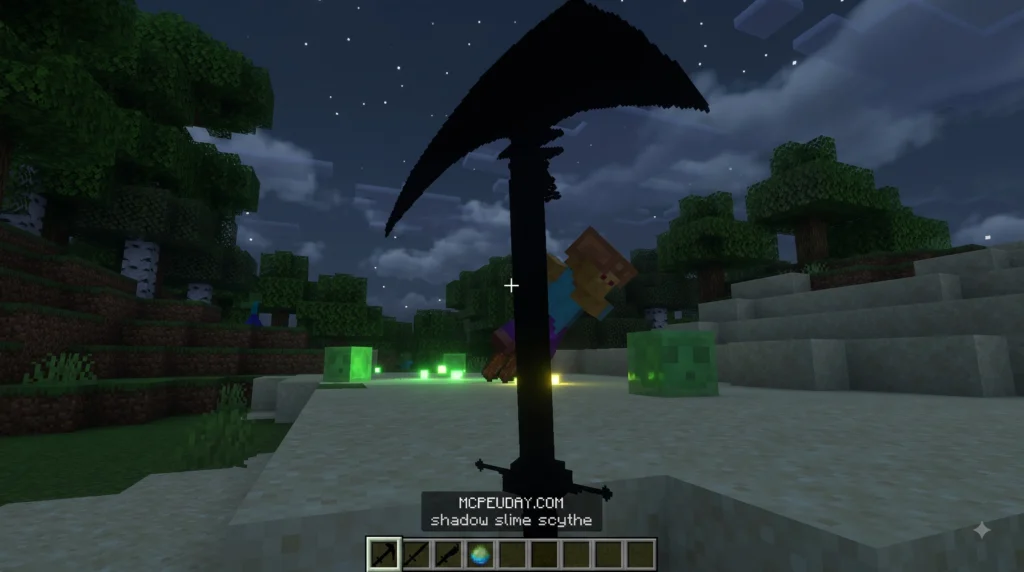
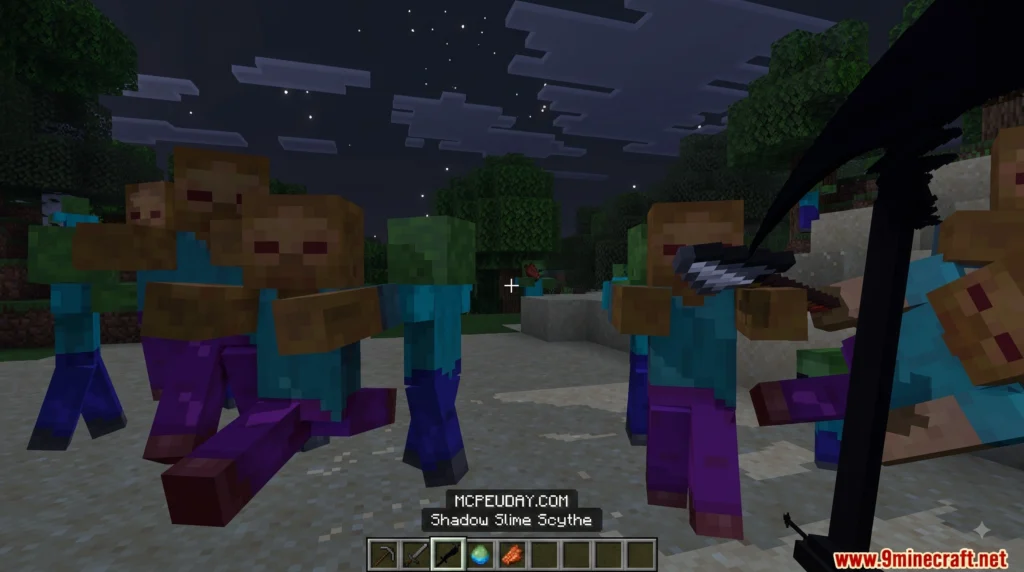
The I Am Atomic Addon is a Minecraft Bedrock addon inspired by the hit anime The Eminence in Shadow, bringing dramatic powers and visual effects straight into your world. Here’s the fast answer if you just want to get it running:
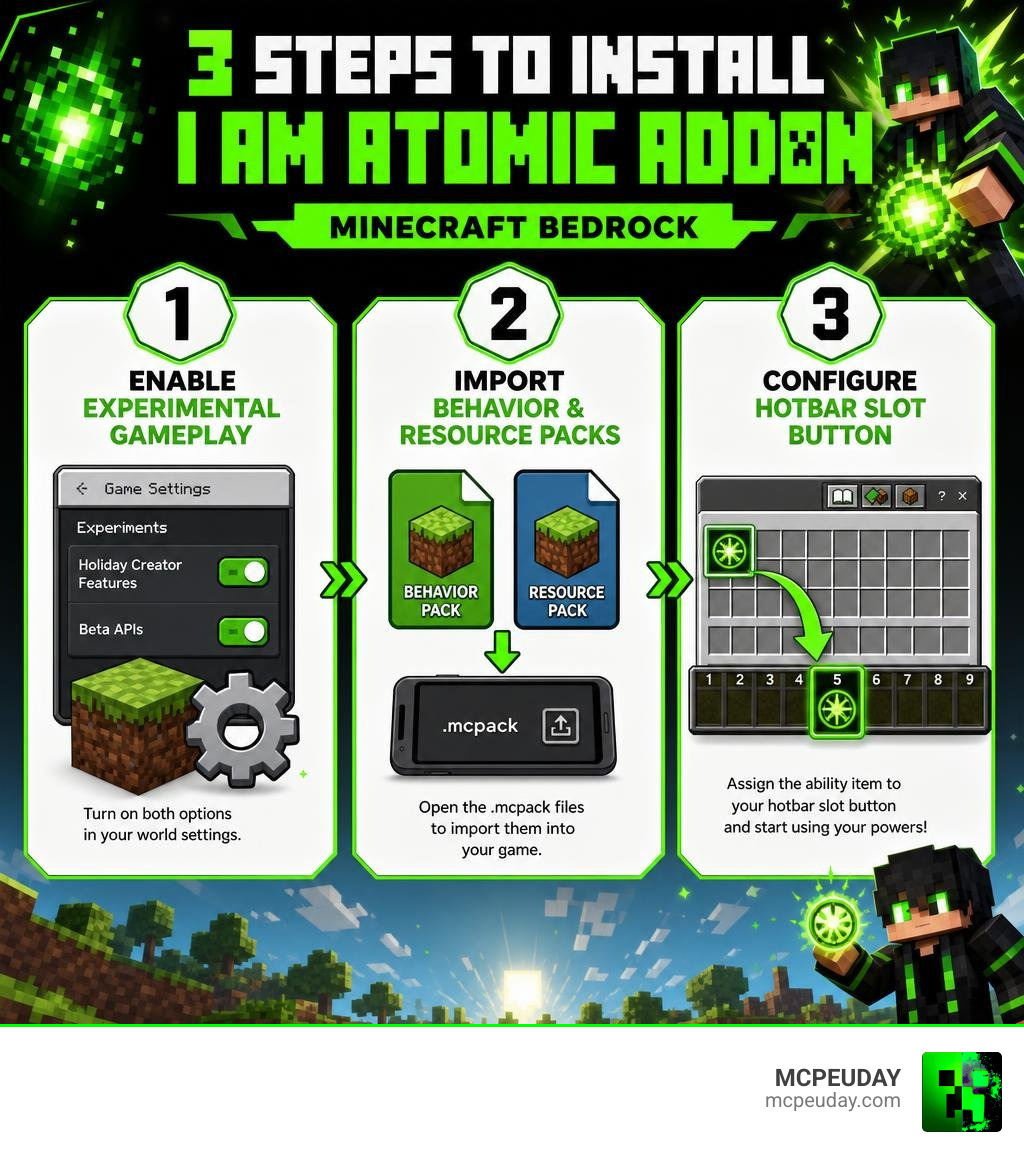
- Enable Experimental Gameplay in your world settings (Beta APIs and Holiday Creator Features)
- Import the Behavior and Resource Packs by opening the
.mcpackfiles on your device - Configure your Hotbar Slot Button to activate your new abilities in-game
That’s it. Three changes and you’re in.
Note: This addon is for Minecraft Bedrock Edition (also called Minecraft PE). It is not related to the Roblox “I Am Atomic” shoulder accessory or the Atomic knowledge base software — we cover those briefly later to clear up the confusion.
Anime-inspired cosmetics and abilities are hugely popular in sandbox game communities right now, and this addon taps right into that energy. If you’ve ever wanted to drop the iconic “I am Atomic” moment into your Minecraft world, you’re in the right place.
I’m UDAY GAMER, your guide here at MCPEUDAY, and I’ll walk you through every step so you can get this installed without any headaches.
What is the I Am Atomic Addon for Minecraft?
If you are a fan of high-stakes anime battles, the I Am Atomic Addon is a dream come true for your Minecraft Pocket Edition (MCPE) or Bedrock world. This gameplay mod is designed to completely overhaul your combat experience, giving you access to god-tier magical abilities that can clear entire battlefields in the blink of an eye.
Unlike simple texture swaps, this addon introduces entirely new custom behaviors and complex visual effects. When you trigger the main ability, the game world reacts dynamically. The sky darkens, custom particles swirl around your character, and a massive, blue-hued dome of pure energy expands outwards, vaporizing any hostile mobs caught in its radius. It is the ultimate power trip for survival or roleplay worlds.
The Anime Inspiration Behind the I Am Atomic Addon
This addon is heavily inspired by the popular anime series The Eminence in Shadow. The main protagonist, Cid Kagenou (who operates under the shadowy alter-ego Shadow), is obsessed with becoming a powerful mastermind who operates from the sidelines. His ultimate, world-shaking signature catchphrase is “I am Atomic”.
When Cid delivers this line, it is accompanied by immense dramatic flair, a sudden hush over the battlefield, and a blinding, nuclear-scale magical explosion. The creators of the I Am Atomic Addon have perfectly captured this theatrical visual style. From the dramatic delay before the blast to the lingering energy particles left in the crater, playing with this addon feels like stepping directly into a high-budget anime episode.
How to Install the I Am Atomic Addon in Minecraft Bedrock
Getting this addon up and running on your Android, iOS, Windows, or console device is incredibly straightforward. Below, we break down the exact prerequisites and steps required to unleash your inner shadow monarch.
Before you begin, ensure you have the following prerequisites ready:
- Minecraft Bedrock Edition (compatible with modern versions in 2026)
- The downloaded
.mcpackfiles for both the Behavior Pack and Resource Pack - An active world where you have administrative/cheats enabled
Step 1: Enable Experimental Gameplay Settings
Because the I Am Atomic Addon uses advanced custom scripting, custom entities, and heavy particle animations, Minecraft’s default engine needs a little boost. You must enable experimental features in your world settings before loading in.
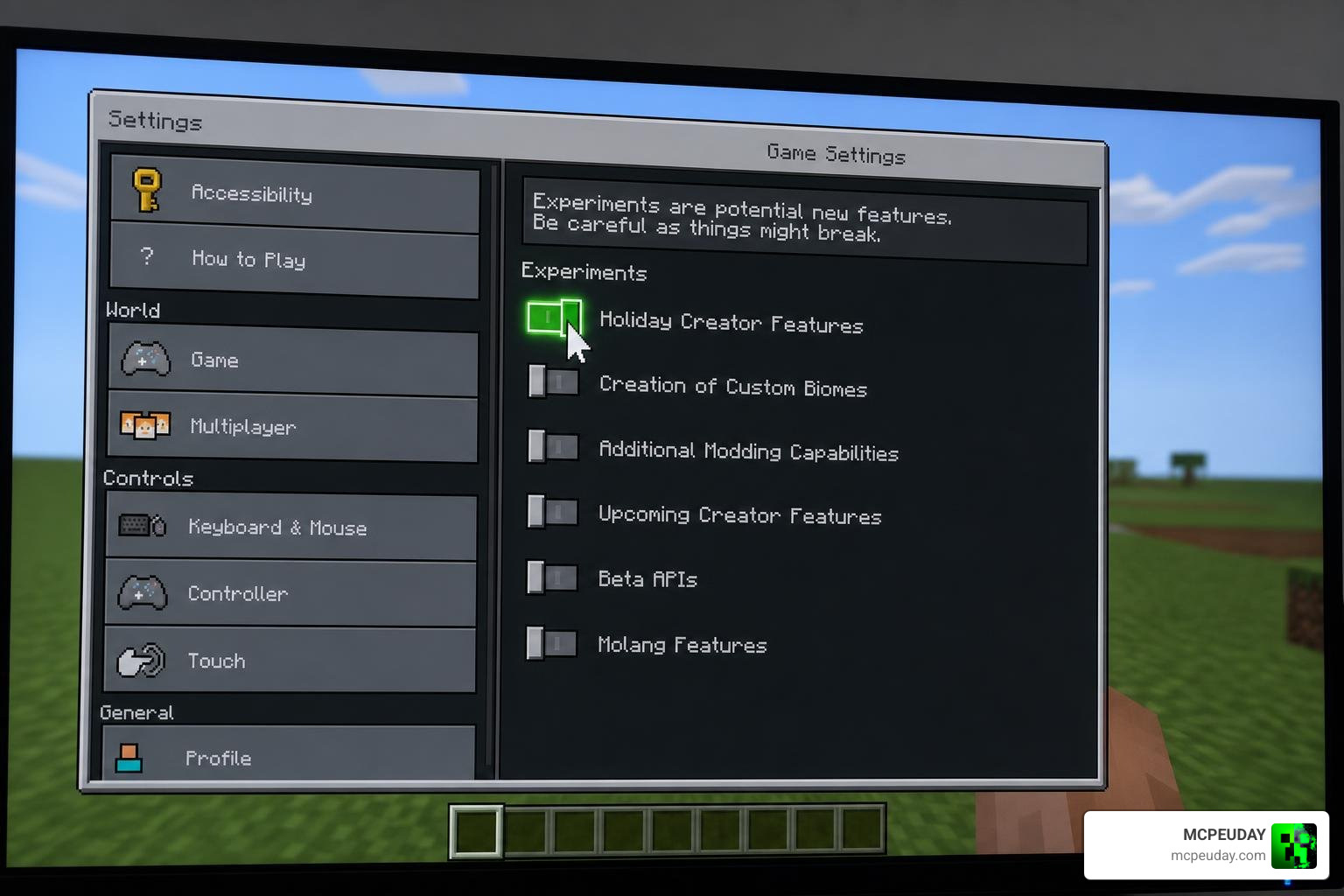
To do this, go to your World Settings, scroll down to the Experiments tab, and toggle the following options to “On”:
- Beta APIs: This allows the addon’s custom scripts to communicate with Minecraft’s engine.
- Holiday Creator Features: This ensures custom items and blocks render properly.
- Upcoming Creator Features (if available): Helps prevent compatibility issues with custom animations.
Failing to turn these on will result in the items appearing blank or the magical abilities failing to trigger entirely.
Step 2: Import the Behavior and Resource Packs
Once your world settings are prepared, it is time to import the files.
- Locate the downloaded
.mcpackfiles in your device’s file explorer. - Tap or double-click the Resource Pack file. Minecraft will automatically launch and import the assets.
- Repeat the process for the Behavior Pack file.
- Go back to your World Settings, click on Resource Packs, and activate the “I Am Atomic” pack.
- Navigate to Behavior Packs and activate the corresponding behavior pack. Ensure both are active at the same time.
Step 3: Configure Your Hotbar Slot Button for Ultimate Power
To easily trigger your world-ending abilities without fumbling around in your inventory during a surprise creeper attack, we highly recommend optimizing your user interface.
By utilizing a custom Hotbar Slot Button, you can map your magic spell to a quick-access slot. This custom interface tweak gives you a dedicated button on your screen (especially helpful for mobile MCPE players) to instantly cast your ultimate spell. It streamlines your controls configuration and ensures that you are always ready to drop an atomic blast at a moment’s notice.
Clearing the Confusion: Roblox UGC vs. Atomic Knowledge Base
Because “I Am Atomic” and “Atomic” are highly popular terms across different digital spaces, search results can sometimes get confusing. To help you understand exactly what you are looking at, we have put together a quick comparison diagram and table to separate these completely different projects.
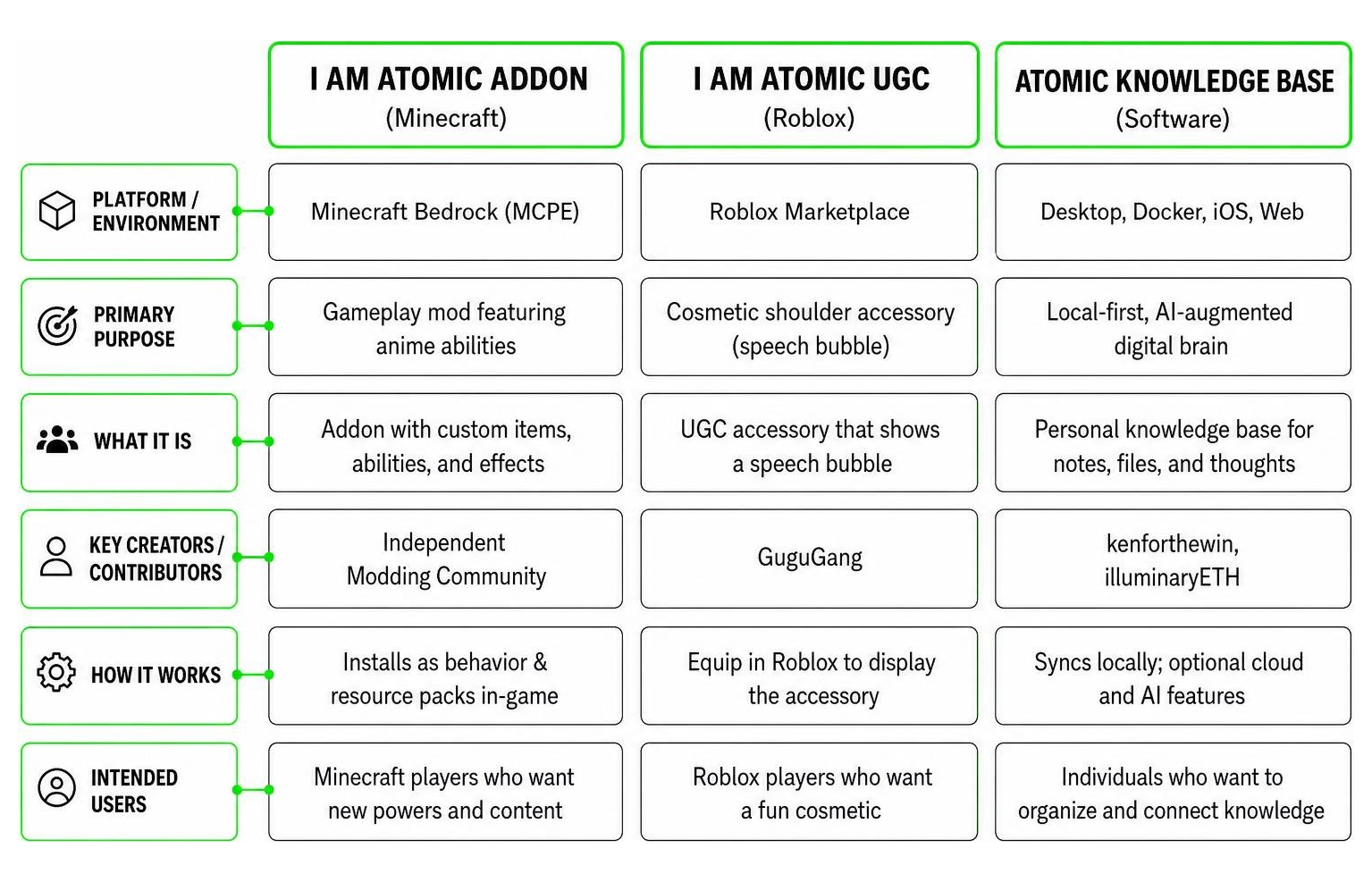
| Entity Name | Platform / Environment | Primary Purpose | Key Creators / Contributors |
|---|---|---|---|
| I Am Atomic Addon | Minecraft Bedrock (MCPE) | Gameplay mod featuring anime abilities | Independent Modding Community |
| I Am Atomic UGC | Roblox Marketplace | Cosmetic shoulder accessory (speech bubble) | GuguGang |
| Atomic Knowledge Base | Desktop, Docker, iOS, Web | Local-first, AI-augmented digital brain | kenforthewin, illuminaryETH |
The ‘I Am Atomic’ Roblox UGC Shoulder Accessory
If you also play Roblox, you might have run into the I Am Atomic | Roblox Item – Rolimon’s page. This is a User Generated Content (UGC) shoulder accessory created by the Roblox developer group GuguGang.
Unlike our destructive Minecraft addon, this is a purely cosmetic item. It is a literal 3D speech bubble that floats over your avatar’s shoulder, displaying the dramatic words “I am Atomic” to mimic Cid’s iconic anime moment.
First discovered by the tracking site Rolimon’s on April 8, 2026, this item is priced at 50 Robux and currently has 9 favorites on the marketplace. According to recent marketplace data, the item is currently ineligible for future Limited status, meaning it cannot be traded as a collectible asset but remains a fun, affordable cosmetic for anime roleplayers.
The Atomic Personal Knowledge Base Software
On the completely opposite end of the spectrum lies the Atomic Personal Knowledge Base. If you are a developer, researcher, or student looking to organize your life, this is an incredible open-source tool, but it has absolutely nothing to do with gaming!
You can find the core project on the GitHub – izuolan/atomic at 17df061a9f5db8bad3a547b1c5b11e5b6d81931c · GitHub repository, as well as its plugin ecosystem at illuminaryETH/atomic-plugins .
Here are the key aspects of this highly sophisticated software:
- The Creators: The project features 675 contributions from its top developer, kenforthewin, and 8 contributions from developer illuminaryETH.
- Multi-Language Architecture: The system supports 11 programming languages, including Rust, TypeScript, Swift, and JavaScript.
- Core Features:
- Atoms: Your markdown notes are treated as modular “atoms” that are automatically chunked, tagged, and linked.
- Semantic Search: Uses local vector databases (like sqlite-vec) to let you search your notes by meaning rather than just exact keywords.
- Wiki Synthesis: Automatically merges scattered notes into structured wiki pages with AI-generated inline citations.
- Canvas: A spatial, visual board to map out your ideas.
- Deployment & Client Apps: Users can run it as a Tauri-based desktop app, self-host it via Docker Compose (by running the docker compose up -d command), deploy it to Fly.io, or run a standalone Rust server. It even features an iOS client on the App Store and a Web Clipper extension on the Chrome Web Store.
- System Components: The architecture relies on the atomic-core Rust crate, the atomic-server (supporting REST, WebSockets, and MCP), and the atomic-plugins fork which extends its capabilities.
Frequently Asked Questions About the I Am Atomic Addon
To help our community get the most out of their gaming sessions, we have gathered some of the most common questions from our players.
Is the I Am Atomic Roblox accessory still available for purchase?
Yes! If you want to match your Minecraft style over on Roblox, the “I Am Atomic” speech bubble accessory is still available on the Roblox marketplace. It costs 50 Robux and can be purchased directly from the GuguGang group store.
What AI providers does the Atomic knowledge base support?
If you are setting up the Atomic personal knowledge base software (not the Minecraft addon!), the platform’s setup wizard supports several AI configurations:
- OpenRouter: For accessing a wide variety of cloud-hosted LLMs.
- Ollama: For running fully private, local models directly on your machine.
- OpenAI: For standard GPT-4 or GPT-3.5 integration.
Can I use the I Am Atomic Addon alongside other Minecraft mods?
Absolutely! We love combining mods to create the ultimate survival setup. The I Am Atomic Addon runs perfectly alongside popular gameplay and utility mods. You can pair it with the engineering marvels of the Create Addon, speed up your projects with the Effortless Building Addon, or keep your buffs active on the go with the Portable Beacon Addon.
Just make sure that if you use multiple resource packs, you place the “I Am Atomic” resource pack near the top of your active list to prevent other mods from overwriting its custom magical particle effects.
Conclusion
Whether you came here to turn your Minecraft world into an anime battleground or to clear up the confusion surrounding Roblox items and personal databases, we hope this guide made things simple. The I Am Atomic Addon is one of the most visually stunning mods available for Bedrock Edition, and with just three quick settings changes, you can start vaporizing your enemies in style.
For more awesome guides, shader recommendations, and direct downloads of the latest mods, Explore more Minecraft mods and addons right here on MCPEUDAY. Have fun, and go unleash some atomic power!
