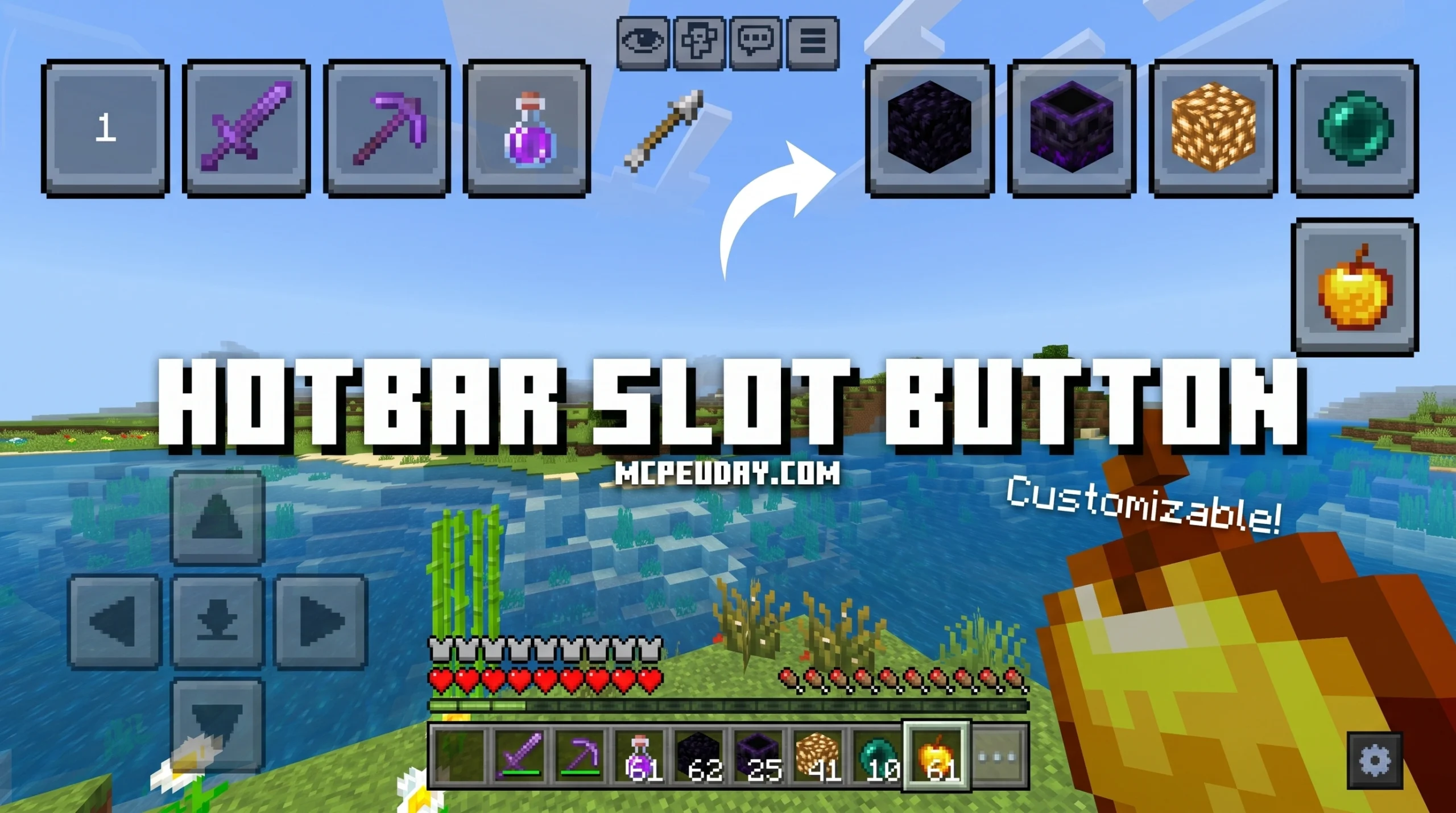
Why the Hotbar Slot Button ADDON Is a Game-Changer for Minecraft Mobile Players
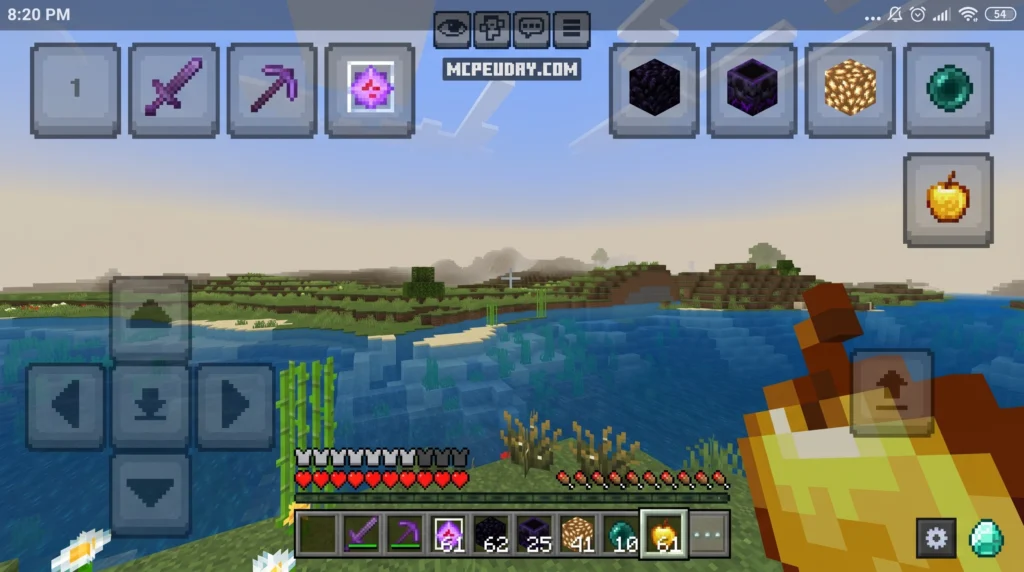
The Hotbar Slot Button ADDON is a texture pack for Minecraft Bedrock Edition that adds nine numbered on-screen buttons directly to your HUD, letting you tap any hotbar slot instantly — no dragging, no fumbling.
Quick answer — here’s what it does:
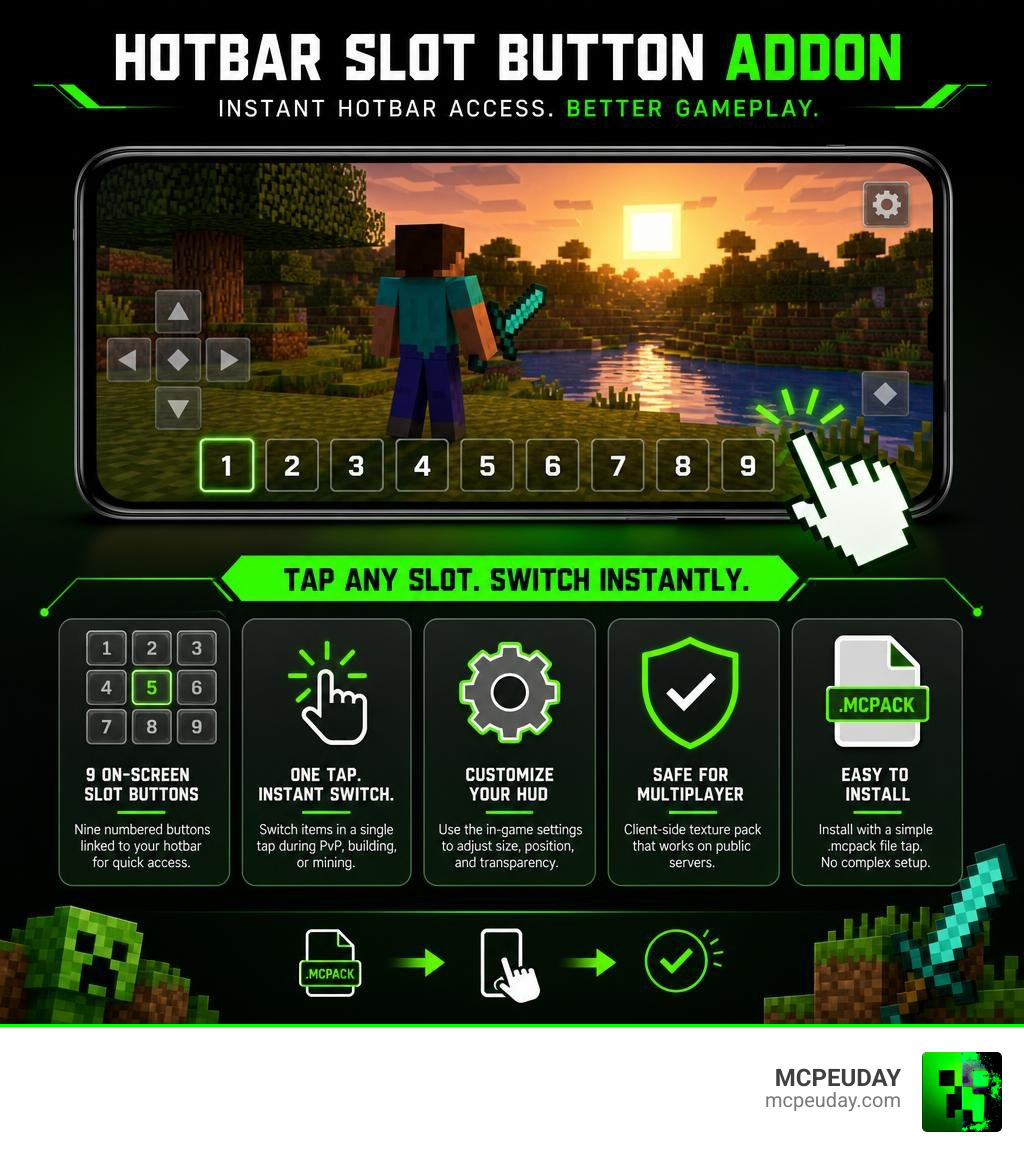
- Adds 9 translucent numbered buttons linked to your hotbar slots
- Lets you switch items with a single tap during PvP or building
- Includes a gear icon settings editor to adjust size, position, and transparency
- Works on public multiplayer servers as a client-side texture pack
- Installs via a simple
.mcpackfile tap — no experimental mode required in most cases
If you’ve ever lost a PvP fight because you were busy dragging the toolbar, or missed a mining moment because switching tools took too long, this addon solves exactly that problem.
With over 534,000 downloads and a solid community rating, it’s one of the most popular UI texture packs for Minecraft Bedrock — and for good reason.
What is the Hotbar Slot Button ADDON?
At its core, the Hotbar Slot Button ADDON is a highly optimized client-side utility texture pack designed specifically for Minecraft PE and Bedrock Edition. Unlike heavy behavior packs that alter the game’s code, this pack functions purely as a user interface (UI) overhaul. It bridges the gap between touch controls and keyboard hotkeys by placing nine translucent, numbered buttons directly on your screen.
For years, mobile players have struggled to match the speed of PC players who use keyboard hotkeys (1 through 9) to switch items instantly. Dragging your thumb across the traditional hotbar is slow and inaccurate. This addon simulates physical hotkeys on your touchscreen, providing a massive boost to mobile optimization and leveling the playing field.
If you want to download the latest file directly, you can check out the official project page on Hotbar Slot Button | Minecraft PE Texture Packs – MCPEDL .
Core Features of the Hotbar Slot Button ADDON
This addon packs a surprising amount of utility into a tiny file size of just under 50 KB. Here are the standout features that make it a must-have:
- 9 Numbered Buttons: Nine on-screen buttons mapped directly to your hotbar slots.
- Improved Number Rendering: In recent updates, hotbar numbers use high-quality images instead of default system text, ensuring they look clean and readable on any screen resolution.
- Two-Finger Mode Support: The buttons support simultaneous touch inputs, allowing you to run or look around with one thumb while instantly swapping items with another.
- Performance-Optimized Sliders: The configuration sliders use a streamlined performance method, keeping your frame rates smooth even during intense action.
- Item Display Previews: You can toggle an option to preview the exact item inside the slot directly on the button itself.
These UI enhancements pair perfectly with movement-improving packs like the New Player Animation Addon, giving you a visual and mechanical upgrade that makes your character look and feel incredibly responsive.
Gameplay Advantages for PvP and Building
If you enjoy competitive multiplayer or complex building projects, this addon will completely transform how you play.
In PvP combat, split-second decisions dictate who wins. Instead of swiping through your hotbar to find your golden apple or ender pearls, you can tap the designated button instantly. If you are mining gravel and suddenly hit lava, you can swap to your water bucket in a fraction of a second without removing your finger from the movement controls.
For builders, the advantages are just as impressive. Swapping between blocks, stairs, and detailing tools becomes a seamless experience. When paired with the Effortless Building Addon, your construction speed will rival that of any Java Edition player on a high-end PC.
Customizing Your Hotbar Layout and Settings
One size does not fit all when it comes to mobile controls. Screen sizes vary from compact smartphones to massive tablets, and everyone has a unique grip style. Thankfully, this addon features a robust in-game settings editor.
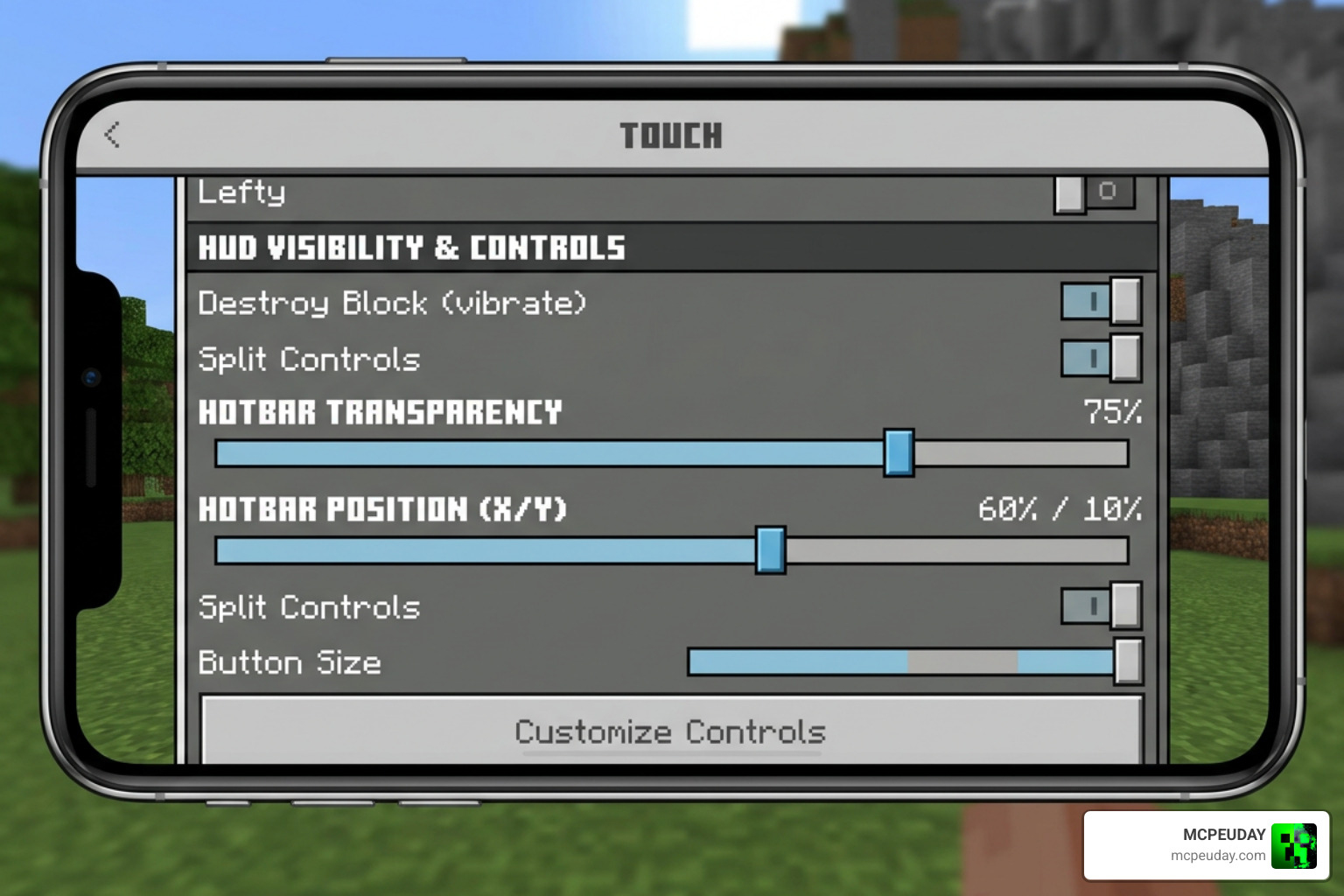
By tapping the gear icon next to the pack in your active resources, you open up the customization control panel. From here, you can fine-tune your layout:
- X and Y Coordinates: Move each button independently. You can arrange them in a standard horizontal row, a vertical ladder on the side of your screen, or even a circle around your thumb.
- Transparency Slider (Alpha): Make the buttons fully visible or almost completely transparent so they do not block your view of the game world.
- Element Resizing: Scale the buttons up for easy tapping or down to keep your HUD clean and minimalist.
How to Save Your Custom Hotbar Slot Button ADDON Configuration
A common quirk with Minecraft Bedrock’s engine is that custom UI positions do not always save automatically when you close the game or switch worlds. This is because the Bedrock engine cannot permanently write dynamic coordinate changes directly to your active profile on its own.
To make your custom layout permanent, follow this simple workaround:
- Open the in-game editor and adjust your buttons to your liking.
- Copy the generated configuration code displayed in the editor’s text field.
- Open your device’s file manager and locate the addon’s folder in your Minecraft directory.
- Open the
_global_variables.jsonfile inside the UI folder using any text editor. - Paste your copied configuration values into this file and save it.
Once saved manually in the JSON file, your custom layout will load perfectly every single time you launch a world!
Installation and Compatibility Guide
Setting up the addon is quick and straightforward. Since it is packaged as a standard resource pack, it does not require complex mod loaders.
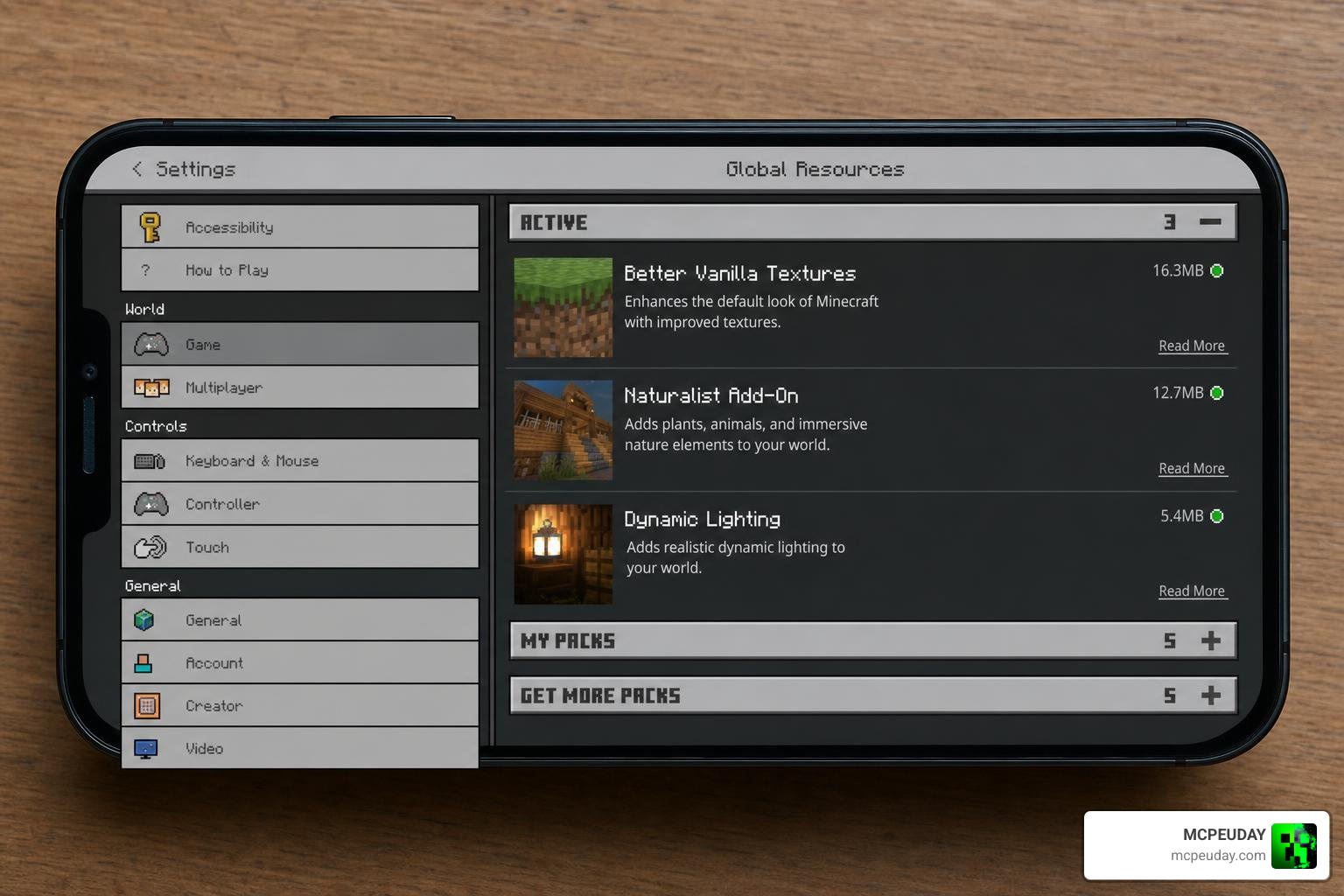
Follow these steps to install and activate the pack:
- Download the latest
.mcpackfile from the official source. - Tap the downloaded file. Your mobile device or PC will automatically open Minecraft and import the pack.
- Go to Settings > Global Resources (or Active Resources within a specific world settings menu).
- Select the Hotbar Slot Button ADDON, tap Activate, and click the gear icon if you want to customize the layout before jumping in.
- Launch your world and enjoy your new on-screen hotkeys!
Because this is a client-side texture pack, it does not require experimental game mode features to be enabled. It is also fully compatible with public multiplayer servers, meaning you can use it on your favorite minigame networks without worrying about anti-cheat flags.
Comparing Hotbar Slot Button with Vanilla Touch Controls
To see just how much of an upgrade this pack is, let’s compare it directly to Minecraft’s default touch layout.
| Feature | Vanilla Touch Controls | Hotbar Slot Button ADDON |
|---|---|---|
| Item Switching Method | Dragging or tapping the main hotbar | Direct on-screen numbered hotkey buttons |
| Layout Customization | Extremely limited (standard HUD options) | Fully adjustable X/Y coordinates and scaling |
| Multi-Finger Support | Poor (often interrupts movement) | Excellent (seamless two-finger compatibility) |
| HUD Transparency | Fixed opacity | Fully adjustable transparency slider |
| Item Display Previews | Only visible on the hotbar itself | Optional display directly on the custom buttons |
While Minecraft Bedrock continues to update its default touch controls, this addon remains the gold standard for players looking to maximize their mobile gameplay efficiency.
Other gaming platforms handle hotbars in similar customizable ways. For instance, tabletop gamers use modules like the Token Hotbar | Foundry Virtual Tabletop to dynamically swap controls, while PC Minecraft players often look to tools like mustafakalash/VanillaHotbarExtender or Fabric mods like LumyNovaOfficial/HotbarSlotPresets for keybind efficiency. Even game developers use tools like the Hotbar Creator – RPG Maker MZ plugin by Sang Hendrix to build comfortable interfaces. For Bedrock mobile players, this addon is the absolute best way to achieve that same level of professional UI control.
Frequently Asked Questions about Hotbar Slot Button ADDON
Why do my hotbar button positions reset when I enter a world?
This happens because the Bedrock engine struggles to save dynamic UI layouts across sessions. To fix this, adjust your settings in the editor, copy the configuration text, and paste those values directly into the _global_variables.json file inside the addon’s UI folder.
Can I use this addon on public multiplayer servers?
Yes! Since this addon functions entirely as a client-side texture pack, it only changes how your screen looks and does not modify server-side files. You can safely use it on any public multiplayer server.
Does this addon require experimental gameplay features to be enabled?
No, it does not. It runs perfectly on stable versions of Minecraft Bedrock (including versions 1.21 through 1.26) without needing any experimental toggles turned on.
Conclusion
The Hotbar Slot Button ADDON is an essential tool for any Minecraft Bedrock player looking to elevate their mobile gameplay. By adding highly customizable, responsive, and performance-friendly hotkeys to your touchscreen, it removes the clunkiness of default touch controls and lets you play at your absolute best.
Whether you are dodging creepers, fighting in intense PvP matches, or building massive structures, this UI upgrade is a complete game-changer. We highly recommend giving it a try to see just how smooth your mobile experience can be!
Ready to discover more ways to customize your Minecraft experience? Explore more Minecraft Mod Addons on MCPEUDAY today!
1 thought on “Hotbar Slot Button Addon (26.x, 1.21) – MCPE/Bedrock Mod”