Why the Effortless Building ADDON Is a Game-Changer for Bedrock Builders
The Effortless Building ADDON is a Minecraft Bedrock addon that lets you place entire walls, floors, spheres, cylinders, and more in just a few clicks — no commands, no creative mode required.
Quick answer for what it does:
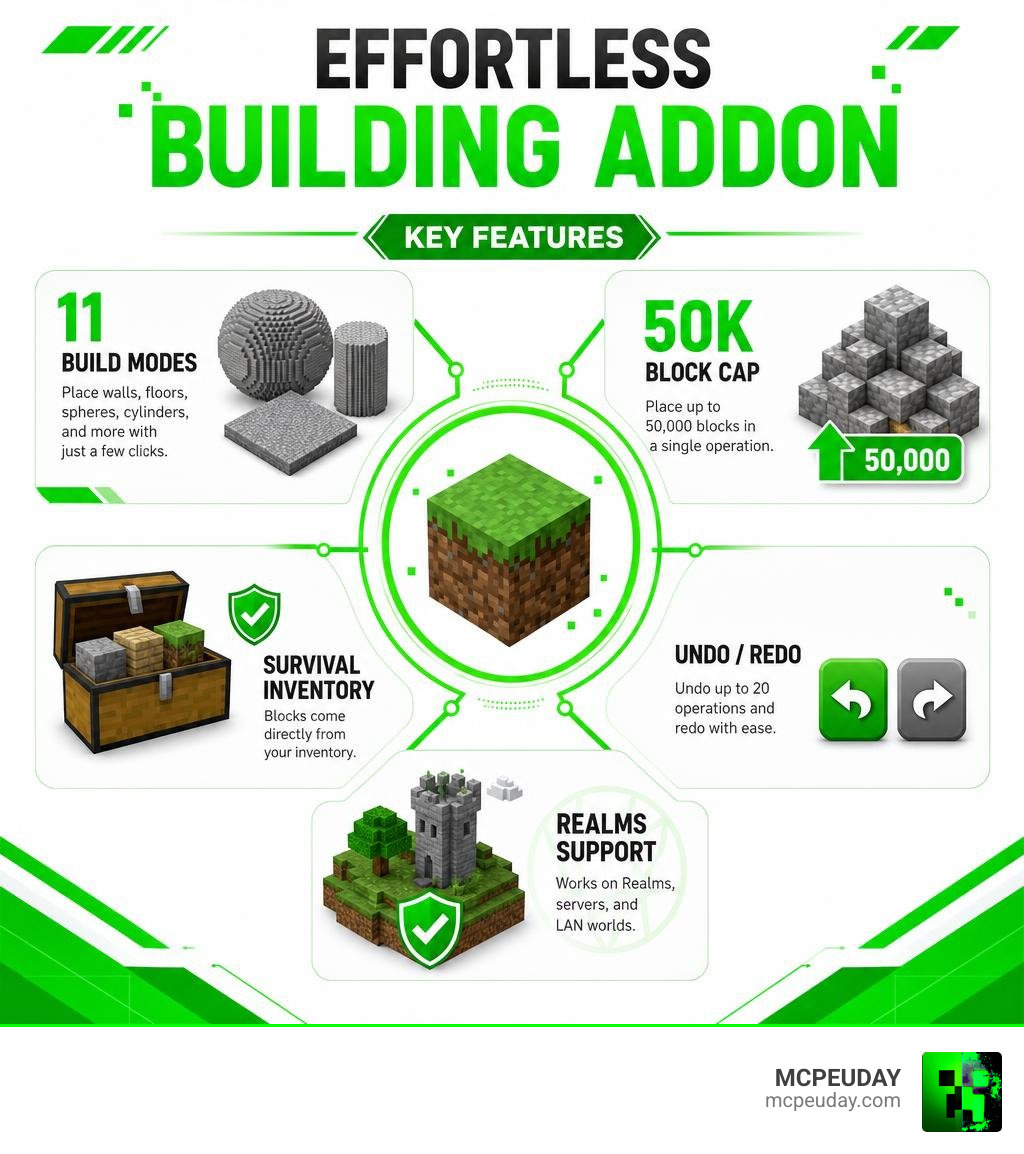
- Place large 3D shapes instantly using 11+ build modes
- Works in survival mode — blocks come straight from your inventory
- Undo up to 20 operations with
/eb:undo - Place up to 50,000 blocks in a single operation
- Compatible with Realms, servers, and LAN worlds
- Free to download as a
.mcaddonfile for Bedrock 1.21
If you’ve ever spent 20 minutes placing blocks one by one to build a sphere or a big flat floor, you already know the pain. The Effortless Building ADDON solves exactly that.
It’s a Bedrock port of one of the most popular Java mods ever made — the original Java version has over 9.5 million downloads on CurseForge alone. Now that same multi-block building power is available on Bedrock, and the addon crossed 276,000 downloads within just its first month of release.
This guide walks you through everything — features, build modes, survival settings, server controls, and how to install it.
What is the Effortless Building ADDON?
At its core, the Effortless Building ADDON is a complete building utility designed to eliminate the tedious, repetitive parts of construction in Minecraft Bedrock. Originally created as a highly acclaimed Java mod by developer Requioss, this feature-packed utility has been ported over to Bedrock Edition to give console, mobile, and Windows 10/11 players the exact same creative freedom.
We at MCPEUDAY are thrilled to offer the latest optimized files for this addon. You can grab your download directly from our dedicated page: Effortless Building Addon. It integrates seamlessly with your Bedrock worlds without replacing or modifying any vanilla entities or blocks, meaning it won’t break your existing setups.
Key Differences of the Effortless Building ADDON from Java
While the original Java mod is famous for its Forge and NeoForge integration, the Bedrock addon has been completely rewritten from scratch to run smoothly on the Bedrock engine.
- Optimization: The Java version can sometimes cause heavy frame drops during bulk placements. The Bedrock addon uses optimized script engines to handle up to 50,000 blocks smoothly, even on mid-range mobile devices.
- UI & Controls: Instead of complex keyboard shortcuts that only work on PCs, the Bedrock version features an easy-to-use radial menu and a custom “Building Book” that works perfectly with touch screens, controllers, and keyboards.
- Cross-Platform Play: Whether you are playing on an iPad, an Xbox, or a PC, the Bedrock addon ensures that everyone on your Realm or multiplayer server can use these automated placement features simultaneously.
Why You Need the Effortless Building ADDON in 2026
It is June 2026, and Minecraft building has reached massive scales. With modern structural updates and complex build requirements in the latest 1.21 and 1.26 Bedrock versions, manual block placement feels like a chore of the past. If you want to build massive medieval castles, modern skyscrapers, or prepare huge flat areas for city builds, doing it block-by-block is simply a waste of your valuable gaming time.
This addon brings modern, time-saving automation directly to your fingertips, transforming how you approach survival and creative building projects alike.
Comparing Effortless Building with Vanilla Building
To see how much of a difference this tool makes, let’s look at how it stack up against vanilla building methods.
| Feature | Vanilla Manual Building | Vanilla /fill Commands | Effortless Building ADDON |
|---|---|---|---|
| Placement Speed | Extremely Slow (1 block at a time) | Fast, but requires typing coordinates | Instant (Up to 50,000 blocks per click) |
| Survival Friendly | Yes | No (Requires cheats enabled) | Yes (Consumes inventory blocks) |
| Complex Shapes | Hard to calculate manually | Impossible for spheres/circles | 11+ built-in shapes (Spheres, Cylinders, Arches) |
| Mistake Correction | Must break blocks manually one by one | Must refill with air manually | Instant Undo/Redo (Up to 20 actions) |
| Visual Previews | None | None | Live particle and outline previews |
Core Build Modes and Advanced Tools
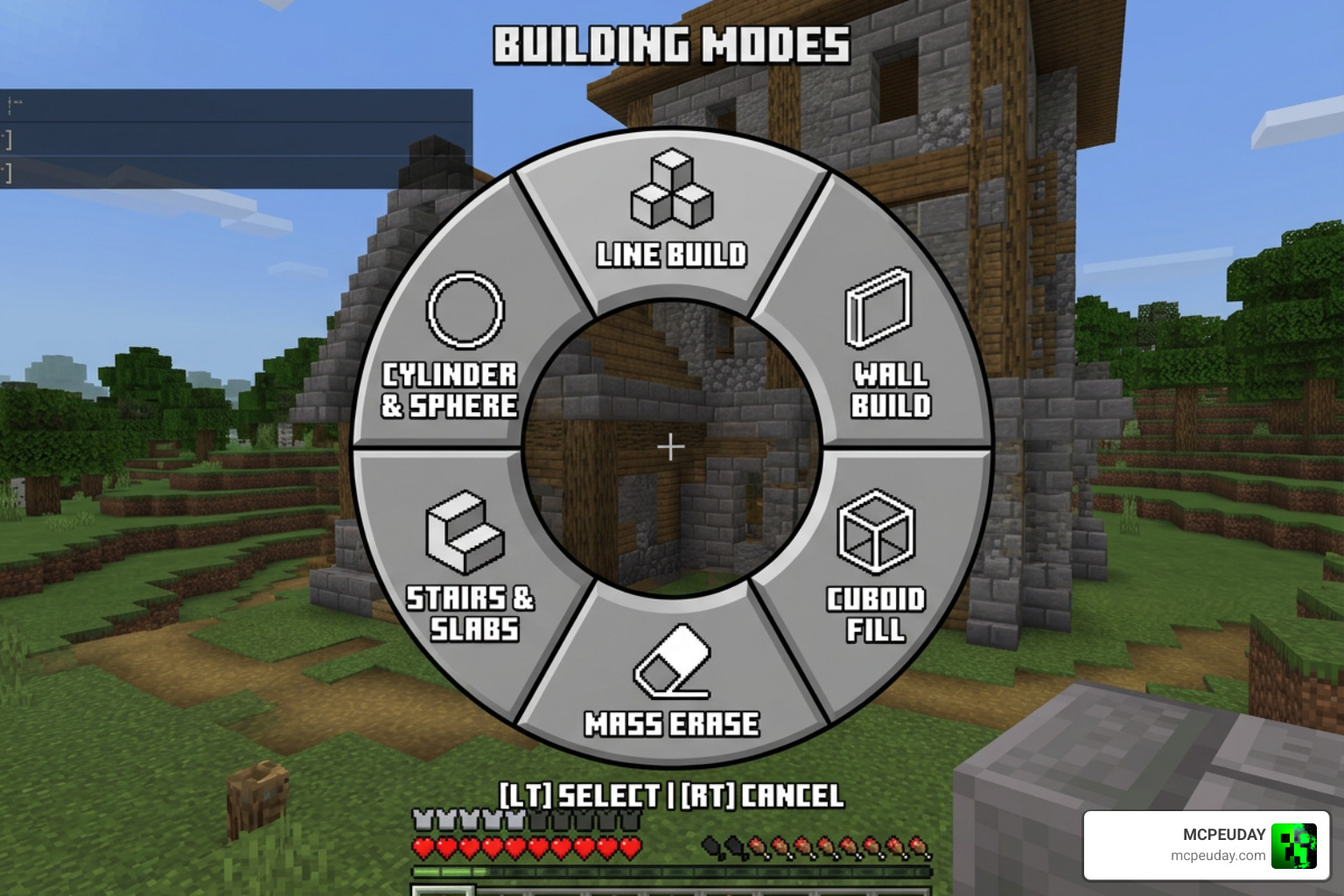
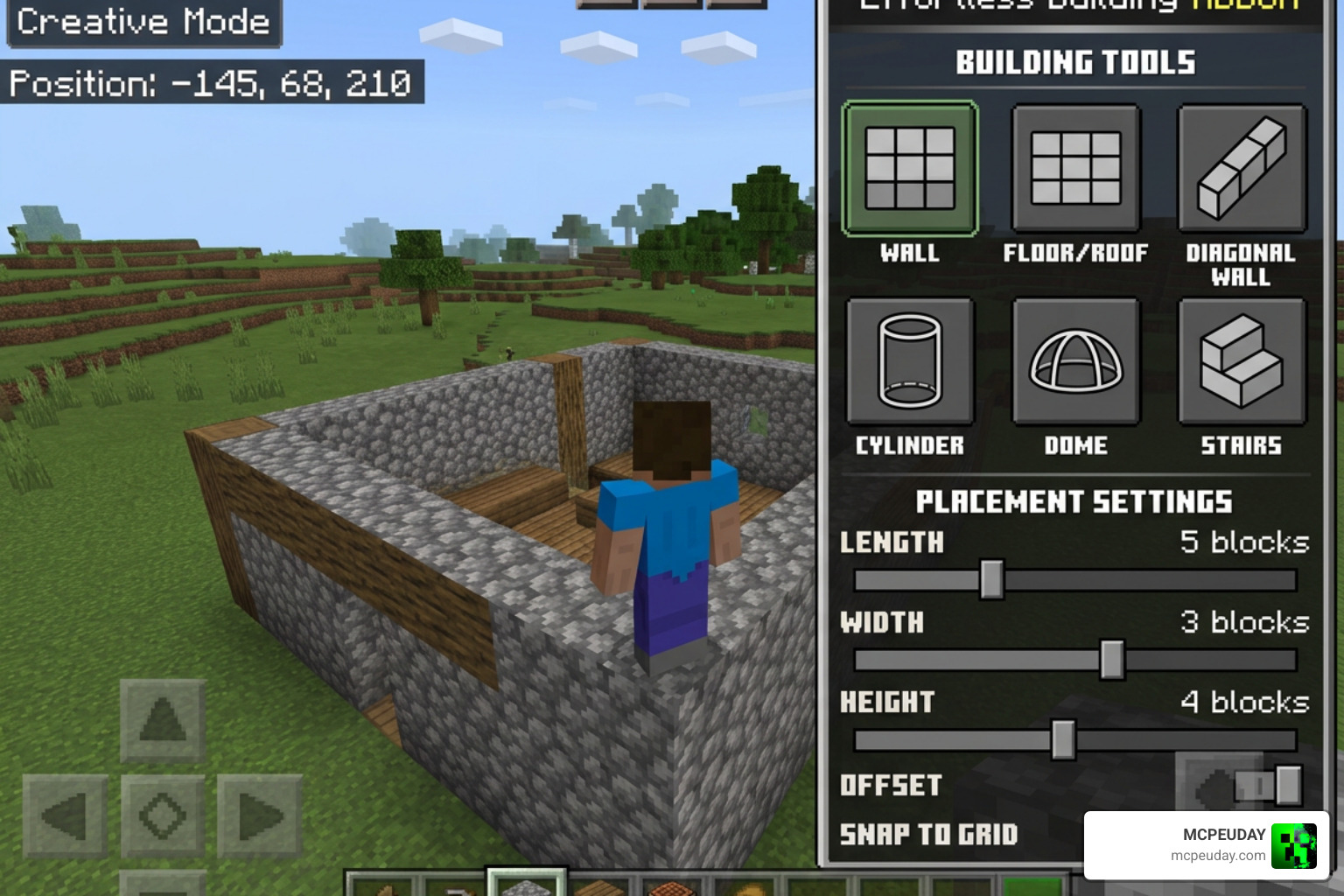
The magic of this addon lies in its versatile build modes. By opening the in-game radial menu via the custom Building Book or typing the menu command in chat, you gain access to 11 distinct build modes. For a visual showcase of these modes in action, check out this video: Effortless Building Mod – The BEST Minecraft Building Tool?!.
These core modes include:
- Line & Diagonal Line: Place straight rows of blocks in any direction.
- Wall & Diagonal Wall: Build flat vertical surfaces instantly.
- Floor: Lay down massive floors or ceilings in seconds.
- Cube: Create solid or hollow 3D boxes.
- Circle: Draw perfect circles without looking up reference charts.
- Cylinder: Create towers and circular wells effortlessly.
- Sphere: Generate perfect round globes instantly.
Semicircle and Shape Modes
Version 2.0 of the addon introduced the incredibly useful Semicircle Mode, which comes with six distinct variants:
- Horizontal Semicircles (both Filled and Hollow)
- Arch Semicircles (both Filled and Hollow)
- Dome Semicircles (both Filled and Hollow)
These options are perfect for crafting realistic roofs, bridge arches, doorways, and rounded ceilings without having to guess the block offsets.
Air Building and Copy/Paste Features
For advanced builders, the addon provides tools that feel like pure magic:
- Air Build: This mode allows you to place blocks in mid-air without needing a solid physical block to attach them to. This is incredibly useful for building floating islands, parkour courses, or starting a roof from the top down.
- Copy/Paste Mode: Select two diagonal corners with your clipboard tool to copy a custom structure, preview it as a rotating ghost outline, and paste it anywhere in your world.
- Destroy Mode: Need to clear a mountain? Destroy Mode supports shovels, pickaxes, and axes. It highlights the target area in red, warns you if your tool’s durability is too low, and cleanly breaks the blocks while respecting your tool type.
Survival Integration, Block Limits, and Palette Options
Many building tools only work in creative mode, but this addon was built from the ground up to be survival-friendly. To explore more about these survival mechanics, check out our update page: Effortless Building Addon 2.
Inventory Consumption and Block Limits
When you are in survival mode, the addon doesn’t just create blocks out of thin air. It checks your inventory and only places as many blocks as you are currently carrying. If you run out of stone bricks halfway through building a wall, the placement will stop exactly where your resources ran out.
Furthermore, you will receive real-time durability warnings if your tools are about to break in Destroy Mode, and you still receive standard XP drops and items from mined blocks. To protect your game’s performance, there is a customizable 50,000 block cap per operation, which you can lower in the settings if you are playing on a lower-end mobile device.
Live Previews and Palette Customization
To prevent accidental placements, the addon features a live Outline Preview Mode. For massive shapes, it renders corner guides using particles to prevent any performance lag.
If you make a mistake, don’t worry! You can use the /eb:undo command to step backward through your last 20 operations.
Additionally, the Block Palette feature allows you to load multiple block types into your building book. You can set the weightings (by slot count, block amount, or name) to randomly distribute different blocks as you build, making it incredibly easy to create naturally textured stone walls or mixed-wood paths.
Multiplayer Settings and Server Controls
Are you hosting a dedicated server or a multiplayer Realm? The Effortless Building ADDON is fully optimized for multiplayer environments!
To prevent players from causing lag by placing massive 50,000-block structures all at once, operators have access to robust global admin controls. By running the command /tag @s add eb:admin, you can unlock the server settings menu. From here, you can restrict specific build modes, lower the maximum block placement limit for non-admin players, or toggle block drops on and off.
This utility works beautifully alongside other world-generation and decoration packs. If you are looking to populate your world with pre-made designs before customizing them with this addon, try pairing it with the Better Structures Addon or check out our guide on the Medieval Structures Addon 1 26 1 21 Transform Your Minecraft World With Realistic Medieval Builds. If you want to build custom biomes, it also pairs beautifully with the Biomes O Discovery Addon 1 26 1 21 Make Minecraft Worlds Feel Alive Again.
Installation Guide and Version Compatibility
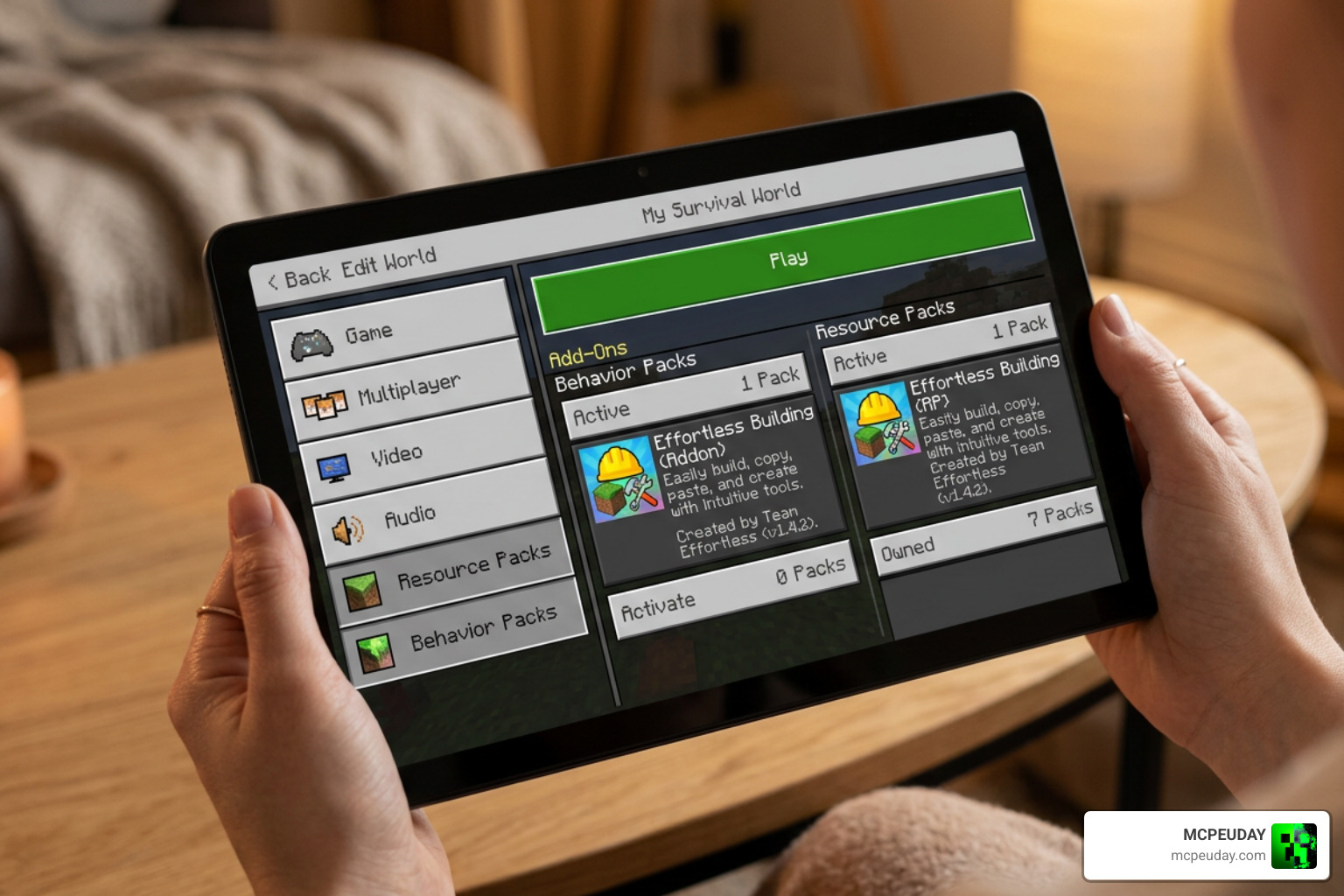
Getting this addon up and running in your world is simple. Just follow these quick steps:
- Download the File: Get the latest
.mcaddonfile from our Category Mod Addons section. - Import to Minecraft: Double-click or tap the downloaded file to automatically import it into Minecraft Bedrock.
- Enable Behavior and Resource Packs: Go to your world settings, navigate to Behavior Packs, and activate Effortless Building. The corresponding Resource Pack should activate automatically.
- Turn on Experimental Settings: To ensure all advanced scripting features work perfectly in version 1.21 and above, make sure to toggle “Beta APIs” and “Upcoming Creator Features” on in your world settings.
- Craft the Building Book: Once in your world, combine 1 normal Book and 1 Paper at a crafting table to obtain your Building Book and start building!
Frequently Asked Questions about Effortless Building
Does the Effortless Building addon work in survival mode?
Yes! The addon is fully integrated with survival mode. It scans your inventory and hotbar, placing only the blocks you physically possess. It also applies proper wear and tear to your tools when using Destroy Mode.
Can I use this addon on Minecraft Realms and multiplayer servers?
Absolutely. As long as the host or server administrator applies the Behavior and Resource packs to the world settings and enables the necessary experimental toggles, anyone who joins the Realm or server can use the building tools.
What is the maximum block limit per operation?
By default, the placement cap is set to 50,000 blocks to prevent the game from freezing. Server admins can easily scale this limit down in the settings menu to keep performance smooth for players on older phones or consoles.
Conclusion
The Effortless Building ADDON is an essential upgrade for any Minecraft Bedrock player who loves to build. By eliminating the repetitive grind of manual block placement and providing powerful tools like Semicircle Mode, Air Building, and Block Palettes, it lets you focus on the creative side of your designs.
We at MCPEUDAY are committed to bringing you the absolute best gameplay enhancements, mods, and shaders. If you are looking to completely change the atmosphere of your newly built structures, check out our curated list of the best Minecraft horror mods for Java and Bedrock in our 2026 guide. Happy building!
3 thoughts on “Effortless Building Addon (26.x, 1.21) – MCPE/Bedrock Mod”