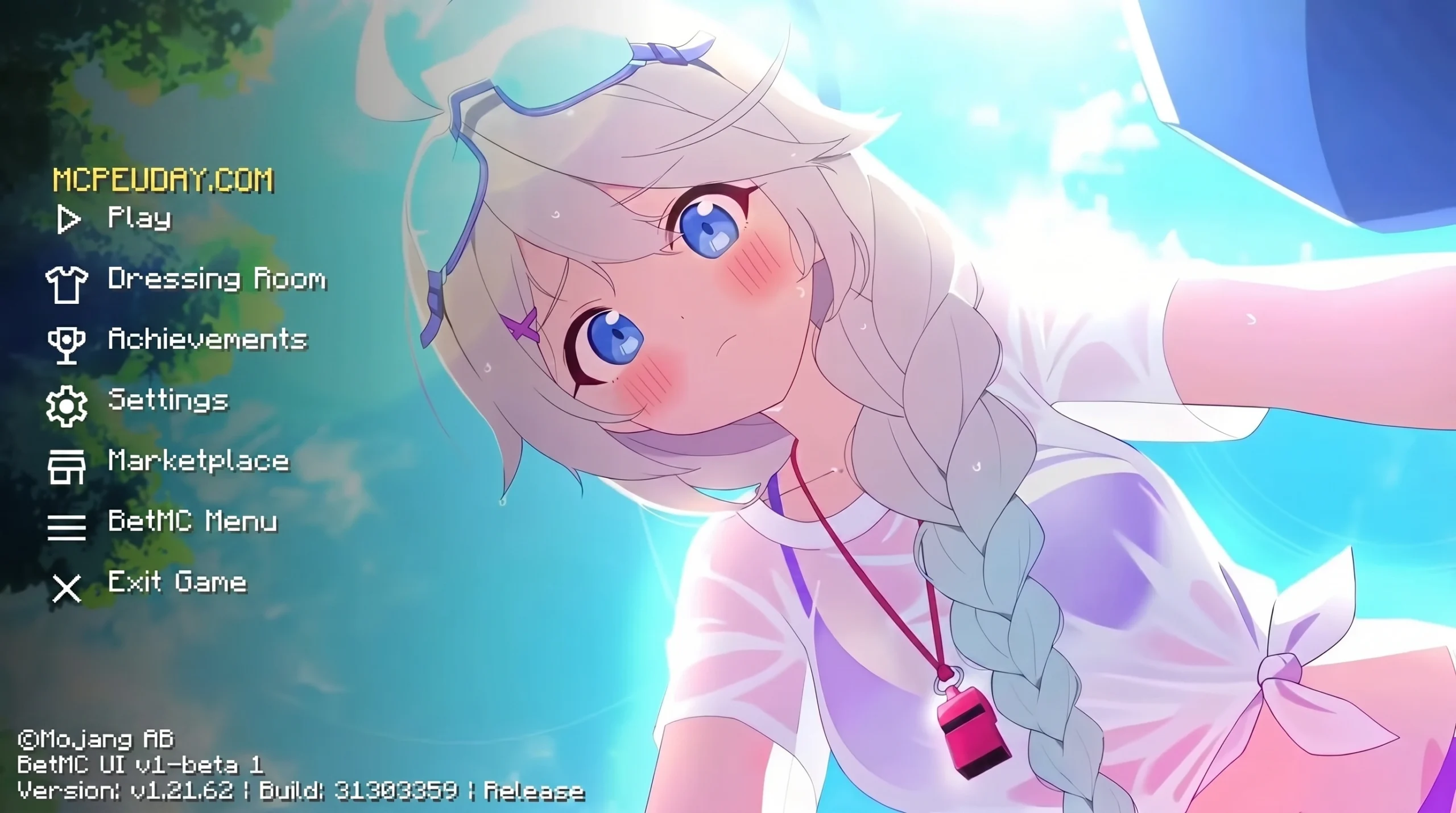
The Anime Girl UI Pack Is One of the Most Popular Ways to Customize Minecraft Bedrock
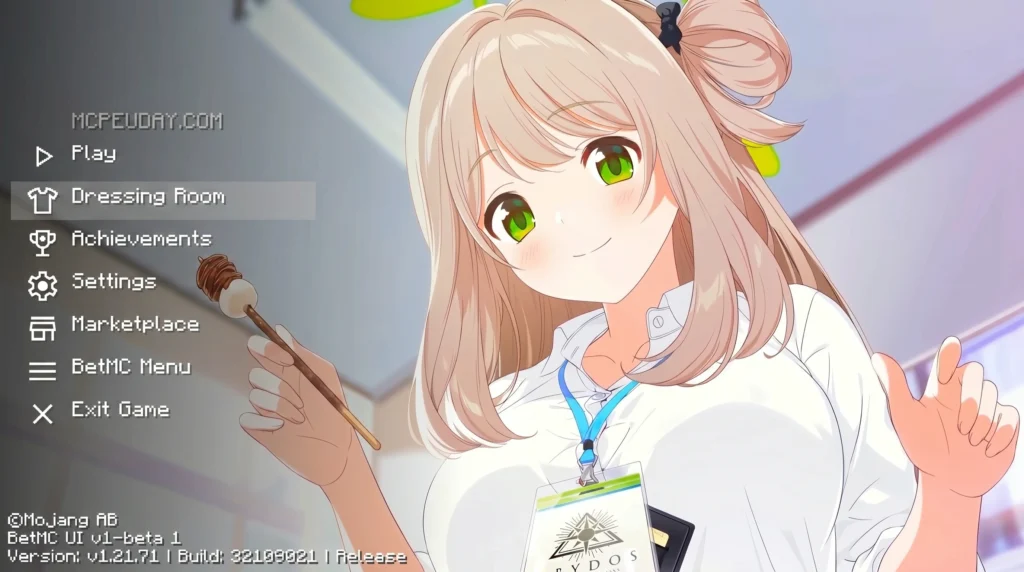
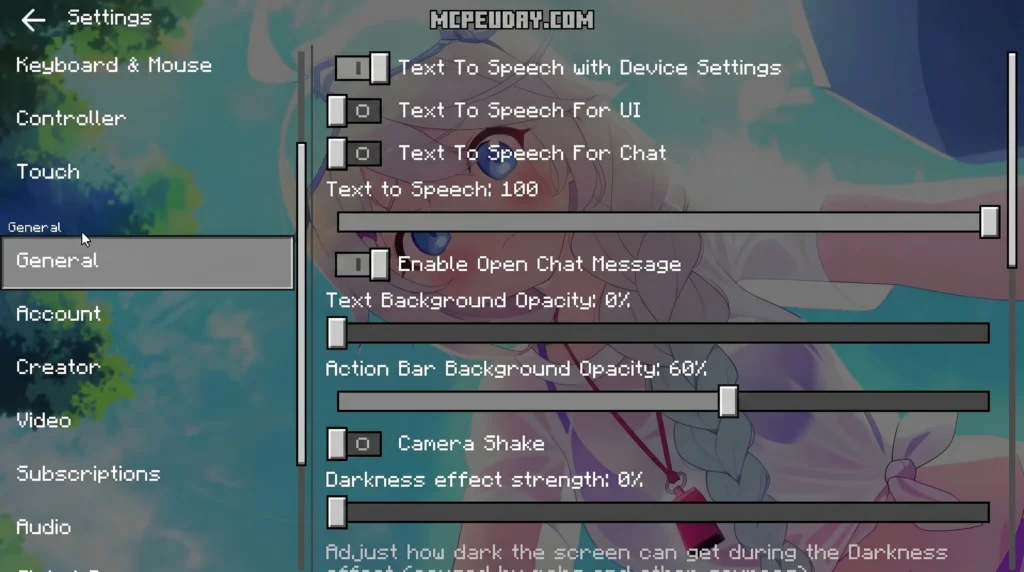
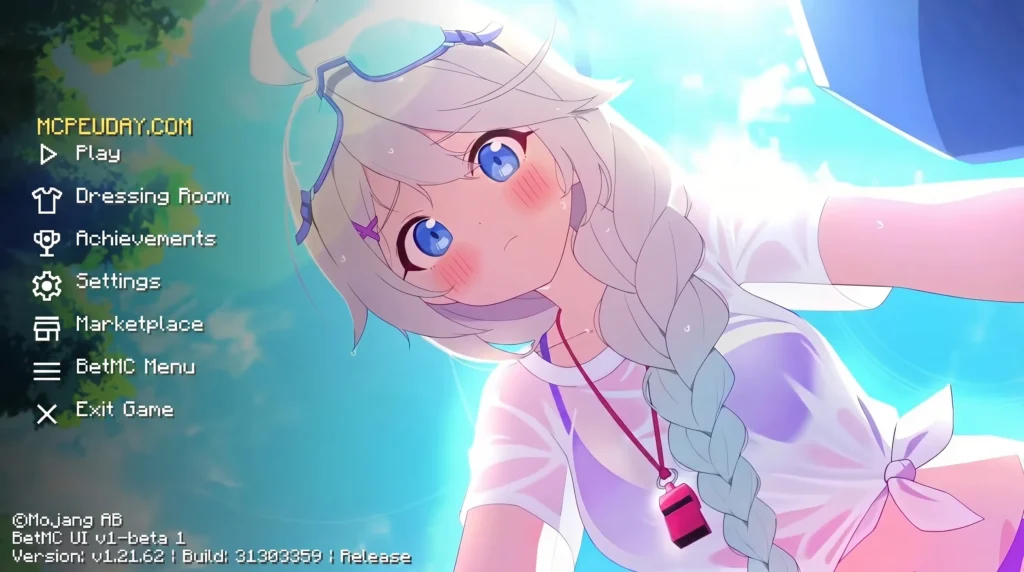
The Anime Girl UI Pack is a free resource pack for Minecraft Bedrock Edition that replaces the default game interface with a soft, anime-inspired visual style — think pink tones, cute character artwork, and redesigned menus throughout the game.
For years, Minecraft players have sought ways to personalize their gaming environments. While custom skins and texture packs modify the blocks and characters within the world, the user interface (UI) often remains untouched, leaving players with the same classic, blocky gray menus. This pack completely changes that dynamic by offering a comprehensive aesthetic overhaul that targets every screen you interact with.
Quick Answer: What is the Anime Girl UI Pack?
- A UI resource pack for Minecraft Bedrock (MCPE) version 1.21
- Replaces menus, buttons, and HUD elements with anime girl themed visuals
- Available as a free
.mcpackdownload (~134 MB) - Rated 4 out of 5 stars from 500 ratings
- Over 3,700 downloads reported
- Works on mobile, tablet, and other Bedrock platforms
If you’re tired of the default Minecraft interface and want something that feels fresh and kawaii, this pack is worth a look. It doesn’t change gameplay at all — just the way everything looks on screen. This means you can still enjoy your favorite survival or creative worlds, but with a much more personalized and visually pleasing backdrop.
The pack has built up a solid fanbase among players who love anime aesthetics. And it’s far from alone — there’s a whole world of anime and kawaii UI options out there for Bedrock, ranging from simple menu reskins to full interface overhauls. Whether you are a casual fan of Japanese animation or a dedicated collector of cute gaming setups, this resource pack provides an instant upgrade to your daily sessions.
Below, we cover everything: what it looks like, how to install it, whether it’s safe, and how it stacks up against similar packs.
What is the Anime Girl UI Pack for Minecraft Bedrock?
If you are looking to completely transform your Minecraft user interface, the Anime Girl UI Pack is a fantastic place to start. Developed specifically for Minecraft Bedrock Edition, this pack brings a vibrant, polished anime aesthetic directly to your game. It is fully compatible with Bedrock 1.21 and MCPE 1.20, ensuring that players running the latest 2026 updates can enjoy a seamless, cute visual overhaul without any glitches or compatibility issues.
Unlike standard texture packs that modify block textures, this pack strictly focuses on a complete menu redesign. This is an important distinction: your dirt blocks, trees, and mobs will still look exactly as they do in vanilla Minecraft (or whatever other texture pack you have active), but your interaction screens will be completely transformed. From the moment you launch the game, you are greeted by soft pink aesthetics, custom buttons, and beautifully drawn anime characters decorating your screens.
Whether you are browsing your inventory, crafting items, or adjusting your in-game settings, the entire user interface is replaced with a stylized, cohesive theme. It is a highly popular option for MCPE players who want their game to feel more like a cozy visual novel or a stylized JRPG. The attention to detail is remarkable, with custom borders and thematic elements integrated into every corner of the interface.
Visual Features of the Anime Girl UI Pack
The visual overhaul provided by the Anime Girl UI Pack is incredibly thorough. Here are the main design elements you will notice once you activate it:
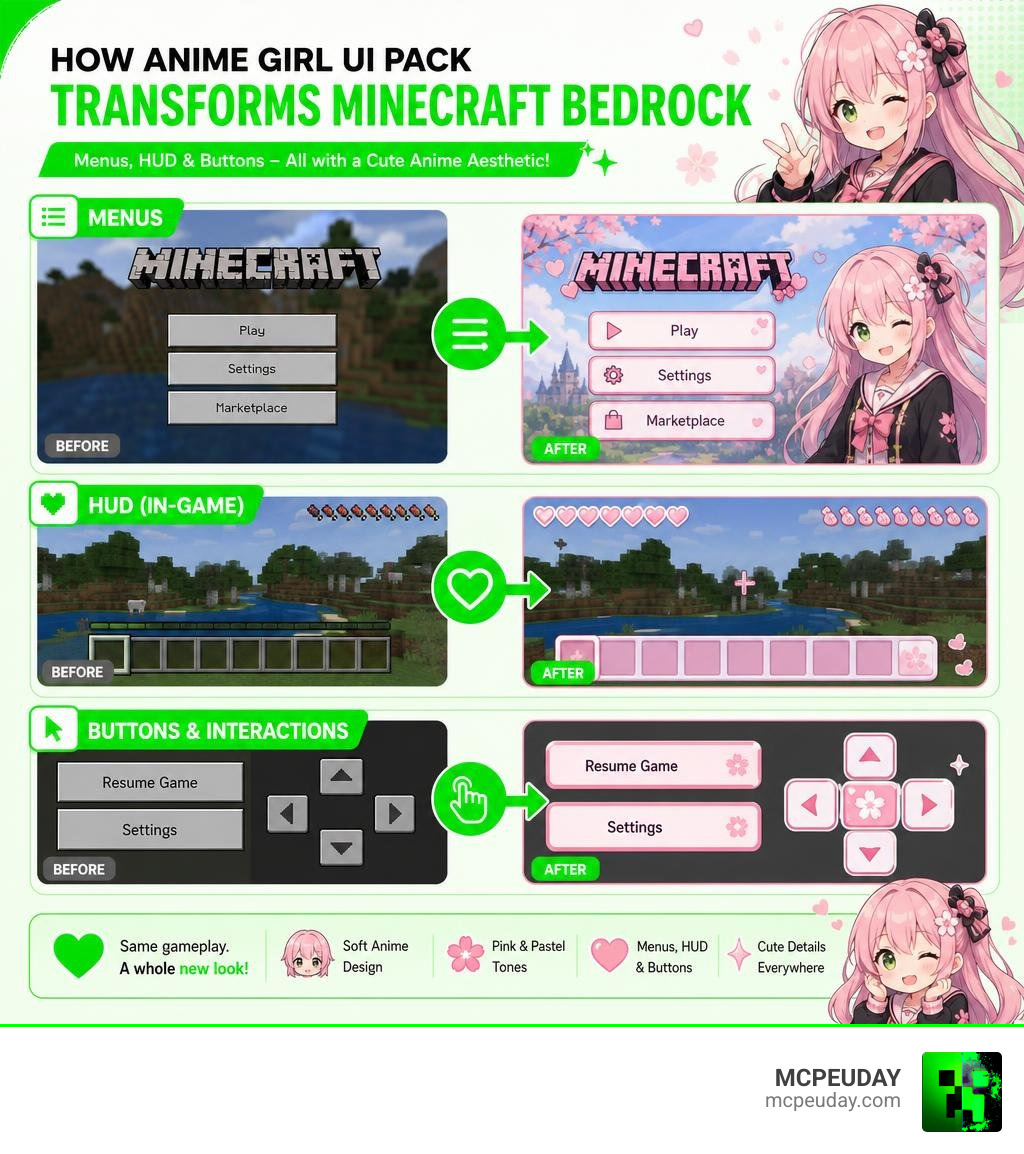
- Redesigned Start Screen: The classic dark gray Minecraft main menu is replaced with a bright, beautiful anime-themed background featuring gorgeous character artwork and stylized pastel buttons.
- Custom HUD Elements: Your in-game heads-up display gets a complete makeover. The health hearts, hunger bar, and experience bar are redesigned to match the pink, cute aesthetic, making survival mode feel entirely different.
- Themed Inventory & Crafting Tables: Every single container screen—including chests, inventory, crafting tables, and furnaces—features custom pink borders, clean grids, and subtle anime illustrations in the background.
- Polished Typography & Buttons: The standard blocky buttons are swapped out for smooth, rounded buttons with custom hover and click animations.
- Custom Pause and Settings Screens: Even when you pause the game to adjust your audio or video settings, you are treated to a beautifully styled layout that maintains the anime theme consistently.
This level of detail makes it one of the most complete MCPE UI customization packs available today, turning your standard survival world into a beautifully themed anime adventure.
How to Install and Optimize the Anime Girl UI Pack
Installing custom resource packs on mobile devices can sometimes feel a bit tricky, but the Anime Girl UI Pack uses the standard .mcpack format, making mobile installation incredibly straightforward. This format is designed to integrate directly with Minecraft Bedrock, eliminating the need for manual file extraction or moving folders around in your device’s internal storage.
Before downloading, it is important to know that the file size is approximately 134.19 MB. While this is slightly larger than a basic UI pack, it is because of the high-resolution character artwork and custom textures included. If you are playing on an older mobile device or a tablet with limited storage, make sure you have enough free space to accommodate the file and prevent any performance hiccups during gameplay.
When downloading any files from the internet, safety is always our top priority. We highly recommend conducting manual virus checks and using trusted sources to ensure clean, malware-free downloads. Once you have verified the file, you are ready to install.
Step-by-Step Installation Guide for the Anime Girl UI Pack
Follow these simple steps to get the pack running on your Android or iOS device:
- Download the Pack: Download the official
.mcpackfile from a verified source. - Open with Minecraft: Use your mobile device’s file manager to locate the downloaded file. Tap on it and select “Open with Minecraft.”
- Wait for Import: Minecraft Bedrock will launch automatically and display an “Import Started” message at the top of the screen, followed by “Successfully Imported.”
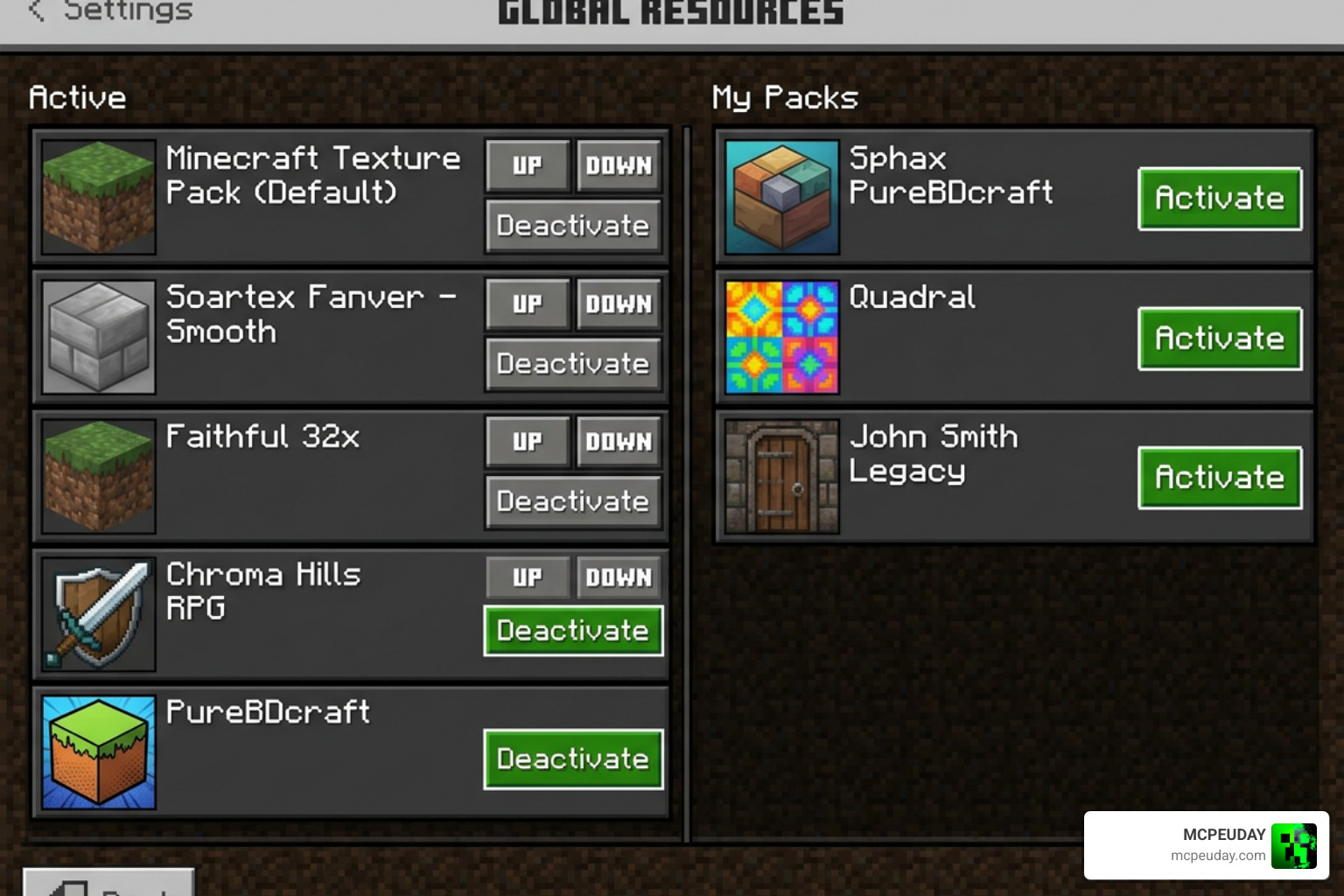
- Activate in Settings: From the main menu, go to Settings > Global Resources > My Packs.
- Apply the Pack: Find the Anime Girl UI Pack, tap on it, and click Activate.
- Enjoy: Return to the main menu. The game will take a few seconds to load the new custom UI, and you are ready to play!
If you experience any lag or slow loading times on the main menu, you can optimize performance by lowering your in-game render distance or turning off fancy graphics. However, because this pack only modifies the UI and not the 3D blocks in your world, its impact on actual in-game frame rates (FPS) is minimal for most modern devices.
Comparing the Best Anime and Kawaii UI Packs for Minecraft Bedrock
If you are a fan of cozy, cute, or anime-themed designs, you might wonder how this pack compares to other options. The gaming world is filled with beautiful interface designs. For example, game developers often use assets like the Cute Kawaii GUI Pack | 2D GUI | Unity Asset Store (also found on Cute Kawaii GUI Pack –) or the Assets UI Anime Novella Casual Interface by Wenrexa to build visual novels. Even independent creators release amazing free options, such as the Cute GUI Asset pack by cvcielo or the highly interactive musicofmusix/sairi project.
When it comes to Minecraft Bedrock specifically, there are several excellent alternatives depending on what kind of aesthetic you want to achieve. Some players prefer a very lightweight pack that doesn’t take up much storage, while others want the most detailed artwork possible. Here is how the Anime Girl UI Pack stacks up against other popular aesthetic options:
| Pack Name | Primary Aesthetic | File Size | Best Feature |
|---|---|---|---|
| Anime Girl UI Pack | Pink, High-Quality Anime Art | ~134 MB | Full inventory & HUD overhaul with character art |
| Kawaii World UI | Pastel Pink, Extremely Cute | ~45 MB | Simplistic, soft pastel buttons and clean grids |
| Cute Pastel GUI | Multi-colored Pastels | ~20 MB | Lightweight, minimalist, easy on older devices |
| Anime Main Menu Pack | Dark/Stylized Anime | ~80 MB | Dynamic main menu backgrounds with action themes |
As you can see, the Anime Girl UI Pack is the most comprehensive option if you want high-quality character art integrated directly into your menus. However, if you are running low on device storage or prefer a more minimalist pastel look without specific character illustrations, options like the Kawaii World UI or Cute Pastel GUI might be better suited for your needs.
Frequently Asked Questions About Anime Girl UI Pack
Is the Anime Girl UI Pack safe to download?
Yes, as long as you obtain it from reputable community sites. Always perform standard safety checks, such as running downloaded files through a malware scanner, to verify that the .mcpack has not been modified by third parties. Keeping your device’s operating system updated also helps maintain security.
Does this pack work on Minecraft Bedrock 1.21?
Absolutely! The pack is fully updated to support Bedrock version 1.21 in 2026. It works smoothly across mobile, tablet, and console versions of the game that support custom global resources. If a new game update is released, make sure to check for updated versions of the pack to avoid any UI alignment issues.
Can I use this UI pack alongside other anime mods?
Yes! Because this is strictly a resource pack that changes the user interface, it will not conflict with gameplay-changing mods or addons. You can easily pair it with amazing anime-themed addons to build your ultimate anime world.
If you want to create a fully immersive experience, try combining this UI pack with the action-packed Jujutsu Kaisen Addon 26 X 1 21 For Mcpe Anime Powers Domain Combat or explore new worlds using the Solo Leveling Map Addon 1 21 1 20 For Mcpe Rpg Anime Mod. You can even dress up for the adventure with the One Piece Skin Addon For Mcpe and sail the seas using the Asus One Piece Addon! Just make sure to arrange your active packs correctly in the settings menu so that the UI pack is loaded properly.
Conclusion
The Anime Girl UI Pack is an exceptional choice for anyone looking to wave goodbye to Minecraft’s standard gray menus and embrace a colorful, cozy, and cute anime aesthetic. With its highly detailed HUD elements, custom pink buttons, and gorgeous character art, it completely refreshes your gaming experience in 2026. It bridges the gap between standard survival gameplay and the stylized visual appeal of modern anime games.
Best of all, it is incredibly easy to install on mobile devices and runs perfectly alongside your favorite gameplay addons. Whether you are playing solo or joining friends on a multiplayer server, this pack adds a wonderful layer of personalization to your game. If you are ready to discover more ways to customize your game, come and Explore more Minecraft Mod Addons on our site today! We offer a wide selection of resources to help you build the perfect Minecraft experience.
2 thoughts on “Anime Girl UI Pack (26.x, 1.21) – MCPE/Bedrock Texture Pack”