
Why the Effortless Building Addon Is a Game-Changer for Minecraft Bedrock
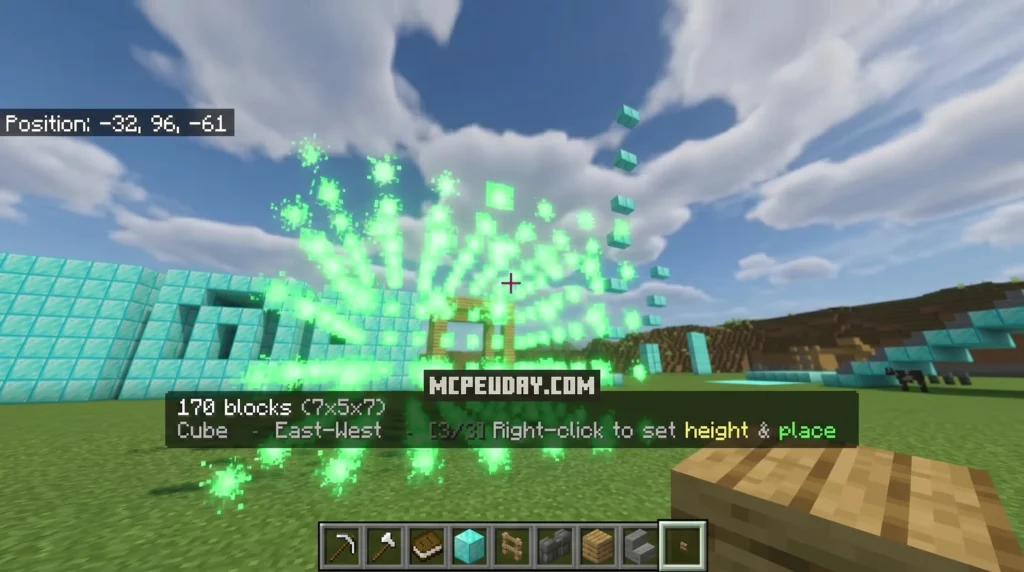
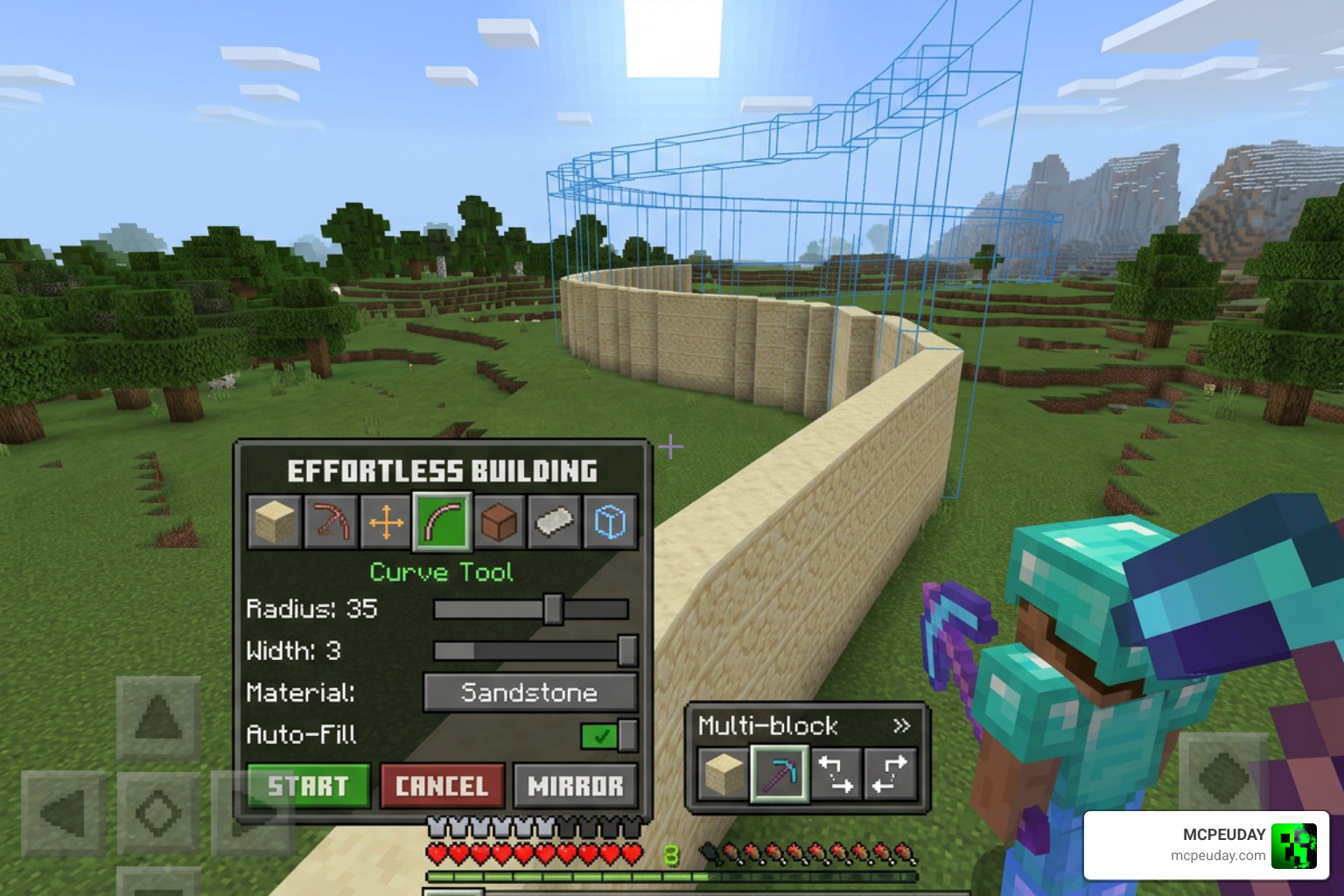
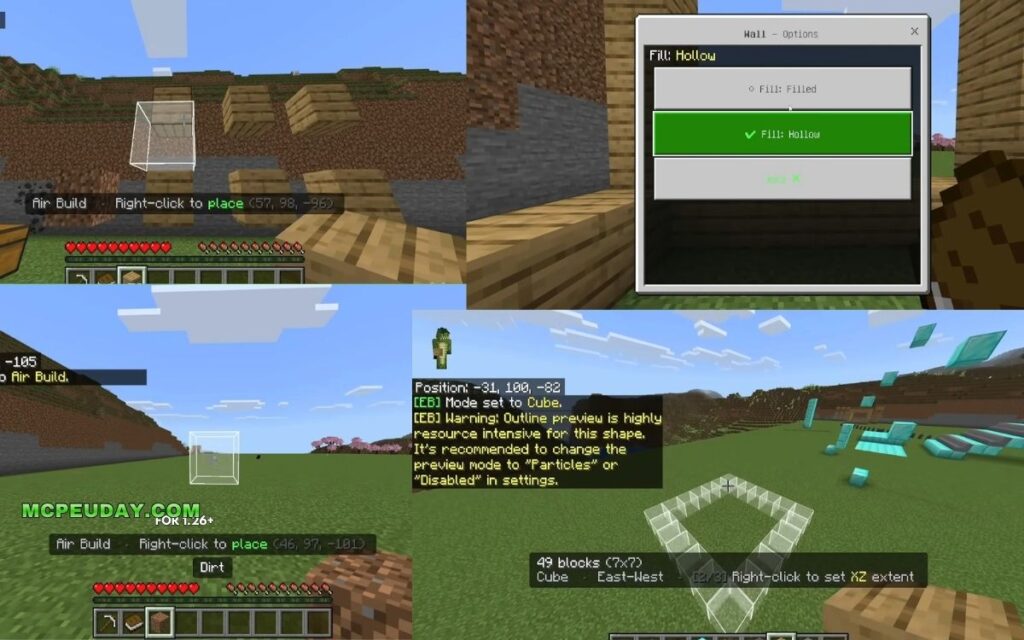
The Effortless Building Addon brings one of Java Edition’s most popular building tools to Minecraft Bedrock — letting you place entire walls, spheres, cylinders, and more with just a few clicks instead of placing blocks one at a time.
Quick answer — here’s what the addon does:
- Places large 3D shapes (walls, floors, spheres, cylinders, cubes) in seconds
- Works in survival mode by pulling blocks directly from your inventory
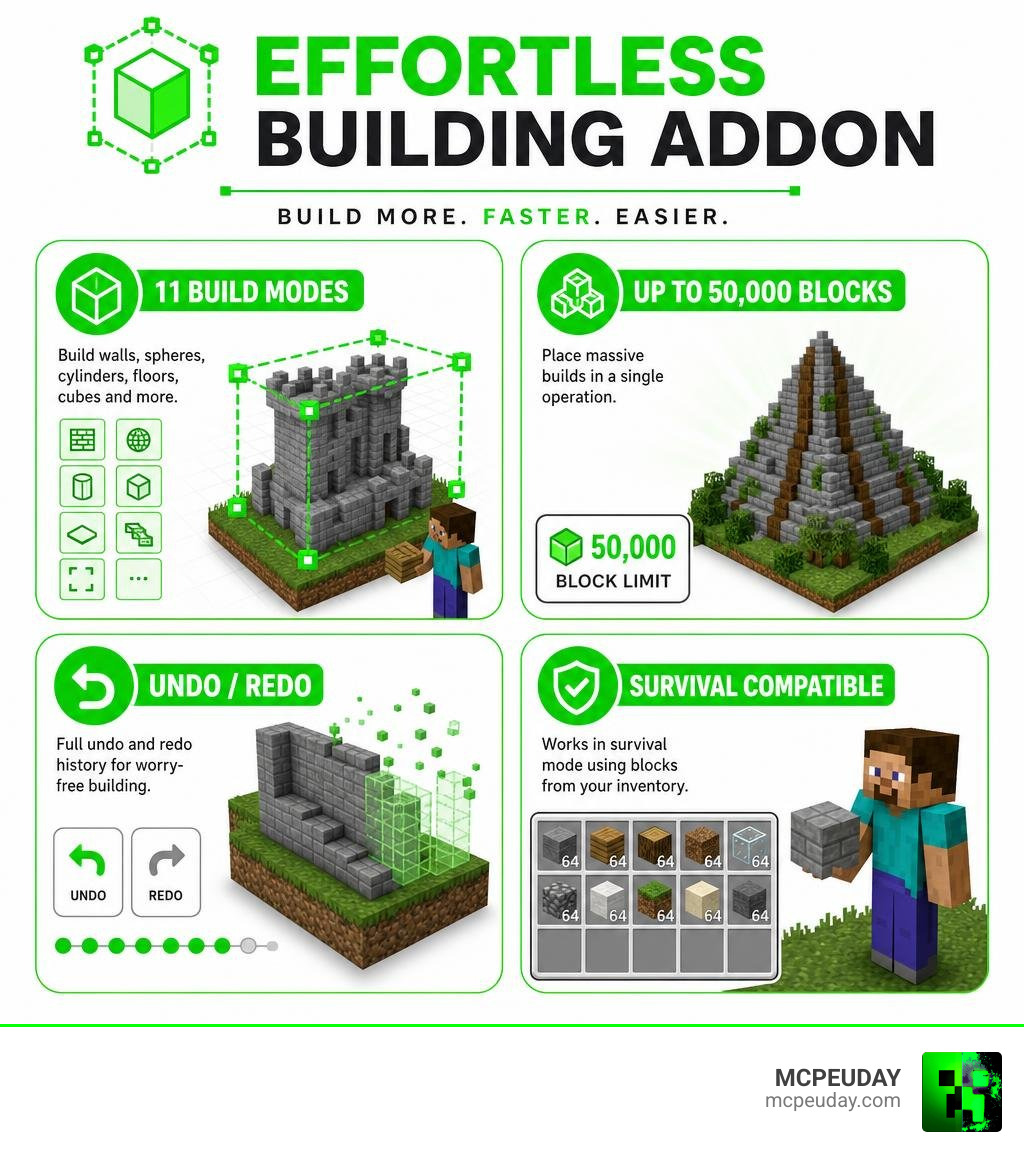
- Includes 11 build modes, live shape previews, undo/redo, and Copy/Paste
- Compatible with Realms and multiplayer servers
- Supports up to 50,000 blocks per operation
If you’ve ever spent an hour placing blocks row by row just to build a simple wall, you already know the problem. Minecraft’s default building system is powerful — but it’s also painfully slow for large projects.
That’s exactly the gap this addon fills.
Originally a beloved Java mod with over 9.5 million CurseForge downloads, Effortless Building has now been ported to Bedrock — bringing the same time-saving multi-block placement to mobile, console, and Windows 10/11 players.
What is the Effortless Building Addon?
At its core, the Effortless Building Addon is a feature-rich utility pack that completely redefines how we build in Minecraft Bedrock Edition. Inspired directly by the legendary Java Edition mod, this Bedrock port translates complex keyboard-and-mouse building shortcuts into a clean, easy-to-use system designed for touchscreens, controllers, and PCs alike.
Unlike other mods that can break your game by altering core vanilla blocks, this addon works silently in the background. It only interacts with a custom, craftable item: the Building Book. By crafting this book using just 1 book and 1 paper at a crafting table, you unlock a powerful on-screen settings menu.
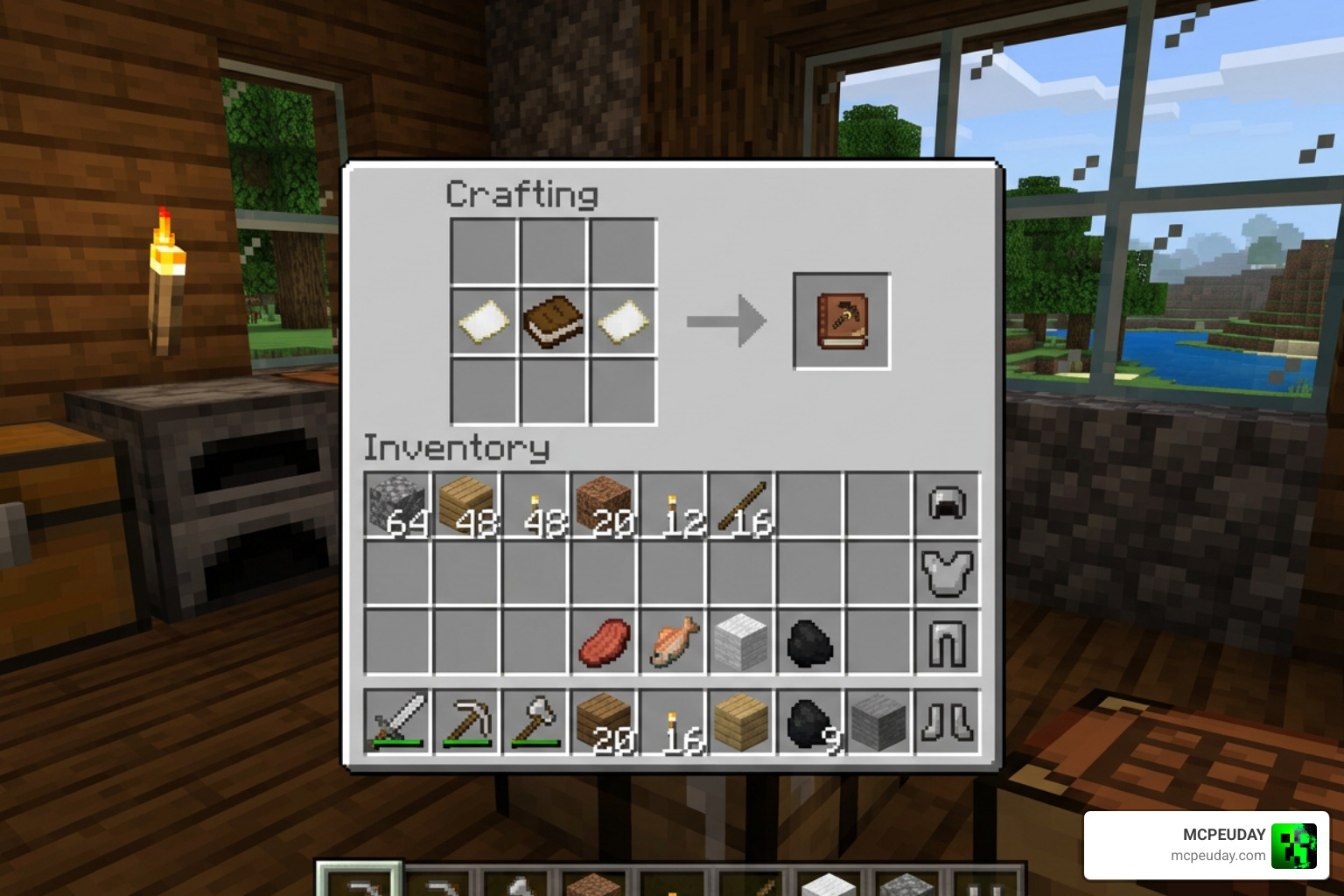
From there, you can choose block shapes, adjust placement limits, and configure how blocks are pulled from your inventory. It integrates seamlessly with survival mode, meaning you still get the satisfaction of gathering resources without the tedious wrist strain of clicking thousands of times. If you love building but want to skip the repetitive grind, pairing this tool with other options from our list of the 15 Best Minecraft Building Mods will elevate your creative flow to a whole new level.
Core Features and Build Modes
11 Build Modes in the Effortless Building Addon
We all have different design needs, which is why the addon comes packed with 11 distinct building shapes. Instead of placing blocks one by one, you select two or three anchor points to instantly generate:
- Line & Diagonal Line: Perfect for drawing quick borders, paths, or bridge frames.
- Wall & Diagonal Wall: Build massive defensive barriers or house walls in a single click.
- Floor & Slope Floor: Lay down foundations or angled roofs in seconds.
- Cube: Fill in solid structures or hollow rooms instantly.
- Circle & Cylinder: Create perfect circular towers without needing to look up online block templates.
- Sphere: Generate flawless 3D domes and globes.
- Semicircle: A fantastic Bedrock-exclusive feature that offers 6 variants, including Horizontal (flat half-circles), Arch (vertical arches), and Dome (upper hemispheres) in both filled and hollow configurations.
- Air Build: A lifesaver for parkour creators and sky-builders, allowing you to place blocks directly in mid-air without needing a supporting block underneath.
To see these impressive modes in action, check out this video review of the Effortless Building Mod – The BEST Minecraft Building Tool?! .
Advanced Tools: Clipboard, Undo/Redo, and Live Previews
Making a mistake on a large build used to mean spending twenty minutes tearing it down. Thankfully, the addon includes built-in quality-of-life tools that rival professional design software:
- Clipboard (Copy/Paste): You can select a region by choosing two corners with a simple stick. Once copied, right-click anywhere to paste the structure. The addon even auto-rotates the build to match the direction you are facing! To clear your clipboard, simply sneak and right-click.
- Undo & Redo: Did you accidentally place a giant sphere of dirt through your roof? Don’t panic. You can type
/eb:undoor/eb:redoin the chat to step backward or forward through your last 20 operations. - Live Previews: Before you commit to a placement, the addon renders a live particle outline of the shape. For larger structures where particles might cause lag, you can switch to the lightweight Outline (Corner) Preview Mode to keep your frame rate smooth.
To keep up with the latest updates and download the addon directly, visit the official Effortless Building – Minecraft Bedrock Addons page.
Survival Mode Mechanics and Server Controls
Inventory Integration and Block Limits
One of our favorite things about the Effortless Building Addon is how fairly it treats survival mode. It is not a cheat mod that spawns infinite blocks out of nowhere. Instead, it scans your inventory and only places the number of blocks you actually have.
Through the custom palette menu, you can set your block source settings:
- Hotbar Only: Only uses blocks currently in your active hotbar slots.
- Inventory Only: Sours blocks from your main inventory backpack.
- Hotbar + Inventory: Pulls from your entire carrying capacity.
You can also set palette weighting modes (such as “By Amount,” “By Slots,” or “By Name”) to randomize block placement for realistic, textured walls. To protect your device from crashing, the addon features a customizable block limit that caps out at a massive 50,000 blocks per operation. If you are playing on a mobile device or older console, we highly recommend lowering this cap in your personal settings to keep your game running smoothly.
Admin Controls and Server Compatibility
If you run a dedicated server or a multiplayer Realm, you might worry about players causing lag by spawning massive shapes. Fortunately, the addon comes with robust server-side operator controls.
By default, any player can use the basic building tools, but server administrators can restrict permissions. By running the command /tag @s add eb:admin, operators gain access to a server settings panel. Here, you can toggle permissions for Destroy Mode (bulk block clearing) and Infinite Reach, ensuring that survival servers remain balanced and lag-free. It pairs beautifully with world-generation mods like the Better Structures Addon, allowing you to quickly clear out space or integrate custom structures into your multiplayer worlds.
Comparing Bedrock and Java Editions
Effortless Building Addon vs. Java Edition Mod
While the Bedrock addon is inspired by the original Java mod, there are a few technical differences due to how the two game engines handle custom code. The Java version relies on mod loaders like Forge or NeoForge and features unique automated modifiers like Mirror and Radial Mirror.
On the other hand, the Bedrock Edition addon has been optimized specifically for mobile and console performance, introducing handy features like the Copy/Paste clipboard and Semicircle modes that make up for the lack of complex Java-based modifiers. You can learn more about the original Java counterpart at the Effortless Building – Minecraft Mods – CurseForge page.
Here is a quick look at how the Bedrock addon compares to the Java mod:
| Feature | Bedrock Addon (Easy Build) | Java Edition Mod |
|---|---|---|
| Primary Platforms | iOS, Android, Xbox, Switch, Win 10/11 | PC (Java Edition) |
| Max Block Cap | 50,000 blocks | Configurable (unlimited on high-end PCs) |
| Undo History | Up to 20 actions | Up to 20 actions |
| Unique Features | Semicircle Mode, Built-in Copy/Paste | Mirror, Array, Radial Mirror modifiers |
| Survival Support | Yes (checks inventory) | Yes (respects tool durability & resources) |
Synergizing with Other Bedrock Addons
Because this addon does not modify vanilla blocks or entities, it enjoys high compatibility with other popular Bedrock mods. You can use the building tools to place custom blocks from decoration packs, such as the Modern Furniture Addon 1.21 26 X Best Mcpe Decoration Mod.
If you are working on a massive RPG world or a medieval kingdom, you can combine this tool with the Medieval Structures Addon 1.26 1.21 Transform Your Minecraft World With Realistic Medieval Builds to quickly build defensive walls, lay down roads, and clear out space for massive castles.
Installation Guide and Performance Tips
How to Install the Addon
Getting the addon up and running in your world is a straightforward process. Just follow these simple steps:
- Download the
.mcaddonfile from your preferred trusted source. - Double-click or tap the file to automatically import it into Minecraft Bedrock.
- Create a new world or go to the settings of an existing world.
- Under Behavior Packs and Resource Packs, locate the addon and click Activate.
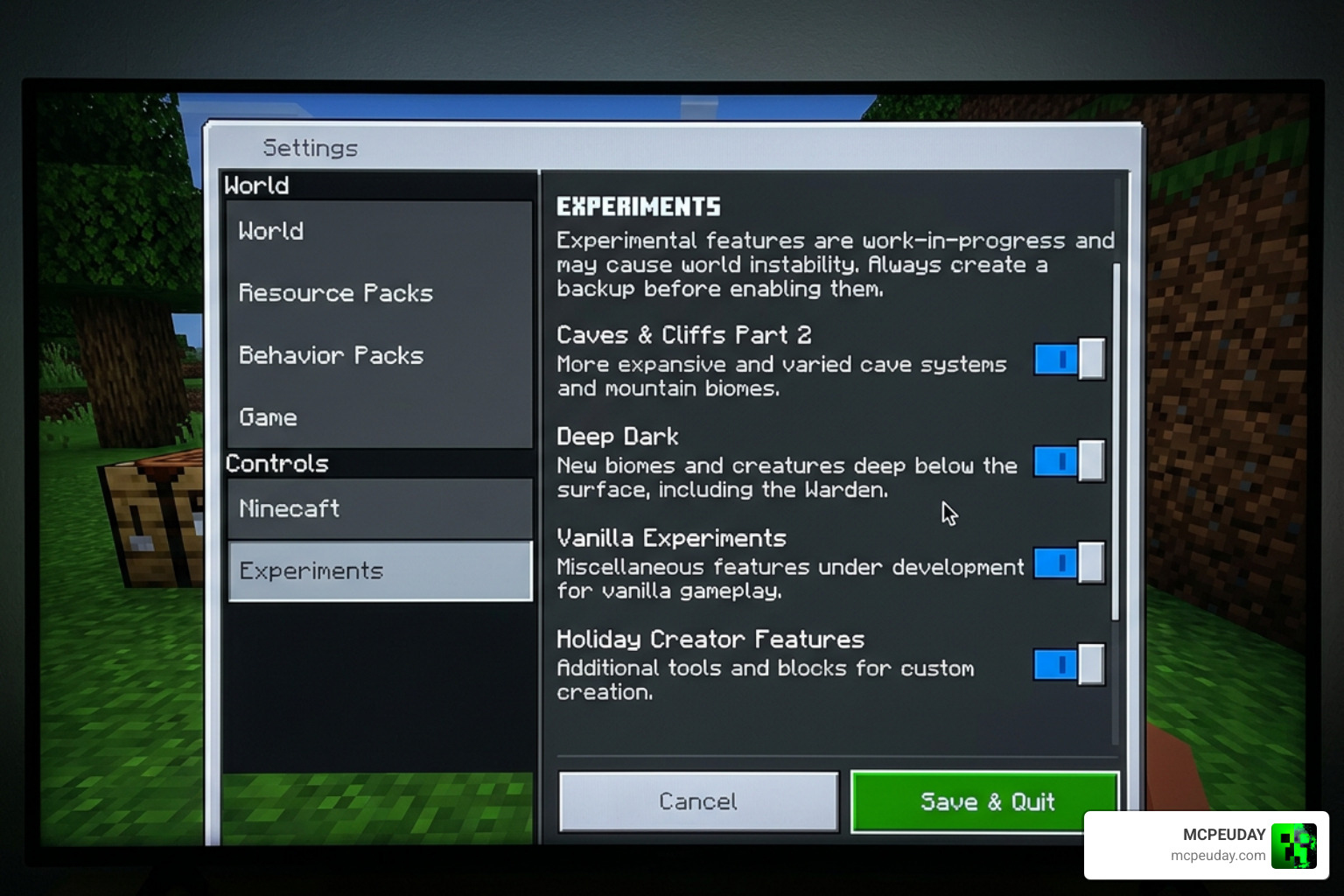
- Crucial Step: Scroll down to the Experiments tab and toggle on the experimental features (such as Beta APIs or Holiday Creator Features) to ensure the scripts run properly.
Performance Optimization and Bug Prevention
To keep your game running at a silky-smooth 60 frames per second, keep these expert tips in mind:
- Switch to Corner Preview: When building structures larger than 50 blocks wide, particles can cause micro-stutters. Switch your preview settings to “Corner” or “Outline” mode to save processing power.
- Watch Your Tools in Destroy Mode: Destroy Mode is incredibly powerful for clearing areas, but it respects tool durability. If you use a diamond shovel to clear a massive dirt hill, make sure to keep an eye on its durability so it doesn’t accidentally break!
- Reset to Normal Mode: Once you finish a massive build, always open your Building Book and switch back to “Normal Mode.” This prevents you from accidentally placing a giant sphere of stone when you just wanted to place a single block.
Frequently Asked Questions about the Effortless Building Addon
Does the Effortless Building Addon work in survival mode?
Yes, absolutely! The addon is fully integrated with survival mode. It actively scans your inventory and will only place the blocks you are carrying. If you run out of resources halfway through a build, the placement will stop, and the live preview will show you what is missing.
How do you undo mistakes with the addon?
If you make a mistake, simply open your chat box and type /eb:undo. The addon stores your last 20 building actions on your disk, allowing you to quickly reverse any accidental placements without losing your blocks.
Is the addon compatible with multiplayer Realms and servers?
Yes! The addon works perfectly on local multiplayer worlds, dedicated servers, and Realms. Just make sure that the host or server owner has applied both the behavior pack and the resource pack to the world settings and enabled experimental toggles.
Conclusion
The Effortless Building Addon is an absolute must-have tool for any Bedrock builder. Whether you are looking to build a massive castle, clear out space for a modern city, or simply save your wrists from hours of tedious clicking, this addon completely changes how we play the game.
Ready to transform your worlds? Head over to our dedicated library of More Minecraft Mod Addons to discover more amazing tools, graphics upgrades, and gameplay tweaks curated by our team here at MCPEUDAY!
1 thought on “Effortless Building Addon (26.x, 1.21) – MCPE/Bedrock Mod”