Why Better FPS Texture Packs Are a Game-Changer for Minecraft Players
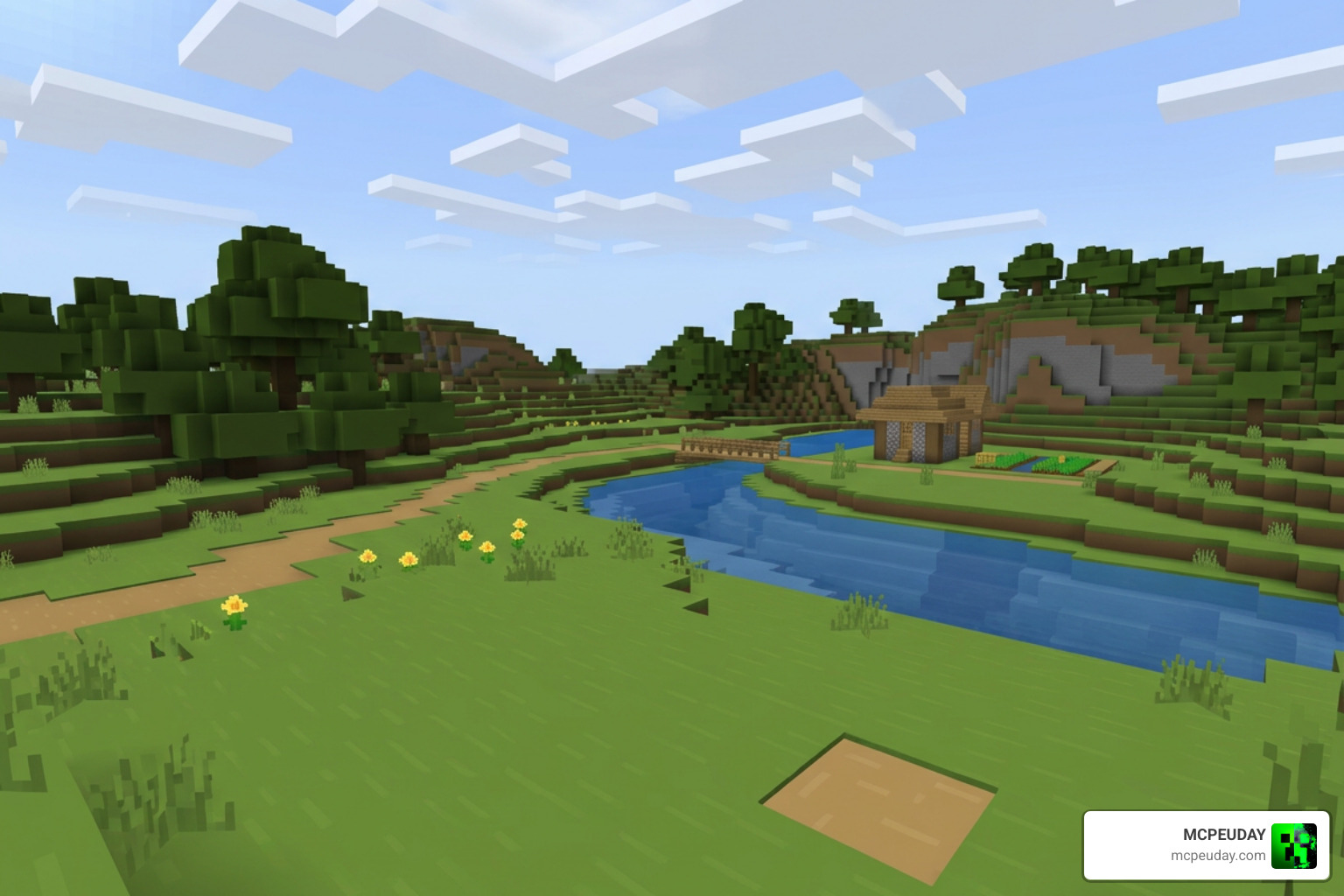
Better FPS texture packs are resource packs that reduce the graphical workload on your device so Minecraft runs faster and smoother. They work by replacing heavy animated textures, removing unnecessary particle effects, and simplifying visual elements — all without drastically changing how the game looks.
Quick answer — the best Better FPS Texture Packs in 2026:
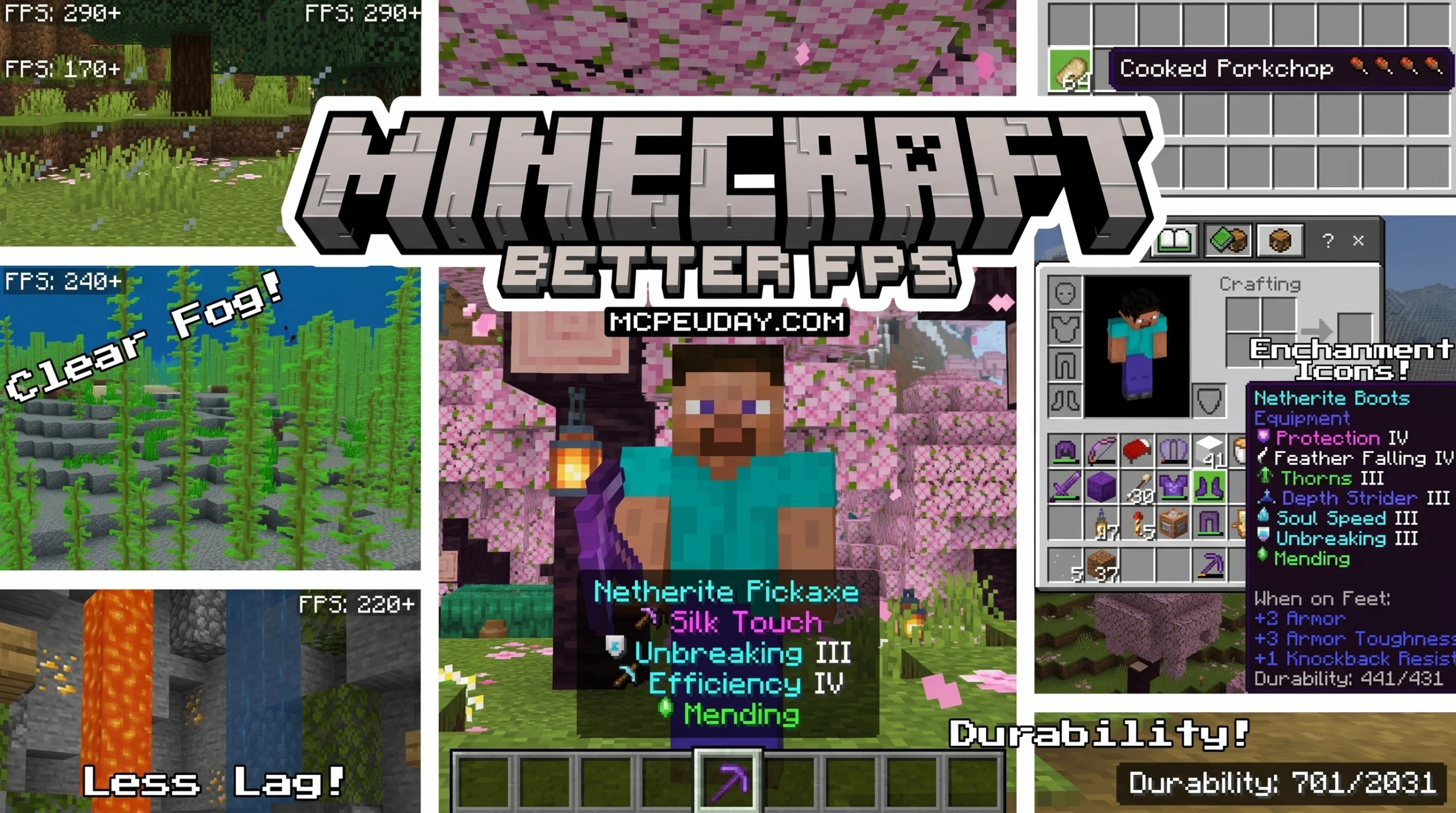
- Better FPS (FPS Boost) by CraftStudio — top pick for Bedrock/MCPE; static textures, reduced particles, food stats, enchantment icons, durability display
- Isphirra FPS — clean default-style edit with 13K+ downloads, great for PvP and Bedwars on version 1.8x
- F8thful — 8×8 resolution pack (half the standard 16x) for maximum performance on low-end hardware
- Tiny Pixels — another 8x downscale option for players who need every last frame
- FPS Optimizer — ultra-lightweight 2 MB pack for Bedrock 26.0+, includes built-in durability HUD
If you’re playing on a low-end phone, old PC, or just tired of frame drops during big battles or near gold farms — these packs can make a real difference.
Minecraft’s default textures are 16×16 pixels, and they include dozens of animated blocks like water, lava, and nether portals. On weaker hardware, those animations quietly eat your FPS. Better FPS texture packs target exactly those problem areas.
The best part? Most of them look almost identical to vanilla Minecraft. You get smoother gameplay without sacrificing the look you already love.
What are Better Fps Texture Packs and How Do They Work?
When we play Minecraft, our devices have to calculate and render every single block, entity, and animation in our field of view. For high-end gaming rigs, this is a walk in the park. But for players on mobile devices, low-end laptops, or older consoles, it often leads to frustrating stuttering and frame drops.
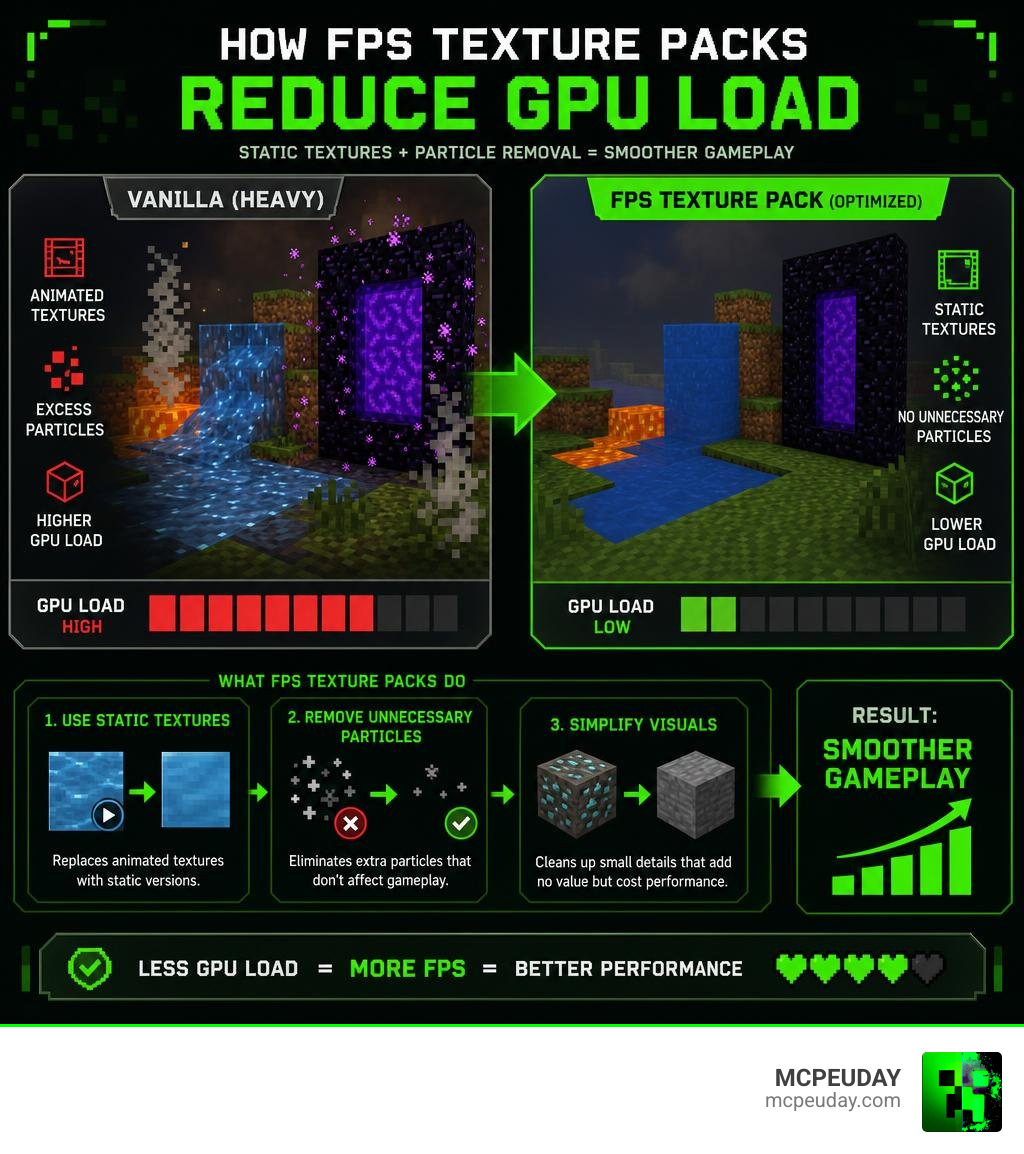
At their core, Better Fps Texture Packs achieve performance optimization by reducing the demand on your graphics processing unit (GPU). By lowering texture resolutions, simplifying rendering pathways, and eliminating invisible performance hogs, these packs dramatically lower your GPU load.
When your GPU does not have to work as hard to render each individual frame, your overall rendering efficiency skyrockets, resulting in much higher frame rates and a buttery-smooth gameplay experience. If you are struggling with severe performance dips, understanding Why is Minecraft Bedrock so Laggy? Fix FPS Drops, Stuttering & Lag Spikes (2026 Guide) can help you pinpoint exactly where your device is bottlenecking before you even install a pack.
Key Optimization Techniques Used to Boost Performance
How exactly does a simple resource pack make such a massive difference? It all comes down to smart graphical shortcuts. Performance-focused packs utilize a mix of static textures, particle reductions, and fog adjustments to keep your game running at peak performance.
Disabling Animations with Better Fps Texture Packs
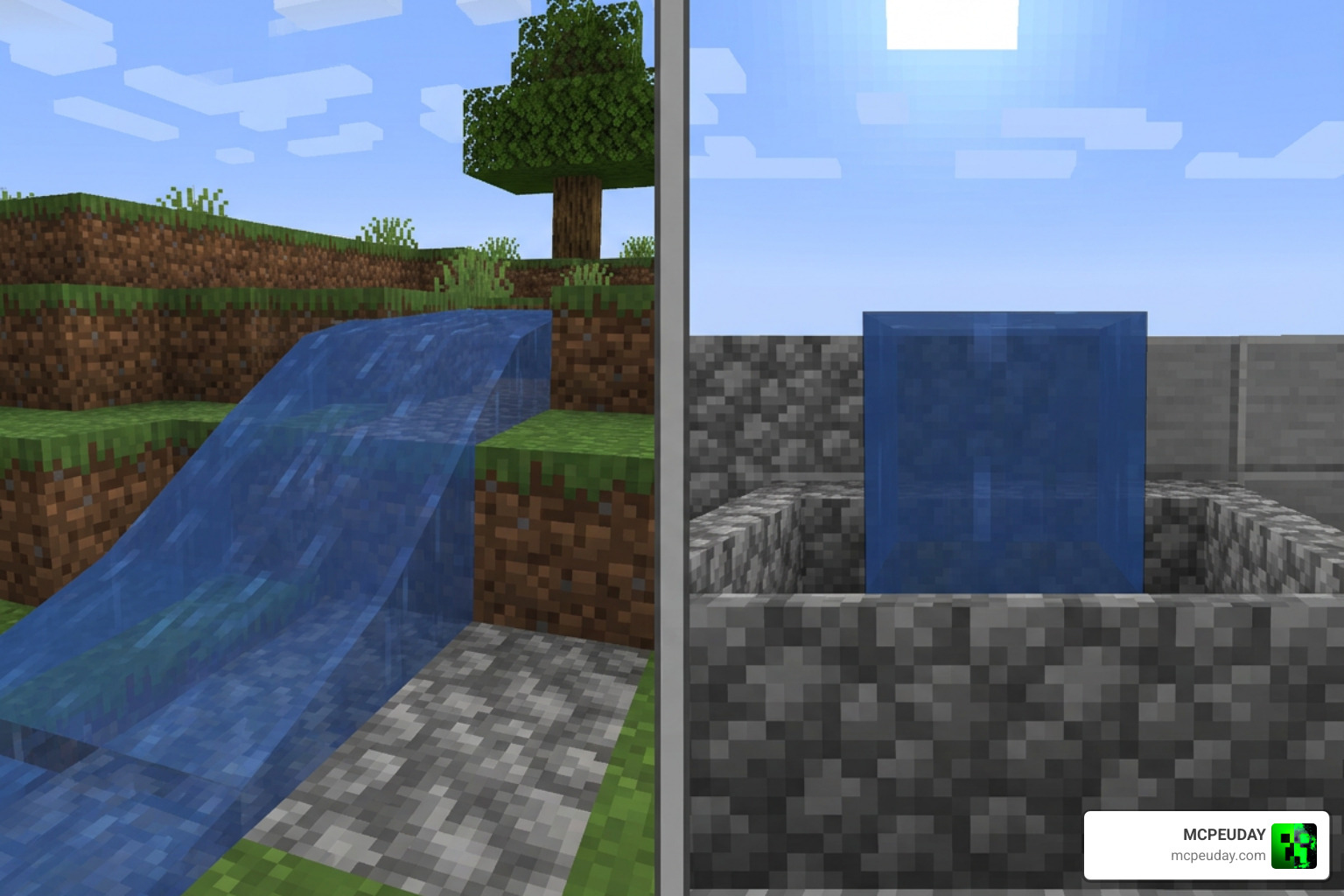
Animations are some of the biggest culprits behind lag in Minecraft. A standard block of water or lava relies on a constantly shifting sequence of textures to look like it is flowing. When you are standing near a massive ocean, a lava-filled ravine, or a massive gold farm with active portals, your device has to render hundreds of these animations simultaneously.
Popular Better Fps Texture Packs solve this by replacing animated blocks with clean, static textures. Here is a list of key performance features optimized in these packs:
- Static Water & Lava: Disables the fluid motion animations to save massive GPU cycles.
- Static Nether Portals: Removes the swirling portal animation, which is notorious for causing lag spikes.
- Static Campfires & Smoker Effects: Freezes or simplifies the rising flame and smoke graphics.
- Static Kelp & Seagrass: Removes underwater plant swaying animations.
- Static Bubble Columns: Simplifies the visual rush of bubbles in water elevators.
Particle and Fog Adjustments
In addition to freezing animations, these packs make subtle but highly effective changes to environmental rendering:
- Particle Reduction: Many packs feature a “Max FPS” mode that removes up to 177 different particle effects, such as redstone dust trails, explosion smoke, and rain splashes.
- Optimized Biome Fog: By streamlining up to 71 distinct biome-specific fog settings, the game engine does not have to render complex, heavy environmental gradients.
- Clear Glass: Removing the cluttered inner borders of glass blocks not only looks cleaner but also reduces the number of polygons your device renders.
- Low-Detail Shield: Downscaling the shield model keeps your screen clear during combat while saving rendering memory.
Top Recommended Performance Resource Packs
To help you choose the right tool for the job, we have put together a quick comparison of the top performance-focused packs available today. If you want to explore even more options, you can browse our curated MCPEUDAY Texture Packs Collection to find the perfect match for your playstyle.
| Pack Name | Supported Platforms | Key Highlight | Best For |
|---|---|---|---|
| Better FPS (FPS Boost) by CraftStudio | Bedrock / MCPE | Static animations + QoL features (Food stats, Durability HUD) | Survival & Everyday Gameplay |
| Isphirra FPS | Java Edition (1.8x) | Clean default edit style | PvP & Bedwars |
| F8thful | Java & Bedrock | Ultra-lightweight 8×8 resolution | Extremely Low-End Devices |
| Tiny Pixels | Java & Bedrock | Minimalist 8×8 design | Maximum FPS Gains |
| FPS Optimizer | Bedrock / MCPE | Built-in durability display, 2 MB file size | Mobile Players & Low-End Phones |
Better FPS (FPS Boost) by CraftStudio
The Better Fps (Fps Boost) – Minecraft Bedrock Texture Packs – CurseForge pack is one of the most popular optimization packs for Bedrock Edition, boasting tens of thousands of downloads.
CraftStudio designed this pack to strike a perfect balance between performance and quality-of-life (QoL) upgrades. It includes two distinct subpacks: a Default Mode (which optimizes 110 particle effects) and a Max FPS Mode (which removes 177 particle effects and enables fast grass).
In addition to boosting frames, it packs incredible visual utilities:
- Food Stats Display: Displays exact hunger restoration values directly on the item names using drumstick icons (covering 41 food items).
- Enchantment Icons: Features color-coded custom visual icons for 42 different enchantments.
- Durability Viewer: Displays the exact remaining durability of your tools and armor directly on your HUD.
Isphirra FPS and Low-Resolution Packs
If you prefer classic PvP and competitive game modes like Bedwars, Isphirra FPS is a highly recommended Java Edition pack (specifically optimized for version 1.8x). It acts as a “default edit” pack, keeping the visual aesthetic you are familiar with while optimizing core textures to prevent frame drops during intense combat.
For players on absolute “potato” devices, downscaling your resolution is the ultimate solution. While standard Minecraft uses 16×16 pixel textures, packs like F8thful and Tiny Pixels downscale everything to 8×8 pixels. By cutting the resolution in half, you reduce the graphical load exponentially, allowing even outdated hardware to maintain a stable, playable frame rate.
Comparing Texture Packs to Shaders and Client Mods
While texture packs are fantastic for boosting performance, they are just one piece of the optimization puzzle. Players often wonder how they compare to client settings, optimization mods (like Sodium or OptiFine), and shaders.
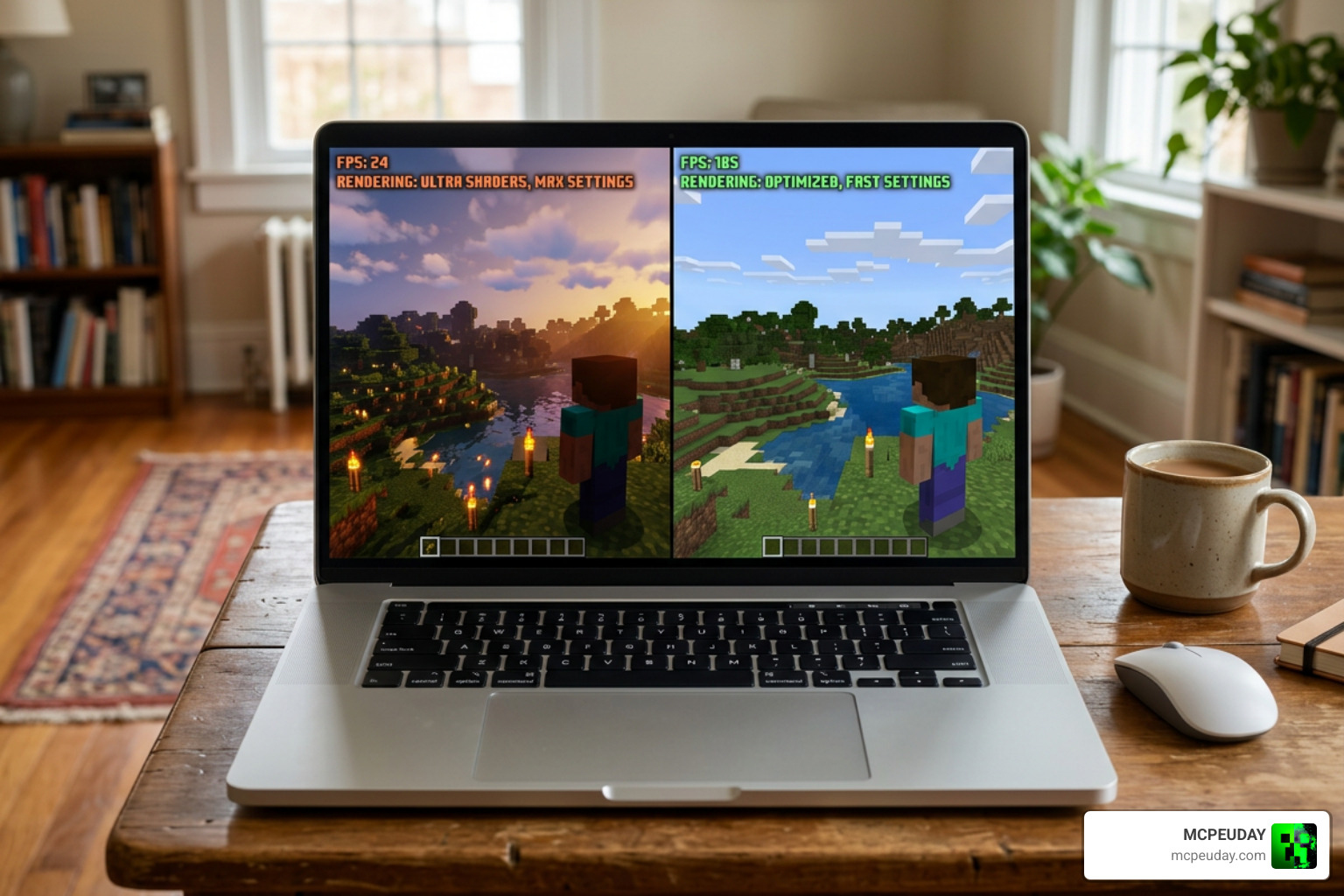
Texture packs are the easiest optimization method to install because they do not require third-party mod loaders. They simply swap out visual assets. However, if you want to push your game’s visuals further without destroying your frame rate, you can pair your texture pack with a lightweight shader. You can learn how to set this up in our Newb X Lowres Shaders for Minecraft PE MCPE – Complete Beginners Guide, Installation, Settings & FPS Tips.
Combining Shaders with Better Fps Texture Packs
Many players believe that shaders are only for high-end PCs. Fortunately, lightweight shaders designed specifically for Bedrock and MCPE can deliver gorgeous lighting and shadows while remaining incredibly friendly to your device’s battery and frame rate.
By combining a performance-focused texture pack with a lightweight shader—such as the one detailed in our Newb X Ambient Shader for Minecraft – Ultra Realistic Lighting & Smooth FPS Boost (2026 Guide)—you can achieve a stunning, modern look without sacrificing the performance gains you worked so hard to get.
Frequently Asked Questions about Minecraft Performance
Do FPS texture packs actually work?
Yes! By disabling heavy block animations (like flowing lava and nether portals) and removing hundreds of ambient particles, these packs drastically reduce GPU rendering times. While they cannot bypass physical hardware limitations, they ensure your game runs as efficiently as possible on your current device.
Are these packs compatible with Bedrock and Java?
Yes, but you must download the correct version for your platform. Bedrock and MCPE players use .mcpack files, which can be installed with a single click on mobile devices and Windows. Java players use standard .zip resource packs loaded through the in-game resource pack menu.
Can I use FPS packs alongside shaders?
Absolutely. However, to keep your frame rates high on low-end devices, you should always pair them with lightweight, performance-friendly shaders. For the best balance of looks and frames, we highly recommend checking out the Newb X Lowres Renewed Shader – Best Lightweight Shader for Minecraft PE Bedrock.
Conclusion
At MCPEUDAY, we believe that everyone should be able to enjoy Minecraft without annoying stuttering, lag spikes, or overheating devices. By installing a Better Fps Texture Pack, you can reclaim your lost frames, optimize your rendering efficiency, and enjoy a much smoother survival or PvP experience.
Ready to transform your game? Head over to our MCPEUDAY Texture Packs Collection to download the best performance packs, utilities, and lightweight shaders today!
4 thoughts on “Better FPS Texture Pack (26.x, 1.21) – MCPE/Bedrock Texture Pack”