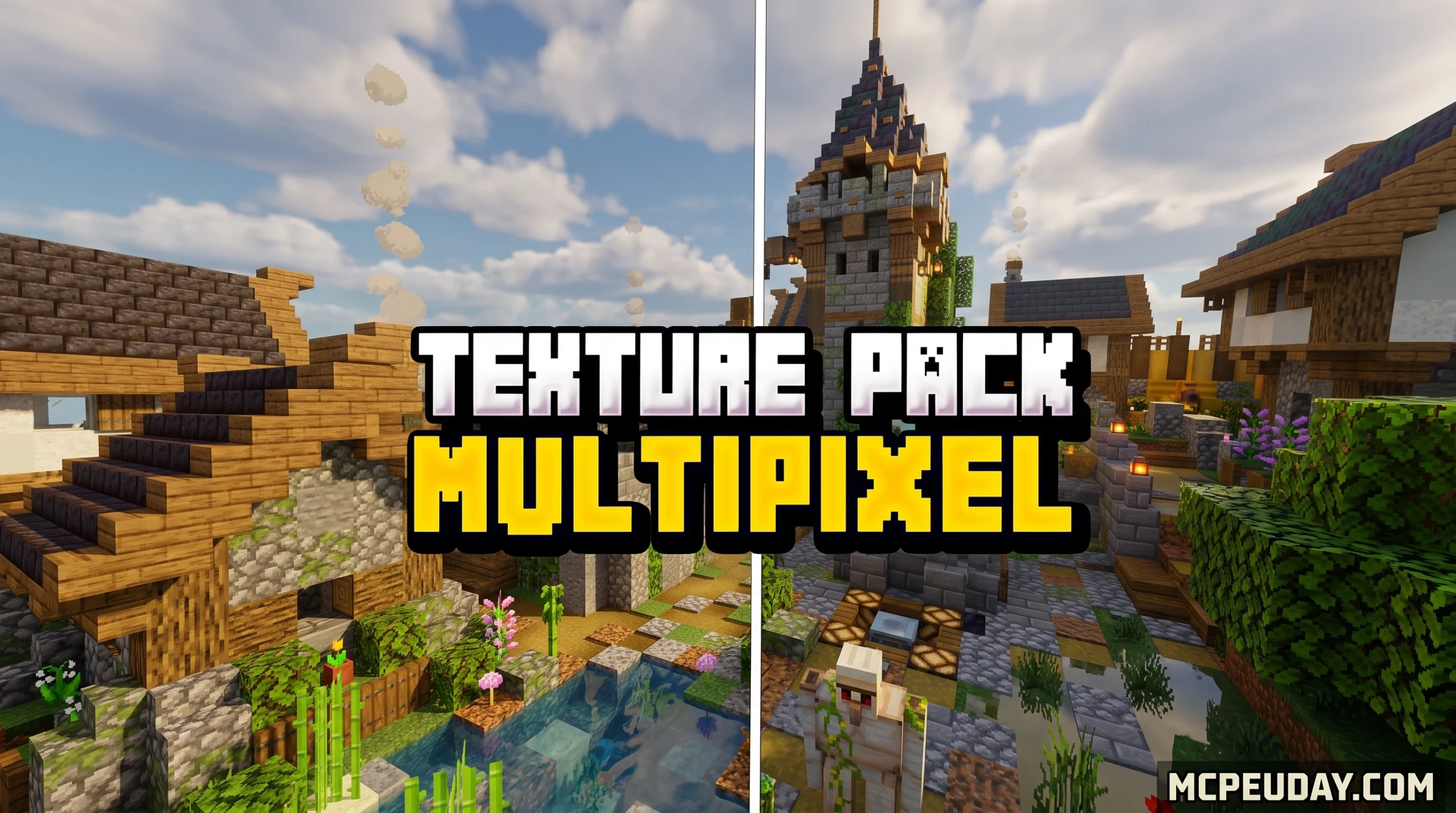
The MultiPixel Texture Pack: What It Is and Where to Download It
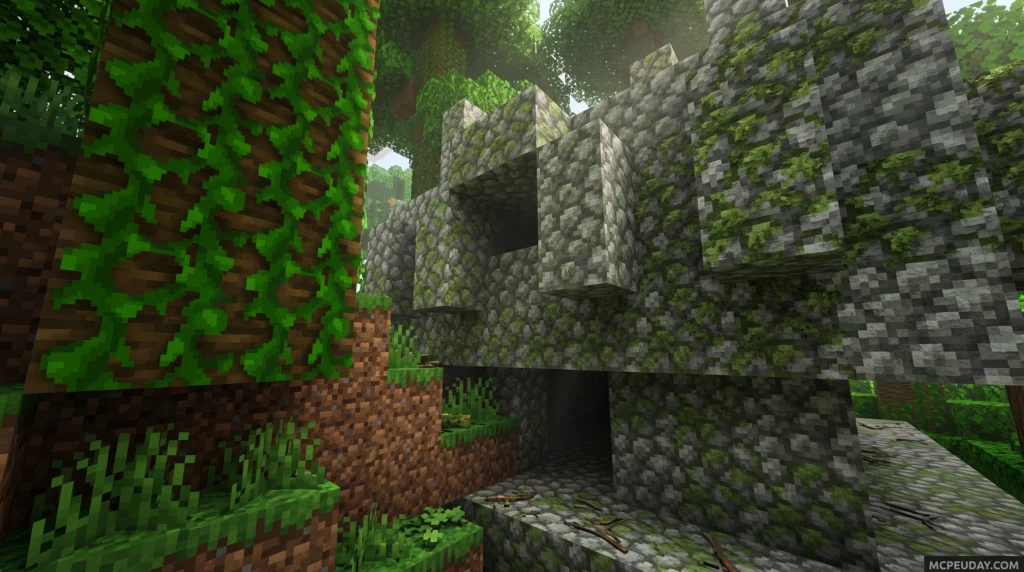
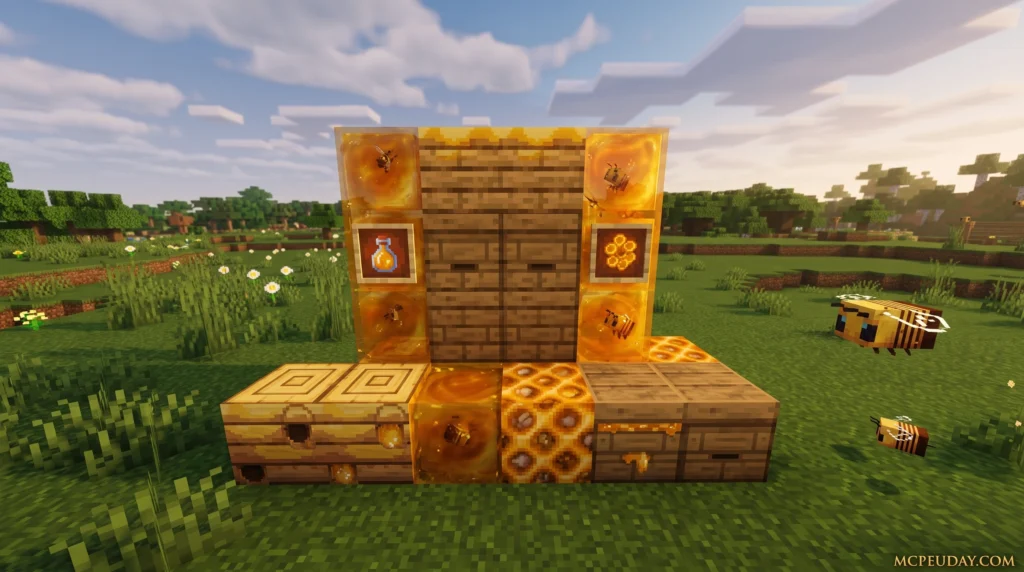
Minecraft’s blocky, pixelated aesthetic is legendary, but as modern displays have evolved to 1080p, 1440p, and 4K resolutions, the original 16×16 textures can sometimes look overly blurry or pixelated. If you want to upgrade your game’s graphics without losing that nostalgic, classic feel, you need a resource pack that respects the original design.
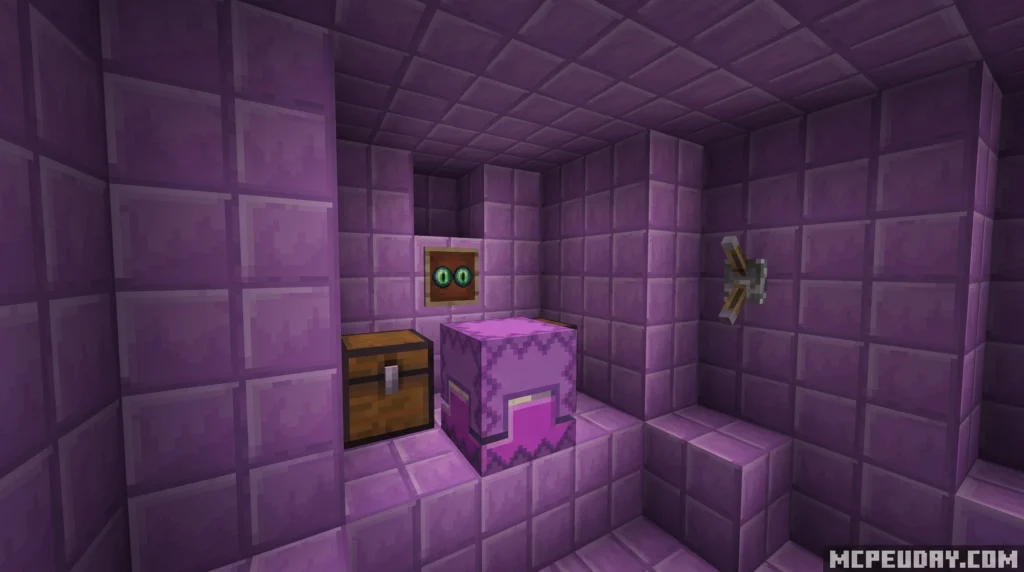
The MultiPixel Texture Pack is a free 32x HD resource pack that doubles Minecraft’s default 16x texture resolution while keeping the classic vanilla look you already know. It bridges the gap between low-resolution default blocks and ultra-realistic, resource-heavy packs that completely change the game’s art style.
Quick answer — here’s what you need to know:
- What it is: A 32×32 HD texture pack based on Minecraft’s default textures
- Who made it: Zou Chenyunfei, a creator from China
- Works on: Both Java Edition and Bedrock Edition (MCPE)
- Where to download: Free download — not available on the Minecraft Marketplace
- Java Edition downloads: 26,300+ on Modrinth
- Bedrock Edition downloads: 182,700+ with a 4.1/5 rating
- Compatible versions: Minecraft 1.14 all the way through 1.21
If you’ve been looking for a texture pack that makes Minecraft look sharper, cleaner, and more defined without changing its core atmosphere, this is one of the most downloaded options out there — and it costs absolutely nothing.
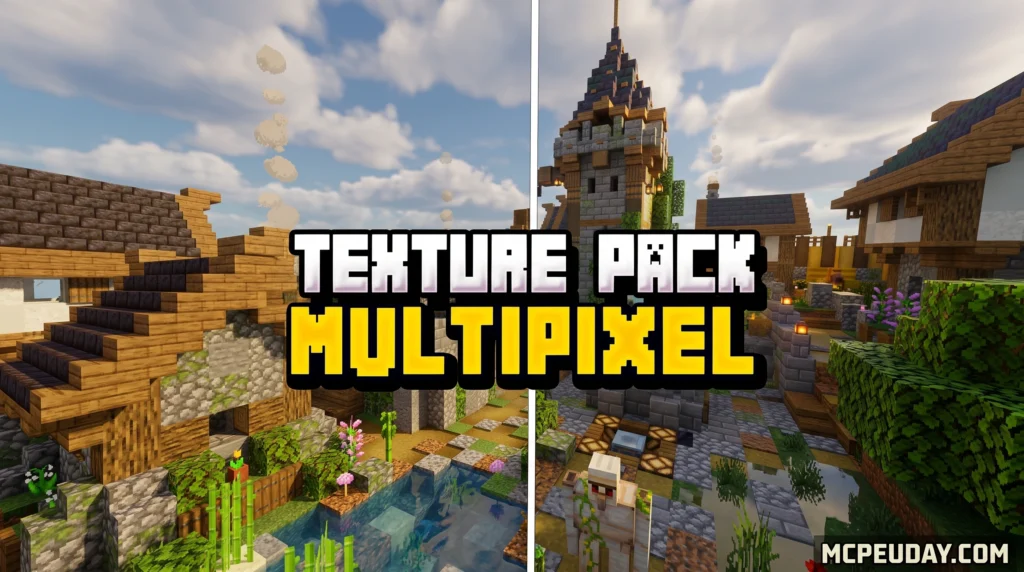
What is the MultiPixel Texture Pack?
We all love Minecraft’s classic aesthetic, but as screen resolutions have improved over the years, those default 16×16 blocks can look a bit blurry. The MultiPixel Texture Pack solves this issue beautifully.
Developed by the talented Zou Chenyunfei, this pack is designed as a “default improvement” resource pack. Instead of completely redesigning the game’s blocks, it takes the standard vanilla textures and doubles their resolution to 32×32 pixels. This means you get the exact same color palette, shapes, and iconic atmosphere of vanilla Minecraft, but with twice the clarity and detail. Every block, item, and mob is carefully upscaled by hand to ensure that the original artistic intent of Mojang’s design is preserved. You can grab the latest version of the MultiPixel Texture Pack on MCPEUDAY.
MultiPixel Texture Pack for Java Edition
For Java Edition players, the MultiPixel Texture Pack brings an incredible level of polish. To get the absolute best out of these HD textures, we highly recommend using OptiFine or similar optimization mods like Sodium and Iris. This setup enables custom animations, connected textures, and smoother rendering across your worlds. With connected textures enabled, blocks like glass, sandstone, and bookshelves blend seamlessly together, removing the harsh grid lines and creating a much more immersive environment.
While Java players have plenty of choices—such as the vibrant Lumina 32x Texture Pack—MultiPixel remains a top-tier choice for keeping that pure, unaltered vanilla feel.
MultiPixel Texture Pack for Bedrock Edition (MCPE)
Interestingly, the Bedrock Edition (MCPE) version of the MultiPixel Texture Pack is even more popular than its Java counterpart! It has racked up hundreds of thousands of downloads and views from players all around the world who want to enhance their mobile and console gameplay.
Whether you are playing on an Android phone, iOS device, or Windows PC, this pack is highly optimized to run smoothly without slowing down your game. It is designed to deliver maximum visual fidelity without causing lag, making it perfect for multiplayer servers, survival worlds, and creative builds alike. You can find safe, fast download links for the Bedrock files directly on the MultiPixel Texture Pack on MCPEUDAY, where we keep the files updated and verified for safety.
Key Features and Visual Improvements
The MultiPixel Texture Pack does not just upscale block faces; it is an extensive overhaul of the entire game’s visual design. When you load into your world, you will immediately notice several key improvements:
- Over 30 Brand-New NPC Skins: Villagers, monsters, and other entities get a massive detail boost. You will see individual stitches on villager robes, sharper eyes on zombies, and more defined textures on creepers.
- Upgraded UI and GUI Elements: Clean, modern menus and inventory slots that look incredibly sharp on mobile and 4K screens alike. The hotbar, chest inventories, and crafting tables all receive a high-definition facelift.
- Custom Particles and Animations: Enjoy fluid water, realistic fire, and polished particle effects. The smoke from campfires, bubbles in water, and critical hit sparks are all rendered in beautiful 32x resolution.
- Retained Vanilla Atmosphere: Unlike stylized packs like the cartoonish Bare Bones Texture Pack or the rustic Mizunos 16 Craft Texture Pack, MultiPixel stays completely faithful to the original game’s art direction.
Let’s look at how MultiPixel compares to other popular options:
| Feature | MultiPixel 32x | Bare Bones | Mizuno’s 16 Craft |
|---|---|---|---|
| Resolution | 32×32 | 16×16 | 16×16 |
| Visual Style | Vanilla HD | Cartoon / Flat | Rustic / Fantasy |
| Primary Focus | Sharp Detail | Simplicity | Cozy Aesthetics |
| UI Changes | Yes | Minimal | Complete Overhaul |
Special Subpacks and RTX Support
One of the coolest parts of the Bedrock version is its modular nature. It includes built-in subpacks that you can customize using the “Spanner” settings icon in Minecraft:
- Java Aspects: Port over Java-exclusive animations, particles, and models (like the Trident riptide effect or Java-style water) directly to your Bedrock game. This is perfect for players who prefer the visual consistency of the Java Edition.
- Bedrock Aspects: Keep things optimized specifically for standard Bedrock performance, ensuring high frame rates on mobile devices.
- Fancy Aspects: Includes extra visual goodness inspired by spin-off games like Minecraft Dungeons, Legends, and Earth, giving your world a unique spin.
- Chemistry Pack: Perfect for Education Edition features! You should activate this in your world settings rather than global resources to access high-definition chemistry blocks and elements.
- RTX Beta & Normal Maps: For Windows players with capable graphics cards, there is an experimental normal map subpack designed for Vibrant Visuals, allowing you to enjoy ray-tracing-like lighting with these 32x textures! This adds depth and realistic reflections to blocks like iron, gold, and copper.
How to Install the Pack on All Platforms
Installing the MultiPixel Texture Pack is incredibly straightforward. Because it is a 32x pack, it is highly optimized and won’t tank your frame rates like a heavy 128x or 256x pack (such as the ultra-realistic Patrix Texture Pack). If you’re on a lower-end mobile device and still want maximum performance, you can even pair it with a Better FPS Texture Pack to keep your gameplay buttery smooth.
If you are new to Minecraft resource packs in general, the community-maintained Minecraft resource pack documentation is also a useful reference for understanding how packs change textures, sounds, models, and interface files.
Java Edition Installation Steps
- Download the texture pack ZIP file matching your Minecraft version.
- Open Minecraft and navigate to Options > Resource Packs > Open Pack Folder.
- Drag and drop the downloaded ZIP file into the
resourcepacksfolder. - Back in the game, hover over the MultiPixel pack, click the arrow to move it to the “Selected” column, and click Done.
- For the best visual experience, make sure you have OptiFine or Sodium installed to enable custom sky textures and connected glass.
Bedrock Edition (MCPE) Installation Steps
- Download the
.mcpackfile from the MultiPixel Texture Pack on MCPEUDAY. - Delete any older versions of MultiPixel you might have installed to prevent duplication errors.
- Locate the downloaded file on your device and double-click (or tap) it. Minecraft will open and import the pack automatically.
- Go to Settings > Global Resources > My Packs.
- Click on the MultiPixel Texture Pack and click Activate.
- Click the Spanners Icon to choose your preferred subpack (such as Java Aspects or Fancy Aspects).
- Exit the settings menu to let the resource pack load, and enjoy your newly upgraded world!
Frequently Asked Questions
Why is MultiPixel not available in the Minecraft Marketplace?
Microsoft blocked the pack from the official Marketplace because they determined that the textures and branding resemble the official default pack too closely. While this means console players cannot easily buy it from the in-game store, the massive upside is that it remains 100% free for PC, mobile, and pocket edition players to download!
How often is the pack updated?
Zou Chenyunfei and the community keep the pack regularly updated to match the latest Minecraft snapshots and major releases. Recent updates have brought full compatibility for the latest features, including the Chaos Cubed Drop, alongside polished textures for hay bales, buttons, slots, and inventory icons.
What is the difference between MultiPixel and other 32x packs?
While other 32x packs exist, MultiPixel stands out due to its incredible dedication to keeping the exact feel of vanilla Minecraft. Additionally, the inclusion of custom subpacks (like the Java Aspects and Fancy Aspects) gives players unparalleled control over their visual experience, a feature rarely seen in standard 32x packs.
Conclusion
At MCPEUDAY, we strive to bring you the highest quality, most up-to-date resources for your Minecraft worlds. The MultiPixel Texture Pack is the perfect middle ground for players who want a cleaner, sharper game without losing the nostalgic charm of vanilla blocks.
Ready to elevate your visuals? Download the pack today, and don’t forget to Explore more Minecraft textures on MCPEUDAY to find the perfect look for your next adventure!
1 thought on “MultiPixel Texture Pack (26.x, 1.21) – MCPE/Bedrock Texture Pack”