Why MCPE Patched DOWNLOAD Is the Only Way to Get Real Shaders on Mobile
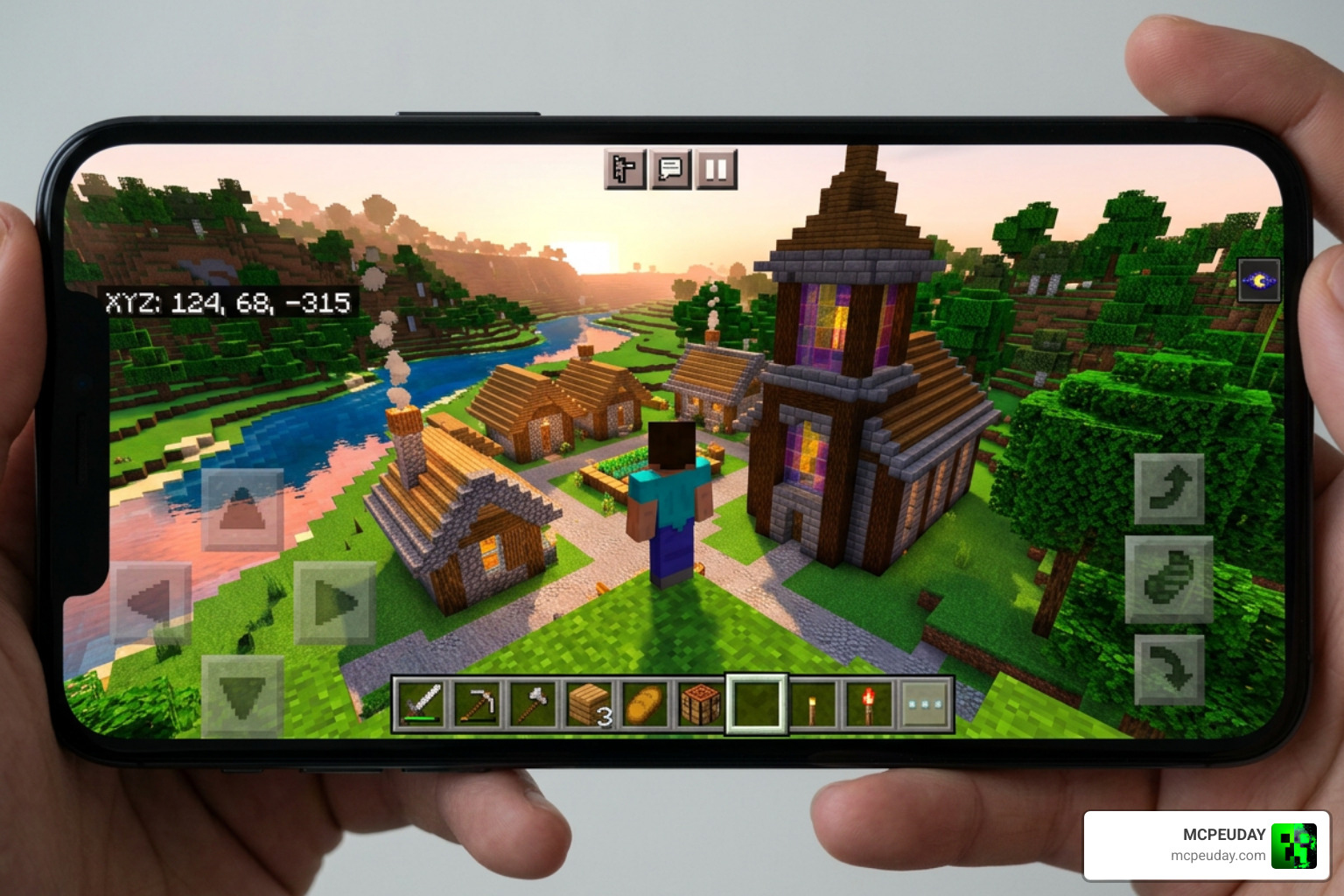
If you’ve been searching for an MCPE Patched download, here’s the short answer:
Quick Answer: How to Get a Patched MCPE APK
- Find a trusted patched APK source (such as the YSS Group or Newb Community patches)
- Check your device architecture (arm32 or arm64) before downloading
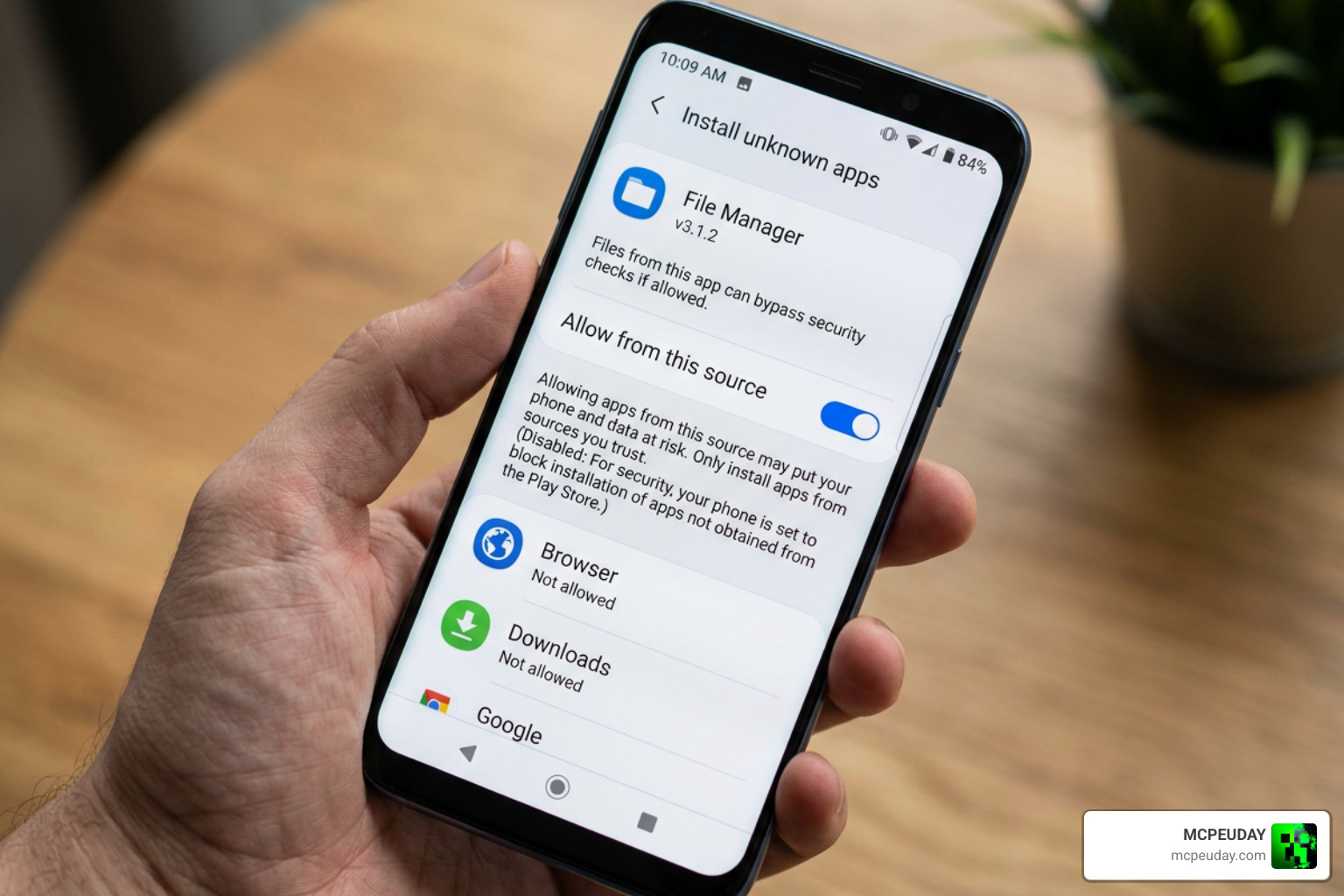
- Enable “Install from Unknown Sources” in your Android settings
- Install the APK — it runs separately from your official Minecraft app
- Add your shader resource pack and activate it in-game
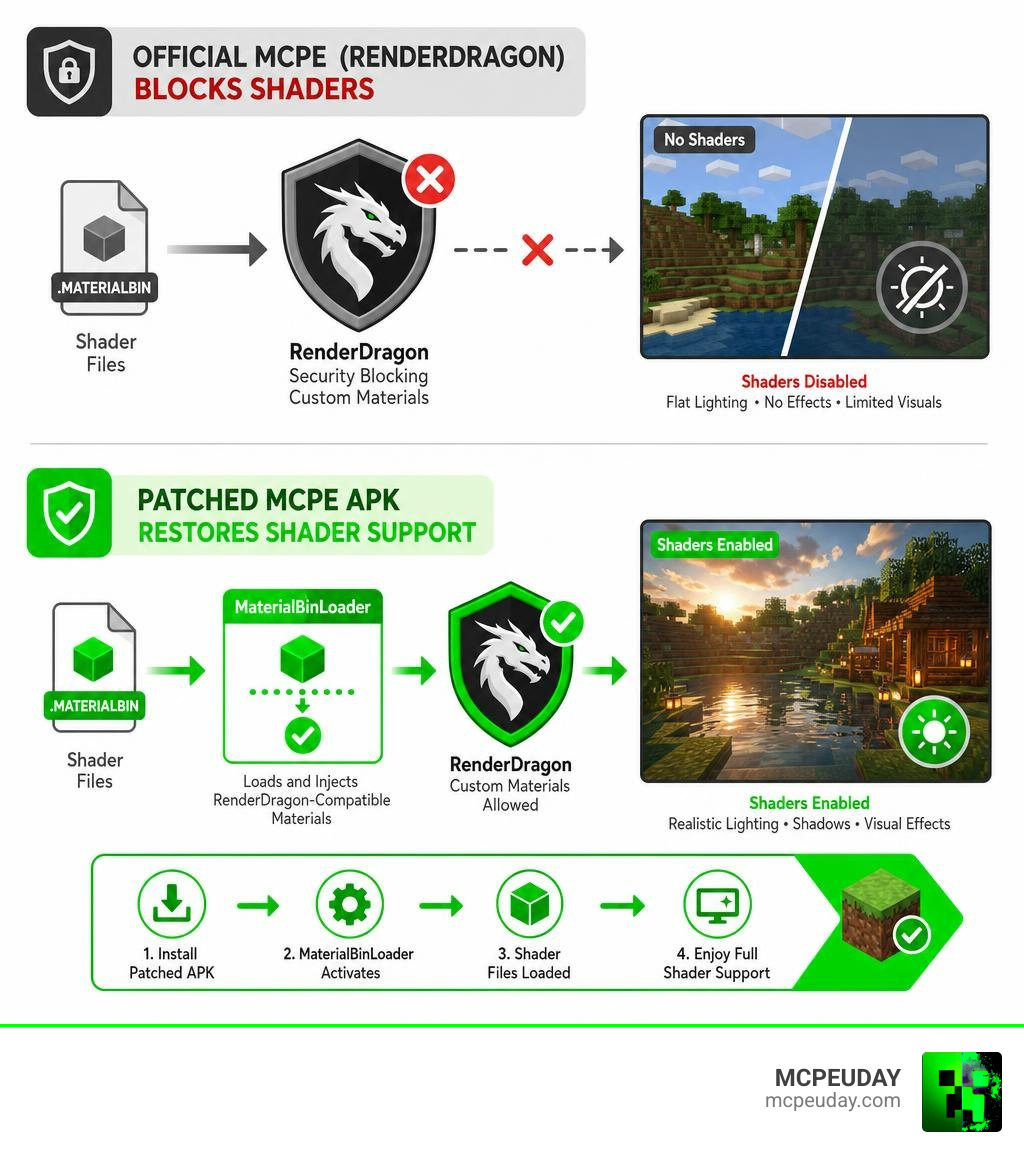
Minecraft Bedrock Edition on mobile looks great — but it used to look better. After Mojang introduced the RenderDragon graphics engine in version 1.20+, most shaders simply stopped working. The engine locked out the custom material files that shaders depend on.
That’s where patched APKs come in.
A patched APK is a modified version of Minecraft that includes a tool called MaterialBinLoader. It forces the game to load RenderDragon-compatible shader files through your resource packs — something the official app won’t do on its own.
With over 1 million players downloading Minecraft patches every month — 70% of them on Android — this is clearly a massive need in the community.
But there are real risks involved. Not every patched APK out there is safe, and the landscape has changed a lot heading into mid-2026. This guide covers everything you need to know before you download anything.
What is a Patched APK and Why Do You Need It?
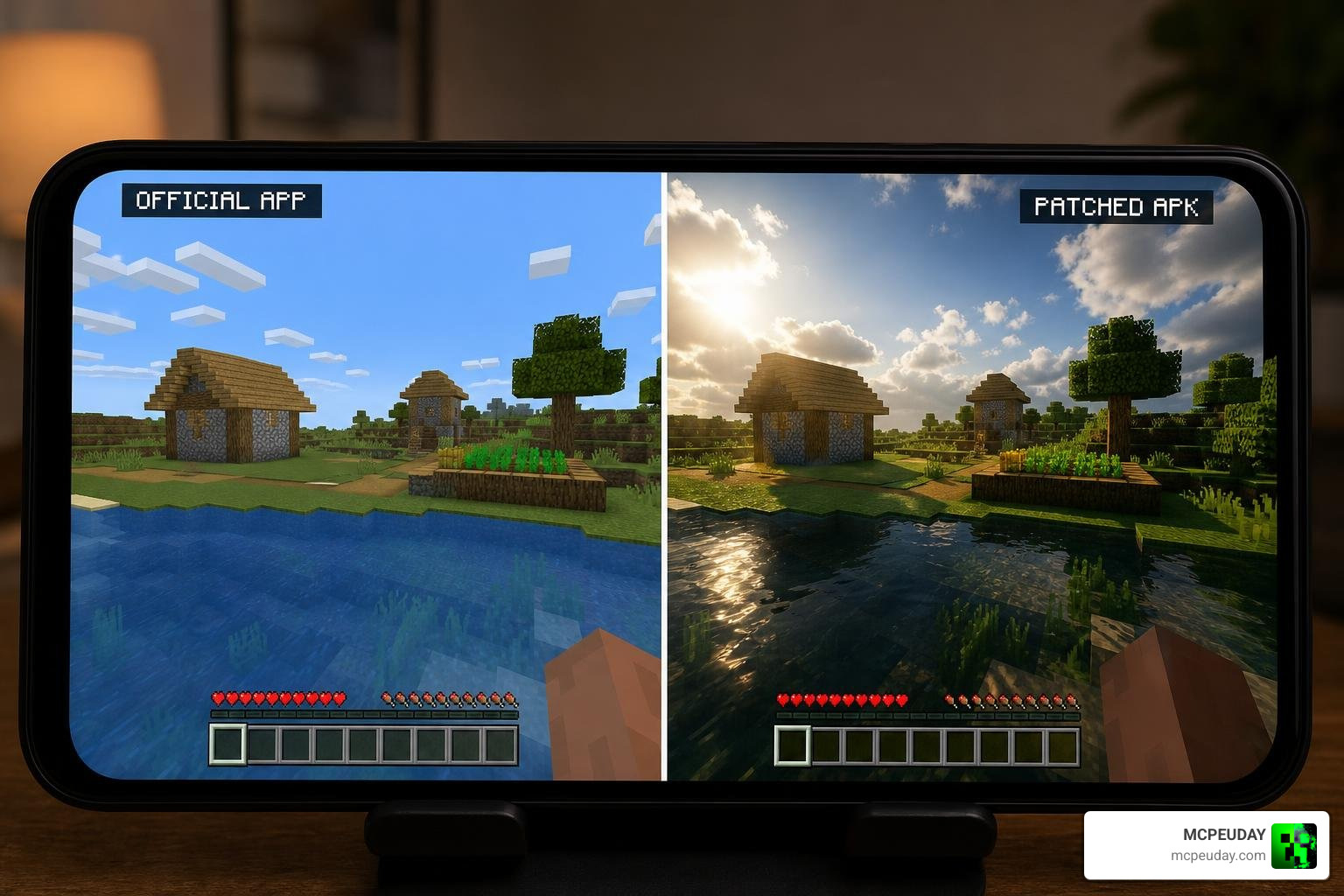
To understand why an MCPE Patched download is so highly sought after in June 2026, we have to look under the hood of Minecraft Bedrock Edition. Years ago, mobile players could easily download a .mcpack file, double-click it, and enjoy beautiful waving water, realistic clouds, and dynamic shadows.
All of that changed when Mojang rolled out the RenderDragon graphics engine. RenderDragon was designed to standardize graphics across all Bedrock platforms (mobile, PC, consoles) and lay the groundwork for future ray-tracing capabilities. However, it also completely blocked traditional shader packs. The engine no longer reads standard shader files inside resource packs, rendering them completely useless on the official, unmodified mobile game.
If you want those stunning visuals back, you need to bypass these RenderDragon limitations. This is exactly what a patched APK does. It is a modified version of the game’s executable file that has been tweaked to load custom materials. By using a patched version, players can once again enjoy the Best Shaders For Mcpe 1 21 2026 Top 3 Realistic Minecraft Pe Shaders without needing a high-end gaming PC or an official ray-tracing graphics card.
How Patched APKs Differ from Official Bedrock
At its core, a patched APK is a standalone application. When you perform an MCPE Patched download, you are installing a custom-built client that operates independently of the official Minecraft app installed from the Google Play Store.
Here are the key differences:
- Independent Operation: Because it uses a different package signature, a patched APK can run alongside your official Minecraft installation on many devices. This means your official worlds and purchases remain completely safe and untouched.
- MaterialBinLoader Integration: The patched version includes specialized utilities built directly into the game code. These utilities allow the game to read and apply custom material files from your resource packs folder.
- Unlocking Visual Potential: While the official game limits your graphics settings to basic brightness and render distance, the patched version gives you full access to advanced post-processing effects. This enables lightweight masterpieces like the Newb X Lowres Renewed Shader Best Lightweight Shader For Minecraft Pe Bedrock to run smoothly even on mid-range and budget mobile devices.
How to Safely Complete an MCPE Patched DOWNLOAD
Downloading modified software always requires a higher level of caution. Because patched APKs are not distributed through official app stores, you must take specific steps to protect your device from malware and ensure compatibility.
First, you must determine your device’s architecture. Android devices run on either 32-bit (arm32) or 64-bit (arm64) processors. If you download a 64-bit patched APK on a 32-bit phone, the app will fail to install. You can easily check your device’s architecture using free tools like the 64Bit Checker app from the Google Play Store, or by checking if the download file name matches your system architecture.
Once you know your architecture, you can seek out trusted releases. For example, many players looking for stable, modern updates seek out resources like the Minecraft Patched PE 1.21.132 Latest Version APK Download to match their current multiplayer worlds.
Step-by-Step Guide to Your MCPE Patched DOWNLOAD
Ready to upgrade your graphics? Follow our simple, step-by-step installation guide to get up and running:
- Backup Your Worlds: Before doing anything, back up your Minecraft worlds. Navigate to your device’s internal storage:
Android/data/com.mojang.minecraftpe/files/games/com.mojang/and copy yourminecraftWorldsfolder to a safe location. - Download the Patched APK: Grab the correct version matching your device architecture from a reputable source, such as the Minecraft Patched APK Repo .
- Enable Unknown Sources: Go to your Android device’s Settings > Security (or Apps) and toggle on Install Unknown Apps for your web browser or file manager.
- Install the APK: Open your file manager, locate the downloaded
.apkfile, and tap install. If you encounter a Google Play Protect warning, read the prompt carefully to proceed. - Grant Storage Permissions: Some patched versions (especially MCPatch variants) require manual storage permissions. Go to Settings > Apps > Minecraft Patched > Permissions and ensure storage/files permission is enabled.
- Import Your Shaders: Download a compatible RenderDragon shader. If you are new to this, we highly recommend reading the Newb X Lowres Shaders For Minecraft Pe Mcpe Complete Beginners Guide Installation Settings Fps Tips to understand how to properly set up your files. Place your shader folder in
/games/com.mojang/resource_packs/. - Activate and Play: Launch the patched game, navigate to Settings > Global Resources, select your shader, and click Activate.
Troubleshooting Tip: If your shaders fail to render or show broken textures on the first launch, close the game completely, clear it from your background apps, and relaunch it. This forces the MaterialBinLoader to rebuild the graphics cache.
Risks and Safety Tips for MCPE Patched DOWNLOAD
While the visual payoff is massive, we must address the risks associated with downloading third-party APKs:
- Malware and Security Risks: Unofficial websites often bundle malicious adware or spyware inside modified APKs. Always scan your downloaded files using VirusTotal before installing them. Safe patches typically boast a 99%+ clean rating.
- Google Play Protect Warnings: Because these apps are self-signed by community developers rather than Mojang, Android will flag them as “Unknown Apps.” While this is normal for custom mods, always verify you downloaded the file from a trusted community hub.
- Account Bans: While many patched clients feature basic anti-ban systems to let you play on local networks, using heavily modified clients on featured public servers (like Hive or Cubecraft) carries a risk of automatic detection and bans. We recommend using patched clients primarily for single-player worlds, realms, or private multiplayer servers.
Understanding the Tech: MaterialBinLoader, MBL2, and Draco Loaders
The magic behind an MCPE Patched download relies on specialized loaders that intercept how Minecraft handles graphics. Over the years, the community has developed several distinct injection methods to bypass RenderDragon constraints.
| Loader Type | Primary Function | Best For | Key Limitations |
|---|---|---|---|
| MaterialBinLoader (MBL) | Loads custom .material.bin files directly from resource packs. | Standard RenderDragon Shaders | Limited to older 1.20+ versions. |
| MBL2 (MaterialBinLoader 2) | Advanced loader supporting OreUI, custom cameras, and deferred rendering. | Modern Minecraft (1.21.44+) | Requires highly specific shader formatting. |
| Draco Loader | Only loads shaders directly from Global Resource Packs. | Lightweight Shader Packs | Does not support deep UI or camera modifications. |
Differences Between MBL, MBL2, and Draco
Each loader serves a slightly different purpose depending on your device, your Minecraft version, and the complexity of the shader pack you want to use.
- MaterialBinLoader (MBL): This was the original breakthrough tool. It acts as a bridge, allowing the game to look inside your active resource pack and load custom compiled material files instead of the default vanilla ones.
- MBL2: As Mojang updated the game’s interface to the new OreUI system, the original MBL began to break. MBL2 was developed to support versions 1.21.44 and onward. It excels at loading modern UI elements, custom camera perspectives, and deferred pipeline files. It even allows players to unhide advanced developer features, such as hidden world export buttons.
- Draco Loader: Draco is a highly streamlined injector. Unlike the MBL family, which attempts to rewrite how the game handles materials globally, Draco strictly focuses on loading shader materials directly from your Global Resource Packs. It is incredibly lightweight and ideal for players who only want simple lighting enhancements without modifying the core game UI.
Why Repositories Are Shifting to MB Loader
If you have spent time browsing the Minecraft Patched APK Repo , you might have noticed a major announcement: many traditional patched APK repositories have been discontinued. For instance, the final stable YSS patched APK was released for version 1.21.60.
Why the shift?
Maintaining patched APKs is an exhausting game of cat-and-mouse. Every time Mojang releases a minor hotfix, developers have to manually decompile the new APK, apply the patches, recompile it, and distribute it.
Because of this, the community has largely shifted towards MB Loader and BetterRenderDragon. Instead of downloading an entirely pre-patched (and technically pirated) APK, MB Loader acts as an external injection tool. This future-proofs the modding scene, allowing you to apply stunning graphics updates directly to your legally purchased, official Minecraft app.
For a complete look at how these modern lighting pipelines function, check out the Newb X Ambient Shader For Minecraft Ultra Realistic Lighting Smooth Fps Boost 2026 Guide to see the next generation of mobile graphics in action.
Frequently Asked Questions About Minecraft Patches
Is downloading an MCPE patched APK safe for my device?
Generally, yes—provided you download the file from a trusted, community-verified source. Because patched APKs are modified by independent developers to include tools like MaterialBinLoader, your phone’s built-in security (Google Play Protect) will flag them as “Unknown Sources.”
To ensure absolute safety, always run the downloaded .apk file through an online scanner like VirusTotal before installing. For low-end devices, keep in mind that running heavy shaders can cause thermal throttling. To see how a budget setup handles these packages, you can read Newb X Ambient Shader My Honest Test On A Low End Pc Real Fps Results Setup Guide for a realistic performance breakdown.
Which Minecraft versions are supported by patched APKs?
Patched APKs are available for a wide range of versions, starting from early RenderDragon integrations in 1.19, all the way up to stable releases like 1.21.60, 1.21.132, and even experimental 1.26 branches.
That your shader pack must match the patch loader version. If you are trying to configure shaders on a newer version of the game, we highly recommend consulting the Newb X Ai Shaders For Minecraft Pe Mcpe Complete Beginners Guide to ensure your files are perfectly compatible.
What are the best alternatives to using patched APKs?
If you prefer not to install modified APKs on your device, you have two primary alternatives:
- MB Loader / BetterRenderDragon: These tools inject shader support directly into your official Minecraft app, eliminating the need to download third-party APKs entirely.
- Official Preview / Beta Versions: Mojang occasionally tests experimental deferred lighting features directly in the official Minecraft Preview app. While these versions are sometimes unstable, they offer a completely native way to experience advanced lighting.
For those looking to achieve a balanced, cozy aesthetic without risking game stability, utilizing lightweight options like the Newb X Ambient Shader For Minecraft Pe Realistic Lighting Smooth Shadows Fps Friendly is an excellent starting point.
Conclusion
An MCPE Patched download remains one of the absolute best ways for mobile players to reclaim the breathtaking visuals that the RenderDragon engine locked away. Whether you choose a classic MaterialBinLoader patch, a modern MBL2 build, or transition to the newer MB Loader ecosystem, the power to customize your game is entirely in your hands.
Always remember to back up your worlds, verify your device’s processor architecture, and download only from trusted community repositories to keep your gaming experience safe and fun.
Ready to completely transform your pocket-sized worlds? Explore More Shaders and Resources on our platform to find the perfect graphics pack for your device today!
MCPE Patched (1.26.x) Download Links
For MCPE 1.21.x Version – Legacy
Download MCPE 1.21.x
For MCPE 1.26.x/26.x Version – Legacy
Download MCPE 1.26.x/26.x
MORE ADDONS – MCPE/Bedrock – MCPEUDAY

3 thoughts on “MCPE Patched (1.26.x) Download Free – MBL2 Support Shaders, Skin 4D, Night Vision”