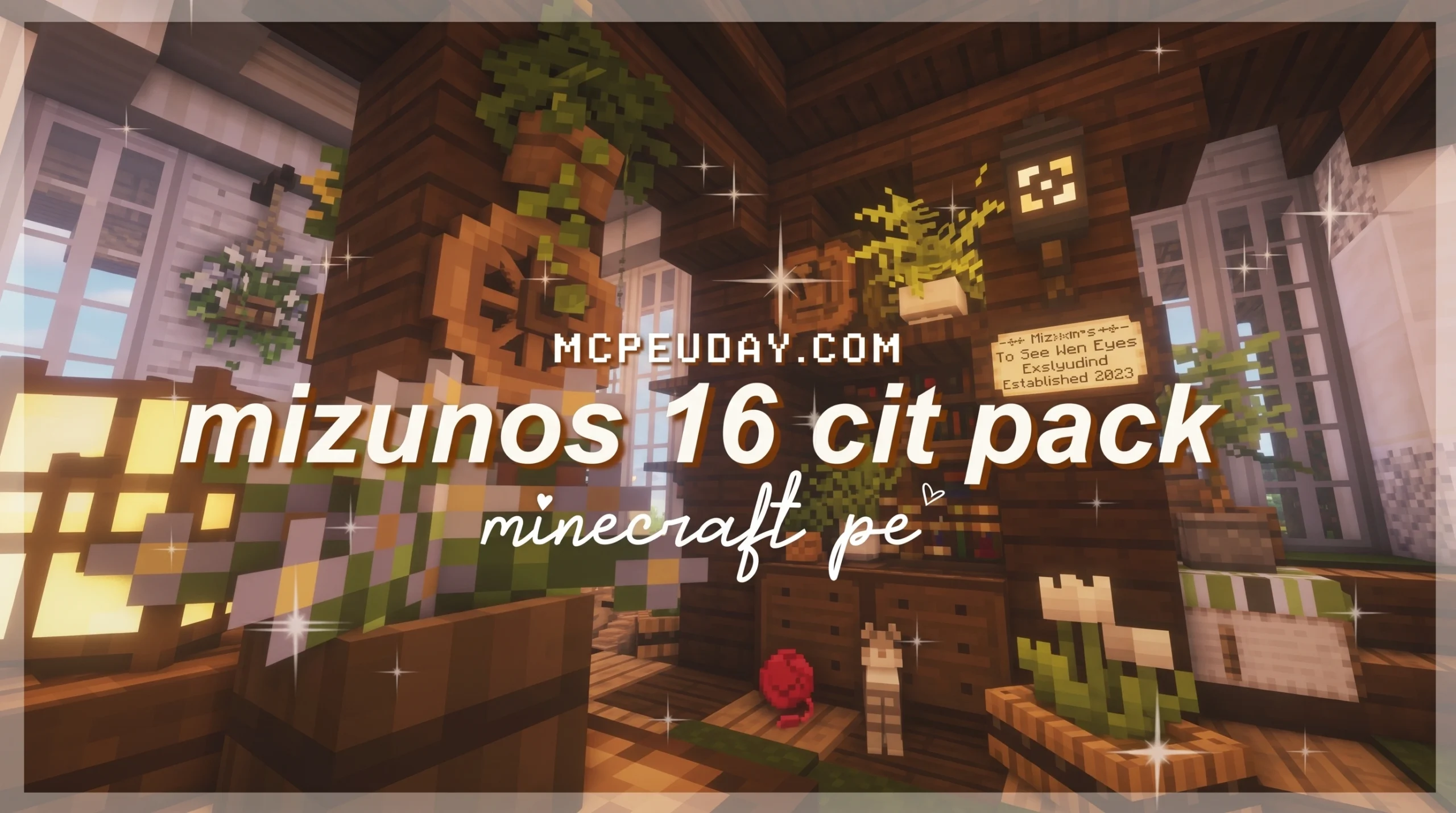
The Cozy Minecraft Texture Pack With 7 Million Views
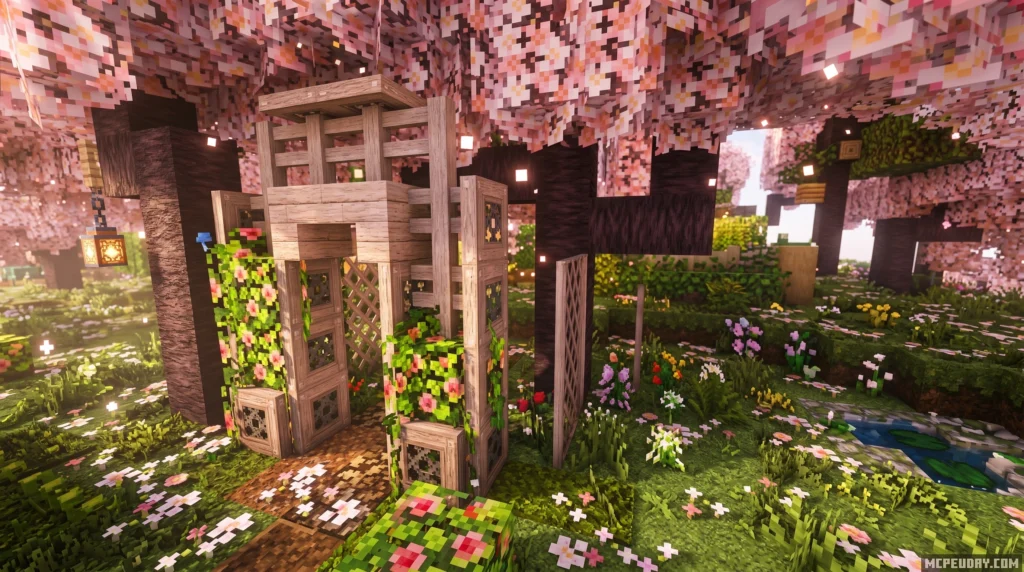
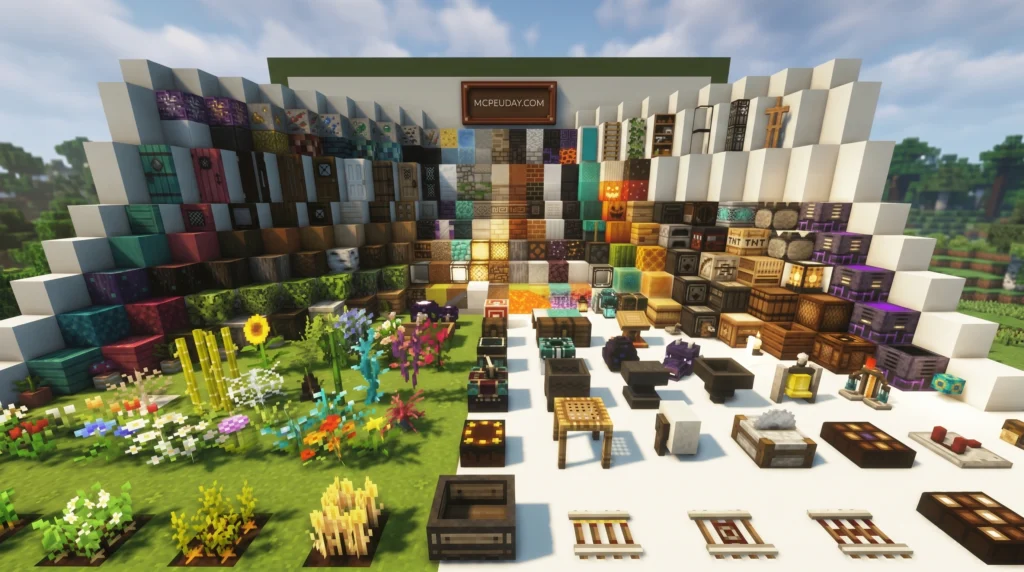
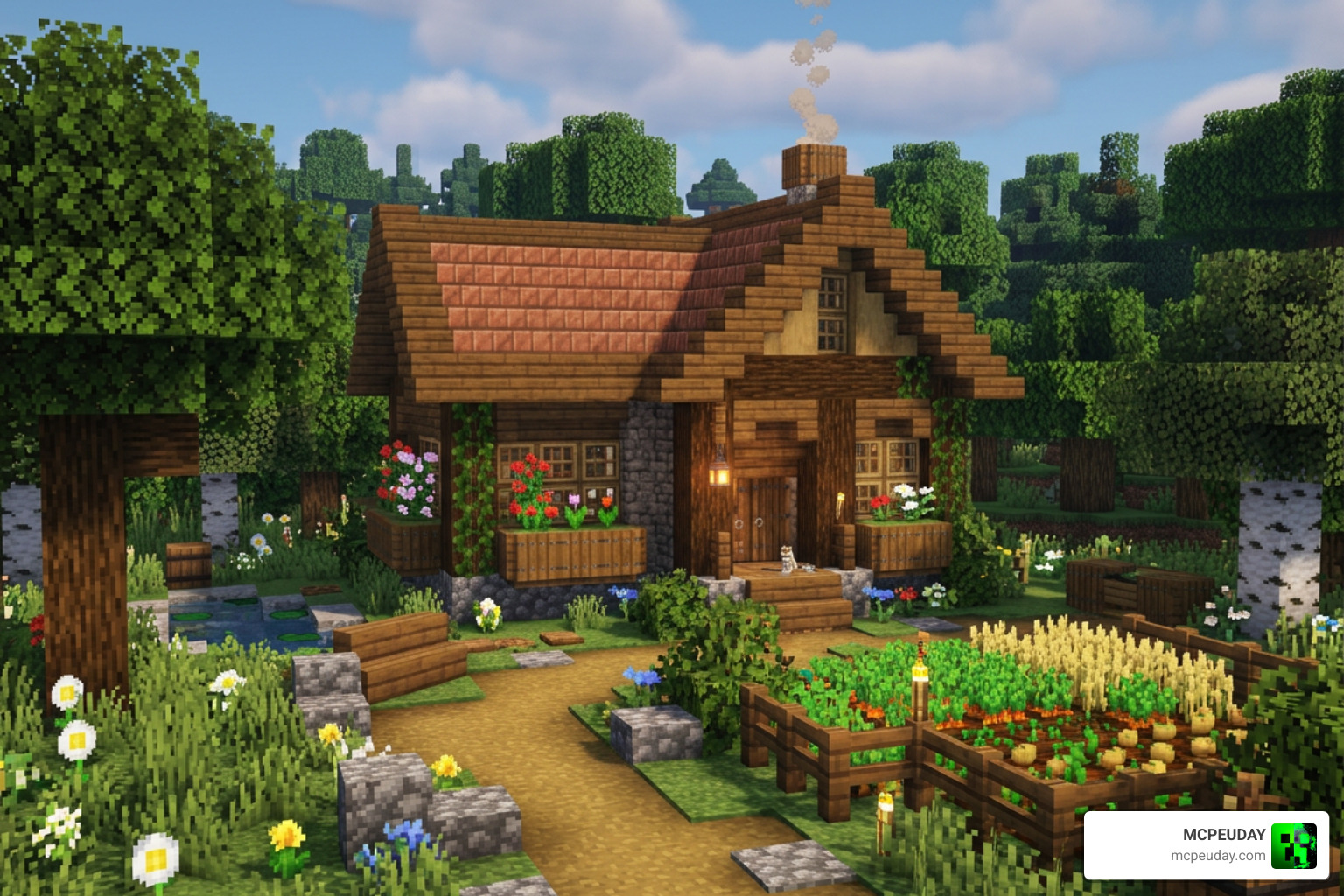
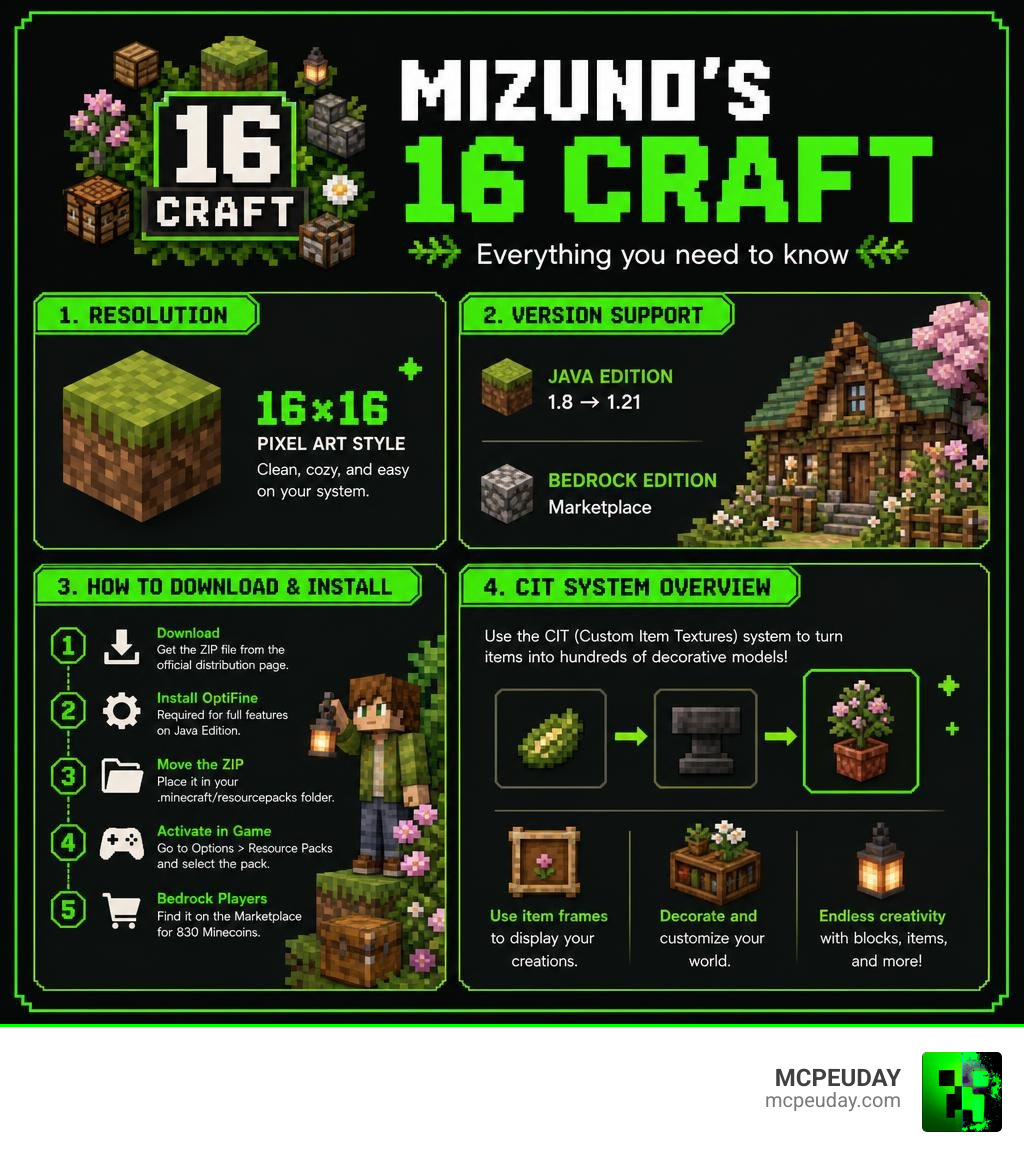
Mizuno’s 16 Craft Texture Pack is one of the most popular low-resolution resource packs for Minecraft, with over 7 million views and 409,000 downloads. Here’s how to get it fast:
- Download the pack ZIP file from the official distribution page
- Install OptiFine (required for full features on Java Edition)
- Move the ZIP into your
.minecraft/resourcepacksfolder - Activate it in Options > Resource Packs inside Minecraft
- Bedrock players can find it on the Minecraft Marketplace for 830 Minecoins
This pack works on Java Edition (versions 1.8 through 1.21) and Bedrock Edition.
It’s rare for a 16x texture pack to look this good. Most low-resolution packs suffer from muddy, noisy textures that just don’t feel polished. Mizuno’s 16 Craft is different — it keeps everything clean, cozy, and easy on the eyes, all while being light enough to run on older or lower-end hardware.
Created by a Japanese artist, the pack has a soft cottagecore aesthetic that transforms Minecraft into something that feels warm and handcrafted. It covers blocks, mobs, items, GUI, and more — and if you dig into its CIT (Custom Item Textures) system, you can unlock hundreds of extra decorative models using just an anvil and item frames.
Whether you’re building a cozy cabin, a fantasy village, or just want Minecraft to look better without killing your FPS, this guide covers everything you need.
What is Mizuno’s 16 Craft Texture Pack?
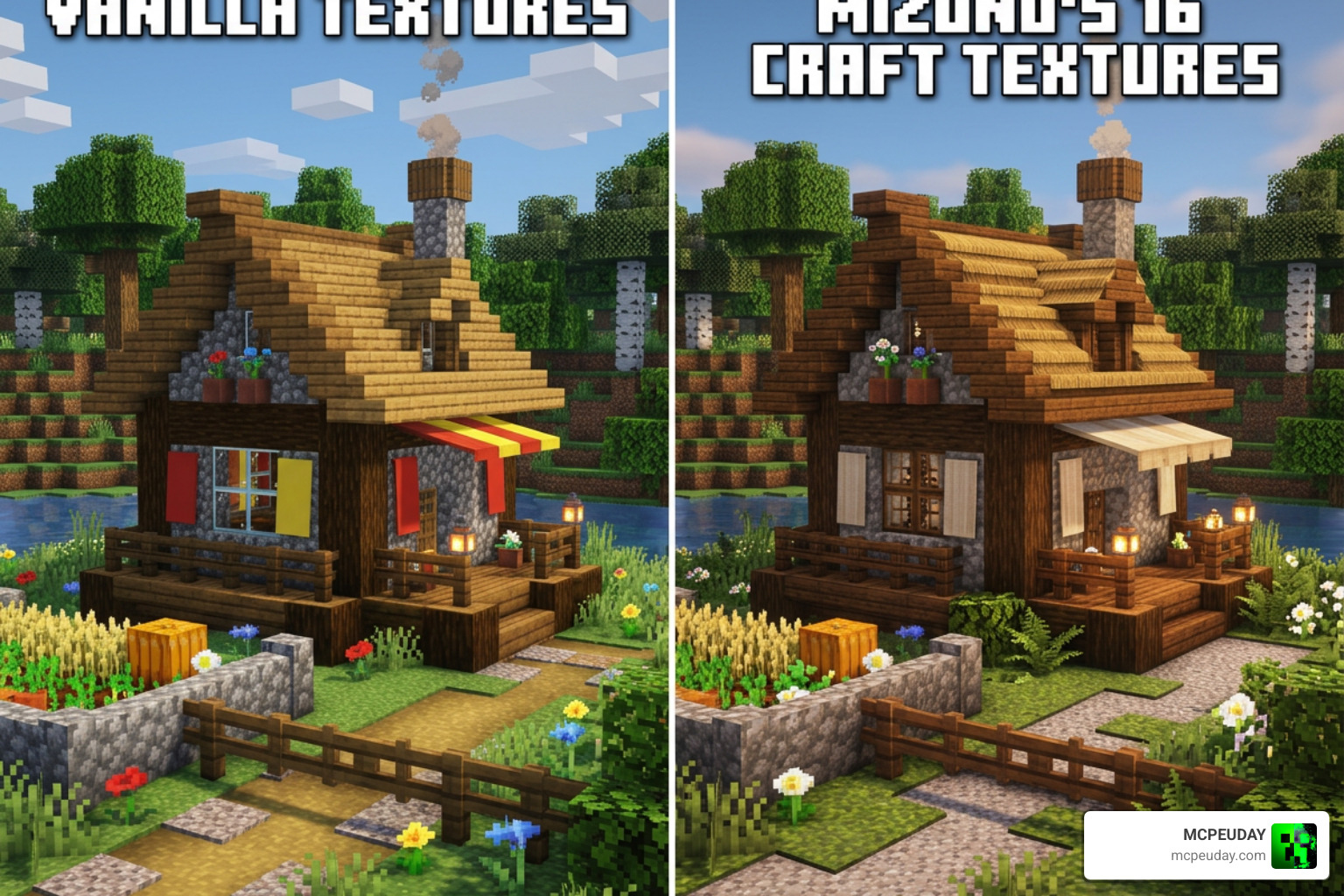
At its heart, Mizuno’s 16 Craft Texture Pack is a 16×16 resolution resource pack designed to give Minecraft a warm, nostalgic, and cartoony cottagecore vibe. While high-resolution packs like the Realsource Realistic Pack Mcpack aim for lifelike details, Mizuno’s focuses on artistic harmony and comfort.
Created by a talented Japanese designer who wanted to reduce visual noise, this pack is beloved for several reasons:
- Low Visual Noise: Traditional Minecraft textures can feel busy and harsh. Mizuno’s softens the edges, using a warm color palette that significantly reduces eye strain during long gaming sessions.
- Middle-Ages-Meets-Cartoon Aesthetic: The cobblestone, wood planks, and brick textures blend medieval architecture with a charming, hand-drawn feel.
- Incredible Performance: Because it sticks to a performance-friendly 16×16 resolution, players with lower-end PCs, laptops, or mobile devices can enjoy gorgeous visuals without suffering from FPS drops. It is the perfect alternative if you want something highly stylized but find packs like the Bare Bones Texture Pack 1 21 Mcpe Bedrock Edition Download Now a bit too minimalistic.
If you are ready to jump in, you can find the primary distribution hub on the official Mizuno’s 16 Craft page to check out the community’s creations.
How to Install Mizuno’s 16 Craft on Java and Bedrock
Getting this pack up and running is straightforward, but the steps differ depending on whether you play on Java Edition or Bedrock Edition (MCPE). For Java players, we highly recommend using OptiFine or an equivalent CIT-compatible mod to unlock the pack’s full potential.
If you are looking for a complete guide on the setup process, you can read more at How to get Mizuno’s 16 Craft texture pack in Minecraft .
Below, we have broken down the step-by-step installation process for both platforms.
How to Set Up the Base Mizuno’s 16 Craft Texture Pack on Java
To get the classic Java experience, follow these quick steps:
- Download the correct ZIP file version for your game from the Mizuno’s 16 Craft Resource Pack 26.1 / 1.21 | Texture Packs page.
- Launch Minecraft, navigate to Options, and click on Resource Packs.
- Click Open Pack Folder to open your system’s resourcepacks folder.
- Drag and drop the downloaded ZIP file directly into this folder (do not unzip it!).
- Return to Minecraft, hover over the Mizuno’s pack icon, and click the arrow to move it to the Selected column.
- Click Done and let the game load the new textures.
Note: If Minecraft shows a “version mismatch” warning because the pack was made for an older or slightly newer sub-version, you can safely ignore it and click “Yes” to load the pack anyway.
Installing Mizuno’s 16 Craft Texture Pack on Bedrock Edition
For players on mobile, console, or Windows 10/11 Bedrock Edition, there are two ways to get the pack:
- The Official Route (Minecraft Marketplace): You can purchase the officially ported version directly inside the in-game Marketplace for 830 Minecoins. This ensures automatic updates and perfect compatibility across all Bedrock devices.
- The Manual Route (MCPE Import): If you are using a community-shared
.mcpackfile on your mobile device, open your file manager app, navigate to your Downloads folder, and tap the pack file. Select Open with Minecraft. The game will launch and automatically import the pack.
Once imported, go to Settings > Global Resources > My Packs, click on Mizuno’s 16 Craft, and select Activate. If you like experimenting with other utility styles on Bedrock, you can also check out our guide on the X Ray Texture Pack For Minecraft Pe Mcpe 1 21.
Mastering the CIT (Custom Item Textures) System
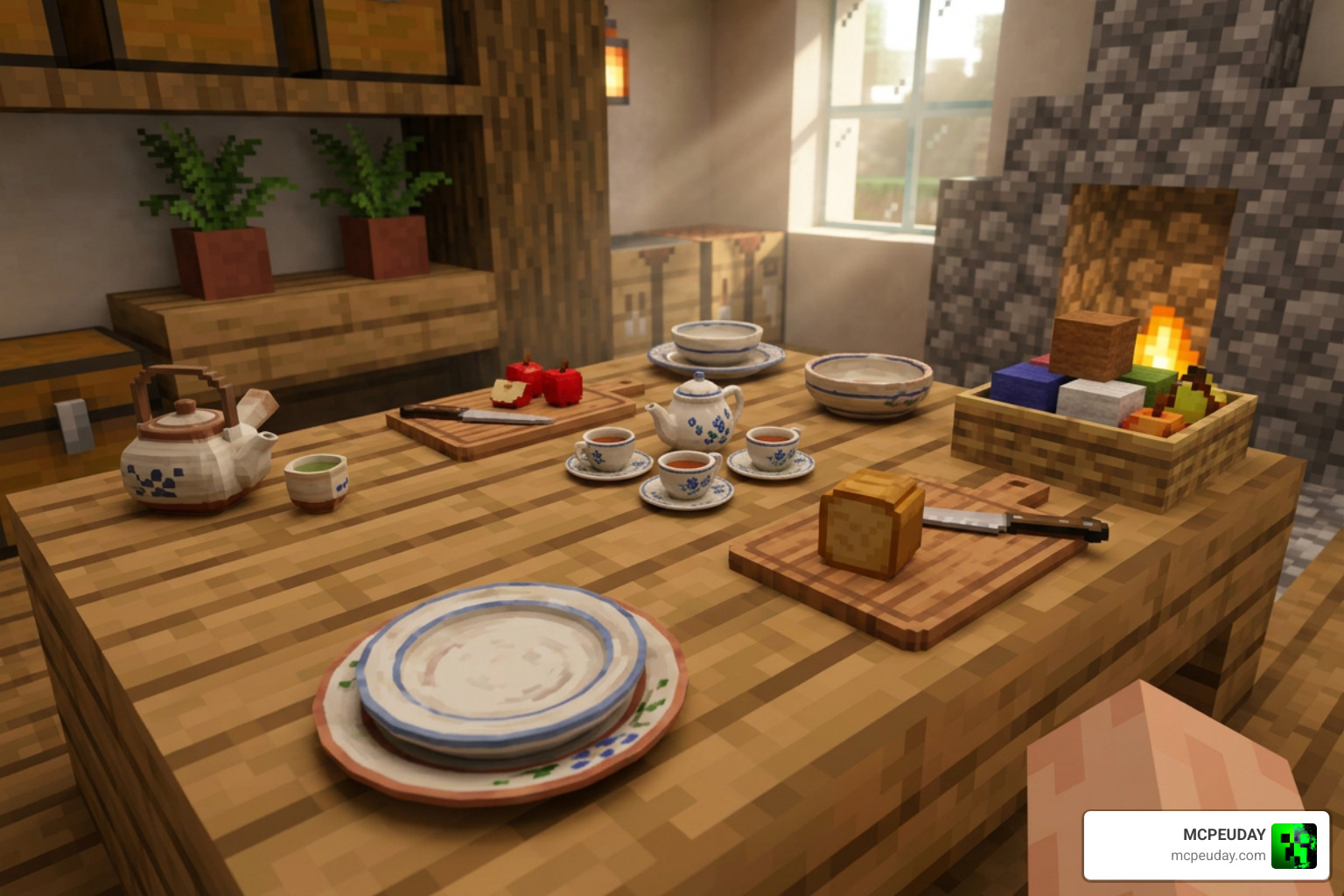
One of the most magical features of Mizuno’s 16 Craft is its Custom Item Textures (CIT) system. By using an anvil to rename specific items and placing them in item frames, you can display custom 3D models like cutting boards, tea sets, picnic baskets, and beautiful furniture.
To make this work, you need three things loaded in this exact top-to-bottom order in your Resource Packs menu:
- Invisible Item Frames Pack (makes the frame disappear, leaving only the custom 3D model visible)
- Mizuno’s 16 Craft CIT Add-on Pack
- Mizuno’s 16 Craft Base Pack
How to Rename Items for Custom Models
To create a custom decoration, place your item in an Anvil and rename it exactly as listed in the official CIT catalog.
Important Best Practices: Do not add any spaces after the last letter of your renamed item. For items with spaces, place the underscore and the number immediately after the text.
Here are a few popular naming examples to try out:
- Apple renamed to
Apple_3-> Displays as a fresh red apple sitting on a rustic wooden cutting board. - Beetroot Seeds renamed to
Beetroot Seeds_0-> Transforms into a custom decorative seed bag. - Bread renamed to
Bread_1-> Displays as a cozy basket filled with fresh baguettes. - Sweet Berries renamed to
Sweet Berries_1-> Turns into a cute little ceramic jam jar.
Simply place an invisible item frame on a wall, floor, or ceiling, slip your renamed item inside, and right-click to rotate it to your liking!
Compatibility, Shaders, and Unofficial 1.21+ Updates
As of June 2026, Minecraft has evolved with major updates, including new blocks like those from the Pale Garden. While the original creator maintains the base pack, the community has stepped in to keep everything perfectly updated.
If you are playing on newer versions, you should grab the Modern Mizuno’s – Minecraft Resource Packs – CurseForge add-on. This community-driven update adds beautiful cottagecore textures to modern vanilla blocks, resin bricks, and new animal variants. Additionally, you can grab the Mizuno Connected Texture v2 1.21.5 – Mizuno Connected Texture pack to make glass, sandstone, and bookshelves connect seamlessly.
To make your world look even more breathtaking, we highly recommend pairing this pack with cozy shaders like the Prizma Visuals Pack For Mcpe or the Wandrers Visual Pack. For those who want their lighting to pop, combining it with the Glowing Plus Texture Pack Make Your Minecraft World Shine With Brilliant Light Effects creates an incredibly magical atmosphere at night.
| Feature / Detail | Official Mizuno’s 16 Craft | Modern Mizuno’s Addon |
|---|---|---|
| Primary Developer | Mizuno (Original Japanese Creator) | Community Contributors |
| Base Requirements | Runs standalone | Requires original base pack underneath |
| 1.21+ Block Support | Limited to legacy blocks | Full support (Pale Garden, Resin, etc.) |
| Aesthetic Style | Classic cozy cottagecore | Matches original hand-drawn style perfectly |
Frequently Asked Questions about Mizuno’s 16 Craft
Why are my CIT textures not showing up?
If your renamed items look like normal flat items in your frames, check the following:
- OptiFine/CIT Resewn: Ensure you have OptiFine installed or the “CIT Resewn” mod if you are using Fabric. CIT features will not work in vanilla Minecraft without these tools.
- Load Order: Make sure the CIT Add-on pack is placed above the base Mizuno’s pack in your resource pack list.
- Naming Syntax: Double-check your spelling in the anvil. A single trailing space or a missing underscore (like writing
Apple 3instead ofApple_3) will break the texture.
Is Mizuno’s 16 Craft free to use?
Yes, the Java Edition is 100% free to download and use, provided directly by the creator. However, due to platform differences, the Bedrock Edition on the Minecraft Marketplace costs 830 Minecoins to support the official porting efforts.
Can I use Mizuno’s 16 Craft with other mods?
Absolutely! The pack has native, built-in visual support for several popular mods, including:
- AppleSkin (for clear food and hunger HUDs)
- Biomes O’ Plenty (for beautiful, custom-textured foliage and wood types)
- JourneyMap (for cozy, matching mini-map icons)
Conclusion
At MCPEUDAY, we believe that your Minecraft world should feel like home. Mizuno’s 16 Craft Texture Pack delivers exactly that — a cozy, warm, and highly performant escape from the harsh pixelated lines of vanilla Minecraft. By mastering the CIT system, you can turn your survival base into a highly detailed cottagecore paradise filled with custom 3D decorations.
If you are ready to explore more ways to customize your game, head over to our comprehensive Category/Texture Packs section to discover the best shaders, helper packs, and graphic overhauls available today. Happy building!
2 thoughts on “Mizuno’s 16 Craft Texture Pack (26.x, 1.21) – MCPE/Bedrock Texture Pack”