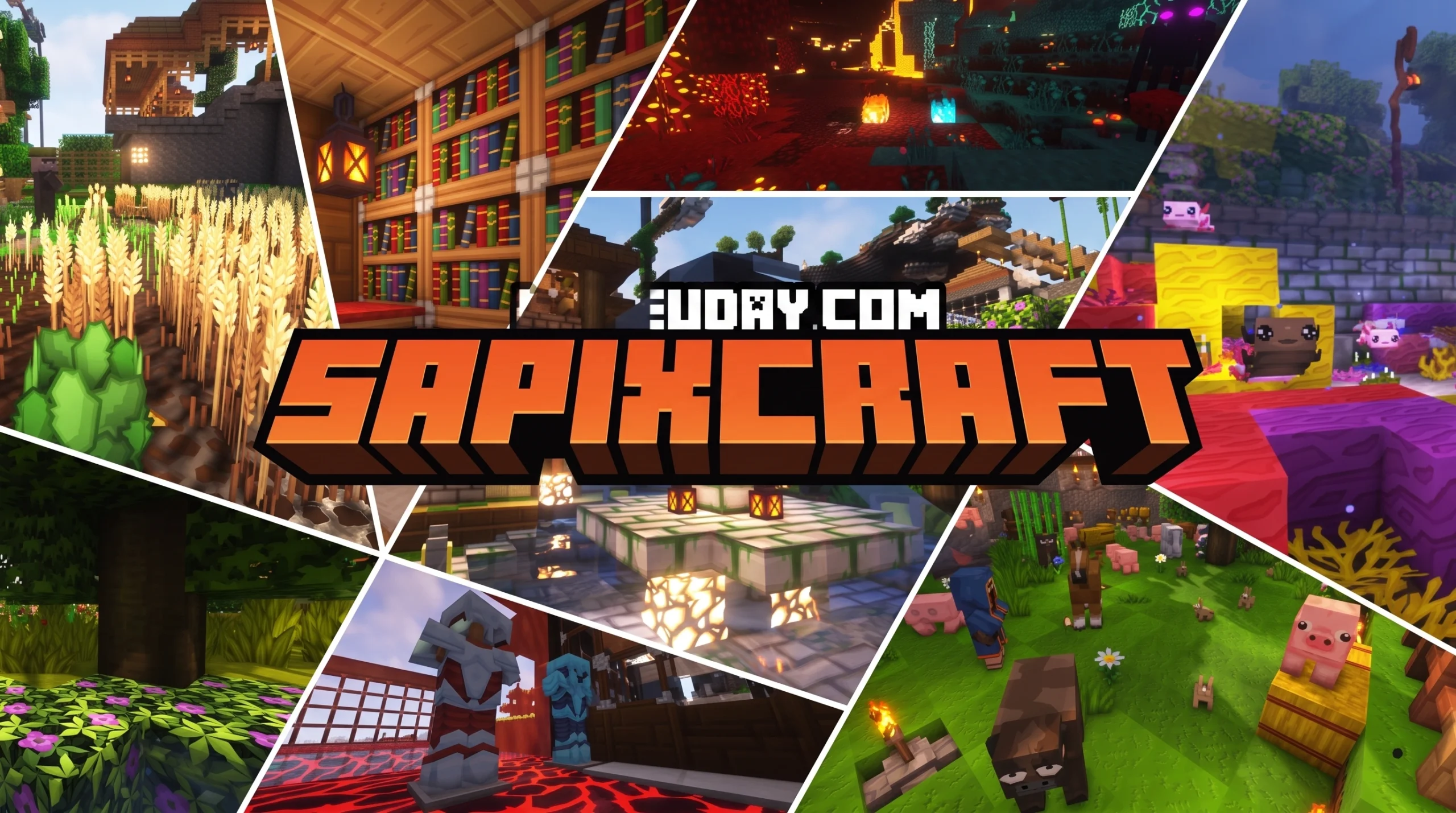
The SapixCraft Resource Pack: What It Is and Why Players Love It
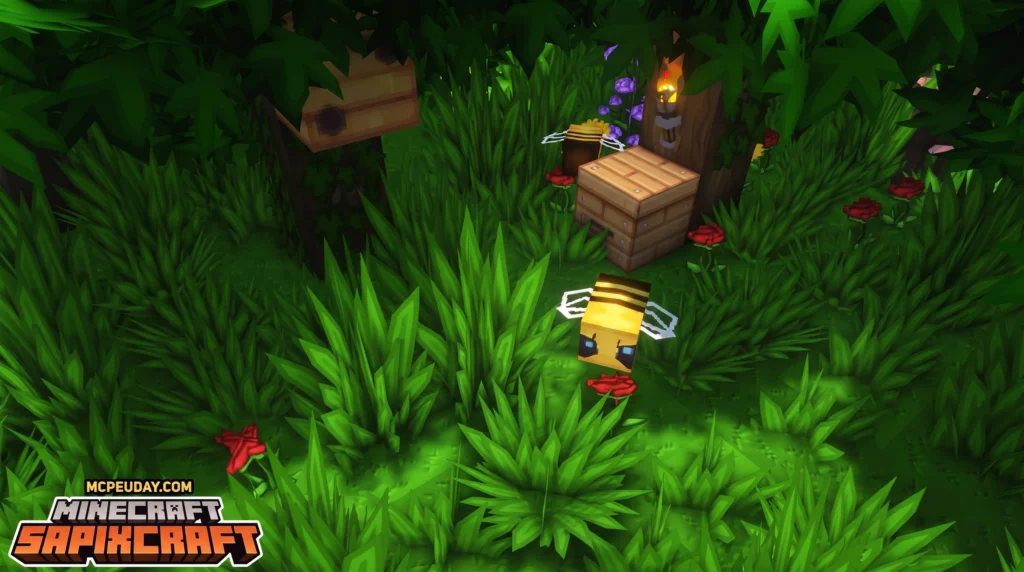
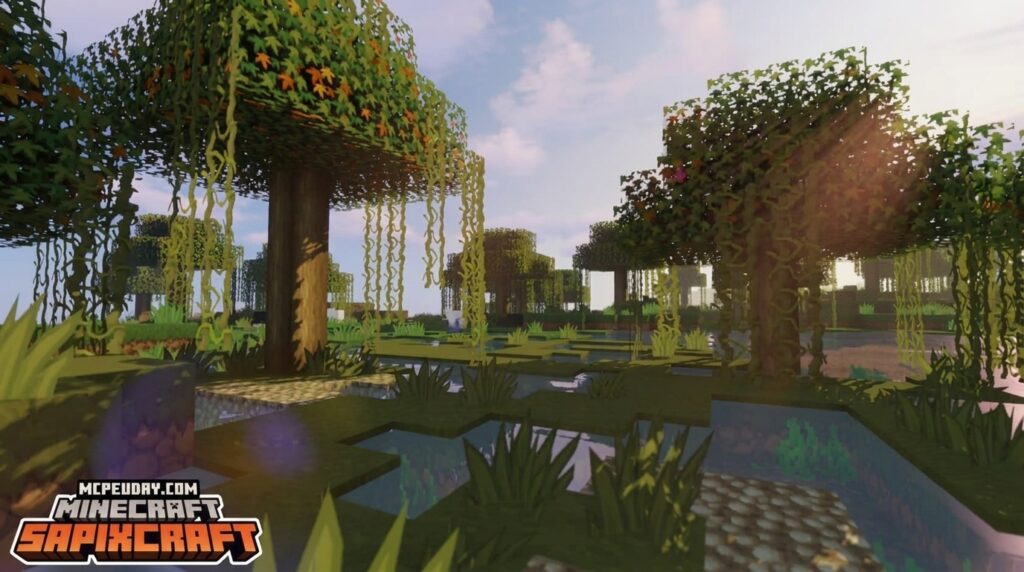
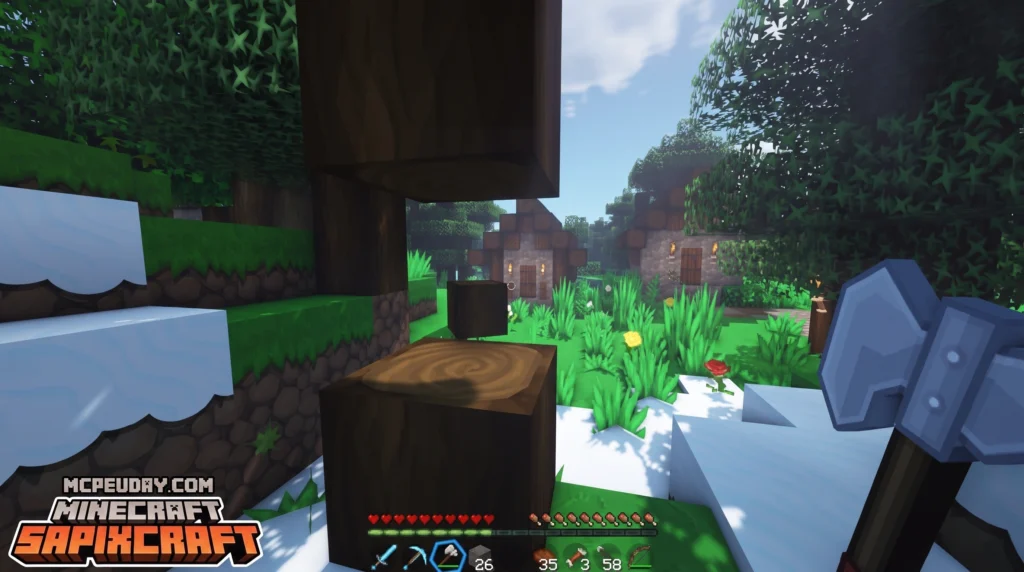
The SapixCraft Resource Pack is one of Minecraft’s most popular HD texture overhauls, with over 15.7 million views and more than 5,000 ratings on Planet Minecraft alone. If you want to know what it is and how to get it, here’s the short version:
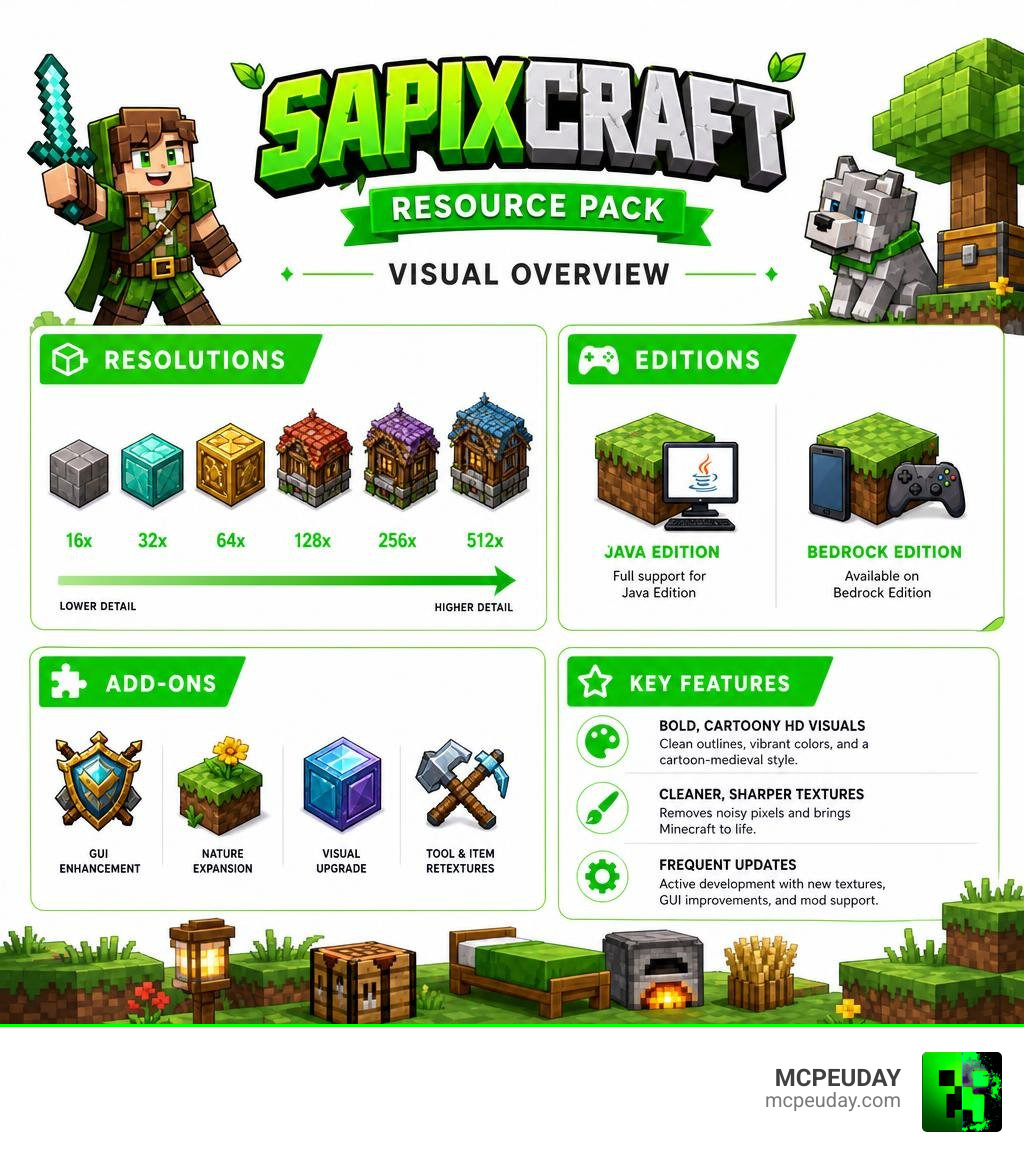
- What it is: A vibrant, cartoony HD resource pack that replaces Minecraft’s default 16x textures with sharper, more detailed visuals
- Who made it: Created by Sapix, with over 11 years of active development
- Editions supported: Java Edition and Bedrock Edition
- Resolutions available: 16x, 32x, 64x, 128x, 256x, and 512x
- Price: Java 16x and 32x are free; higher resolutions and the Bedrock Marketplace version cost extra (990 Minecoins on Bedrock)
- Where to download: The official site at sapixcraft.com, CurseForge, or the Minecraft Marketplace
The pack’s style is best described as bold and illustrated — think clean outlines, bright colors, and a cartoon-medieval feel. It sharpens the look of Minecraft dramatically without making it feel like a different game.
It’s been updated consistently since its first release, with the latest patches in 2026 bringing new textures, a GUI rework, and mod support for tools like Jade and AppleSkin.
Whether you’re on Java with OptiFine or playing Bedrock on console or mobile, there’s a version of SapixCraft built for you.
What is the SapixCraft Resource Pack?
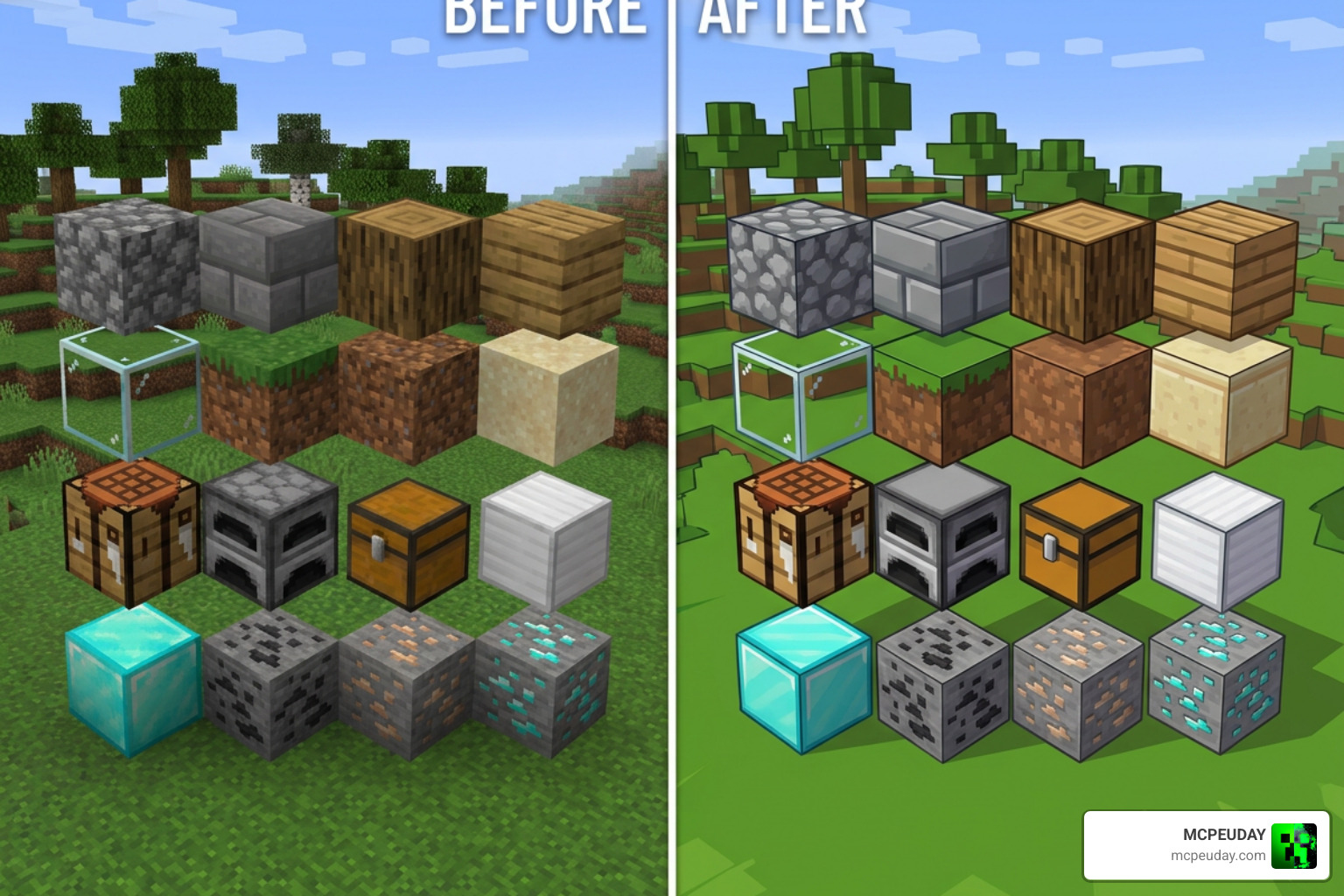
At its core, the SapixCraft Resource Pack is designed to clean up the clutter of default vanilla Minecraft. If you have ever stared at a block of Netherrack or a patch of gravel and thought, “This looks a bit like static on an old television,” you are not alone. Sapix designed this pack specifically to rid vanilla blocks and items of unnecessary, noisy pixels.
What makes its visual style unique is the clean, comic-book aesthetic. It features smooth, hand-drawn vector designs with bold outlines and vibrant, saturated colors. It gives the game a polished, modern RPG feel that remains incredibly warm and inviting.
While some players prefer the ultra-simplified, flat design of the Bare Bones Texture Pack or the cozy, detailed pixel art of the Mizunos 16 Craft Texture Pack, the SapixCraft Resource Pack carves out its own niche. It bridges the gap between clean minimalism and high-definition detail.
We love that this pack is a labor of love. Celebrating 11 years since its first release on Planet Minecraft, Sapix recently offered a 35% birthday sale on their official site, Sapixcraft — Minecraft Resource Pack for Java and Bedrock, to thank the community for over a decade of support.
Key Features of the SapixCraft Resource Pack
This pack is far more than just a simple re-skin of default blocks. When you load up the latest version, you will notice incredible attention to detail. You can check out a full list of visual showcases on the official Features — Sapixcraft Resource Pack page, but here are some of our absolute favorite highlights:
- Custom 3D Models: The pack features completely custom 3D models for items like spears and amethyst clusters. The custom mace model even features an inverted UV outline that glows white when enchanted!
- Dynamic Eating Animations: Watch your food actually shrink in your hand with every single bite you take.
- Stackable Arrow Icons: Arrow items in your inventory display different icons based on how many are in the stack.
- Biome-Specific Sand: Sand textures change depending on the biome you are in, even adding cute little shell variants when you get close to water.
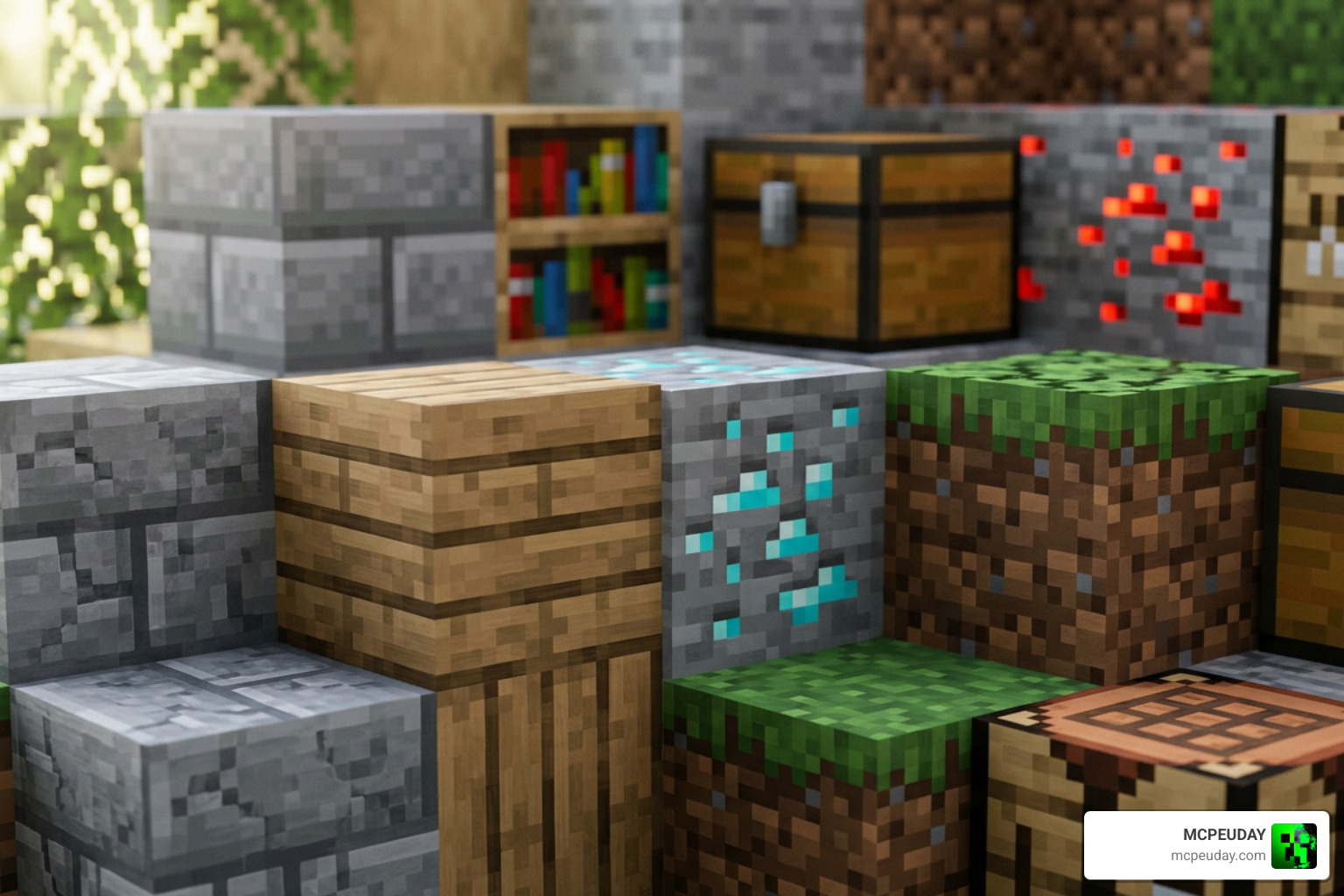
- Connected Glass & Textures: Say goodbye to those ugly borders on adjacent glass blocks. With OptiFine or the Continuity mod, glass connects seamlessly for beautiful modern windows.
Available Resolutions and Performance Impact
One of the best things about the SapixCraft Resource Pack is its accessibility. Sapix has made the pack available in six different resolutions: 16x, 32x, 64x, 128x, 256x, and 512x.
Because default Minecraft runs at a 16×16 pixel resolution, jumping all the way to 512×512 requires significantly more processing power. If you try to run the 512x version on a low-end laptop, your frame rate will likely drop to single digits! Fortunately, the lower-end options are highly optimized and run beautifully even on older hardware.
| Resolution | Recommended System | Visual Style | Performance Impact |
|---|---|---|---|
| 16x / 32x | Low-End PCs / Mobile | Clean, simplified cartoon look | Extremely light; runs on almost anything |
| 64x / 128x | Mid-Range PCs / Consoles | Sharp, detailed hand-drawn feel | Moderate; great balance of performance and beauty |
| 256x / 512x | High-End PCs with dedicated GPUs | Ultra-HD, crisp lines, perfect for shaders | Heavy; requires a strong graphics card |
To get the most out of the higher resolutions, we highly recommend installing OptiFine or the Continuity mod. These tools enable advanced rendering features like emissive textures (which make ores glow in the dark) and custom shader settings tailored specifically for the pack.
Official Downloads, Add-ons, and Mod Support
Finding the right download for your device is simple. For Java Edition players, you can find the free 16x and 32x versions directly on CurseForge or the official website. If you want those ultra-crisp 128x to 512x resolutions, you can support the creator on their site to unlock them.
For Bedrock Edition players (on Xbox, PlayStation, Nintendo Switch, iOS, or Android), the pack is officially available on the Minecraft Marketplace for 990 Minecoins. If you are looking for other high-quality options on Bedrock, you can also check out the Lumina 32x Texture Pack 26 x 1 21 MCPE Bedrock Texture Pack for a similarly clean, vibrant look.
Customize with Add-ons
On Java Edition, you can stack official add-ons on top of the base pack to customize your game:
- Christmas: Adds festive holiday textures.
- Colossal Items: Makes held items look massive in your hands.
- Fancy Stands: Upgrades armor stands with unique 3D designs.
- Lush Foliage: Adds incredibly bushy, dense leaves and grass.
- Pristine PBR: Enables physically-based rendering for realistic reflections when using shaders.
- PVP: Shortens swords and optimizes particles for competitive play.
Mod Support Patches
As of our current date of July 2026, SapixCraft features dedicated compatibility patches for popular mods. These include the Jade Mod Support (r0.1 – 26.2) and AppleSkin Mod Support (r0.2 – 26.1). The recent r1.5 update also introduced the “Chaos Cubed” drop, which adds clean, hand-drawn textures for Sulfur, Cinnabar, a beautiful new font, and a completely reworked GUI.
How to Install the SapixCraft Resource Pack on Java Edition
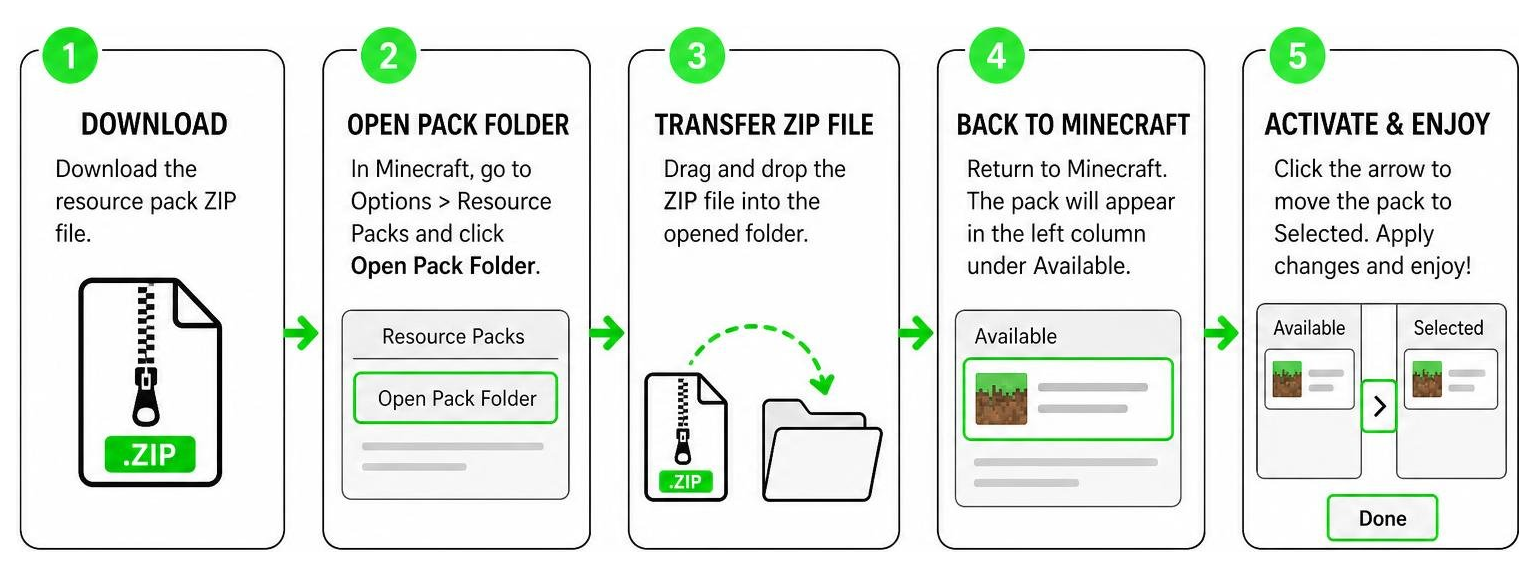
Installing the pack on Java is a quick and straightforward process. Follow our step-by-step pipeline below to get it up and running:
- Install OptiFine: While not strictly required, we highly recommend downloading and installing OptiFine first. This ensures connected glass, custom models, and emissive textures work perfectly.
- Download the Pack: Head over to the official website and download your chosen resolution ZIP file.
- Open the Resource Packs Folder: Launch Minecraft, navigate to Options > Resource Packs, and click Open Pack Folder.
- Transfer the ZIP File: Drag and drop your downloaded SapixCraft ZIP file directly into the folder that popped up. Do not unzip the file!
- Activate and Enjoy: Back in Minecraft, hover over the pack in the left-hand column and click the arrow to move it to the right-hand “Selected” column.
Note: If Minecraft gives you a warning saying the pack was “Made for an older version,” don’t worry! This is a common system warning. Simply click “Yes” to bypass it and activate the pack.
Frequently Asked Questions
Is SapixCraft free to download?
Yes, the 16x and 32x resolutions for Minecraft Java Edition are completely free to download. The higher-definition versions (64x up to 512x) require supporting the creator on their official website. The Bedrock Edition version is available on the in-game Marketplace for 990 Minecoins.
Do I need OptiFine or Continuity for SapixCraft?
You do not need them to run the basic textures, but we highly recommend them. Without OptiFine (or alternative mods like Continuity and Sodium), you will miss out on key visual features like connected glass windows, emissive glowing ores, custom 3D entity models, and biome-specific sand textures.
How often is SapixCraft updated?
SapixCraft is one of the most actively updated resource packs in Minecraft history! The creator has kept the pack consistently updated for over 11 years. It is fully compatible with the latest Minecraft 1.21 and 2026 releases, featuring regular patches for new blocks, items, and popular mods.
Conclusion
If you are tired of the grainy, pixelated look of default Minecraft and want a world that feels crisp, bright, and full of life, the SapixCraft Resource Pack is an absolute must-try. Its cartoon-medieval aesthetic, incredible 3D models, and massive selection of resolutions make it perfect for almost any setup.
We at MCPEUDAY are dedicated to bringing you the absolute best resources to elevate your gaming. If you want to explore even more ways to transform your worlds, go ahead and Explore more Minecraft Texture Packs on our site today!