Why the Borderless Glass Resource Pack Makes Your Builds Look Better
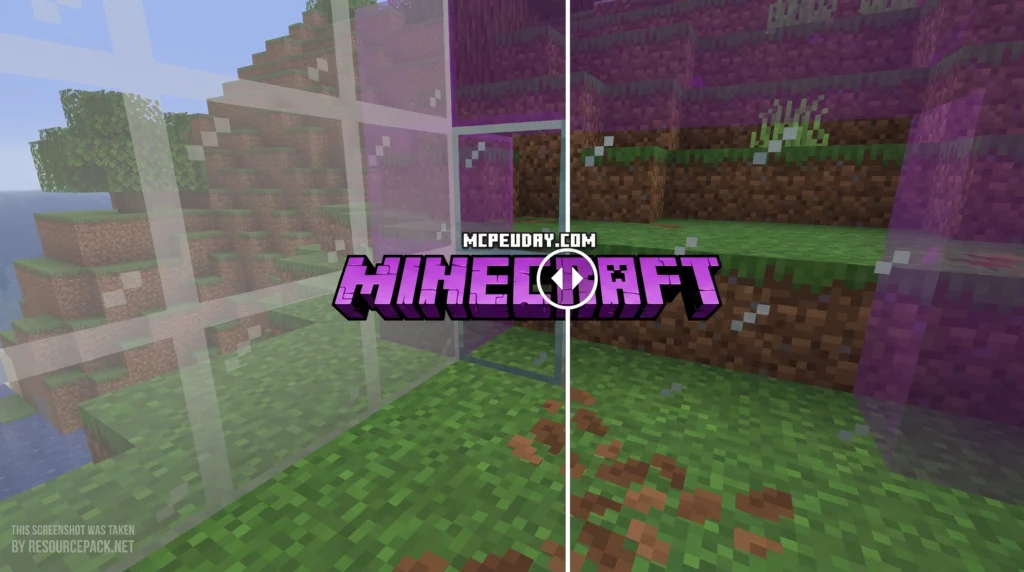
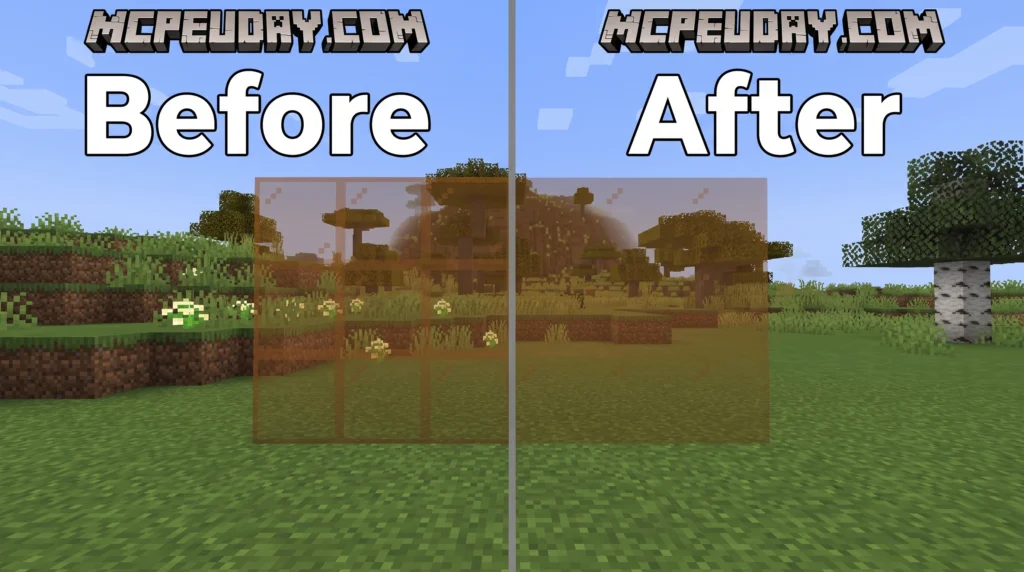
The Borderless Glass Resource Pack removes the dark outlines from every glass block in Minecraft, giving your windows, skylights, and glass walls a clean, uninterrupted look.
Quick answer:
- What it does: Removes border lines from all glass types (clear and stained)
- Mod required? No — works in vanilla Minecraft without OptiFine, Fabric, or Forge
- Java support: Versions 1.18 through 1.21.x (and up to 26.2)
- Bedrock support: Yes, versions 1.21.50 and up
- Downloads: Over 1.3 million across all platforms
- Free? Yes
If you have ever built a large glass window in Minecraft and felt like the dark borders were breaking up your view, you are not alone. Many players either avoid glass entirely or spend extra time hiding the edges with other blocks. Default glass textures have a visible frame on every single block, which creates a grid-like pattern across any window or wall.
This pack solves that problem in the simplest way possible — by replacing every glass texture with a fully clean, borderless version.
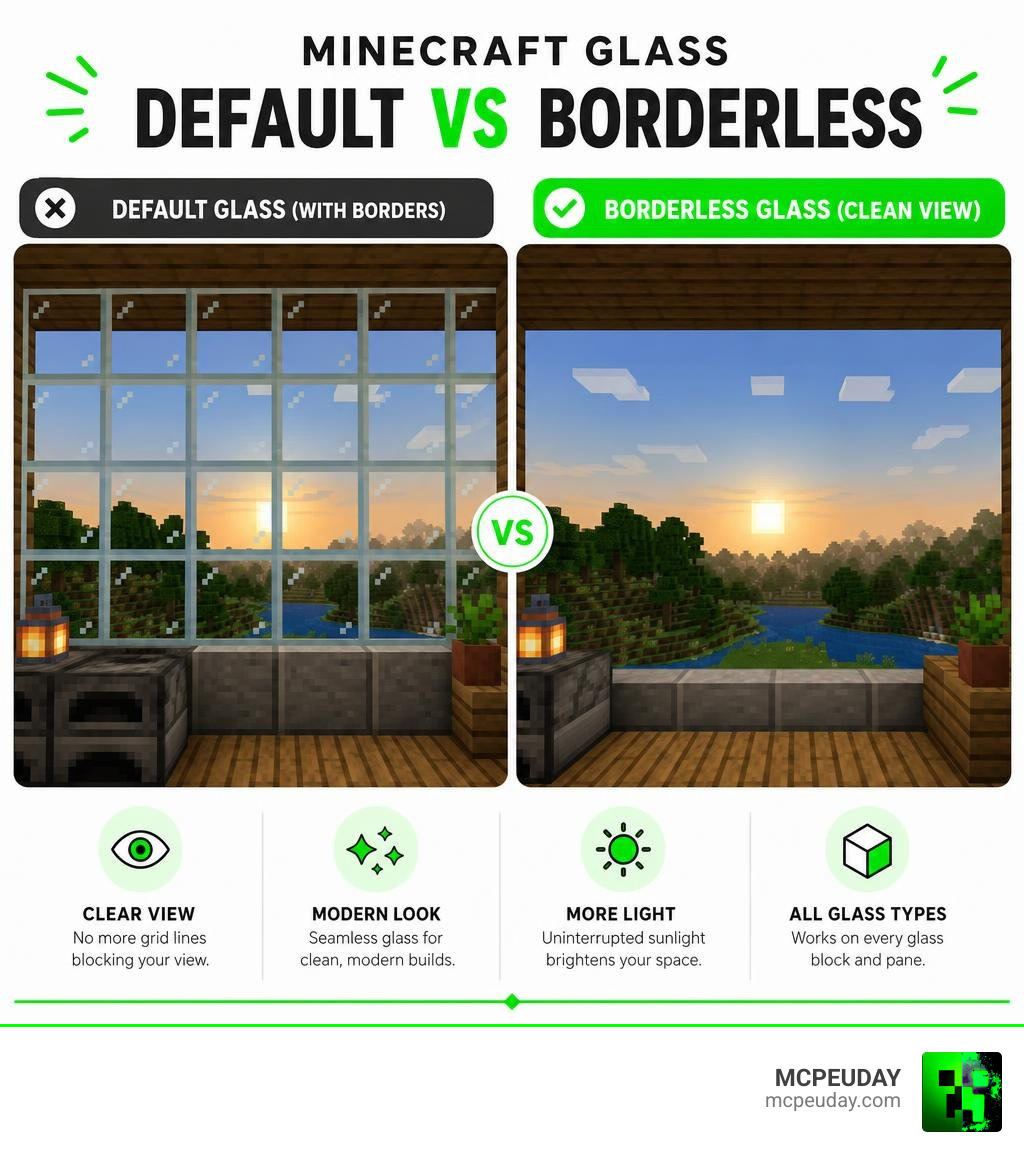
What is the Borderless Glass Resource Pack?
At its core, the Borderless Glass Resource Pack is a lightweight, aesthetic upgrade designed to clean up one of Minecraft’s most notoriously cluttered blocks. In vanilla Minecraft, every single glass block and pane features a thick, pixelated border. When you stack these blocks together to create a large greenhouse, a modern skyscraper, or a scenic viewing dome, you end up with a distracting grid that completely breaks your immersion.
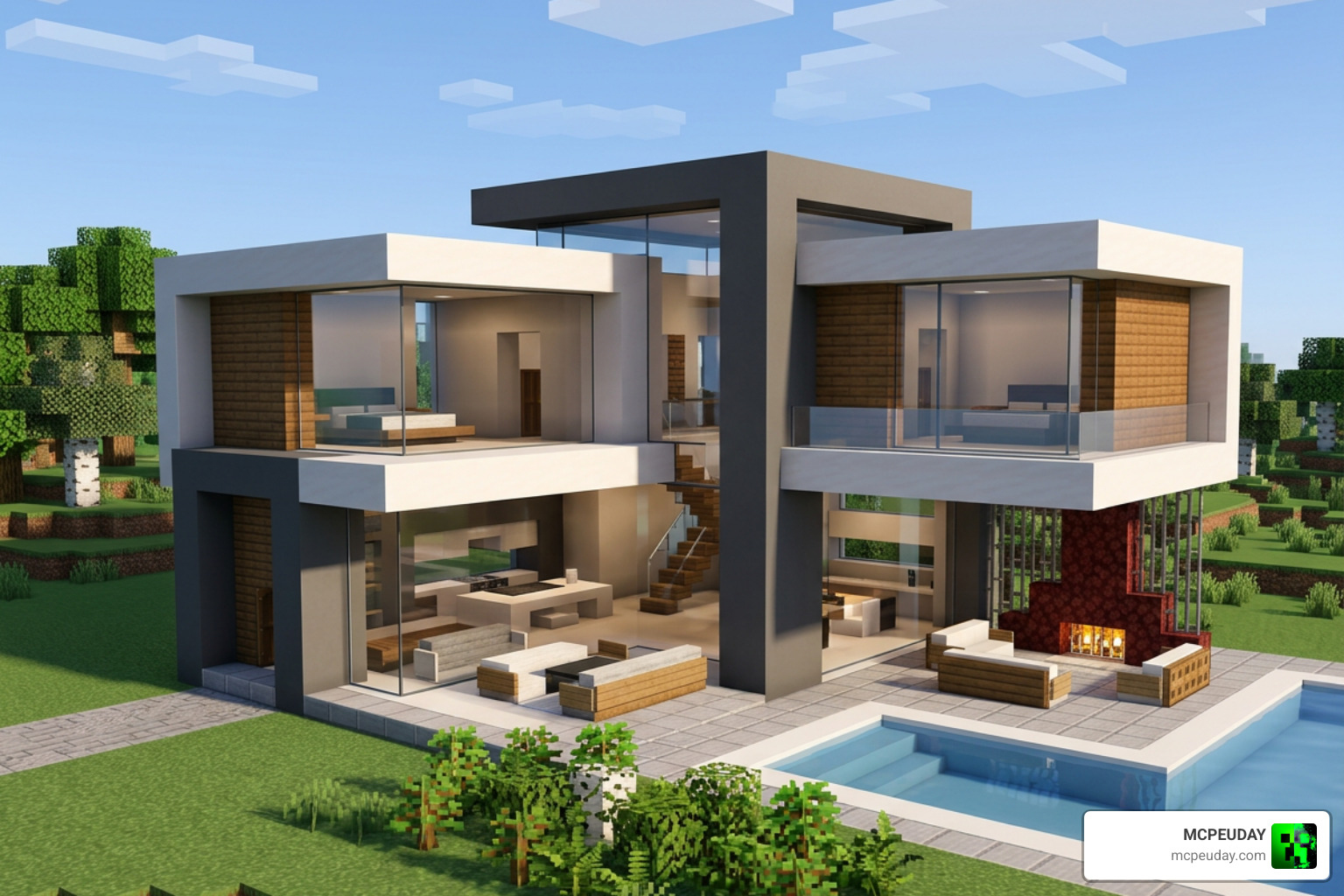
This resource pack addresses that issue by removing those borders entirely, leaving behind a smooth, seamless texture. This means you get absolute visual clarity without changing the core resolution or look of the game. It is designed to work seamlessly in completely vanilla Minecraft, meaning you do not have to worry about complicated mod setups. Whether you are building a massive underwater research facility where you want an unobstructed view of the ocean depths, or a cozy mountain cabin with floor-to-ceiling windows, this pack ensures your view remains completely uninterrupted.
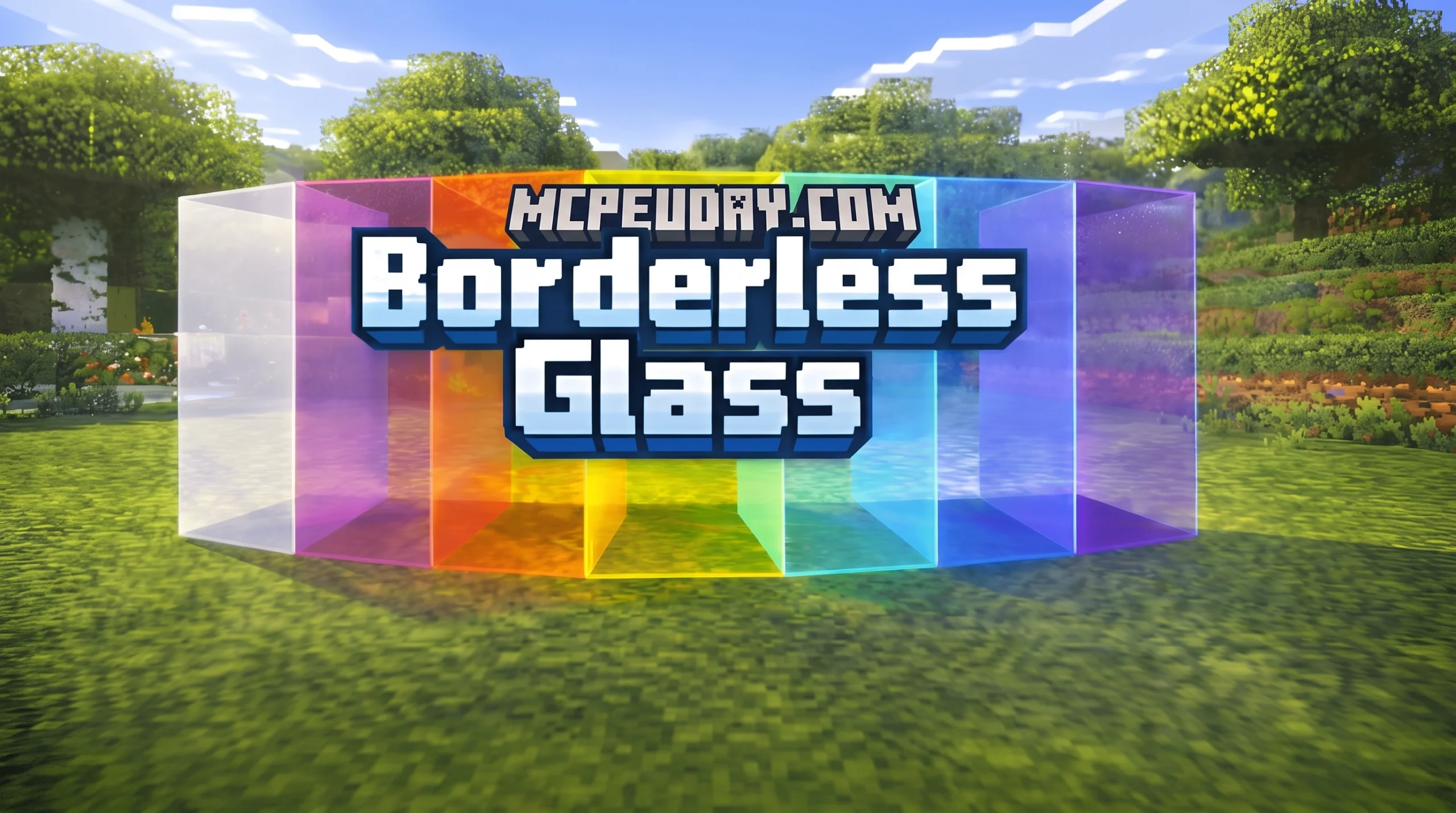
Furthermore, the pack does not just apply to standard clear glass. It also completely transforms stained glass blocks and panes. Each of the 16 dyed glass variants in Minecraft receives the same borderless treatment, allowing you to create beautiful, smooth gradients and colorful modern facades without any harsh lines cutting through your designs.
The pack has gained massive popularity in the community, boasting over 484.9K downloads on Modrinth, more than 250,000 downloads on CurseForge for the Java edition, and an incredible 1.3 million downloads via GDLauncher. For Bedrock players, the pack is also a massive hit, with over 335,000 downloads on CurseForge alone. If you are interested in how the pack is developed or want to view its source code, you can check out the official repository on phoenixr-codes/BorderlessGlass .
Key Differences: Borderless Glass vs. Clear Glass
When searching for ways to improve your windows, you will likely come across two main options: the Borderless Glass Resource Pack and various “Clear Glass” packs. While they might sound like they do the same thing, they actually function quite differently.
The main difference lies in how they handle block connections and their mod dependencies. Traditional Clear Glass packs rely heavily on connected textures. This means they require external mods like OptiFine or Continuity to detect when glass blocks are placed next to each other. When connected, they keep a clean frame around the outer edge of the entire window while removing the inner borders. This creates a framed window effect, which looks great but requires a modded client to function.
In contrast, our featured borderless pack removes the border from every single block individually. It does not need to calculate connections, which is why it works perfectly in a 100% vanilla setup without any performance cost. Because there are no calculations happening in the background to determine which texture to display, your game runs just as fast as it would with default textures. This makes it the ideal choice for players on low-end systems, consoles, or mobile devices who want a cleaner look without sacrificing frame rates.
Here is a quick breakdown to help you choose:
| Feature | Borderless Glass Resource Pack | Clear Glass Packs |
|---|---|---|
| OptiFine Required? | No (Fully Vanilla) | Yes (or equivalent connected texture mods) |
| Outer Window Frame | None (100% seamless edge-to-edge) | Retained around the outer boundary |
| Performance Impact | None (extremely lightweight 16×16) | Low to Medium (depending on mod engine) |
| Setup Complexity | Plug-and-play | Requires installing mod loaders and APIs |
| Bedrock Compatibility | Excellent | Often requires complex behavior packs |
If you prefer a style that keeps the outer frame but connects the inner panes on Bedrock, you can also check out the Connected Glass Addon for a different aesthetic approach. The choice comes down to whether you want a completely frameless, modern look that works anywhere, or a framed, connected look that requires additional moding tools.
How to Install the Borderless Glass Pack on Java and Bedrock
Installing the pack is a straightforward process, but the steps differ slightly depending on whether you are playing on Java Edition or Bedrock Edition. Because this pack is optimized to run without OptiFine, you can get it up and running in just a couple of minutes.

To get started, make sure you download the correct version of the pack. You can grab the official files directly from the Borderless Glass (No OptiFine Needed) Bedrock Support! page. If you also want to customize other block outlines in your game, consider pairing this with the Outline Texture Pack 26 X 1 21 Mcpe Bedrock Texture Pack.
Setting Up the Borderless Glass Resource Pack on Java Edition
- Download the
.zipfile compatible with your game version (supports versions from 1.18 all the way up to 1.21.x and 26.2). - Launch Minecraft and navigate to Options > Resource Packs.
- Click on Open Pack Folder to open your system’s
resourcepacksdirectory. - Drag and drop the downloaded
.zipfile into this folder. - Back in Minecraft, hover over the pack in the “Available” list and click the arrow to move it to the “Selected” column.
- Make sure the pack is placed at the very top of your active packs list so it overrides any other texture modifications.
- Click Done. If you see a “Made for an older/newer version” warning, you can safely click Yes to ignore it, as the simple textures will still load perfectly.
Installing the Borderless Glass Resource Pack on Bedrock Edition
- Download the
.mcpackfile from the official source. - Double-click or tap on the downloaded file. This will automatically launch Minecraft and import the pack.
- Once the import is successful, go to Settings > Global Resources.
- Under My Packs, locate the pack and click Activate.
- Ensure it is active and positioned at the top of your active resources list. This ensures device compatibility across Android, iOS, Windows, and consoles without taxing your system resources.
Enhancing Your World with Compatible Texture Packs
Because the Borderless Glass Resource Pack only modifies glass textures, it is highly compatible with other visual upgrades. You can stack it on top of other popular packs to create the ultimate aesthetic setup. This is thanks to Minecraft’s built-in resource pack layering system, which allows you to load multiple packs simultaneously.
For instance, if you love a clean, minimalist look, try pairing it with the Bare Bones Texture Pack. This combination makes your world look like a vibrant, smooth animation. The flat colors of Bare Bones pair beautifully with the seamless, borderless windows, giving your builds a highly stylized, cartoon-like appearance.
If you want to push your visual quality even further, combining borderless windows with the Better Graphics Texture Pack 26 X 1 21 Mcpe Bedrock Texture Pack will give your builds a breathtaking, modern feel. To complete the ultimate scenic build, you can also install the Custom Water Texture Pack 26 X 1 21 Mcpe Bedrock Texture Pack to make your lakes, oceans, and pools look crystal clear right alongside your new seamless windows. By layering these packs correctly in your settings menu—with the Borderless Glass pack at the very top—you can customize every aspect of your game’s visuals while maintaining perfect performance.
Frequently Asked Questions About Borderless Glass
Does Borderless Glass require OptiFine or other mods?
No! Unlike many other connected glass packs, this resource pack is built to run on a completely vanilla setup. It does not require OptiFine, Fabric, Forge, or any other mod loaders. Because it uses standard 16×16 textures, it has absolutely zero negative impact on your game’s performance or system resources. This makes it incredibly accessible for players on all platforms, including mobile devices and consoles.
Which Minecraft versions are supported by this pack?
The pack is highly versatile and supports a wide range of versions. On Java Edition, it works flawlessly on versions 1.18, 1.19, 1.20, and all 1.21.x releases (including compatibility up to 26.2). On Bedrock Edition, it supports the latest updates from version 1.21.50 through 1.21.70 and beyond. Even if you update your game to a newer version, the pack is highly likely to remain compatible due to the simplicity of its texture files.
Can I use this pack on multiplayer servers?
Yes, absolutely! Since this is a client-side resource pack, it only changes how the game looks on your screen. You can join any multiplayer server, and your glass will look beautifully seamless, even if the server does not have any mods installed. It will not conflict with server-side plugins, and it is completely safe to use on public servers without risking any bans or compatibility issues.
Does this pack affect stained glass and glass panes?
Yes, the Borderless Glass Resource Pack modifies all types of glass in the game. This includes standard clear glass blocks, clear glass panes, and all 16 colored variants of stained glass blocks and panes. Every single one of these blocks will have its borders removed, allowing you to create seamless colored windows and artistic glass designs.
Conclusion
The Borderless Glass Resource Pack is a must-have visual tweak for anyone who loves building in Minecraft. By removing distracting borders and smudges from your windows, it opens up your world to beautiful views and sleek, modern architectural designs. Best of all, it achieves this clean look without requiring any heavy mods or performance-draining tools.
If you are ready to give your worlds a major aesthetic upgrade, head over to our Category Texture Packs section on MCPEUDAY to download this pack and discover even more amazing resources to transform your game!