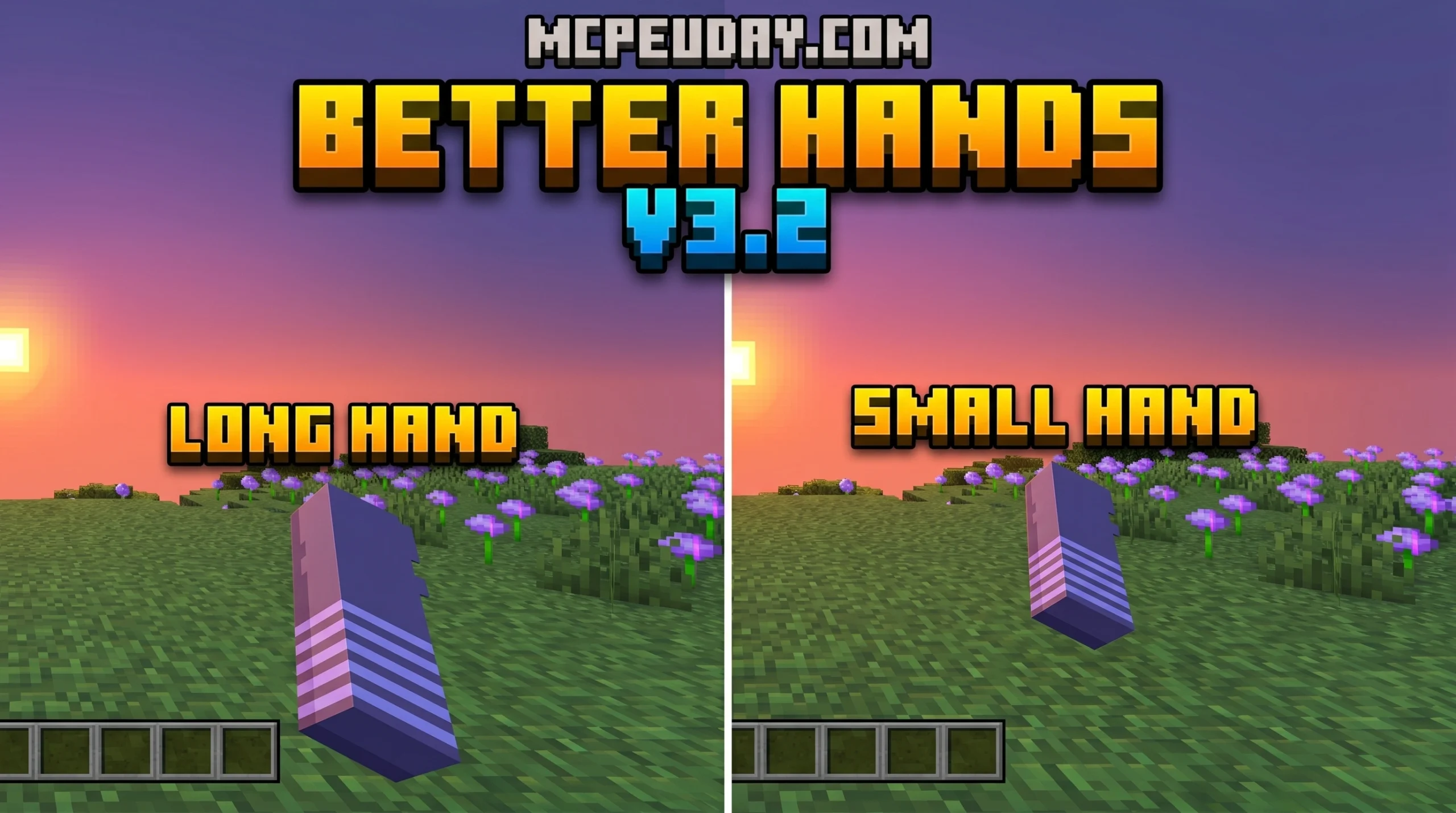
Why the Better Hands Texture Pack Is Worth Downloading for Minecraft Bedrock
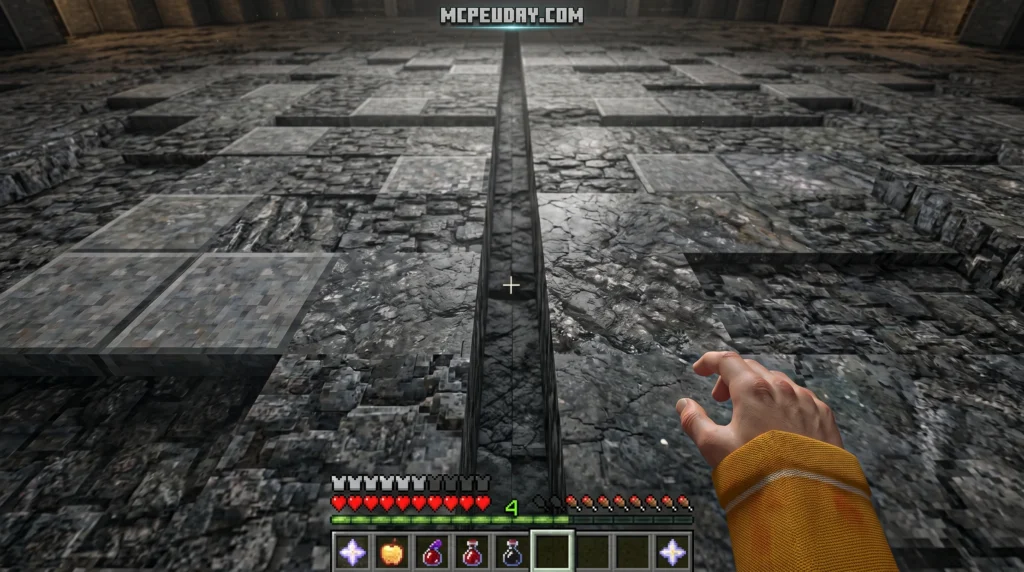
The Better Hands Texture Pack is a lightweight resource pack for Minecraft Bedrock Edition that changes how your hand looks in first-person view — giving you cleaner visuals and a more immersive experience.
Quick answer: What does it do?
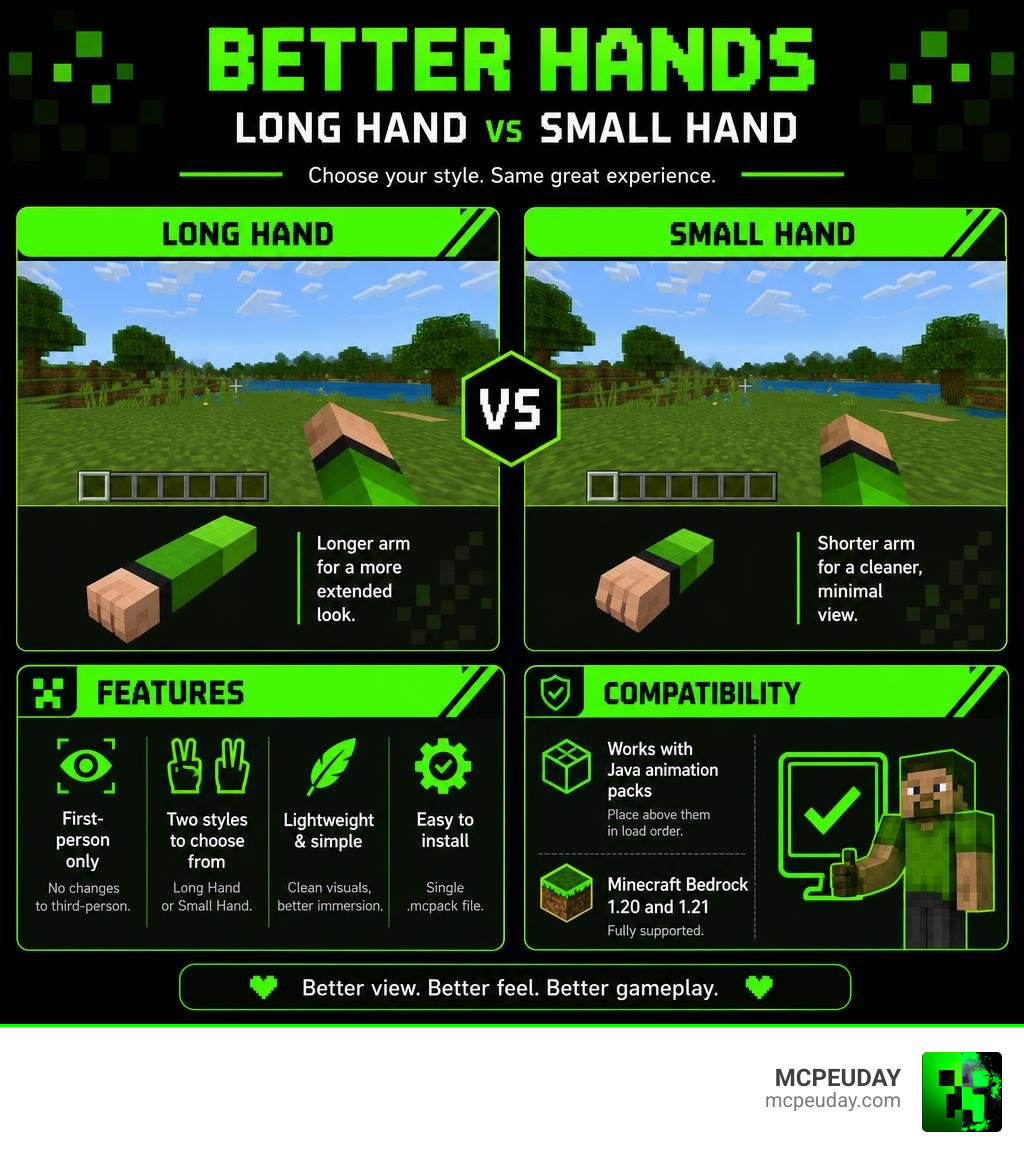
- Offers two hand styles to choose from: Long Hand and Small Hand
- Only affects first-person view (no changes to third-person)
- Works alongside Java animation packs when placed above them in load order
- Supports Minecraft Bedrock 1.20 and 1.21
- Easy to install as a single .mcpack file
If you’ve ever felt like the default hand takes up too much of your screen, you’re not alone. The pack was built to fix exactly that — giving you a hand that feels less bulky, more natural, and closer to what Java Edition players see.
It’s a small change that makes a noticeable difference, especially during combat or exploration when screen space matters.
What is the Better Hands Texture Pack for Minecraft Bedrock?
For years, Minecraft Bedrock Edition players have noticed a subtle but persistent visual difference compared to Java Edition: the first-person hand model. In Bedrock, the default player hand can feel slightly oversized, bulky, and positioned in a way that blocks a significant portion of the right side of your screen. When you are trying to navigate treacherous caves, build complex structures, or engage in PvP combat, every pixel of screen visibility counts.
The Better Hands Texture Pack is a brilliant, lightweight solution designed specifically to address this issue. It modifies the first-person render of the player’s arm, bringing a much-needed aesthetic upgrade directly to your mobile device, console, or Windows 10/11 PC. By scaling down the model and adjusting its positioning, the pack emulates the sleeker visual style of Java Edition hands.
If you love a clean, minimalist aesthetic, this pack pairs wonderfully with other streamlined styles. For instance, pairing it with the Bare Bones Texture Pack 1 21 Mcpe Bedrock Edition Download Now creates a beautifully simple, cartoon-like world where your screen feels incredibly open and clutter-free.
Key Features and Hand Styles
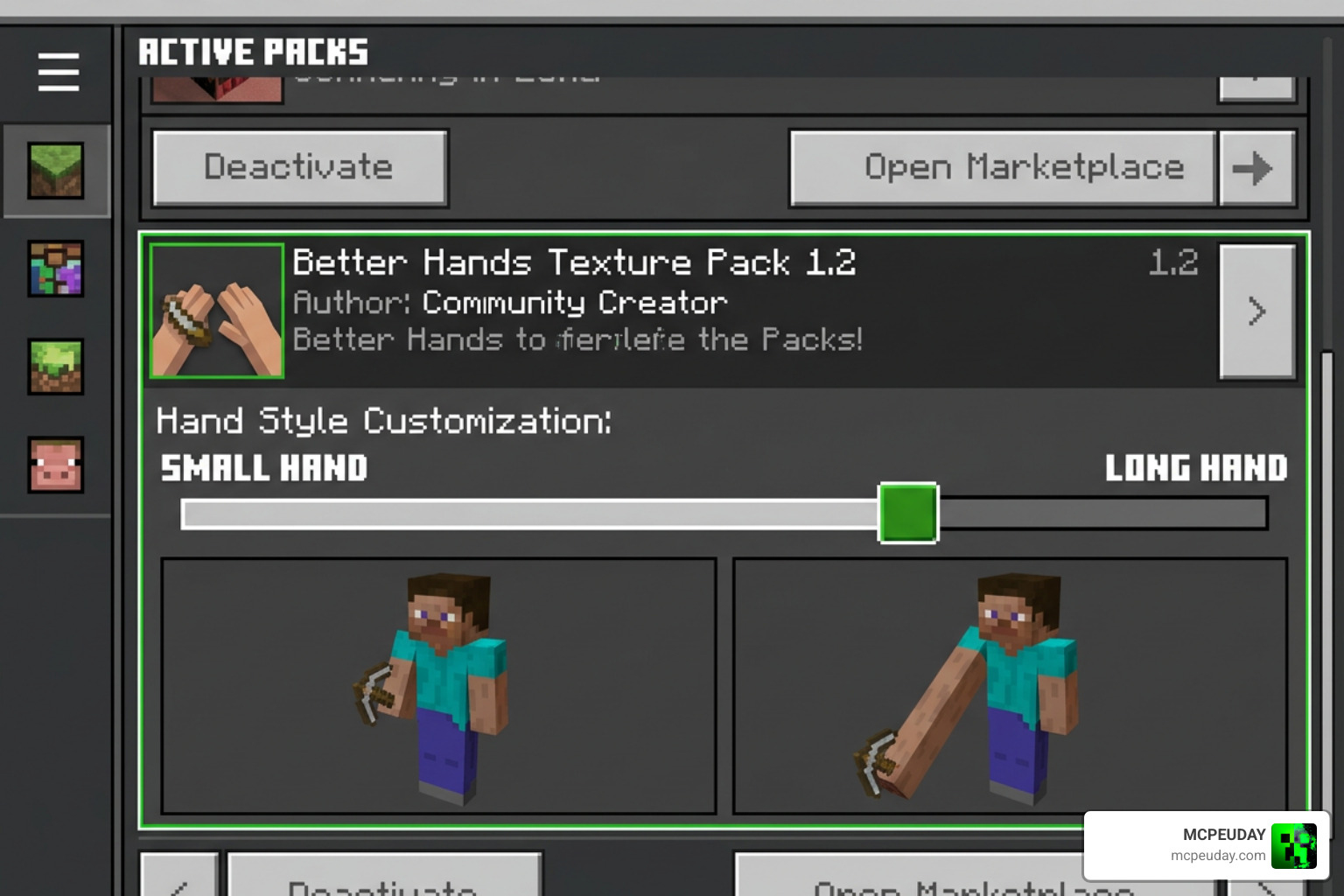
What makes this resource pack stand out is its simplicity and customizability. Instead of forcing a single aesthetic on every player, the creator has included two distinct visual subpacks. You can easily switch between these styles using the in-game resource pack settings to match your personal preference.
Long Hand vs Small Hand in the Better Hands Texture Pack
The pack offers two primary subpack configurations:
- The Long Hand Style: This configuration extends the first-person hand model slightly, closely mimicking the visual aesthetic seen in high-end RTX shaders. It gives your character a sleek, athletic look, making your reach feel natural and satisfying without cluttering your field of view.
- The Small Hand Style: If your primary goal is maximizing screen real estate, this is the option for you. The Small Hand style is a perfectly scaled-down version of the default Bedrock hand. It pulls the arm back and shrinks its overall profile, keeping your right-hand side wide open for incoming threats or beautiful scenery.
To help you decide which configuration fits your playstyle, we have put together a quick comparison table:
| Feature | Long Hand Style | Small Hand Style |
|---|---|---|
| Visual Inspiration | High-end RTX Shaders / Java Style | Minimalist / Compact Default |
| Screen Space Cleared | Moderate | Maximum |
| Aesthetic Feel | Sleek, extended, and cinematic | Clean, compact, and unobtrusive |
| Best Used For | General exploration & visual immersion | PvP combat, speedrunning, and building |
First-Person Perspective and Animation Changes
It is important to note that the Better Hands Texture Pack is designed strictly for first-person perspective rendering. This means that your character’s model in third-person view, or how you appear to other players in multiplayer worlds, remains completely unchanged. This focus ensures the pack remains incredibly lightweight (only about 86.58 KB in file size) and completely lag-free.
However, the magic really happens when you interact with items in your world. The pack modifies several item-holding animations to keep your view clear. The most notable change is the bow holding animation.
In vanilla Bedrock, drawing a bow can block a huge portion of your crosshair. With this pack enabled (especially on the Small Hand setting), the bow is pushed slightly forward and down, revealing your character’s full arm in a smooth, realistic motion. This gives you a much clearer line of sight to aim your shots perfectly.
Compatibility and Resource Pack Load Order
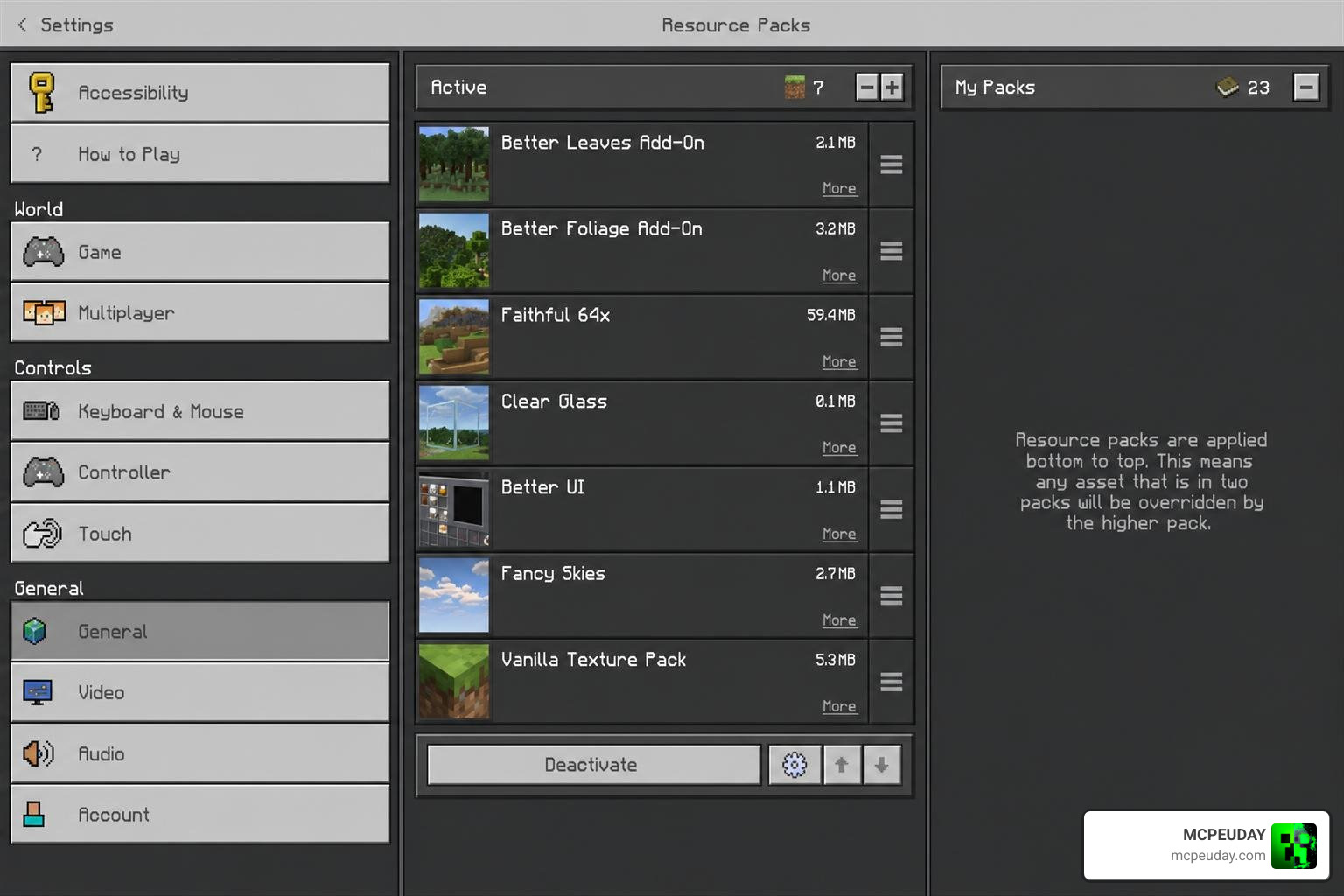
One of the most common questions we get is how this pack interacts with other visual upgrades. Because Bedrock resource packs load from the top down, managing your active pack list is crucial to prevent textures from overriding one another or causing visual glitches.
Using the Better Hands Texture Pack with Java Animation Packs
Many Bedrock players love using Java parity animation packs to bring Java’s smooth sword swings and eating animations over to Bedrock. Fortunately, the Better Hands Texture Pack is fully compatible with these popular animation mods!
To get them working perfectly together without any visual bugs, you must follow this simple rule: Always place the Better Hands pack above your Java animation packs in your resource pack load order.
By placing it at the top of your list, Minecraft Bedrock will use the custom hand models from Better Hands while still applying the smooth movement animations from the pack loaded underneath. This creates the ultimate hybrid setup: Java-like hand sizes combined with fluid Java animations.
If you want to take your visual setup even further, we highly recommend layering these with light-enhancing packs. Combining your clean new hands with the Glowing Plus Texture Pack Make Your Minecraft World Shine With Brilliant Light Effects creates an incredibly immersive, glowing atmosphere that looks fantastic in first-person.
How to Install and Configure Better Hands
Ready to clean up your screen? Setting up this pack is incredibly simple. Follow our step-by-step guide to get it up and running in minutes:
- Download the Pack: Obtain the
Better Hands V3.2.mcpackfile. - Import to Minecraft: Double-click or tap the downloaded
.mcpackfile. Your device will automatically launch Minecraft Bedrock and import the pack. - Activate the Pack:
- Navigate to Settings > Global Resources (to apply it to all your worlds) or go to your specific world’s settings.
- Look under My Packs, locate the pack, and click Activate.
- Choose Your Hand Style:
- Once activated, click on the pack under the Active tab.
- Tap the Gear Icon (Settings) to open the subpack resolution slider.
- Slide it to choose between Long Hand or Small Hand.
- Restart Your Game: We recommend restarting your game or reloading your world to ensure the subpack changes apply correctly.
For a broader look at how this pack compares to other popular Bedrock utilities, you can watch the Most USEFUL Texture Packs for Minecraft Bedrock – YouTube video, which highlights top-tier community creations. If you love customizing your game’s interface and overall look, you might also want to check out the Prizma Visuals Pack For Mcpe for an even greater visual overhaul.
Frequently Asked Questions about Better Hands
To ensure you have all the information you need, we have compiled answers to the most common questions from the community. If you are looking for even more ways to customize your environment, don’t forget to look into the Wandrers Visual Pack for beautiful, atmospheric world textures.
Does this pack affect third-person view?
No. The pack is designed strictly to modify the first-person render of the player’s arm. Your character model in third-person view, as well as how other players see you on multiplayer servers, remains completely vanilla.
Which Minecraft Bedrock versions are supported?
The pack fully supports Minecraft Bedrock versions 1.20 and 1.21+. It has been thoroughly tested on mobile devices (iOS/Android), Windows 10/11, and consoles running these versions.
How do I switch between the long hand and small hand styles?
You can switch styles at any time by going to your Active Resource Packs menu, clicking on the pack, tapping the gear icon, and adjusting the subpack slider. Make sure to reload your world or restart your game after changing this setting so the new model registers correctly.
Conclusion
At MCPEUDAY, we love finding simple tweaks that make a massive difference in how Minecraft feels to play. The Better Hands Texture Pack is a perfect example of a tiny, lightweight download (only 86.58 KB!) that completely transforms your day-to-day gameplay by cleaning up your screen and giving you that sleek, Java-style aesthetic.
With an impressive average rating of 3.9 out of 5 stars based on 82 user ratings and thousands of downloads, this pack is a community favorite for a reason. Whether you are aiming your bow in a tense PvP match or just building your dream base, keeping your screen clear is a game-changer.
Ready to explore more ways to customize your game? Head over to our Category Texture Packs page to discover the latest shaders, UI overhauls, and visual upgrades available for Minecraft Bedrock!