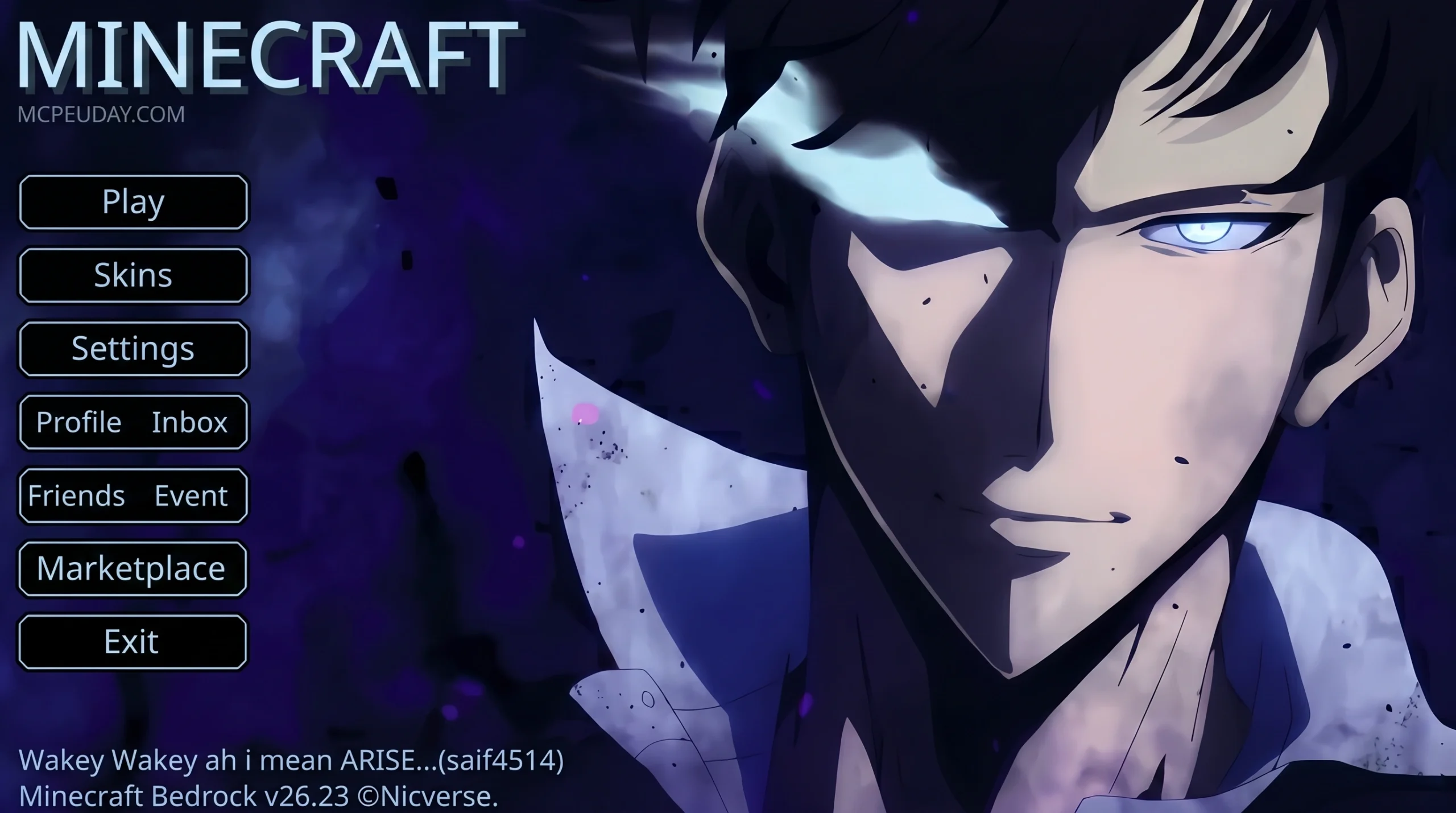
Why the Solo Leveling UI Pack Is Taking Over Minecraft and Roblox in 2026
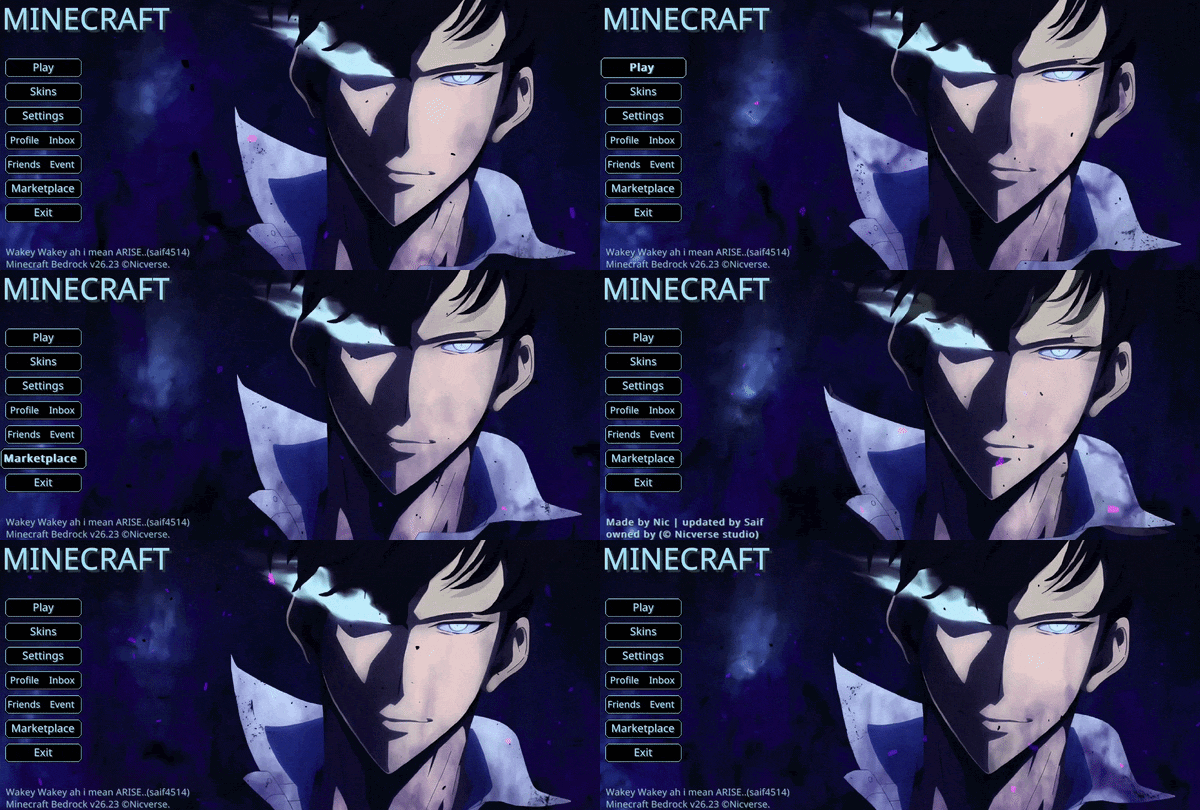
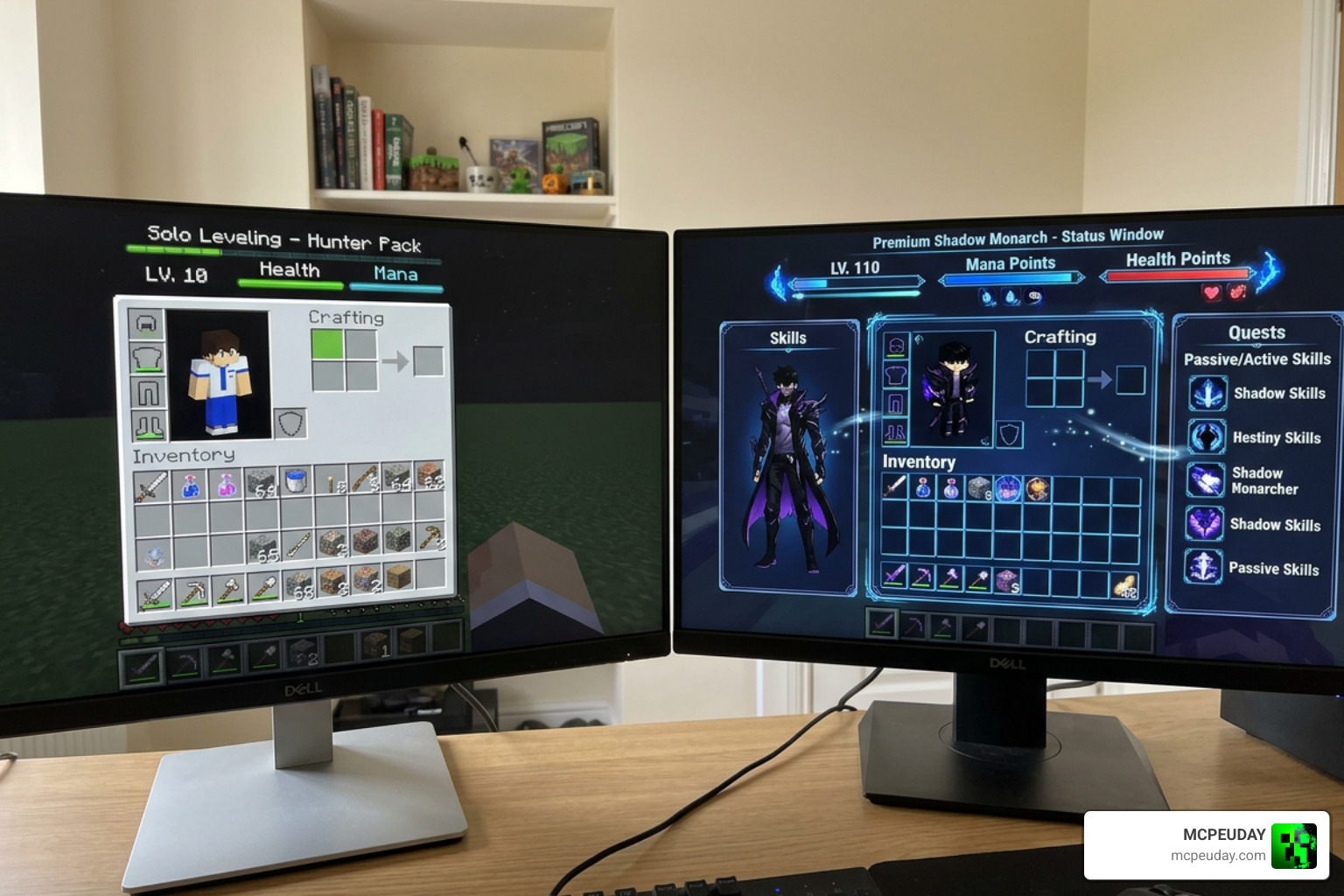
A Solo Leveling UI pack transforms your game’s menus, HUD, and containers into a sleek, dark interface inspired by the hit anime — complete with holographic elements, purple-black color schemes, and animated visuals pulled straight from Sung Jin-Woo’s System screen.
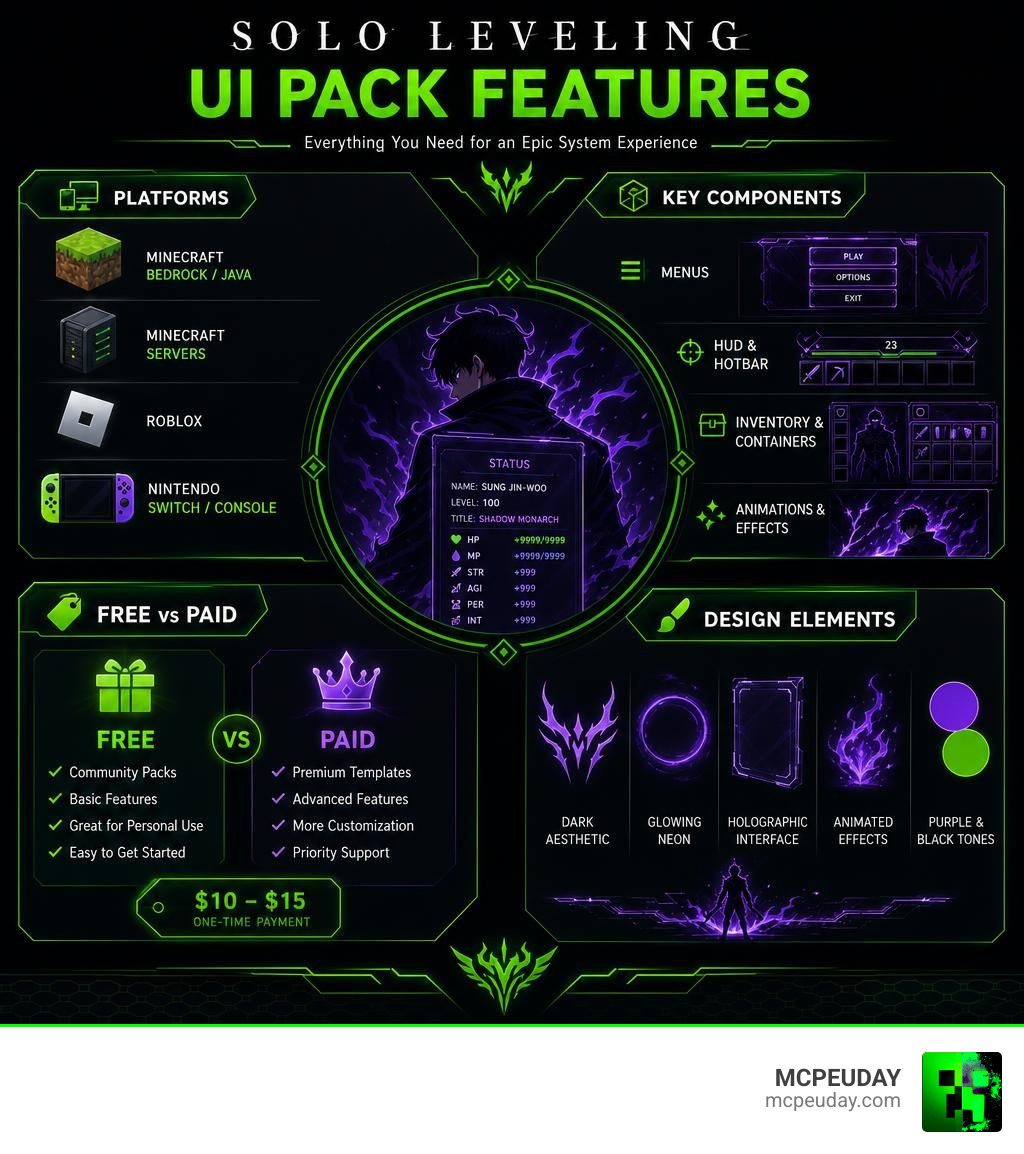
Here’s a quick breakdown of what these packs offer:
- Minecraft Bedrock/Java — Custom GUI resource packs replacing menus, hotbar, crafting table, and more
- Minecraft Servers — Template packs (29+ GUI templates) compatible with Nexo, ItemsAdder, and Oraxen
- Roblox — A dedicated UI library (SoloUI) with Solo Leveling-inspired design for custom scripts
- Nintendo Switch/Console — Themed icon packs covering home menu, lockscreen, and app icons
These packs range from completely free community downloads to premium paid templates costing around $10–$15.
The Solo Leveling anime’s signature dark, glowing System interface has proven to be a natural fit for game UI design. Its high contrast, clean lines, and dramatic color palette make menus feel immersive rather than cluttered. That’s probably why the Solo Leveling Custom GUI resource pack alone has racked up over 43,500 downloads — and free animated stream packs on the theme have pulled nearly 187,000 views.
Whether you’re playing Minecraft Bedrock, running a Java server, or scripting in Roblox, there’s a Solo Leveling UI pack built for your setup.
What is a Solo Leveling UI PACK and How Does It Work?
A Solo Leveling UI PACK is a comprehensive visual overhaul that replaces a game’s default user interface (UI) with the futuristic, dark-fantasy aesthetic of the famous System from Solo Leveling. If you have ever wanted to feel like Sung Jin-Woo rising from an E-Rank hunter to an absolute god, these packs are your ticket to that experience.
By utilizing glowing neon blue and deep purple circuit patterns, holographic window borders, and clean, minimalist fonts, these packs completely change how you interact with your favorite games. Instead of looking at boring grey boxes, your screen is upgraded to a modern, high-tech HUD. The pack works by overriding the default texture files (in games like Minecraft) or by providing pre-coded visual libraries (in games like Roblox) to render custom-themed windows, buttons, and progress bars.
Transforming Minecraft with the Solo Leveling UI PACK
For Minecraft players, the visual transformation is massive. Whether you are playing on Java Edition or Bedrock, these resource packs swap out the classic vanilla pixelated look for something much more aggressive and stylish.
If you are on Java Edition, you can download the Solo Leveling Custom GUI – Minecraft Resource Pack , which has gained immense popularity in the community. It focuses on delivering a sleek, high-resolution dark mode for your menus.
If you are playing on Bedrock (MCPE), the Solo Levelling Anime | Sung Jin Woo Animated Ui (also available via Solo Levelling Anime | Sung Jin Woo Animated Ui – CurseForge ) brings the interface to life with smooth, lightweight live animations. Your health bar, experience bar, and inventory screens will flash and glow just like the anime’s legendary leveling screens.
Elevating Roblox Exploits with the Solo Leveling UI PACK
Roblox developers and script enthusiasts can also get in on the action. Instead of using generic, blocky menus for custom scripts and executors, creators can use the KingTIM3R/SoloUI library.
This repository is a dedicated Solo Leveling-themed UI library that allows users to create stunning script hubs with automatic mobile responsiveness and cross-executor support. It features built-in support for popular executors like Synapse X, KRNL, Delta, and JJSploit. The library automatically scales to fit mobile screens, ensuring that players on any device can enjoy the clean holographic panels and blue neon buttons.
Key Features and Aesthetic Elements of Solo Leveling Interfaces
The core appeal of any Solo Leveling UI PACK is its strict adherence to the anime’s iconic art style. Designers pay close attention to the visual cues associated with the Shadow Monarch himself.
- The Purple & Blue Palette: Deep dark backgrounds paired with glowing electric blue and royal purple accents.
- Minimalist Typography: Clean, futuristic sans-serif fonts that look like a high-tech computer system.
- Holographic Borders: Subtle glowing edges around windows that make menus look like they are floating in mid-air.
- Animated HUD Elements: Hotbars and level-up indicators that pulse with energy as you play.
Custom Container and Menu Templates
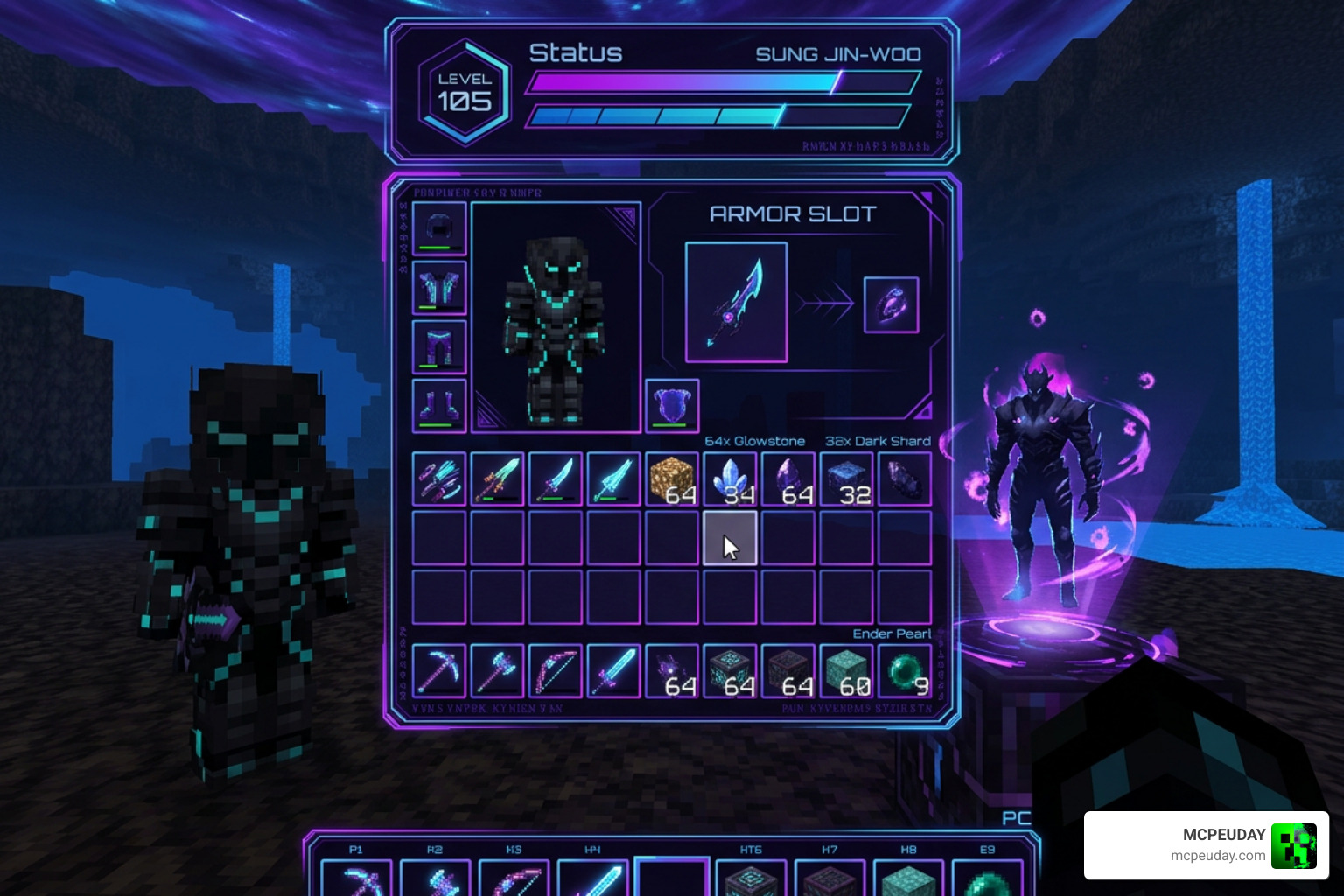
For server owners who want to offer a truly unique experience, there are professional-grade GUI templates available. If you want to customize every single menu your players interact with, the [GUI Template] Solo Leveling +29 GUI – Nexo/ItemsAdder/Oraxen pack is an incredible resource.
This bundle is fully compatible with popular Minecraft server plugins like Nexo, ItemsAdder, and Oraxen. It includes custom layouts for up to 29 different in-game menus, covering everything from basic chest inventories to specialized workstations:
- Double chests and standard chests (sizes ranging from 9 to 54 slots)
- Crafting tables, anvils, and enchanting tables
- Furnaces, blast furnaces, and brewing stands
- Villager trading menus and horse inventories
Console and Switch Customization
The aesthetic does not have to stop inside your game. For players who love customizing their hardware interfaces, the Solo Leveling Theme Pack Rounded Icons | Switch Packs | Themezer allows you to bring the Shadow Monarch theme directly to your Nintendo Switch. This custom theme pack updates your console’s home menu, lockscreen, user page, and app icons with clean, rounded Solo Leveling designs.
Free vs. Paid Solo Leveling UI Packs: A Detailed Comparison
When looking for the perfect Solo Leveling UI PACK, you will find both free community-made projects and premium paid bundles.
Free packs, like the ones found on Modrinth and CurseForge, are perfect for individual players who want a fresh coat of paint on their survival worlds. They are lightweight, easy to install, and cover all the standard vanilla menus.
On the other hand, paid bundles like the Solo Leveling Pack | BuiltByBit are designed primarily for server administrators and creators. These premium packages include extensive configuration files, raw design assets, and seamless integration with server-side plugins so you can display custom menus to hundreds of players simultaneously without any performance lag.
| Feature | Free Packs (Modrinth / CurseForge) | Premium Packs (BuiltByBit / WellSetups) |
|---|---|---|
| Cost | Completely Free | $10.00 – $15.00+ |
| Primary Target | Singleplayer / Client-side play | Server Owners / Developers |
| Animations | Basic HUD and hotbar animations | High-fidelity custom menu transitions |
| Plugin Support | None (Client-side resource pack) | Nexo, ItemsAdder, and Oraxen |
| Custom Menus | Vanilla containers only | 29+ custom layouts, including custom widgets |
| Support | Community Discord / Self-help | Dedicated developer support and updates |
How to Install Solo Leveling UI Packs on Minecraft and Roblox
Installing these packs is relatively straightforward, but the process varies depending on your platform of choice.
Installing on Minecraft (Java & Bedrock)
For Minecraft Java Edition:
- Download the ZIP file from the Solo Leveling Custom GUI – Minecraft Resource Pack page.
- Open Minecraft, go to Options > Resource Packs, and click Open Pack Folder.
- Drag and drop the downloaded ZIP file into this folder.
- In the game menu, move the Solo Leveling pack to the top of your active list. (This ensures its GUI overrides any other texture packs you have active!).
For Minecraft Bedrock (MCPE):
- Download the
.mcpackfile from the Solo Levelling Anime | Sung Jin Woo Animated Ui – CurseForge page. - Double-click or tap the file to automatically import it into Minecraft.
- Go to your global resources in settings, activate the pack, and enjoy your new animated HUD!
- If you are looking for even more ways to clean up your interface, you can pair this with The Ty-Els Settings Overlay UI Pack for an incredibly organized settings screen.
Installing SoloUI on Roblox
For Roblox script developers, you do not need to download files manually. Instead, you can load the library directly into your script executor using a simple loadstring command.
Simply call the loadstring pointing to the official KingTIM3R/SoloUI repository, initialize the library using the initialization method, and then use the built-in functions to create your windows, tabs, and buttons. You can easily customize the color themes to match the default Solo Leveling blue, purple, or dark mode!
Frequently Asked Questions about Solo Leveling UI Packs
What menus are affected by the Solo Leveling Custom GUI pack?
The pack changes almost every menu in the game. This includes your main options screen, the creative inventory menu, the HUD (hotbar, health, armor, and food bars), as well as utility blocks like the crafting table, anvil, blast furnace, brewing stand, hopper, beacon, and villager trading screens.
Is the Solo Leveling UI pack compatible with other resource packs?
Yes! Because these packs are designed as “GUI-only” resource packs, they do not change block or item textures. If you place your Solo Leveling UI PACK at the very top of your resource pack list in Minecraft, it will overlay its gorgeous dark menus on top of whatever block textures or shaders you are currently running.
Does the Roblox SoloUI library support mobile devices?
Yes, it does. The SoloUI library features an intelligent, responsive layout design. It automatically detects if a player is on a mobile device and scales down the tabs, sections, sliders, and buttons so they remain fully functional and easy to tap on smaller touchscreens.
Conclusion
Upgrading your game with a Solo Leveling UI PACK is one of the quickest ways to make your daily gaming sessions feel incredibly fresh, modern, and immersive. From the beautiful glowing purple hotbars in Minecraft to the highly responsive script menus in Roblox, these designs capture the true essence of Sung Jin-Woo’s legendary journey.
If you are ready to take your gaming setup to the next level with more awesome tools, textures, and gameplay enhancements, be sure to Explore more Minecraft Mod Addons right here on MCPEUDAY!