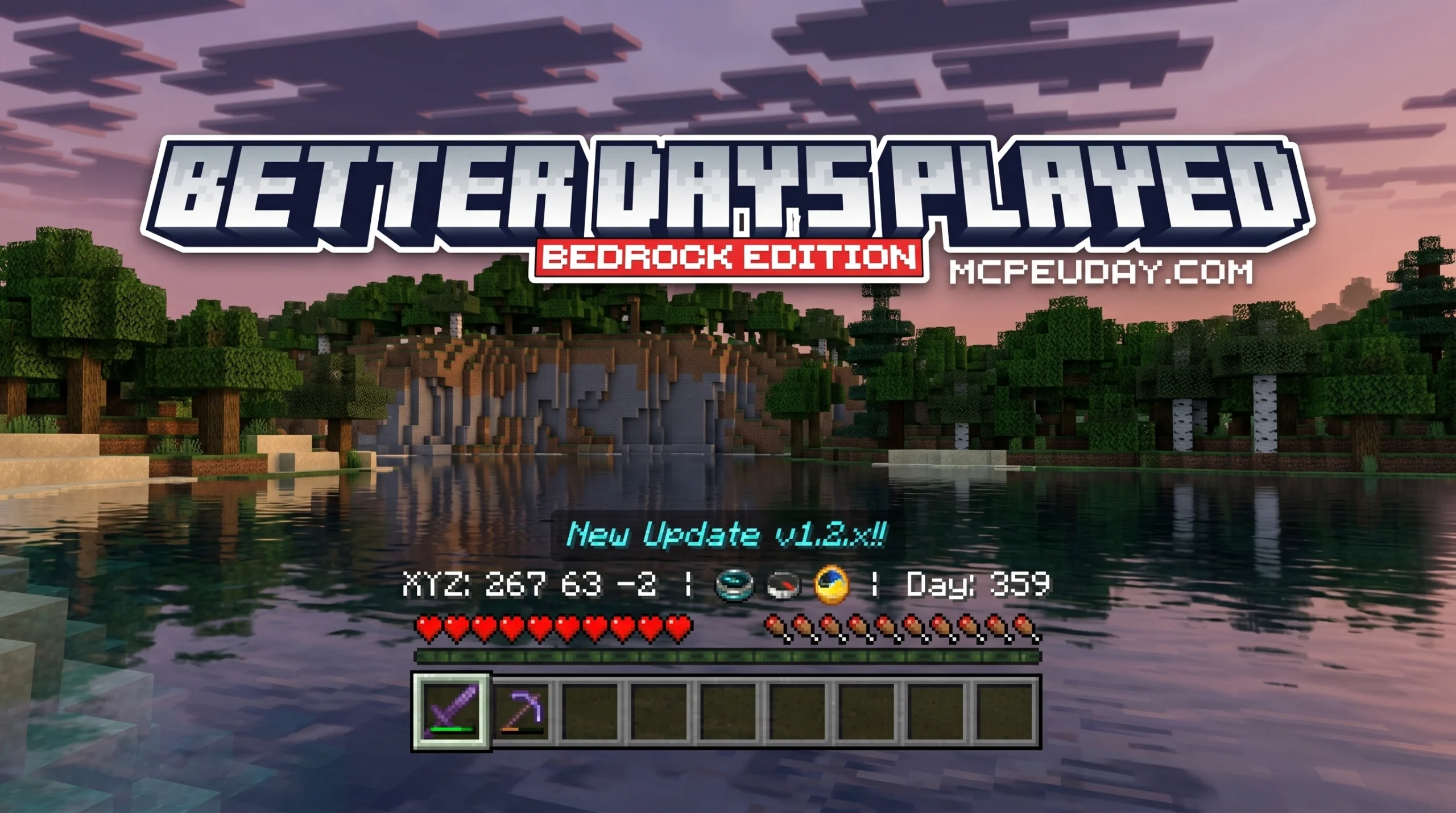
Why the Better Days Played ADDON Is a Must-Have for Bedrock Survival
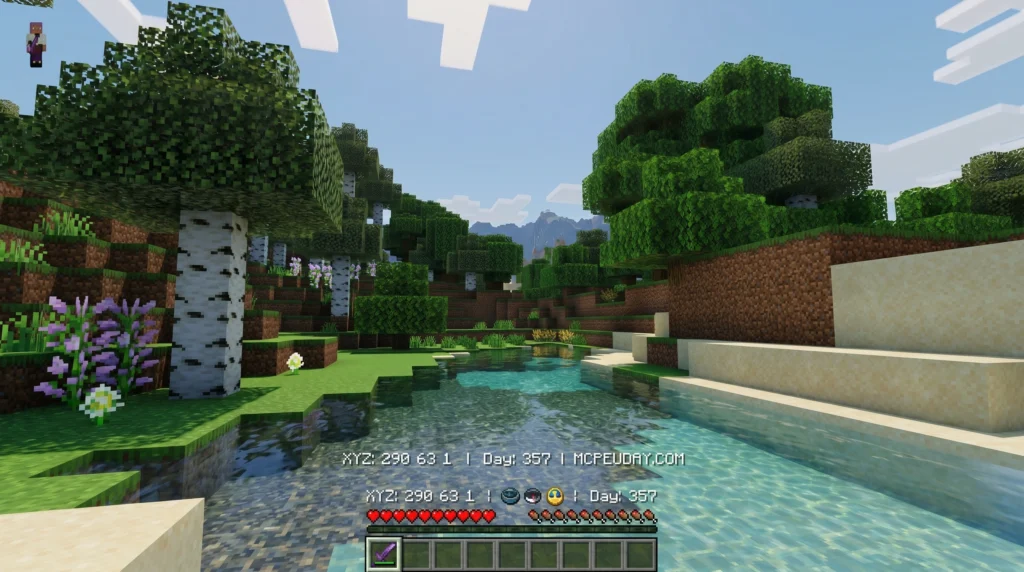
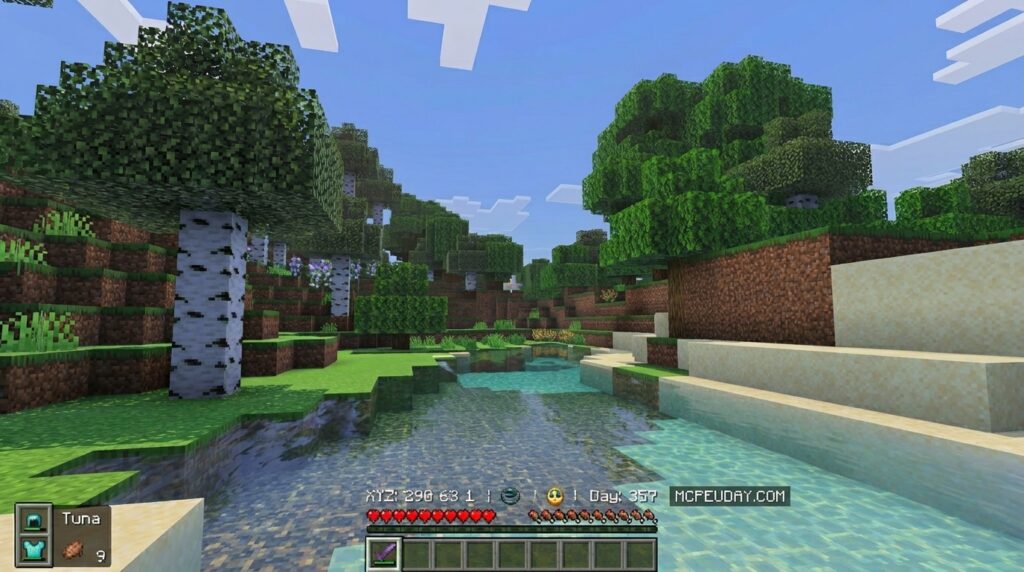
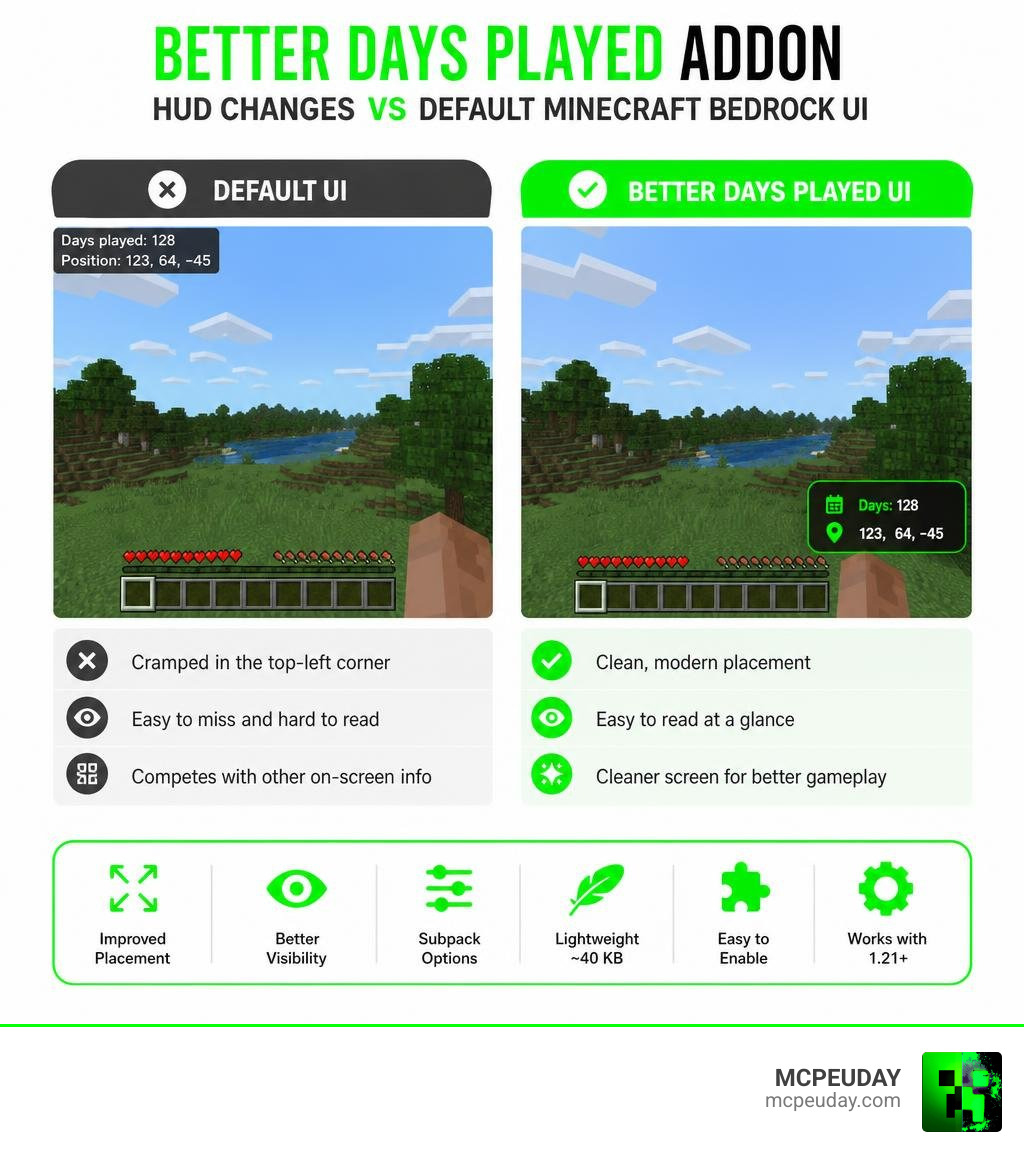
The Better Days Played ADDON is a lightweight resource pack for Minecraft Bedrock Edition that improves how your days played counter and coordinates appear on screen — moving them out of the cluttered top-left corner into a cleaner, more readable position.
Quick answer — here’s what it does:
- Replaces the default days played and coordinates display with a cleaner UI
- Moves the HUD elements so you can read them without squinting at the top-left corner
- Offers subpack options so you can choose where on screen the info appears
- Weighs in at just ~40 KB — no performance hit
- Works with Minecraft Bedrock 1.21 and above (including 1.21.130+)
- Requires two in-game settings to be turned on: Show Days Played and Show Coordinates
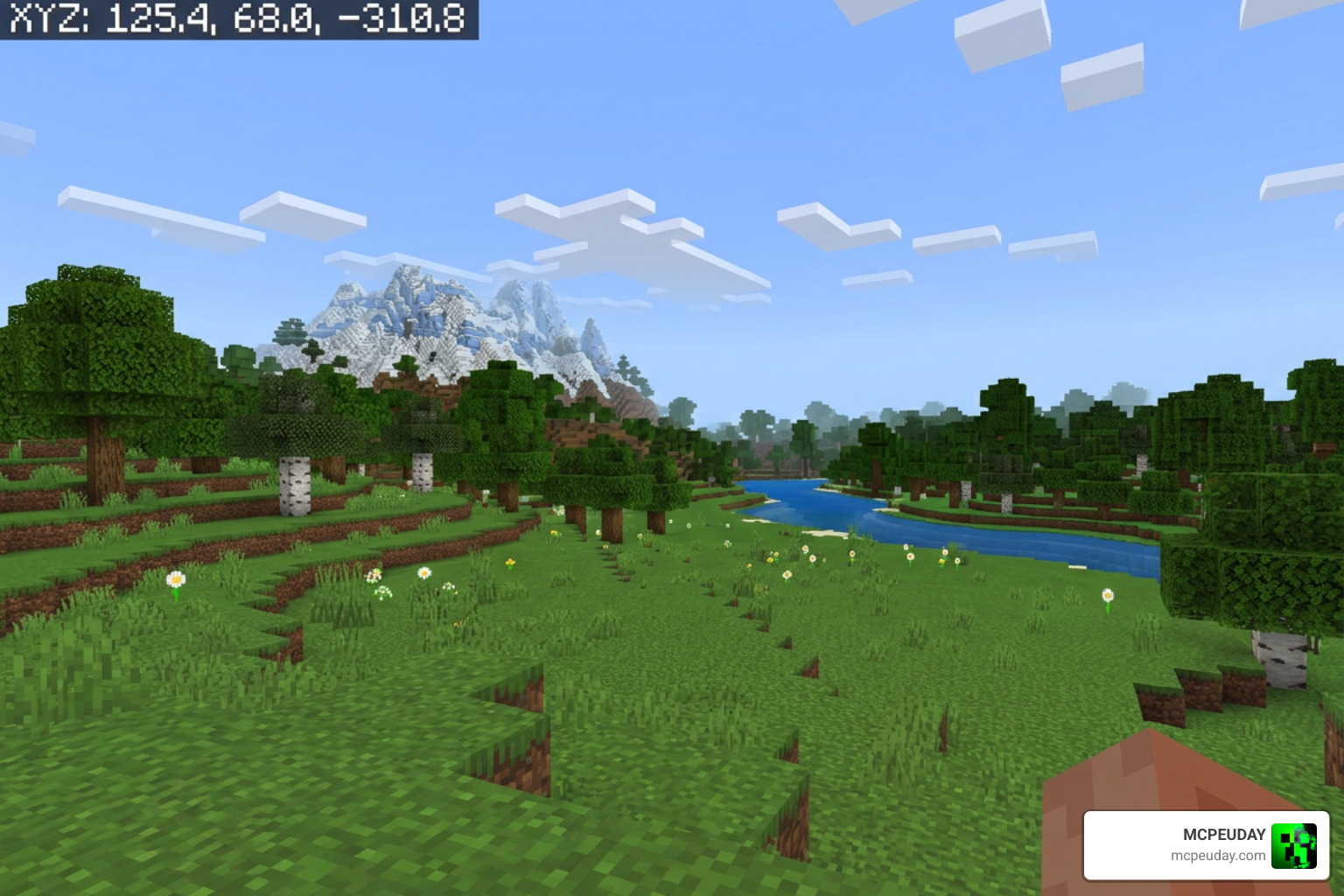
If you play survival mode regularly, you already know the pain. The default Minecraft Bedrock UI stacks your days played counter and coordinates into the top-left corner, where it competes with everything else on your screen. It’s small, easy to miss, and honestly not great to look at.
Better Days Played fixes that — simply and cleanly.
It has racked up over 905,000 downloads and is one of the most popular UI resource packs in the Bedrock community for good reason.
What is the Better Days Played ADDON?
For Bedrock players, keeping track of how many days you have survived is a badge of honor. In the standard game, this information is cramped. The Better Days Played ADDON is a specialized texture pack designed to clean up your user interface (UI) by redesigning and repositioning the standard day counter and coordinates display.
By restructuring how these elements are rendered, the pack performs an elegant interface cleanup. It strips away the unnecessary, bulky text labels and leaves you with a streamlined, highly responsive display.
Why You Need the Better Days Played ADDON in Survival
In default survival gameplay, your screen can quickly become a chaotic mess. If you are tracking coordinates, the day counter, your armor status, and active potion effects, the top-left corner of your screen becomes completely unreadable.
The Better Days Played ADDON restores visual clarity. Instead of forcing you to squint at a tiny block of text, it repositions these vital statistics to a more natural viewing position. This is especially helpful when paired with immersive environmental upgrades like the Better Foliage Addon for Minecraft, where you want your screen to feel as open, clean, and beautiful as possible.
How the Better Days Played ADDON Compares to Java Time Mods
It is important to distinguish this Bedrock resource pack from similarly named Java Edition mods. For example, if you search for “Better Days” in the Java modding community, you will often find time control mods. These Java mods are actual behavioral modifications that allow players to customize the length of the day-night cycle, alter sleep mechanics, and speed up time when sleeping.
In contrast, the Bedrock Better Days Played ADDON is a client-side resource pack optimized specifically for Bedrock Edition. It does not alter the actual tick speed of the world or change how fast time passes. Instead, it focuses purely on visual optimization and HUD performance. If you are looking for parity with Java’s combat animations alongside your UI upgrades, check out the Better Combat Mod 1.21 to see how Java players handle their gameplay enhancements.
Key Features and UI Improvements
The primary goal of this resource pack is UI simplification. It makes the days played text much simpler and more responsive across all UI scales and device screens (mobile, console, and PC).
Here is a quick look at how the interface changes:
| UI Element | Default Bedrock UI | Better Days Played UI |
|---|---|---|
| Position | Stacked in the top-left corner | Positioned cleanly near the hotbar or center screen |
| Text Clutter | Displays long labels like “Days Played: X” | Simplified, clean numbering |
| Screen Real Estate | Blocks important gameplay view | Minimalist footprint |
| Customization | Locked to one layout | Multiple subpack layout options |
Customizing the Better Days Played ADDON with Subpacks
When you activate the pack, you are not locked into a single layout. The pack features multiple subpack options that allow you to customize exactly where your coordinates and survival days appear.
For instance, Subpack Type 2 is incredibly popular because it configures the HUD to display information exclusively on the middle-screen area. This keeps your peripheral vision entirely clear. Using Subpack Type 2 is also highly recommended if you run other active gameplay addons, as it prevents common compass renderer errors and visual overlaps.
Keeping your HUD clean is especially satisfying when paired with dynamic lighting packs like the Better Dynamic Light Addon for Minecraft Bedrock 1.21, ensuring your screen remains cinematic and free of distracting text blocks during dark cave explorations.
Required Game Settings and Installation Guide
To get the Better Days Played ADDON working perfectly in Minecraft 1.21 or newer, you must enable the game’s built-in tracking settings first. Because this pack is a resource pack rather than a behavior pack, it relies on the game’s native engine to pull coordinate and day data.
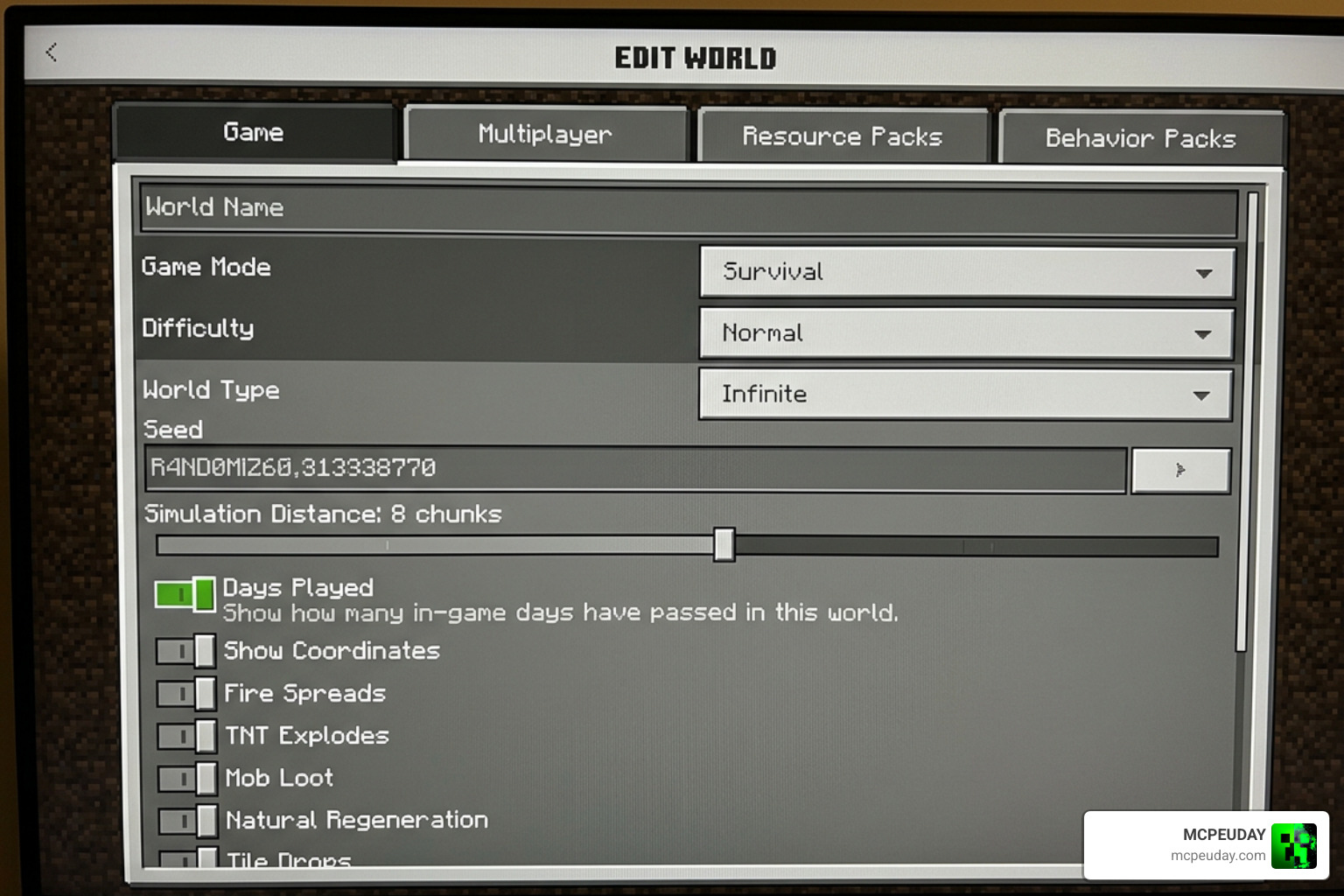
Follow these simple steps to set it up:
- Open Minecraft Bedrock and navigate to your World Settings.
- Under the Game tab, scroll down to the world settings section.
- Toggle Show Coordinates to ON.
- Toggle Show Days Played to ON.
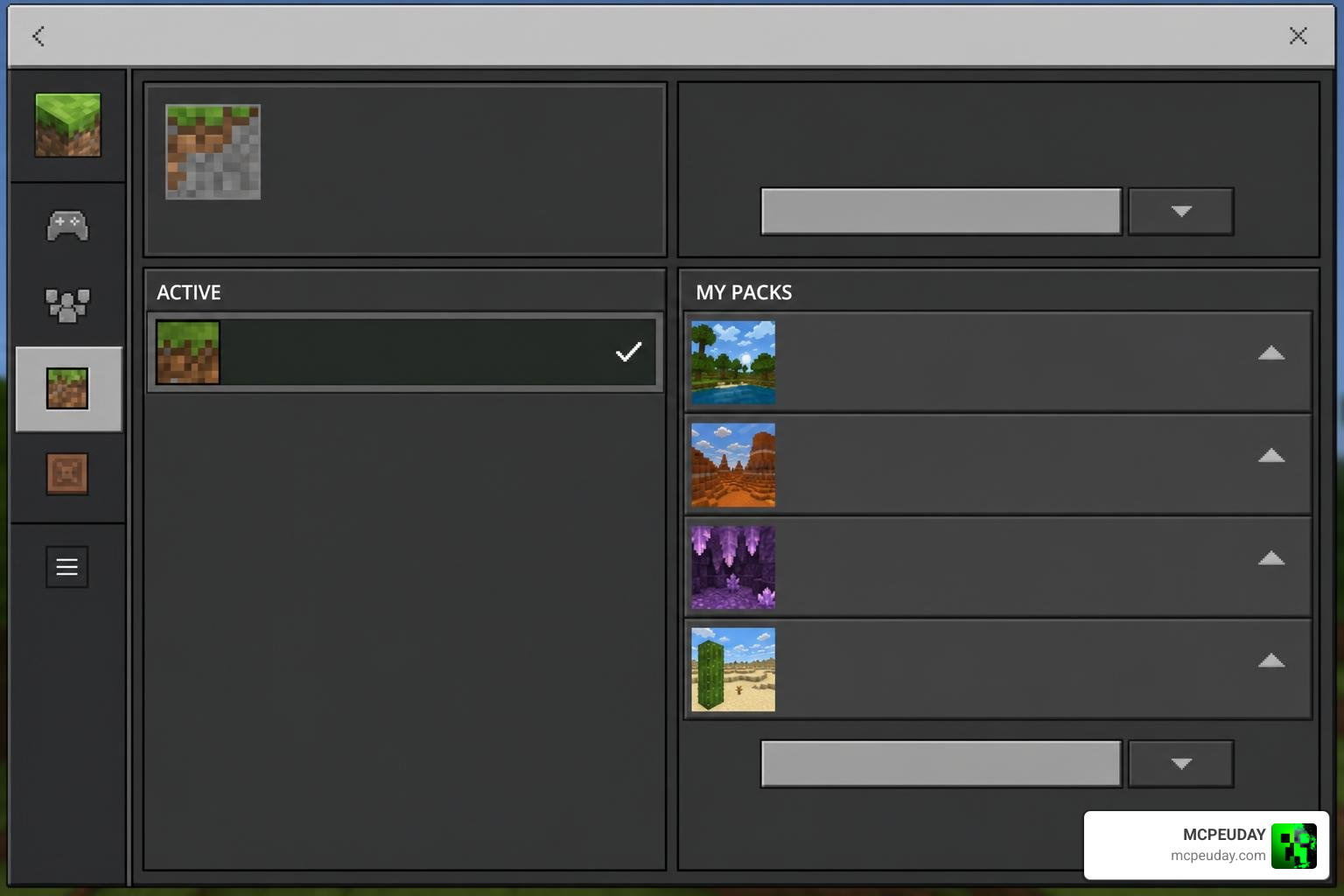
- Go to your Resource Packs tab, select the Better Days Played pack, and click Activate.
- Click the active pack’s gear icon to choose your preferred subpack layout (such as Subpack Type 2).
Once active, you can safely load into your world and enjoy a much cleaner interface. It works wonderfully alongside world-generation upgrades like the Better Structures Addon, allowing you to track your coordinates effortlessly as you hunt down newly generated dungeons and towers.
Known Issues, Compatibility, and Workarounds
While the pack is incredibly lightweight (the latest v1.2.4 update is only about 40.28 KB!), there are a few technical quirks to keep in mind:
- The Compass ID Conflict: The pack utilizes the game’s compass renderer to position the text. If you install a behavior pack that alters the vanilla compass item ID, it can break the text display. To fix this, you can open the pack files and manually change the compass ID to match your custom addon, or simply switch to Subpack Type 2.
- Item Name Collisions: In older versions, using multiple UI resource packs together could cause item name collisions. The v1.2.4 update fixed this by removing unnecessary files (like
pack_data.json) and simplifying the overall structure. - Armor and Riding Padding: Earlier versions sometimes cut off the day counter when you were riding a horse or wearing heavy armor. The latest v1.2.4 update successfully fixed this padding issue.
- Global Resources Limitation: Some users note that the pack does not always display correctly when applied purely as a global resource. For the best results, apply it directly to your specific world’s resource pack list.
These minor workarounds ensure that your HUD remains pristine, even when running heavy dimension expansions like the Betterend Addon for Minecraft 1.21.
Where to Download the Better Days Played Pack
When looking for the official download, make sure you are getting the correct file. There is an entirely unrelated standalone indie game called “Better Days” on Steam (which you can find here: Better Days on Steam). Make sure you don’t accidentally look there for Minecraft files!
For the safest, most direct, and fully optimized version designed specifically for Minecraft Bedrock 1.21.130+, we recommend downloading the latest .mcpack directly from our secure library here at MCPEUDAY. We verify all of our files to ensure they are free of malware and ready for instant import.
Frequently Asked Questions
Why does the pack show a boat instead of a compass?
This is a known visual bug that occurs in Minecraft Bedrock versions after 1.21.50. Because the pack hooks into the vanilla compass renderer to display the coordinates, engine updates to item IDs can occasionally cause the game to render a birch boat texture instead of the clean text. Updating to the simplified v1.2.4 version of the pack resolves this issue.
Does this pack work on multiplayer servers and Realms?
Yes! Because this is a client-side resource pack, you can use it on multiplayer servers and Realms. It does not require behavior packs to be active on the server, meaning you can enjoy your clean HUD even if the server host hasn’t installed any mods.
How do I fix import failed errors in Minecraft Bedrock?
If you receive an “import failed” error, it is usually due to a corrupted download or an outdated game version. Ensure you are running Minecraft Bedrock 1.21+, clear your game’s cache, and redownload the clean .mcpack file directly from MCPEUDAY.
Conclusion
The Better Days Played ADDON is a brilliant, lightweight addition to any survival player’s setup. It takes the clutter out of your face and gives you back the beautiful vistas of your Minecraft world.
If you are ready to completely transform your survival experience, combine your clean new HUD with some of the action-packed upgrades we host. Take a look at our curated list of the 5 Best Minecraft Bedrock Gun Mods for Survival PvP in 2026 to take your survival gameplay to the next level!
1 thought on “Better Days Played Addon (26.x, 1.21) – MCPE/Bedrock Mod”