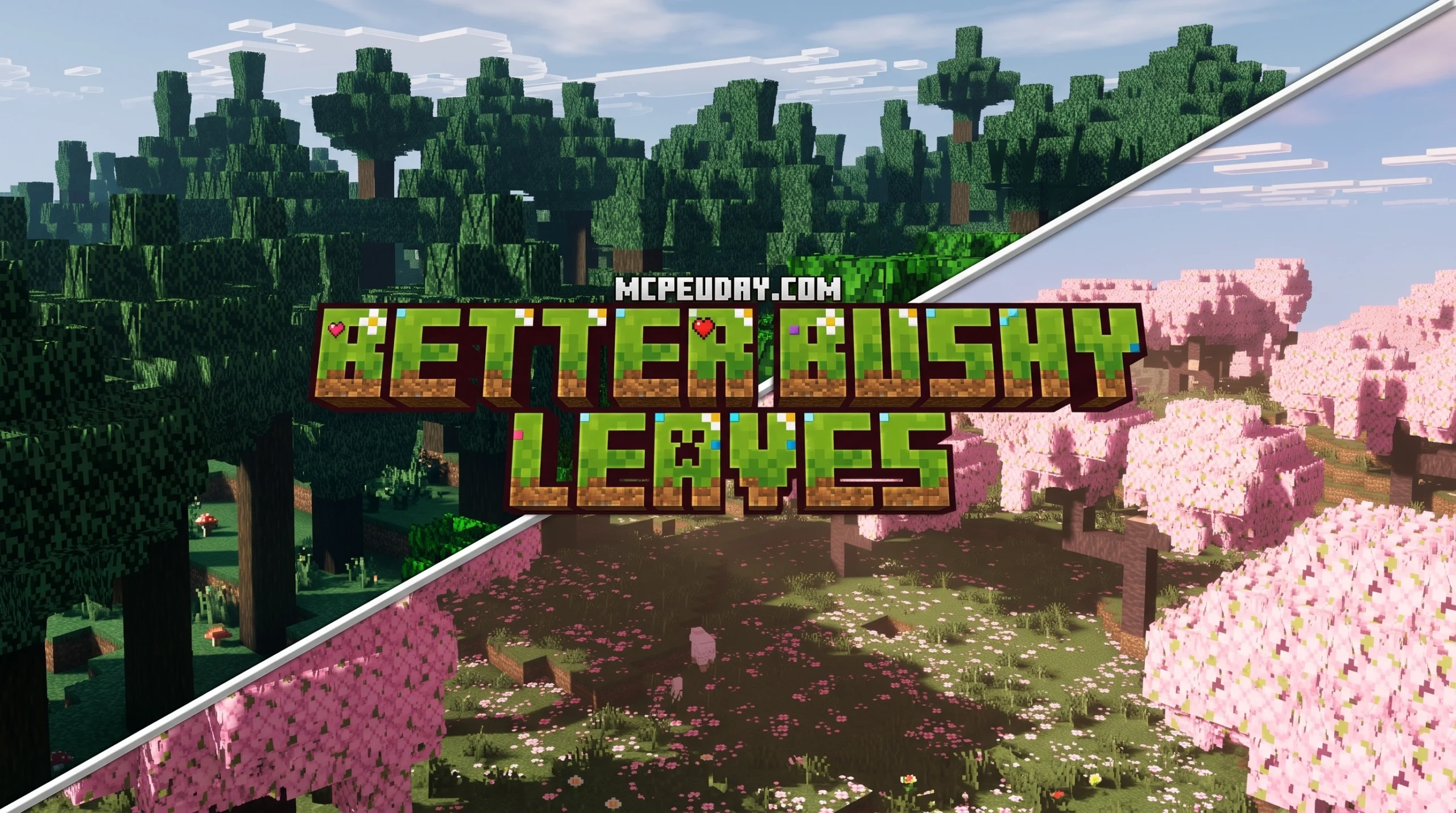
Why the Better Bushy Leaves Shader Is Worth Installing in Minecraft
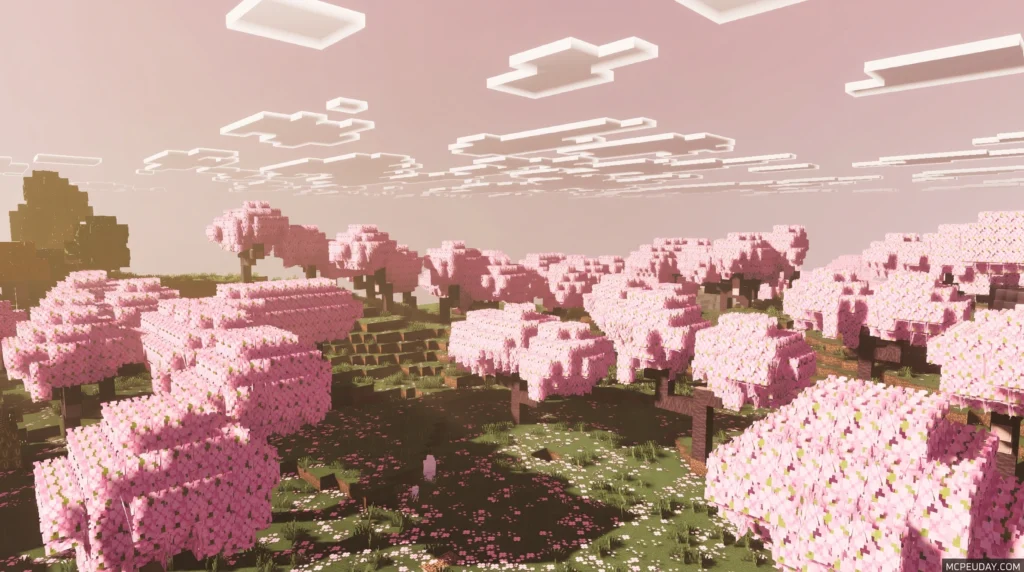
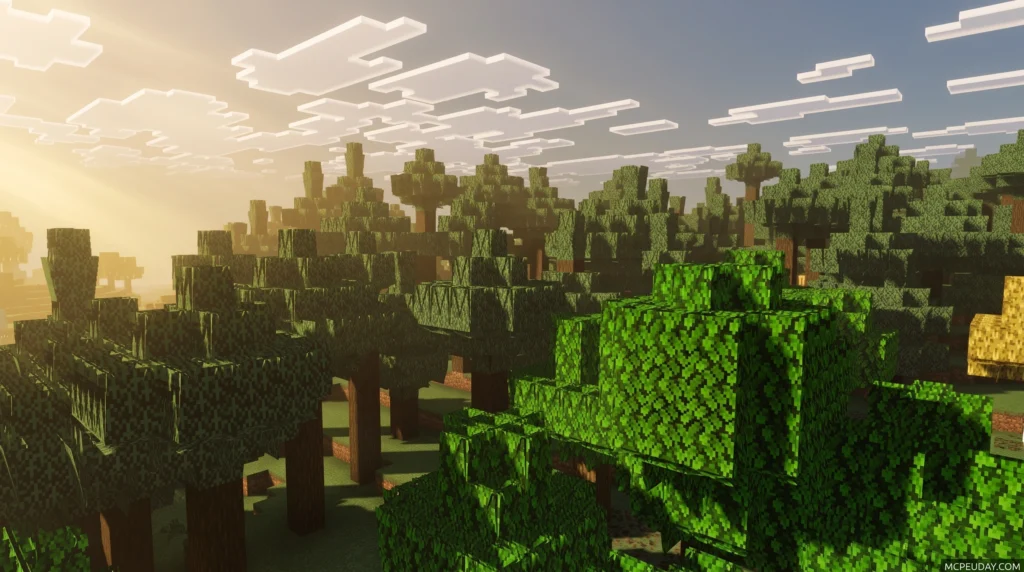
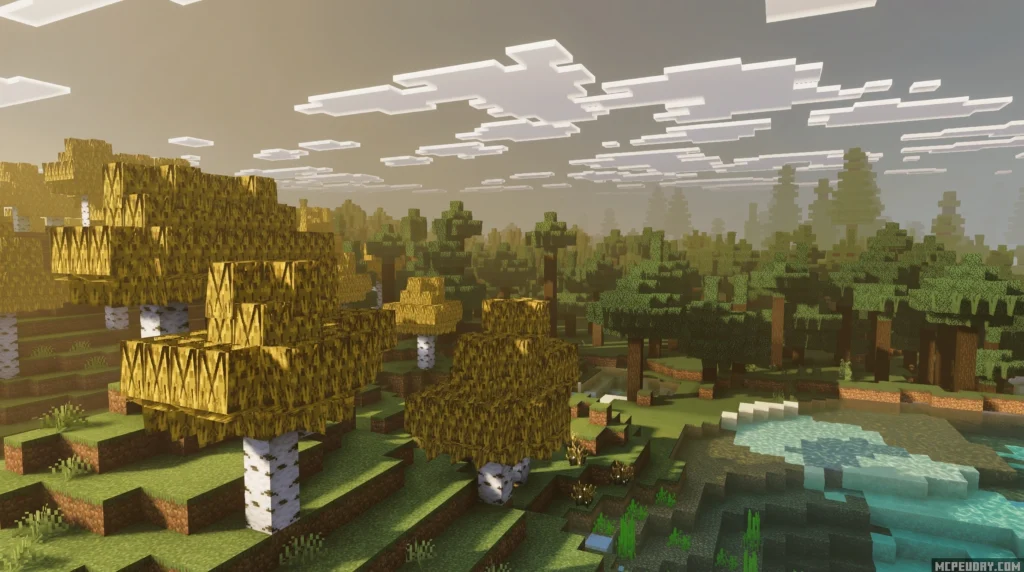
The Better Bushy Leaves Shader resource pack transforms Minecraft’s flat, plain leaf blocks into dense, layered foliage with real depth — here’s a quick breakdown of what it does:
- What it is: A 16x resource pack that makes leaf blocks look fuller and more natural
- Key features: Internal branch textures, unique foliage per tree type, random leaf placement for a wild look
- Who made it: Created by rozarke on CurseForge (first released May 26, 2022)
- Versions supported: Minecraft 1.17 through 1.21.11
- Mod support: Works with popular mods like Biomes O’ Plenty, Quark, and Cobblemon
- Downloads: Over 33,000 downloads on CurseForge
Vanilla Minecraft leaves look pretty boring — flat textures, no depth, every tree looking exactly the same. Better Bushy Leaves fixes that without needing a full graphics overhaul or a heavy shader pack.
It’s a small but powerful tweak that makes forests feel alive. Whether you’re playing vanilla or running a modded setup, this pack is one of the easiest ways to level up how your game looks.
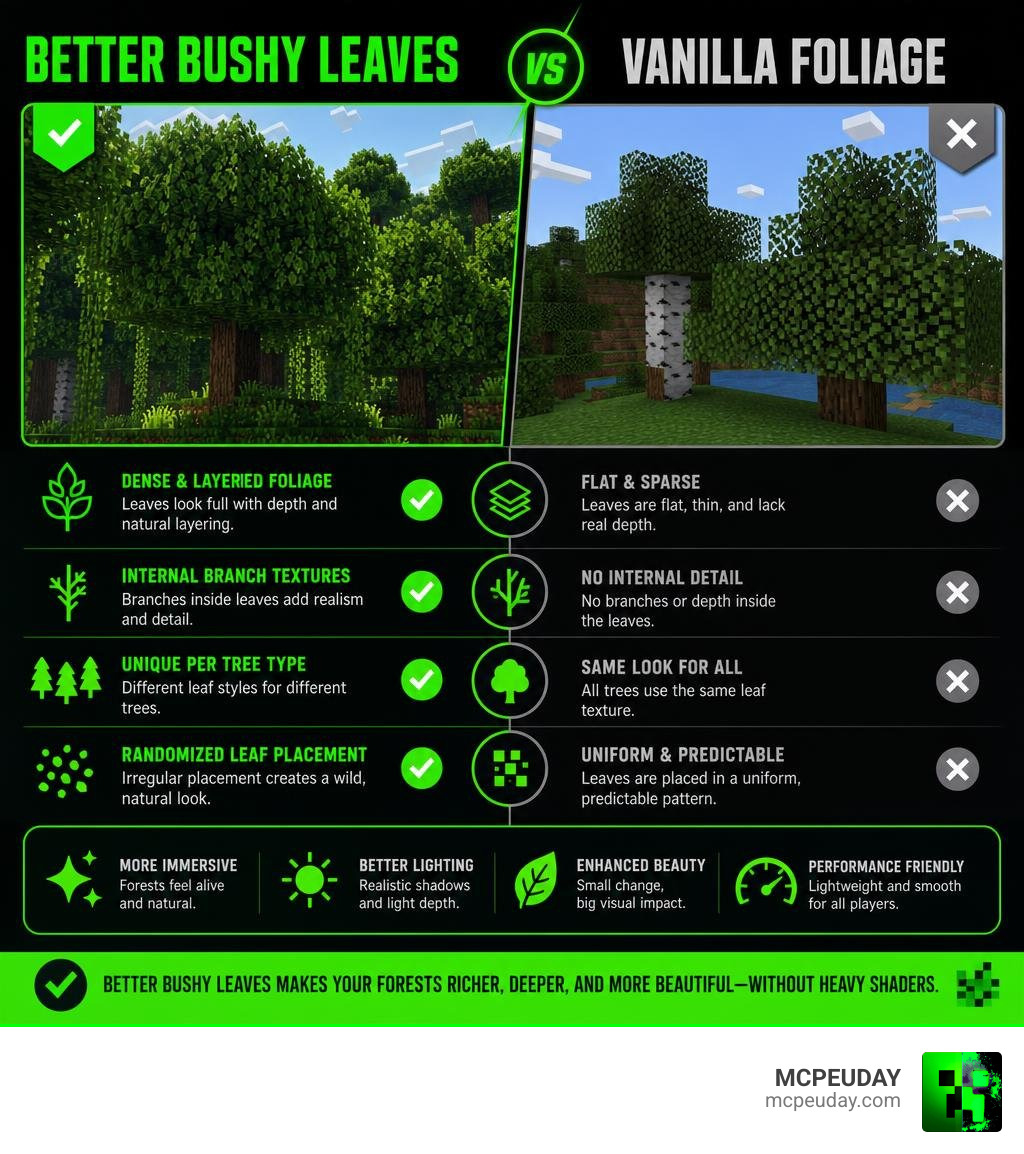
Enhancing Minecraft Foliage with the Better Bushy Leaves Shader
When we talk about the Better Bushy Leaves Shader experience, we are looking at a resource pack designed to rebuild how foliage functions in your game. While many players search for this as a “shader” due to how drastically it alters light depth and leaf shadows, it is technically an incredibly smart 3D model and resource pack.
Created by developer rozarke, the Better Bushy Leaves pack currently sits at over 33,199 downloads. It operates at a vanilla-friendly 16x resolution, meaning you get incredibly realistic foliage without sacrificing your frame rate. Instead of rendering leaves as flat, boring boxes, this pack introduces custom 3D models that project small leaf clusters outward.
What makes this pack truly special is how it interacts with actual shader packs. When you pair these 3D leaf models with a realistic lighting engine, the shadows cast between the individual leaf layers create a stunning, natural depth. It completely changes the atmosphere of your forests, making them feel dense, mysterious, and beautifully overgrown.
Key Features and Comparisons of Better Bushy Leaves
To truly appreciate why so many players are swapping to this resource pack, we have to look under the canopy.
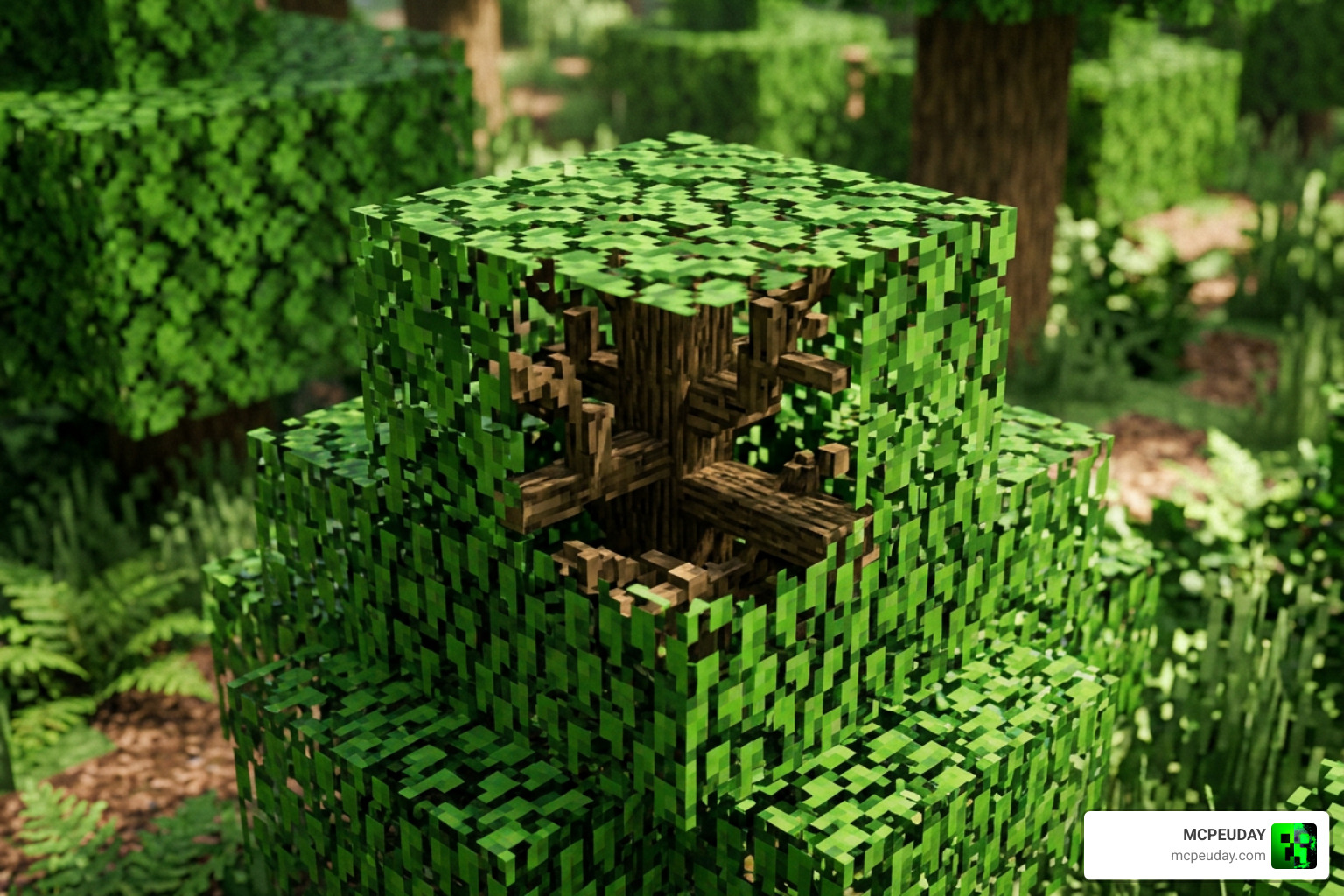
Visual Realism with Internal Branches
One of our favorite features of this pack is the inclusion of internal branch textures. In vanilla Minecraft, if you stand inside a leaf block, you just see a semi-transparent green box. With this pack, leaf blocks actually have tiny wood branches rendered inside them!
This subtle addition gives trees a massive sense of 3D depth. Furthermore, the pack features different foliage shapes and colors for each tree type, ensuring that an oak tree doesn’t just look like a green-colored spruce tree. It also utilizes random leaf placement to avoid that repetitive, grid-like pattern, all while ensuring there are no annoying clipping textures when blocks sit next to each other.
To see how this pack stacks up against other popular community options, let’s look at the comparison table below:
| Feature | Better Bushy Leaves (rozarke) | Motschen’s Better Leaves | Bushy Leaves (Awoolanche) |
|---|---|---|---|
| Total Downloads | ~33k+ | 27.7 Million+ | High (Faithful Addon) |
| Internal Branches | Yes (Highly Detailed) | No | No |
| Mod Support | ~10 major mods (Quark, BOP) | 50+ mods (Version 9.5) | ~50 mods |
| Texture Variations | Per-tree variations | Auto-generated (v9.0) | Over 300 variations |
| Primary Focus | Maximum realistic detail | High compatibility & FPS | Variety & Minimalist styles |
How the Better Bushy Leaves Shader Compares to Motschen’s Better Leaves
When looking for the ultimate foliage upgrade, you will inevitably run into Motschen’s Better Leaves – Minecraft Resource Packs – CurseForge . With over 27.7 million downloads, Motschen’s pack is an absolute titan in the community.
The biggest difference lies in their development philosophy. Motschen is a dedicated modder who prioritizes massive mod compatibility above all else. In version 9.0 of Motschen’s pack, the system automatically generates textures for every leaf type dynamically, allowing it to support over 50 different mods out of the box.
On the other hand, rozarke’s pack focuses on hand-crafted visual depth. While it supports fewer mods, the inclusion of those beautiful internal branches and tailored per-tree foliage gives it a slight edge if you want your close-up forest views to look as realistic as possible.
Why Choose the Better Bushy Leaves Shader Over Competitors
If you are worried about performance, there are excellent lightweight alternatives out there. For instance, better bushy leaves 4.0 1.21.5-1.19 – (Bushy Leaves) dronko’s alternative Bushy Leaves is specifically designed to be less laggy than other bushy leaf packs, making it perfect for budget setups.
For players who prefer a clean, performance-friendly aesthetic, options like FancyFast Bushy Leaves – Minecraft Resource Pack – Modrinth offer a great middle ground. If you are a fan of the famous Bare Bones art style, you can even grab the PrincParshia/Bare-Bones-Bushy-Leaves add-on to get 3D leaves that match that clean, cartoonish look perfectly.
Even if you play on other platforms, there are ways to experience this! Bedrock players can follow a Bushy Leaves Texture Pack For Minecraft Bedrock! – Tutorial to get similar effects on mobile and console. There are even alternative engine adaptations, such as the rudzik8/bushy_leaves: Minetest mod to make leaves render bushy instead of boxy. Originally by erlehmann. – Codeberg.org repository for Minetest players, and professional tools like Better Shaders 2022 – Standard/URP/HDRP | Visual Scripting | Unity Asset Store for game developers looking to build similar foliage systems in Unity.
Compatibility, Performance, and Installation
Ready to transform your world? Let’s talk about how to get this running smoothly on your machine.
Before you begin, we highly recommend checking out our comprehensive How To Turn On Shaders In Minecraft 2026 Guide Java Bedrock Mcpe Setup Fast Mcpeuday to ensure your graphics engine is fully prepared for 3D rendering.
Supported Minecraft Versions and Mods
As of June 2026, the Better Bushy Leaves pack supports a wide array of versions, ranging from older 1.19 setups all the way up to the modern Minecraft 1.21.11 releases.
Out of the box, the pack features fantastic compatibility with some of the best world-generation and decoration mods in the community, including:
- Quark & Ecologics
- Biomes O’ Plenty & Oh The Biomes You’ll Go
- Cobblemon
- Blue Skies, Upgrade Aquatic, Atmospheric, Environmental, and Autumnity
Performance Tips and Shader Integration
Because 3D leaves add extra polygons to your game, rendering an entire forest can sometimes cause a dip in frames. If you want to keep your game running buttery smooth, we suggest checking out our guide on the 3 Best Shaders For Minecraft 1 21 Ultra Realistic Smooth Fps Stunning Graphics to find a shader that balances visual fidelity with performance.
Here are a few quick tips to optimize your setup:
- Graphics Setting: You must set your in-game Graphics option to Fancy or Fabulous; otherwise, the leaves will render as solid, ugly boxes.
- Use Culling Mods: If you are using Sodium or Embeddium, we highly recommend installing the Cull Leaves or More Culling mod. This stops the game from rendering leaf faces that you can’t see, giving you a massive FPS boost.
- OptiFine Users: If you are running OptiFine, set your Trees option to SMART for the best balance of performance and beauty.
Frequently Asked Questions about Better Bushy Leaves
Does Better Bushy Leaves require OptiFine?
No! While it works beautifully with OptiFine, it does not require it. You can easily run this pack on modern optimization engines like Fabric or Quilt using Sodium, Iris, and a leaf-culling mod of your choice.
How do I fix azalea branch colors for specific mods?
If you are playing with mods like Quark or Ecologics and notice that the azalea branch colors look slightly off, there is an easy manual fix. Simply open the resource pack’s .zip file, navigate to the textures folder, and manually adjust the azalea branch color files to match your mod’s specific palette.
Which Minecraft versions are compatible with this pack?
The pack officially supports versions from Minecraft 1.19 up to 1.21.11. Thanks to ongoing community maintenance in 2026, you can easily find updated versions of the pack on CurseForge and Modrinth that work with the latest game updates.
Conclusion
Upgrading your game’s foliage is one of the quickest ways to fall in love with exploring Minecraft all over again. The Better Bushy Leaves Shader resource pack offers an unmatched level of organic depth, making every forest walk feel like a brand-new adventure.
If you are ready to pair your gorgeous new trees with some of the best lighting systems available, head over to our Best Shaders For Mcpe 1 21 2026 Top 3 Realistic Minecraft Pe Shaders guide. We at MCPEUDAY are dedicated to bringing you the absolute best resources, mods, and shaders to make your gaming experience spectacular. Happy building!