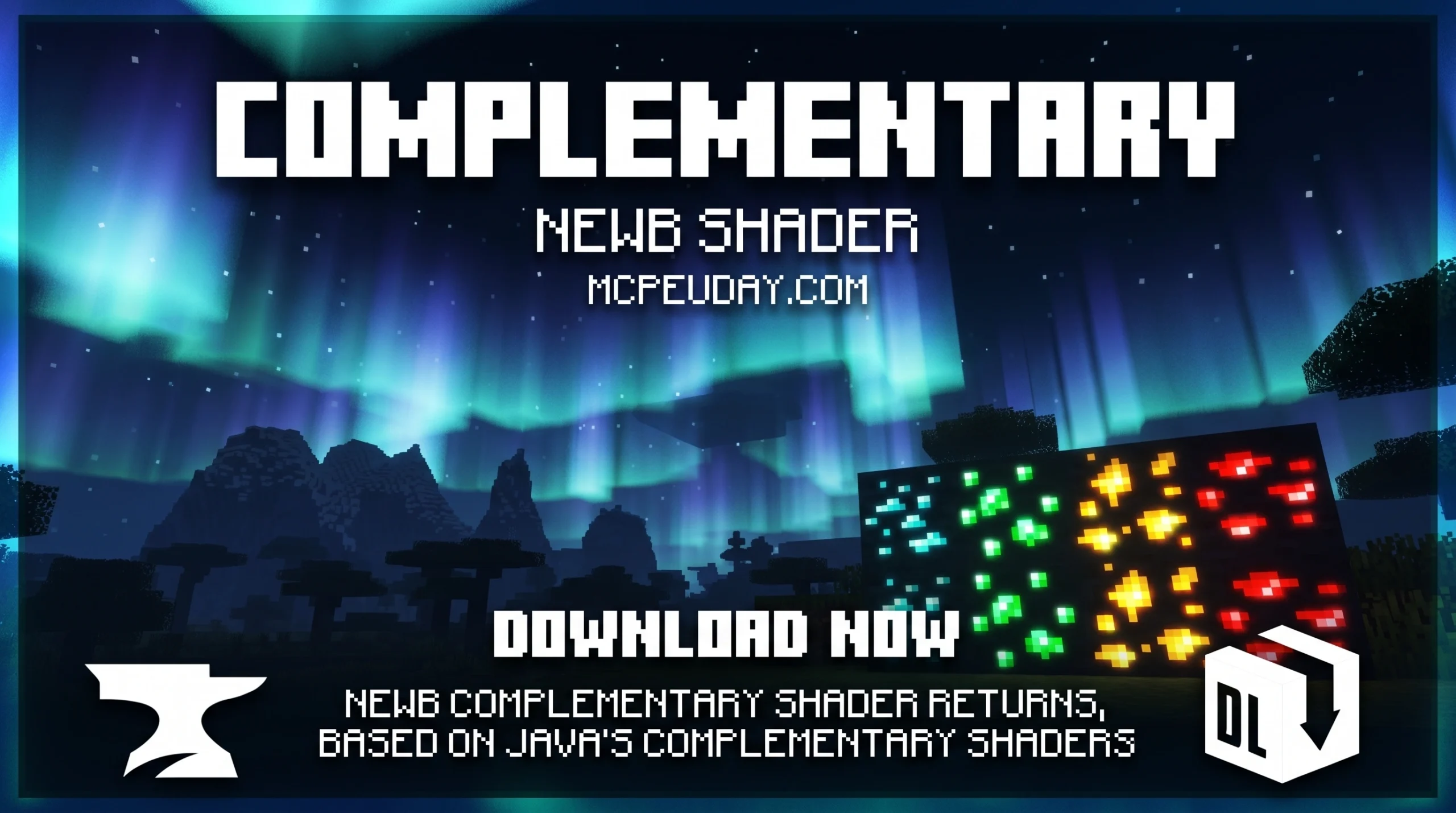
The Newb Complementary Shader Is the Biggest Visual Upgrade for Minecraft Bedrock in 2026
![<!-- wp:uagb/container {"block_id":"cf21cc98","variationSelected":true,"isBlockRootParent":true} -->
<div class="wp-block-uagb-container uagb-block-cf21cc98 alignfull uagb-is-root-container"><div class="uagb-container-inner-blocks-wrap">
<!-- wp:separator -->
<hr class="wp-block-separator has-alpha-channel-opacity"/>
<!-- /wp:separator --><!-- wp:html -->
<script async data-src="https://securepubads.g.doubleclick.net/tag/js/gpt.js" crossorigin="anonymous"></script>
<script>
window.googletag = window.googletag || {cmd: []};
googletag.cmd.push(function() {
googletag.defineSlot('/23277757294/DOWNLOAD-BUTTEN', [[250, 250], [300, 250], [336, 280]], 'div-gpt-ad-1779892239176-0').addService(googletag.pubads());
googletag.pubads().enableSingleRequest();
googletag.enableServices();
});
</script><!-- /23277757294/DOWNLOAD-BUTTEN -->
<div id='div-gpt-ad-1779892239176-0' style='min-width: 250px; min-height: 250px;'>
<script>
googletag.cmd.push(function() { googletag.display('div-gpt-ad-1779892239176-0'); });
</script>
</div>
<!-- /wp:html --><!-- wp:heading {"style":{"typography":{"textAlign":"center"}},"anchor":"download"} -->
<h2 class="wp-block-heading has-text-align-center" id="download"> Download</h2>
<!-- /wp:heading --><!-- wp:heading {"level":3,"style":{"typography":{"textAlign":"center"}},"anchor":"download-shader"} -->
<h3 class="wp-block-heading has-text-align-center" id="download-shader"><a href="https://download.cdn9mc.com/index.php?act=dl&id=1730091346" data-type="link" data-id="https://download.cdn9mc.com/index.php?act=dl&id=1730091346">Download Shader</a></h3>
<!-- /wp:heading --><!-- wp:paragraph -->
<p><strong>MORE SHADERS- </strong><a href="https://mcpeuday.com/category/shaders/" data-type="link" data-id="https://mcpeuday.com/category/shaders/">Shaders - MCPEUDAY</a></p>
<!-- /wp:paragraph -->
</div></div>
<!-- /wp:uagb/container -->](https://mcpeuday.com/wp-content/uploads/2026/06/4k_qualuty_ke_sath_image_202606161004-1024x572.webp)
The Newb Complementary Shader has crossed 1.5 million downloads — and for good reason. Here’s a quick overview of what it is and how to get it:
Quick Answer:
- What it is: A Bedrock shader inspired by Java’s Complementary Shaders, featuring realistic lighting, shadows, water reflections, and colorful skies
- Latest version: Definitive Edition v1.4 (updated 2026), compatible with Minecraft v26.0 and v26.20+
- Variants: Reimagined, Unbound, and Lite — for different visual styles and device power
- Platforms: Android, Windows, and iOS
- What you need to install it: A patched APK or MBLoader (Android), BetterRenderDragon or Matject (Windows), or an IPA file (iOS)
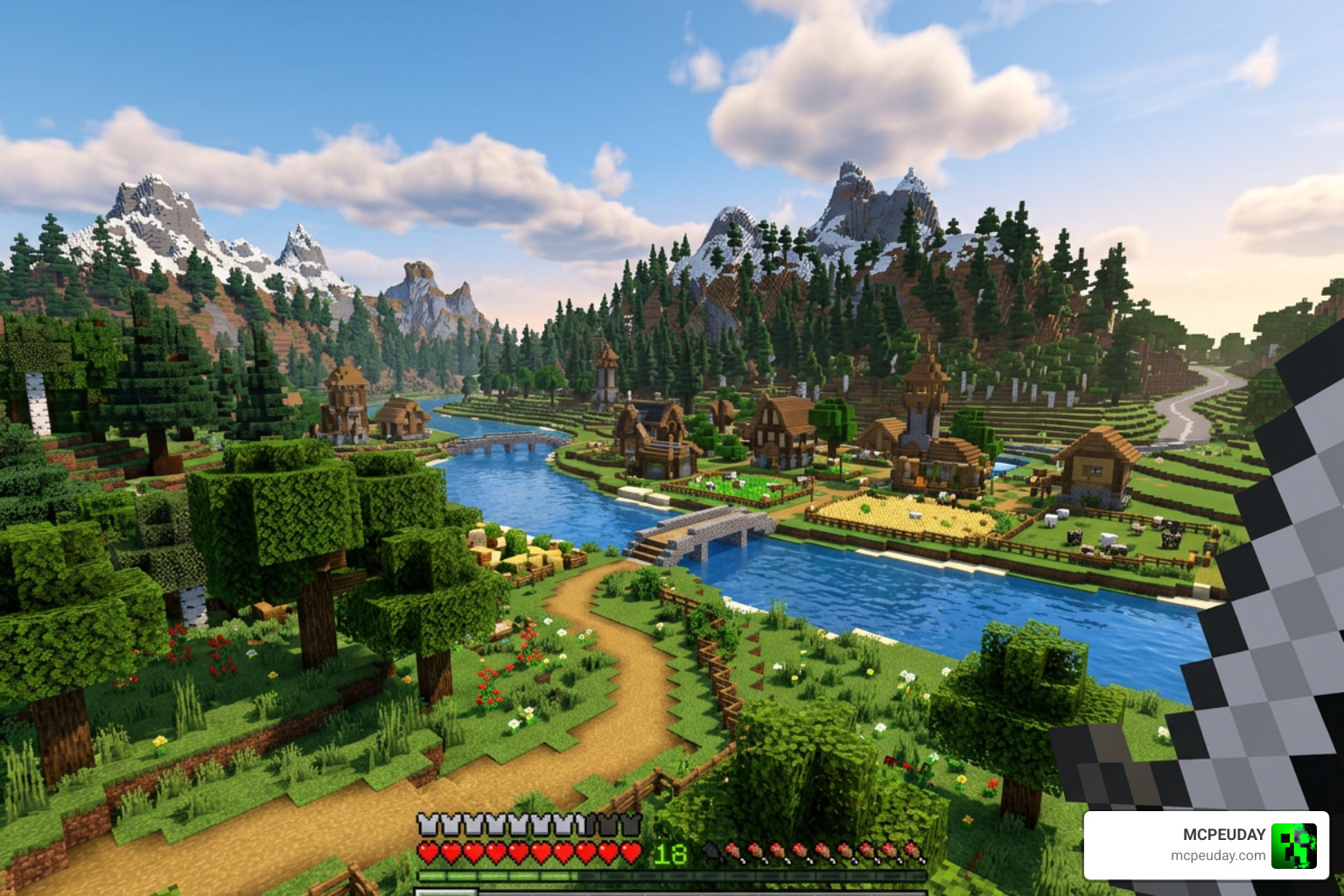
If you’ve ever looked at Java Minecraft shader screenshots and wished Bedrock looked that good — this shader is the closest you’ll get right now.
It brings features like player shadows, auroras, glowing minerals, realistic water, and a stunning End dimension to Minecraft Bedrock Edition. And with RenderDragon support confirmed for Minecraft 1.21.80.25 and above, it’s more accessible than ever.
The only catch? Installing it isn’t as simple as dropping a file into a folder. There are different methods depending on your device — and picking the wrong one means it won’t work at all.
That’s exactly what this guide covers.
What is the Newb Complemetary Shader?
The Newb Complemetary Shader is a highly popular, custom graphics modification built specifically for Minecraft Bedrock Edition (including MCPE, Windows 10/11, and iOS). For years, Bedrock players have struggled to find high-fidelity shaders because of Mojang’s RenderDragon rendering engine, which blocked traditional shader methods.
This shader is a brilliant community effort that bridges the gap. It is a custom variant based on the open-source code of the classic Newb Shader, heavily modified to mimic the aesthetic of the famous Java Edition pack: Complementary Shaders – Unbound . By combining Bedrock-friendly code optimization with Java-inspired visual styling, the creator has achieved something truly remarkable.
If you want to experience this stunning transformation firsthand, you can find the detailed download instructions on our dedicated Newb Complementary Unbound Shader page.
Evolution from Original Newb Shader to Newb Complemetary Shader
The journey to the Definitive Edition v1.4 began with the original Newb Shader code. Over time, developers and shader enthusiasts wanted to push Bedrock’s visual boundaries further. While the classic Newb Renewed Shader and the retro-styled Newb Nostalgia Edition Shader focused on vanilla-plus enhancements, other variants began experimenting with advanced engine modifications.
We have watched this evolution closely at MCPEUDAY. From the performance-oriented Newb Experimental Edition Shader to stylistic variations like the Newb X Ambient Shader and the smooth Newb X Unwind Shader, each step brought Bedrock closer to Java-level fidelity. The Newb Complemetary Shader represents the pinnacle of this evolution, merging warm, volumetric lighting with incredibly smart optimization.
Key Visual Features of the Definitive Edition (v1.4)
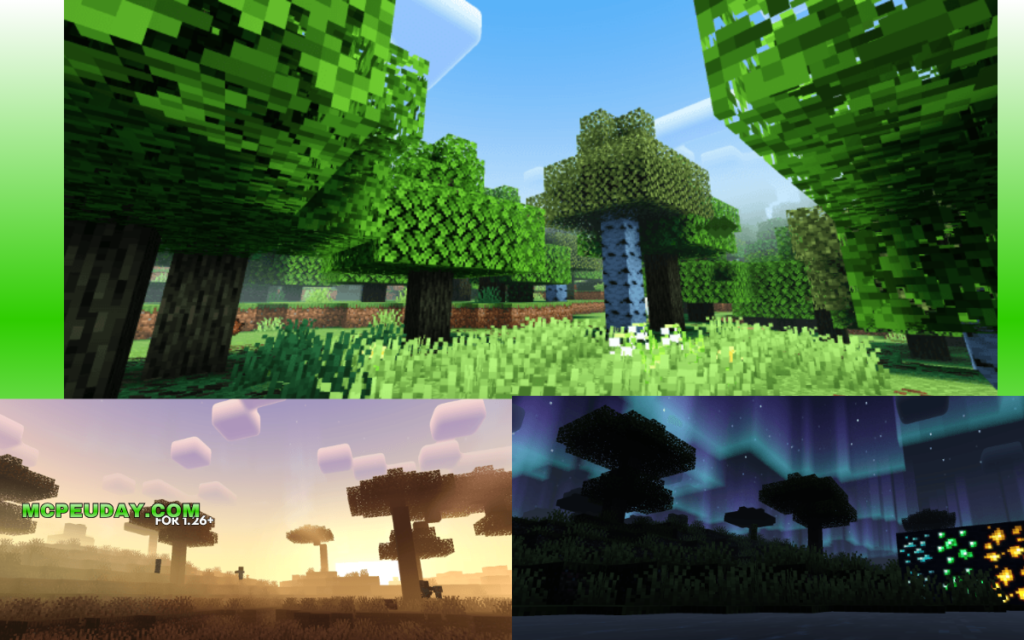
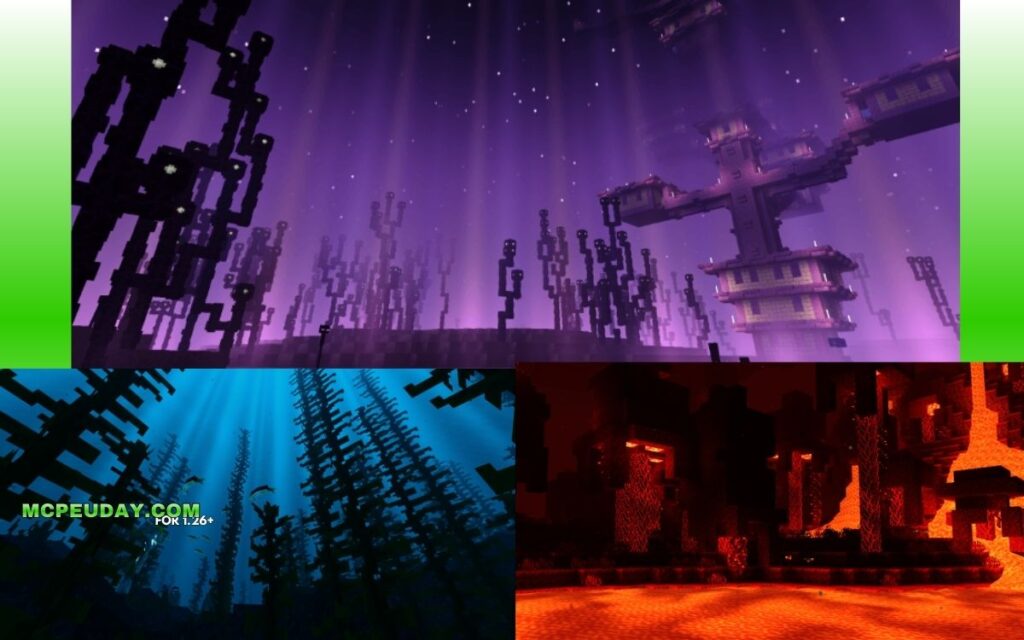
The latest Definitive Edition (v1.4) introduces a massive suite of features that completely change how Minecraft Bedrock looks. Here are the standout features we love:
- Player Shadows: Real-time shadows projected from your character model onto the surrounding terrain.
- Dirlight Terrain: Directional lighting that shifts dynamically depending on the sun and moon’s angles.
- Complementary Auroras & Stars: Beautiful, sweeping green and purple auroras in cold biomes, paired with night skies featuring stars identical to the Java version.
- Glow Minerals: Ores like redstone, diamond, and lapis lazuli emit a subtle, beautiful glow in dark caves.
- The Purple End: A complete overhaul of the End dimension, replacing the bland void with a swirling, deep purple nebula.
If you enjoy these specific features, you might also want to check out the Newb X Dragon Complementary Shader or explore the weather effects found in the Newb X Supplementary Shader.
Reimagined vs. Unbound vs. Lite: Which Variant is Best?
When you go to download the shader, you will find three distinct variants. To help you choose the best option for your device, we have put together this comparison table:
| Feature | Reimagined | Unbound | Lite |
|---|---|---|---|
| Primary Focus | Stylized Vanilla | Modern Realism | High Performance |
| Cloud Style | Blocky/Vanilla-styled | Round, Volumetric | Minimalist / Flat |
| Water Effects | Semi-realistic | Ultra-realistic Reflections | Basic Waves |
| Device Target | Mid-range Phones / PCs | High-end PCs & Flagship Phones | Low-end / Older Devices |
| FPS Impact | Moderate | High | Very Low |
If you are looking for an even more unique visual spin, you can also read our guide on the Newb Explementary Edition Shader.
Reimagined Variant
The Reimagined variant is designed for players who want a graphical upgrade but still want Minecraft to feel like Minecraft. It preserves the classic blocky clouds and stylized aesthetic of the game while adding beautiful, warm lighting, dynamic shadows, and improved water. It is the perfect middle ground for everyday survival play.
Unbound Variant
Unbound is the ultimate eye-candy mode. It features realistic, volumetric clouds, highly detailed water reflections, and advanced wet-surface effects during rainstorms. If you have a high-end mobile device or a powerful Windows PC, this is the version you want to show off what Bedrock is truly capable of.
Lite Variant
The Lite variant is specifically optimized for older smartphones and lower-end hardware. It strips away heavy calculations like detailed water physics and complex player shadows, focusing instead on delivering clean, warm lighting and a steady frame rate boost. It ensures you do not have to sacrifice smooth gameplay for better graphics.
5 Guaranteed Methods to Download and Install the Shader
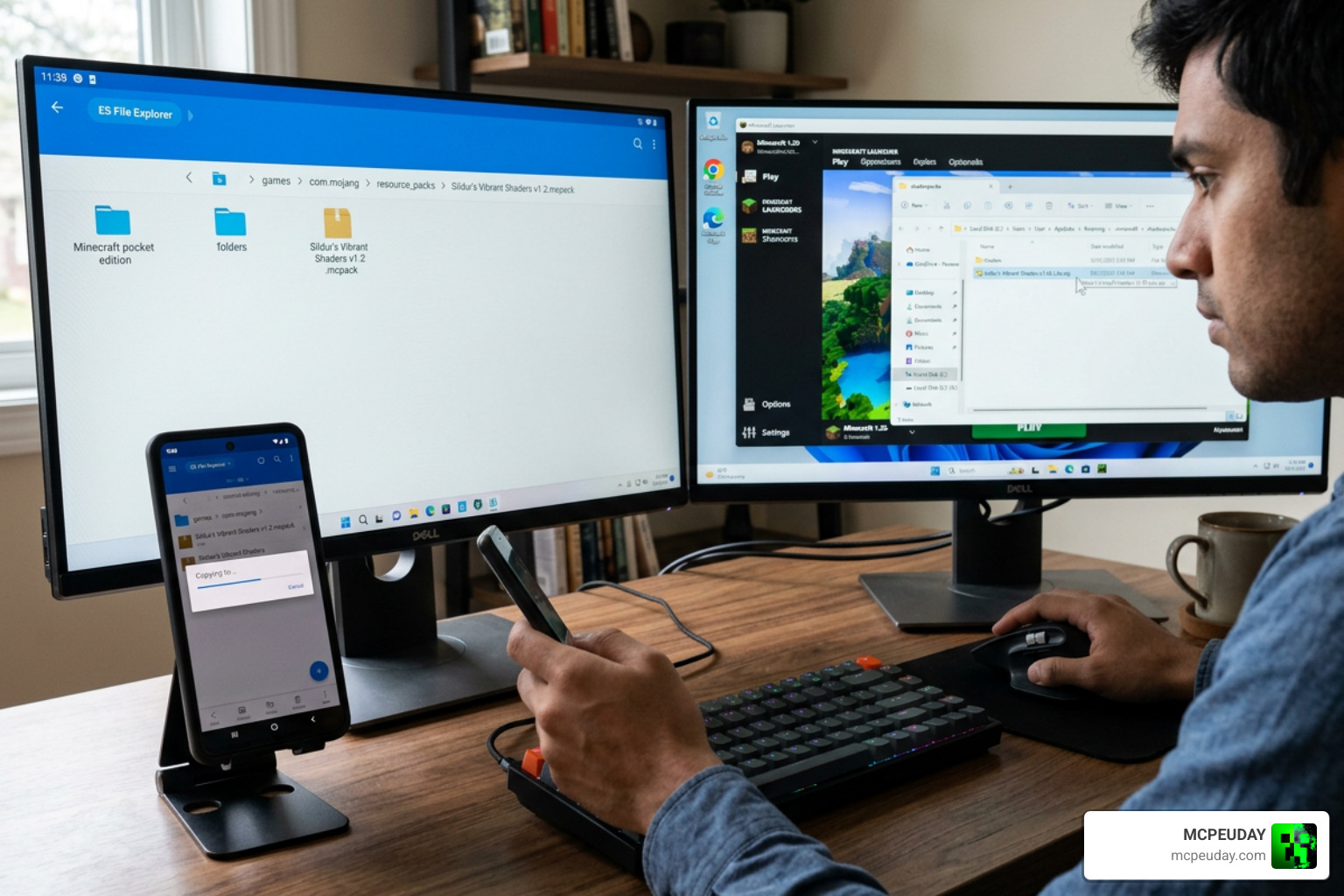
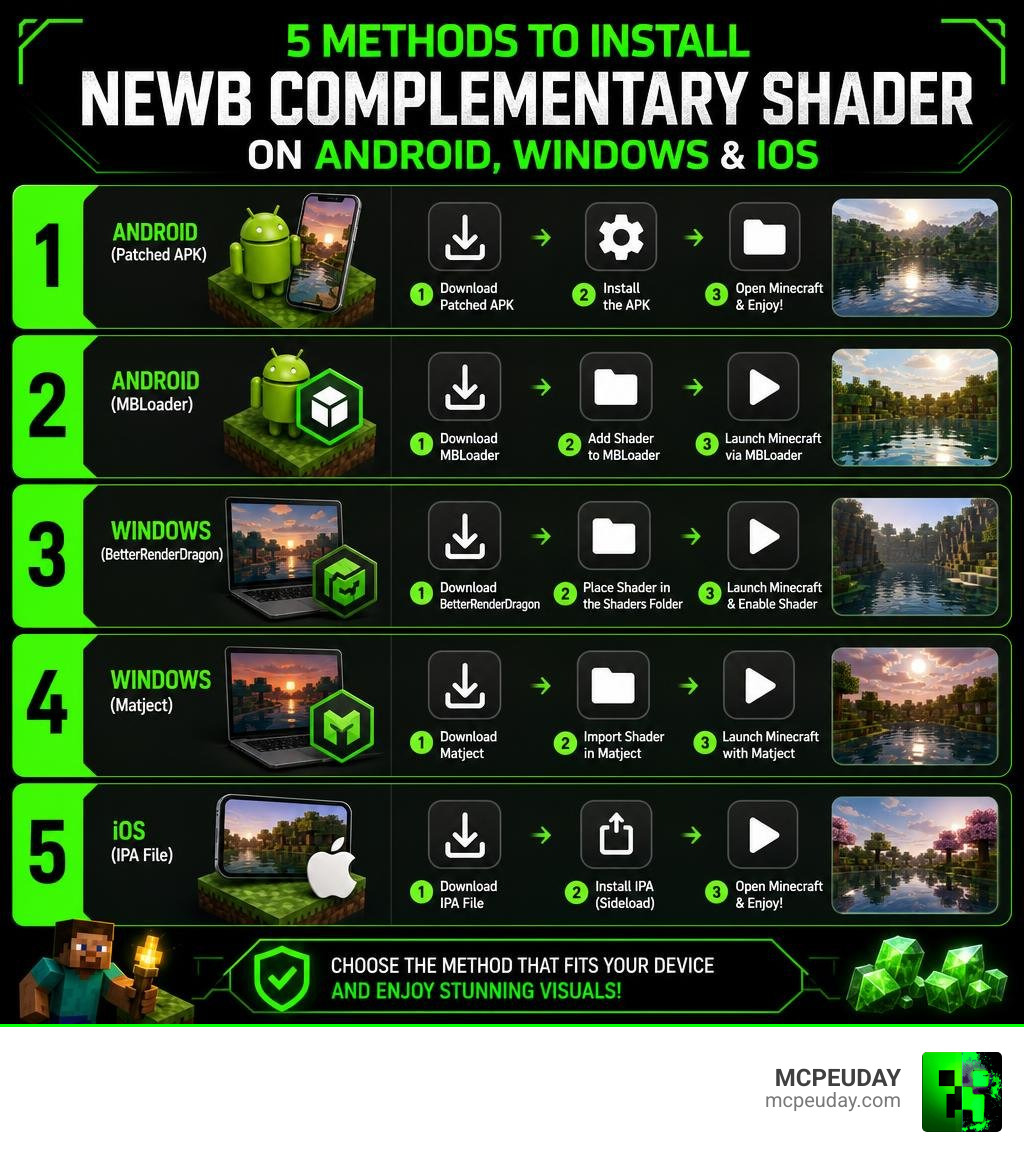
Because of the RenderDragon engine, you cannot simply double-click an .mcpack file on every device and expect it to load. Below, we have outlined the 5 guaranteed methods to install the shader.
To get the actual files, make sure to visit the official Newb Complemetary Shader | Compatible With Minecraft v26.20+ host page to secure the correct download for your system.
Method 1: Patched APK for Android Users
For Android players, the RenderDragon engine blocks third-party materials by default. To bypass this, you must use a patched Minecraft APK (version 1.21.100+) or use a tool called MBLoader.
- Download the Android-specific variant of the shader.
- Install MBLoader or use a pre-patched APK that allows custom
materials.binfiles. - Import the shader pack into Minecraft PE and activate it in your Global Resources.
Method 2: BetterRenderDragon for Windows
Windows 10 and 11 players have the most powerful option available via BetterRenderDragon. This helper tool injects custom shader support directly into the official PC version of Minecraft Bedrock.
- Download and extract BetterRenderDragon (v1.6.2 or later is recommended).
- Download the Windows version of the Newb Complemetary Shader.
- Use the BetterRenderDragon launcher to start Minecraft, or use the Matject tool to replace the default material files in your game directory.
- Activate the shader in your in-game settings.
Method 3: IPA File for iOS Devices
Playing on an iPhone or iPad requires a slightly different approach due to Apple’s closed ecosystem.
- You will need a jailbroken device or a sideloading tool (like AltStore or Sideloadly) to install a modified IPA file of Minecraft.
- Download the iOS-optimized version of the shader.
- Inject the shader files into the Minecraft IPA package before sideloading it onto your iOS device.
Method 4: Merged MCPACK for Multi-Platform Setup
If you play across multiple devices (for example, hosting a world on your PC but playing on your phone occasionally), the Merged MCPACK is your best friend. This single download contains the code configurations for Android, iOS, and Windows all wrapped into one file. The game will automatically detect which platform you are on and apply the correct render settings.
Method 5: Troubleshooting with Newb Complemetary Shader Subpacks
If you experience visual bugs, lag, or a black screen, you should utilize the built-in subpacks.
- Go to your Minecraft settings, click on Global Resources, and select the shader pack.
- Click the gear icon to open the Subpack Settings.
- Slide the bar to select the Low Subpack or disable features like volumetric clouds.
- If problems persist, completely delete older versions of the shader from your storage before installing the new version.
For a broader look at alternative options, check out our list of the Best Render Dragon Shaders for MCPE.
Frequently Asked Questions about Newb Complementary
Does Newb Complementary support Minecraft Education Edition?
No. Minecraft Education Edition does not feature the same RenderDragon implementation or rendering pipeline as the standard Bedrock and MCPE editions. Because of this, custom material-based shaders like Newb Complementary are completely incompatible with Education Edition.
How do I fix bright pixels or lag with this shader?
Bright, flickering pixels are usually caused by conflicting texture packs or an outdated game version. Ensure you are on Minecraft v26.0 or higher. If you experience performance lag, open the pack’s subpack settings and switch to the “Lite” or “Low” profile. This turns off demanding features like real-time water reflections and player shadows while keeping the beautiful skybox and warm lighting intact.
What Minecraft Bedrock versions are officially supported?
The shader officially supports Minecraft Bedrock versions v26.0, v26.20+, and is fully compatible with the RenderDragon engine on version 1.21.80.25+. Always make sure to download the specific subpack or platform file that matches your current game version to prevent UI glitches.
Conclusion
The Newb Complemetary Shader is a complete game-changer for Bedrock players in June 2026. By bringing the soul of Java’s best visual upgrades to mobile, console, and Windows platforms, it offers an unmatched level of immersion. Whether you choose the blocky charm of Reimagined, the breathtaking realism of Unbound, or the super-smooth performance of Lite, your Minecraft worlds will never look the same again.
At MCPEUDAY, we are dedicated to helping you find the absolute best ways to customize your game. If you want to explore more options, check out our roundups of the Best Shaders for MCPE 1.21 and the 3 Best Shaders for Minecraft 1.21, or read our guide on the Top 5 Best Realistic Shaders for MCPE.
For even more choices, browse through our extensive Shaders Category to find guides on other popular packs like Newb X AI Shaders and Newb X Twilight Shaders. Grab your download, follow our installation steps, and enjoy your beautiful new Minecraft world!