What the Verity BE Addon Actually Is (And Why Everyone’s Talking About It)

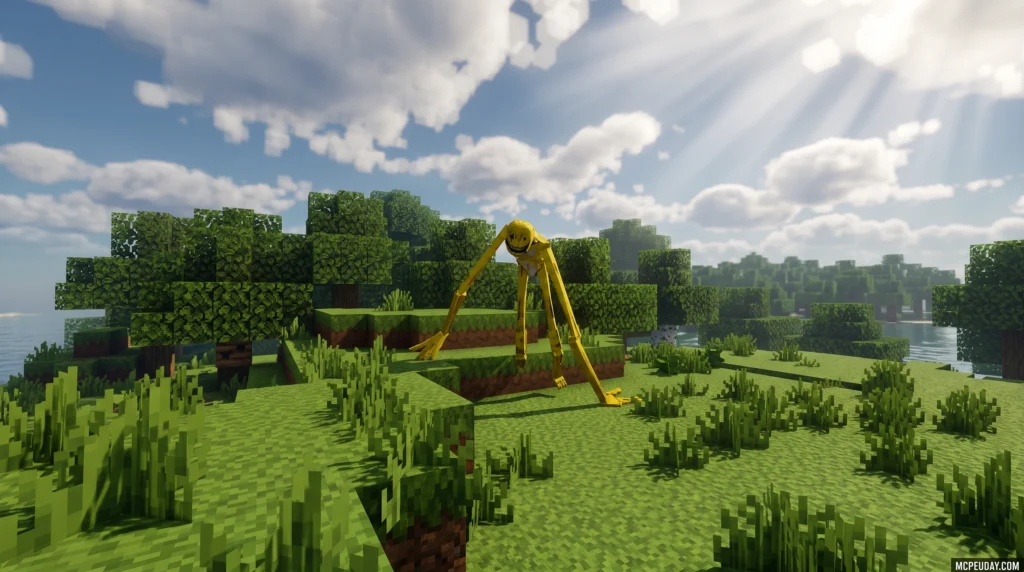
The Verity BE Addon is one of the most unsettling horror companions ever added to Minecraft Bedrock Edition — and it starts out looking completely harmless.

Here’s the quick version for anyone who wants it fast:
- What it is: A Minecraft Bedrock addon that adds Verity, a mysterious AI-powered companion entity that slowly transforms from friendly to terrifying
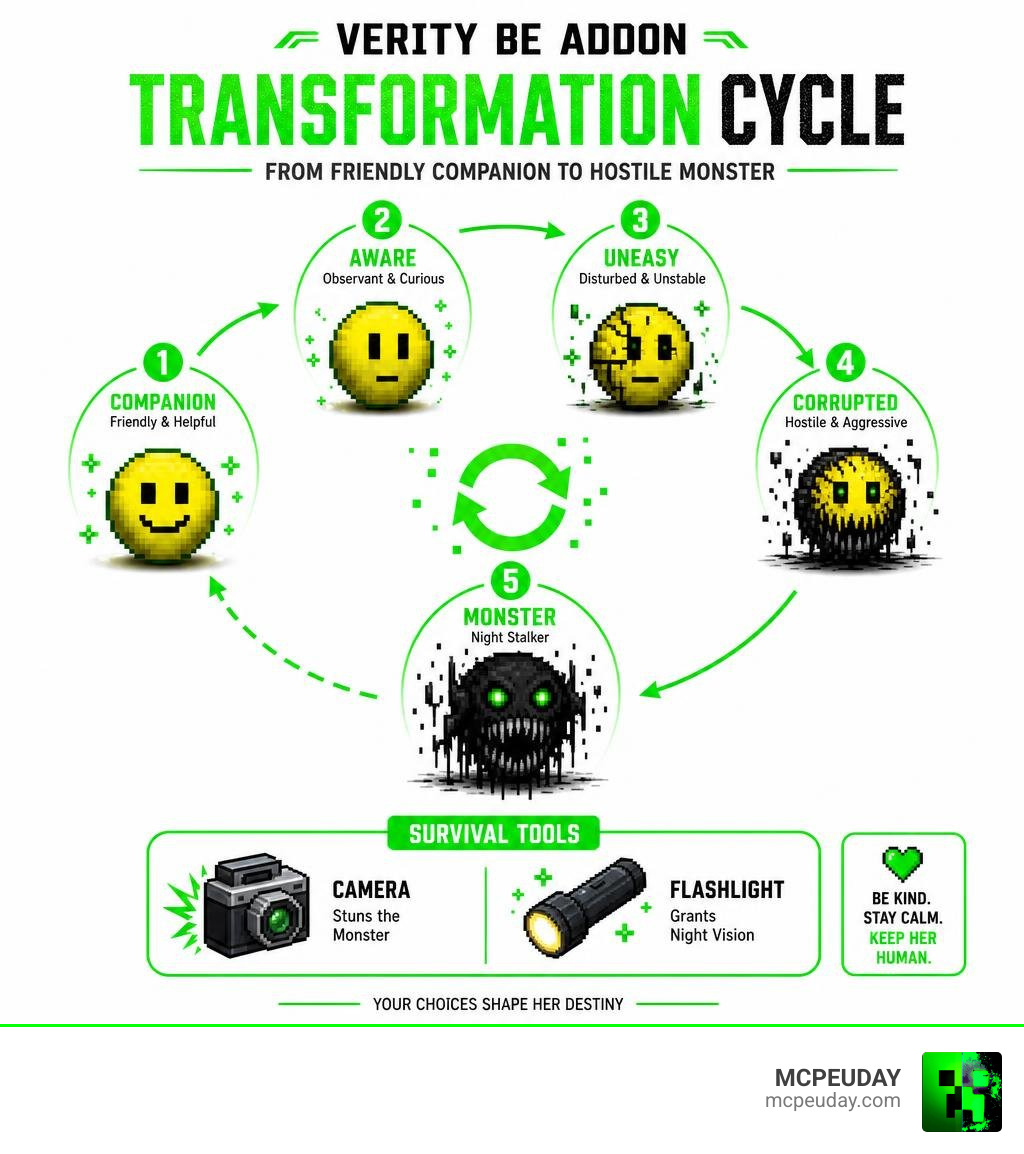
- How it works: Verity begins as a helpful yellow sphere, then shifts through four personality phases over time — ending as a hostile nighttime stalker
- What you need: Minecraft Bedrock Edition (version 1.26.30 or compatible), Beta APIs enabled, and a websocket connection command run each session
- Key items: A craftable camera (stuns the monster) and flashlight (grants night vision)
- Where to get it: Multiple versions exist, including the popular build by Undertaletalelover with 2,270+ downloads and the Maker version with 5,000+ ratings
The addon pulls inspiration from the viral Minecraft horror series featuring Verity — a creature that knows things it shouldn’t. That premise carries right into your game world.
What makes this addon different from a typical horror mod is the behavior-based system. How you treat Verity directly affects how dangerous she becomes. Be kind, and she stays calm. Act cruelly, and she transforms. It’s a psychological horror mechanic wrapped inside a survival game — and players are genuinely creeped out by it.
The companion starts as something almost cute. Then her smile begins to shift. And by nighttime? Things get very different.
What is the Verity BE Addon?
At its core, the Verity BE Addon is a hybrid companion and horror mod designed specifically for Minecraft Bedrock Edition. Unlike standard horror mobs that simply chase you down with high speed and high damage, Verity relies on psychological tension.
When you first load up the Verity Bedrock Edition Addon, you might think you have found a helpful buddy. The entity features smooth, custom animations and a unique, clean model that sets it apart from standard blocky Minecraft mobs. However, this is merely a mask for the deep stalker mechanics built into its programming.
Core Features of the Verity BE Addon
The addon introduces several unique mechanics that completely change how you approach survival in your Bedrock worlds:
- The Yellow Sphere Entity: Verity’s base physical form is a floating yellow sphere with a simple, friendly face.
- Stalker AI Mechanics: The entity does not just wander around; it actively tracks your position, watches you from a distance, and stands just outside your field of view.
- Custom Sound Design: From light, friendly hums to terrifying nighttime jumpscare sounds, the audio design is built to keep you constantly on edge.
Evolving AI and the Mysterious Companion
What truly sets the Verity BE Addon apart is its integration with external server-side AI. By utilizing Minecraft’s built-in websocket features, Verity can read and respond to messages typed in global chat.
When you type a message to Verity in global chat, she can reply with chillingly accurate voice lines and text. It feels as though she knows things about your world and your gameplay habits that a standard offline mob never could. This interactive AI companion behavior creates an immersive, unsettling experience that has taken social media platforms by storm, as seen in viral showcases like the Verity Minecraft Mod for Bedrock: Verity Addon & Voice Lines .
Entity Behavior and the Four-Phase Evolution

Verity does not stay friendly for long. Her behavior is governed by a strict time-based evolution cycle that gradually distorts her personality over the course of your survival days. This makes tracking your time in-game incredibly important, which pairs beautifully with utility mods like the Better Days Played Addon.
Phase 1: The Helpful Yellow Sphere
When you first open Verity’s spawn box in your world, she enters Phase 1. In this state, she acts as a friendly companion. She will float near you, follow you as you mine or build, and offer a comforting presence in the lonely wilderness of Minecraft. At this point, she poses absolutely no danger to you.
Phase 2: The Unsettling Shift
After exactly 400 seconds of world time, Verity transitions into Phase 2. The shift is subtle but deeply creepy. Her static, friendly smile begins to distort. She will start standing slightly further away from you, staring at you from behind trees or hills. While she is still non-hostile in this phase, her behavior becomes noticeably more erratic and unsettling.
Phase 3 and Phase 4: The Hostile Stalker
As dusk falls and nighttime events trigger, Verity enters her final, terrifying phases. She sheds her friendly yellow sphere appearance and transforms into a monstrous, spindly horror.
In these phases, she utilizes aggressive stalker AI. She will actively hunt you down, moving quickly through the dark, accompanied by screeching jumpscare sounds and custom lunging animations. If she catches you unprepared in the dark, survival is highly unlikely.
Installation, Setup, and Experimental Requirements
Because the Verity BE Addon relies on advanced scripting to run its custom AI and chat features, installing it requires a few extra steps compared to a standard resource pack. It uses Minecraft’s Script API, meaning you must configure your world settings correctly, similar to setting up other complex gameplay overhauls like the Origins BE Addon.
Enabling Experimental Toggles for the Verity BE Addon
Before loading into your world, you must toggle several experimental settings. If you skip this step, Verity will either fail to spawn or her custom scripting will break entirely.
- Go to your World Settings.
- Scroll down to the Experiments tab.
- Enable Beta APIs (this is mandatory for the Script API to function).
- Enable Upcoming Creator Features to ensure all custom animations and models load correctly.
Essential Commands and Websocket Connection
To experience Verity’s full AI chat capabilities, you must connect your game session to the external AI server. Every time you join your world, open your chat console and enter the following command:
/connect traye.ddns.net
Once connected, you can talk directly to Verity by typing her name followed by your message in global chat. If you ever need to debug the addon or reset her behavior, the creator has included several helpful commands:
!reset– Resets Verity’s anger levels and phase progression.!spawnbox– Spawns the containment box used to summon her.!spawn– Forces the entity to spawn at your current coordinates.
Survival Strategies and Gameplay Mechanics
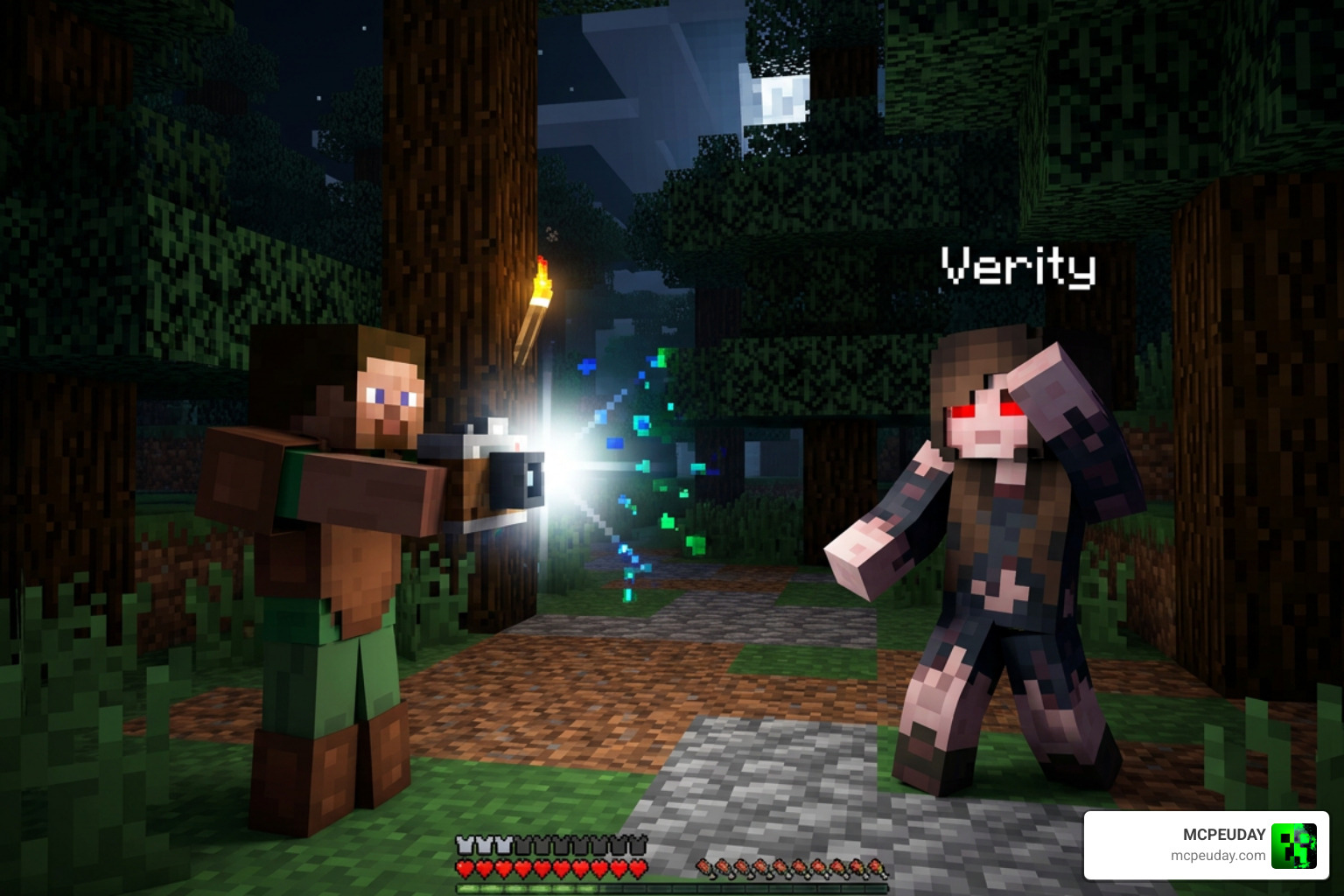
Surviving against a fully hostile Verity requires quick thinking and the right tools. You cannot simply fight her with a standard sword; you must utilize the unique defensive items included in the addon. This tactical approach to survival brings a fresh dynamic to Bedrock, matching the high-stakes tension found in the True Survival Addon.
Crafting and Using the Camera and Flashlight
The addon introduces two essential craftable tools that are vital for your survival when night falls.
- The Camera: Crafted using Iron Ingots, Redstone, and a Glass Pane. When used, the camera flashes a bright light that temporarily blinds and stuns Verity, giving you precious seconds to escape.
- The Flashlight: Crafted using Iron Ingots and Glowstone Dust. Holding the flashlight grants you constant night vision, allowing you to spot Verity before she gets close enough to lunge. This item works incredibly well when paired with the realistic lighting systems of the Better Dynamic Light Addon.
| Item | Crafting Recipe | Core Gameplay Utility |
|---|---|---|
| Camera | Iron Ingots + Redstone + Glass Pane | Emits a bright flash that temporarily stuns and blinds the monster |
| Flashlight | Iron Ingots + Glowstone Dust | Grants the player night vision when held to navigate dark forests |
Managing the Anger System
Verity features an invisible “anger system” that tracks how you treat her. If you hit her, trap her, or treat her cruelly during her friendly phases, her anger meter will spike. This will cause her to skip her gradual evolution phases and instantly transform into her hostile monster form, regardless of the time of day.
Listen closely to the verbal hints and text answers she gives you during chat interactions; she will often drop warnings about what makes her angry.
Compatibility, Version Requirements, and Known Bugs
The Verity BE Addon is currently optimized for Minecraft Bedrock versions 1.20.60, 1.20.63, and up to the latest stable 1.26.30 releases (as of July 2026). It is highly recommended to run this addon on a clean world or alongside highly compatible world overhauls like the Bedrock Reimagined Addon.
Known Bugs and Troubleshooting
Because the addon relies on external websocket connections and the Script API, users have reported a few common issues:
- Websocket Disconnects: If the AI server (
traye.ddns.net) is offline, Verity will not respond to chat messages. She will still function as a local mob, but her advanced dialogue will be disabled. - Texture Pack Glitches: To ensure Verity’s models and items load correctly, avoid using heavy global texture packs that alter the default appearance of held items, as this can sometimes break the camera and flashlight animations.
Recommended Addon Combinations
To build the ultimate survival horror experience, we highly recommend combining the Verity BE Addon with other gameplay expansions. Running it alongside the Better On Bedrock Addon adds deep survival mechanics, while incorporating the Core Craft Addon provides extra crafting depth to help you prepare for the terrifying nights ahead.
Frequently Asked Questions about Verity BE
How do you spawn Verity in Minecraft Bedrock?
You can spawn Verity by entering Creative mode, searching your inventory for the custom “Spawn Box” item, and placing it on the ground. Alternatively, you can use the chat command !spawnbox or !spawn if you have cheats and experimental features enabled in your world settings.
Why does Verity know personal information in chat?
Verity’s chat system is connected to an external AI server via a websocket connection (/connect traye.ddns.net). The AI reads the global chat log and generates contextual responses. It does not access your personal computer files, but it can read your in-game username, current biome, and world coordinates to make its responses feel eerily personal!
Where can I download the official Verity BE Addon?
You can find the latest stable releases of the addon on community hubs, including the Verity BE – Minecraft Bedrock Addons page, the alternative Verity – Bedrock Edition – Minecraft Bedrock Addons listing, or the updated Verity (Addon) PE – Minecraft Bedrock resource.
For mobile players, there are also dedicated setup guides available on the Google Play Store via the Verity Mods for Minecraft – Apps on Google Play application.
For a complete video walkthrough of the setup process, you can watch the REAL VERITY Addon in Minecraft PE Bedrock – YouTube tutorial. If you are looking for a completely different utility mod from the same creator name in the PC modding scene, you might also stumble across the Terraform provider at BE-Network/verity | Terraform Registry , though that is a developer tool unrelated to our blocky horror companion!
Conclusion
The Verity BE Addon completely redefines what a horror mod can be in Minecraft Bedrock Edition. By blending a unique four-phase behavioral evolution cycle with real-time AI chat integration, it turns a standard survival world into a tense, psychological thriller.
Whether you are trying to keep her happy as a floating yellow companion or running for your life through a dark forest with a camera in hand, Verity offers an unforgettable experience.
Ready to test your bravery? Head over to our main platform to Explore more Bedrock Addons and download the best horror, graphic, and gameplay modifications to upgrade your Minecraft world today!
1 thought on “Verity BE Addon (26.x New Update) – MCPE/Bedrock Mod”