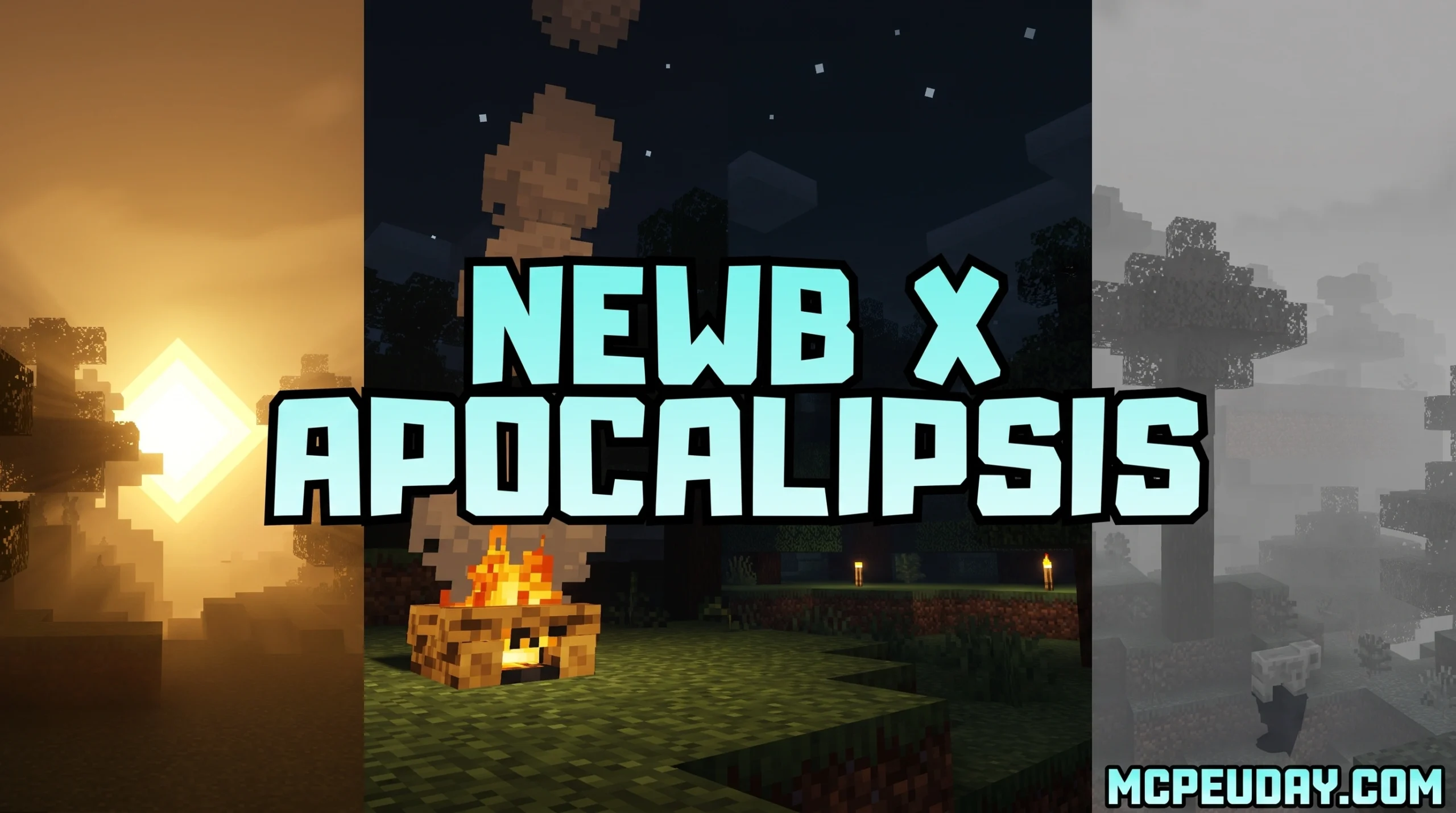
What You Need to Know About the Newb X Apocalipsis Shader
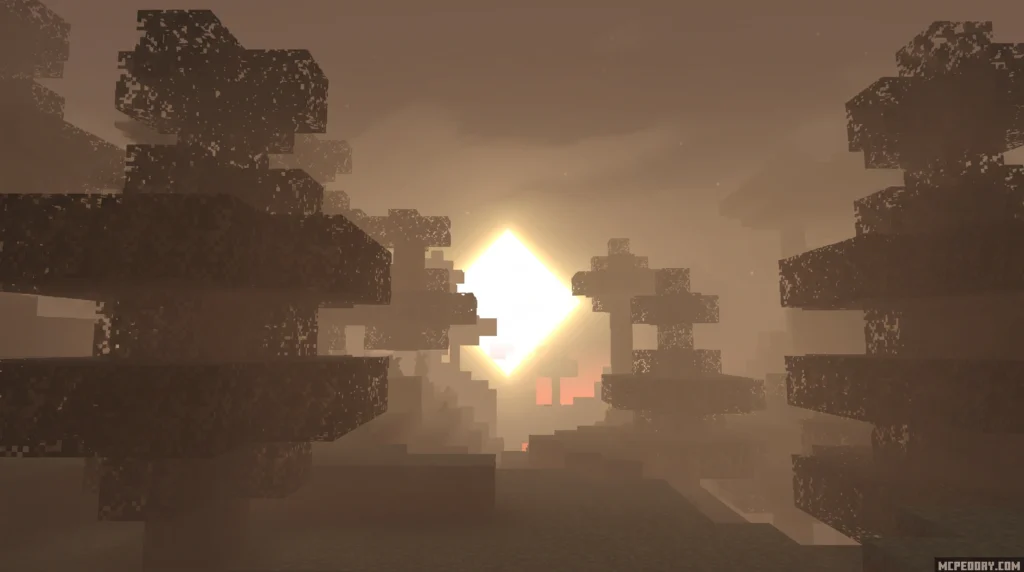
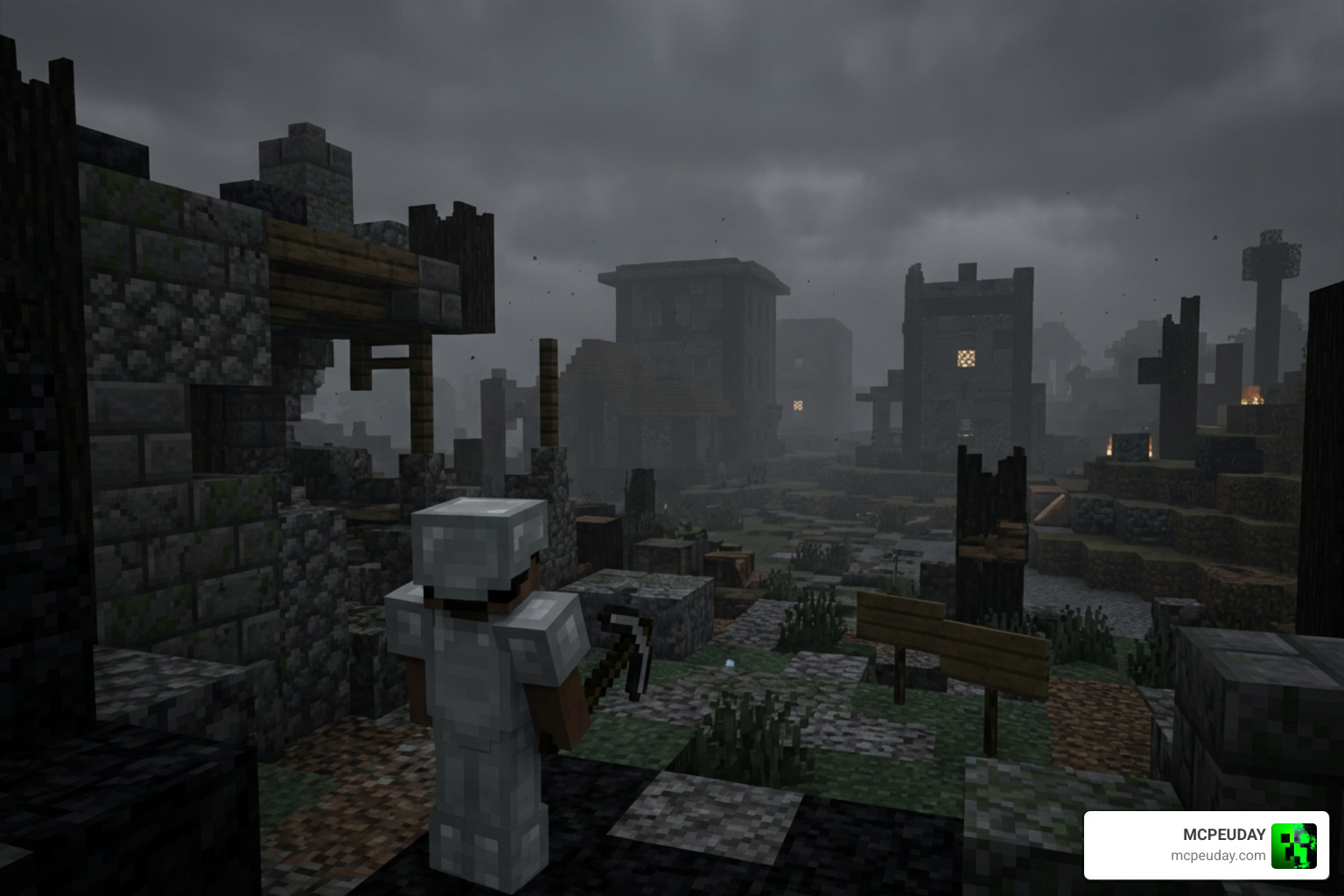
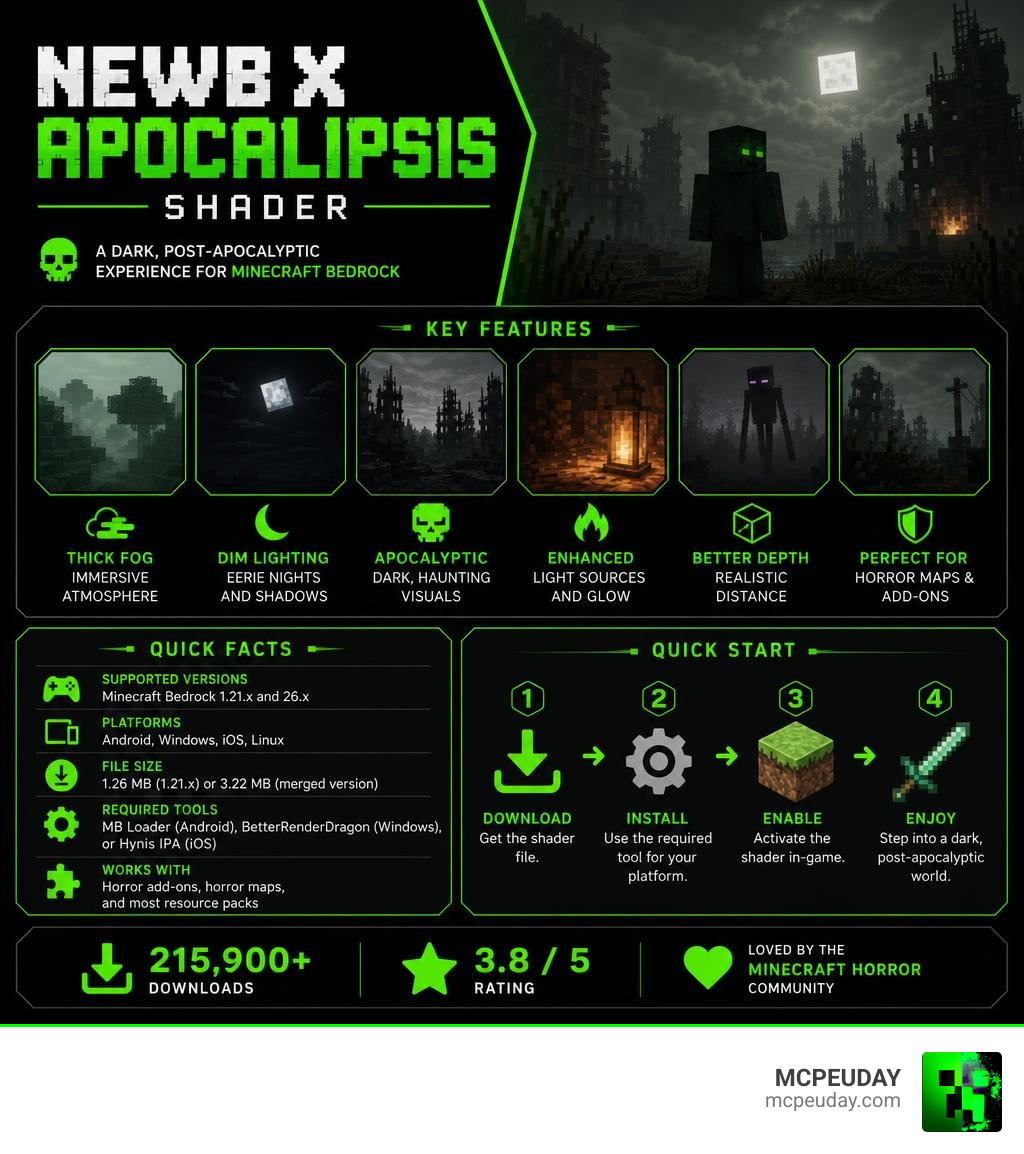
The Newb X Apocalipsis Shader is a community-made RenderDragon shader for Minecraft Bedrock Edition that transforms the game into a dark, post-apocalyptic world through heavy fog, dim lighting, and eerie atmospheric effects. It represents a massive shift from traditional shaders that aim to make Minecraft look like a vibrant fantasy world. Instead, this pack embraces the dark, the cold, and the terrifying.
Quick answers:
- What it is: A horror-themed variant of the Newb X Legacy shader family
- Who it’s for: Minecraft Bedrock players who want a dark, immersive atmosphere
- Supported versions: Minecraft Bedrock 1.21.x and 26.x
- Platforms: Android, Windows, iOS, Linux
- File size: 1.26 MB (1.21.x) or 3.22 MB (merged version)
- Required tools: MB Loader (Android), BetterRenderDragon (Windows), or Hynis IPA (iOS)
- Works with: Horror add-ons, horror maps, and most resource packs
The shader has racked up over 215,900 downloads and earned a 3.8 out of 5 rating — a strong sign that the Minecraft horror community has embraced it. This popularity is largely due to how well it integrates with modern Bedrock versions, despite the technical hurdles introduced by Mojang’s modern rendering engine.
Unlike standard shaders that brighten and beautify your world, Newb X Apocalipsis leans the other direction. It deepens shadows, thickens fog, and makes moonlit nights feel genuinely unsettling. Paired with a horror add-on or map, it stops feeling like a game and starts feeling like survival. Every corner you turn becomes a potential hazard, and every sound in the distance gains a new, terrifying context.
What is the Newb X Apocalipsis Shader?
To understand what makes the Newb X Apocalipsis Shader so special, we have to look at the history of Bedrock customization. Historically, the Newb Shader project has been a massive staple in the community, accumulating over 907,307 total downloads on CurseForge. It built its legacy as a lightweight, performance-friendly shader with soft vanilla aesthetics, making it the go-to choice for players on mobile devices and lower-end PCs who still wanted a beautiful game.
However, after the original developer stepped away from active development with the release of v16, the project was kept alive by the community. This transition period coincided with Mojang introducing the RenderDragon engine, which completely changed how graphics are rendered in Bedrock Edition and broke almost all existing shaders. Because the original Newb X Legacy source code was shared on the devendrn/newb-x-mcbe repository under the open-source MIT License, talented community creators began forking the project to design their own unique variants that could bypass these new engine limitations.
The Newb X Apocalipsis Shader is one of the most popular community forks to emerge from this open-source movement. Instead of focusing on warm, cozy, or fantasy-like visuals, this variant completely overhauls the game into a post-apocalyptic wasteland. It keeps the lightweight optimization that the Newb family is known for, meaning you do not need a high-end device to run it, but it completely changes the mood of your world. It proves that you do not need heavy ray-tracing hardware to achieve a deeply atmospheric and visually stunning game.
Visual Features and Horror Atmosphere
If you are tired of bright, happy skies and want to inject some genuine dread into your gameplay, this shader is built for you. It is designed to pair perfectly with horror-themed add-ons, solo survival worlds, and eerie custom maps. The visual overhaul is comprehensive, touching almost every aspect of the game’s environment to create a cohesive, unsettling experience.
Atmospheric Effects of Newb X Apocalipsis Shader
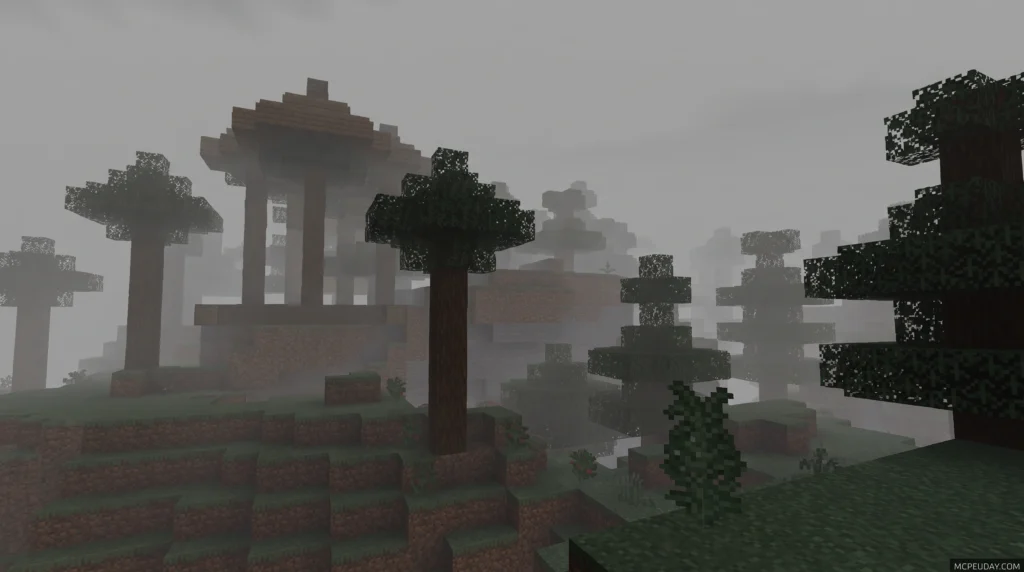
- Dense, Heavy Fog: A thick, claustrophobic fog rolls across your world, limiting your line of sight and making you wonder what is lurking just beyond the trees. This fog isn’t just a static overlay; it dynamically shifts based on the time of day and weather conditions, sometimes closing in so tightly that you can barely see a few blocks ahead.
- Ominous Sunsets: Sunrises and sunsets lose their cheerful glow, replaced by deep, blood-orange and purple hues that signal the coming of a dangerous night. The skybox feels heavy and oppressive, reminding you constantly of the apocalyptic theme.
- Mystical Moonlight: When night falls, a dim, eerie moonlight filters through the trees, casting long, distorted shadows across the terrain. The light is just bright enough to let you navigate, but dark enough to keep you on edge.
- Deep Cave Darkness: Caves are no longer naturally illuminated. They are pitch black, forcing you to rely entirely on torches, lanterns, or night vision potions for survival. Exploring underground becomes a high-stakes horror game where a single missed torch could mean walking straight into a creeper.
- Realistic Weather & Lightning Reflections: Rainy weather feels incredibly bleak, with desaturated colors and heavy downpours. When lightning strikes, the flash realistically reflects off the ground and wet blocks, momentarily illuminating the dark landscape in a dramatic, cinematic fashion.
While options like the Newb Complementary Unbound Shader focus on hyper-realism and vibrant lighting, the Apocalipsis variant prioritizes mood and horror. It trades beautiful, sparkling waters for murky, dark depths and swaps sunny fields for misty, haunted plains.
Here is how the Apocalipsis variant compares to other popular Newb variants in 2026:
| Shader Variant | Visual Theme | Performance Cost | Best Suited For |
|---|---|---|---|
| Newb X Apocalipsis | Horror / Post-Apocalyptic | Low | Horror maps, spooky survival, fog lovers |
| Newb X Columbus | Enhanced Vanilla / Cozy | Low | Everyday survival, building, clean look |
| Newb X Vibe | Fantasy / Medieval | Low to Medium | Adventure packs, RPG worlds, vibrant skies |
| Newb X Dawn | Cinematic / Warm | Medium | High-immersion survival, cinematic videos |
Installation and Platform Compatibility
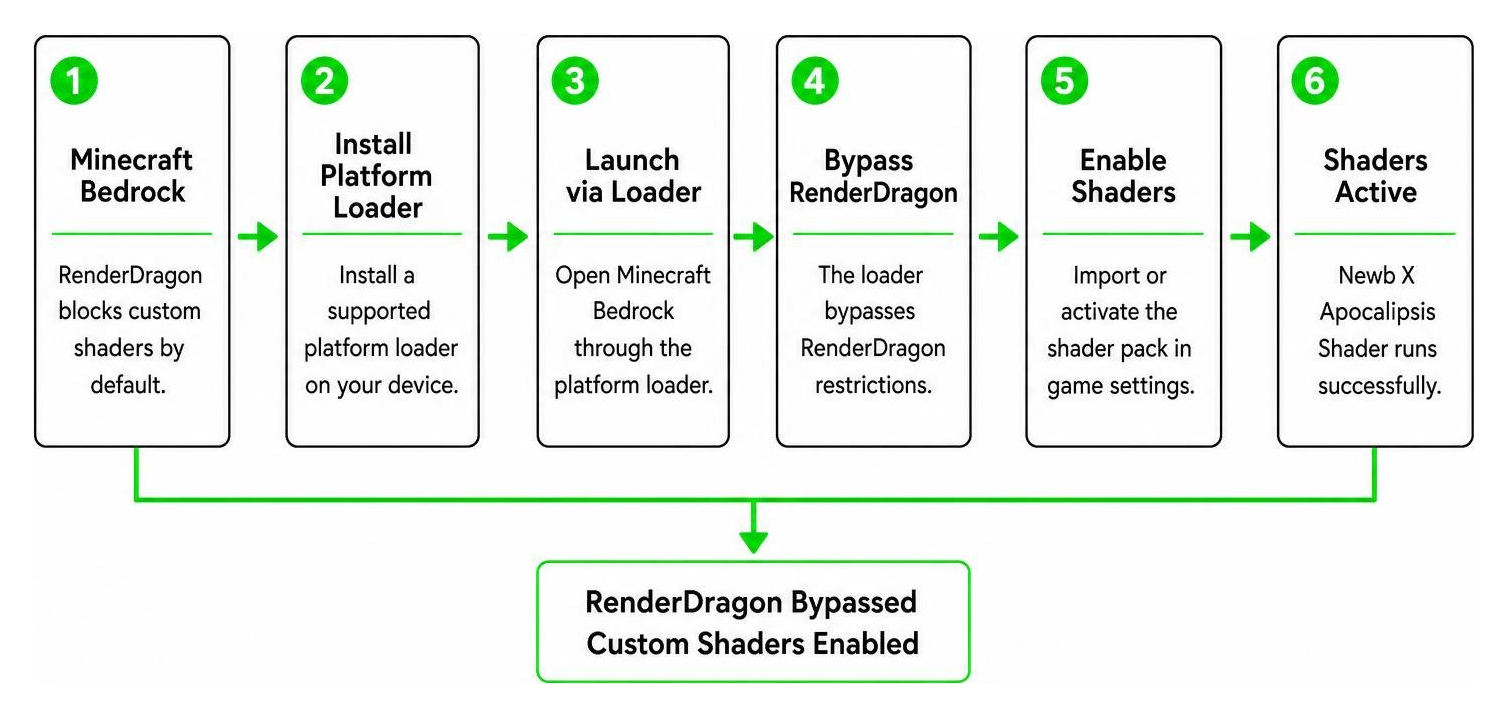
Because Mojang uses the RenderDragon rendering engine for modern versions of Bedrock, custom shaders are not officially supported out of the box. To run the Newb X Apocalipsis Shader on Minecraft Bedrock versions 1.21.x through 26.x, you must use unofficial platform loaders to bypass these engine restrictions. These loaders inject the necessary material files directly into the game’s rendering pipeline, allowing the custom shader code to execute.
How to Install Newb X Apocalipsis Shader
Setting up the shader requires a few specific steps depending on your device. Follow this guide to get it up and running:
- Download the Files: Get the official
.mcpackfiles. You can find up-to-date downloads directly on the Newb X Apocalipsis | Minecraft PE Texture Packs – MCPEDL page. Make sure to choose the version that matches your game client. - Set Up Your Platform Loader:
- Android: Install the MB Loader app to launch Minecraft with shader support. This app patches the game’s runtime memory to allow custom materials.
- Windows: Use the BetterRenderDragon mod to enable MaterialBinLoader. This tool replaces the default rendering pipeline with one that accepts custom shader files.
- iOS: Use a third-party tool like the Hynis IPA to load custom packages. This requires sideloading a modified version of the Minecraft client.
- Linux: Use mcpelauncher with the MaterialBinLoader mod enabled to run the Android version of the game with full shader support.
- Import the Pack: Open the downloaded
.mcpackfile to automatically import it into Minecraft. You should see a notification at the top of your screen confirming a successful import. - Activate Globally: Go to Settings > Global Resources, select the shader under My Packs, and click Activate. Ensure it is placed at the top of your active resource pack list to prevent other packs from overwriting its visual files.
- Configure Subpacks: Click the gear icon on the shader pack. If you are playing on a low-end mobile device, select the “No wave, No Fog” subpack to boost your FPS. If you want the full horror experience, leave it on the default settings.
- Adjust Video Settings: For the best visual experience, go to your in-game video settings and ensure Beautiful Sky is turned On, Smooth Shading is turned On, and your in-game brightness is set between 50% and 80%. Setting the brightness too high will ruin the deep shadows and cave darkness.
For a more comprehensive look at bypassing RenderDragon on different operating systems, check out our complete guide on How to Get Shaders in Minecraft.
Frequently Asked Questions about Minecraft Bedrock Shaders
Is Newb X Apocalipsis compatible with Minecraft Bedrock 1.21+?
Yes! The shader is fully compatible with Minecraft Bedrock 1.21.x and the newer 26.x updates. Just make sure you download the correct file version (such as the merged .mcpack which supports multiple versions) to avoid compatibility errors. The developers and community contributors actively update the pack to ensure it remains compatible with Mojang’s frequent engine tweaks.
Do I need an RTX graphics card to run this shader?
No. Unlike official Minecraft RTX packs that require expensive hardware and dedicated ray-tracing cores, the Newb X Apocalipsis Shader uses standard rasterization techniques. This means it can run smoothly on budget mobile phones, tablets, and low-end laptops without destroying your frame rate. It is highly optimized, allowing you to enjoy a beautiful, atmospheric game without needing a high-end gaming rig.
Why isn’t the shader loading on my Android device?
If you apply the shader but your game still looks like standard vanilla Minecraft, it is likely because you launched the game normally. Because of RenderDragon restrictions, the shader will only load if you launch Minecraft through a patched client or the MB Loader app. Make sure you follow the platform-specific installation steps carefully and always launch the game through the designated loader.
Can I use this shader on multiplayer servers?
Yes, you can use this shader on multiplayer servers and Realms. Since shaders are client-side resource packs, they only affect your personal visual experience. Other players on the server will not see the shader unless they have it installed on their own devices. However, keep in mind that the dense fog and dark caves might give you a slight visual disadvantage in competitive PvP scenarios.
Conclusion
At MCPEUDAY, we love finding resources that completely change how you experience the game. The Newb X Apocalipsis Shader is an absolute masterpiece for survival players who want to trade bright, peaceful fields for a tense, atmospheric struggle against the dark. By combining it with your favorite horror add-ons, you can turn Minecraft into a genuinely scary survival experience that rivals standalone horror games.
Whether you are exploring deep, pitch-black caves or navigating through a thick, claustrophobic fog, this shader delivers an unmatched level of immersion for Bedrock players. It stands as a testament to the creativity and resilience of the Minecraft community, who continue to find ways to bring beautiful graphics to the game despite engine limitations.
Ready to explore even more visual overhauls for your world? Head over to our curated list of the Best Shaders for MCPE 1.21 2026 or check out our guide on the 10 Best Newb Shaders for Minecraft PE Bedrock to find the perfect look for your next adventure!