What Is the Xnova Remastered Addon for Minecraft PE/Bedrock?
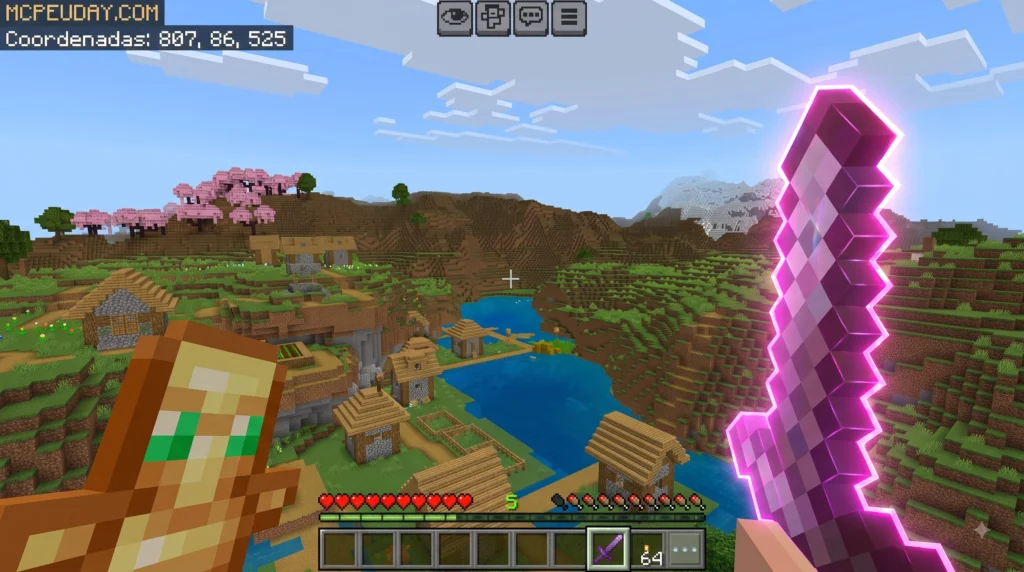
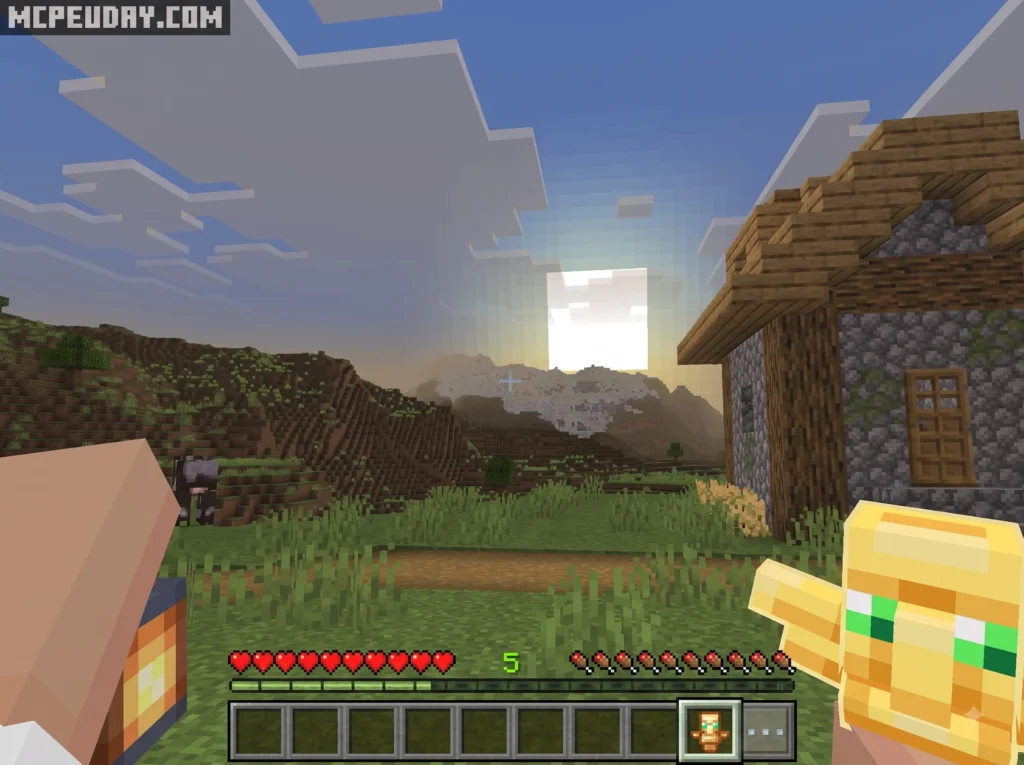
The Xnova Remastered Addon for Minecraft PE/Bedrock (also widely known as the Xnova Model Texture Pack) is a utility-focused resource pack built to solve one of Minecraft’s oldest visual problems: oversized first-person hand models. Since early alpha releases of Minecraft Bedrock Edition, default character hands and held blocks have occupied a massive portion of the lower-right side of the HUD. This default scaling frequently obscures incoming mobs, opposing players in PvP, and critical environment details.
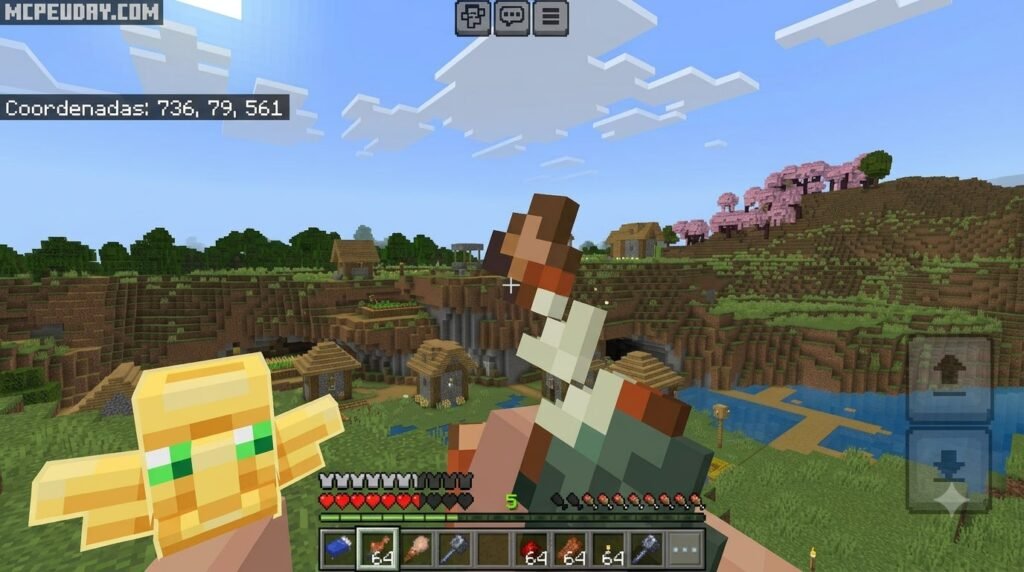
By applying custom 3D model scaling, bone placement adjustments, and lower positioning, Xnova reshapes held items so they sit neatly near the edge of your screen. In addition, the pack incorporates fluid Java-style swing dynamics and weapon sway animations. This visual feedback helps players establish a steady attack rhythm when timing hits on Bedrock Edition, giving players an edge in competitive combat scenarios.
For many Bedrock players, the biggest benefit is not only style but awareness. A smaller viewmodel makes it easier to see where arrows are coming from, track an opponent’s strafe movement, spot blocks under your crosshair, and react to sudden mob attacks in caves or Nether structures. Builders also benefit because the reduced hand size makes precision placement feel cleaner when working with slabs, stairs, trapdoors, and decorative blocks. In short, Xnova does not try to replace Minecraft’s look completely. Instead, it refines the first-person camera so the game feels cleaner, faster, and less crowded while still remaining familiar to vanilla players.
Despite these graphical overhauls, the pack retains a lightweight file size of only 5-6 MB, making it extremely performance-friendly across low-end mobile devices and high-end PCs alike. Community members currently rate the pack 3.8 out of 5 stars across 41 ratings for its balance between performance, flexibility, and screen visibility.
| View Feature | Vanilla Minecraft Bedrock View | Xnova Remastered Model View |
|---|---|---|
| Lower-Right Screen Coverage | Up to 25% screen blockage | Scaled down, compact, and pushed downward |
| First-Person View Model | Bulky, high-profile hand & block render | Low-profile, sleek modern FPS camera perspective |
| Swing Animations | Standard Bedrock static hand movement | Fluid Java-style item sway and attack recovery |
| File Size Impact | Default core assets | Ultra-lightweight (5-6 MB total package) |
| Subpack Customization | None (Single fixed layout) | Over 10 selectable hand modes and subpacks |
Target Audience and Platform Support for Xnova Remastered Addon for Minecraft PE/Bedrock
We designed and tested this resource guide specifically for competitive Bedrock players, speedrunners, and everyday mobile and PC builders who want modern FPS visibility. Whether you play on an Android tablet, iPhone, Windows PC, or console, the pack maintains stable frame rates without draining system memory or triggering render lag during intense multiplayer sessions.
The pack is especially useful if you regularly switch between survival worlds and public servers. In survival, clearer visibility helps with mining, bridging, looting structures, and fighting hostile mobs. In PvP, the compact weapon position reduces visual clutter when you are sprinting, strafing, comboing, or swapping between swords, axes, bows, and blocks. Mobile players often notice the improvement fastest because smaller screens leave less room for large vanilla hand models.
The pack offers full support for:
- Minecraft Bedrock 1.20.x
- Minecraft Bedrock 1.21.x
- Latest 26.x Bedrock Updates (including 26.12 and 26.20+)
Key Features and Subpack Modes in Xnova Remastered Addon for Minecraft PE/Bedrock
One of the best attributes of the Xnova Remastered package is its flexibility. Instead of forcing a single visual layout, it includes over ten customizable subpacks accessible directly from your global resource settings:
- PvP Mode: Minimizes hand size and pushes held weapons as low as possible for maximum screen real estate during combat duels on servers like Hive or CubeCraft.
- Normal Hands: Retains familiar vanilla proportions while slightly shifting the item position to clear your direct line of sight without altering classic geometry.
- Best Design: Balanced 3D scaling option optimized for aesthetic survival play, precise block placement, and streamlined building.
- Animaciones (Beta): Adds experimental Java Edition swing paths, weapon cooldown timing cues, and realistic arm sway during movement.
How to Download and Install Xnova Remastered Addon in 3 Easy Steps
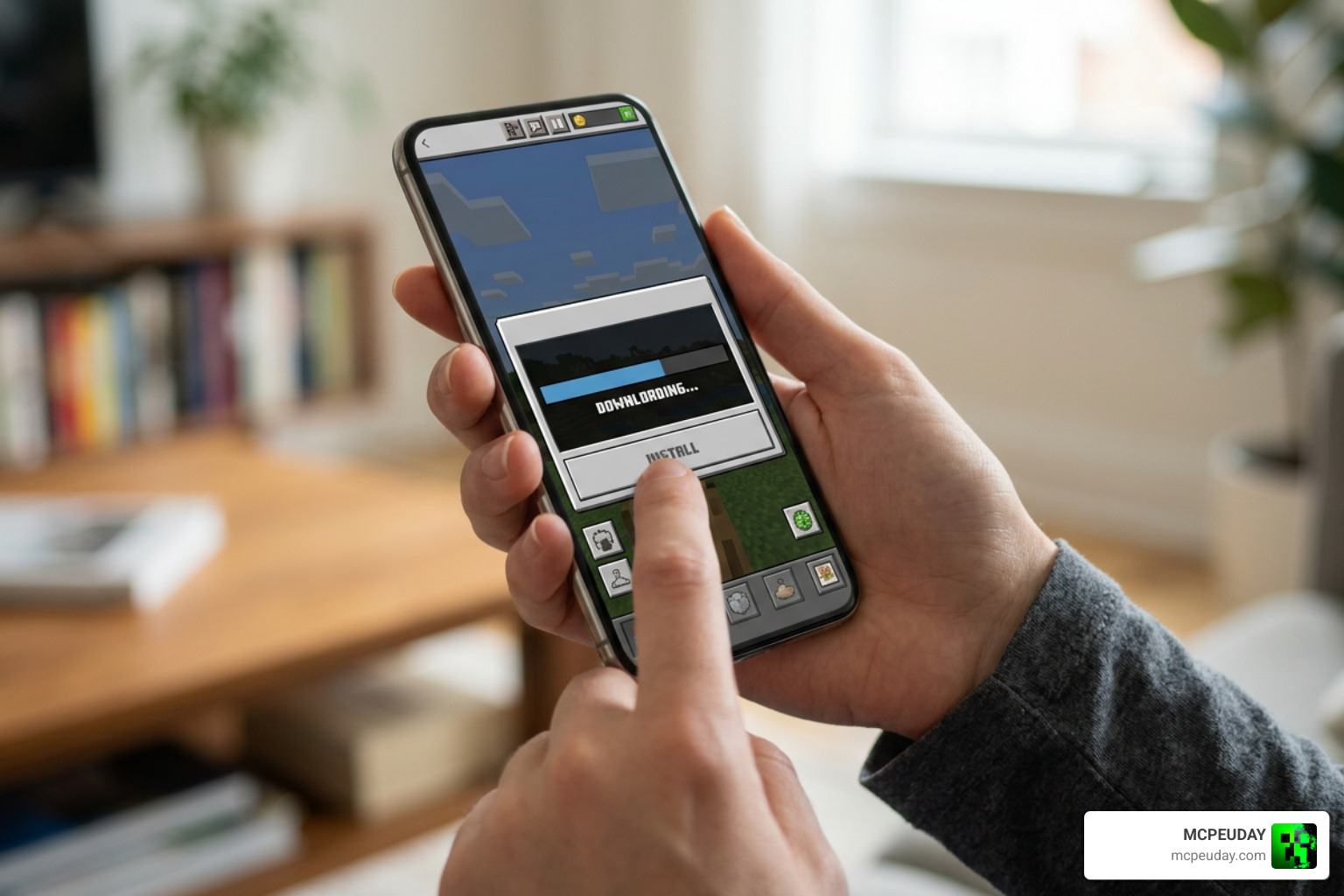
Installing the Xnova Remastered Addon for Minecraft PE/Bedrock takes less than two minutes when following our streamlined setup procedure. Because this addon is structured as a native resource pack (.mcpack), you do not need complex file extractors or third-party launchers to run it.
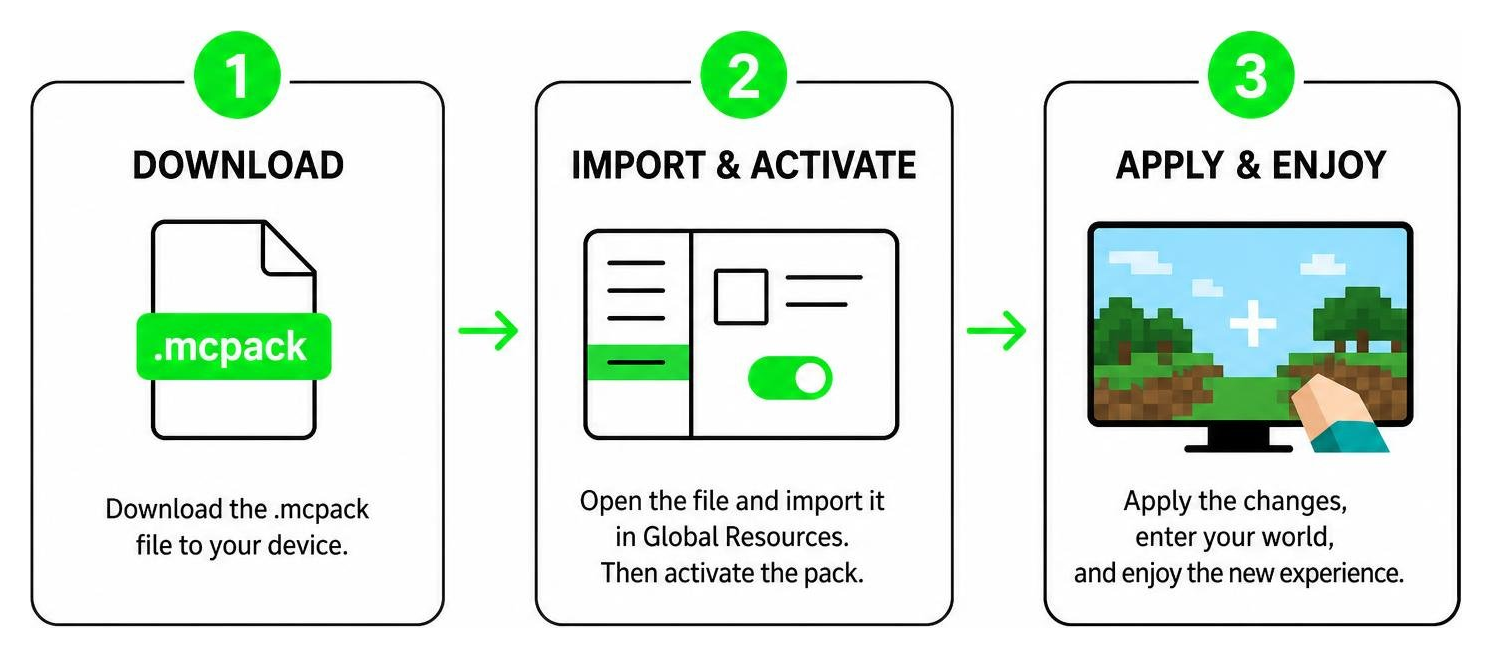
Step 1: Download the .mcpack File
First, download the official .mcpack file to your mobile device, tablet, or desktop computer. Because the pack size sits comfortably between 5 MB and 6 MB, the download completes almost instantly even on slower mobile data connections. Ensure your file download finishes completely before attempting to open it. If your device saves the file as a .zip file, simply rename the file extension to .mcpack before tapping it.
Step 2: Import and Activate in Global Resources
Once the file is saved, tap or double-click the .mcpack file. Your operating system will automatically launch Minecraft Bedrock Edition and display an “Import Started” notification at the top of your screen.
To activate it across all worlds:
- Open Minecraft and select Settings from the main menu.
- Scroll down the left sidebar to Global Resources.
- Tap My Packs, locate Xnova Model, and click Activate to add it to your Active list.
Step 3: Configure Subpack Settings and Resource Priority
Before hopping into a server or survival world, configure your subpack options and load priority to ensure optimal performance and prevent texture overrides.
- Click on Xnova Model under the Active packs list in Global Resources.
- Select the Gear Icon (Settings) to open the subpack slider menu.
- Move the slider left or right to choose your desired layout (e.g., PvP Mode, Normal Hands, Best Design, or Animaciones Beta).
- Set Load Priority: Click the arrow buttons on the resource pack list to move Xnova higher up in the hierarchy. Keeping Xnova above heavy visual tweaks or UI resource packs prevents other custom models from overriding your preferred viewmodel geometry.
Troubleshooting Common Xnova Remastered Issues and Compatibility
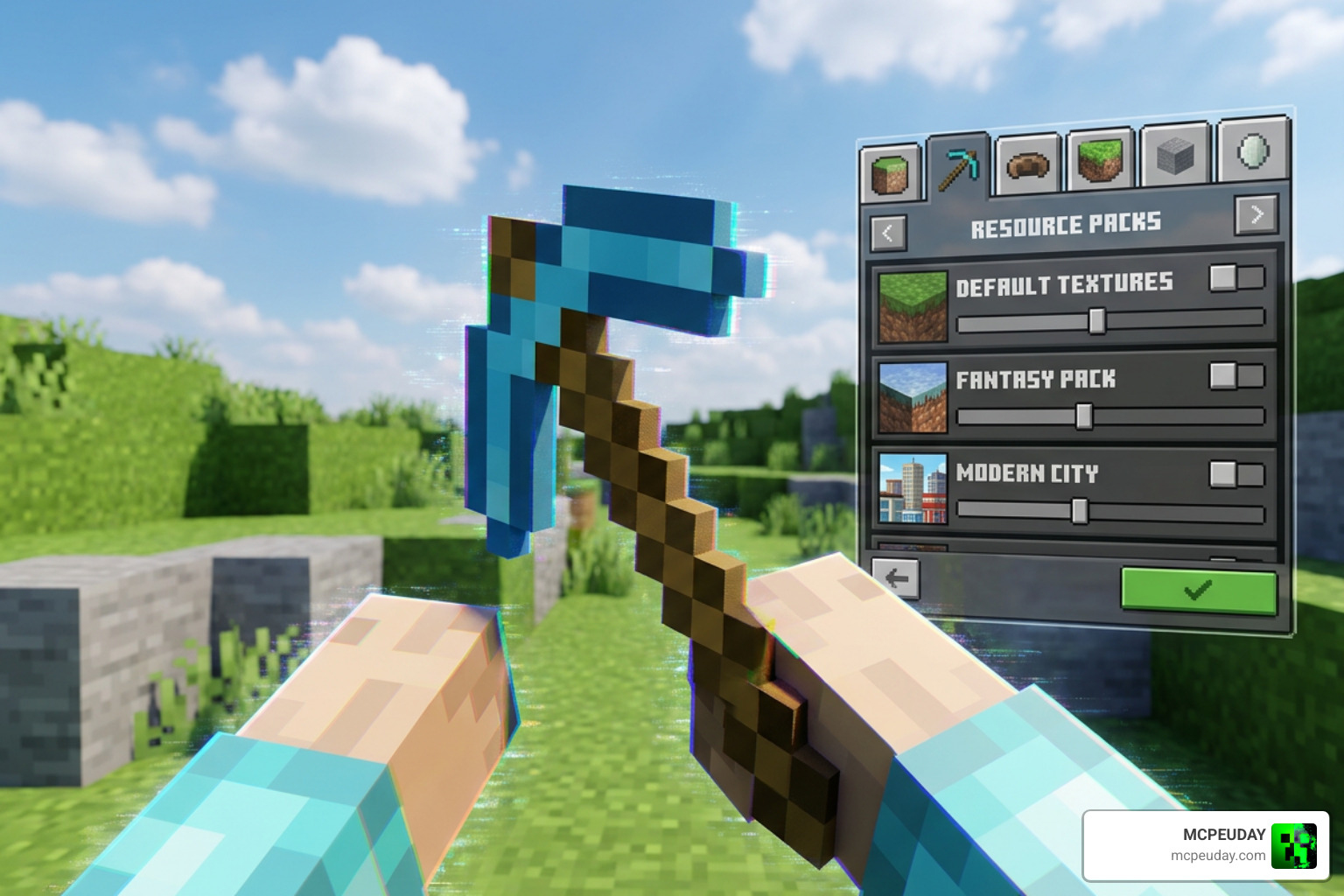
While the Xnova Remastered addon is extremely lightweight and stable, minor rendering conflicts can occur when stacking multiple resource packs, custom shaders, or behavior mods simultaneously.
Resolving Disappearing Hands While Mining
A known rendering glitch causes player hands or held tools to temporarily vanish when swinging at or breaking blocks. This typically occurs when resource priority conflicts happen between multiple model files or when using an experimental subpack mode.
To fix disappearing hands step-by-step:
- Navigate back to Settings > Global Resources > Active Packs.
- Tap the gear icon on Xnova Remastered and switch the slider from Animaciones (Beta) to Normal Hands or Best Design.
- Move Xnova to the top position in your resource hierarchy list so Bedrock prioritizes its model geometry above all other global resource packs.
- Restart your Minecraft client to clear cached viewmodel geometries from memory.
Integrating with Actions and Stuff Addon
If you love complex player movement animations, you might run the popular Actions and Stuff addon alongside Xnova. Because both packs attempt to control character bone movement and item attach points, visual animation clashes can arise if settings are mismatched.
To run both seamlessly:
- Go into Xnova settings and explicitly choose the compatible Animaciones (Beta) subpack mode designed for external animation integration.
- Ensure Xnova remains near the top of your resource pack list so weapon models scale correctly without breaking custom character body animations or third-person perspective models.
Frequently Asked Questions about Xnova Remastered Addon
What versions of Minecraft Bedrock does Xnova Remastered support?
The addon natively supports Minecraft Bedrock Edition (including MCPE on Android and iOS, Windows PCs, and consoles) across versions 1.20.x, 1.21.x, and all recent 26.x updates (such as 26.12 and 26.20+). Regular updates ensure seamless performance with every minor Bedrock patch.
Why do hands disappear when breaking blocks with this pack?
Hands disappear due to resource pack hierarchy conflicts or experimental subpack settings mismatches. Shifting Xnova to the very top of your Active Resource Packs list or changing your subpack setting to Normal Hands or Best Design fixes this rendering glitch immediately.
Is Xnova Remastered compatible with Actions and Stuff?
Yes! You can run both packs together by selecting the Animaciones (Beta) subpack mode within Xnova’s gear menu settings. This mode prevents visual skeleton overlapping and allows custom character animations to coexist with compact item holding.
Will using Xnova Remastered affect my FPS or disable achievements?
No, Xnova Remastered is a client-side resource pack that operates with a lightweight file footprint (5–6 MB). It actually improves rendering smoothness by reducing visual overhead, and because it does not alter gameplay rules or world logic, achievements remain enabled in all your survival worlds.
Conclusion
The Xnova Remastered Addon for Minecraft PE/Bedrock offers an effortless way to upgrade your first-person visibility, smooth out item animations, and gain a clear field of view during competitive PvP duels and survival building sessions. By shrinking bulky vanilla hand models and trimming unnecessary screen clutter, you can focus on precise hits, clean placement, and quick reaction times.
At MCPEUDAY, we strive to bring you clean, tested, and reliable content to elevate your everyday gameplay. Explore more Minecraft Addons on our website to discover additional visual upgrades, shaders, and utility packs for your Bedrock worlds!