What Is a 3D Totem Addon for Minecraft PE/Bedrock?
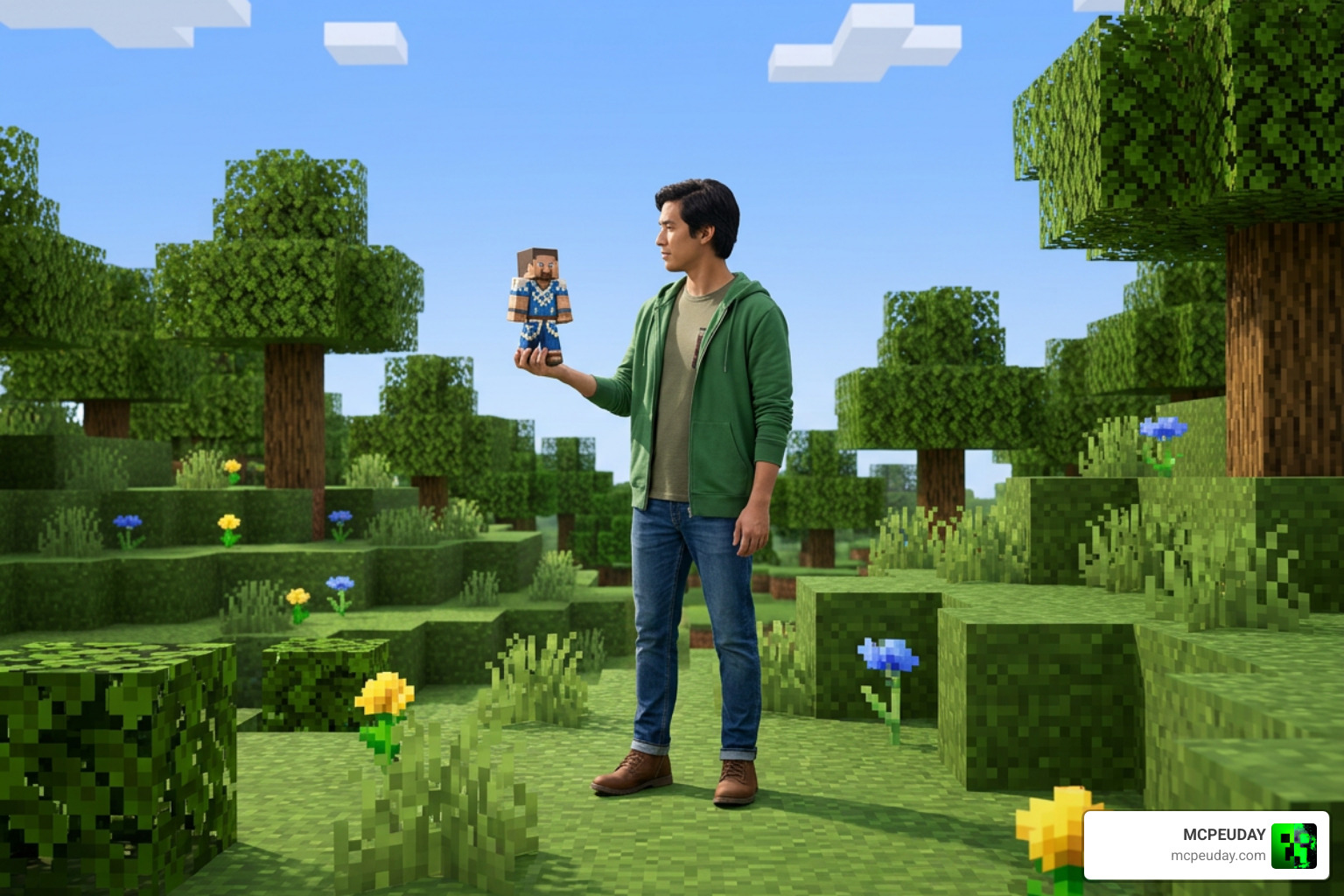
A 3D Totem Addon for Minecraft PE/Bedrock changes the normal Totem of Undying into a custom version based on your Minecraft skin or image. Instead of holding the default gold-and-green totem, you can hold a tiny version of your own avatar, from a simple skin-based texture to a real 3D player model.
- Works on Bedrock/PE: Generated packs commonly use the
.mcpackformat for easy import. - Supports custom skins: PNG skins in 64×64, legacy 64×32, and HD 128×128 sizes can be used.
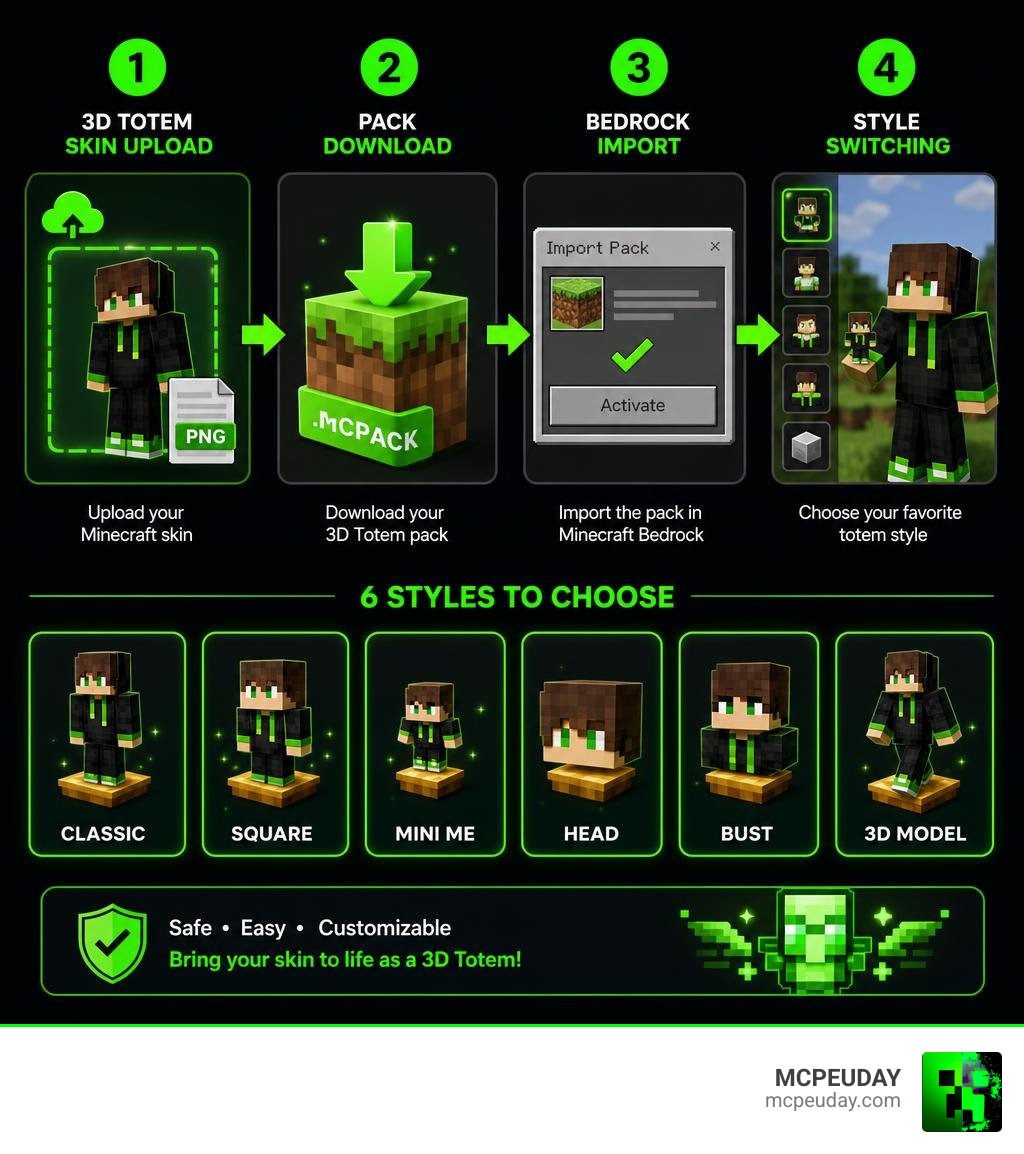
- Offers multiple looks: Choose Classic, Square, Mini Me, Head, Bust, or a full 3D Model style.
- Can reduce screen clutter: Tiny Mode makes the held totem smaller.
- Lets you switch styles: Some Bedrock packs include all styles as selectable subpacks in one download.
This is more than a standard texture pack. Basic packs only replace the flat totem image, while the 3D model option can use Bedrock attachables to display a small player figure in your hand in first- and third-person view.
In this guide, I am UDAY GAMER, and I will break down what these packs do, how to create one safely, and how to get it working in Bedrock.
Understanding the 3D Totem Addon for Minecraft PE/Bedrock vs Standard Texture Packs
When we look at standard texture modifications in Minecraft, traditional packs simply recolor or replace the flat 2D sprite of the Totem of Undying. While that gives you a personalized icon in your hotbar, it still behaves like a standard flat item in your main hand or off-hand.
The 3D Totem Addon for Minecraft PE/Bedrock goes several steps further. By combining custom geometry with specialized rendering files, these addons replace the flat item texture with actual 3D player models or dynamic multi-dimensional shapes. When popped during lethal damage, your personalized figure saves your life in style.
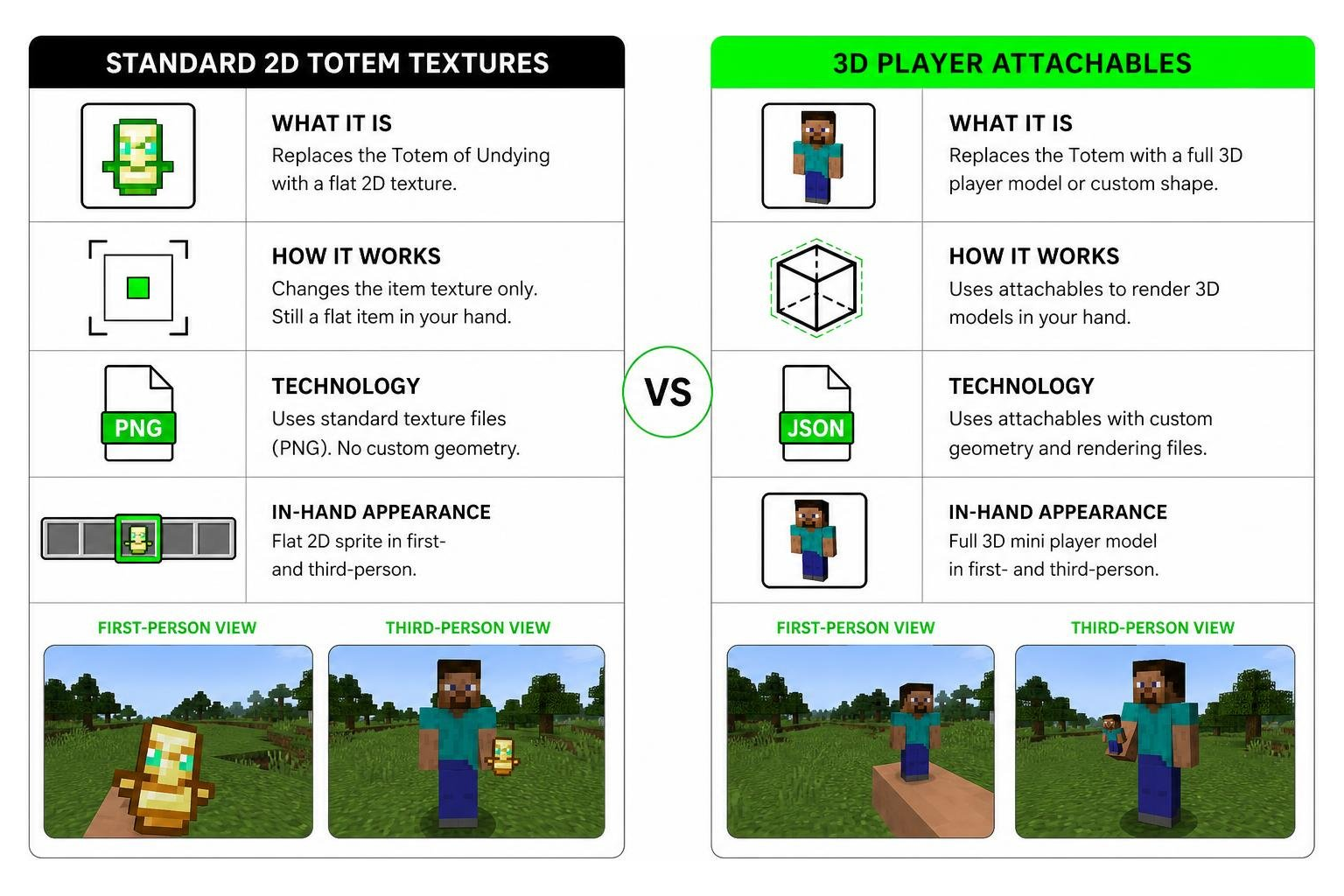
How Attachables Power the 3D Model Style in Bedrock Edition
The secret behind true 3D models on mobile devices, Windows 10/11, and consoles lies within Bedrock’s attachable architecture.
Unlike Java Edition—which relies on vanilla JSON item models to reconstruct blocky geometry without external mods—Bedrock Edition uses attachables files. This system allows custom resource packs to attach full 3D entity geometry directly to the player’s hand. When you hold your custom totem, the engine renders a fully formed mini player avatar complete with custom outer layers, dynamic arm sizing, and proper camera positioning in both first-person and third-person views. For technical specifications, check out the 3D Totem Generator Documentation.
Custom Totem Styles and Visual Options Explained
One of our favorite features when customizing addons is visual flexibility. Creators do not have to settle for just one look; modern generators offer five distinct 2D skin-derived textures alongside full 3D player geometry.
| Totem Style | Dimensionality | Description & Key Features | Ideal Use Case |
|---|---|---|---|
| Classic | 2D Flat Texture | Standard arms-out totem pose wearing your skin textures. | Classic feel with custom skin colors. |
| Square | 2D Flat Texture | Chunky, blocky silhouette emphasizing face and torso. | Clean, stylized retro look. |
| Mini Me | 2D Flat Texture | Chibi-style oversized head paired with a tiny body. | Playful, cute aesthetic. |
| Head | 2D Flat Texture | Focuses exclusively on your skin’s head and helmet overlay. | Minimalist icon lovers. |
| Bust | 2D Flat Texture | Displays your head, shoulders, and chest overlay. | Focused character portrait. |
| 3D Model | Full 3D Attachable | Real mini 3D player figure held in hand with full depth. | Immersive 3D gameplay. |
Exploring Style Options in the 3D Totem Addon for Minecraft PE/Bedrock
Each visual style brings something unique to your survival experience:
- Classic style: Preserves the nostalgia of original Totems of Undying while painting your character’s facial features and clothing onto the wings and base.
- Square model: Crops your skin into a robust, squared-off format that looks sharp in modern resource pack setups.
- Mini Me: Exaggerates head proportions, making your avatar instantly recognizable even on small mobile screens.
- Head & Bust styles: Isolate key features of your avatar, making them great if your skin has intricate helmet layers or custom hat accessories.
- 3D Player figure: Renders your full avatar complete with physical depth, distinct outer jacket layers, and proportional arm joints.
What Tiny Mode Does for Competitive Gameplay
If you play intense Bedrock PvP or survival servers, holding a large item in your off-hand can block your line of sight. This screen clutter issue is solved by Tiny Mode.
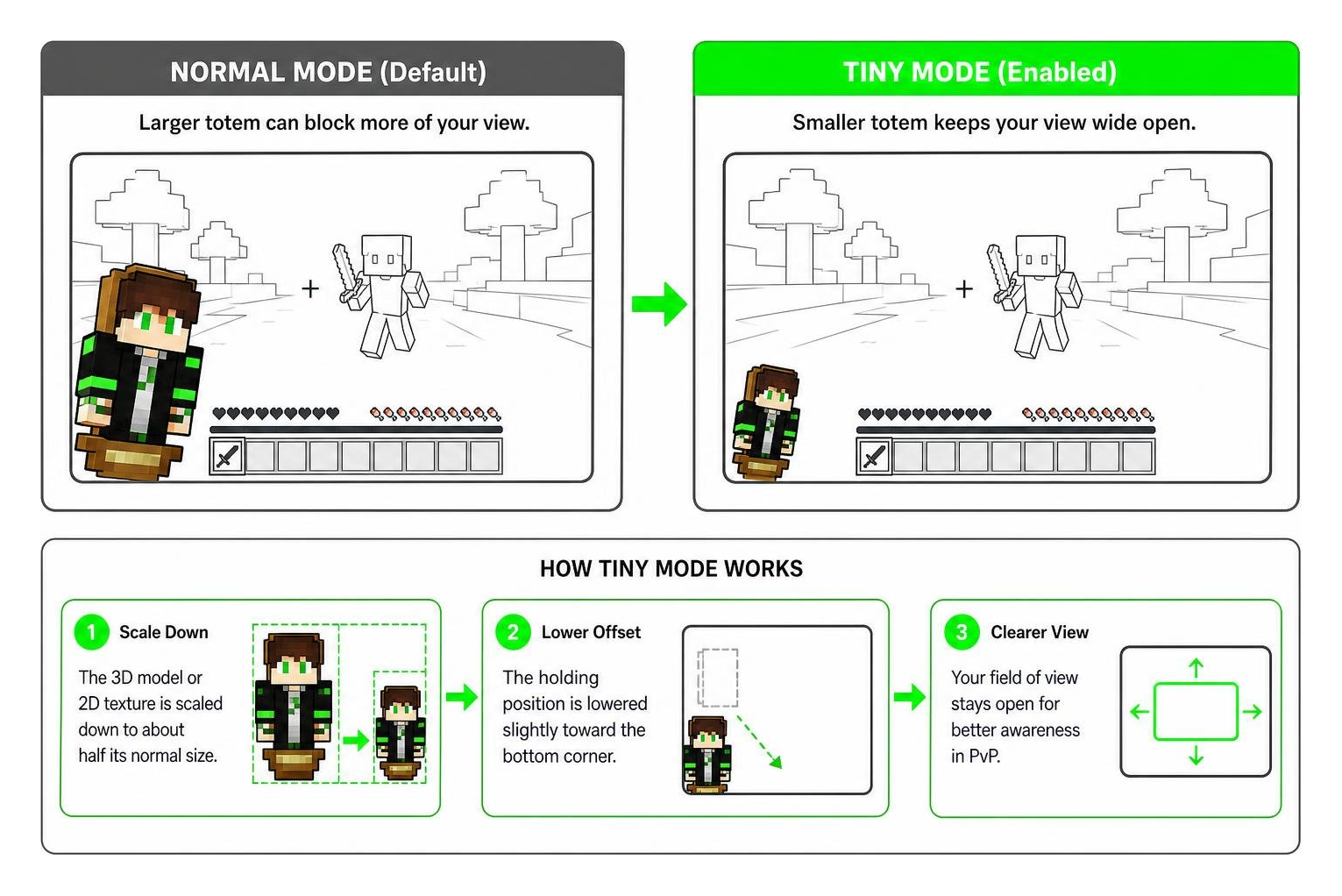
When Tiny Mode is enabled:
- The rendered 3D model or 2D texture canvas is scaled down to roughly half its normal size in-game.
- The holding offset is lowered slightly toward the bottom corner of your display.
- Your field of view stays wide open, ensuring you never miss an approaching creeper or opponent during combat.
How to Create a Custom Totem Using Your Skin
Creating your own 3D Totem Addon for Minecraft PE/Bedrock is remarkably simple thanks to modern web tools. You do not need experience with modeling software like Blockbench or complex JSON coding.
You can either upload a skin PNG directly from your device or type in your Java username or Bedrock gamertag to pull your current skin automatically. Generator tools also let you customize the pack title, write descriptions using Minecraft formatting color codes (§), and set custom pack_icon.png graphics.
Furthermore, these modern tools prioritize user security. Skin processing is handled entirely inside your web browser using HTML canvas rendering. Your private skin files are processed locally on your machine and are never stored on external web servers.
Formatting Your Skin File for the 3D Totem Addon for Minecraft PE/Bedrock
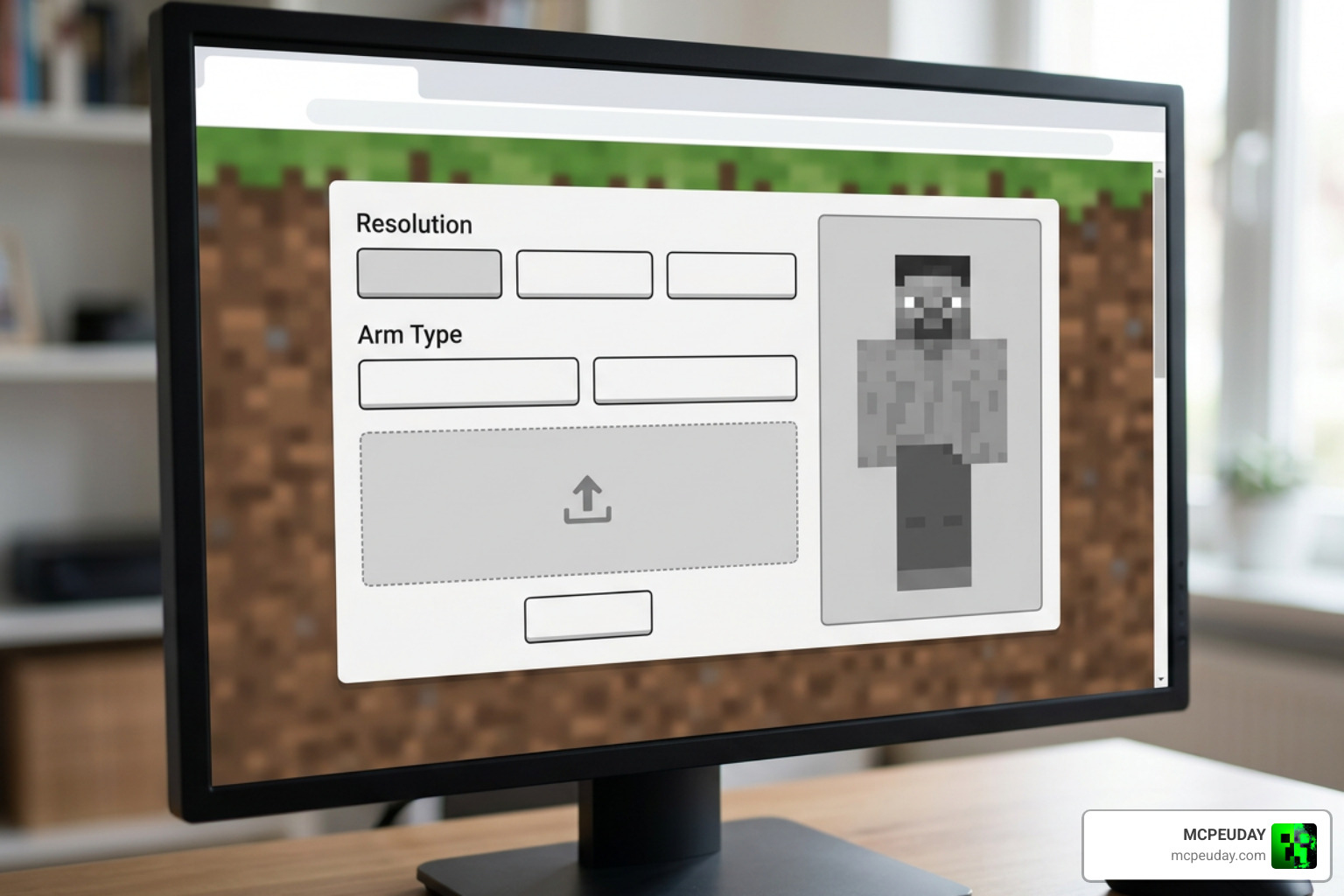
Before generating your .mcpack file, it is important to format your source file properly:
- Supported Resolutions: The generator tool accepts standard 64×64 skins, legacy 64×32 formats, and HD 128×128 skin dimensions.
- Slim vs. Classic Arms: The tool automatically detects whether your skin uses 3-pixel slim arms (Alex model) or 4-pixel classic arms (Steve model), ensuring your 3D totem model does not end up with broken arm textures.
- Layer Options: You can toggle skin outer layers (hats, jackets, sleeves, and pants) on or off depending on how detailed you want your totem to look.
How to Install and Switch Totem Subpacks on Bedrock
Once your custom pack is generated, installing it on Minecraft Bedrock Edition (iOS, Android, Windows 10/11, Xbox, or Nintendo Switch) takes only a few clicks.
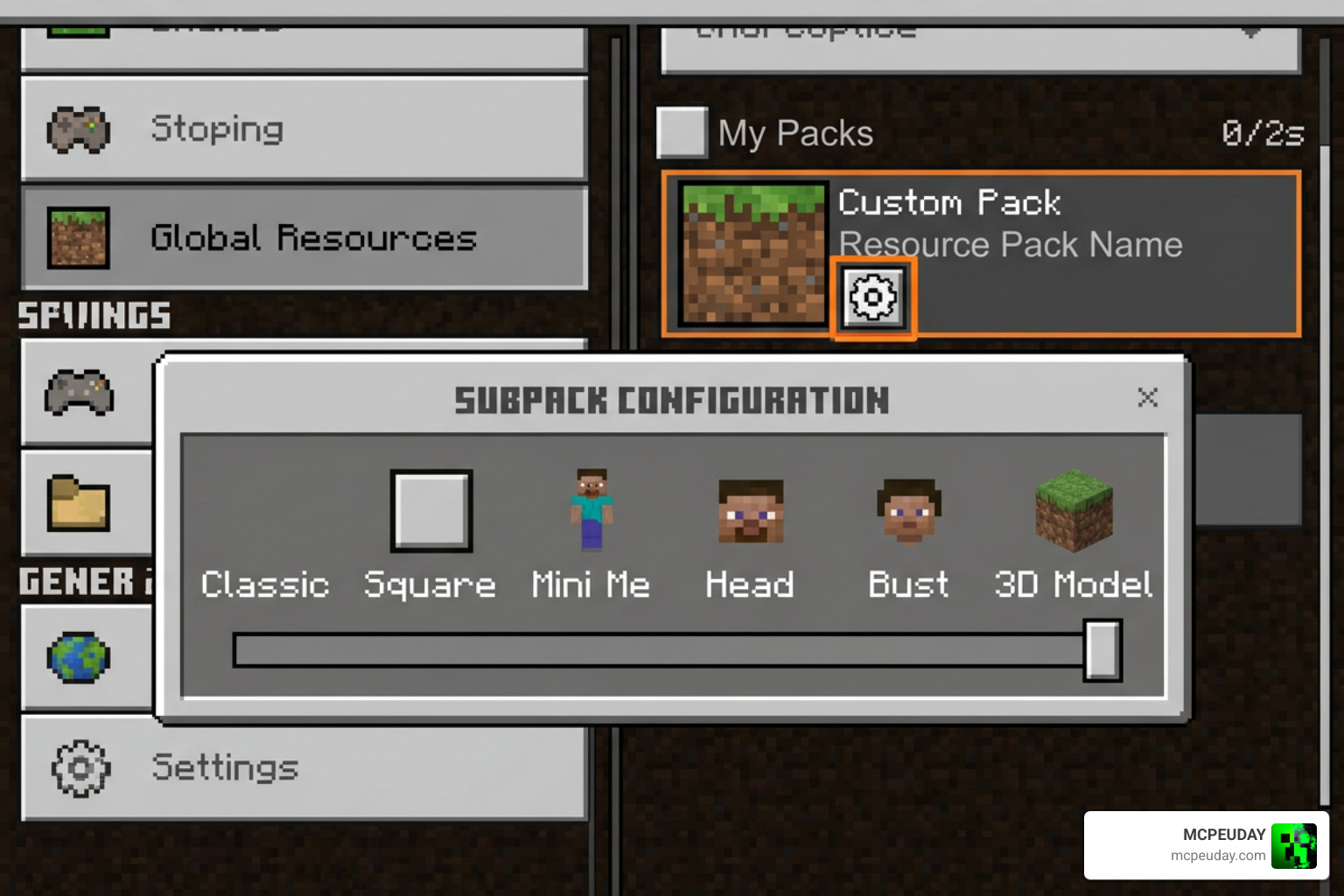
- Import the Pack: Download the
.mcpackfile and open it. Minecraft will launch automatically and import the resource pack. - Bundle All Styles: When downloading an “All-Styles” pack, all six visual variations are combined into a single pack file.
- Use the Subpack Slider: Navigate to
Settings>Global Resources(or World Resource Packs), select your custom totem pack, and tap the gear icon (Settings slider). - Switch Styles Instantly: Drag the slider between Classic, Square, Mini Me, Head, Bust, and 3D Model styles without needing to re-import multiple files.
Because every generated pack includes a unique randomly generated UUID inside its manifest.json file, you can install multiple custom totem packs simultaneously without manifest conflict errors!
Frequently Asked Questions About 3D Totems
How do switchable subpacks work in Bedrock Edition?
Bedrock Edition allows resource packs to declare subpacks inside the manifest.json file. By bundling different attachables and texture paths under subpack folders, players can change how their totem looks using an in-game slider setting without needing extra packs or restarting the app.
Are my uploaded skins kept private when using the generator tool?
Yes! The conversion tool operates locally within your web browser. The canvas rendering and .mcpack zip compression occur on your device, meaning your skin files are never uploaded or saved to remote server databases.
Can I install multiple custom 3D totem packs at the same time?
Yes. Every generated pack is assigned its own unique UUID numbers. Because Minecraft tracks packs using these unique identifiers rather than file names, you can keep separate totem packs for your main account, alt accounts, or friends active in your library at the same time.
Conclusion
Customizing your Minecraft equipment makes every victory feel much more personal. By converting your player skin into a mini 3D model or styled texture, the 3D Totem Addon for Minecraft PE/Bedrock turns every life-saving pop into a fun showcase of your individual avatar. Whether you prefer a full 3D attachable figure or a compact Tiny Mode texture for competitive play, setting up your custom .mcpack file takes only seconds.
Ready to enhance your Bedrock world with fresh custom content? Browse More MCPE Addons and Mods on MCPEUDAY to find the best graphics tweaks, gameplay mods, and custom addons available in 2026!