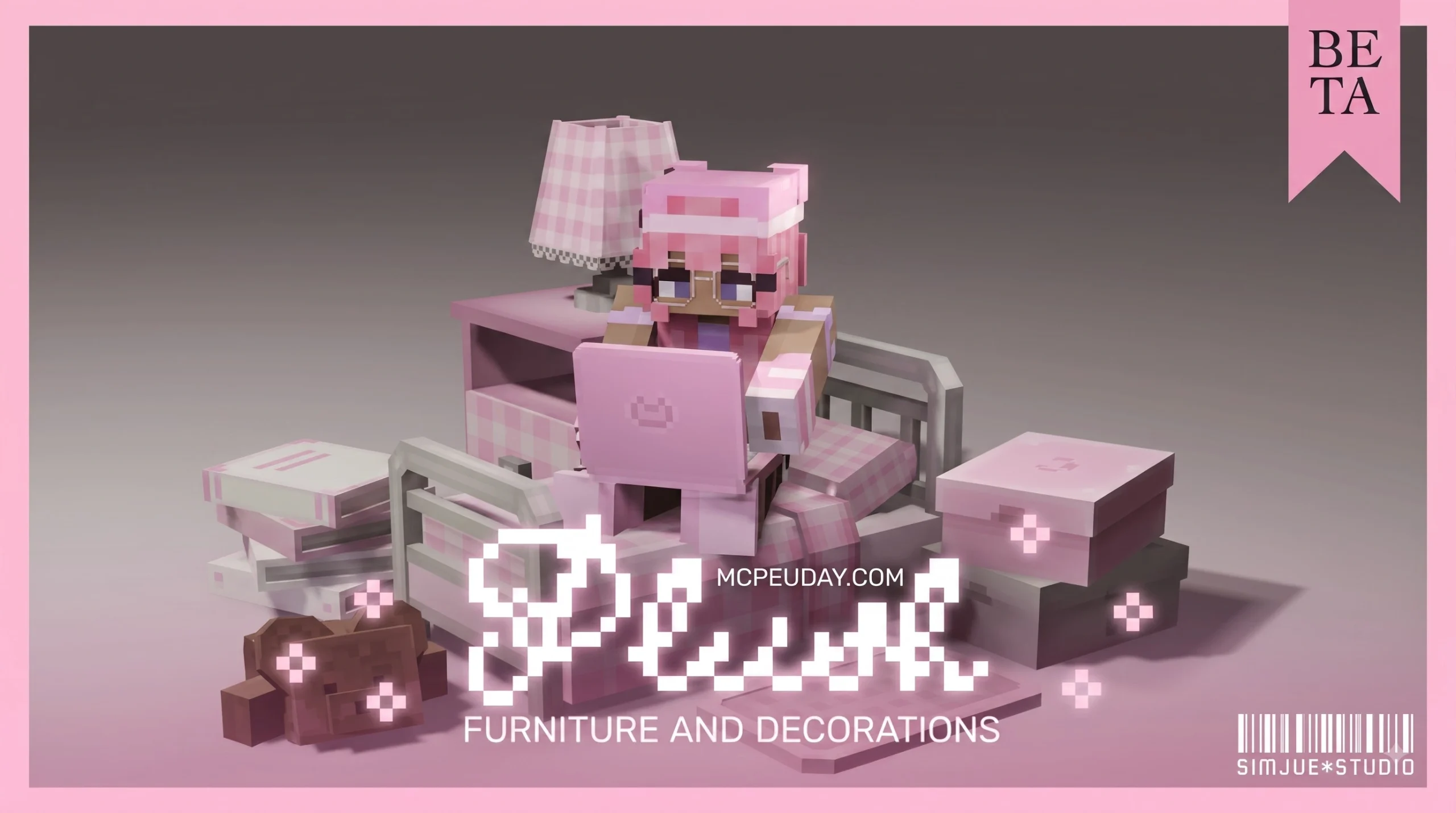
PLUSH FURNITURE Addon for Minecraft PE/Bedrock: A Quick Overview
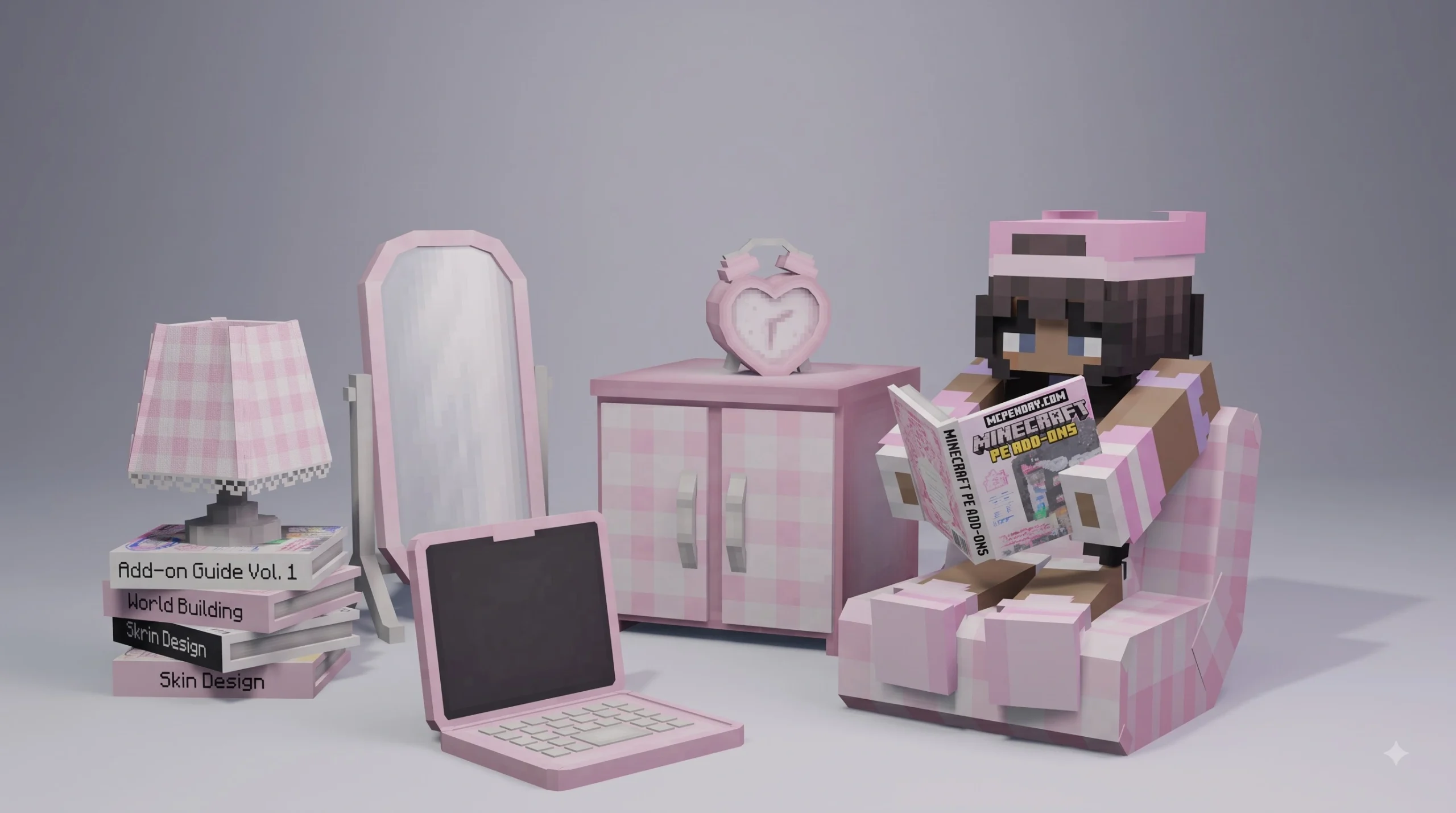
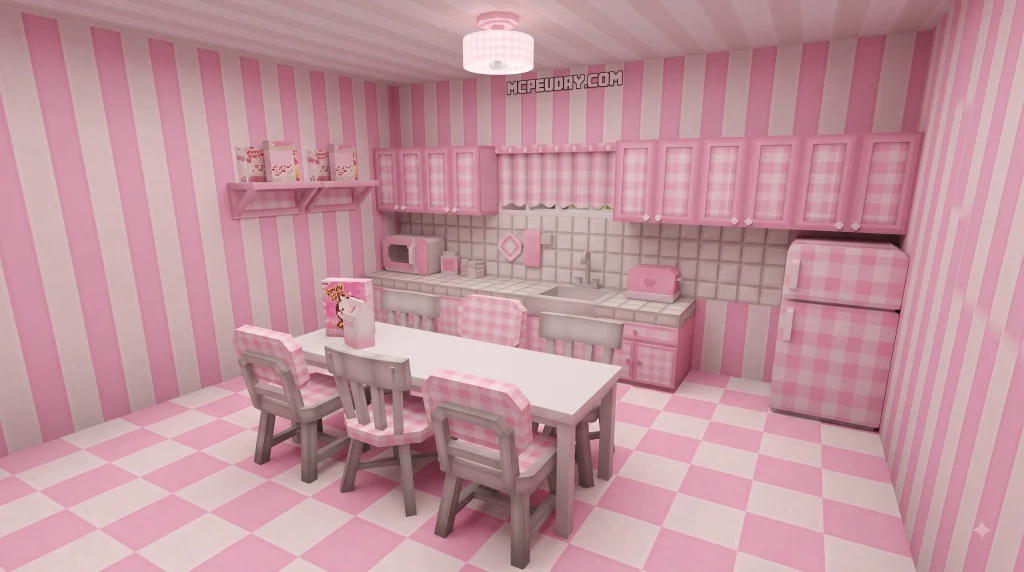
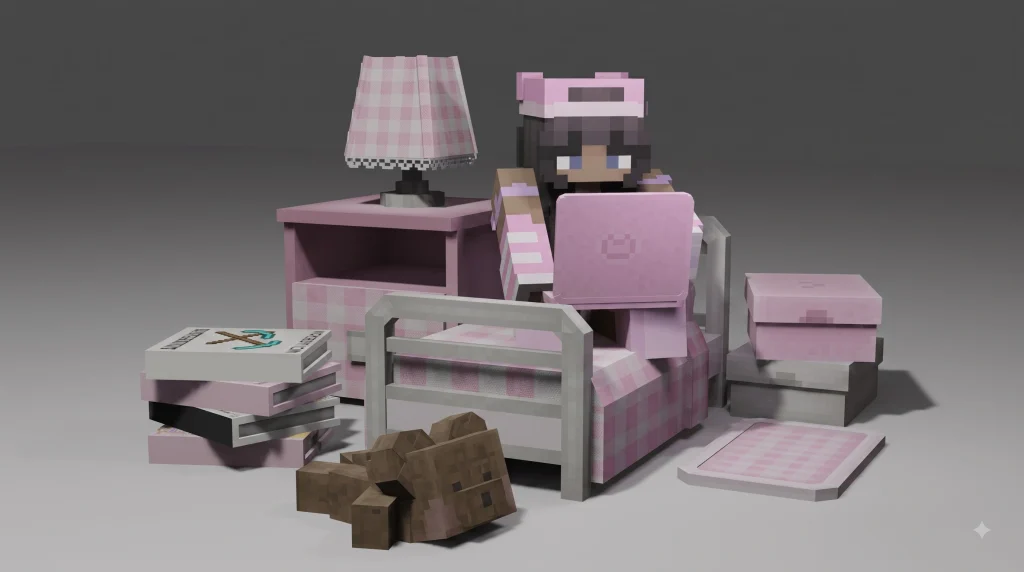
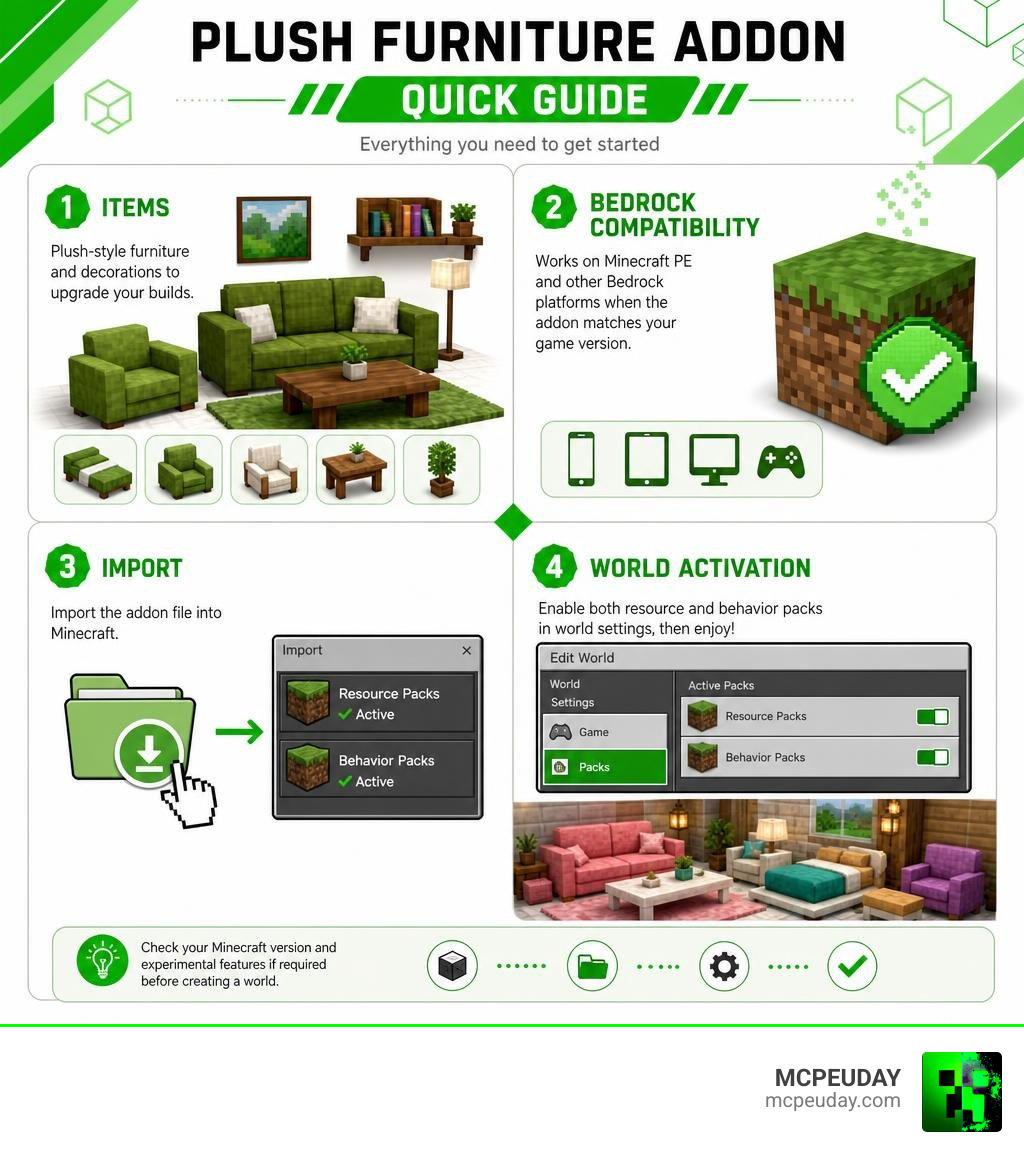
The PLUSH FURNITURE Addon for Minecraft PE/Bedrock is a decoration-focused addon that brings soft, cozy-looking furniture into Bedrock worlds. It is made for players who want to upgrade houses, apartments, roleplay maps, and survival bases beyond the standard Minecraft blocks.
| Quick answer | What to expect |
|---|---|
| What it adds | Plush-style sofas, chairs, beds, and home decorations |
| Where it works | Minecraft PE and other Minecraft Bedrock platforms, when the addon matches your game version |
| How it installs | Usually by importing an addon file, then enabling its resource and behavior packs in world settings |
| Cost | Many Bedrock community addons are offered as free downloads, but always check the download page and file source |
| Important check | Confirm Bedrock version support and whether experimental features are required before creating a world |
Unlike basic furniture packs, a plush-themed addon aims for a warmer interior style, with soft shapes and decorative details that fit modern bedrooms, living rooms, cafés, and roleplay builds. Installation can be quick, but the exact steps depend on the file type and the Minecraft Bedrock version you use.
I am UDAY GAMER, and next I will break down what this addon includes and what to check before installing it.
What is the PLUSH FURNITURE Addon for Minecraft PE/Bedrock?
The PLUSH FURNITURE Addon for Minecraft PE/Bedrock is designed to transform blocky interior design into a warm, comfortable sanctuary. In standard Minecraft, decorating a cozy bedroom or living room often requires stair blocks, trapdoors, and banners. While creative, these vanilla tricks lack the soft textures and rounded aesthetics that modern builders desire.
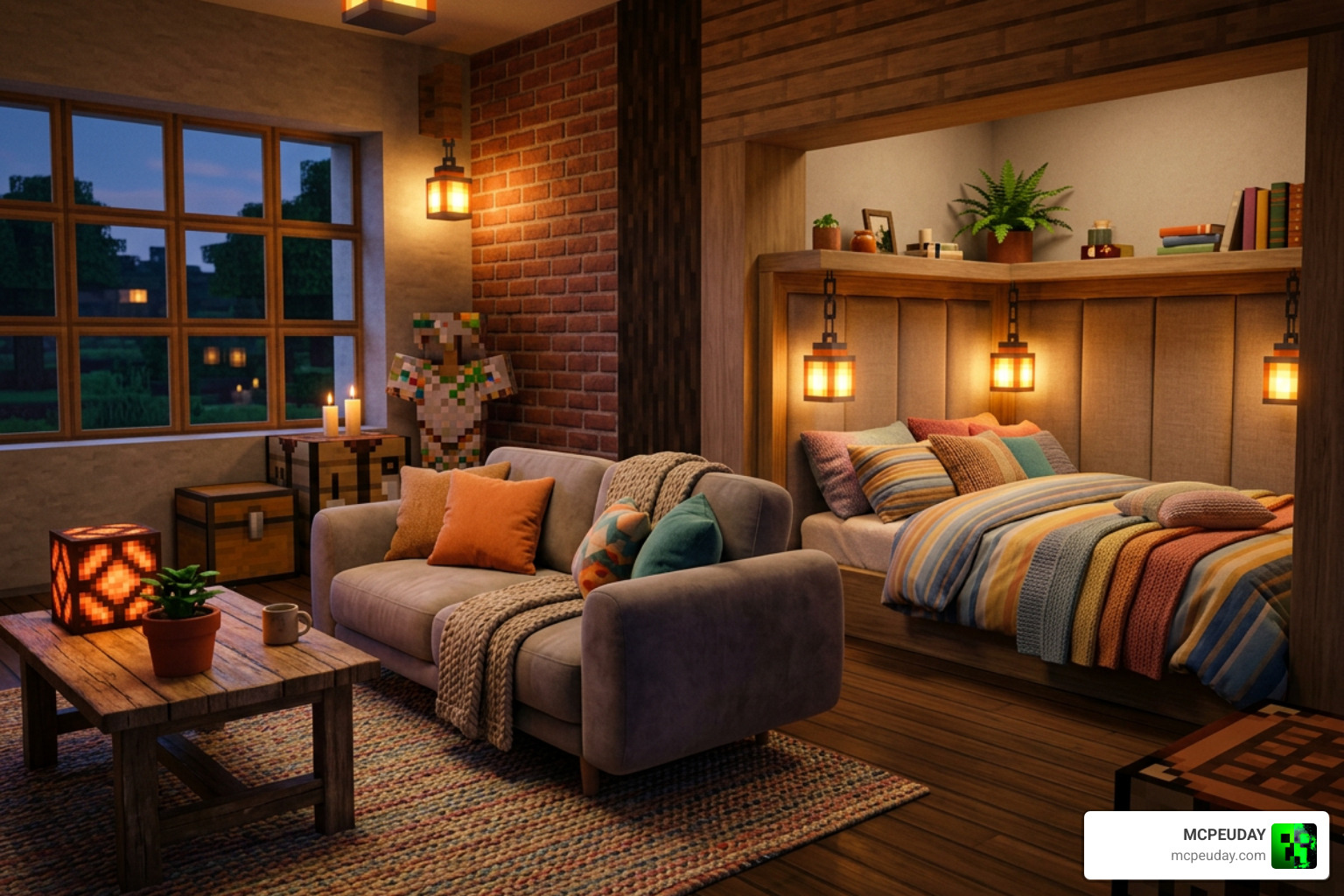
This addon introduces plush designs featuring soft cushions, smooth upholstery models, and vibrant color options. Whether you are building a modern city apartment, a cute cottage, or a relaxation lounge in your survival base, this modification brings a delightful level of warmth to your space. Best of all, it is frequently available as a free download across community portals, making high-quality interior customization accessible to all players on mobile, tablet, and console devices.
Core Features of PLUSH FURNITURE Addon for Minecraft PE/Bedrock
What truly elevates the PLUSH FURNITURE Addon for Minecraft PE/Bedrock is its attention to detail and functional interactive mechanics:
- Custom 3D Models: Every piece of furniture features rounded edges, padded textures, and custom geometry that replaces flat block surfaces.
- Interactive Seating: Players can actually sit down on sofas, armchairs, and beanbags, making your home feel truly lived-in during multiplayer roleplay.
- Sleeping Mechanics: Plush beds and daybeds function just like standard beds, allowing you to skip the night while enjoying custom sleeping animations.
- Extensive Color Variants: Most furniture items come in all standard dye colors, allowing you to match your interior color palettes effortlessly.
If you love exploring top-tier decoration content, we recommend checking out our guide on the Best Furniture Addon to see how plush designs compare with other popular packs. For visual demonstrations of how these custom models look in active gameplay, you can watch The NEW Best Furniture Addon for Minecraft Bedrock Edition… to gather extra inspiration for your next creation.
Furniture Items and Survival Crafting Recipes
In survival mode, getting your hands on luxury furniture should feel rewarding without being overly complex. The PLUSH FURNITURE Addon for Minecraft PE/Bedrock integrates seamlessly into survival crafting mechanics by utilizing familiar vanilla materials.
Most plush items require simple combinations of wool blocks, wood planks, string, and carpet on a regular crafting table or a custom decoration bench:
- Plush Sectional Sofas: Crafted using matching wool blocks and wooden slabs to create modular seating.
- Cozy Armchairs: Compact single-seater chairs ideal for reading nooks and study rooms.
- Padded Daybeds & Plush Beds: Soft sleeping arrangements crafted with wool and feathers for enhanced comfort.
- Mini Ottomans & Decorative Beanbags: Accent seating options available in full 16-color palettes.
- Plush Pillows & Throw Cushions: Decorative items that can be placed on top of existing wooden benches or beds.
For players who enjoy mixing soft furniture with sleek modern appliances, combining this pack with the Modern Furniture Addon produces a complete aesthetic balance between contemporary structures and comfortable decor.
How to Download and Install the Addon
Getting the PLUSH FURNITURE Addon for Minecraft PE/Bedrock into your game is a simple process once you understand how Bedrock pack files function.
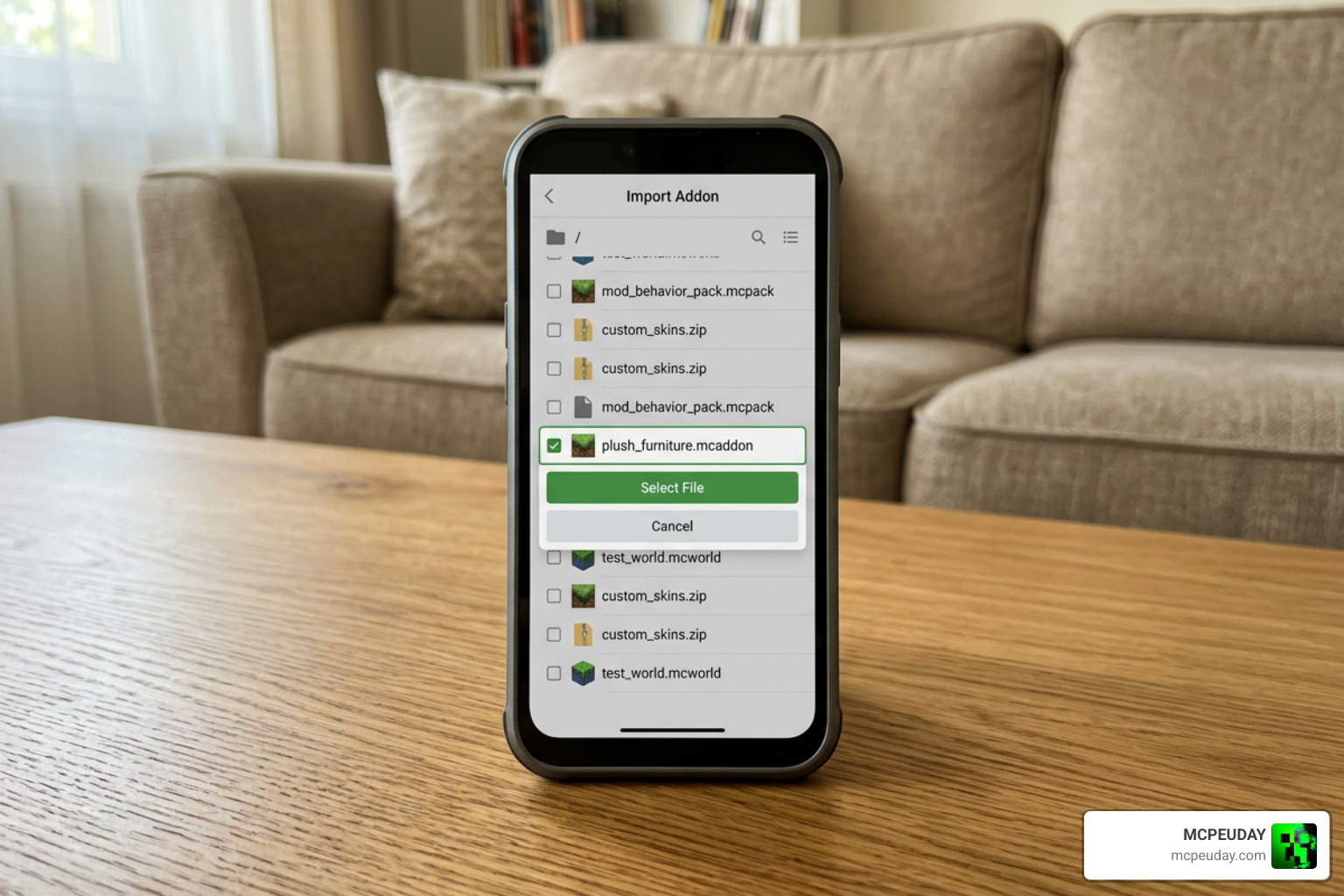
Addons typically ship as .mcaddon or .mcpack files. A standard .mcaddon bundle includes two core parts:
- Resource Pack: Controls visual textures, custom 3D models, sound effects, and UI icons.
- Behavior Pack: Handles entity physics, seating interactions, crafting recipes, and block logic.
To guarantee that interactive elements work without glitches, you must also toggle “Experimental Features” in your world settings before loading your save.
System Requirements for PLUSH FURNITURE Addon for Minecraft PE/Bedrock
Before installing, make sure your device and game client meet these core requirements:
- Game Version: Minecraft Bedrock Edition version 1.21 or newer is highly recommended for full feature support.
- Platform Support: Compatible with Android (MCPE), iOS, Windows 10/11, and supported console Bedrock platforms.
- Performance Optimization: Optimized for mobile hardware, ensuring smooth frame rates even when placing multiple 3D furniture models in a single room.
- Dependencies: Operating as a standalone mod, it requires no external libraries or secondary launcher apps to run properly.
Step-by-Step Installation Guide for MCPE
Follow our quick guide to install the pack on your mobile device or PC:
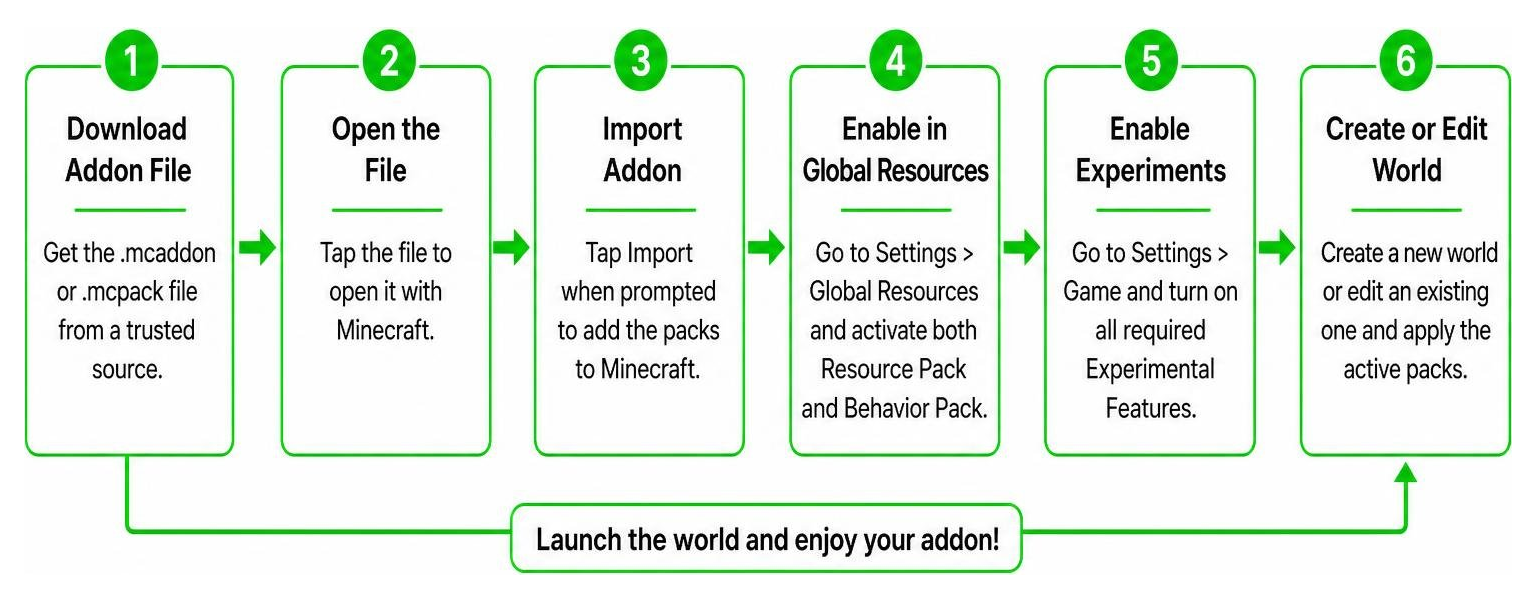
- Download the File: Save the
.mcaddonor.mcpackfile from a trusted source directly onto your device. - Open with Minecraft: Open your device’s file manager, locate the downloaded file, and tap or double-click it. Select Minecraft to open the file.
- Automatic Import: Minecraft will launch automatically and display an “Import Started” notification at the top of the screen, followed by “Successfully Imported”.
- Configure World Settings: Create a new world or tap the edit icon next to an existing world.
- Enable Packs: Scroll down to Resource Packs in the left menu, select the plush pack under “My Packs”, and click Activate. Repeat this process under Behavior Packs.
- Enable Holiday Creator Features: Under the “Experiments” section of the world settings, toggle Holiday Creator Features and Custom Biomes/Upcoming Creator Features to ON.
- Enter Your World: Click Play to start building with your soft, new furniture!
Comparing Plush Furniture with Other Bedrock Decoration Mods
Choosing the right decoration mod depends heavily on your building style and performance needs. Below, we have prepared a direct comparison between the plush furniture pack and other popular decoration addons available on MCPEUDAY and official platforms.
| Addon Name | Primary Aesthetic Style | Interactive Features | Ideal Build Type | Performance Impact |
|---|---|---|---|---|
| Plush Furniture Addon | Soft, cozy, modern upholstery | Sitting, sleeping, color dyeing | Bedrooms, modern homes, cafes | Low to Moderate |
| Furnicraft Furniture Addon | Suburban modern, electronic devices | TV playback, functional seats | Modern cities, mansions | Moderate |
| Rustic Furniture Addon | Medieval, wooden, weathered | Storage containers, seating | Castles, taverns, survival cabins | Low |
| Fabulous Furniture Addon | Vibrant, stylized decorative pieces | Decorative placement | Modern houses, suburban bases | Low |
| [Another Furniture Add-On | Minecraft ](https://www.minecraft.net/en-us/marketplace/pdp/starfish-studios/another-furniture-add–on/62742ae5-5a69-4fa2-97b4-1208c812308a) | Vanilla-friendly wooden furniture | Vanilla-style structures | Ultra-Low |
If you enjoy exploring historical or theme-specific interior designs, you can also browse our guides on the Faramirs Furniture Addon, Decodrop Furniture Addon, Feudal Furniture Addon, and Craftopia Furniture Addon to expand your decorative toolkit.
Frequently Asked Questions
Is the Plush Furniture Addon free to download?
Yes, the vast majority of community-created plush furniture addons are available as free downloads on trusted MCPE community file platforms. Always ensure you download content from safe, established sources to protect your device from unverified links.
Can players sit and sleep on the plush furniture?
Yes! Most modern versions of the plush furniture pack include custom interaction hitboxes. Players can right-click or tap on sofas and armchairs to sit down, or use plush beds to sleep through the night with full custom animations.
Does this addon work on Minecraft Bedrock multiplayer servers?
Yes, as long as the host player or server administrator installs both the Resource and Behavior packs into the server settings. When players join the world, the server will automatically prompt them to download the required texture assets for a seamless multiplayer build session.
Conclusion
At MCPEUDAY, we believe that world-building should be limited only by your imagination, not by standard block shapes. The PLUSH FURNITURE Addon for Minecraft PE/Bedrock provides an incredible solution for players looking to add comfort, warmth, and personality to their interiors. From relaxing living rooms to soft, colorful bedrooms, these detailed 3D models dramatically improve overall gameplay aesthetics without slowing down your device’s performance.
Ready to transform your Minecraft worlds into warm, welcoming homes? Explore All MCPE Mods and Addons on our site today to discover the latest furniture packs, realistic shaders, and exciting adventure mods for Minecraft Bedrock Edition!