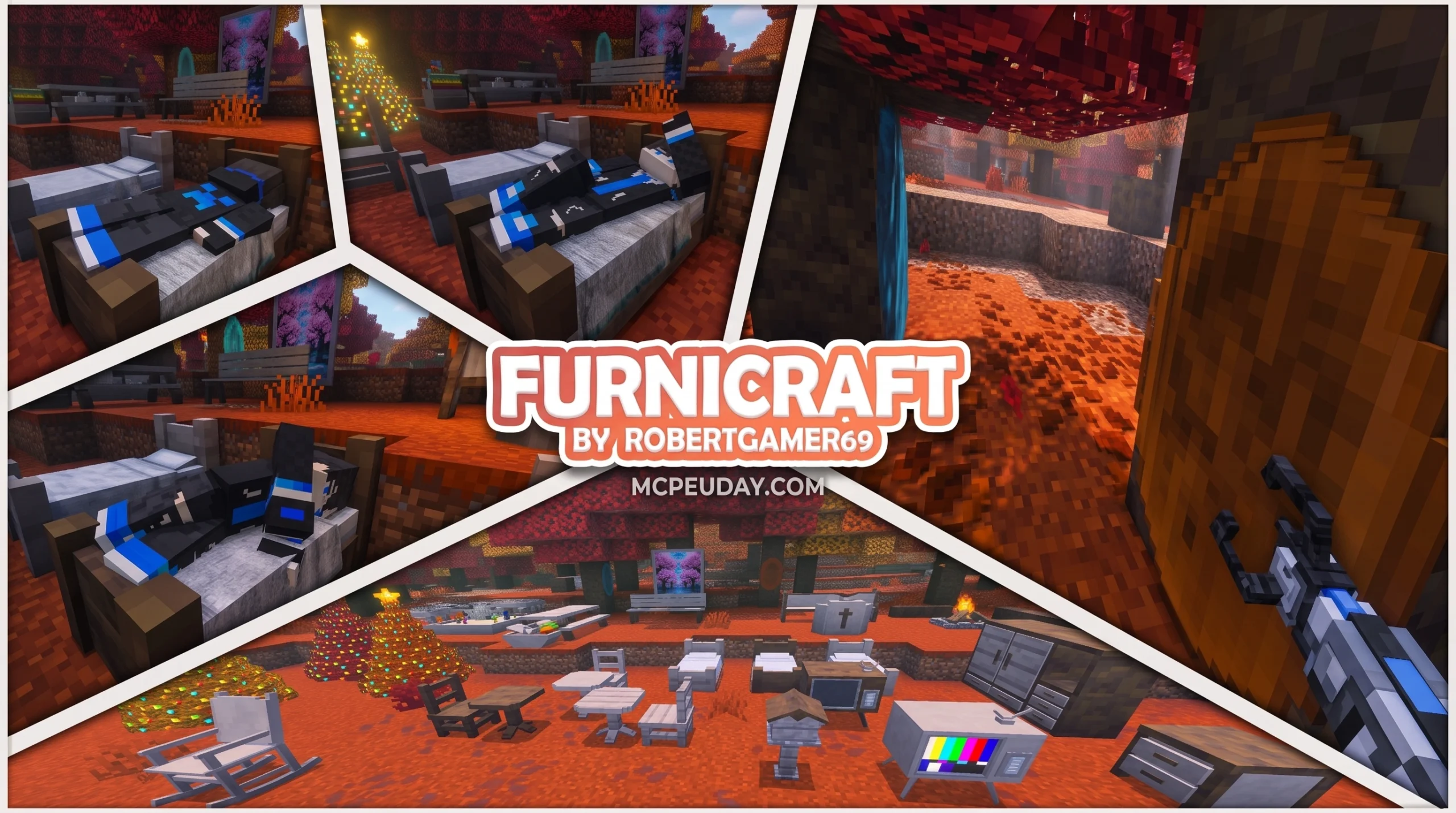
Transform Your Minecraft World: The FURNICRAFT Furniture Addon for MCPE
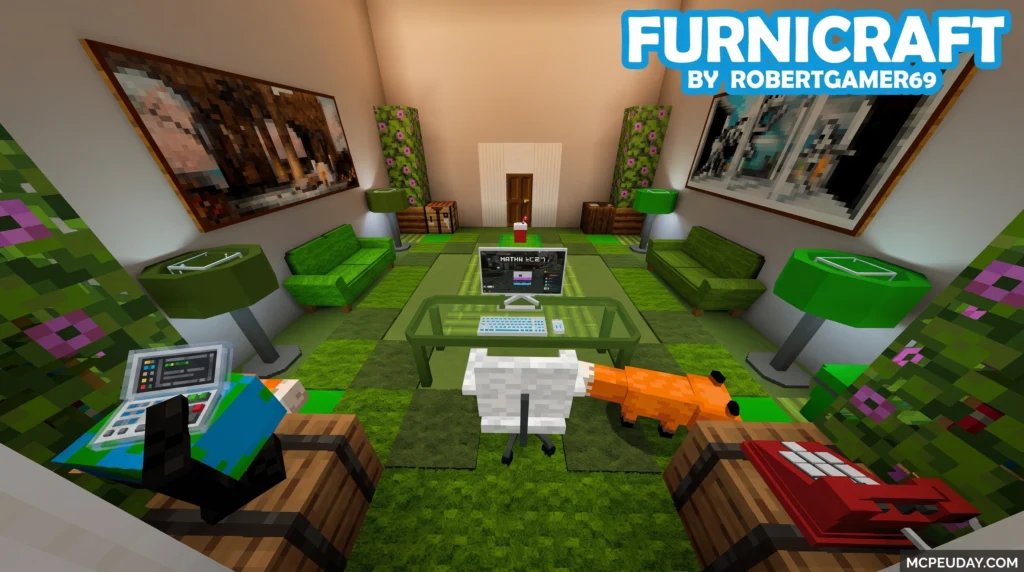
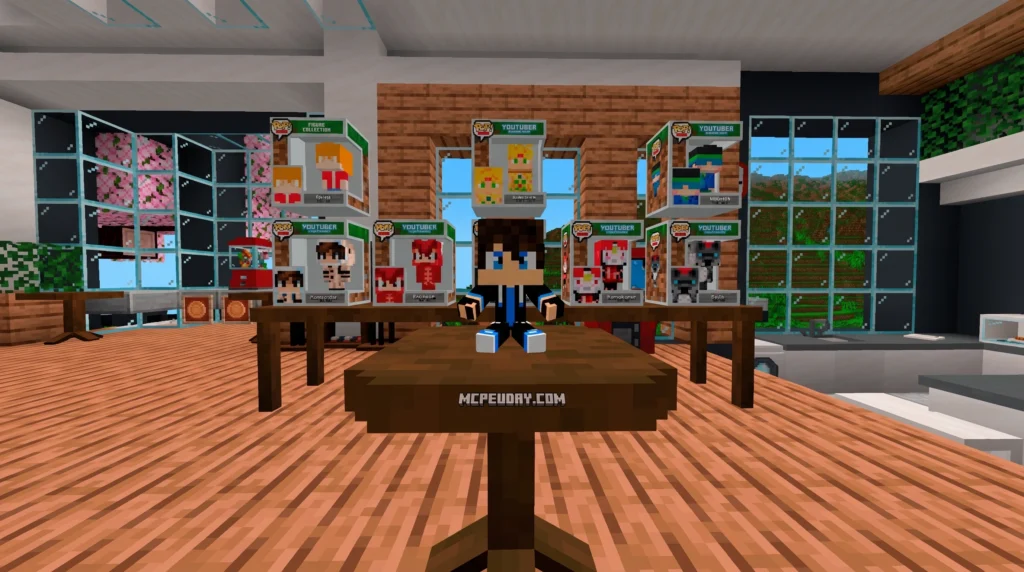
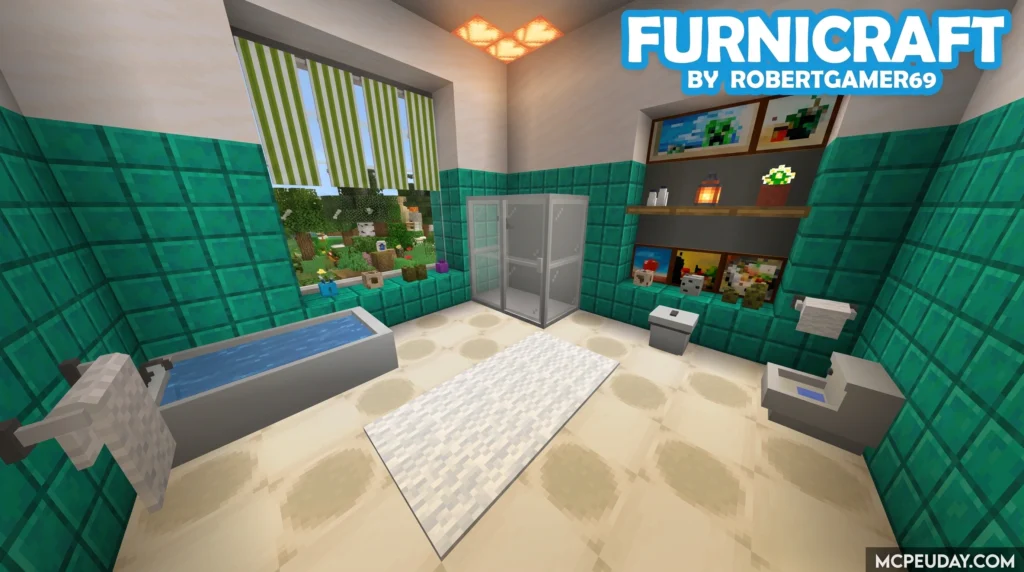
The FURNICRAFT Furniture Addon for MCPE is one of the most popular decoration addons available for Minecraft Bedrock Edition — and for good reason.
Quick answer: FURNICRAFT adds over 500 pieces of 3D furniture to Minecraft PE, including chairs you can sit on, rotating tables, kitchen appliances, TVs, trampolines, and much more. You install it by downloading the addon files, then activating the behavior and resource packs inside your Minecraft world settings.
Here’s a snapshot of what you get:
| Feature | Details |
|---|---|
| Furniture pieces | 500+ items across all categories |
| Functional furniture | Sit on chairs and sofas |
| Rotation | Rotate any item in any direction |
| Crafting method | Furnicraft Bench or Clay + Stonecutter |
| Platform | Minecraft Bedrock / Pocket Edition |
| Cost | Free (with ads) |
| Latest compatibility | Minecraft 1.21+ |
Plain Minecraft interiors can feel empty and lifeless. No couches, no kitchen appliances, no gamer setups — just flat blocks. FURNICRAFT fixes that by bringing realistic, interactive 3D furniture into your world without needing to switch to Java Edition or use a PC.
With over 5 million downloads across app stores and thousands of active users, this addon has become a go-to choice for players who want to build homes that actually look lived in.
Whether you’re decorating a modern apartment, a cozy cabin, or a full gamer den, this guide walks you through everything — what’s included, how to install it, and how to get the most out of it.
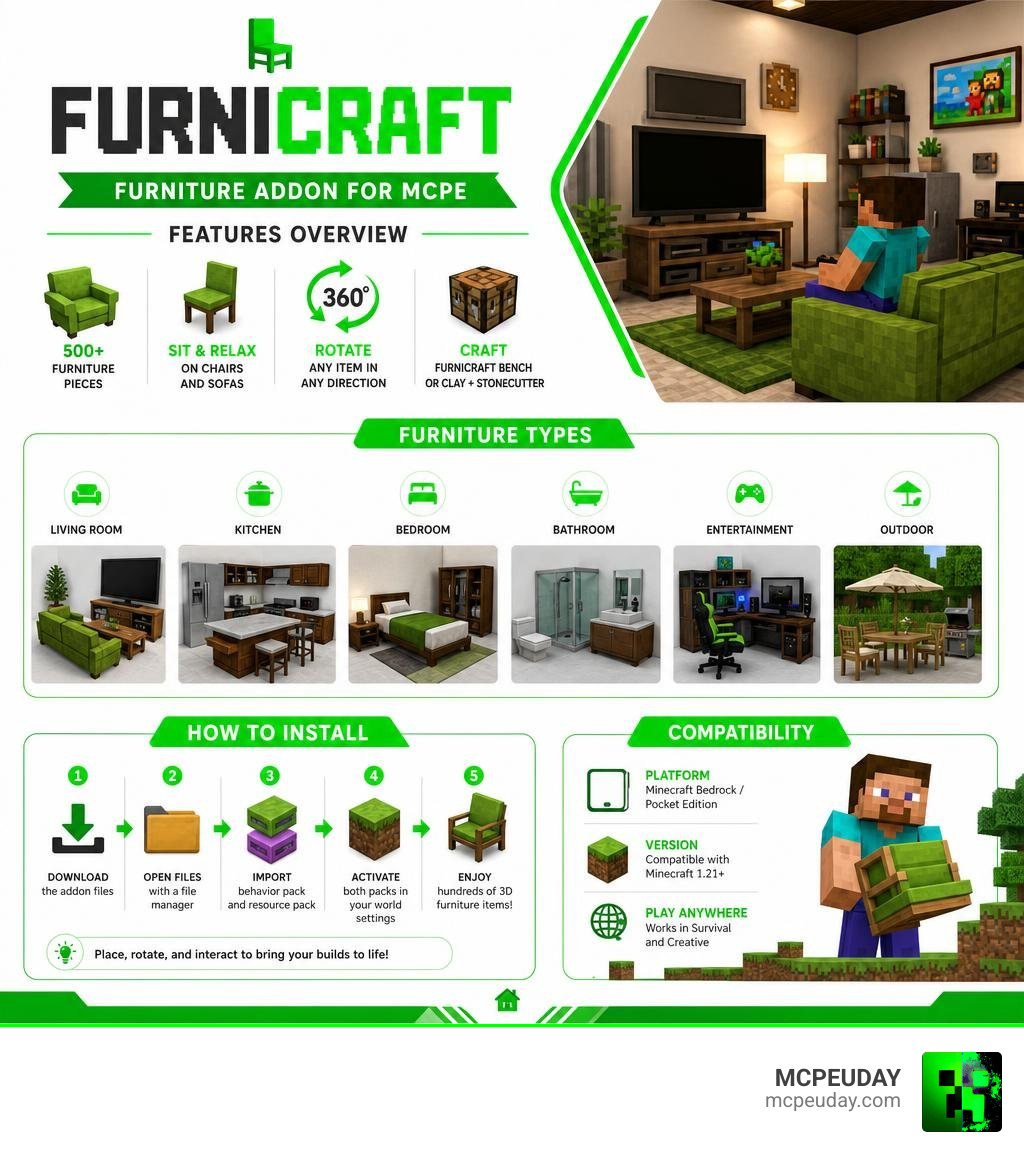
What is the FURNICRAFT Furniture Addon for mcpe?
The FURNICRAFT Furniture Addon for mcpe is a massive decorative expansion built specifically for Minecraft Bedrock and Pocket Edition. Unlike traditional block-based mods, this addon introduces highly detailed 3D models that bring modern luxury, cozy home vibes, and outdoor entertainment straight to your mobile device.
To understand how it works under the hood, most of these furniture pieces are designed as custom entities rather than standard blocks. This technical trick is what allows them to feature smooth, complex shapes that vanilla Minecraft blocks simply cannot support.
Disclaimer: Please note that this is an unofficial application for Minecraft Pocket Edition. This addon and its installers are not affiliated in any way with Mojang AB, and the Minecraft Name, Brand, and Assets are all property of Mojang AB or their respectful owner.
Over the years, the project has evolved from a small collection of custom tables and chairs into a massive suite containing over 500 unique decorative assets. Today, in July 2026, it remains a beloved staple in the MCPE community.
Key Features of the FURNICRAFT Furniture Addon for mcpe
- True Sitting Mechanics: No more awkward crouching on stair blocks! You can tap on chairs, gamer seats, and sofas to sit down comfortably.
- 360-Degree Rotation: Because most of these items are custom entities, you can easily rotate them in any direction you want to fit your room’s exact layout.
- Waterlogging Support: Several items can be waterlogged, allowing you to build amazing poolside setups, functional baths, and outdoor water features.
- Color and Material Customization: Many furniture items come with up to 16 different color variations, so you can match your furniture to your home’s color palette.
Included Furniture Items and Interactive Blocks
The list of items added by this mod is incredibly deep, covering every single room in your virtual home:
- Living Room: Flat-screen TVs, TV benches, comfortable armchairs, modular sofas, and elegant coffee tables.
- Gamer Den: High-end gamer PC sets, neon signs (including a cool neon Gengar sign), projectors, and gaming chairs.
- Kitchen & Dining: Functional fridges, stoves, microwave ovens, blenders, kitchen counters, and small chewing gum machines.
- Bathroom: Working sinks, toilets, bathtubs, and laundry machines.
- Outdoor & Recreation: Trampolines, functional swings, pool tables, soccer tables, park benches, beach umbrellas, and slides.
- Specialty Items: Pianos, acoustic guitars, cameras, hospital equipment, and even a fully functional stuffed animal machine!
How to Craft and Obtain Furniture in Survival Mode
If you love playing in Survival Mode, you do not have to rely on Creative Mode commands to decorate your home. FURNICRAFT features a fully integrated survival progression system.
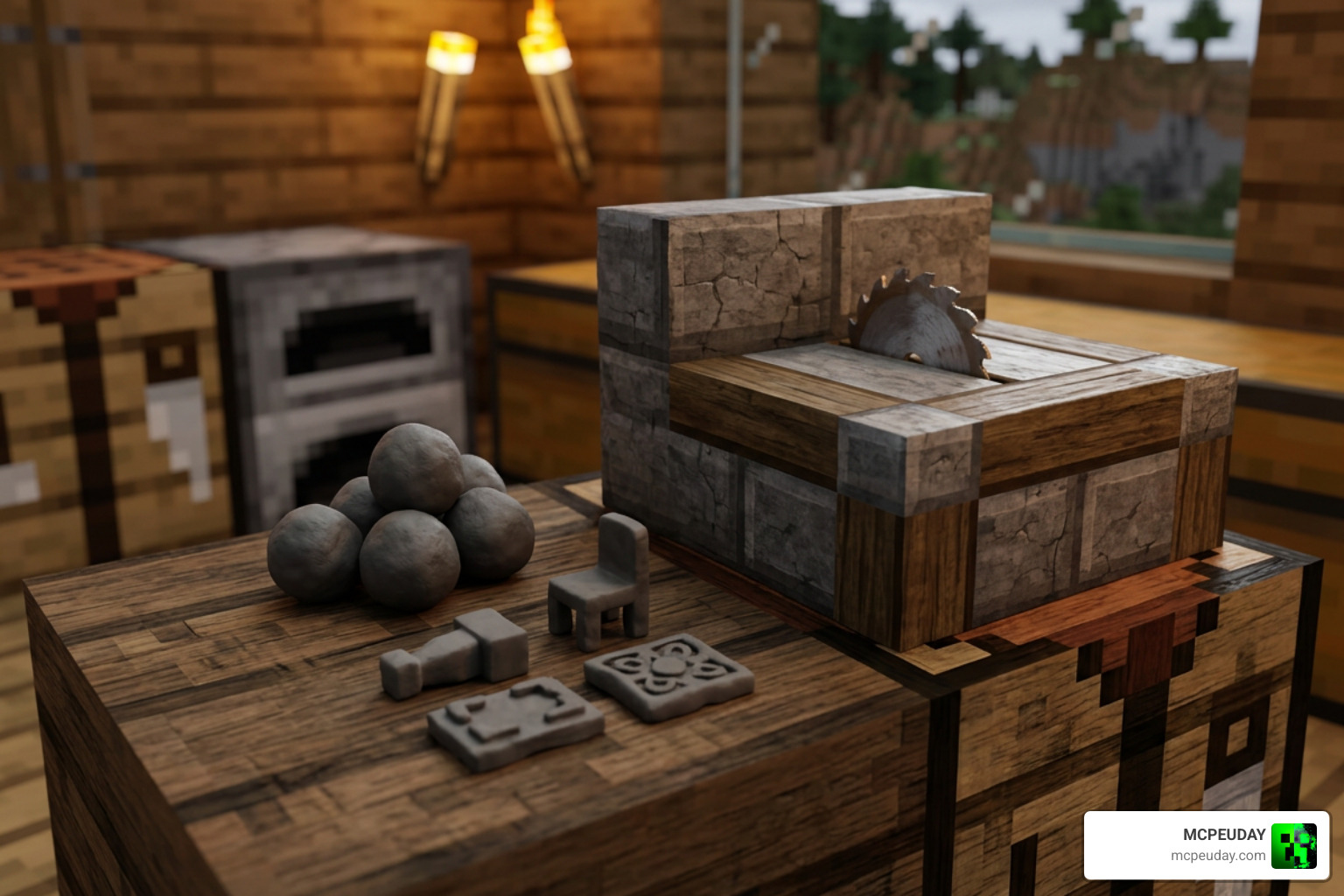
To get started, follow these simple steps:
- Gather Clay: Clay is your core resource. Collect clay balls from lakes, rivers, or swamps.
- Use a Stonecutter: Place your clay balls into a standard Minecraft Stonecutter. This will allow you to craft “Furniture Clay.”
- Build a Furnicraft Bench: Use your crafting materials to assemble the dedicated Furnicraft Bench, which acts as your central hub for all furniture creation.
- Choose Your Furniture: Interact with the bench to convert your Furniture Clay into the specific tables, chairs, or appliances you need.
The NPC Relationship and Family System
As a unique bonus, the FURNICRAFT Furniture Addon for mcpe includes a simplified “Comes Alive” style mechanic that lets you build relationships, marry, and start a family inside your world!
To start a family, you will need to find Rose Gold Ore, which spawns naturally in caves and mines between world layers -56 and 60. Smelt this ore into Rose Gold Ingots and craft an engagement ring. If you find a compatible NPC villager, give them the ring to marry them.
Once married, giving your wife a cake will result in a baby, or you can give them paper to adopt. To finalize an adoption, you must find a priest NPC and provide a marriage certificate along with 2 diamonds. Your children will grow over time, and you can even equip NPCs with weapons to act as village guards to protect your home from hostile mobs!
Step-by-Step Installation Guide for MCPE
Traditional mod installation used to take over ten minutes of digging through system folders. Today, you can get up and running quickly.
- Download the Addon: You can download the official files directly from our Category/Mod Addons section or use the 1-click installer app available on the Furnicraft Addon for Minecraft – Apps on Google Play .
- Import the Packs: Open the downloaded
.mcpackor.mcworldfiles. Minecraft PE will automatically open and import the resources. - Enable Experimental Gameplay: This is a crucial step! Go to your world settings, scroll down to the “Experiments” tab, and toggle on all experimental options (such as Holiday Creator Features and Custom Biomes).
- Activate the Packs: In your world settings, go to Resource Packs and activate the FURNICRAFT pack. Then, go to Behavior Packs and ensure the corresponding behavior pack is active.
- Launch Your World: Load into your game, search your creative inventory for “FURNICRAFT”, and start building!
System Requirements and Android Compatibility in July 2026
To run this addon smoothly on your Android device in July 2026, make sure your phone meets the following baseline requirements:
- Operating System: Android 8.0 or higher.
- RAM: At least 3GB of RAM (4GB+ recommended for large builds with lots of custom entities).
- File Size: Approximately 56.3 MB for the complete APK/addon pack.
- Game Version: Minecraft Bedrock Edition 1.21.20 or newer.
Troubleshooting Common FURNICRAFT Furniture Addon for mcpe Issues
- Invisible Furniture or Missing Textures: This usually means you forgot to activate the Resource Pack, or your active packs are conflicting. Make sure the resource pack is placed high up in your active list.
- Furniture Cannot Be Placed: Ensure that “Experimental Gameplay” is fully enabled in your world settings. Without this, custom entities cannot spawn.
- Glitching or “Moving” Blocks: Because the furniture items are technically entities, they can sometimes slide or move if hit. You can use the in-game lock mechanics to keep them static. If blocks look physically broken on newer versions of Minecraft, downloading a “Block Geo Fixer” pack from our Category/Mod Addons page will resolve the issue.
FURNICRAFT vs. Other MCPE Decoration Addons
How does FURNICRAFT compare to other major players in the decoration scene? Let’s look at how it stacks up against the popular Modern Furniture Addon 1 21 26 X Best Mcpe Decoration Mod and the gothic-styled Ghoulcraft Furniture Addon.
| Feature | FURNICRAFT Addon | Modern Furniture Addon | Ghoulcraft Addon |
|---|---|---|---|
| Primary Style | Vibrant, modern, playful | Sleek, minimalist, contemporary | Gothic, fantasy, rustic |
| Interactive Items | Yes (Sit, rotate, play music) | Yes (Using the Modern Tool) | Mostly decorative (static) |
| Crafting System | Furnicraft Bench & Clay | Clay in Stonecutter | Custom crafting recipes |
| Unique Mechanic | NPC Marriage & Family | Wrench tool geometry changes | Heavy focus on 3D textures |
While Modern Furniture offers a more sleek, minimalist aesthetic with over 750 block variations, FURNICRAFT stands out because of its incredible interactive elements and its fun, built-in family system.
Alternative Furniture Addons to Try
If you want to mix and match styles in your world, we highly recommend checking out these fantastic alternatives available on our site:
- Lily Furniture Addon: Perfect for pastel, cute, and cottagecore aesthetics.
- Decodrop Furniture Addon: A clean, modern set of decorations featuring smooth lines and cozy household items.
- Feudal Furniture Addon: Great for medieval fantasy builders who want to decorate castles, taverns, and rustic cottages.
Frequently Asked Questions about FURNICRAFT
Is the FURNICRAFT addon free to download?
Yes! The addon is completely free to download and use. If you download the installer app from the Google Play Store, it is supported by ads but does not require any paid purchases. It also works fully offline once downloaded.
Can you sit on and interact with all the furniture?
You can sit on almost all chairs, sofas, park benches, and gaming seats. Other items feature unique interactions, such as turning lights on and off, opening inventories, playing the piano, or bouncing on the trampoline.
Does FURNICRAFT work on multiplayer servers?
Yes, it works beautifully in multiplayer! However, the world host must ensure that both the resource and behavior packs are active on the server, and that “Require players to accept resource packs to join” is checked in the server settings.
Conclusion
The FURNICRAFT Furniture Addon for mcpe remains an essential download for anyone looking to take their interior design skills to the next level. With its functional 3D models, smooth rotation, and survival-friendly crafting system, it completely changes how we build in Minecraft Bedrock.
Ready to explore more incredible additions for your game? Head over to our Category/Mod Addons section to find the latest graphics packs, or prepare your world for action by checking out our guide on the 5 Best Minecraft Bedrock Gun Mods. Happy building!