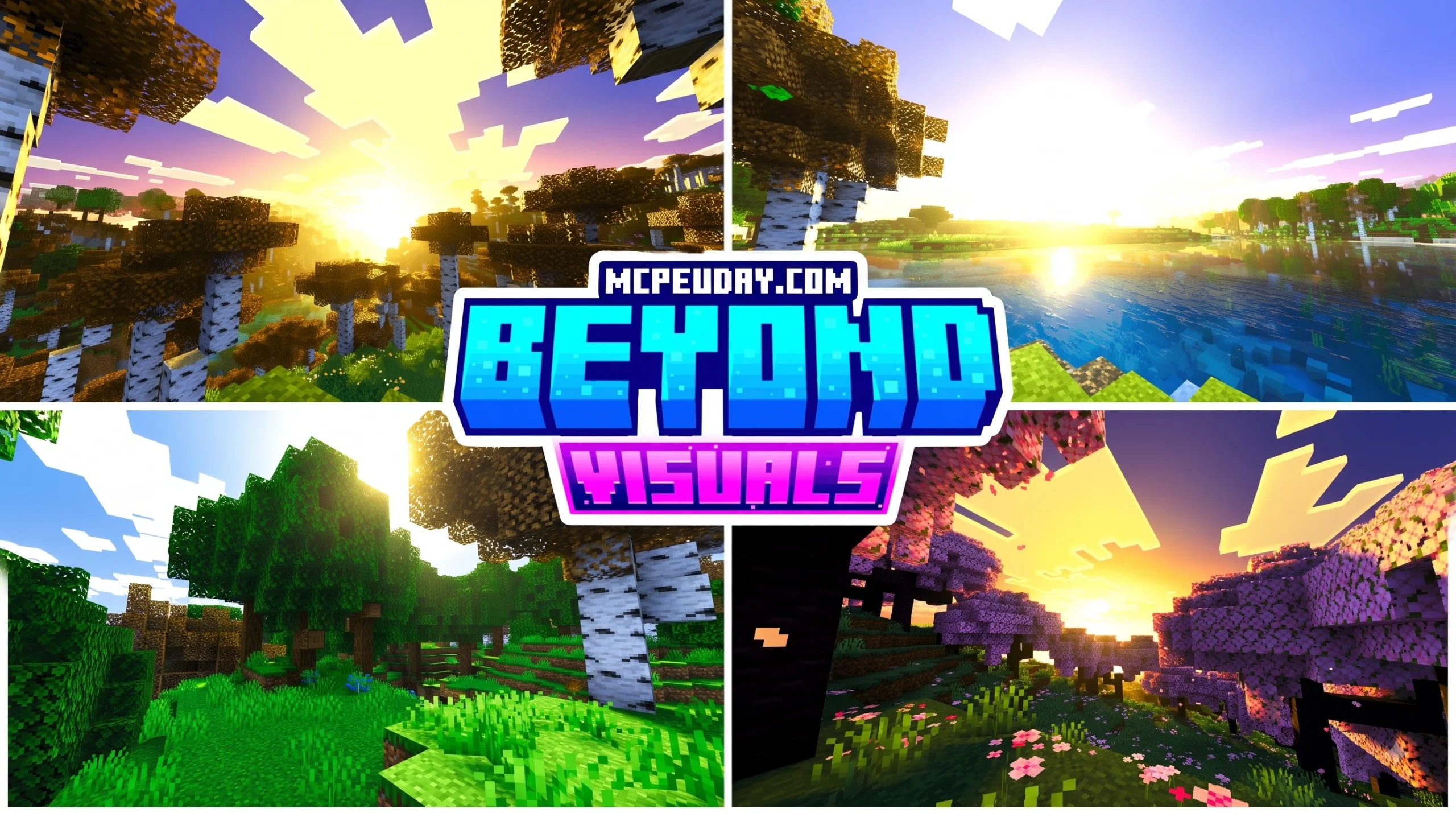
What Is the Beyond Visuals Shader?
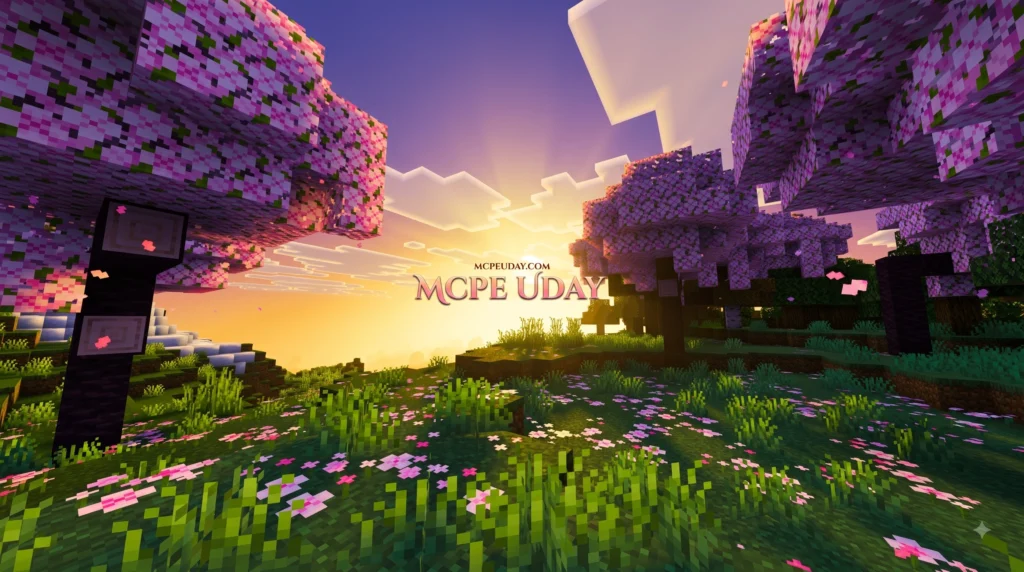
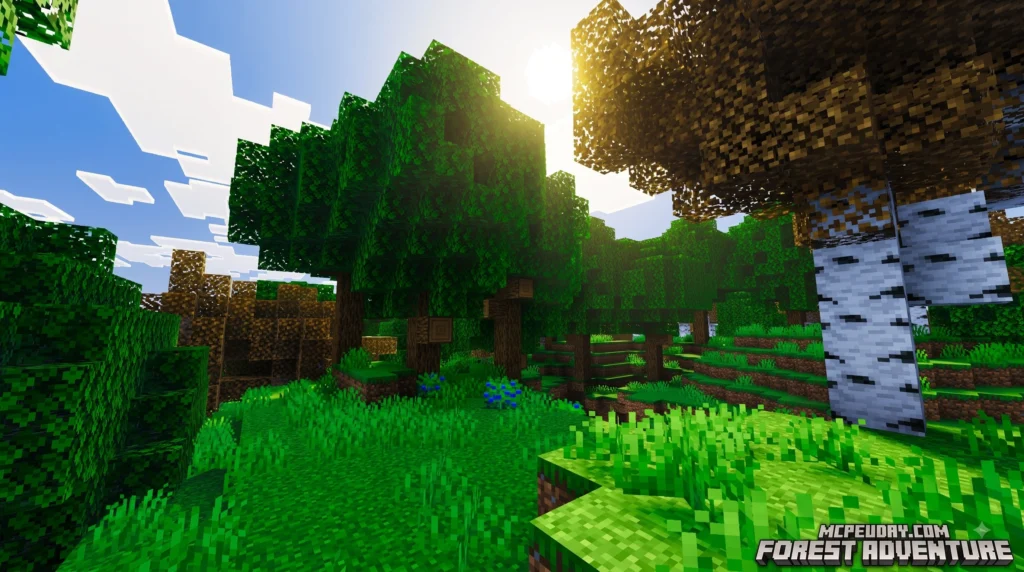
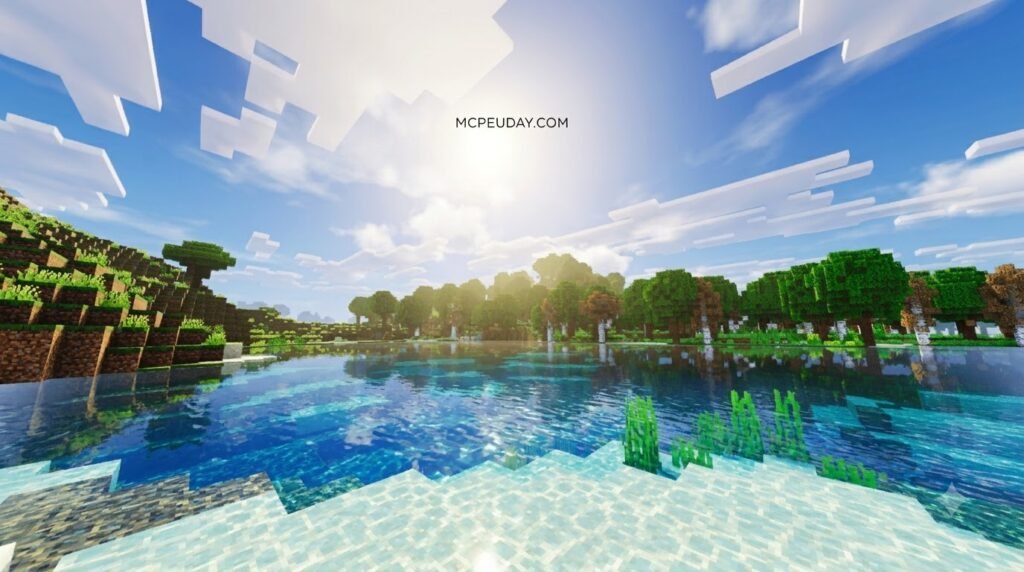
Beyond Visuals Shader is a community graphics enhancement for Minecraft Bedrock Edition and MCPE that aims to make worlds look more atmospheric without changing how Minecraft plays. It is designed around modern Bedrock rendering features, with visuals such as richer lighting, reflective-looking water, fog, shadows, and stronger biome colors.
| Quick answer | What to know |
|---|---|
| Main purpose | Improves Minecraft’s appearance, not its rules or survival mechanics. |
| Best fit | Bedrock/MCPE players using newer versions and compatible RenderDragon hardware. |
| Visual style | More cinematic lighting, water effects, fog, and color grading. |
| Vibrant Visuals | It may work alongside Bedrock’s official Vibrant Visuals pipeline when the pack and device support it. |
| Java Edition | It is not a Java GLSL shader pack; Java players need Java-specific alternatives. |
Minecraft graphics are changing quickly in 2026. Official Vibrant Visuals brings features like dynamic shadows, reflective water, and volumetric-style lighting to supported Bedrock devices. Beyond Visuals Shader is for players who want to build on that improved look with a custom visual style.
The important part is simple: this is a cosmetic upgrade. Your mobs, redstone, crop growth, combat, and multiplayer rules remain the same. But performance and compatibility can vary by device, Minecraft version, and the other resource packs you enable.
I am UDAY GAMER, and next I will break down what Beyond Visuals Shader does and how it compares with similar Minecraft graphics packs.
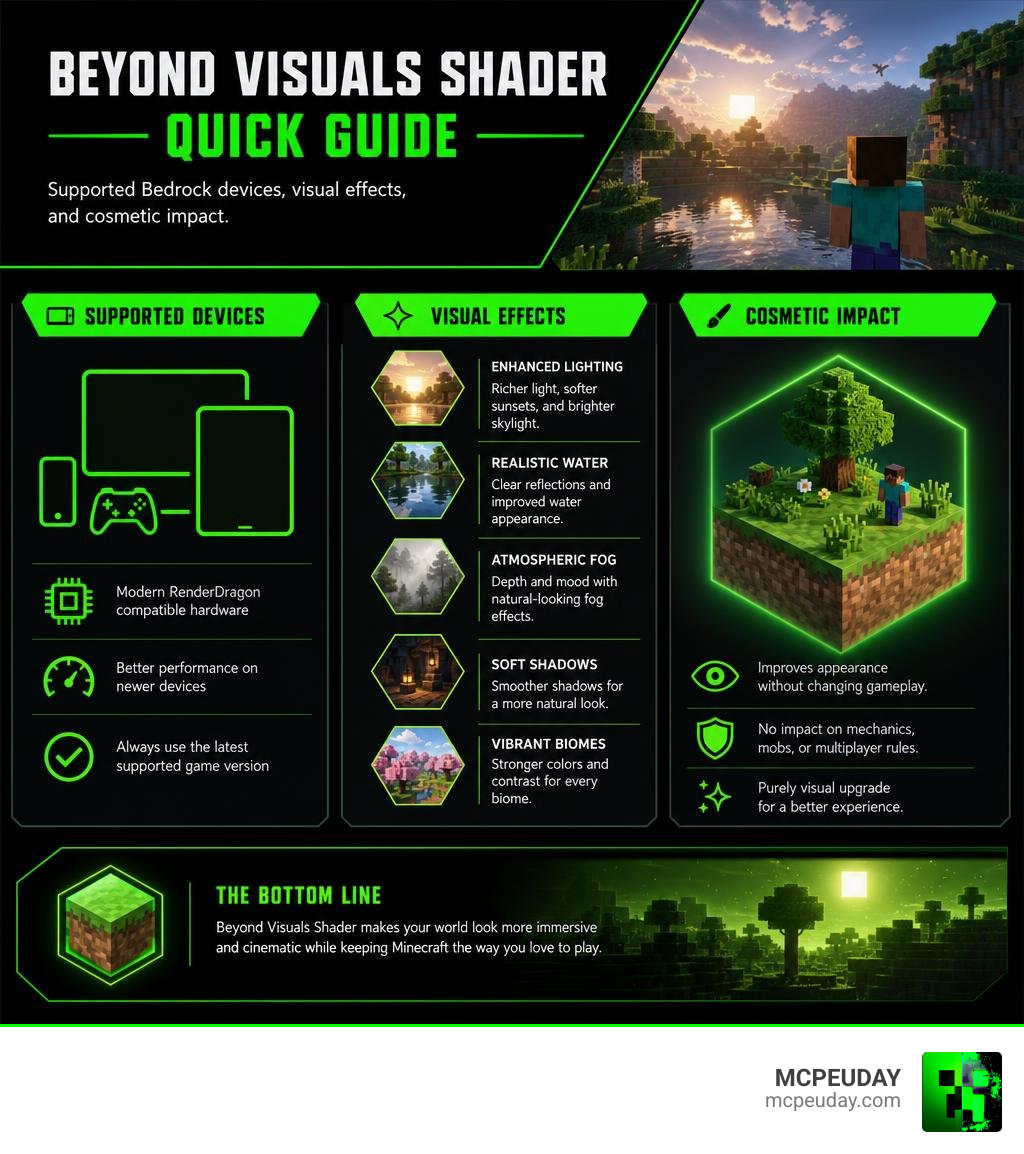
Overview of the Beyond Visuals Shader
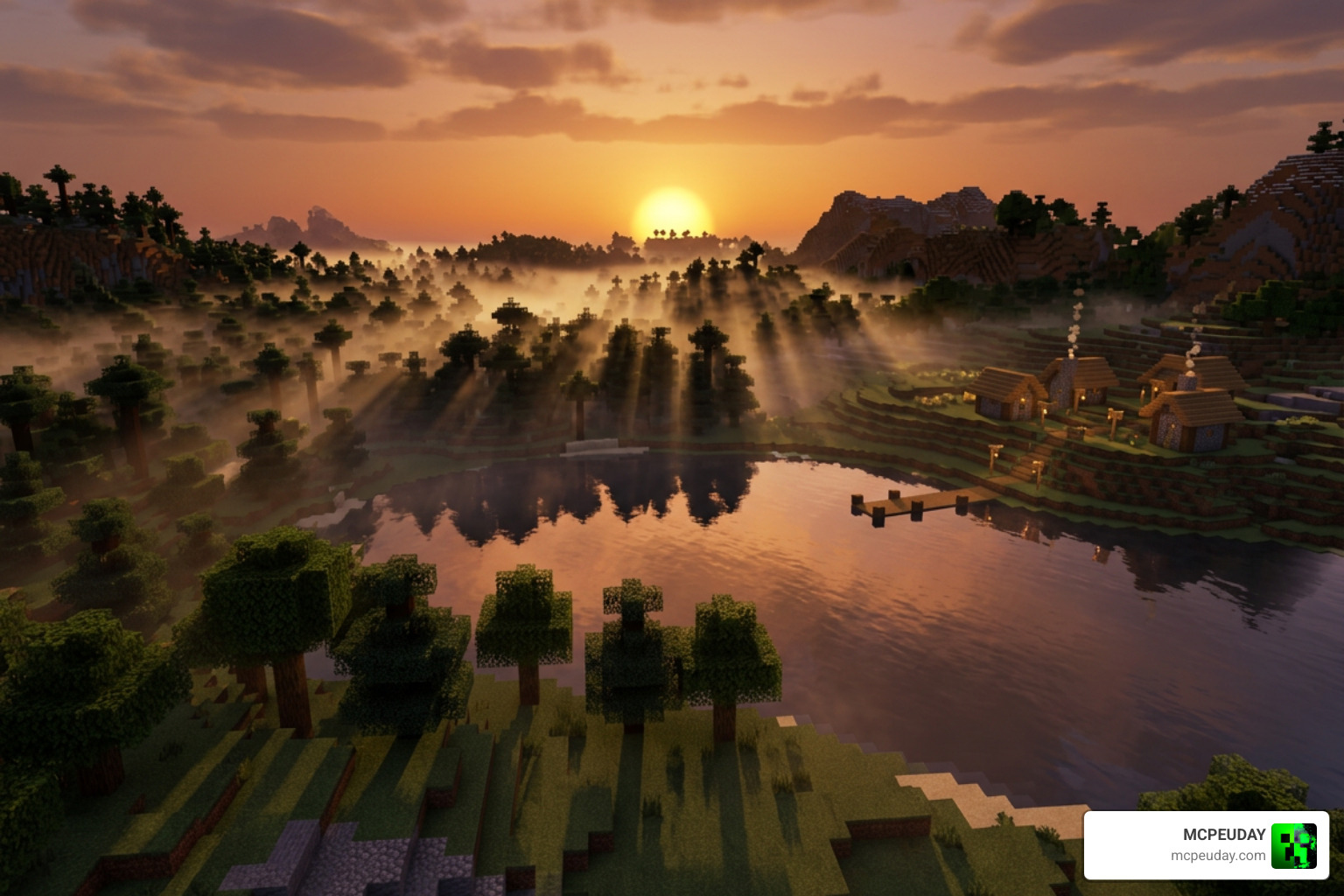
At its core, the Beyond Visuals Shader leverages the modern deferred shading pipeline built into Minecraft’s RenderDragon engine. Unlike traditional rasterized graphics that calculate light on a block-by-block basis instantly, deferred shading separates geometry calculation from light rendering. This allows the shader to process hundreds of light sources simultaneously with complex physical properties.
By utilizing this engine architecture, the pack transforms flat vanilla biomes into cinematic environments without altering the fundamental blocky charm of Minecraft.
Core Features of the Beyond Visuals Shader
The visual package of this shader is built around several key technical enhancements:
- Dynamic Water Reflections: Using Screen Space Reflections (SSR), water surfaces accurately reflect surrounding mountains, trees, and structures in real time, accompanied by realistic underwater caustics.
- Volumetric Fog and Atmosphere: Atmospheric density varies by biome, elevation, and weather. Swamps display low-lying murky mist, while high peak biomes feature thin, crisp air.
- MERS PBR Texture Integration: The shader fully supports Metalness, Emissive, Roughness, and Subsurface Scattering (MERS) texture parameters. This makes metallic blocks glisten, ores emit natural glow, and leaves catch light realistically.
- Dynamic Shadows and Color Grading: Sunlight and moonlight project smooth, directional shadows that adjust based on time of day, paired with cinematic color grading tailored for each environment.
Comparing Beyond Visuals Shader with Alternative Packs
To understand where Beyond Visuals Shader fits into the gaming landscape, it helps to compare it with other graphics solutions.
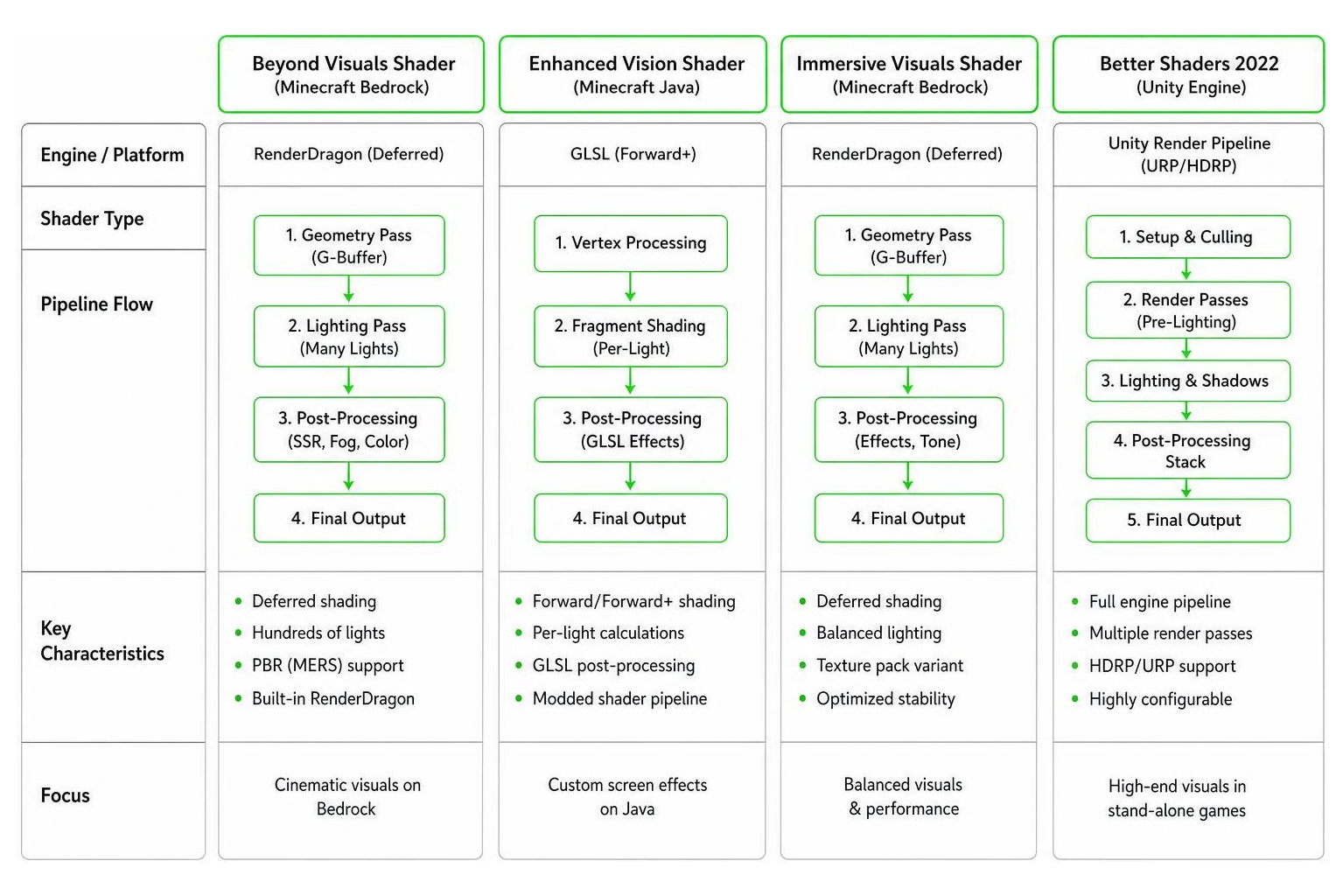
In the Java space, community creators build shaders using GLSL post-processing frameworks like the Enhanced Vision Shader repository, which focuses on custom screen effects, heat shimmers, and night sky auroras. On Bedrock, shaders must work within Mojang’s RenderDragon engine rather than raw GLSL.
Outside of Minecraft, full engine shading pipelines like the Better Shaders 2022 Unity Asset handle complex rendering stack adjustments for stand-alone games.
Compared to options like the Immersive Visuals Shader—which has gathered over 144,000 downloads for its texture pack variant with solid 4.0 out of 5 user reviews—Beyond Visuals Shader places heavier emphasis on saturated color profiles and dramatic atmospheric contrast.
Platform Compatibility and Vibrant Visuals Synergy
Navigating Minecraft’s platform requirements can be tricky, but understanding how hardware handles modern shaders ensures a smooth experience.
Minecraft Bedrock, MCPE, and Java Support
The Beyond Visuals Shader is engineered specifically for Bedrock Edition and MCPE (v1.21 and newer). Because Bedrock uses RenderDragon, mobile devices and consoles require specific hardware specs:
- Android Mobile: Requires chipsets equivalent to Adreno 640, Mali-G68, Mali-G77, or Xclipse 530 and above.
- iOS Mobile: Requires Apple A12 Bionic chip or Apple Silicon M1 and newer.
- Windows PC: Requires DirectX 12 (DX12) capable graphics cards.
For Java Edition players, this pack is not natively compatible. While Mojang has discussed the Minecraft Java Vibrant Visuals roadmap, Java players currently rely on community lightweight packs like Visual Vibrancy or Miniature Shader, as highlighted in popular tutorials like this Java shader alternatives video.
Coexistence with Official Graphics Pipelines
A common question is whether custom shader packs conflict with official rendering updates. Beyond Visuals Shader is built to sit directly on top of Bedrock’s official graphics system.
| Graphic Pipeline Feature | Native Bedrock Vibrant Visuals | Beyond Visuals Shader Enhancement |
|---|---|---|
| Lighting Pipeline | Standard Volumetric Light Rays | Enhanced Color Temperature & Contrast |
| Water Rendering | Basic SSR & Flow Maps | High-Detail Wave Caustics & Reflection Density |
| Fog System | Uniform Biome Density | Dynamic Biome JSON Fog Height Maps |
| Cross-Play Support | Fully Supported on Realms | Fully Supported (Local to Client) |
| Splitscreen Mode | Disabled by System | Disabled (Defaults to Simple Render) |
You can safely run this shader while playing on multiplayer Realms with friends. Because the pack processes locally on your client device, other players don’t need it installed to play alongside you.
Performance Benchmarks and Optimal Settings
High visual fidelity requires smart resource management, especially when gaming on mobile devices or lower-spec laptops.
FPS Optimization for Mobile and Low-End Hardware
To keep your framerate smooth and prevent mobile devices from overheating, we recommend tweaking your video settings in Minecraft:
- Deferred Render Distance: Keep this set between 8 and 16 chunks. Pushing up to the maximum 28 chunks heavily taxes mobile GPUs without adding noticeable visual improvement.
- Point Light Quality: Set to Medium. High point light quality calculates every torch and glow berry light pass individually, which leads to thermal throttling on phones.
- Graphics Mode Toggle: Ensure your overall mode is set to “Favor Performance” if you notice frame drops during rainy weather or dense jungle biomes.
Gameplay Impact and Survival Mechanics
It is crucial to clarify that Beyond Visuals Shader is 100% cosmetic. It does not modify game logic, mob spawning algorithms, or survival mechanics. Light levels calculated for hostile mob spawning (such as light level 0 requirements) rely on vanilla light data, meaning bright visual shader tone-mapping will not disrupt your mob farms or safety checks.
Installation and Downloading Instructions
Installing resource packs on Bedrock Edition is straightforward once you know where the files go.
Android, iOS, and PC Setup
Follow these simple steps depending on your gaming platform:
- Download the File: Acquire the
.mcpackfile directly to your device storage. - Execute the Pack:
- Android / iOS: Tap the downloaded
.mcpackfile in your file manager (or Files app). Select “Open with Minecraft.” - Windows PC: Double-click the
.mcpackfile. Minecraft will launch automatically and import the pack.
- Android / iOS: Tap the downloaded
- Activate in Settings:
- Open Minecraft and go to Settings > Global Resources (or Resource Packs under World Settings).
- Find Beyond Visuals Shader, click Activate, and ensure it sits at the top of your active pack hierarchy.
Licensing, Pricing, and Download Sources
Unlike paid marketplace assets or commercial design tools (such as Unity engine assets that cost $80 per seat), community Minecraft shaders are free to download and use. Always download shader files from reputable community platforms or direct creator links to protect your device from unauthorized third-party modifications.
Frequently Asked Questions About Beyond Visuals Shader
Is the Beyond Visuals Shader free to download and use?
Yes! The shader is a free community-made resource pack. You do not need Minecoins or Marketplace subscriptions to download and apply it to your singleplayer worlds or multiplayer sessions.
Are there any known compatibility issues with other packs?
Conflicts can happen if you load multiple resource packs that attempt to edit the same fog or biome JSON files simultaneously. Additionally, older Bedrock shaders built for legacy ES2 engine pipelines are completely incompatible with modern RenderDragon deferred builds.
How do I fix low frame rates or black screen glitches?
If you encounter a black screen or heavy stuttering:
- Lower your Deferred Render Distance to 8 chunks in the Video menu.
- Verify that your GPU drivers support DirectX 12 on PC.
- Deactivate conflicting graphics resource packs in Global Resources and restart the Minecraft app.
Conclusion
The Beyond Visuals Shader offers a fantastic way to elevate your Minecraft Bedrock experience in 2026, delivering rich atmospheric fog, realistic SSR water, and dramatic lighting without compromising core survival mechanics. By optimizing your render distance and light settings, you can enjoy cinematic visuals on PC, console, and supported mobile hardware.
Looking to discover even more incredible visual upgrades for your mobile worlds? Explore more options at MCPEUDAY with our best Minecraft PE shaders guide!