CWhy Every Minecraft Bedrock Multiplayer Server Needs a Voice Chat Addon
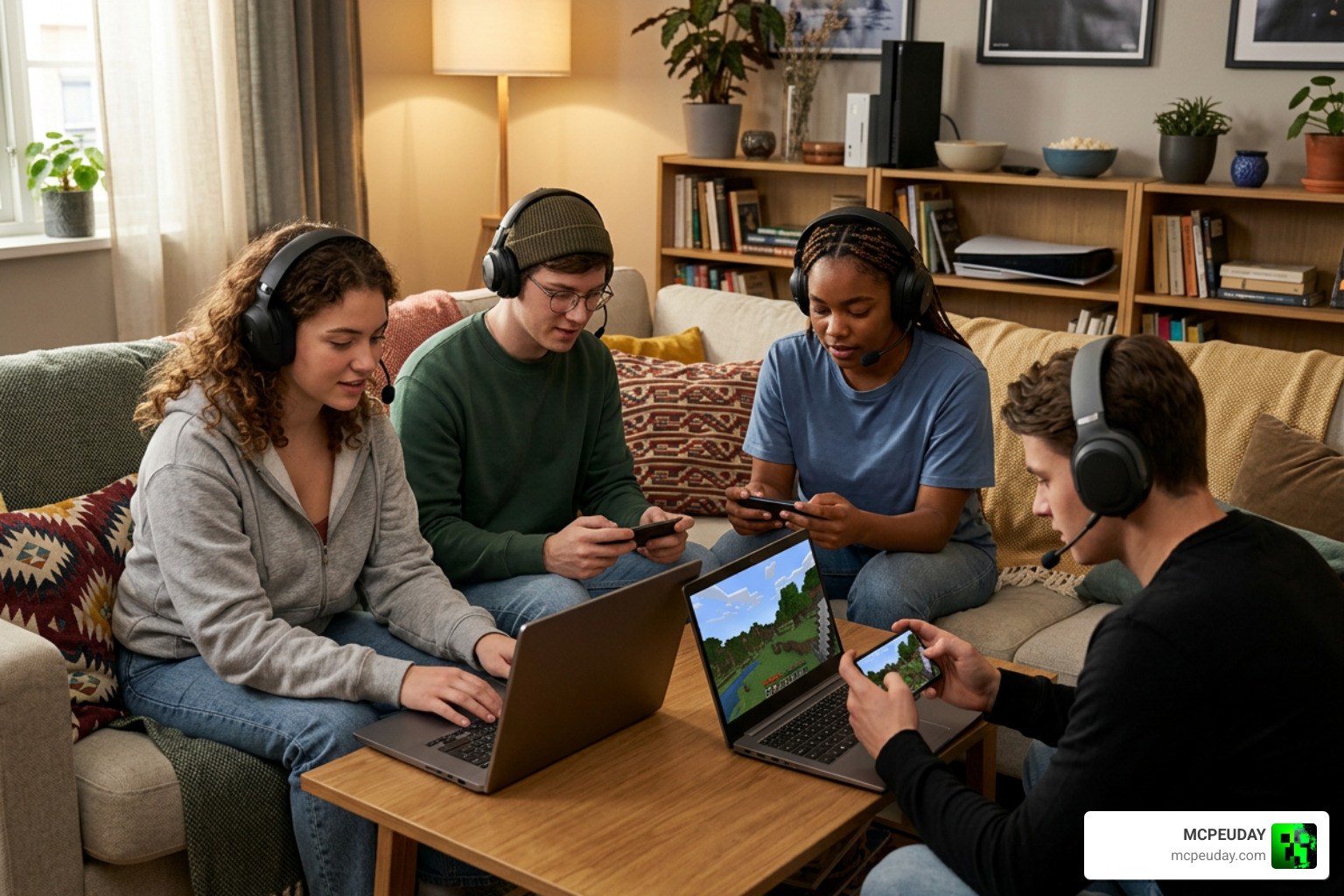
The Bedrock Voice Chat Addon is a free, community-built tool that adds real-time proximity voice chat to Minecraft Bedrock Edition — something the game still doesn’t offer natively in 2026.
Quick answer for players searching right now:
- What it is: A three-part system (server, behavior pack, and client app) that adds proximity voice chat to Bedrock servers
- Who it’s for: Server operators and players on Windows, Android, and iOS
- What it does: Lets players hear each other based on in-game distance, with encrypted audio
- Console players: Can join via the Android or iOS mobile app
- Where to get it: bedrockvoicechat.com or Modrinth (7,219+ downloads)
If you’ve ever tried coordinating a Minecraft Bedrock session over Discord while also watching your screen, you know how clunky it gets. Switching apps, unmuting, losing track of who’s talking — it breaks immersion completely.
Bedrock’s Java Edition counterpart has had proximity voice chat mods for years. Bedrock players have been left out. There’s even an official Minecraft Feedback post requesting built-in proximity voice chat for Bedrock — but with only 13 votes so far, a native solution isn’t coming anytime soon.
That’s exactly where this addon steps in.
What is the Bedrock Voice Chat Addon?
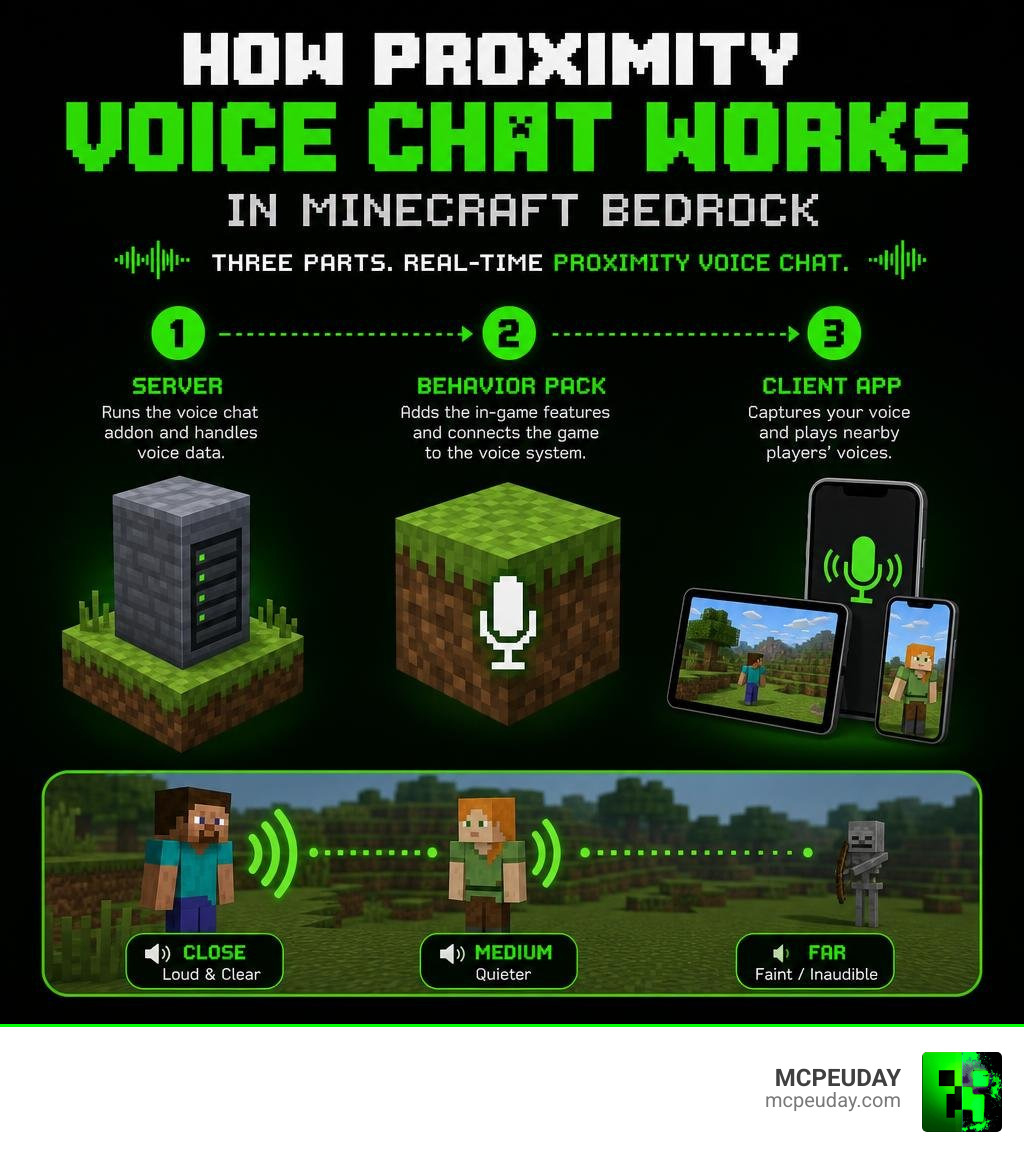
The Bedrock Voice Chat Addon is a game-changing modification designed to bring high-performance, low-latency, and secure proximity voice communication directly into Minecraft Bedrock Edition. Unlike standard global voice channels, proximity chat mimics real life: the closer you walk to another player in-game, the louder and clearer their voice becomes. If they walk away or hide behind a wall, their voice fades out.
This creates an incredibly immersive environment for roleplay servers, cooperative survival builds, and competitive mini-games. It completely changes how we interact in multiplayer worlds, turning quiet, text-heavy lobbies into lively, dynamic social spaces.
The Official Minecraft Feedback Request vs. Third-Party Solutions
While the Java community has enjoyed robust spatial audio options for years, Bedrock players have historically been ignored. If you look at the official Minecraft Feedback forums, you will find a dedicated thread requesting native voice chat on Bedrock. Unfortunately, that request sits with a mere 13 votes as of mid-2026, meaning Mojang is highly unlikely to build this feature into the base game anytime soon.
Relying on external tools like Discord or Xbox Party Chat is the default alternative, but these platforms lack gameplay integration. They cannot track your in-game coordinates, meaning you hear everyone at the exact same volume regardless of where they are in your world. The Bedrock Voice Chat Addon bridges this gap beautifully, bypassing Mojang’s limitations to deliver a fully integrated, position-aware audio experience.
Core Architecture and Key Features
To understand how this magic happens, we have to look under the hood. The system relies on three core components working together:
- The Standalone Rust Server: A dedicated, high-performance background server written in Rust that handles the heavy lifting of processing and routing audio data.
- The BDS Behavior Pack: A lightweight addon installed on the Minecraft Bedrock Dedicated Server that tracks player coordinates and sends them to the Rust server.
- The Client Apps: Lightweight applications running on the players’ local devices (Windows, Android, or iOS) that capture microphone input and play back spatial audio.
By separating the audio processing from the actual Minecraft game server, the addon ensures your gameplay remains smooth and lag-free. If you are looking to host a server with this setup, choosing the right host is essential. You can check out our guide on The Best Minecraft Server Hosting in 2026 Top Picks at a Glance to find providers that support custom standalone executables.
To see how this setup stacks up against traditional communication, here is a quick comparison:
| Feature | Standard Discord Setup | Bedrock Voice Chat Addon |
|---|---|---|
| Spatial Positional Audio | No | Yes (3D directional sound) |
| In-Game Distance Falloff | No | Yes (configurable range) |
| Performance Overhead | Moderate (heavy desktop app) | Extremely Low (Rust-optimized) |
| Encryption | Yes | Yes (fully encrypted) |
| Cross-Platform Support | Yes | Yes (Bedrock, Java, and Mobile) |
| Audio Recording | Requires bots | Yes (built-in separate tracks) |
For more details on the core features, you can visit the official Bedrock Voice Chat – Proximity Voice Chat for Minecraft homepage.
Positional Spatial Audio and Encryption
The spatial audio system is built on the industry-standard Opus Audio Codec, delivering crystal-clear sound with minimal bandwidth usage. It supports WSAPI and ASIO inputs on desktop, allowing for professional-grade microphone setups.
Security is also a top priority. All voice traffic passing through the server is fully encrypted. This ensures that your private conversations stay private, preventing unauthorized users on public networks from eavesdropping on your game sessions.
Group Chats and Audio Recording
Sometimes you need to talk to your team without worrying about who is standing nearby. The addon features a robust Group Chat system, allowing players to create private, persistent audio channels that bypass proximity limits.
Additionally, content creators will love the built-in Audio Recording suite. It allows server operators to record sessions with timecode support. Best of all, it records separate audio tracks for each player, making post-production editing for YouTube videos or streams incredibly easy.
Server-Side Installation and Configuration
Setting up the server side requires some technical comfort, but the results are absolutely worth the effort. Because the voice server is a standalone Rust application, most commercial Minecraft hosts that restrict custom executables won’t run it out of the box. You will need a virtual private server (VPS), dedicated hardware, or a hosting provider that grants terminal access.
For detailed documentation, the Home · Alaydriem/bedrock-voice-chat Wiki · GitHub is your best friend. If your server starts experiencing performance hiccups during setup, consult our guide on Why is Minecraft Bedrock so Laggy Fix FPS Drops Stuttering Lag Spikes 2026 Guide to optimize your hardware.
Deploying the Standalone Rust Server
The easiest way to deploy the voice server is using Docker. This ensures all dependencies are packaged correctly. You can run the server using a standard Docker run command, mapping port 443 for TCP (TLS) and ports 8443 and 8444 for UDP (QUIC traffic).
To keep connections secure, the server automatically generates and manages its own TLS certificates. If you change your Subject Alternative Name (SAN) configuration, the server automatically re-signs the leaf certificate without replacing your private key, keeping your setup running smoothly.
Installing the BDS Behavior Pack
Once the Rust server is running, you need to install the behavior pack on your Bedrock Dedicated Server.
- Download the latest behavior pack from Modrinth or CurseForge.
- Apply the behavior pack to your active world.
- Configure the addon’s connection settings in your server files, pointing it to the IP address and port of your standalone Rust server.
- Use the built-in server commands to manage player permissions, such as whitelisting users or granting permissions to upload custom audio files.
Client Setup and Platform Compatibility
For players, joining a voice-enabled server is incredibly simple. You just need to run the lightweight client app alongside Minecraft.
To download the necessary files, head over to the Bedrock Voice Chat Addon Download and Installation section on our site. If you are running modified game versions, make sure to read our Minecraft PE Patched 1.21 Download Features Risks Safe Guide to avoid client conflicts.
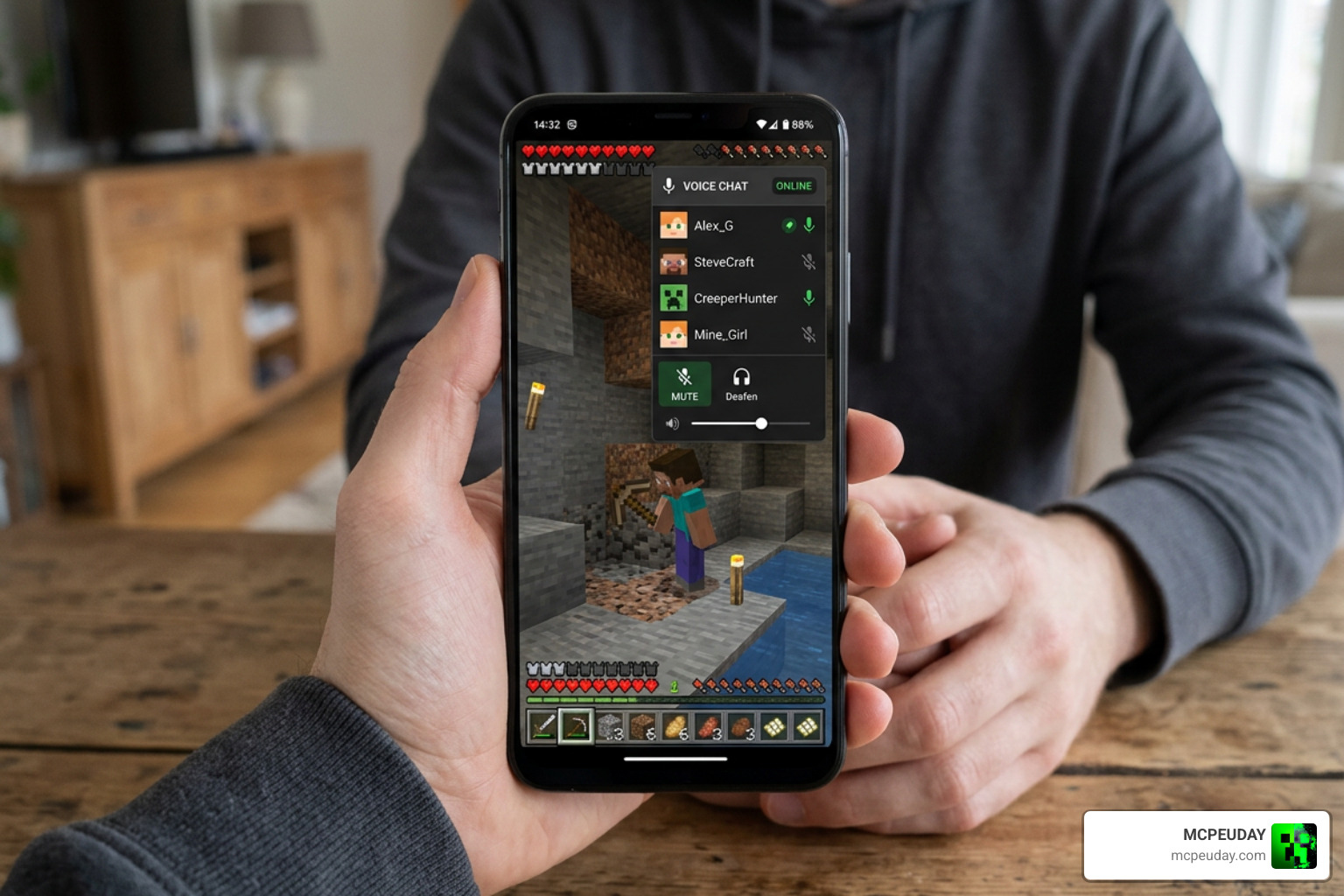
Here is a quick look at the supported client platforms:
- Windows 10/11: Full native app with push-to-talk and spatial audio.
- Android: Mobile app supporting background audio execution.
- iOS: Mobile app available via closed beta and TestFlight.
- macOS & Linux: Desktop clients are currently in active development.
How to Install the Bedrock Voice Chat Addon on Mobile
Mobile players on Android and iOS can easily connect to the voice server. For Android users, download the official APK and install it on your device. For iOS users, you can join the closed beta program via TestFlight.
Once the app is open, enter your server’s voice address, link your Minecraft username, and the app will run in the background while you play Minecraft PE. This is also the exact method console players use to join the fun!
Troubleshooting the Bedrock Voice Chat Addon on Windows
If you are on Windows and cannot hear your friends, check these common fixes:
- Ensure your input device is set to your active microphone in the client app settings.
- Verify that Windows Firewall is not blocking the client app from accessing the network.
- If using Push-to-Talk, make sure the custom keybind is registered and doesn’t conflict with in-game controls.
Cross-Platform Play and Future Support
One of the most impressive feats of the Bedrock Voice Chat Addon is its cross-platform capability. The project is highly popular in the development community, boasting 105 stars, 23 forks, and over 7,219 downloads on Modrinth.
Connecting Bedrock and Java Players
If you run a hybrid server using Geyser and Floodgate, Bedrock players can chat seamlessly with Java players running Fabric or PaperMC servers. The addon maps Bedrock player identities to their Java counterparts, allowing everyone to communicate in the same spatial 3D audio space. For a complete look at how to set up these hybrid environments, read our Minecraft Bedrock Crossplay and Multiplatform Guide.
Future Roadmap and Expanded Platform Support
The development team is actively expanding the addon’s horizons. With upcoming native support for macOS and Linux, the client will soon cover almost every desktop environment. Furthermore, the developers are looking beyond Minecraft, with early experimental support planned for upcoming sandbox titles like Hytale.
Frequently Asked Questions about Bedrock Voice Chat
Can console players use Bedrock Voice Chat?
Yes! While you cannot install the client app directly on an Xbox, PlayStation, or Nintendo Switch, console players can simply run the Android or iOS app on their phone or tablet. By linking their gamertag, the app tracks their console character’s position and plays the spatial audio directly through their mobile device.
Is the voice data encrypted and secure?
Absolutely. The addon utilizes fully encrypted voice channels powered by the secure QUIC protocol. A valid TLS certificate is required on the server side to ensure all communication remains private.
Does Bedrock Voice Chat support Java and Bedrock crossplay?
Yes, it fully supports crossplay via Geyser and Floodgate. By linking player identities, Java and Bedrock players can stand next to each other in-game and talk with realistic positional audio.
Conclusion
The Bedrock Voice Chat Addon is a masterclass in community-driven innovation, proving that players don’t have to wait for official updates to enjoy next-level features. Whether you are running a survival realm with close friends or hosting a massive cross-platform server, this addon completely redefines the multiplayer experience.
We highly recommend heading over to https://mcpeuday.com/category/mcpe-bedrock/ to grab the latest downloads and guides. Support the developers by checking out their GitHub, and get ready to experience Minecraft Bedrock like never before!
1 thought on “Bedrock Voice Chat Addon (26.x, 1.21) – MCPE/Bedrock Mod”