
What the Proximity Voice Chat&Proximity Text Chat Addon Does for Minecraft Bedrock
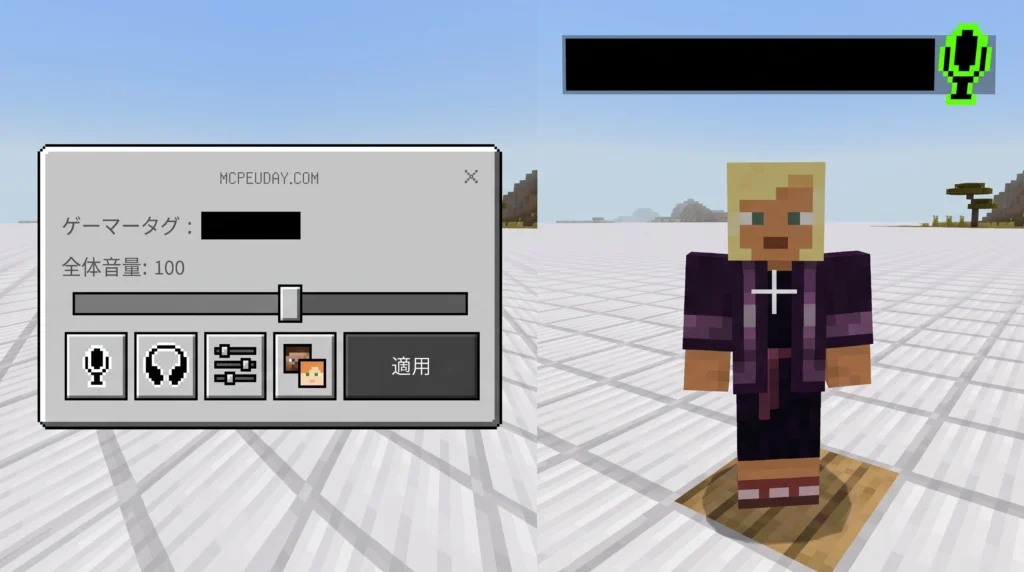
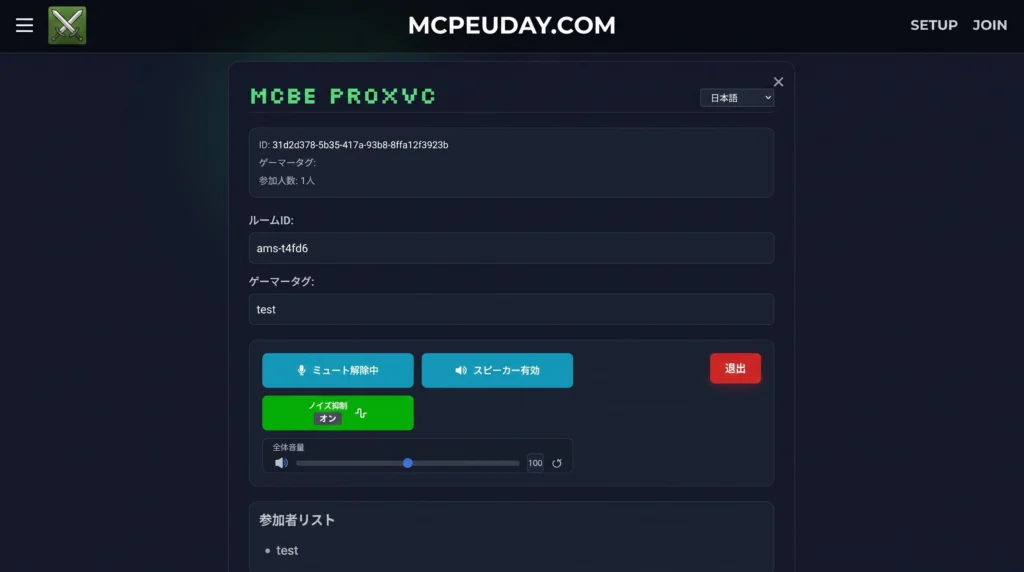
The Proximity Voice Chat&Proximity Text Chat Addon is a Minecraft Bedrock Edition addon that lets players hear and chat with each other only when they are close enough — just like a real conversation. If you walk away, the voice fades and the chat disappears. It brings the immersive communication style of Java Edition mods like Simple Voice Chat to Bedrock players, including mobile users on iOS and Android.
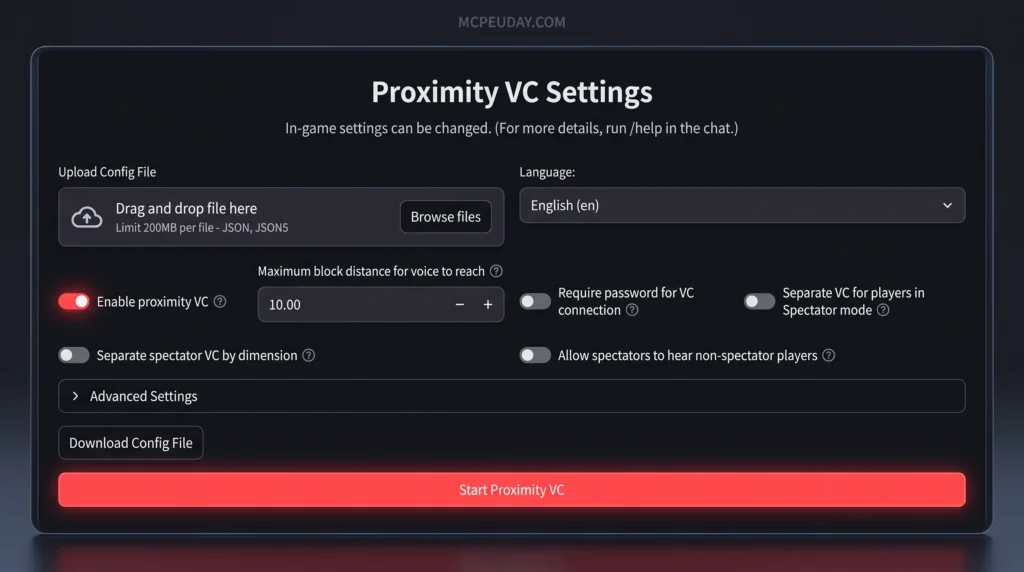
Quick answer — here’s what it does:
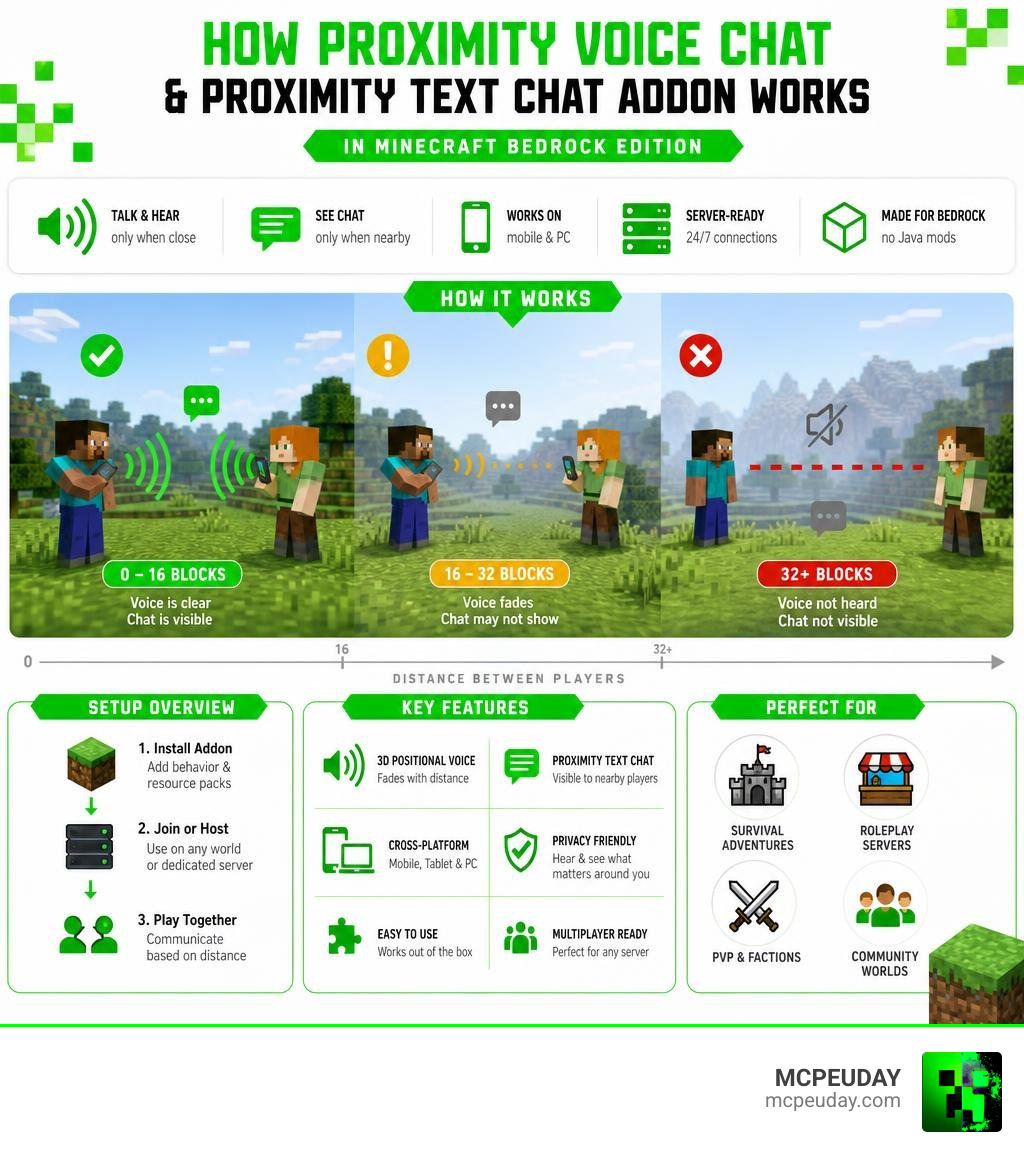
- Proximity voice chat — 3D positional audio that fades as players move apart
- Proximity text chat — chat messages only visible to nearby players
- Mobile support — works on iOS and Android, not just PC
- Server-ready — a dedicated server edition keeps connections alive 24/7
- No Java mods needed — built entirely for Bedrock Edition using behavior and resource packs
With over 200,000 downloads, this is the most popular proximity chat solution available for Bedrock. By comparison, Java Edition’s Simple Voice Chat mod has 41 million downloads — showing just how much demand exists for this kind of feature, and why a solid Bedrock alternative matters.
The addon combines two separate systems — voice (handled via a web-based connection) and text (handled through Bedrock scripting) — into one seamless experience. You can use just one, or both together.
Understanding the Proximity Voice Chat&Proximity Text Chat Addon
To understand how the Proximity Voice Chat&Proximity Text Chat Addon works, we have to look under the hood of Minecraft Bedrock Edition. Unlike Java Edition, which allows developers to modify the game’s core Java code directly, Bedrock relies on a more structured scripting system.
By leveraging Bedrock’s modern scripting APIs, developers have achieved something once thought impossible: tracking player coordinates in real time and adjusting audio and text visibility dynamically.
When you install the Proximity Voice Chat&Proximity Text Chat addon, the behavior pack continuously calculates the distance between players. For the text chat, if player A is 50 blocks away from player B, and the chat limit is set to 15 blocks, player B simply won’t see player A’s messages in their chat box. It simulates real-world acoustics perfectly!
For the voice portion, since Bedrock cannot natively stream external peer-to-peer audio inside the game client, the addon uses a clever WebSocket connection. The game sends player coordinate data to a web browser or app helper, which then handles the spatial audio processing.
Key Features of the Proximity Voice Chat&Proximity Text Chat Addon
We love features that make our multiplayer worlds feel alive. Here is what makes this Bedrock Voice Chat Addon an absolute must-have for your survival world or roleplay server:
- 3D Positional Audio: If a friend whispers from your left, you will hear them in your left ear. As they walk behind you, the sound pans dynamically.
- Full Mobile Support: Whether you are on iOS or Android, you can participate. The web-based voice portal is fully responsive.
- iOS Sleep Prevention: Anyone who has played on an iPhone knows how annoying it is when the screen sleeps and cuts your call. The addon’s web portal features a sleep prevention toggle to keep you connected.
- Customizable Distance Limits: You can set exactly how far voices and text messages travel. Want a crowded town square feel? Set it to 10 blocks. Want a loud shouting match? Turn it up to 50!
Customization and Chat-Rank Integration
One of the coolest aspects of the text portion of this addon is that it is not just a mute button; it is a full chat overhaul. The scripting engine allows us to customize how our names and ranks look in the chat.
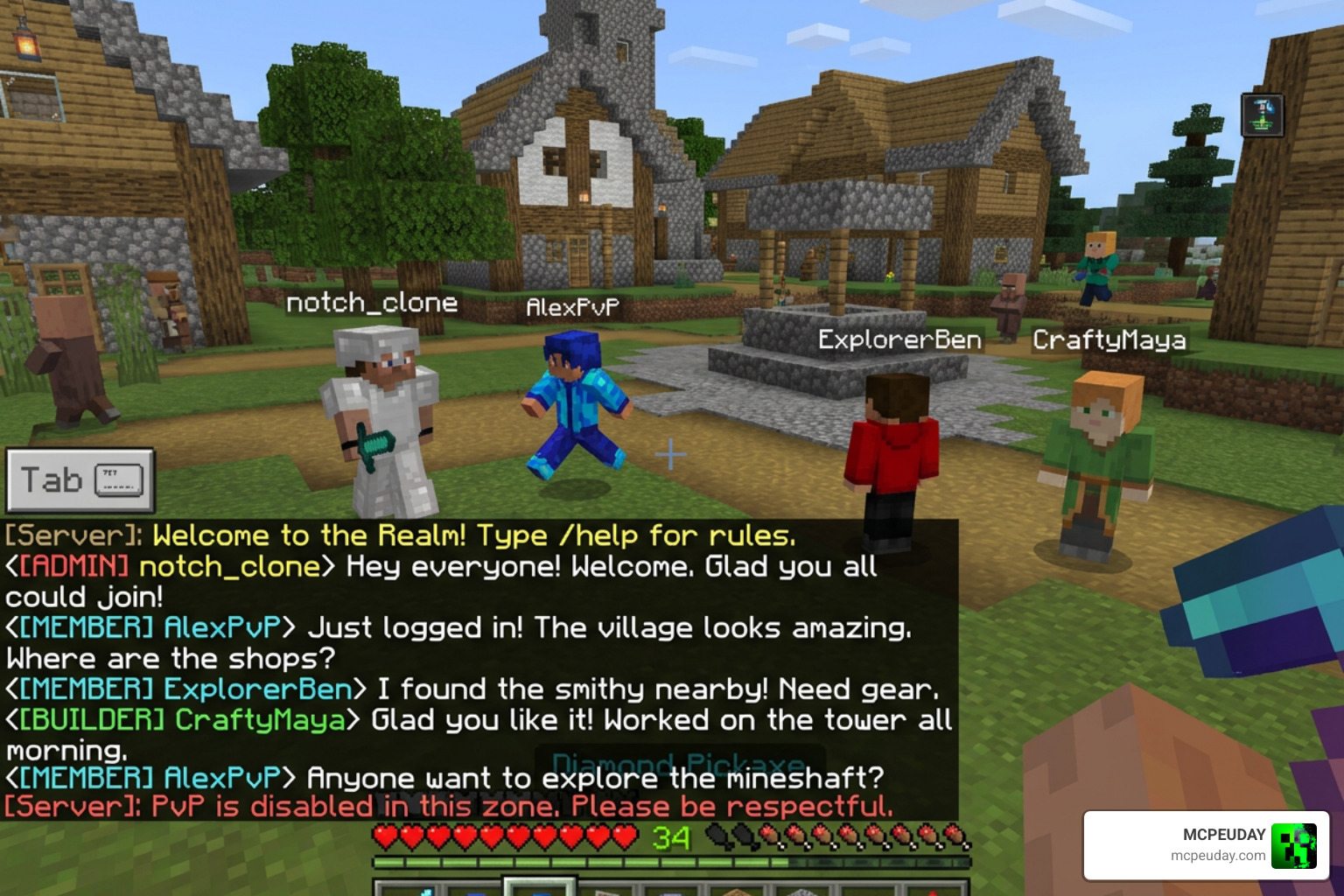
By editing the chat templates, we can use variables to show player ranks, custom nametags, and even scoreboard values (like an in-game economy balance). Here is how the template variables work, as detailed in the README.md at main · Esploratori-Dev/Proximity-Text-Chat documentation:
$u— The player’s username.$m— The chat message.$t— The player’s custom rank tag.$s(scoreboard)— Displays a specific scoreboard value next to the player’s name.
For example, a template configured as [$t] $u: $m will output [Admin] Steve: Hello there! in the local proximity chat. This makes it incredibly easy to run structured roleplay servers with distinct visual hierarchies.
Comparing Bedrock Proximity Chat with Java Edition Solutions
It is no secret that Java Edition has had proximity voice chat for years. But how does our Bedrock solution stack up against the classic Java mods? Let’s look at the key differences in technology and user experience.
| Feature | Bedrock Addon (MCBE-ProxVC) | Java Simple Voice Chat |
|---|---|---|
| Client Installation | No mods required (uses browser/addon) | Requires Fabric/Forge & client mod |
| Audio Processing | External web browser / WebSocket | In-game native audio engine |
| Mobile Compatibility | Yes (iOS/Android fully supported) | No (Java-only, unless using Geyser) |
| Setup Difficulty | Easy (command execution & web login) | Medium (requires server port forwarding) |
| Text Proximity | Built-in custom scripting | Usually requires separate plugins |
Standard Java Proximity Chat Implementations
In the Java world, mods like Simple Voice Chat use a direct UDP connection (typically port 24454) to send voice data between the server and players. It runs on the high-quality Opus codec and utilizes RNNoise for background noise suppression. Because Java allows deep client-side modification, the audio is mixed directly inside the game engine.
While this results in slightly lower latency, it completely locks out console and mobile players who cannot install Java mods.
Alternative Proximity Chat Implementations
To bridge this gap, alternative systems have emerged. For instance, plugins like Skoice use Discord integration to shift the voice processing to Discord channels, dynamically moving players between channels based on their in-game location.
Other systems like OpenAudioMc use a browser-based approach similar to our Bedrock addon. The beauty of the Proximity Voice Chat&Proximity Text Chat Addon is that it brings this lightweight, zero-client-mod philosophy directly to Bedrock players, allowing seamless cross-play communication.
Installation, Setup, and Server Configuration
Setting up the addon is straightforward, but you must follow the steps carefully to ensure the WebSocket handshake succeeds.
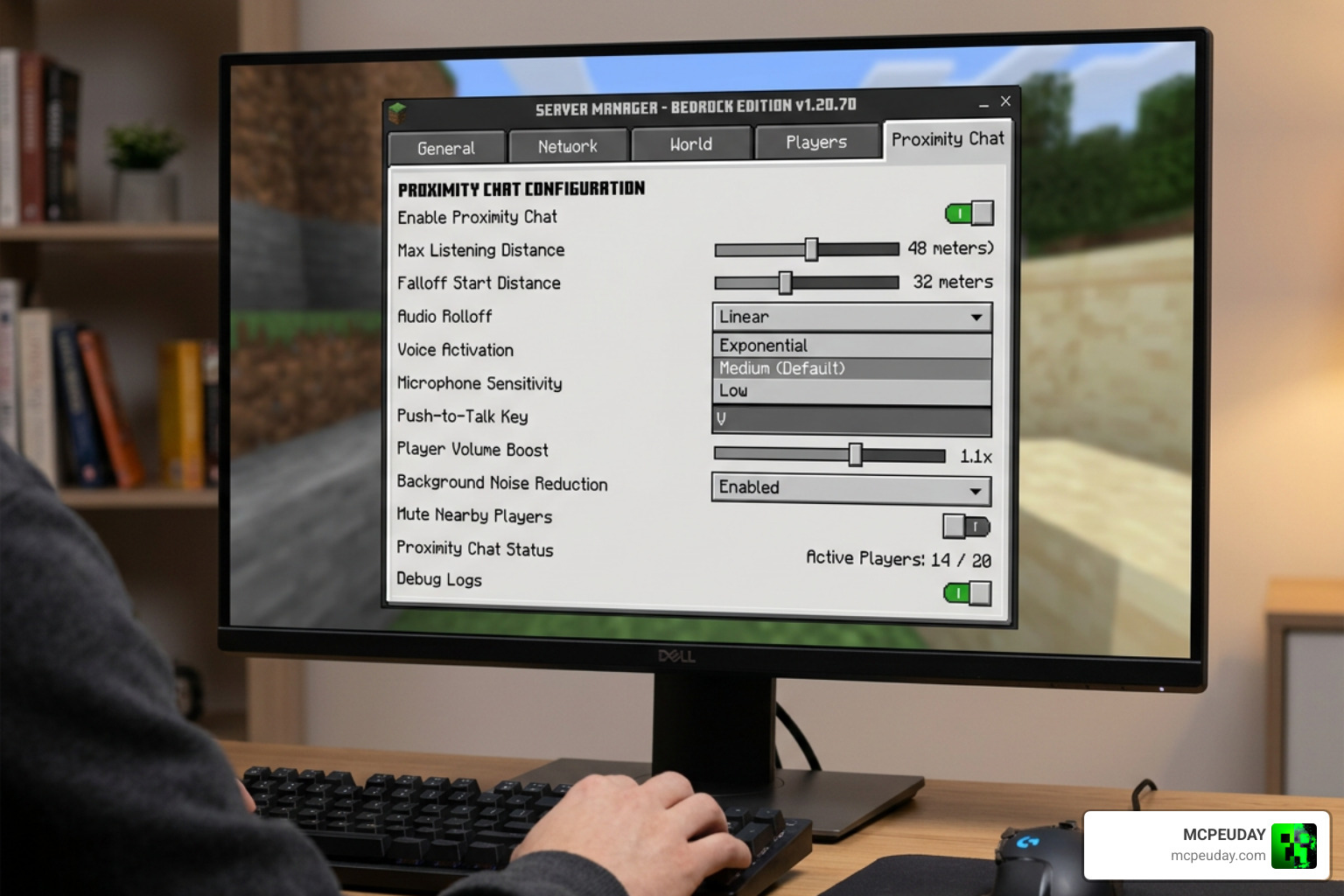
Step-by-Step Installation of the Proximity Voice Chat&Proximity Text Chat Addon
- Download the Packs: Download both the Behavior Pack (BP) and Resource Pack (RP).
- Enable Experiments: In your world settings, you must turn on Beta APIs and Experimental Features. Without these, the custom scripting will not execute.
- Apply the Packs: Add the Behavior Pack and Resource Pack to your world.
- Get Your Room ID: Visit the setup website, configure your desired settings, and copy the generated WebSocket command.
- Execute in Game: Paste and run the command in your world chat. This connects your Minecraft session to the voice server.
- Join the Call: Open the helper link in your browser, enter your exact Minecraft Gamertag, and start talking!
Server Use Cases and Persistent Connections
If you are running a dedicated Bedrock server (BDS) rather than a local world or Realm, you will want to use the Server Edition of the behavior pack.
In a standard local world, if the host player leaves, the voice connection drops. The Server Edition features a “constant connection” script. By setting op-permission-level=4 in your server.properties file, the server maintains the WebSocket connection 24/7, allowing players to join, leave, and talk at any time without requiring a host to be online.
Frequently Asked Questions about Proximity Chat
Does this addon work on Minecraft Realms and single-player worlds?
Yes! The proximity text chat works perfectly on Realms, single-player worlds, and dedicated servers. Just make sure you have the Experiments Toggle enabled before uploading the world to your Realm. The voice chat portion also works, provided players keep their web helper browser open in the background.
How do I fix audio issues or connection failures?
If you can’t hear your friends, check these common troubleshooting steps:
- Port Settings: If hosting a dedicated server, ensure your firewall is not blocking the WebSocket traffic.
- Browser Permissions: Make sure your browser has permission to access your microphone.
- iOS Sleep: On Apple devices, make sure “Prevent Sleep Mode” is enabled on the web helper page so iOS doesn’t suspend the audio process when the screen dims.
- Gamertag Match: Ensure the Gamertag you typed into the web portal matches your in-game name exactly (case-sensitive!).
Can players still use global chat commands?
Yes. Even when proximity text chat is active and restricting normal messages, players can still use global commands like /me or /say to broadcast messages server-wide if they have the permissions to do so. Normal chat, however, will remain strictly localized to your configured distance.
Conclusion
The Proximity Voice Chat&Proximity Text Chat Addon completely transforms how we experience Bedrock multiplayer. Whether you are building a bustling medieval kingdom, running a tactical faction war, or just playing survival with friends, adding distance-based communication makes every encounter incredibly immersive.
We invite you to grab the pack, set up your server, and hear your world come to life! Explore more Bedrock Addons on our site to find more ways to upgrade your Minecraft adventures.