Scroll down to D0vvnl0ad
Upgrade Minecraft PE Graphics With Arce Visuals Shader
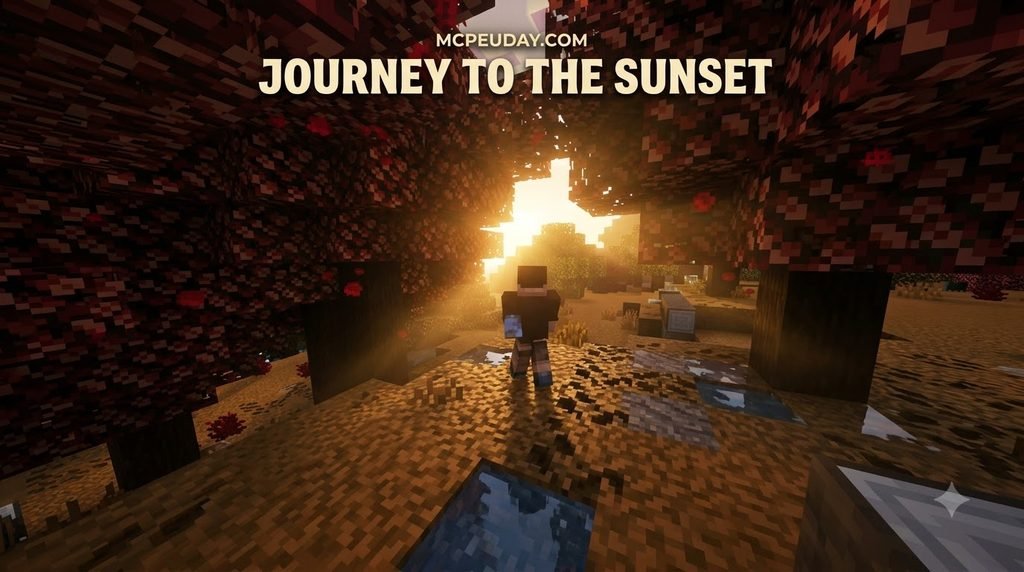
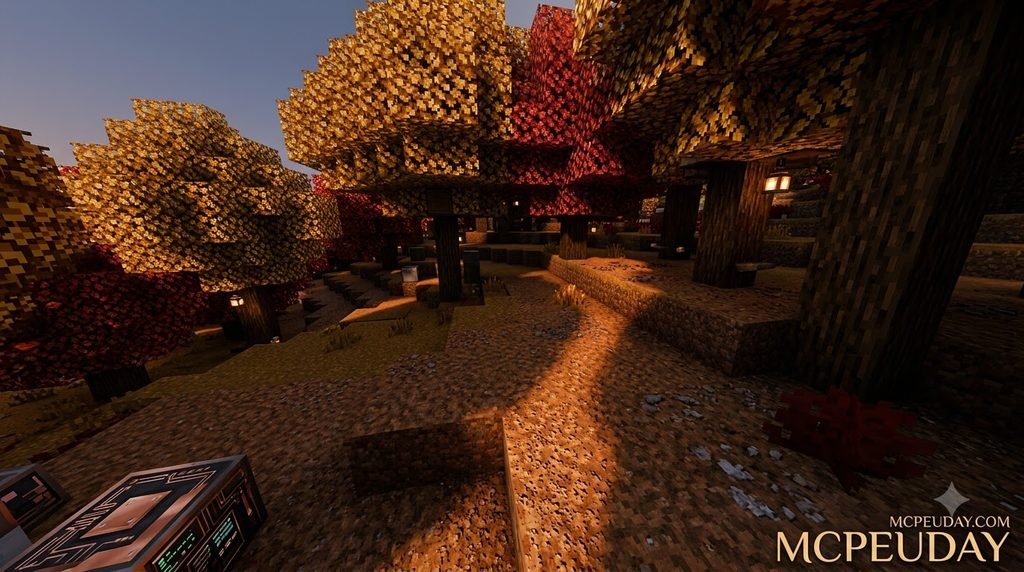
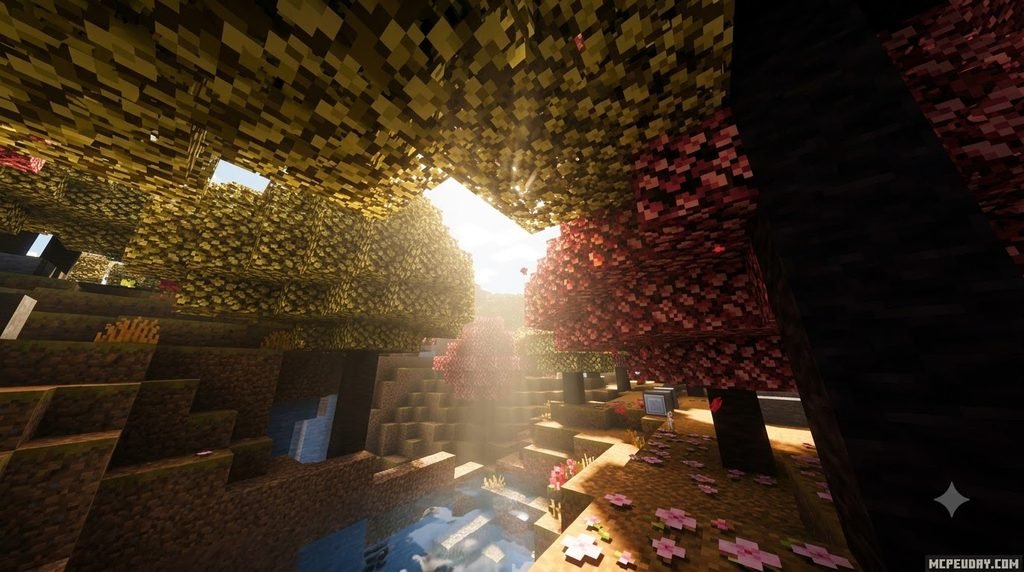
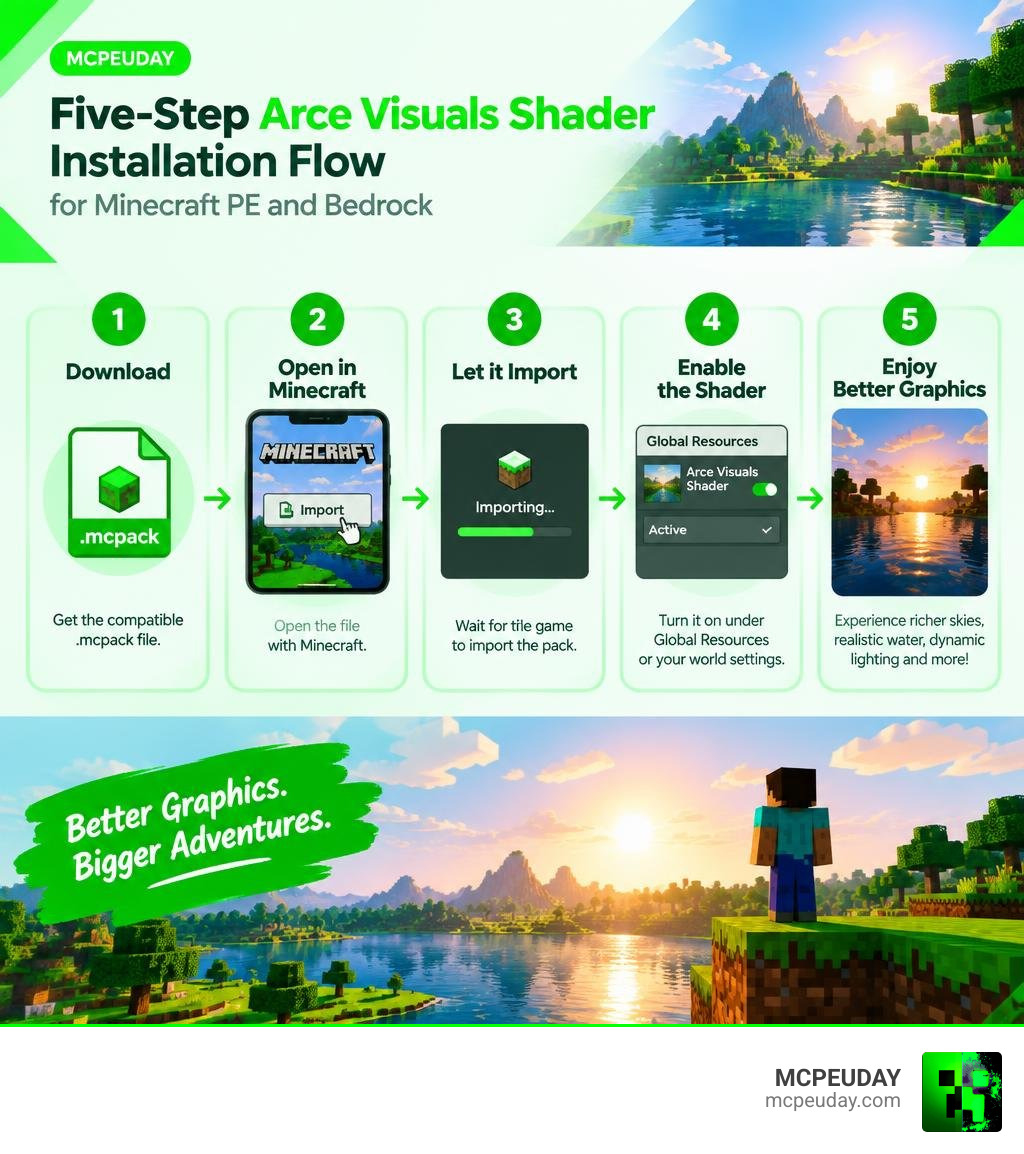
Arce Visuals Shader for Minecraft PE/Bedrock is a visual resource pack that can add more realistic water, richer skies, dynamic-looking lighting, fog, shadows, and moving plants to your world. To install it, download the compatible .mcpack file, open it with Minecraft, let the game import the pack, then enable it under Global Resources or your world’s resource-pack settings.
It is built for both mobile Bedrock players and Windows users, with settings intended to balance better graphics and playable frame rates. If your device struggles, start with the lightest available preset, lower render distance, and close other apps before launching Minecraft.
This guide walks you through the five simple installation steps, checks compatibility, and helps you avoid common issues such as a failed import, black screen, or missing effects. I am UDAY GAMER, and I will help you get Arce Visuals running smoothly on your Bedrock world. For a broader look at how shaders work across different Minecraft editions, you can also review the official Minecraft shader documentation before you begin.
What is Arce Visuals Shader for Minecraft PE/Bedrock?
Arce Visuals Shader is a community-favorite graphics enhancement pack designed specifically for the Minecraft Bedrock engine. With over 1 million downloads across major modding hubs and an impressive 4.5-star average rating from more than 2,000 user reviews, it stands out as one of the most reliable visual packs available today.
The shader transforms dull vanilla blocks into a vibrant world using over 50 custom visual effects. It introduces dynamic lighting that responds naturally to the time of day, dense volumetric fog across low-altitude biomes, realistic water with natural wave animations, and high-resolution custom skyboxes featuring sun glare and twilight gradients. If you frequently browse and test Minecraft shaders for Android, you will immediately appreciate how Arce Visuals balances heavy visual overhauls with clean rendering techniques.
Key Features of Arce Visuals Shader for Minecraft PE/Bedrock
The developers have continuously refined this pack through more than 20 version updates, ensuring smooth performance alongside new engine revisions. Some of its standout features include:
- Sunburst Rays and Lighting: Beautiful god rays that pierce through dense forest canopies and illuminate caves with soft, warm torchlight.
- Wavy Plant Animations: Subtle, wind-driven movements for leaves, grass, crops, and underwater kelp.
- Block and Water Reflections: Glossy top textures during rain and clear, refractive water surfaces.
- Dynamic Shadows: Soft, direction-accurate shadows cast by terrain and structures that shift as the sun moves across the sky.
- Atmospheric Mist: Layered fog during rainy weather and chilly biomes that adds deep immersion.
For players exploring various Render Dragon shaders for MCPE, Arce Visuals provides an artistic middle ground between pure hyper-realism and the iconic blocky look of Minecraft.
System Requirements and Performance Impact
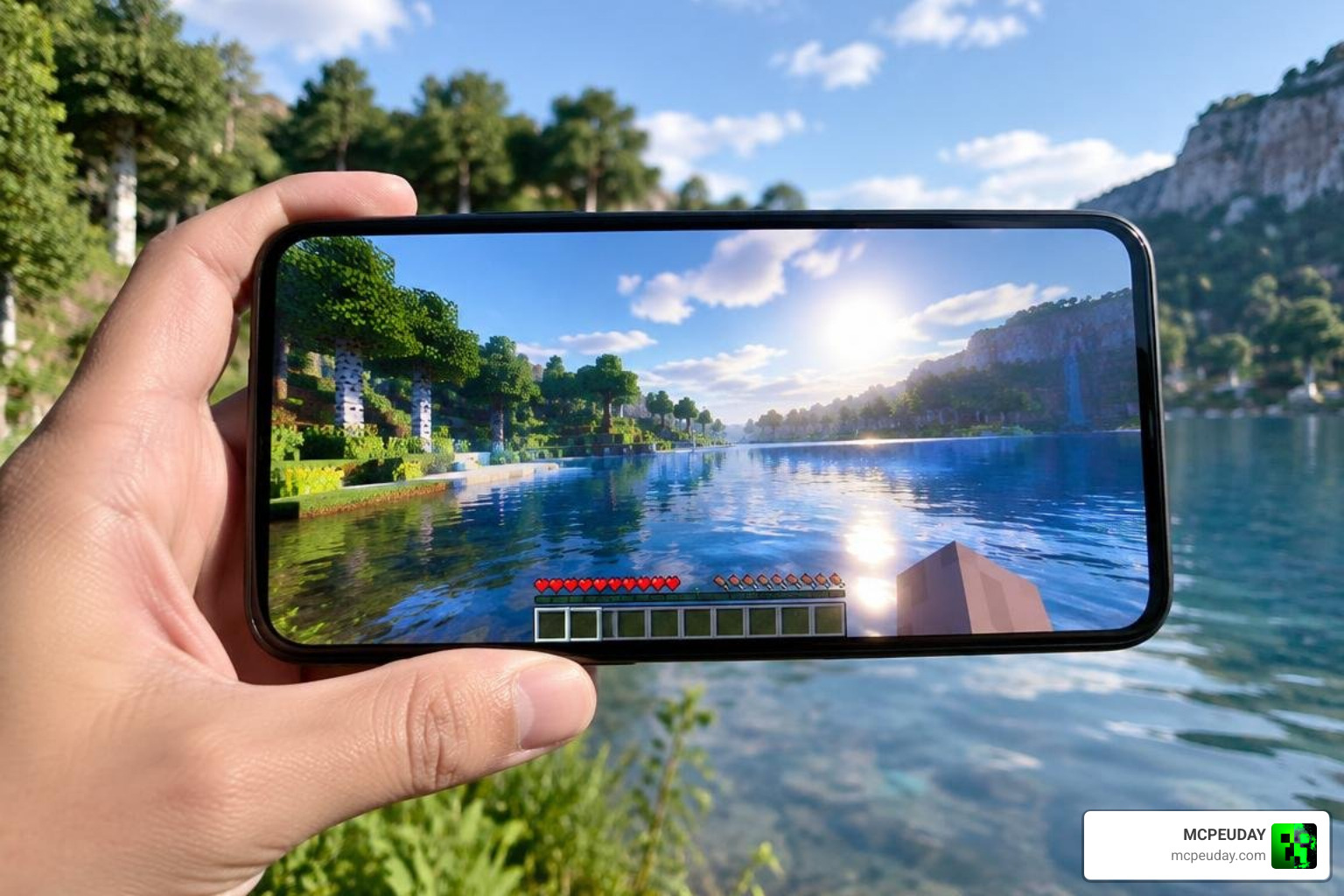
One major strength of Arce Visuals Shader is its optimization. While high-end graphical packs can quickly overheat mobile chipsets, Arce Visuals delivers an estimated 30% performance boost over traditional heavy shaders when tested on identical hardware. It supports over 90% of active Bedrock setups across Android, iOS, and Windows 10/11.
| Component | Minimum Requirements | Recommended Specs |
|---|---|---|
| Operating System | Android 9.0+ / iOS 13+ / Windows 10 | Android 12+ / iOS 16+ / Windows 11 |
| RAM | 2 GB | 4 GB to 8 GB |
| Storage Space | 50 MB free space | 100 MB free space |
| Target Frame Rate | 30 FPS (Lite Preset) | 60+ FPS (Ultra Preset) |
On mobile devices, running Arce Visuals causes minimal battery drain when paired with reasonable game settings. If you want maximum battery life or run an entry-level smartphone, pairing this pack with tips from our no-lag Bedrock shaders breakdown will keep your frame rates rock-solid.
Step-by-Step Installation Guide for Minecraft PE and Bedrock
Installing Arce Visuals takes less than five minutes. Follow these five straightforward steps to get it running on your device:
- Download the Pack: Obtain the latest official
.mcpackfile from our verified downloads section at MCPEUDAY. - Open the File: Locate the downloaded file in your device’s file manager or download folder. Tap or double-click the file to trigger Minecraft automatically.
- Confirm Import: Minecraft will launch and display a banner at the top of the screen reading “Import Started,” followed by “Successfully Imported Arce Visuals.”
- Activate in Settings: Head into Settings > Global Resources > My Packs, locate Arce Visuals, and click Activate. If you only want the shader in one specific world, apply it under that world’s individual resource settings instead.
- Restart and Play: Exit the settings menu to allow the game to load the resource pack assets. Launch your world and enjoy the visual upgrade!
If you run into any permission problems on newer mobile operating systems, review our complete tutorial on how to turn on shaders in Minecraft for specific folder permission steps.
How to Configure Arce Visuals Shader for Minecraft PE/Bedrock Settings
Arce Visuals includes built-in subpacks that let you tailor visual fidelity directly to your hardware capabilities.
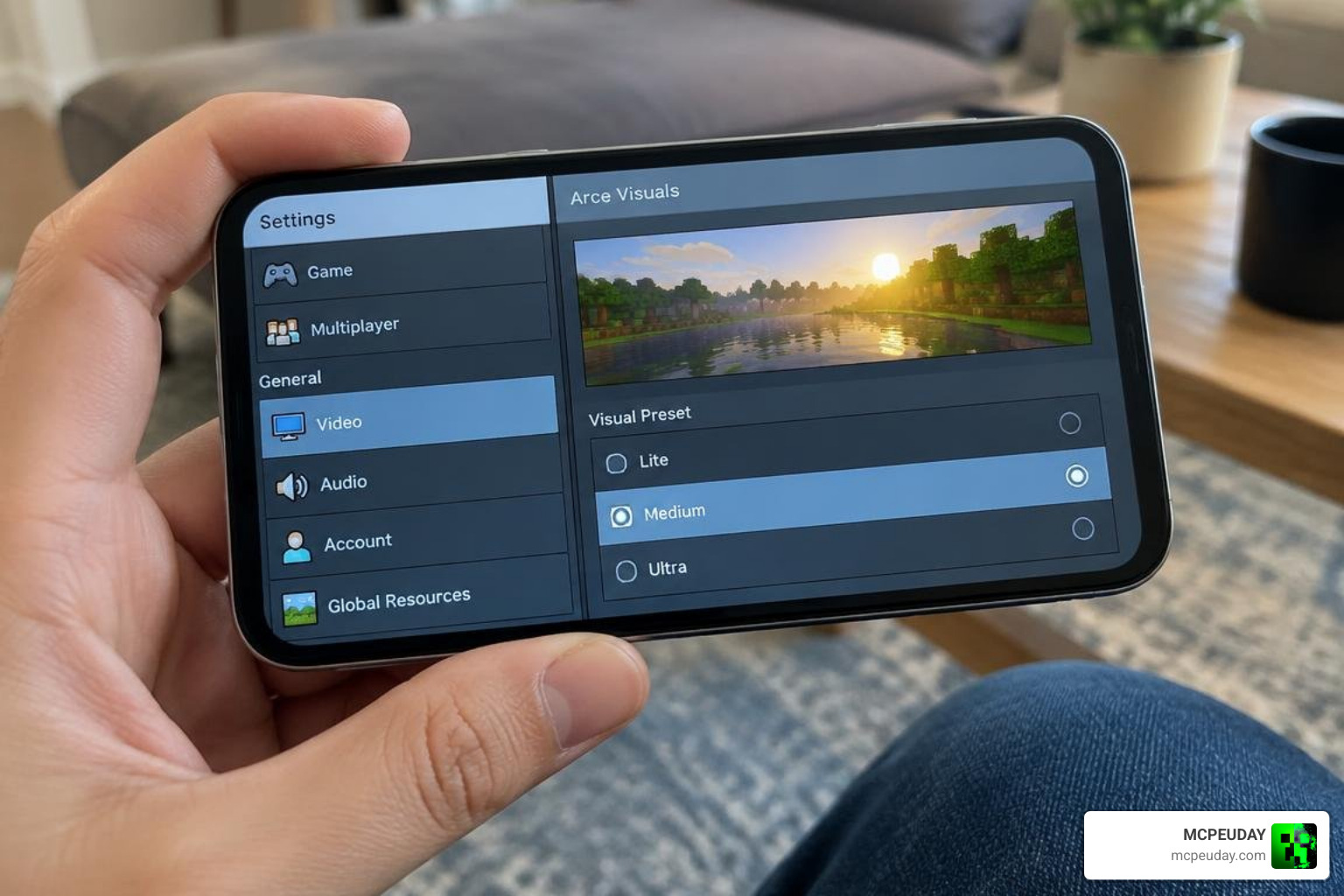
To adjust these settings:
- Go to Settings > Global Resources (or World Settings > Resource Packs).
- Tap Active Packs and select Arce Visuals Shader.
- Click the Gear (Settings) Icon below the pack title.
- Drag the resolution slider to choose your preferred preset:
- Lite: Disables heavy waving foliage and softens shadow maps for older phones.
- Medium: Balances realistic water and sky effects with stable frame rates.
- Ultra/Cinematic: Enables all 50+ visual effects, full reflections, and maximum particle density.
For a deeper explanation of how resource packs interact with the Bedrock engine, the official Minecraft resource pack guide is a useful reference when troubleshooting import or activation issues.
Arce Visuals vs Other Bedrock Shaders
When picking a daily graphics pack, it helps to see how Arce Visuals compares against other popular options:
| Feature | Arce Visuals Shader | Standard Vanilla Shaders | Heavy Ultra-Realistic Shaders |
|---|---|---|---|
| Performance Impact | Very Low to Moderate | None | High |
| Water Reflections | Yes (Dynamic Waves) | Flat Vanilla | Ray-Traced / Screen Space |
| Foliage Animation | Yes (Wind Sway) | No | Yes |
| Low-End Optimization | Excellent (Subpack control) | Native | Poor |
| Setup Difficulty | Single-click .mcpack | None | Complex (requires patches) |
Arce Visuals manages to retain crisp visibility inside dark caves while delivering striking cinematic views outdoors, avoiding the overly dark shadows found in competing visual mods. If you want to understand the technical foundation behind these visual improvements, the Minecraft shader entry on the Minecraft Wiki explains how shaders modify rendering in both Bedrock and Java editions.
Troubleshooting Common Glitches and Multiplayer Issues
- Black Screen or Missing World: This usually indicates an outdated shader build running on a newer game patch. Verify you have downloaded the latest build from MCPEUDAY.
- Invisible Water Textures: Caused by conflicting texture packs. Move Arce Visuals to the top of your Active Resource Packs load order.
- Realms and Dedicated Servers: Because Arce Visuals functions as a client-side resource pack, you can join external servers and private Realms without requiring the server host to install it.
- Failed Import Errors: If your file manager fails to open
.mcpackfiles, rename the file extension from.mcpackto.zip, extract the folder, and paste it directly into yourresource_packsdirectory.
If you continue to experience rendering problems after applying these fixes, consult the official Minecraft Bedrock troubleshooting page for additional guidance on resource pack conflicts and performance issues.
Frequently Asked Questions About Arce Visuals Shader
Can I run Arce Visuals Shader on low-end mobile devices without lag?
Yes. Arce Visuals is built with low-end compatibility in mind. Select the Lite subpack setting, decrease your in-game render distance to 8–10 chunks, and turn off smooth lighting in video settings to maintain 60 FPS on devices with 2 GB of RAM.
Does Arce Visuals Shader work on Bedrock Dedicated Servers and Realms?
Yes. When activated under Global Resources, all shader effects process locally on your phone or PC. You can join your friends on Realms or public multiplayer servers with complete visual effects enabled.
Is Arce Visuals Shader compatible with the latest Minecraft 1.26 update in 2026?
Yes. The shader has received more than 20 major updates and includes full support for the Render Dragon graphics pipeline on Minecraft 1.26 Bedrock editions. For more details on how the Render Dragon engine handles shaders, you can check the Render Dragon page on the Minecraft Wiki.
Conclusion
Arce Visuals Shader provides a perfect visual upgrade for Bedrock players who want realistic water, dynamic lighting, and moving foliage without sacrificing frame rate stability. Its simple .mcpack installation and built-in subpack presets make it accessible for any device.
Ready to completely transform your survival worlds and creative builds? We invite you to explore the best realistic Minecraft PE shaders on MCPEUDAY to discover top-rated graphics packs and elevate your gameplay today.