Scroll down to D0vvnl0ad
Overview and Comparison of the Newb Shader Family
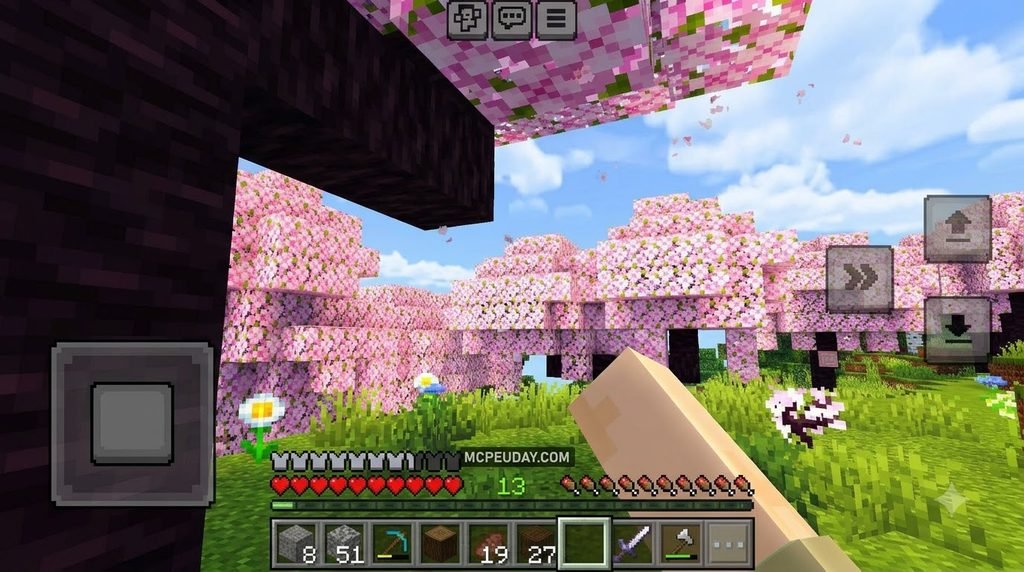
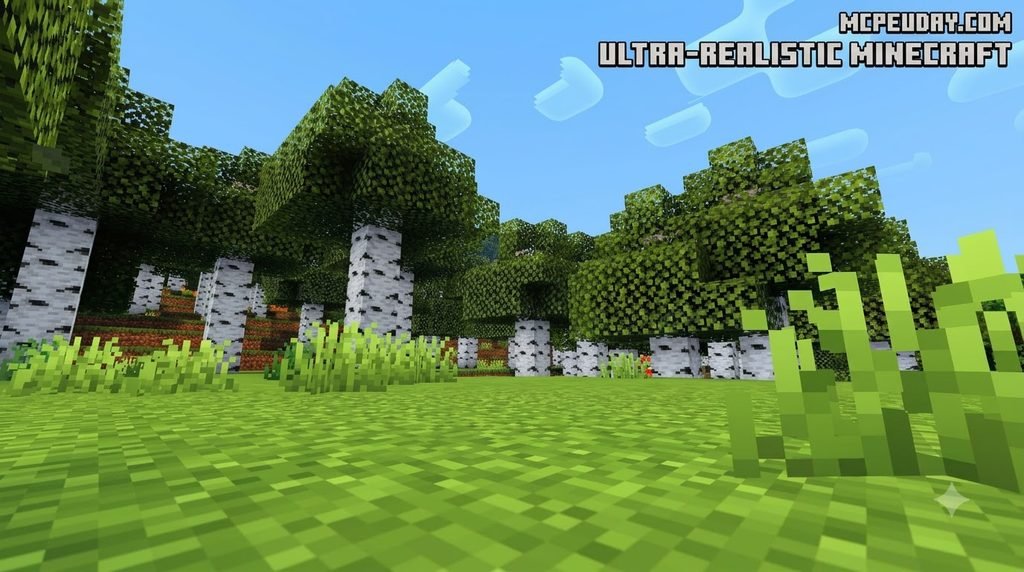
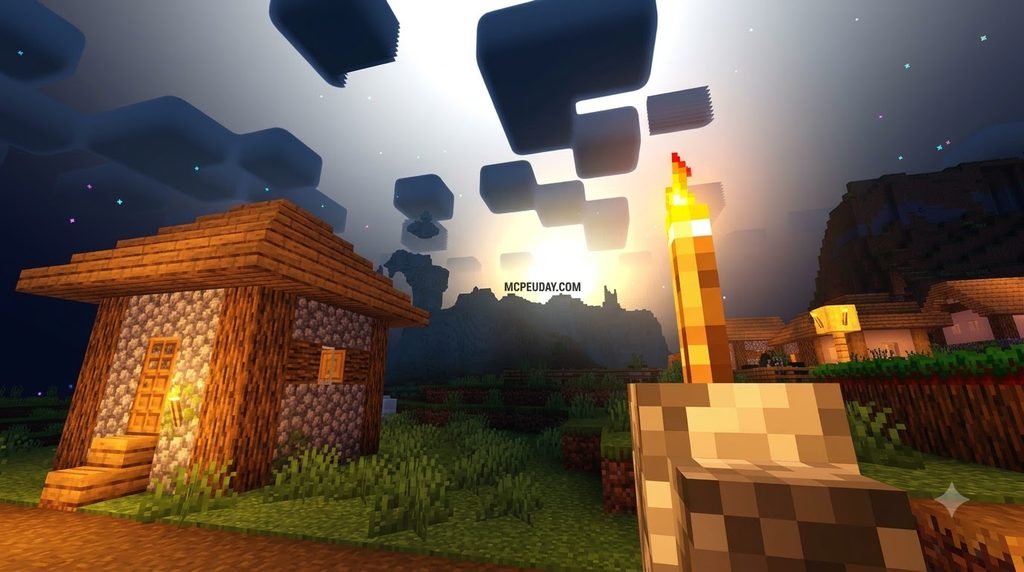
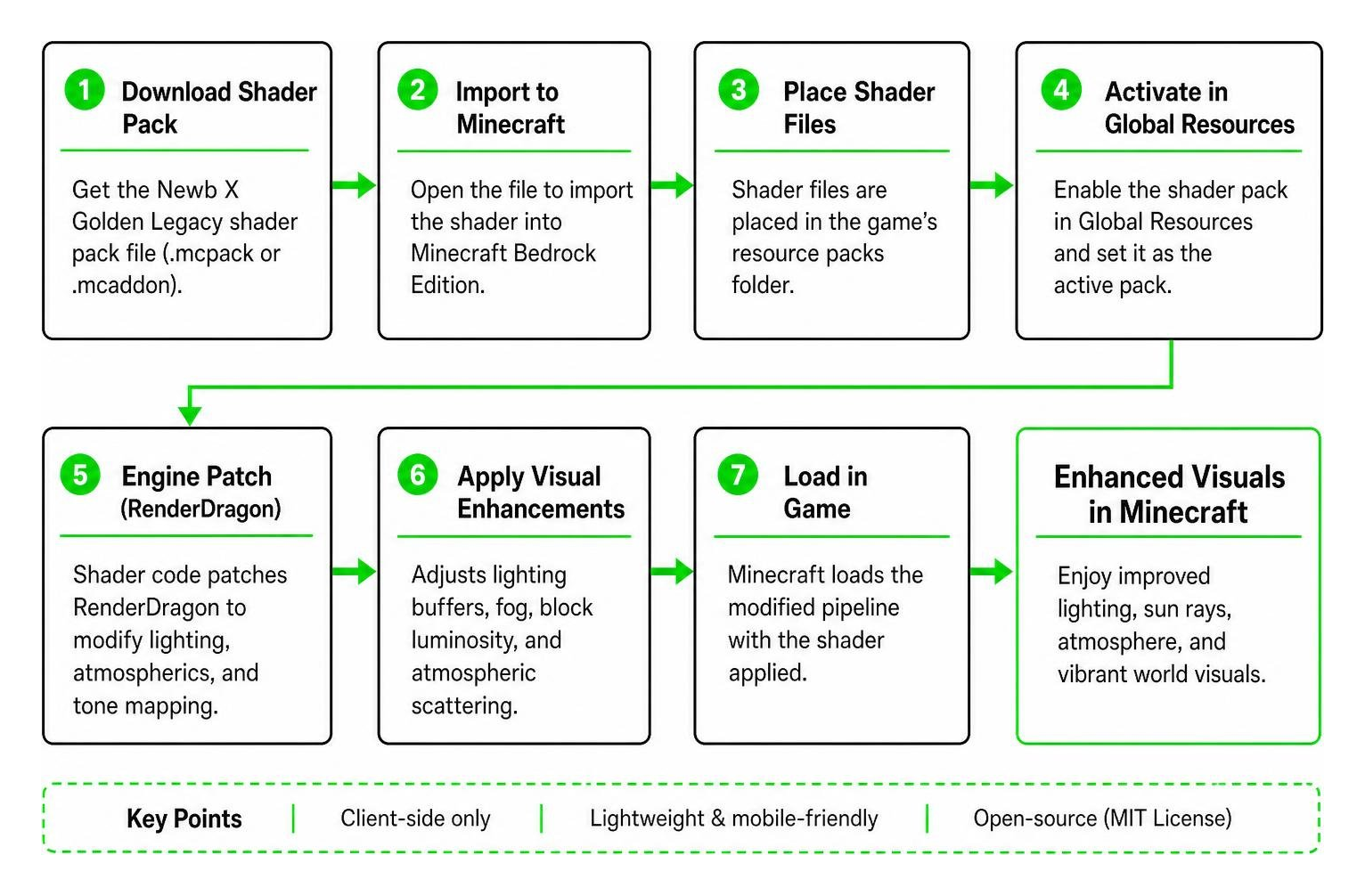
To download and install Newb X Golden Legacy Shaders for Minecraft PE/Bedrock, get the latest .mcpack file, then load it through MB Loader on Android or BetterRenderDragon on Windows. After importing the pack, activate it in Settings > Global Resources and place it at the top of your active resource packs list. This applies the shader as a client-side visual upgrade without changing game mechanics.
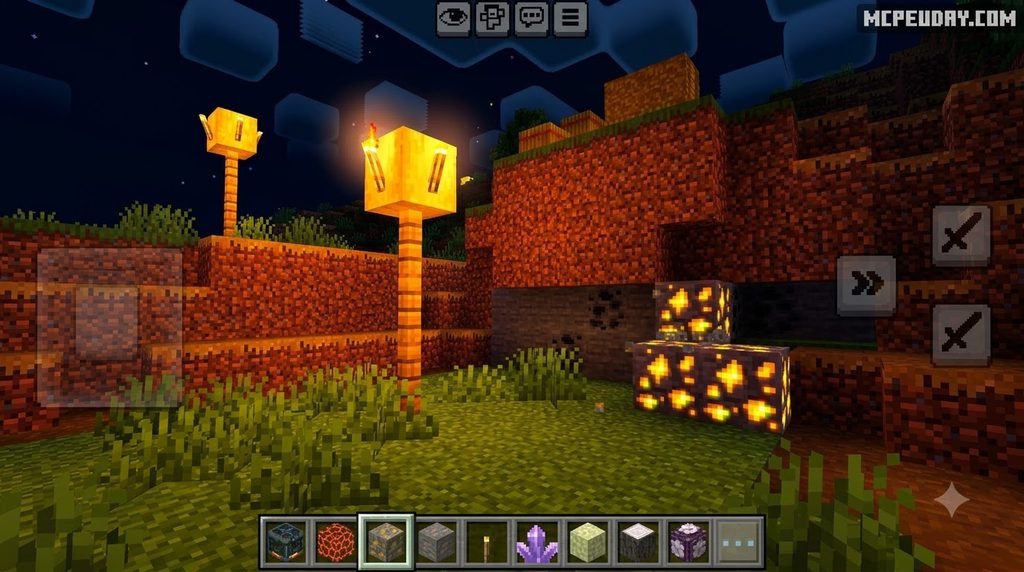
Minecraft Bedrock Edition’s shift to the RenderDragon engine completely transformed how custom graphics work on mobile devices and PCs. In the past, simple texture packs could rewrite render passes easily using legacy GLSL shaders. Today, community creators leverage open-source development under the MIT License to deliver lightweight, client-side visual modifications that respect modern engine constraints without introducing severe hardware bottlenecks.
The Newb shader family is famous across the Bedrock community for delivering atmospheric upgrades without crippling mobile frame rates or draining battery life. Rather than attempting heavy real-time ray tracing or demanding deferred shading pipelines, these packs modify lighting buffers, atmospheric fog, tone mapping, specular highlights, and block luminosity directly within the limits of modern Bedrock builds. This ensures smooth exploration even in dense terrain generation.
Comparing Newb X Golden Legacy to Newb Glow Legacy and Other Variants
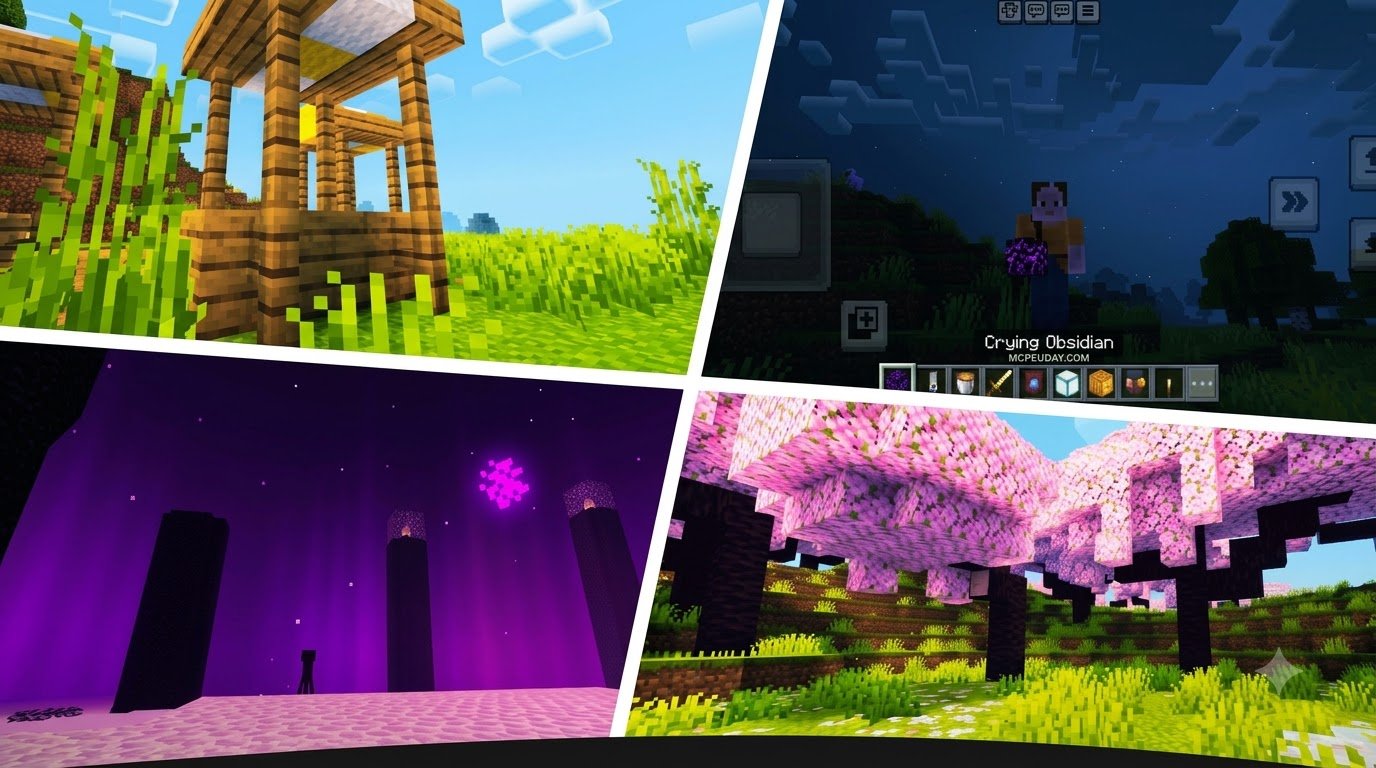
While all Newb variants share a common lineage and core optimization philosophy, each fork caters to different aesthetic goals, playstyles, and hardware budgets. Newb Glow Legacy focuses purely on radiant blocks and extreme performance for competitive survival. In contrast, Newb X Golden Legacy introduces deeper ambient warm tones, dynamic sun rays, lush atmospheric scattering, and cinema-grade skyboxes.
| Shader Variant | Primary Aesthetic Focus | Performance Impact | Ore Glow Intensity | Foliage Waving |
|---|---|---|---|---|
| Newb X Golden Legacy | Warm sunlight, volumetric fog, golden sunsets | Low to Moderate | High | Full dynamic motion |
| Newb Glow Legacy | High-visibility cave mining, neutral tones | Ultra-Low | Very High | Optional / Minimal |
| Newb Renewed | Modern vanilla-plus, realistic water tone | Moderate | Medium | Smooth sway |
| Newb Reforged | Vibrant skyboxes, balanced contrast | Moderate | Medium | Balanced sway |
| Newb Nostalgia | Classic legacy Minecraft lighting feel | Very Low | None / Subtle | Static |
Newb X Golden Legacy strikes a balance for players who find standard vanilla lighting too sterile or washed out, but do not want the high battery drain and thermal throttling associated with experimental deferred technical preview shaders.
Key Features of Newb X Golden Legacy Shaders for Minecraft PE/Bedrock
The defining trait of Golden Legacy is its warm environmental tuning. As the sun dips toward the horizon, the entire biome bathes in an amber glow, casting long, soft shadows across mountain ridges. At night, the skybox transforms with subtle northern lights, dynamic constellations, and moving shooting stars that bring life to nocturnal survival sessions.
Key visual enhancements include:
- Luminescent Glowing Ores: Diamond, redstone, lapis lazuli, and emerald blocks emit vibrant point lighting, helping you spot valuable veins across dark ravines and sprawling cave networks.
- Dynamic Water Caustics: Oceans and rivers gain clean surface reflections, subtle transparency layers, underwater light refraction, and undulating wave distortion.
- Foliage and Canopy Animation: Leaves, tall grass, flowers, and crops sway naturally in response to simulated ambient wind speeds, making forests feel organic.
- Atmospheric Scattering and Fog: Dense biomes like swamps and jungles feature soft morning mist, while nether wastes exhibit deep crimson haze and ash particle dispersion.
- Celestial Night Skybox: Clear night cycles display soft aurora borealis ribbons and occasional shooting stars across the horizon, creating panoramic wilderness vistas.
How to Configure Newb X Golden Legacy Shaders for Minecraft PE/Bedrock Subpacks
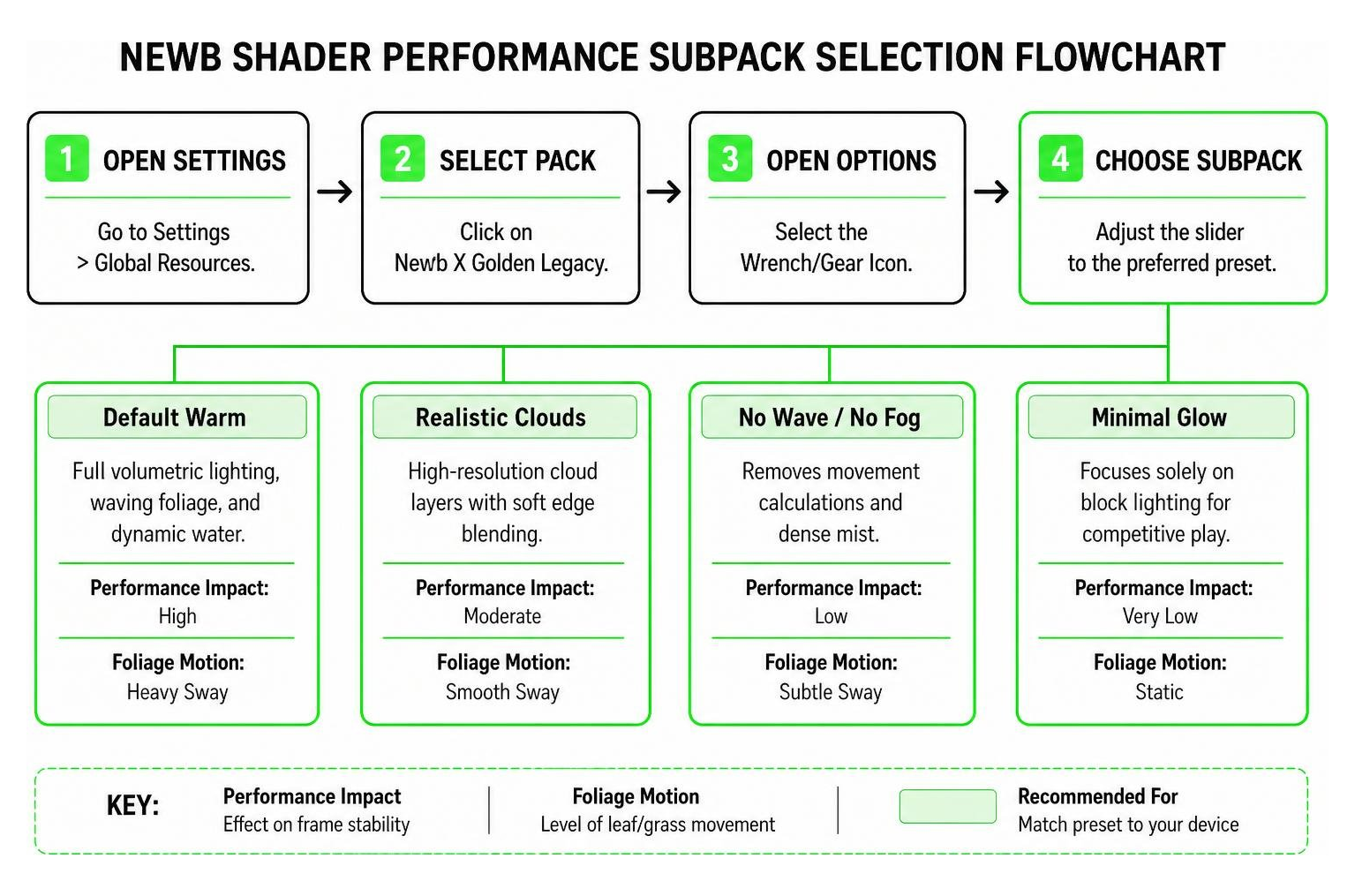
The shader includes built-in subpacks accessible directly from the pack settings gear icon in Minecraft, allowing you to fine-tune visual fidelity against your device’s processing capacity:
- Go to Settings > Global Resources.
- Click on Newb X Golden Legacy in your active list and select the Wrench/Gear Icon.
- Adjust the slider between available presets:
- Default Warm: Full volumetric lighting, waving foliage, dynamic sun shafts, and reflective water.
- Realistic Clouds: High-resolution cloud layers with soft edge blending and realistic depth gradients.
- No Wave / No Fog: Removes movement calculations and dense mist for maximum frame stability on low-end hardware.
- Minimal Glow: Focuses solely on block lighting and luminescent ores for competitive survival or speedrunning.
For more visual packs and addons, you can browse the latest Minecraft PE shaders available for Bedrock Edition.
Step-by-Step Installation Guide Across All Platforms
Because modern Minecraft Bedrock (including version 1.26) relies on the RenderDragon rendering architecture, custom materials require specific loader utilities on each operating system. These tools hook into the game’s graphics pipeline at runtime without permanently modifying original APK or executable binaries.
Platform Compatibility for Newb X Golden Legacy Shaders for Minecraft PE/Bedrock
Here is the exact method to install and run the shader depending on your platform:
Android Setup (Using MB Loader / MaterialBinLoader)
- Download the latest Newb X Golden Legacy
.mcpackfile to your device’s internal storage. - Install the compatible MB Loader application designed for your current Minecraft build.
- Open MB Loader, grant all requested file management permissions, and import the downloaded
.mcpack. - Launch the game directly through MB Loader so the patched material bins load into device memory.
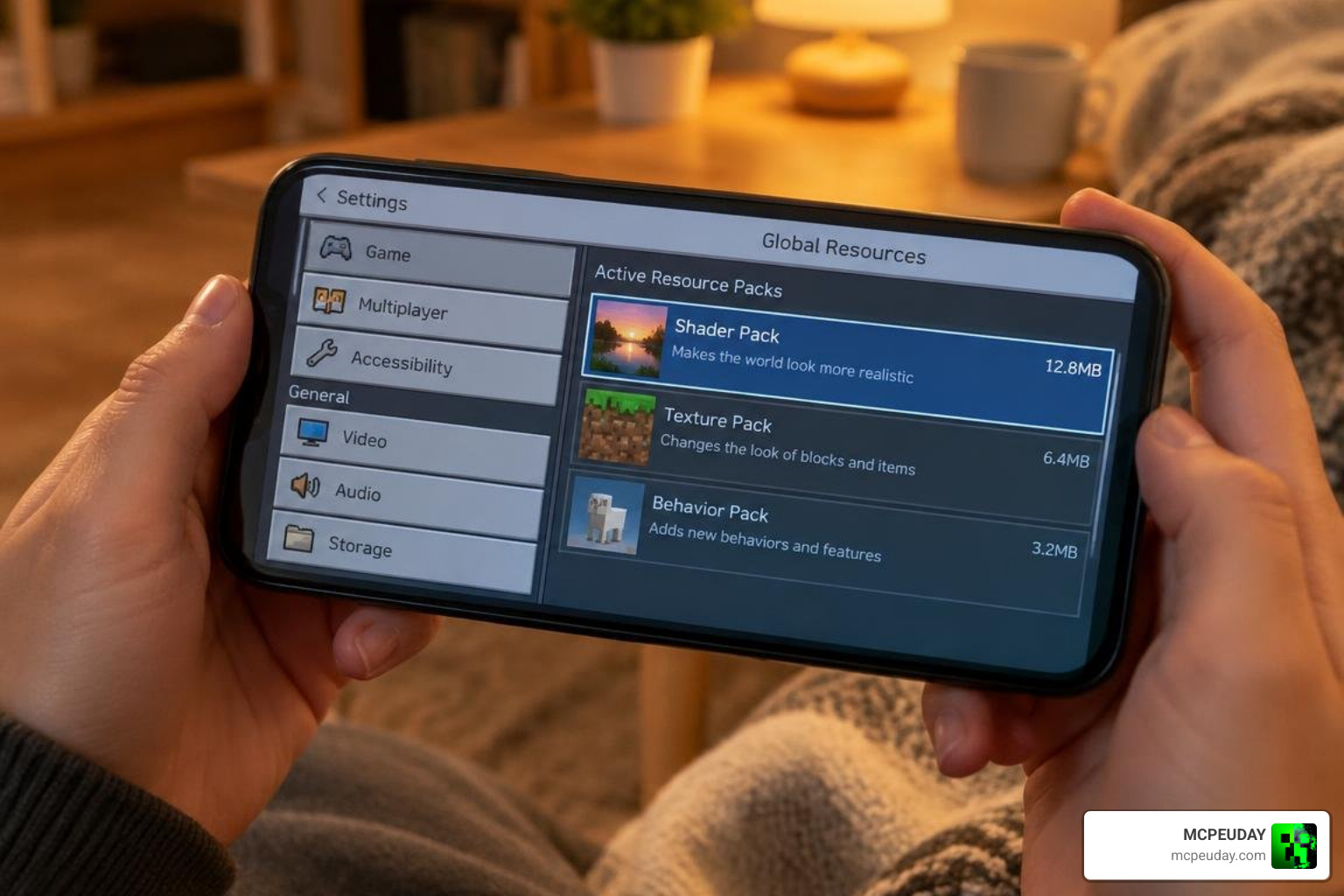
- Navigate to Settings > Global Resources > My Packs, activate the shader, and place it at the top of the load order.
Windows Setup (Using BetterRenderDragon)
- Download the Windows-compatible shader package and the BetterRenderDragon patching tool.
- Place the shader files into your
games/com.mojang/resource_packsdirectory or double-click the.mcpackto import directly. - Run the BetterRenderDragon injector prior to opening Minecraft to enable custom shader rendering pipelines.
- Launch Minecraft Bedrock, open Global Resources, and activate the pack.
- Adjust in-game graphic sliders, verifying that anti-aliasing and fancy graphics are enabled for maximum visual polish.
iOS Setup
- Download the
.mcpackusing Safari or your preferred mobile browser. - Tap the file in your Files app and select Share > Minecraft to import it automatically into your game files.
- For versions requiring custom material support, use a sideloaded patched client that permits custom shader bin reading.
- Activate the resource pack within the game’s main menu settings under Global Resources.
For more information on how RenderDragon handles custom rendering, see the RenderDragon overview on Wikipedia.
Troubleshooting Common Performance and RenderDragon Errors
If the pack fails to render properly, crashes, or causes visual glitches, work through these standard fixes to restore optimal graphics:
- Black Screen on Startup: This occurs when the shader’s material files do not match your exact Minecraft Bedrock patch version. Ensure your loader tool (such as MB Loader or BetterRenderDragon) is updated to support your current game release.
- Textures Reverting to Vanilla: Verify that Newb X Golden Legacy is positioned at the very top of your Active Resource Packs list. If another texture pack sits above it, it may override custom lighting shaders and disable material bins.
- Sudden Frame Drops During Rain: Rain particles combined with reflective water surfaces can strain older GPUs. Open the shader subpack settings and choose the No Wave / No Fog preset to restore smooth performance.
- Missing Ore Glow: Check if Smooth Lighting and Fancy Graphics are toggled on in your standard Minecraft Video Settings menu, as these base features calculate point illumination.
- Pink or Invisible Textures: This happens when a material bin compilation conflict occurs. Clear your Minecraft cache under device application settings and reload the pack via your loader.
If you need a broader selection of performance-friendly visual packs, check the available Minecraft PE shaders for alternatives that match your device.
Frequently Asked Questions About Bedrock Shaders
Can Newb X Golden Legacy run smoothly on low-end devices?
Yes. Thanks to its lightweight shader code, it runs comfortably on budget phones with 3GB to 4GB of RAM. If you experience minor stuttering in crowded biomes or heavy redstone bases, simply switch the internal subpack slider to the low-overhead No Wave / No Fog preset to eliminate animation overhead while preserving warm lighting.
Will Newb X Golden Legacy get you banned on multiplayer servers or Realms?
No. This is a purely client-side visual pack that changes how your local screen renders lighting and textures. It does not alter game mechanics, send abnormal network packets, or provide illegal gameplay advantages. However, always review specific server rules regarding glowing ore visibility, as strict competitive PvP servers may classify full ore illumination as an unfair visual perk.
Why is a third-party loader required for Bedrock shaders?
The native RenderDragon engine utilizes compiled .material.bin files that block unverified third-party code injection by default. Tools like MB Loader and BetterRenderDragon patch these visual libraries at runtime so your device can read custom community shaders without altering base game integrity. For more background on the Bedrock platform, see the Bedrock Edition article on Wikipedia.
Conclusion
Newb X Golden Legacy remains a top choice for players seeking breathtaking sunsets, radiant underground mining, and vibrant foliage without sacrificing device performance. With easy subpack tuning and broad compatibility across modern Bedrock updates, you can enjoy rich atmospheric visuals on your phone, tablet, or PC.
Ready to transform your world’s graphics? You can explore the latest Minecraft PE shaders on our platform to find fresh lighting packs, horror atmospheres, and visual addons tailored for every device.