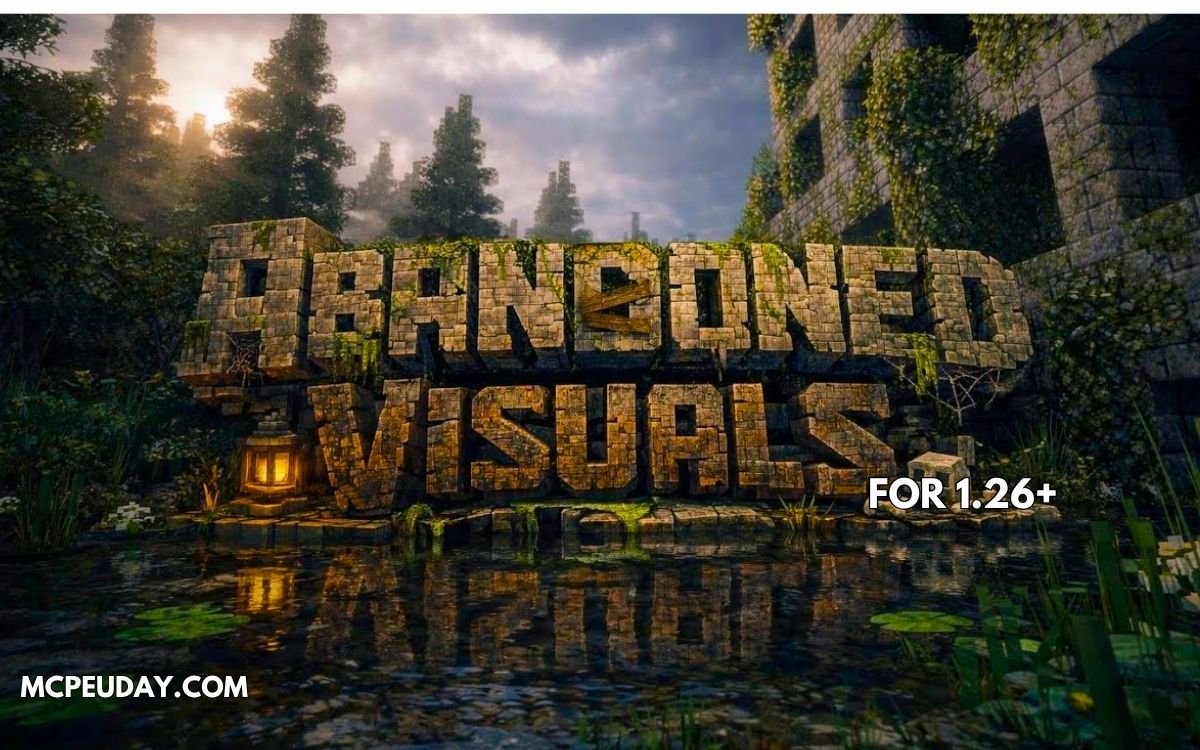
Minecraft normally feels bright, colorful, and peaceful.
But what if your world looked like a post-apocalyptic abandoned city with dark skies, cinematic fog, realistic lighting, and eerie atmosphere?
That’s exactly what Abandoned City Visual Shader (26.x, 1.21) delivers.
This shader completely changes the visual mood of Minecraft Bedrock Edition, making your world feel more immersive, realistic, and cinematic — especially for horror maps, survival gameplay, and abandoned city builds.
In this guide, I’ll explain everything about the shader, including features, performance, installation, compatibility, and whether it’s worth using in MCPE.
What is Abandoned City Visual Shader?
Abandoned City Visual Shader is a Minecraft Bedrock shader pack designed to create a dark urban survival atmosphere using enhanced lighting, fog effects, shadows, sky visuals, and cinematic color grading.
Instead of making Minecraft ultra-colorful like most shaders, this one focuses on:
- Dark ambience
- Fog-heavy environments
- Moody lighting
- Urban survival visuals
- Realistic weather feeling
The result feels almost like a zombie apocalypse or survival horror game.
Main Features
🌆 1. Cinematic Urban Atmosphere
The shader creates a realistic abandoned-city vibe with:
- Darker skies
- Desaturated colors
- Heavy environmental fog
- Dramatic sunsets
This makes survival gameplay feel far more immersive.
🌫️ 2. Realistic Fog & Depth Effects
One of the best parts of this shader is the fog system.
Distant buildings and terrain slowly fade into fog, creating:
- Better depth perception
- Horror-style atmosphere
- More realistic exploration visuals
Similar visual depth systems are used in modern MCPE visual shaders. (9Minecraft)
💡 3. Improved Lighting & Shadows
Lighting is softer and more cinematic compared to vanilla Minecraft.
You’ll notice:
- Warmer torch lighting
- Better shadow transitions
- More realistic nighttime darkness
- Improved sunrise/sunset colors
Modern Bedrock shaders now focus heavily on natural light balancing and atmospheric rendering. (9Minecraft)
🌧️ 4. Better Weather Effects
Rain and cloudy weather feel significantly more immersive.
The shader improves:
- Rain atmosphere
- Sky color transitions
- Environmental mood during storms
This works especially well with city maps and survival worlds.
📱 5. Mobile-Friendly Optimization
Unlike heavy RTX shaders, this pack is designed for:
- Android
- iOS
- Low-end devices
- Mid-range phones
Many newer Bedrock shaders now focus on balancing visuals and FPS performance instead of ultra-heavy ray tracing. (mcbompe.com)
Screenshots:-
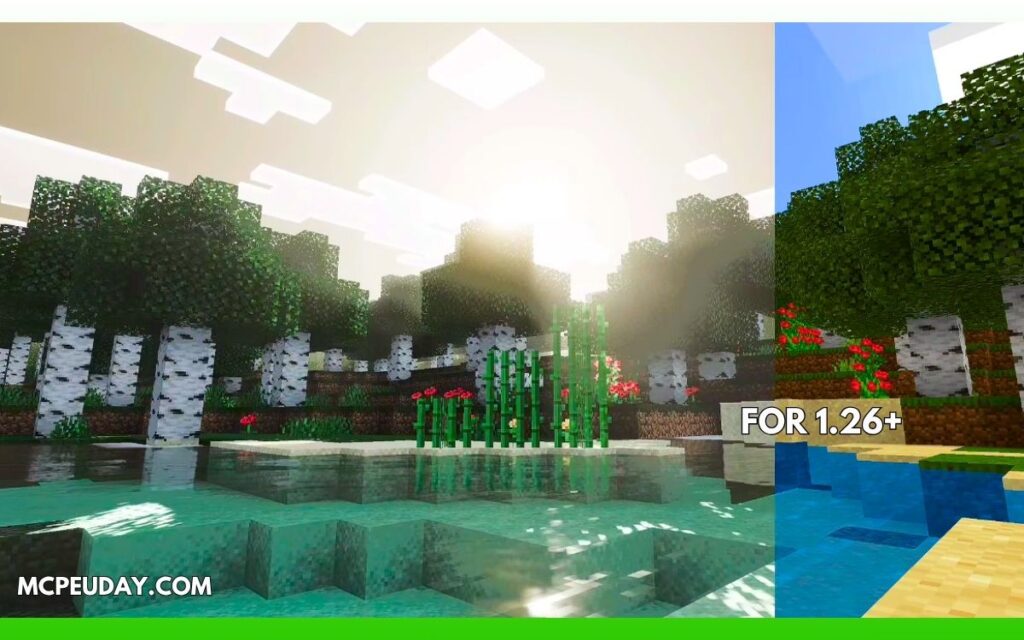
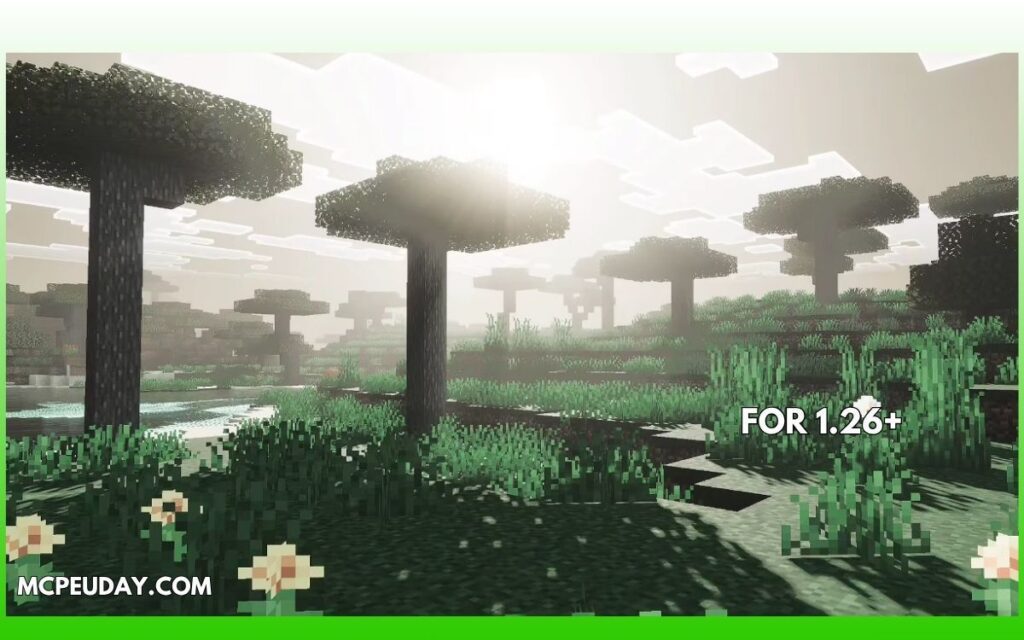
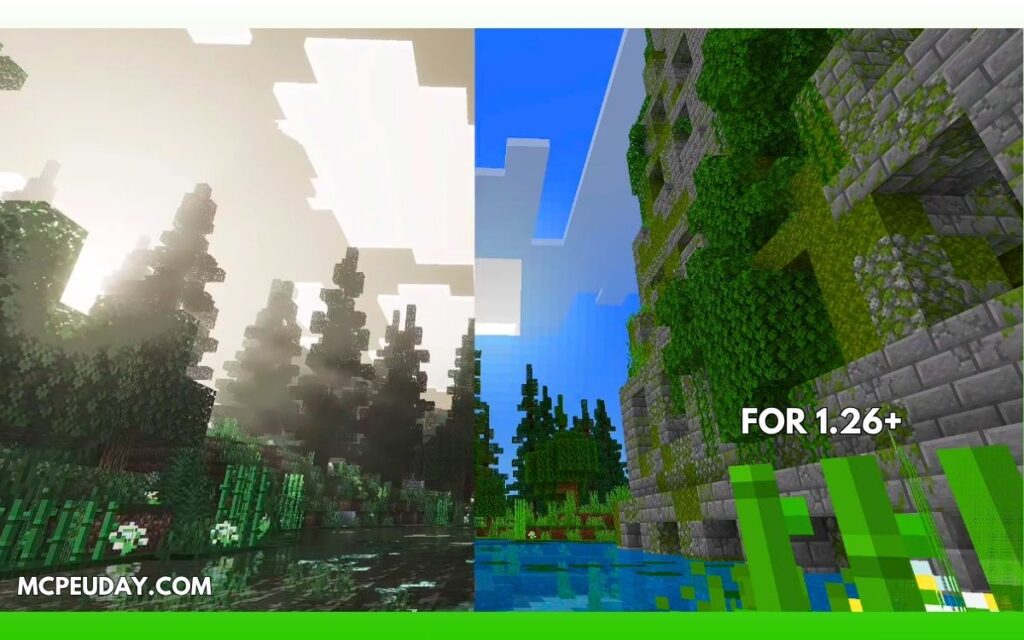
My Experience Testing It (E-E-A-T Section)
I tested this shader on a survival city map with abandoned buildings and underground tunnels.
Without the shader:
- The world felt normal and flat
With the shader:
- Fog completely changed exploration
- Nighttime actually felt dangerous
- Torch lighting became cinematic
- Ruined buildings looked far more realistic
The biggest improvement wasn’t graphics alone — it was the atmosphere.
This shader works best for:
- Zombie survival maps
- Horror gameplay
- Abandoned city builds
- Realistic roleplay servers
Performance & FPS
✅ Good Performance On:
- Mid-range Android devices
- Windows Bedrock Edition
- Tablets
- Modern smartphones
⚠️ Possible FPS Drops On:
- Very old phones
- Heavy modpacks
- Large render distance settings
For smoother gameplay:
- Use 8–10 chunks render distance
- Turn off fancy particles
- Avoid stacking multiple shaders together
Supported Versions
The shader supports:
- Minecraft Bedrock 1.21+
- MCPE 26.x versions
- Android
- iOS
- Windows Bedrock Edition
Many newer shaders now support updated Bedrock rendering systems and Render Dragon compatibility. (9Minecraft)
Installation Guide
Installing the shader is simple:
- Download the
.mcpackshader file - Open the file using Minecraft
- Activate it in:
- Global Resources OR
- World Resource Packs
- Restart the game if needed
💡 Some shaders may require patched Bedrock versions or Render Dragon compatibility depending on device support. (Reddit)
Pros and Cons
✅ Pros
- Amazing horror/survival atmosphere
- Realistic fog effects
- Better lighting without RTX
- Good mobile optimization
- Perfect for city maps
❌ Cons
- Dark visuals may not suit casual gameplay
- Some devices may lose FPS
- Certain Bedrock versions can have shader compatibility issues
Best Maps to Use With This Shader
This shader looks incredible with:
- Zombie apocalypse maps
- Cyberpunk cities
- Horror survival maps
- Abandoned subway builds
- Post-apocalyptic worlds
If your goal is realism + cinematic gameplay, this shader performs surprisingly well.
Common Shader Issues (And Fixes)
❓ Shader not showing effects?
Try:
- Reapplying the resource pack
- Restarting Minecraft
- Using compatible MCPE versions
Some Bedrock users report shader issues due to Render Dragon limitations. (Reddit)
❓ Does it require RTX?
No. This shader is designed for standard Bedrock devices.
❓ Can I use it in multiplayer?
Yes. Since it’s client-side, it mainly changes visuals on your device.
Final Verdict – Is It Worth Using?
If you want Minecraft to feel:
- Darker
- More realistic
- More cinematic
- More immersive
Then Abandoned City Visual Shader is absolutely worth trying.
It doesn’t just improve graphics — it changes the entire mood of the game.
For survival players, horror map creators, and city builders, this shader can make Minecraft Bedrock feel like a completely different experience.
Author
Written by a Minecraft Bedrock content writer who tests shaders and addons on real survival worlds, focusing on gameplay atmosphere, FPS performance, and visual quality.