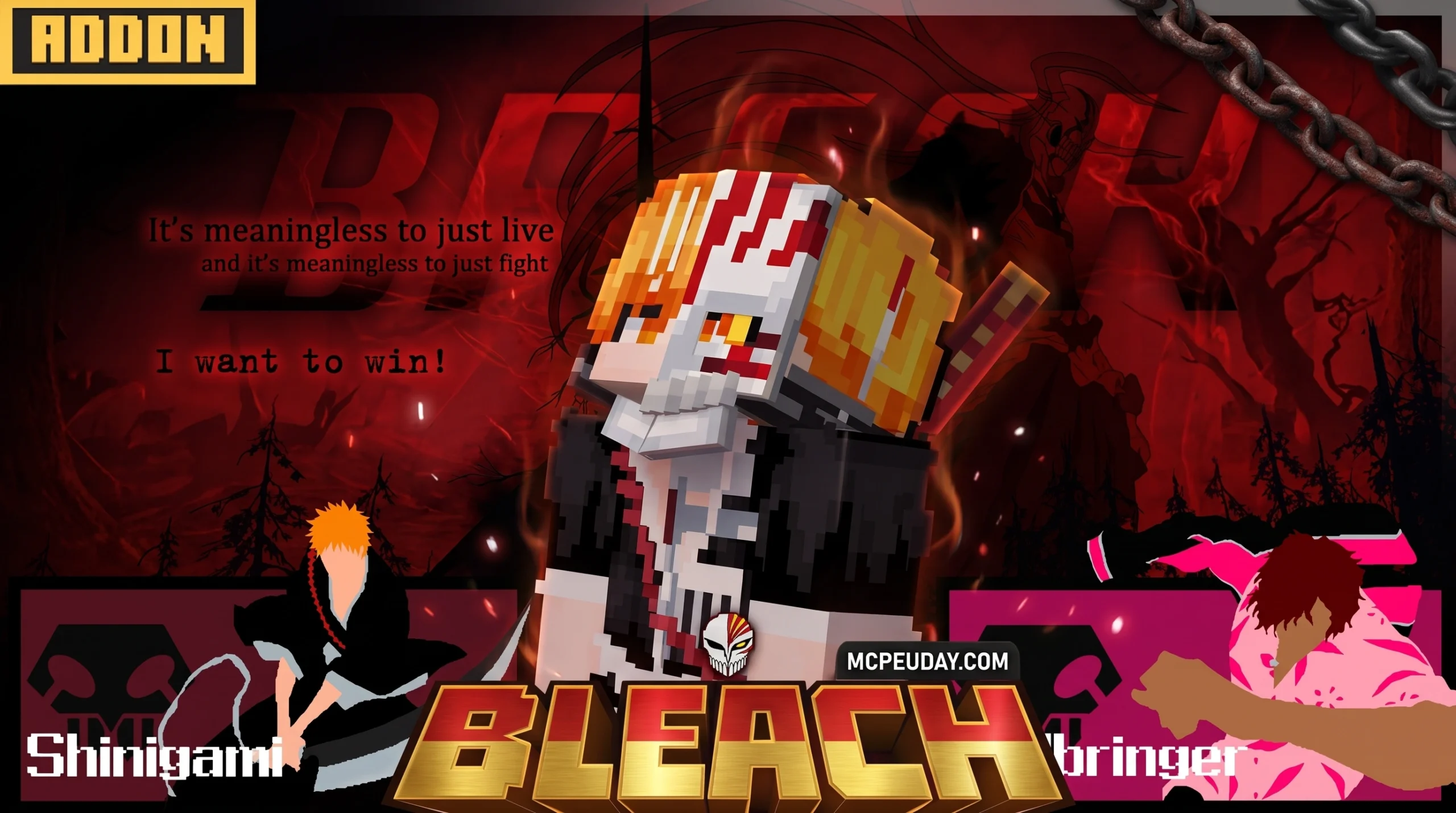
The Bleach Addon Brings Anime Soul Reaper Action to Minecraft Bedrock
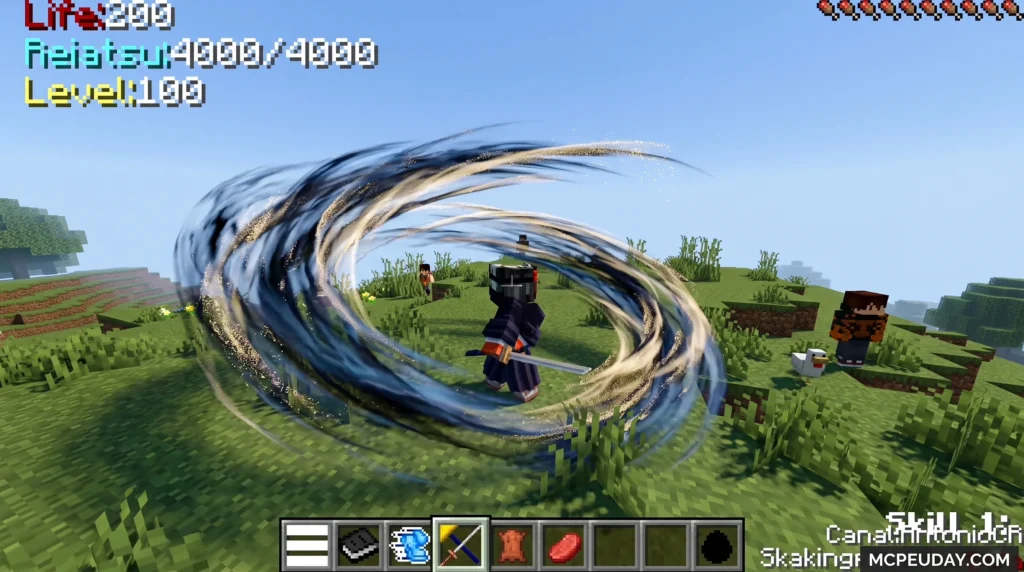
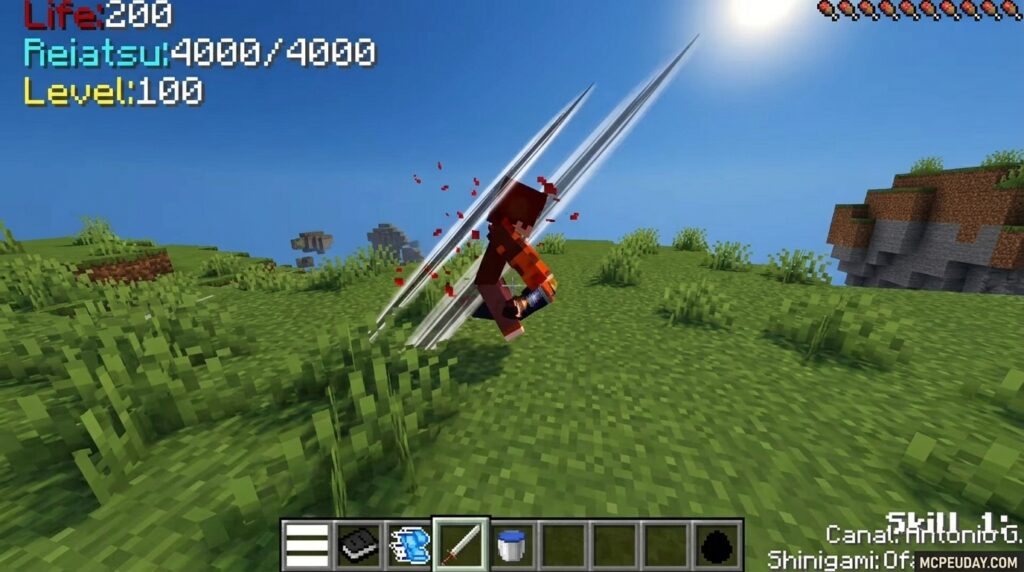
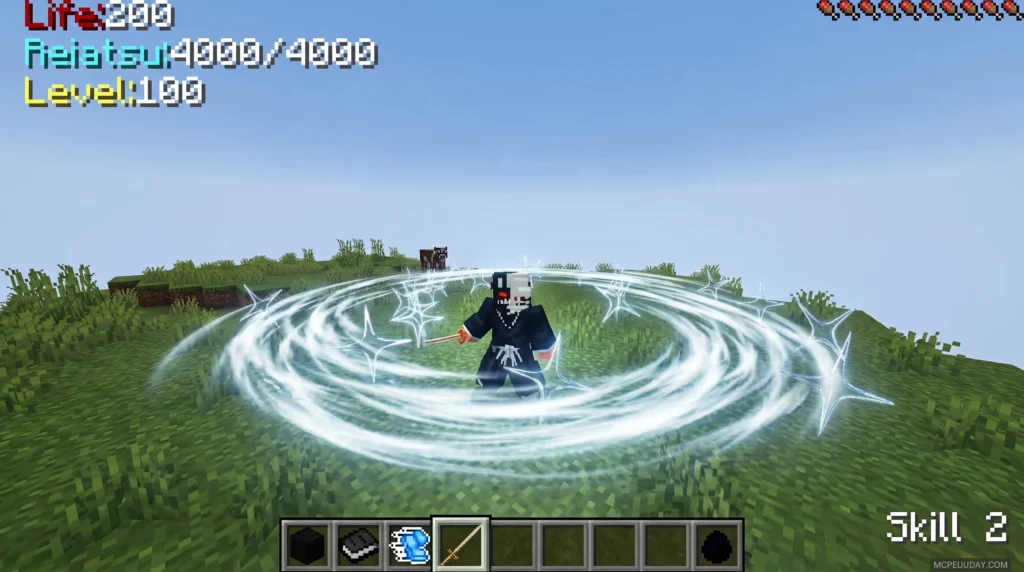
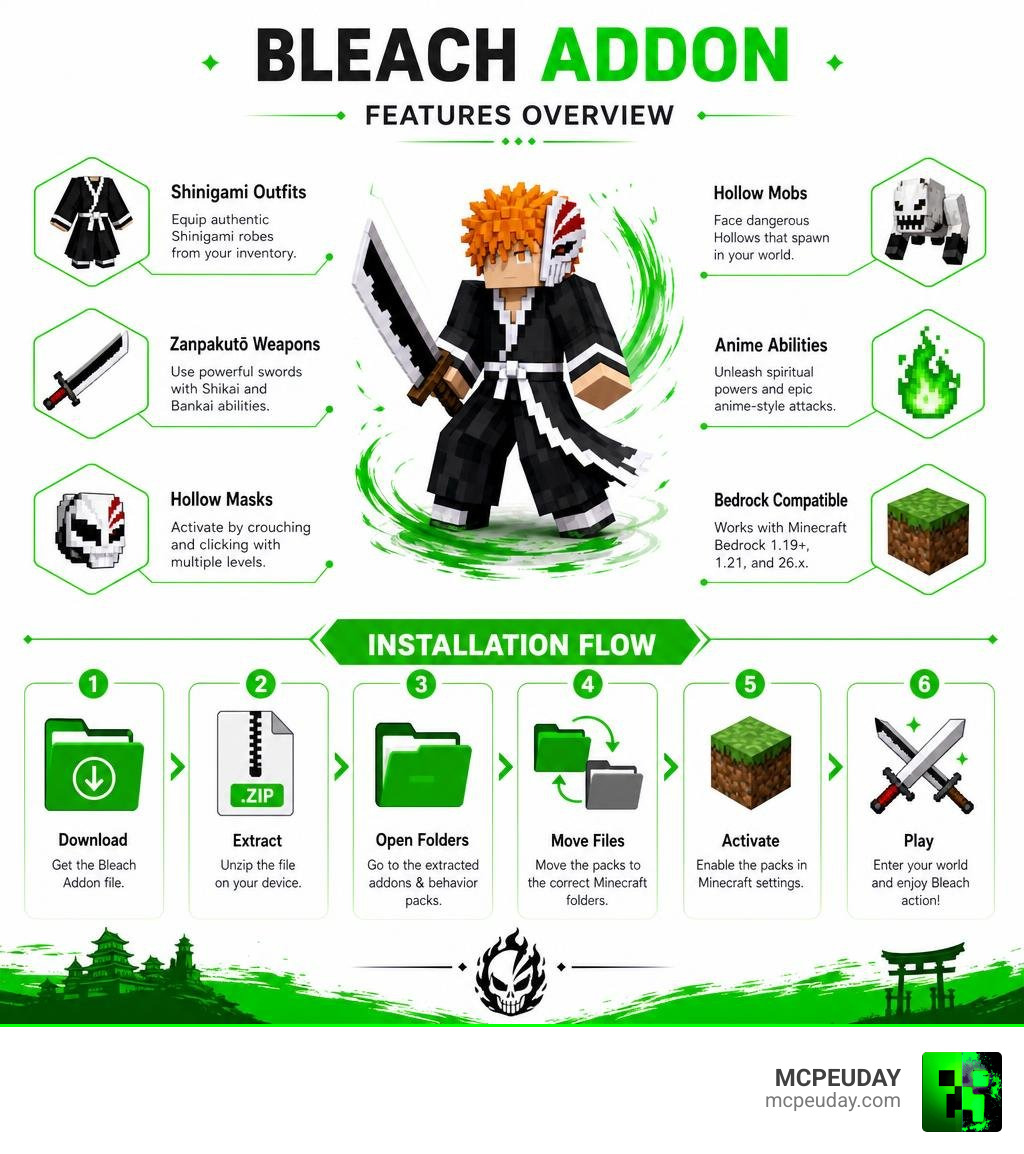
The Bleach Addon for Minecraft Bedrock Edition transforms your world with Shinigami outfits, Zanpakutō weapons, Hollow masks, and anime-inspired combat abilities — all straight from Tite Kubo’s iconic manga and anime series.
Quick answer — here’s what the Bleach Addon gives you:
- Shinigami outfits you can equip directly from your inventory
- Zanpakutō weapons with Shikai and Bankai transformation abilities
- Hollow masks activated by crouching and clicking, with multiple transformation levels
- Hollow mobs that spawn in your world
- Compatible with Minecraft Bedrock 1.19+, 1.21, and 26.x
There are several versions available, with bleachbeyond being the most downloaded (32.6k downloads), followed by the Shinigami Edition (rated 4.6/5) and others like bleach-craft and BleachAwakenedAddon.
Finding the right version for your device and Minecraft version can be confusing. This guide cuts through the noise and walks you through everything — what each version includes, how to install it, and how to get it running without breaking your other addons.
What is the Bleach Addon for Minecraft Bedrock?
If you have ever wanted to patrol the Soul Society or defend your Minecraft village from terrifying Hollows, the Bleach Addon is your ticket to the afterlife. At its core, this addon imports the rich lore of the Bleach universe directly into Minecraft Bedrock Edition. We get to step into the black robes of a Soul Reaper (Shinigami), wield legendary swords, and channel spiritual energy (Reiryoku) to unleash devastating attacks.
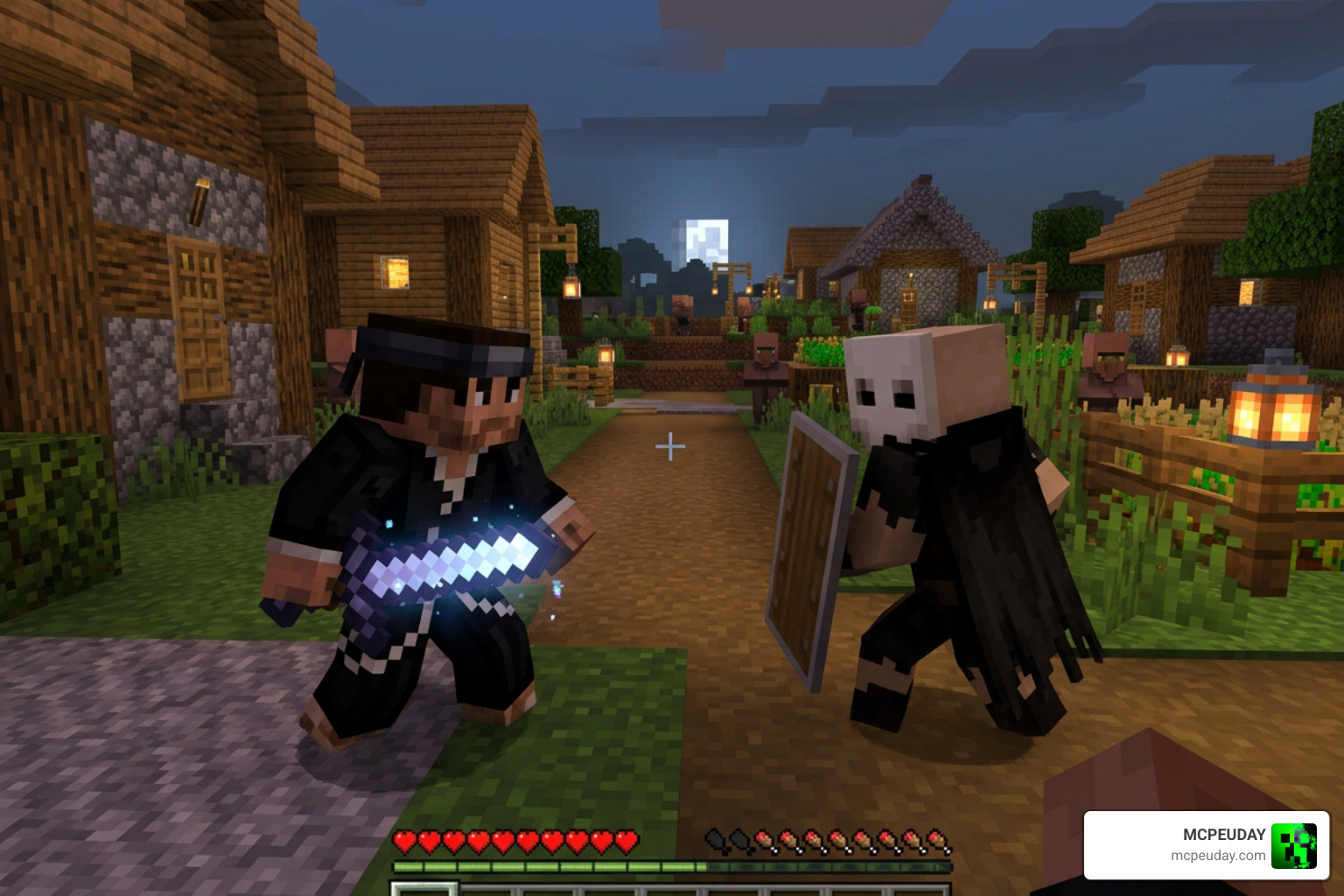
The addon completely overhauls standard Minecraft combat. Instead of just swinging a standard netherite sword, you get to carry a Zanpakutō—a soul-cutter sword—that evolves as you fight. By mastering your spiritual power, you can unlock its Shikai (initial release) and eventually its Bankai (final release), changing your weapon’s shape and granting you screen-clearing magical abilities.
But it is not just about the weapons. The Bleach Addon (particularly the Shinigami Edition) introduces complex gameplay mechanics, including custom level-up menus, spiritual pressure gauges, and a fully functional Hollow mask system. You can even encounter hostile Hollow mobs roaming your world, turning a standard survival night into an intense battle for survival.
Core Features of the Bleach Addon
What makes this mod pack so special? Here is a breakdown of the core features you will experience once you load it up:
- Iconic Characters & Bosses: Encounter legendary characters like Ichigo Kurosaki, Kisuke Urahara, and dangerous Hollows spawning naturally in your world.
- The Kisuke Shop: Trade your hard-earned resources for powerful spiritual items and Soul Reaper gear.
- Custom Dimensions: Travel beyond the Overworld. Some advanced versions of the mod introduce portals to the Soul Society, the barren deserts of Hueco Mundo, and even the Quincy Dimension.
- Spiritual Transformations: Equip Hollow masks to boost your physical stats, speed, and damage output at the cost of your spiritual energy.
To see these features in action and witness the true power of a Soul Reaper, you can Watch the Bleach Awakened Mod Showcase.
Zanpakutō, Shikai, and Bankai Abilities
The combat system is where the Bleach Addon truly shines. Wielding Ichigo’s famous sword, Zangetsu, feels completely different from vanilla Minecraft weapons. Each Zanpakutō features distinct combat phases:
- Sealed State: A standard but powerful katana that serves as your primary defense.
- Shikai Activation: Unleashes unique elemental or physical attacks. For example, you can perform spinning cuts, precision cutting, and release a vibrant bluish aura that damages nearby enemies.
- Bankai Activation: The ultimate form. Your attacks gain massive range, and you can fire ranged aura attacks that obliterate mobs from a distance.
Defensively, the addon introduces a crouch defense mechanic. By crouching, you can block incoming projectiles and physical strikes, while jumping and attacking allows you to perform fluid combo chains.
Comparing Different Bleach Addon Versions
Because different developers have taken a crack at bringing Tite Kubo’s universe to Minecraft, there are several versions of the Bleach Addon floating around. To help you choose the best one for your playstyle, we have put together a quick comparison table:
| Addon Name | Platform / Version | Key Features | Best For |
|---|---|---|---|
| bleachbeyond | Bedrock 1.21+ / 26.x | Lightweight design, no player.json conflicts, mobile optimized | Multi-addon compatibility |
| Shinigami Edition | Bedrock 1.21 / 26.x | Zanpakutō evolution, Hollow masks, level-up menu, custom mobs | Hardcore RPG roleplay |
| bleach-craft | Bedrock 1.20+ | Classic weapons, basic Shinigami outfits | Simple, lightweight survival |
| BleachAwakenedAddon | Java 1.16.5 (Forge) | Custom dimensions (Quincy, Hueco Mundo), Kisuke shop UI, server fixes | Java multiplayer servers |
bleachbeyond (FULLADDONREWORK)
With over 32.6k downloads, bleachbeyond 5.0 is the most popular choice for mobile players. The developers focused heavily on a lightweight design.
By avoiding the use of the player.json file, this addon virtually eliminates compatibility issues. This means you can run it alongside other massive mods without game-crashing conflicts. It is highly optimized for mobile devices, ensuring smooth frame rates even during chaotic battles.
BleachAwakenedAddon for Java and Bedrock
For players who prefer the Java Edition, the BleachAwakenedAddon 1.0.0 is an incredible expansion mod built for Forge 1.16.5.
This version is highly technical and server-friendly. It includes dedicated fixes for Hollow Race and Arrancar Mask rendering, gorgeous Soul Society lighting updates, and optimization tools to keep your multiplayer worlds running smoothly.
How to Install, Activate, and Optimize the Addon
Getting the Bleach Addon up and running in Minecraft Bedrock is simple, but you must follow the steps carefully to avoid missing textures or broken scripts.
To enjoy the full experience, you must download both the Behavior Pack (e.g., gh_bleach_bp.mcpack) and the Resource Pack (gh_bleach_rp.mcpack). Missing either one will result in invisible weapons or non-functional abilities! If you love blending anime worlds together, you can also Explore other anime mods like the Naruto Zenkai Addon to build the ultimate anime crossover world.
Step-by-Step Installation Guide for the Bleach Addon
Follow these steps to install the addon on Minecraft PE/Bedrock 1.21:
- Download the Files: Get the
.mcpackfiles for both the Resource and Behavior packs from a trusted community source. - Import to Minecraft: Tap or double-click each downloaded file. Minecraft will open automatically and import the packs.
- Create a New World: Go to the world creation screen.
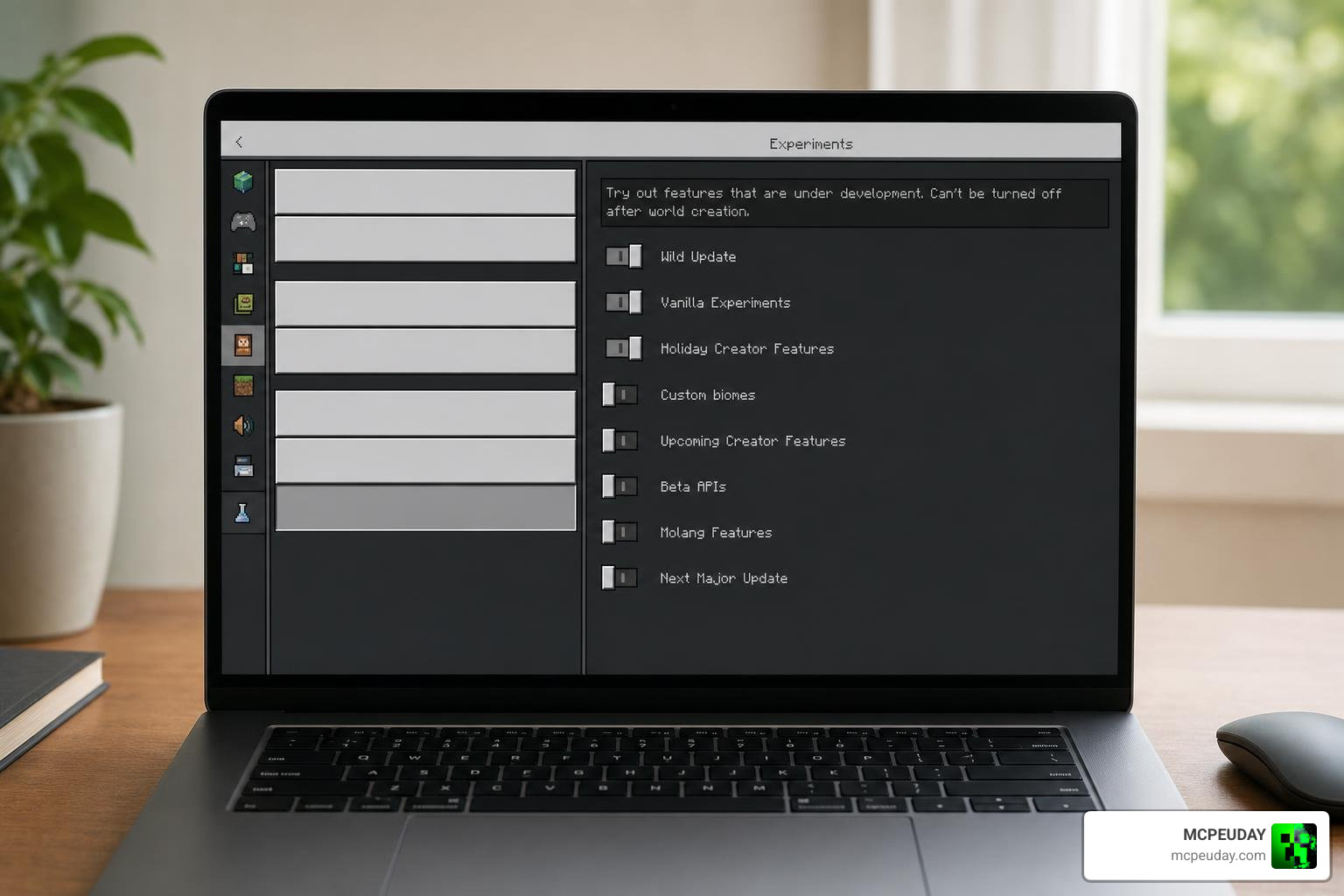
- Enable Experimental Settings: Scroll down to the “Experiments” tab and toggle on Holiday Creator Features, Custom Biomes, and Beta APIs.
- Activate the Packs: Under “Resource Packs” and “Behavior Packs”, find the Bleach Addon and click “Activate”.
- Launch Your World: Hit create and start your journey!
For even more action-packed adventures, you can Check out the Jujutsu Kaisen Addon for MCPE to add cursed energy to your combat arsenal.
Server Optimization and Compatibility Tips
Running a multiplayer server with heavy addons can sometimes cause lag. Here are our top tips to keep your game running smoothly:
- Disable Structure Spawning: If you are using the Java/Forge version, use the command
/gamerule SpawnBleachStructures falseto stop massive structures from generating and causing server lag. - Manage Races: Use
/gamerule ChooseRace falseto assign random races to players instead of letting everyone open heavy selection menus at once. - Check JSON Compatibility: Ensure you are using lightweight versions like bleachbeyond if you plan to run this alongside other mods.
To test your server’s compatibility limits, you can Try the One Piece Addon for Bedrock to see how well different anime powers interact!
Frequently Asked Questions
Have some lingering questions about spiritual pressure and hollow hunting? We have got you covered! If you are interested in trying out other dark anime transformations, you can also Discover the Chainsaw Man Addon for MCPE.
Which Minecraft versions support the Bleach Addon?
Most modern versions of the Bleach Addon are fully updated for Bedrock 1.19+ and the latest 1.21 (26.x) updates. Always check the creator’s upload page to ensure compatibility with your current game build. If you want to expand your anime mod collection on these versions, you can Explore the Demon Slayer Mules Slayer Addon.
How do you activate Hollow masks and transformations?
To activate your Hollow mask, place it in your inventory, then crouch and click (or tap the screen on mobile devices). This will cycle through the different Hollow transformation levels—starting from a simple half-mask and progressing all the way to a 100% full Hollow mask, giving you massive stat boosts!
Can I run this addon alongside other anime mods?
Yes! Thanks to the lightweight design of versions like bleachbeyond, which avoid using the restrictive player.json file, you can run this mod alongside other popular packs without experiencing game crashes or broken animations.
Conclusion
At MCPEUDAY, we love seeing how creative the community gets with bringing our favorite anime series into Minecraft. The Bleach Addon is a perfect example of this passion, giving Bedrock Edition players a deeply rewarding, action-packed Soul Reaper experience. Whether you choose the highly compatible bleachbeyond or the feature-rich Shinigami Edition, you are in for an incredible adventure.
Ready to discover more amazing game-changing modifications? Browse the full MCPE Bedrock Addons Category to find the absolute best graphics, gameplay, and anime mods available in June 2026!