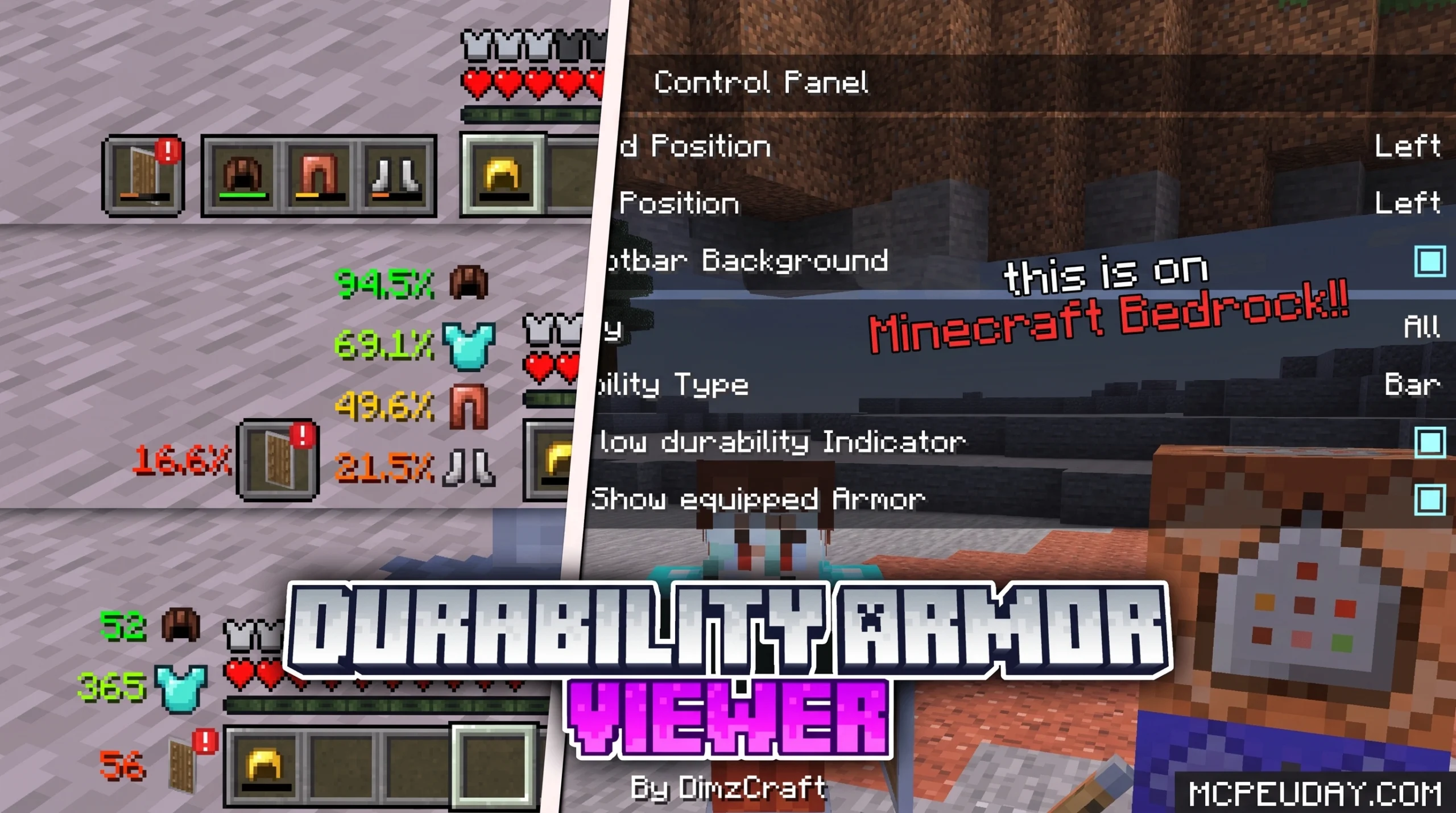
What the Durability Armor Viewer Addon Does (And Why Players Love It)
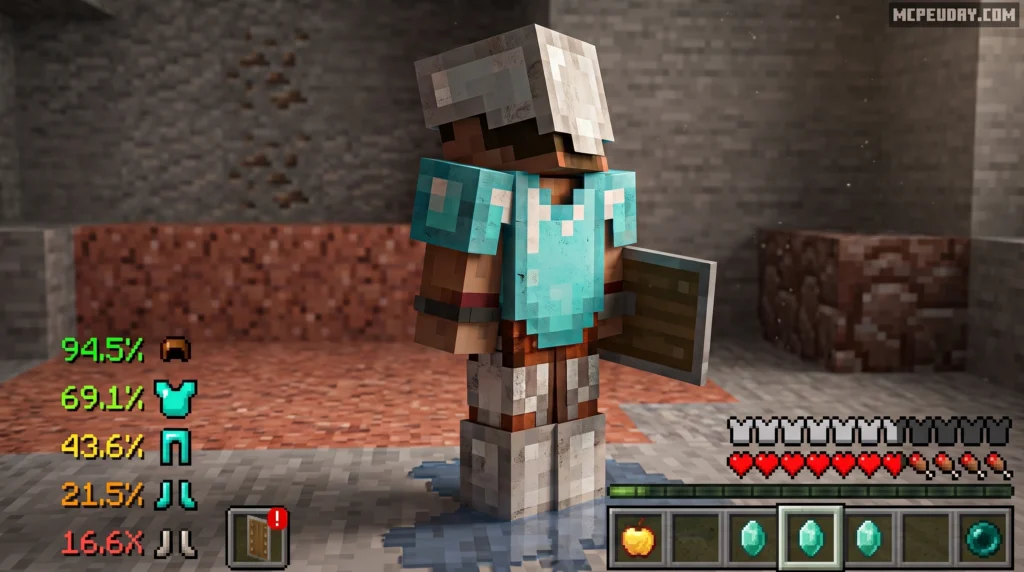
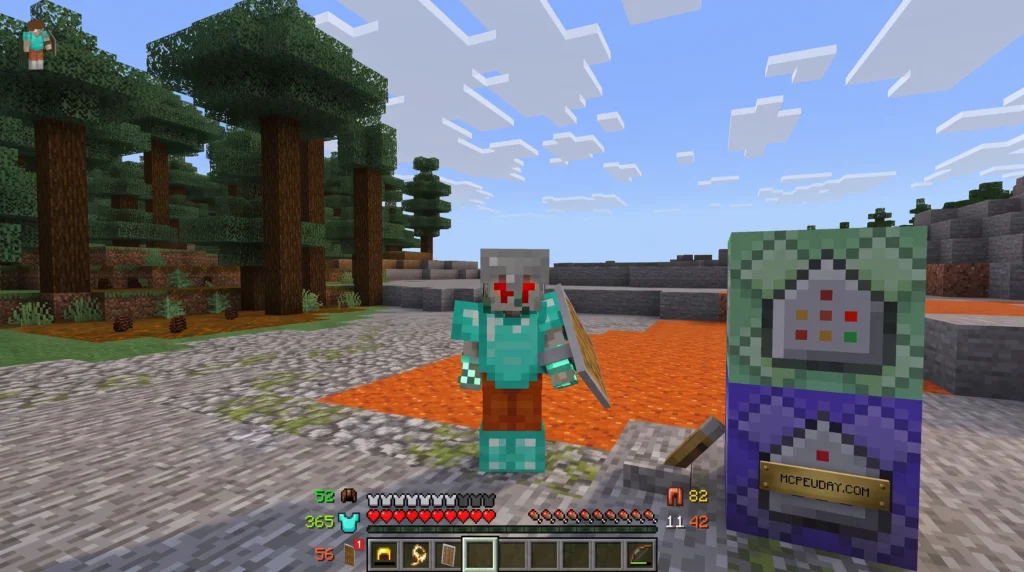
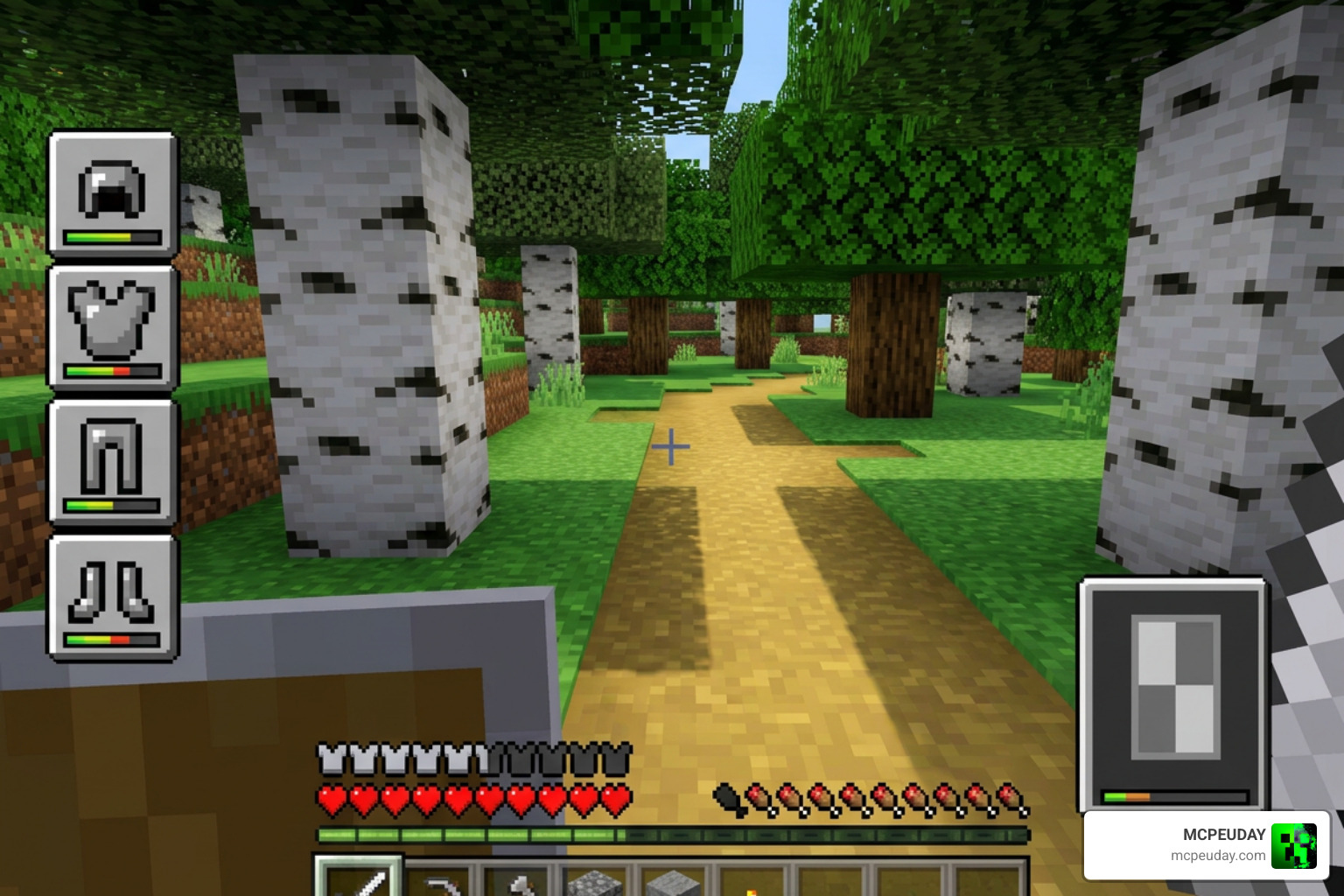
The Durability Armor Viewer Addon is a Minecraft Bedrock addon that adds a live armor and offhand slot display directly to your HUD — so you can see your gear at a glance without ever opening your inventory.
Here’s a quick summary of what it offers:
- Armor HUD display — see all four armor slots on screen at all times
- Offhand slot visibility — your offhand item is always visible on the HUD
- Durability tracking — monitor gear health before it breaks
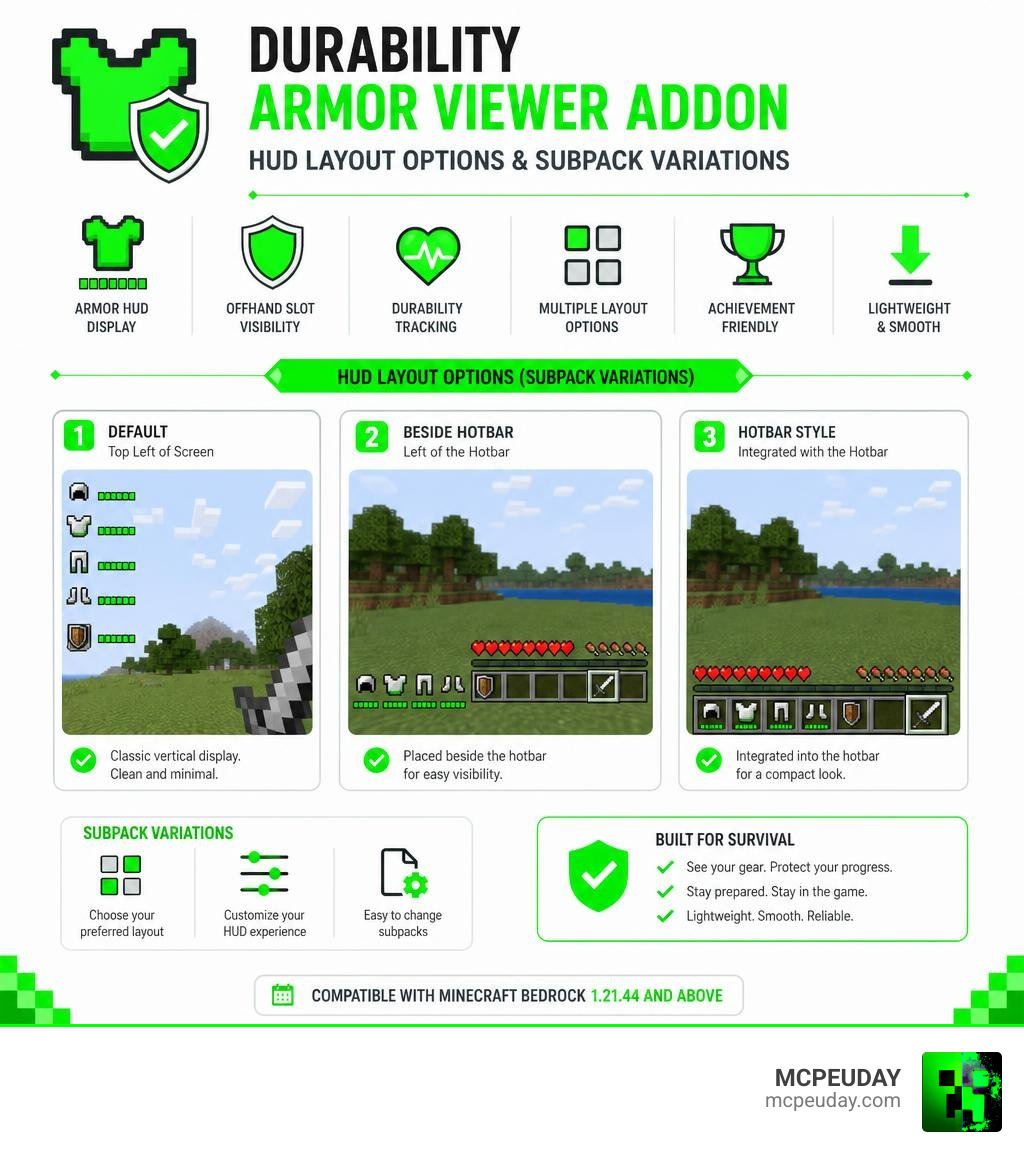
- Multiple layout options — choose from subpacks like default, beside hotbar, or hotbar style
- Achievement friendly — does not disable achievements
- 1.2M+ downloads on MCPEDL and over 155,000 on CurseForge
It’s a lightweight but powerful quality-of-life upgrade, especially if you’re deep into survival mode and can’t afford to lose a full set of enchanted armor to an unexpected break.
There are a few things to know before you install it — like the required UI Neck dependency and some known limitations around enchant glint — but once it’s set up, it runs smoothly on Minecraft Bedrock versions 1.21.44 and above.
What is the Durability Armor Viewer Addon?
At its core, the Durability Armor Viewer Addon (affectionately dubbed “DAV” by its creator because the full name is quite a mouthful) solves one of survival Minecraft’s most annoying problems: broken gear. Instead of constantly pausing your game to open your inventory screen just to check if your chestplate is about to shatter, DAV brings that critical data right to your main head-up display (HUD).
But how does it compare to older solutions? Many veteran Bedrock players might remember the classic texture pack designed for similar purposes. While both tools aim to keep you informed, they go about it in very different ways.
The table below breaks down the key differences between this modern addon and the original texture pack:
| Feature | Durability Armor Viewer Addon (DAV) | Original Durability Viewer Texture Pack |
|---|---|---|
| Primary Display | Full armor set and offhand slot on the main HUD | Tool/weapon durability on the hotbar or in inventory |
| Offhand Slot Visibility | Always visible on the HUD | Only visible when selected or in inventory |
| Custom Armor Support | Yes (via manual JSON configuration) | No (typically limited to vanilla items) |
| Technical Type | Resource & Behavior Pack (Addon) | Resource Pack (Texture Pack) only |
| Dependency | Requires the UI Neck dependency | None |
While the classic texture pack is fantastic for monitoring the pickaxe or sword currently in your hand, DAV expands on this by giving you a dedicated, permanent visual tracker for your equipped armor. If you are looking for a simpler tool-focused option, you can check out our guides on the Durability Viewer Addon for Minecraft PE Bedrock and the standard Durability Viewer Addon to see which style fits your gameplay best.
Key Features and Subpack Customization
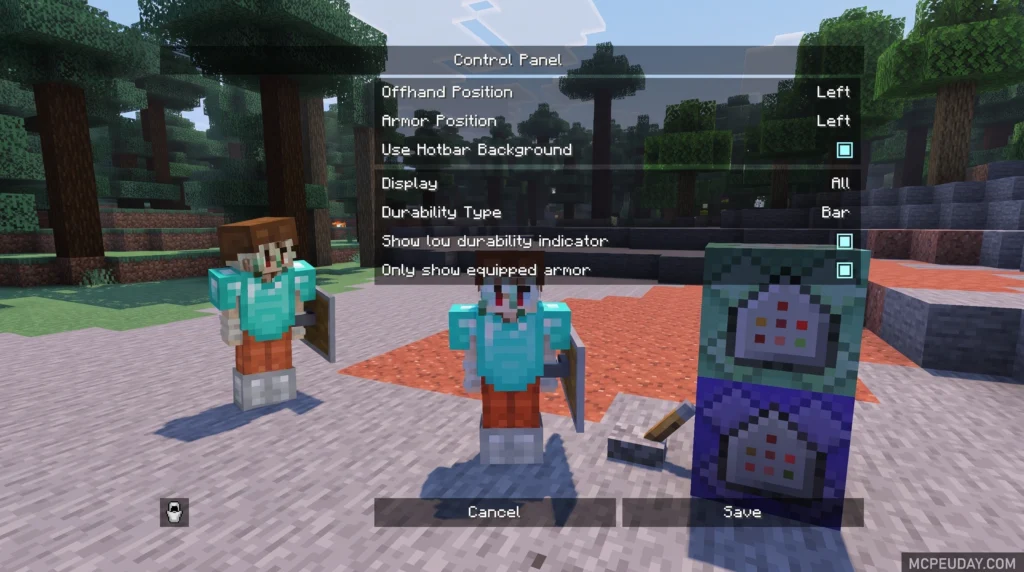
One of the best aspects of the Durability Armor Viewer Addon is how customizable it is. The creator recognized that every Minecraft player has a preferred HUD layout. Some like a clean, minimalist screen, while others want all their data front and center.
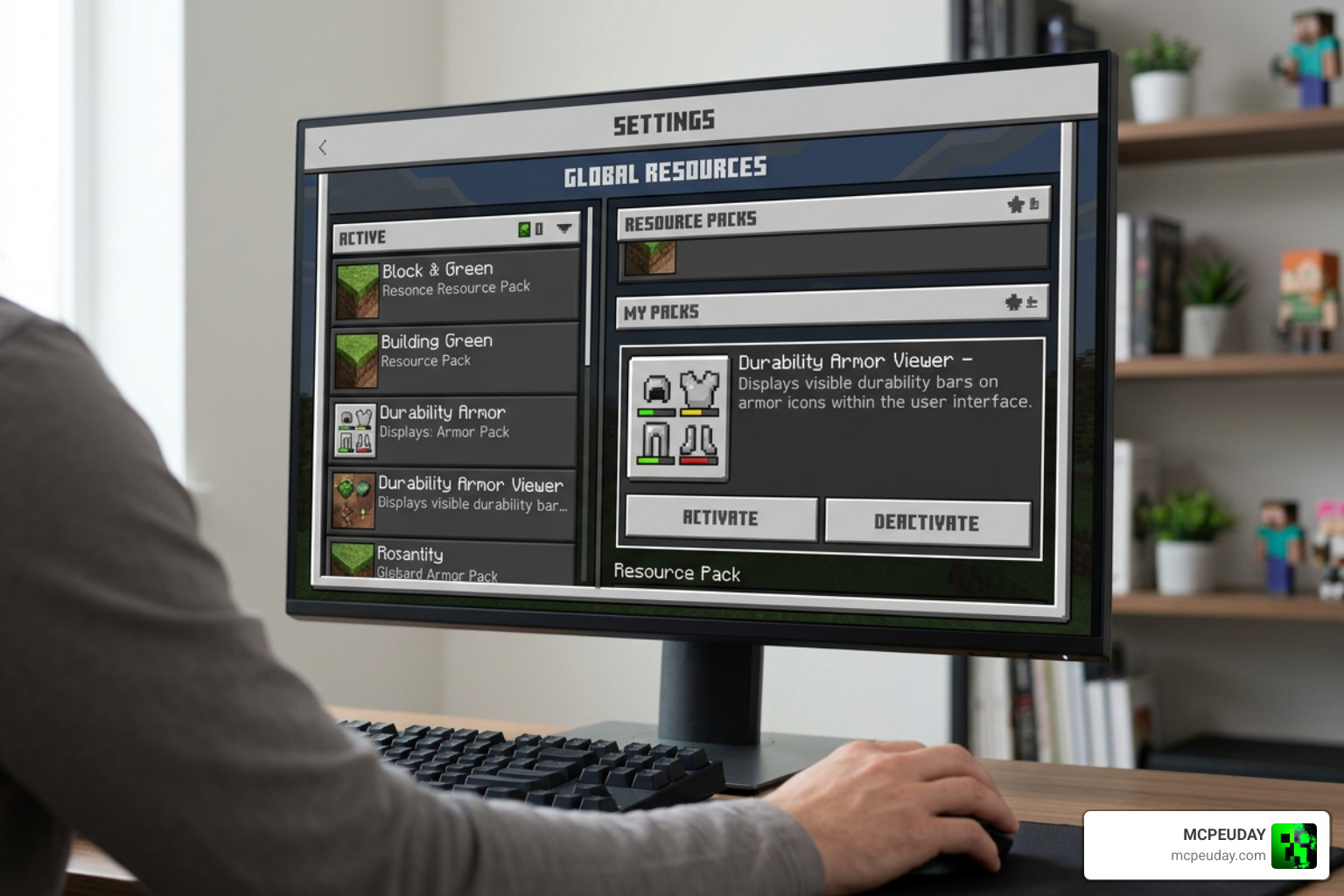
To accommodate everyone, DAV includes built-in subpacks. These subpacks allow you to change the visual layout of the armor and offhand slots directly from your global resources settings.
Additionally, because DAV is purely a UI enhancement, it is completely achievement-friendly! You can run it on your favorite survival world without worrying about locking yourself out of earning achievements.
However, Bedrock’s JSON UI system does come with a few technical limitations. Because the addon uses pre-rendered images rather than a live 3D entity renderer, it cannot display the classic purple enchantment glint on your HUD armor icons. For the exact same reason, custom armor trims will not show up on the HUD display. Your armor will still have its trims and enchantments in the actual world, but the HUD icons will remain clean and simple.
Customizing the Durability Armor Viewer Addon Layout
When you open the addon settings, you will find three primary layout variations:
- Default Layout: Places the armor viewer and offhand slot in a clean, traditional layout on the side of your screen.
- Beside Hotbar: Positions the armor icons neatly to the left or right of your primary hotbar, keeping your field of view open.
- Hotbar Style: Integrates the display directly above or adjacent to your hotbar slots for a highly compact, console-like visual experience.
By toggling these subpacks, you can perfectly align the addon with your custom screen safe zones and personal preferences.
Adding Custom Armor to Durability Armor Viewer Addon
Out of the box, DAV fully supports all vanilla armor sets, from leather to netherite. But what if you are running popular custom gear mods?
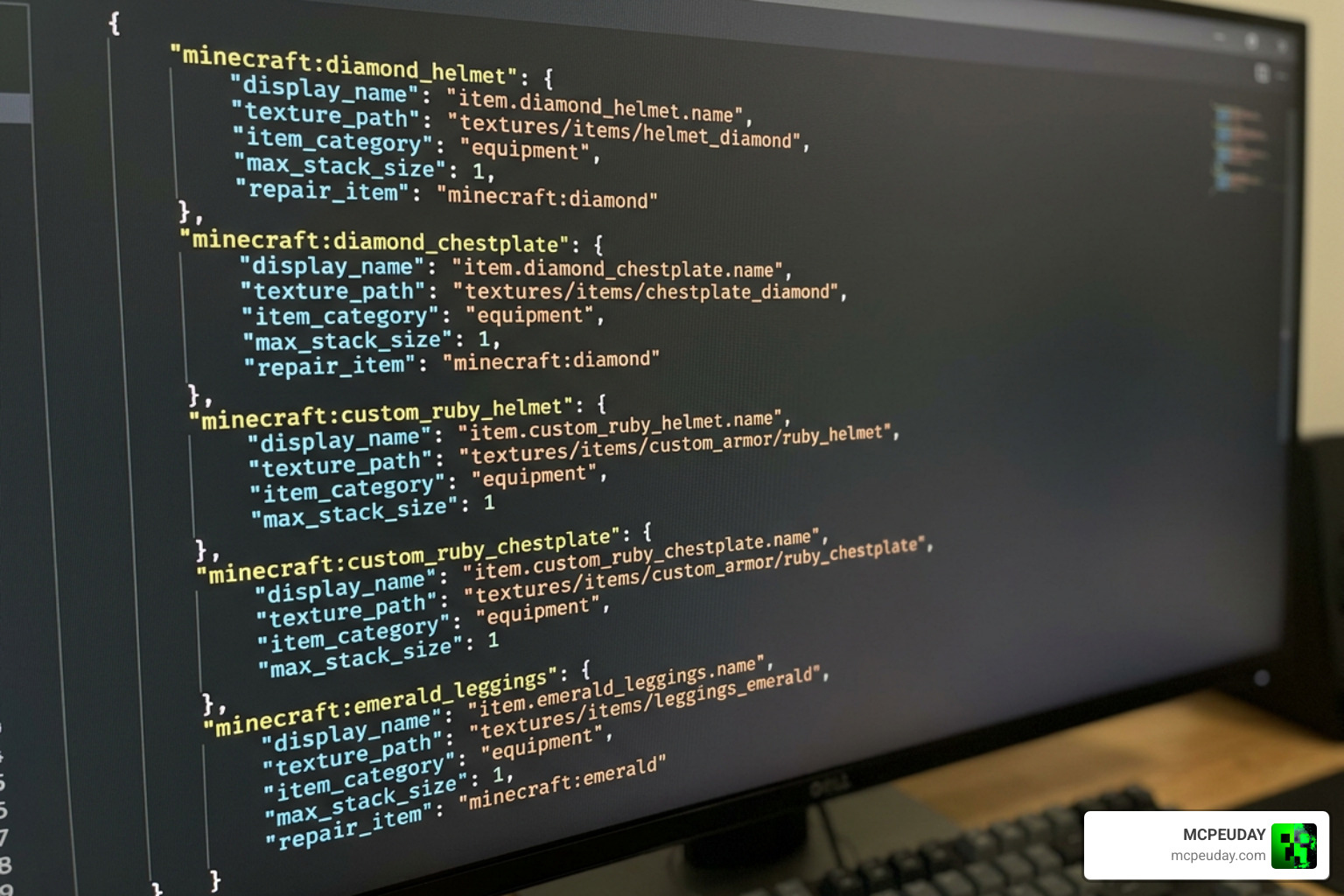
Fortunately, DAV allows you to manually add custom armor sets to its tracker. To do this, you will need to follow a few simple steps to register the new gear in the addon’s files:
- Find the Identifier: Put on your custom armor in-game and use the /setting command to find its exact item identifier and texture path.
- Open the Config File: Navigate to the resource pack folder of the Durability Armor Viewer Addon and open the item_id.json file.
- Add the Custom Entry: Insert your armor’s identifier and texture path into the JSON list, matching the formatting of the vanilla items.
- Save and Restart: Save your changes, reload your Minecraft world, and your custom armor will now display perfectly on your HUD.
This makes it incredibly compatible with expanded gear mods like the Better Armour Addon for Minecraft PE Bedrock or the More Tools Addon.
Installation Requirements and Dependencies
To get the Durability Armor Viewer Addon up and running, there is one critical requirement you must not skip: the UI Neck dependency.
Because Bedrock UI editing is notoriously complex, the creator utilizes UI Neck as a foundational framework to prevent UI collisions and ensure the custom HUD elements render reliably. Without UI Neck installed and active, the armor viewer simply will not show up on your screen.
When installing, make sure to download the official .mcaddon files. Always activate UI Neck first in your resource pack list, followed by the main DAV pack. This proper ordering prevents other active UI mods from overriding your new armor display.
If you love massive world overhauls that add custom interfaces, keeping your UI clean is essential. For instance, players running the popular Better on Bedrock Addon 1.21 Best Survival Expansion for MCPE will find that managing these dependencies carefully ensures a smooth, crash-free survival experience.
Frequently Asked Questions about Durability Armor Viewer
We know that managing UI mods on Bedrock Edition can sometimes lead to questions. Here are the answers to the most common queries players have about the addon.
Where can I safely download the latest version of the addon?
To ensure you are downloading a safe, virus-free file, we highly recommend sourcing your files directly from trusted platforms. The addon has amassed over 1.2 million downloads on MCPEDL with a solid 3.8 rating, and over 155,000 downloads on CurseForge.
You can find the official, secure files on the Durability Armor Viewer – Minecraft Bedrock Addons – CurseForge page, or browse our curated library here at MCPEUDAY for direct, safe access to the latest versions.
Why was System Dynamic Light compatibility removed?
In earlier versions, the developer attempted to maintain compatibility with the System Dynamic Light addon. However, this compatibility was officially removed.
According to the developer’s notes, the item renderer on blocks felt incredibly forced, suffered from poor performance, and visually cluttered the screen. Removing it allowed the developer to focus on a cleaner, more stable HUD performance.
What are the latest updates in version 2.1.0?
The latest updates to the addon have brought several elegant quality-of-life improvements:
- UI Collision Prevention: Better integration with other popular Bedrock UI packs.
- Translation Support: Full translation files added for all major languages.
- Elegant Text Positioning: The durability text offset was shifted by a precise 1px, which the developer notes makes the entire HUD look significantly more elegant.
- 2026 Stability: Patches to ensure seamless compatibility with the latest Bedrock 1.21 builds.
Conclusion
The Durability Armor Viewer Addon is an essential quality-of-life tool for any serious Minecraft Bedrock survival player. By keeping your armor health and offhand items visible on your HUD, you can focus on exploring, building, and fighting without the constant fear of your gear breaking mid-battle.
At MCPEUDAY, we are dedicated to bringing you the absolute best resources, graphics packs, and gameplay mods for your Minecraft worlds. If you are looking to pair your newly protected armor with some serious firepower, don’t miss our round-up of the 5 Best Minecraft Bedrock Gun Mods for Survival & PvP! Head over, grab your downloads, and upgrade your Bedrock experience today.
1 thought on “Durability Armor Viewer Addon (26.x, 1.21) – MCPE/Bedrock Mod”