
Scroll down to D0vvnl0ad
Install PatPat on Minecraft PE/Bedrock
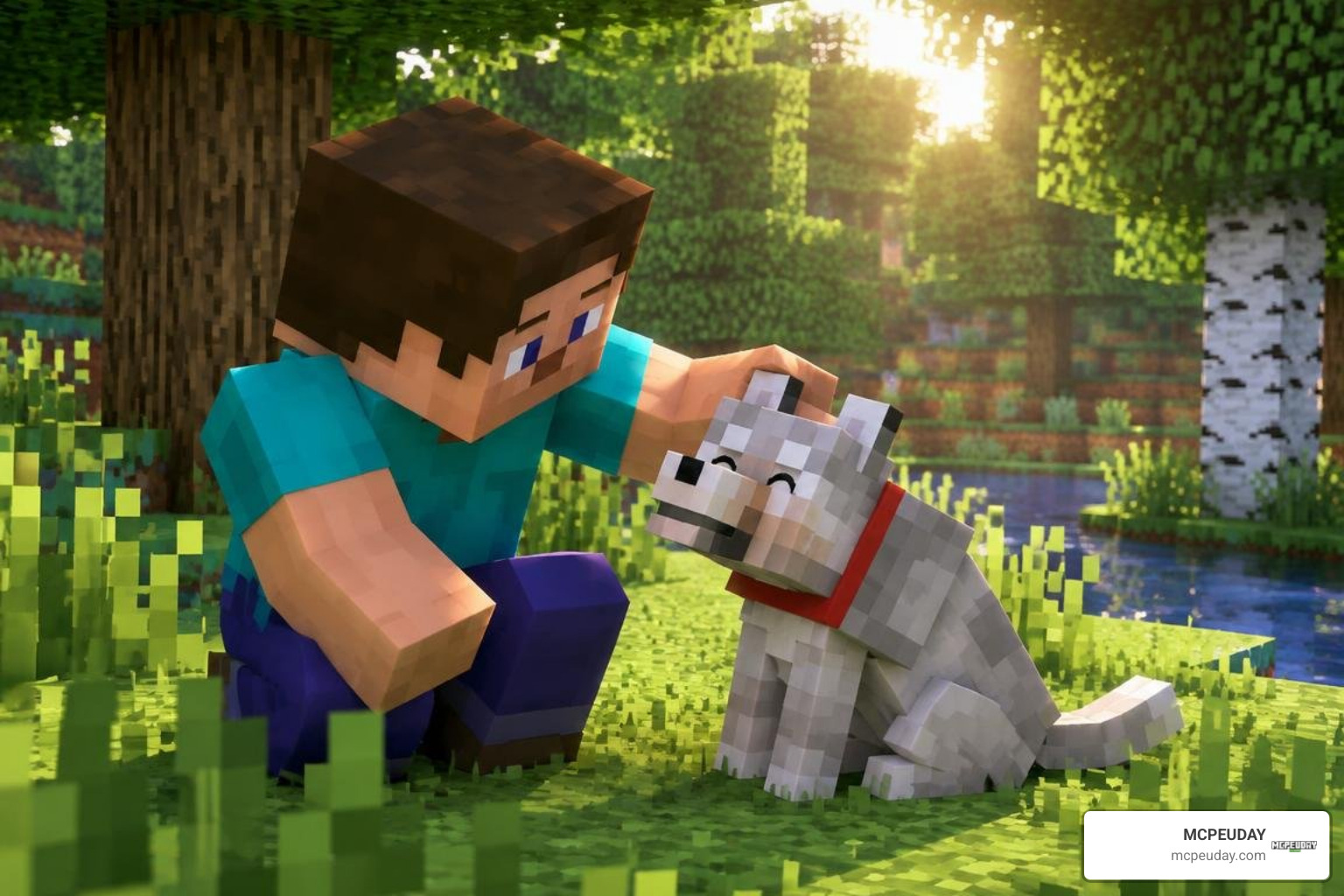
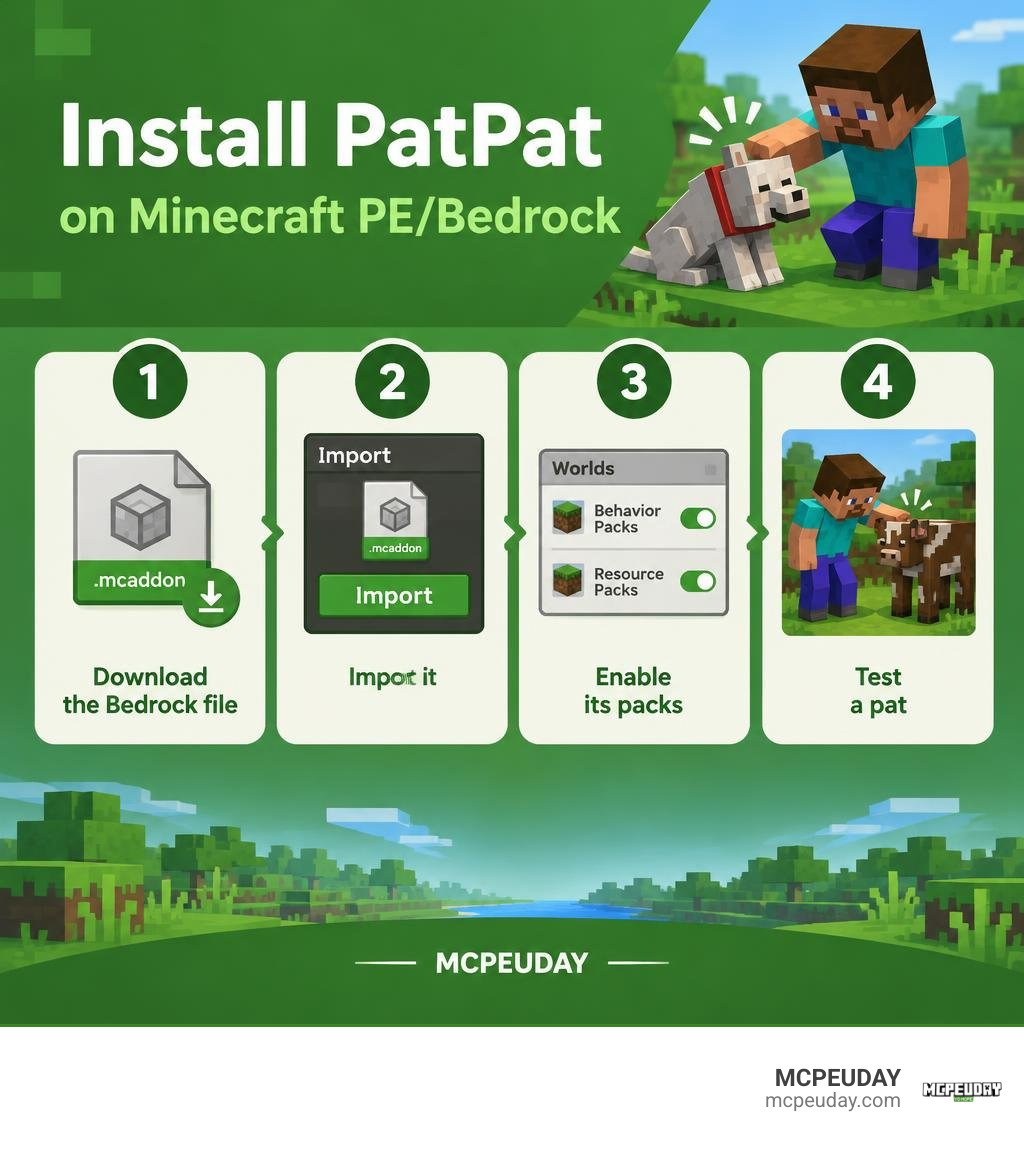
To install PatPat, download the Bedrock .mcaddon file from a source you trust, open it with Minecraft, then enable its packs in your world’s settings. Start the world and try patting a mob with an empty hand while crouching.
PatPat adds a friendly way to interact with mobs and other players. Before you download, check that the file is for Bedrock Edition, not the separate Java mod, and that it supports your game version.
What Is the PatPat Addon for Minecraft PE/Bedrock?

The PatPat Addon for Minecraft PE/Bedrock introduces a dedicated petting mechanic that allows players to express affection toward pets, farm animals, hostile mobs, and fellow adventurers. In standard vanilla Bedrock, interacting with an entity with an empty hand generally results in an attack hit. PatPat transforms these interactions into gentle pats accompanied by custom visual cues and playful sound effects.
The addon processes actions smoothly using client-side visual effects. When you perform a pat, the game triggers a swinging hand gesture, creates a gentle particle response, and plays an audio sound without spawning persistent entity data that could bog down your device.
In addition to petting animals, players can pat other players in multiplayer worlds, turning combat-style strikes into social gestures for greeting teammates or celebrating a completed build.
Key Features of PatPat Addon for Minecraft PE/Bedrock
PatPat offers several built-in features that make it versatile for survival and creative gameplay:
- Granular Entity Filtering: Decide exactly who and what receives affection. You can restrict pats to tamed pets (like wolves and cats), passive livestock, villagers, or open it up to every living creature—including Creepers and Zombies.
- Custom In-Game Configuration: By running the
/voxen:patpatchat command, you can open an interactive settings menu to customize your preferences without editing configuration files. - Flexible Trigger Controls: Choose between the default crouch-and-hit mechanic or switch to a right-click / screen-hold interaction depending on whether you play with a controller, touch screen, or mouse.
- Audio & Visual Customization: Adjust volume sliders for the pat sound effects or toggle camera shake to suit your personal comfort.
- Non-Lethal Interaction Safety: Normal combat damage is suppressed when patting enabled targets, preventing accidental strikes against your loyal companions.
System Requirements and Version Compatibility
PatPat is engineered as a lightweight addition to Bedrock Edition. Because the entire behavior and resource bundle comes in at under 200 KB, it places negligible strain on system memory and device storage.
- Supported Platforms: Android (Pocket Edition), iOS, Windows 10/11, Xbox One/Series, PlayStation 4/5, and Nintendo Switch.
- Game Version Compatibility: Fully compatible with Minecraft Bedrock 1.21 and recent updates up through version 1.21.50+ (built for 2026 Bedrock engine releases).
- Performance Overhead: Negligible CPU and RAM impact; all visual effects clear instantly to preserve stable 60+ FPS performance even on entry-level mobile devices.
How to Install PatPat Addon in 4 Simple Steps
Installing community addons on Minecraft Bedrock has never been simpler. Follow these four straightforward steps to download, import, and activate PatPat in your world.
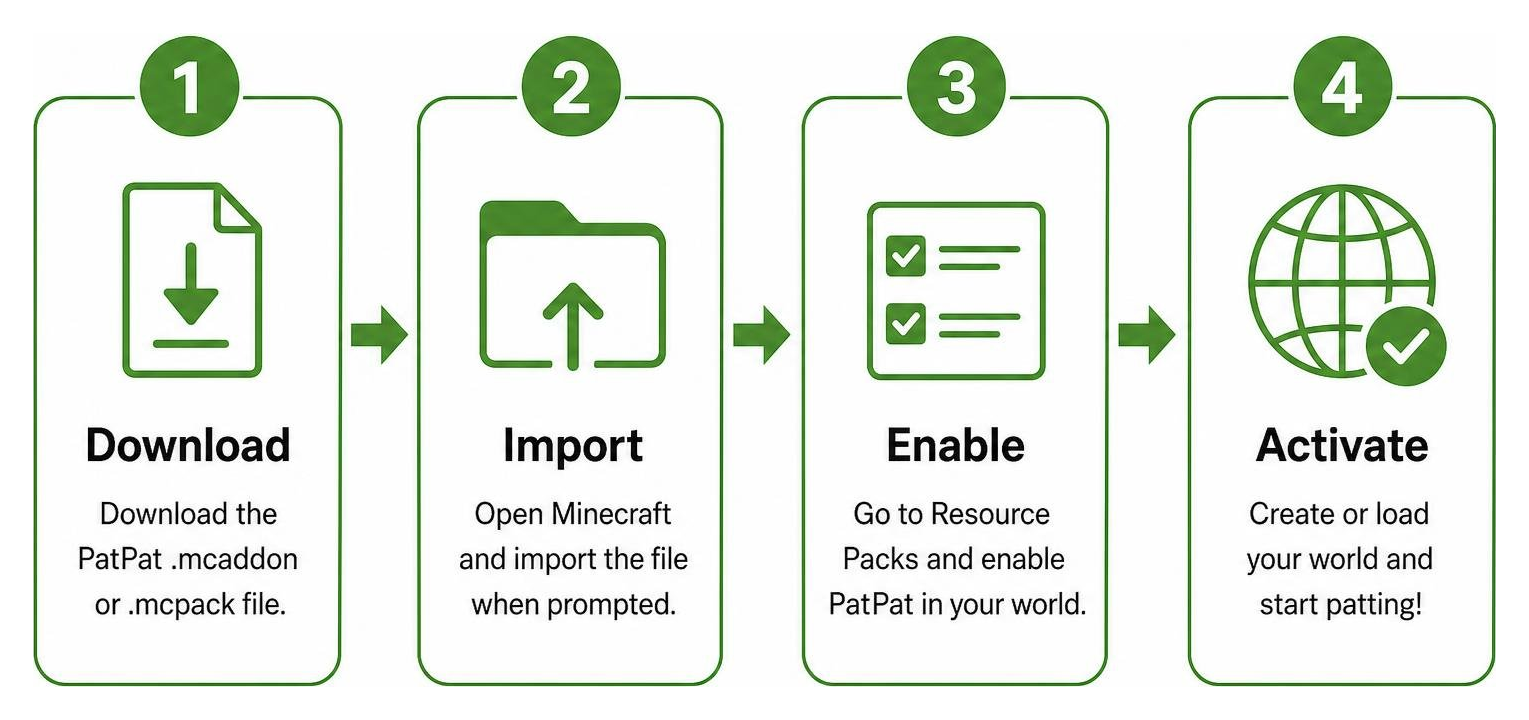
Step 1: Download the .mcaddon File
First, grab the official .mcaddon or .mcpack package from a trusted community source for Minecraft. Always make sure the package is designed specifically for Bedrock Edition.
If you are exploring other unique character creations and companion mods, you can also check out our guides for the Jenny Addon 26.x 1.21 MCPE Bedrock Mod or browse popular community ports like the Ellie Addon 1.21 1.20 MCPE Jenny Mod Guide Download.
Make sure your downloaded file ends in .mcaddon or .mcpack (approximately 165 KB in size).
Step 2: Import into Minecraft Bedrock or PE
Once the file is saved on your device, import it directly into Minecraft:
- Android & iOS: Tap the downloaded
.mcaddonfile in your browser’s download manager or Files app. Choose Open with Minecraft. The game will launch automatically and display an “Import Started” banner, followed by “Successfully Imported PatPat.” - Windows 10/11: Double-click the downloaded
.mcaddonfile. Minecraft Bedrock will open and import both the Behavior Pack and Resource Pack automatically. - Consoles (via Realm sync): Import the pack on PC or mobile, apply it to a Realm, and access the Realm from your console.
Step 3: Enable Experimental Features and World Settings
PatPat relies on modern Bedrock scripting and entity events to handle custom interaction hitboxes.
- Open Minecraft and navigate to your Worlds list.
- Select the Edit (Pencil) icon next to your desired world (or create a new one).
- Scroll down to the Experiments tab in the left-hand navigation menu.
- Toggle on Beta APIs and Holiday Creator Features (if listed for your build).
- Tip: Create a quick world backup before testing experimental features on long-term survival worlds.
Step 4: Activate Resource and Behavior Packs
To ensure visual animations and interaction mechanics work in tandem, you must activate both pack components:
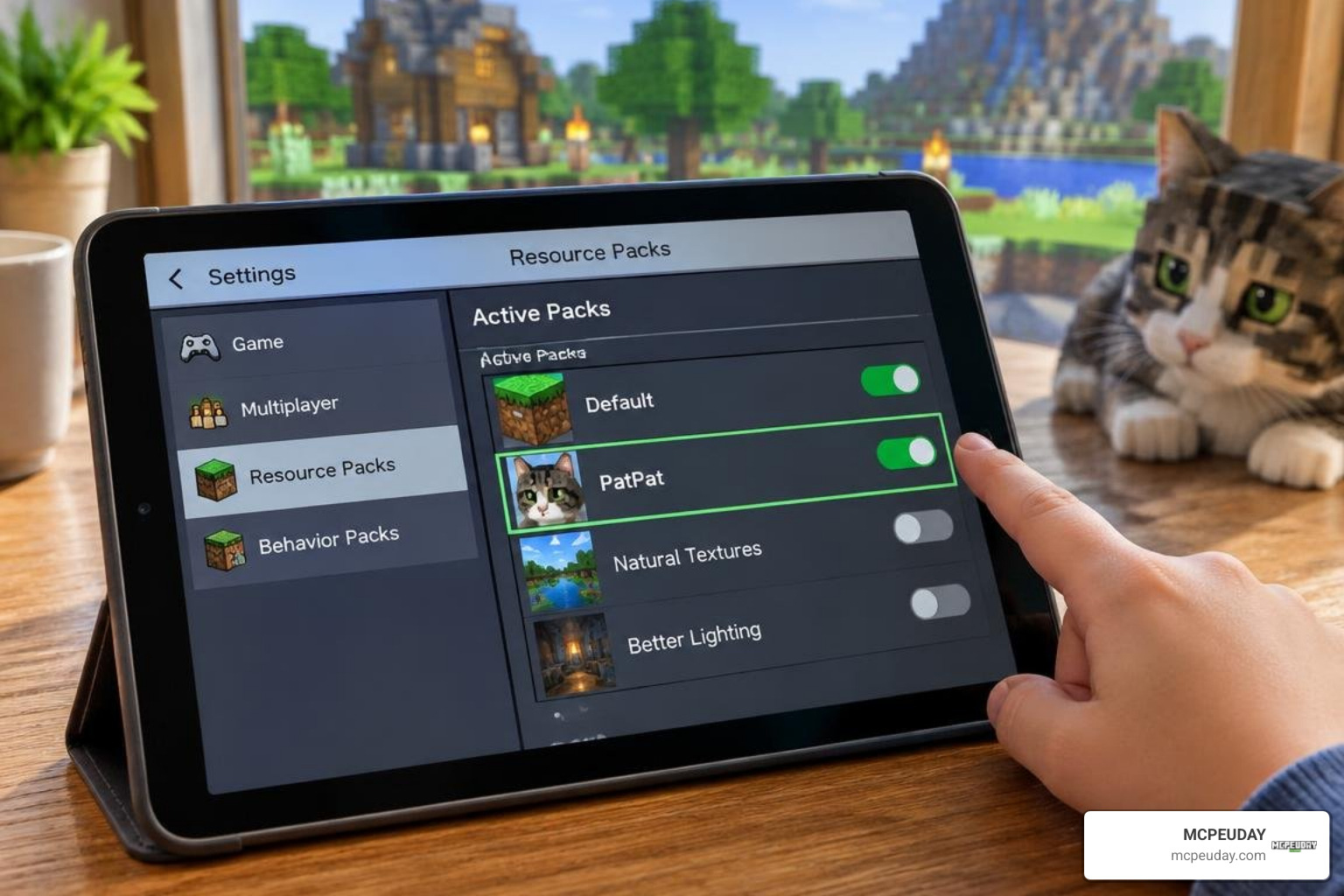
- In the same World Settings menu, scroll down to Resource Packs.
- Click Available > Owned, locate PatPat, and click Activate.
- Scroll down to Behavior Packs, click Available, locate PatPat, and click Activate.
- If you want other players in your world to see the petting animations, check the box labeled “Require players to accept resource packs to join.”
- Click Play to load your world!
How to Configure and Use PatPat Addon for Minecraft PE/Bedrock
Once inside your world, testing out your new abilities is effortless. Approach any friendly wolf, cat, or farm animal with an empty main hand, press your Crouch key (Shift on PC, double-tap sneak on touch controls, or right analog stick on controllers), and tap/click the mob. You will see a smooth petting motion alongside a responsive sound cue!
To tailor the experience to your preferences, open chat and type: /voxen:patpat
This command displays a clean configuration GUI where you can adjust:
- Pat Button Trigger: Toggle between Crouch + Hit or Right-Click / Tap Screen.
- Target Selection Whitelist: Enable or disable pats for all mobs, tamed animals only, passive farm creatures, villagers, hostile monsters, or other players.
- Audio Volume Slider: Fine-tune the volume of the patting audio clip or mute it entirely.
- Camera Shake & Hand Swing: Toggle visual feedback on or off depending on your preference.
- Spectator Interaction: Fixed in recent updates so spectator players can no longer be patted or accidentally targeted.
Troubleshooting Common Bugs and Multiplayer Issues
While PatPat is stable and lightweight, keep these known quirks and solutions in mind:
- Armored Dog Damage Bug: In current builds, patting a tamed wolf equipped with wolf armor can occasionally trigger default entity collision damage. Until this interaction is resolved, avoid patting wolves while they are wearing armor.
- Settings Menu Reset: If the configuration menu throws an error or fails to update, run
/voxen:patpatagain and ensure your settings confirmation message displays in green text. - Tick Rate & Lag: Because PatPat renders all visual feedback on the client without spawning dummy entities, server tick rates remain unaffected even in busy multiplayer hubs.
Below is an overview of how PatPat behaves across different session setups:
| Session Type | Setup Requirement | Performance Impact | Known Limitations |
|---|---|---|---|
| Singleplayer | Direct .mcaddon import | None (60+ FPS stable) | Armored wolf hitbox bug |
| LAN / Local Co-Op | Host must enable resource sync | Minimal client rendering | Guest players must download pack prompt |
| Bedrock Realms | Upload world with active packs | Zero tick latency | Host must enable Beta APIs during creation |
| Dedicated Servers | Install behavior/resource pack in server directory | Completely stable | Requires Bedrock Dedicated Server (BDS) script support |
Frequently Asked Questions About PatPat Addon
Can you use the PatPat Addon on Minecraft Bedrock Realms and multiplayer?
Yes! PatPat fully supports multiplayer worlds, LAN sessions, and Bedrock Realms. When creating or configuring your Realm, activate both the Behavior and Resource packs in the world settings and ensure the “Require players to accept resource packs” toggle is checked so all participants experience the custom hand-swing animations and sounds.
Why does petting a wolf with armor cause damage?
This is a known hitbox interaction bug in the Bedrock scripting layer. When armor is equipped to a wolf, the game occasionally defaults to standard damage processing rather than intercepting the crouch-tap event. We recommend un-equipping wolf armor before patting your canine companion.
How do you change the pat trigger from crouching to right-click?
Open the chat window in your world and enter /voxen:patpat. In the settings screen that appears, navigate to the Pat Button option and switch the trigger mode from “Crouch + Attack” to “Use Item / Right-Click.”
Conclusion
The PatPat Addon delivers a simple, heartwarming touch to Minecraft PE and Bedrock Edition, letting you bond with tamed pets and interact with friends without accidentally starting a fight. With its lightweight design, custom sound design, and easy installation process, it is a must-have quality-of-life upgrade for any survival or multiplayer world.
Ready to enhance your gameplay with fresh content? Be sure to explore more Bedrock modifications and addons right here on MCPEUDAY for the latest downloads, guides, and updates.