How to Install the Simple Waystone Addon in Minecraft Bedrock (Quick Answer)
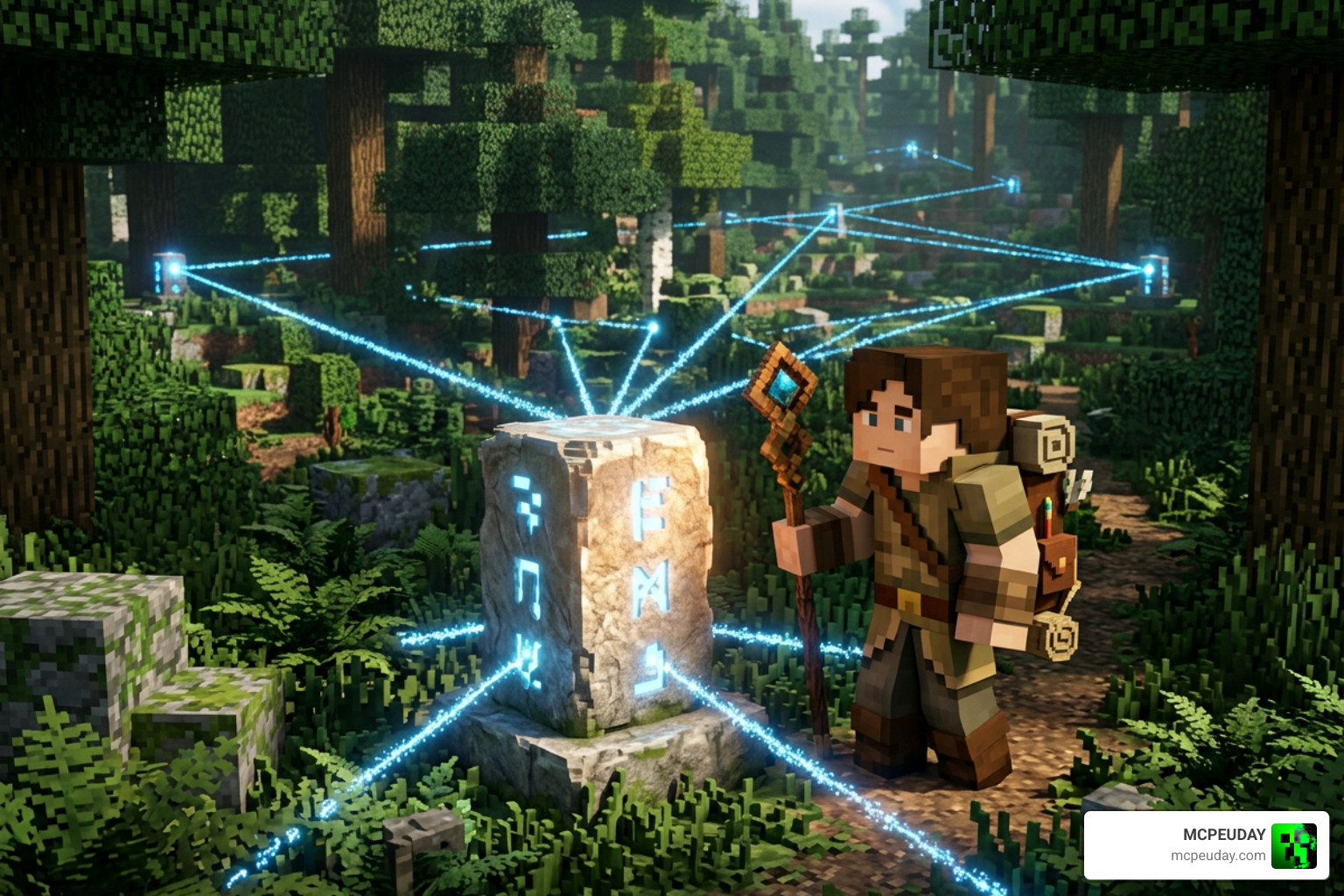
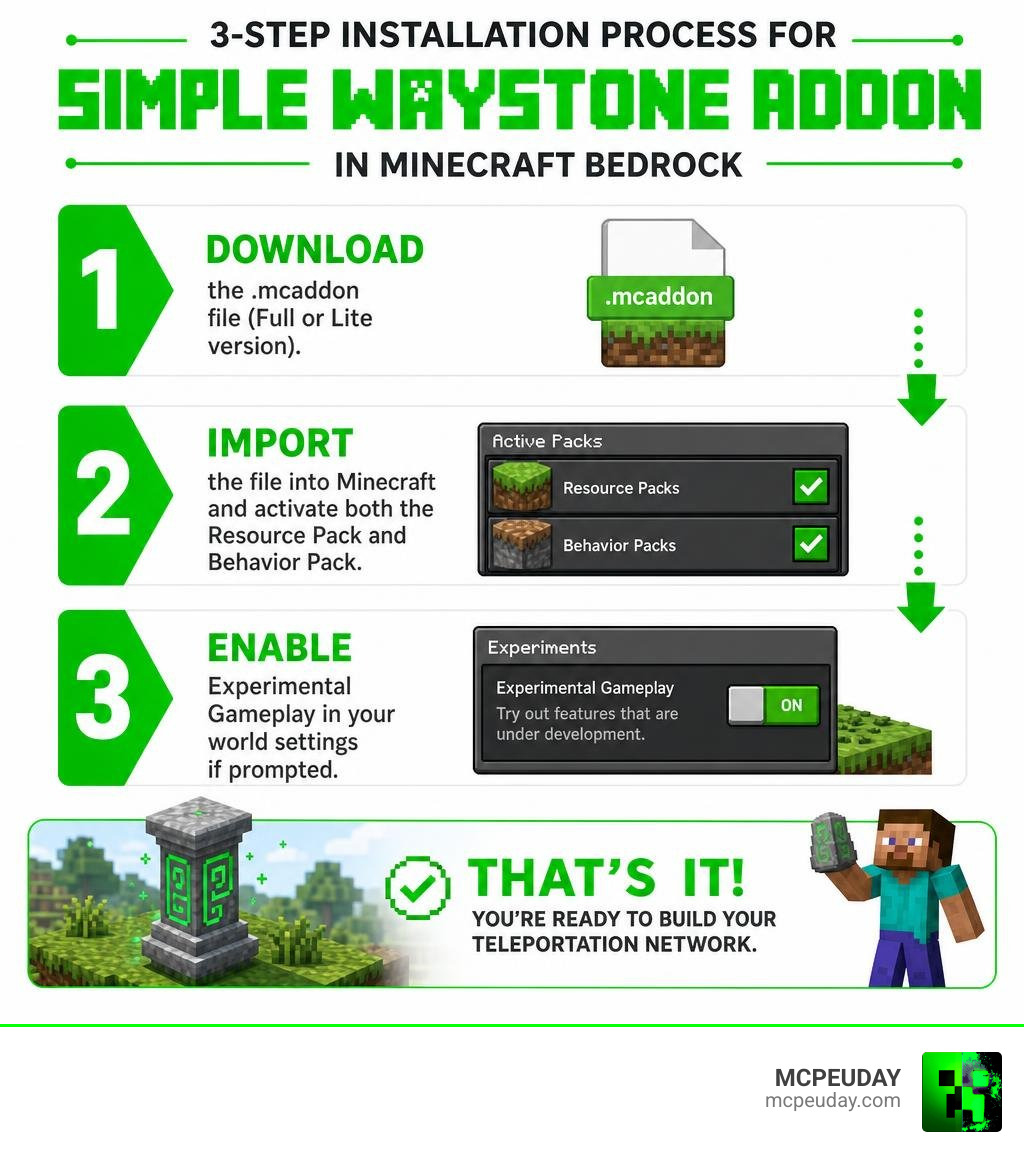
The Simple Waystone Addon is a Minecraft Bedrock addon that adds craftable fast-travel blocks to your world – no commands, no cheats, and achievements stay on. Here’s how to install it in 3 steps:
- Download the
.mcaddonfile (Full or Lite version) from MCPEUDAY - Import the file into Minecraft and activate both the Resource Pack and Behavior Pack in your world settings
- Enable Experimental Gameplay in your world settings if prompted
That’s it – you’re ready to build your teleportation network.
If you’ve ever built a huge survival world and spent half your session just walking back to base, you already know the problem. The bigger your world gets, the more time you waste traveling instead of actually playing.
That’s exactly what the Simple Waystone Addon solves. With more than 1.3 million reported community downloads across public release pages, it’s one of the most popular utility addons in the Minecraft Bedrock community – and for good reason.
You craft a waystone, place it, name it, and boom – instant fast travel across your entire world. It works in the Overworld, Nether, and End. It supports multiplayer. And it won’t break your other addons.
In this guide, we’ll walk you through exactly how to install it in 3 easy steps.
What is the Simple Waystone Addon?
The Simple Waystone Addon is a game-changing teleportation system designed specifically for Minecraft Bedrock Edition. Unlike standard fast-travel mods that feel like cheating, this addon integrates seamlessly into vanilla survival. It respects your game progression by requiring you to craft your own teleportation network using gathered survival materials.
One of the biggest selling points of this addon is that it does not modify the player.json file. For Bedrock players, this is huge! It means the addon has extremely high compatibility with other popular expansions, such as the Better on Bedrock Addon 1 21, and it keeps your Xbox Live achievements fully enabled. You can build a massive, automated transit network across thousands of blocks without losing your hard-earned survival achievements.
Endermen76428 vs. Amon28 Versions
When searching for this addon, you will likely come across two major versions developed by prominent community creators: Endermen76428 and Amon28. While both versions aim to bring Java-style waystones to Bedrock, they have key differences in performance, compatibility, and features:
- Endermen76428 Version: This is the most widely adopted version, with strong community usage and a long update history. It is highly optimized for modern versions of Minecraft Bedrock (including 1.21.100 up to 1.21.132) and features advanced mechanics like waterlogging, explosion immunity, and custom UI configurations via scripting.
- Amon28 Version: This version is a reliable alternative with a solid reputation among Bedrock players. It is highly dependable but historically supports older Bedrock versions (such as 1.21.30 through 1.21.70).
For the most up-to-date features as of July 2026, we recommend sticking with the latest Endermen76428 release, which we actively host and update on our platform.
Key Features of the Simple Waystone Addon
To help you decide which version of the addon fits your world best, the developers have split the addon into two performance tiers: Full and Lite.
| Feature | Full Version | Lite Version |
|---|---|---|
| Max Waystones | Up to 256 active waystones | Up to 16 active waystones |
| Performance Impact | Moderate (best for PC/Consoles/High-end mobile) | Low (perfect for older phones and small Realms) |
| Explosion Immunity | Yes | Yes |
| Waterlogging Support | Yes | Yes |
| Inter-dimensional Travel | Yes | Yes |
Thanks to recent updates, both versions now feature complete explosion immunity (no more Creepers accidentally deleting your fast-travel network!) and waterlogging support, allowing you to build seamless underwater transit hubs.
How to Craft, Customize, and Use Waystones
Establishing your fast-travel network is straightforward, but it requires a bit of resource gathering. You cannot simply spawn waystones in survival; you must earn them.
Crafting the Warpstone, Pedestal, and Teleporter Pad
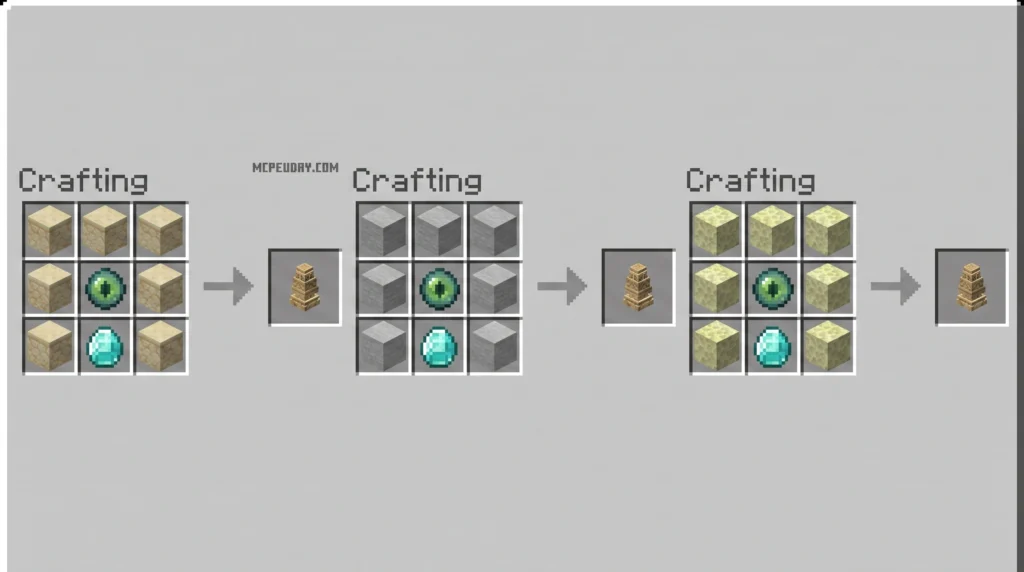
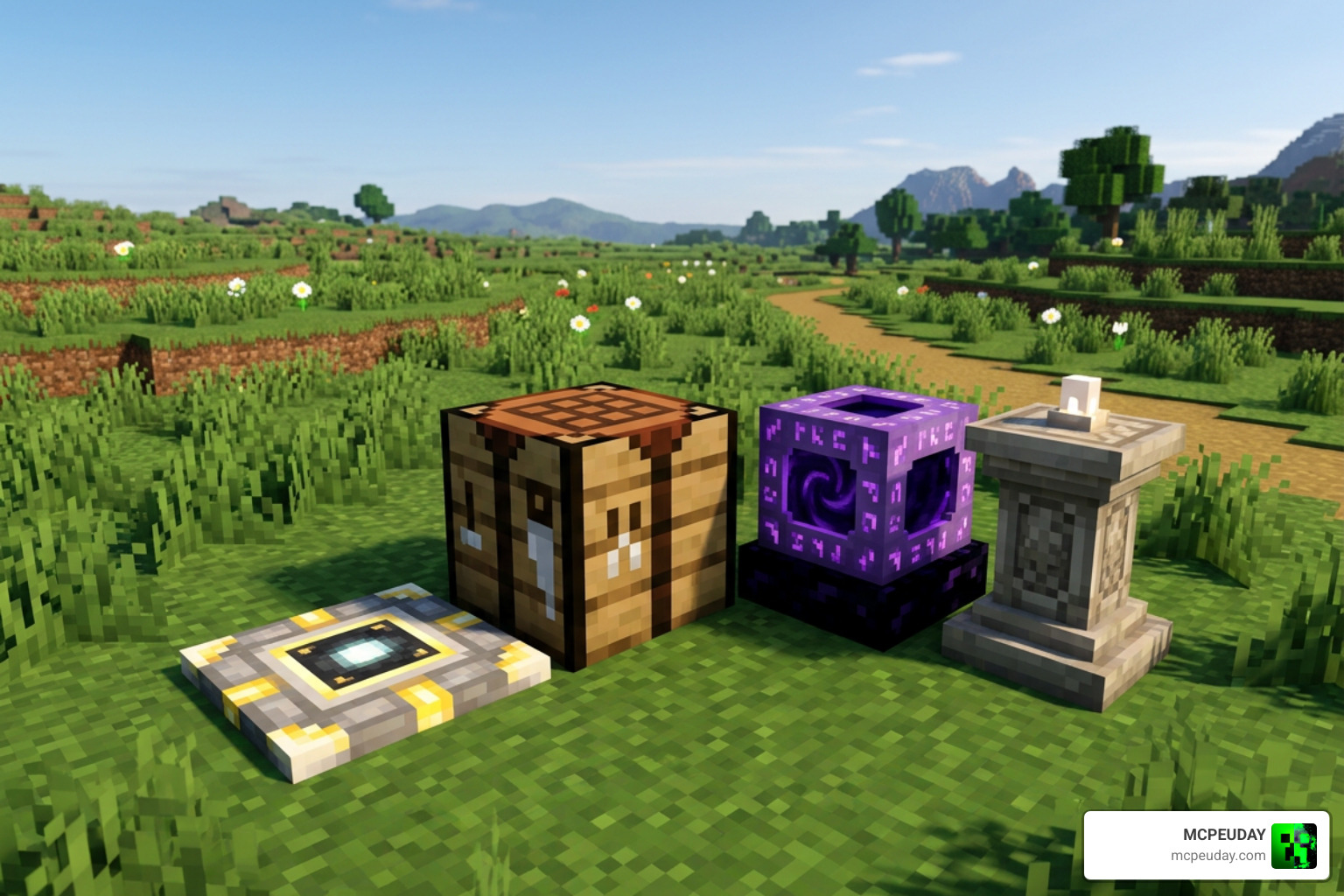
Before you can craft a waystone, you must craft its magical core: the Warpstone.
- Warpstone: Crafted by surrounding an Ender Pearl with purple dye and gold nuggets (check your in-game recipe book for the exact grid layout). This is the foundational item for all teleportation blocks.
- Waystones: Once you have a Warpstone, combine it with common building blocks like Stone, Sandstone, Endstone, Obsidian, or Deepslate to create a themed Waystone.
- Warpstone Pedestal: This unique block acts as a secure, one-way exit. It allows you to teleport out of a location (like a secret room or a deep mine) but prevents anyone from teleporting back in.
- Teleporter Pad: Crafted using Teleport Shards, this pad is capable of teleporting not just players, but also dropped items, minecarts, and mobs. It is perfect for automating farm collection systems!
Customizing the Simple Waystone Addon Variants
Aesthetics matter! The Simple Waystone Addon features 24 different waystone variants to match your builds. Whether you are building a medieval castle or a futuristic base, you can find a material that fits.
Additionally, you can customize the floating text above your waystone by interacting with it while holding any of the 16 Minecraft dye colors. If you ever want to break down a waystone and get your Warpstone back, simply use a standard Minecraft brush tool on the placed block. This level of utility pairs perfectly with general quality-of-life mods like the Bedrock Essentials Addon.
Teleportation Mechanics, XP Costs, and Items
Teleportation in survival is balanced through experience point (XP) costs.
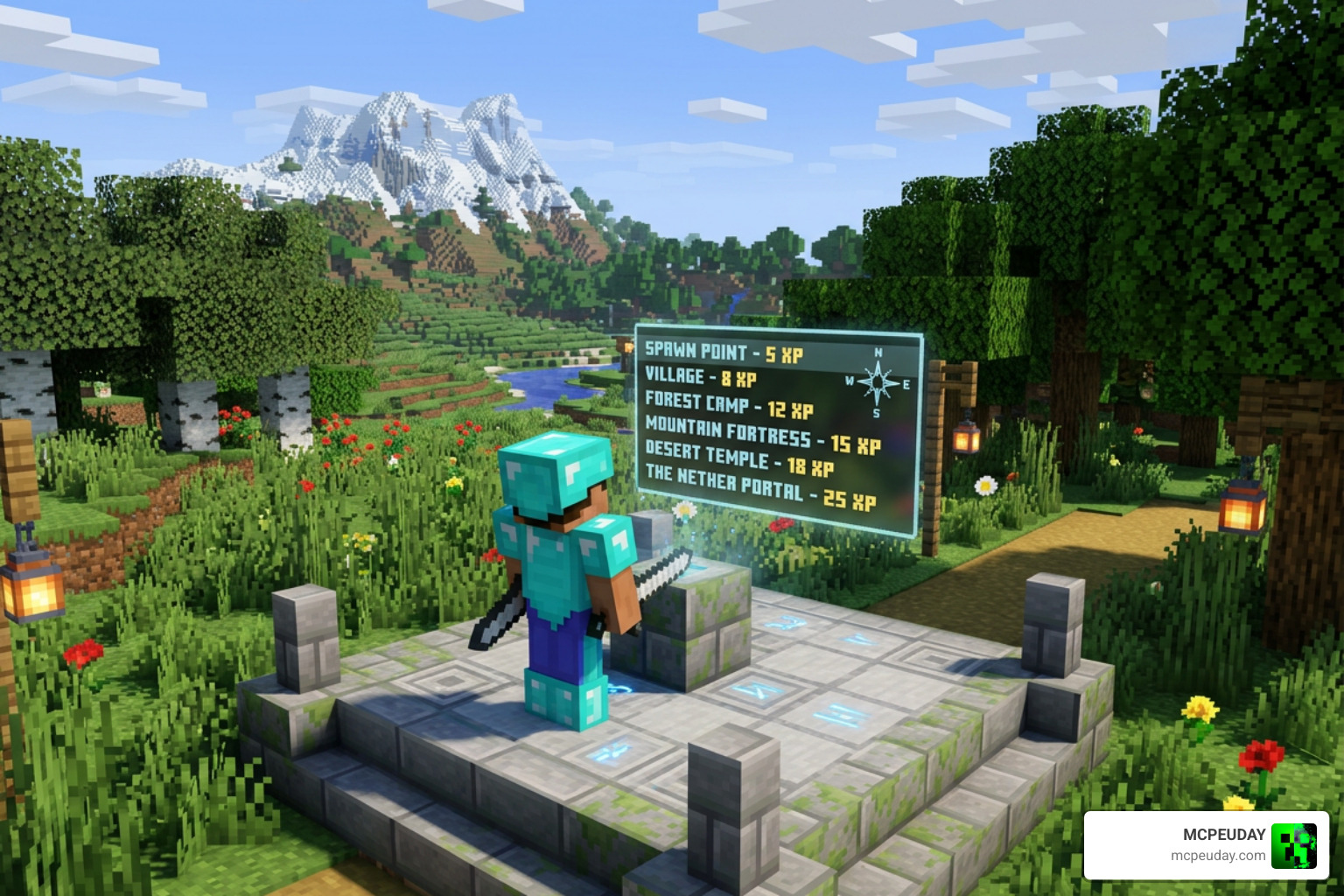
The teleportation system calculates costs based on distance and dimension:
- Distance Cost: Teleporting up to 700 blocks is completely free. Beyond 700 blocks, it costs 1 XP level per 700 blocks traveled.
- Dimension Cost: Teleporting between different dimensions (e.g., Overworld to the Nether) has a flat cost of 3 XP levels.
- Warpstone Cooldown: Using a handheld Warpstone to teleport has a strict 60-second cooldown.
To travel, you can use three primary items:
- Warpstone: Infinite use, but subject to the 60-second cooldown.
- Return Scroll: Great for quick escapes; it relies on item durability instead of a cooldown.
- Golden Feather: A one-time-use item that teleport-saves you from dangerous situations.
Claiming, Registering, and Managing Waystones
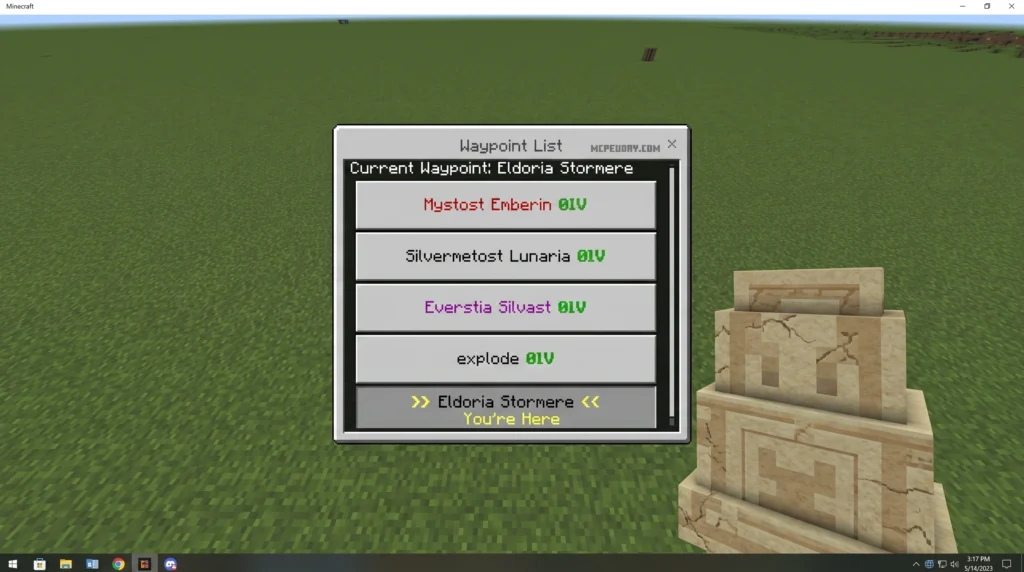
When you place a waystone for the first time, interact with it once to open the naming UI. The addon will even generate a pre-filled name for you if you have writer’s block!
Interact with it a second time to register it to your global waypoint list. By shift-clicking (or crouching and interacting) on the waystone, you can open its advanced settings menu. From here, you can set the waystone to Public (anyone on the server can use it) or Private (only you can interact with it). You can also mark frequently used destinations as Favorites so they always sit at the top of your travel list.
Admin Controls and XP Discount Upgrades
If you think the XP costs are too punishing, you can upgrade your waystones! By holding an ore block in your hand and interacting with an active waystone, you can apply a lifetime discount upgrade:
- Iron Block: Grants a 30% XP discount.
- Diamond Block: Grants a 50% XP discount.
- Netherite Block: Grants a 100% XP discount (completely free teleports!).
For server administrators, you can bypass these limits entirely. By running the command /tag @s add admin, you gain access to the global admin panel. You can also run /scriptevent sw:config in the chat to open a configuration UI where you can disable XP costs globally, adjust cooldowns, or manage server-wide waypoints. This deep level of customization makes it an excellent fit for RPG-focused setups using the Bedrock Reimagined Addon 1 21 1 26.
How to Install the Addon in 3 Easy Steps
Ready to set up your network? Follow our step-by-step installation guide.
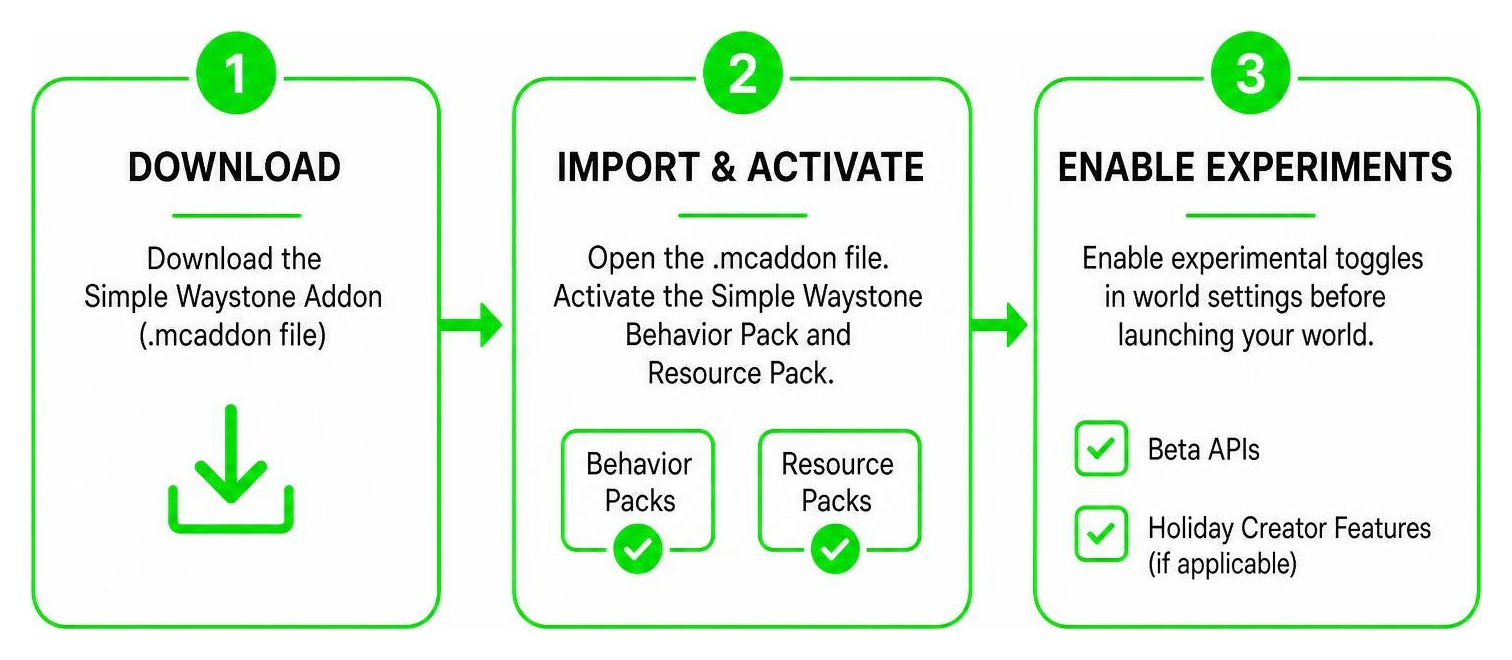
Step 1: Download the Addon File
Head over to MCPEUDAY and download the latest version of the Simple Waystone Addon (Version 21.4 or higher is recommended for Minecraft 1.21.100+). Choose between the Full version (256 waystones) or the Lite version (16 waystones) based on your device’s performance capabilities.
Step 2: Import and Activate the Packs
Once downloaded, open the .mcaddon file. Your device should automatically launch Minecraft and import the packs. Go to your world settings, navigate to Behavior Packs, and activate the Simple Waystone Behavior Pack. Do the exact same under Resource Packs.
Step 3: Enable Experimental Gameplay
Because this addon introduces custom blocks and scripting UI elements, you must enable experimental toggles in your world settings. Ensure Beta APIs and Holiday Creator Features (if applicable to your version) are toggled on before launching your world.
Frequently Asked Questions about Waystones
Does the addon disable achievements in Minecraft Bedrock?
No! Because this addon does not modify the core player.json file, it is completely achievement-friendly. You can earn Xbox Live achievements in your survival world with this addon active.
How do you get a 100% XP discount on teleportation?
To get free teleports, hold a Netherite Block in your hand and right-click (or tap interact) on the placed Waystone. This upgrades the block permanently, removing all future XP costs for anyone using that specific waystone.
What is the difference between the Full and Lite versions?
The Full version supports up to 256 unique waystones in a single world, which is ideal for large multiplayer servers. The Lite version restricts the world to 16 waystones, which dramatically improves performance on lower-end mobile devices and consoles.
Conclusion
Setting up a fast-travel network in Minecraft Bedrock has never been easier or more balanced. The Simple Waystone Addon bridges the gap between survival progression and convenience, making it a must-have for any long-term world in July 2026.
If you want to expand your world even further with amazing structures, automation, or spooky adventures, check out our other resources on MCPEUDAY. Explore the best Minecraft horror mods for Java and Bedrock in 2026 and take your gameplay to the next level today!
