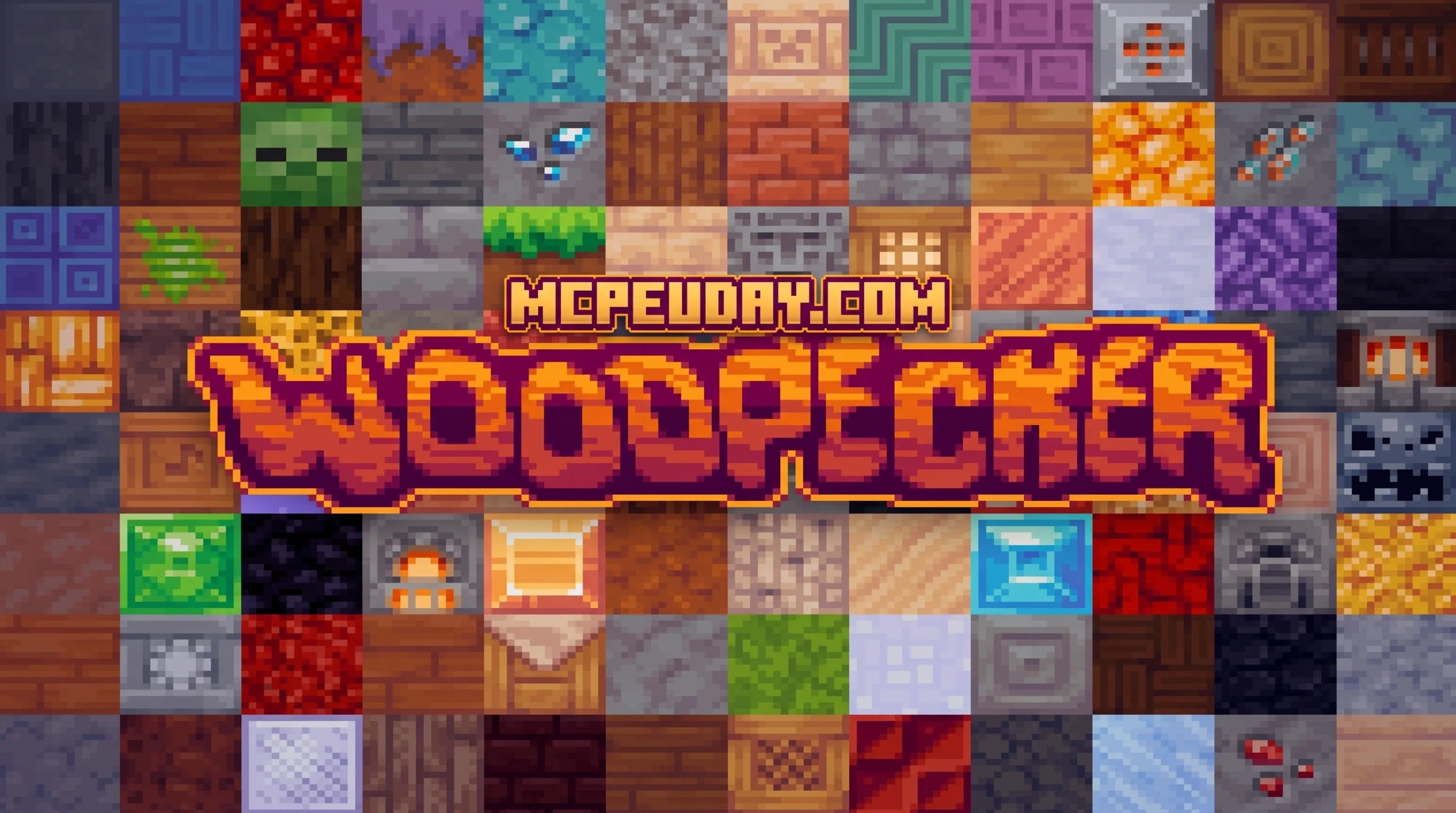
What You Need to Know About the Woodpecker Texture Pack
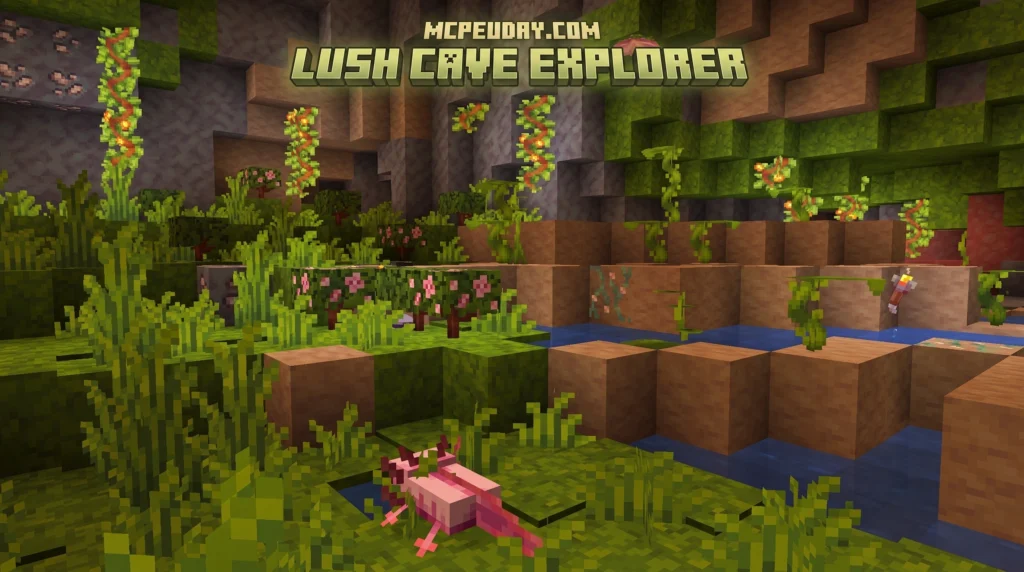
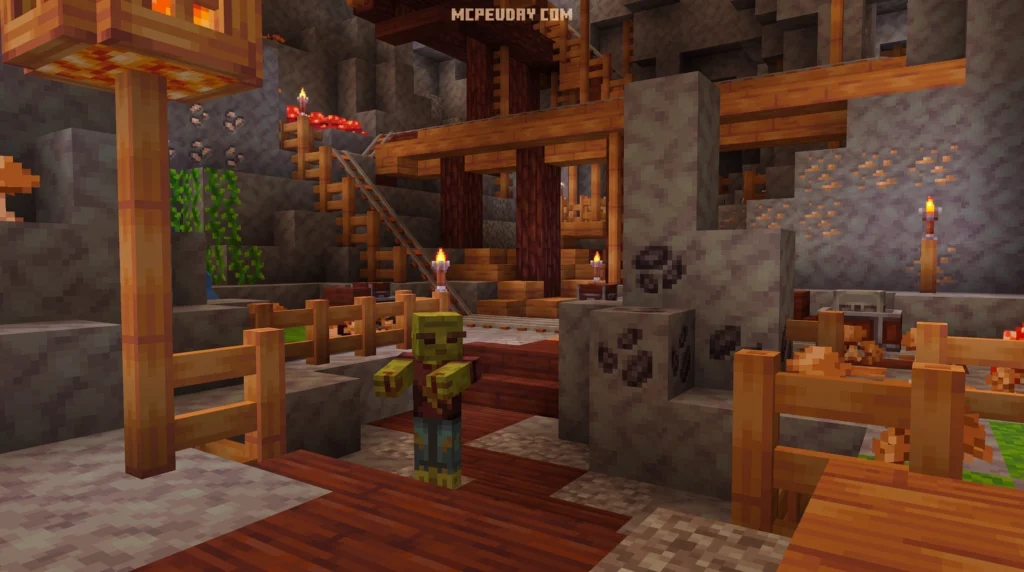
The Woodpecker Texture Pack is a free, lightweight 16×16 Minecraft resource pack that gives your game a charming medieval RPG makeover — no heavy shaders required.
Quick facts:
- Style: Cartoony Medieval/RPG
- Resolution: 16×16 (performance-friendly)
- Supported editions: Java Edition (1.8.9–1.21.5) and Bedrock/MCPE (1.16–1.20.1+)
- Requires OptiFine: Yes, for Java Edition
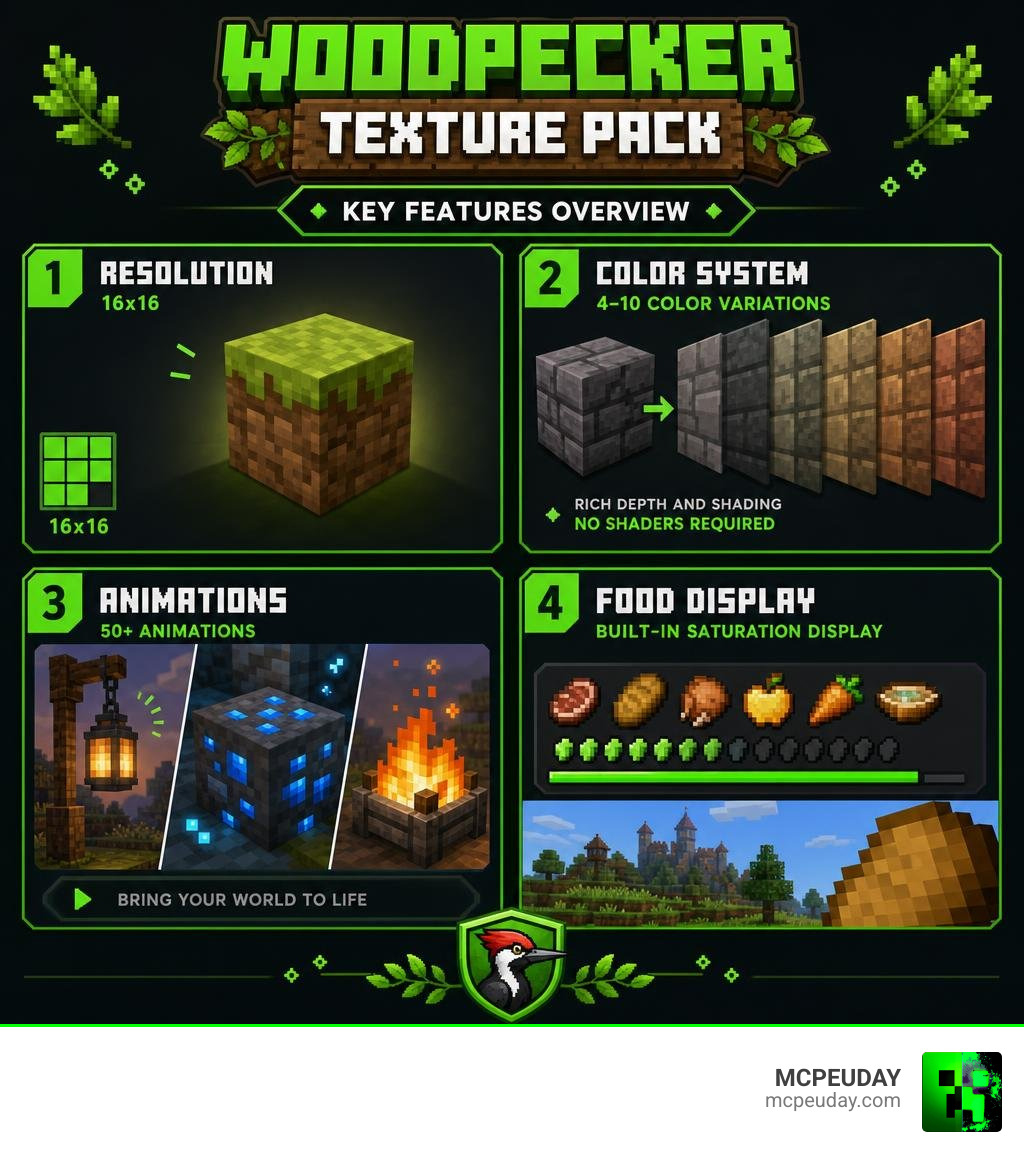
- Standout feature: Each block uses 4–10 color variations to simulate realistic shading without any shader mod
- Extra features: 400+ random textures, 50+ animations, built-in food saturation display
- File size: ~3.4–5.3 MB depending on version
If your world is starting to feel a little dull, you’re not alone. The default Minecraft look gets old fast — especially when you’ve been playing for hundreds of hours.
That’s where Woodpecker comes in. It wraps your entire world in a warm, rustic medieval atmosphere that feels cozy and alive. Think weathered stone, rich wood tones, and animated ores — all running smoothly even on older hardware.
What makes it stand out from most texture packs? Instead of relying on shader mods to create depth and realism, Woodpecker uses a clever color-mapping technique. Each individual block can display between 4 and 10 different color shades, creating the illusion of detailed lighting and texture without any performance hit.
It’s available for both Java and Bedrock editions, so almost any Minecraft player can use it.
What is the Woodpecker Texture Pack?
Originally created by the developer Zob (who began experimenting with RPG texturing back in 2011), the Woodpecker Texture Pack has grown into a beloved staple for players who want a cozy, fantasy-inspired world. To ensure Bedrock and mobile players do not miss out on the fun, the talented team at Pixell Studio ported this masterpiece to Bedrock Edition (MCPE).
Whether you play on PC, console, or a smartphone, you can dive into this whimsical world. If you are playing on Java Edition, you can grab the files from trusted community resource pages to get started.
Unique Color Mapping and Shading
What makes Woodpecker truly magical is its clever color-mapping system. In a standard 16×16 pack like the Bare Bones Texture Pack, blocks often use flat, simple colors to achieve a minimalist look. Woodpecker takes the opposite route.
By applying an innovative color-mapping algorithm, each block displays between 4 and 10 carefully selected color variations. These colors complement each other perfectly, avoiding chaotic visual noise while simulating natural shadows and depth. You get a gorgeous, shader-like atmosphere without the frame-rate drops that come with actual shader engines. It is the ultimate visual upgrade for low-end PCs and mobile devices!
Medieval RPG Theme and Visual Style
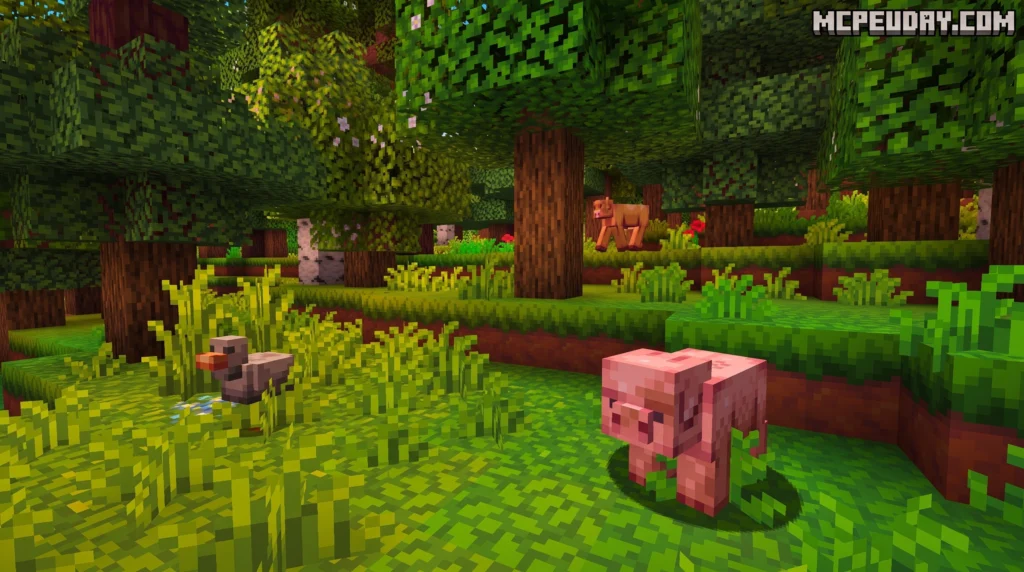
If you love building rustic castles, cozy villages, or old-timey farms, you will fall in love with Woodpecker’s aesthetic. It blends a lighthearted, vibrant cartoon art style with a classic medieval RPG theme.
Unlike hyper-realistic packs that can look gloomy, Woodpecker keeps things bright, clean, and welcoming. While it has a distinct personality similar to the popular Mizunos 16 Craft Texture Pack, Woodpecker leans more toward a smooth, whimsical fantasy style that makes long survival sessions incredibly relaxing on your eyes.
Key Features and Gameplay Enhancements
Woodpecker is not just a simple coat of paint; it is a comprehensive overhaul of your Minecraft experience. Let’s look at how it compares to the default vanilla look:
| Feature | Default Minecraft | Woodpecker Texture Pack |
|---|---|---|
| Block Shading | Flat, standard lighting | Advanced 4–10 color gradient shading |
| Texture Variety | Repetitive tiling patterns | Over 400 randomized block variations |
| Animations | Basic (fire, water, portals) | 50+ custom item and block animations |
| Block Models | Flat 2D-looking doors & fences | Custom 3D-modeled doors, fences, and trapdoors |
| Survival Utilities | None (requires external mods) | Built-in food and saturation value tooltips |
Over 400 Random Block Textures
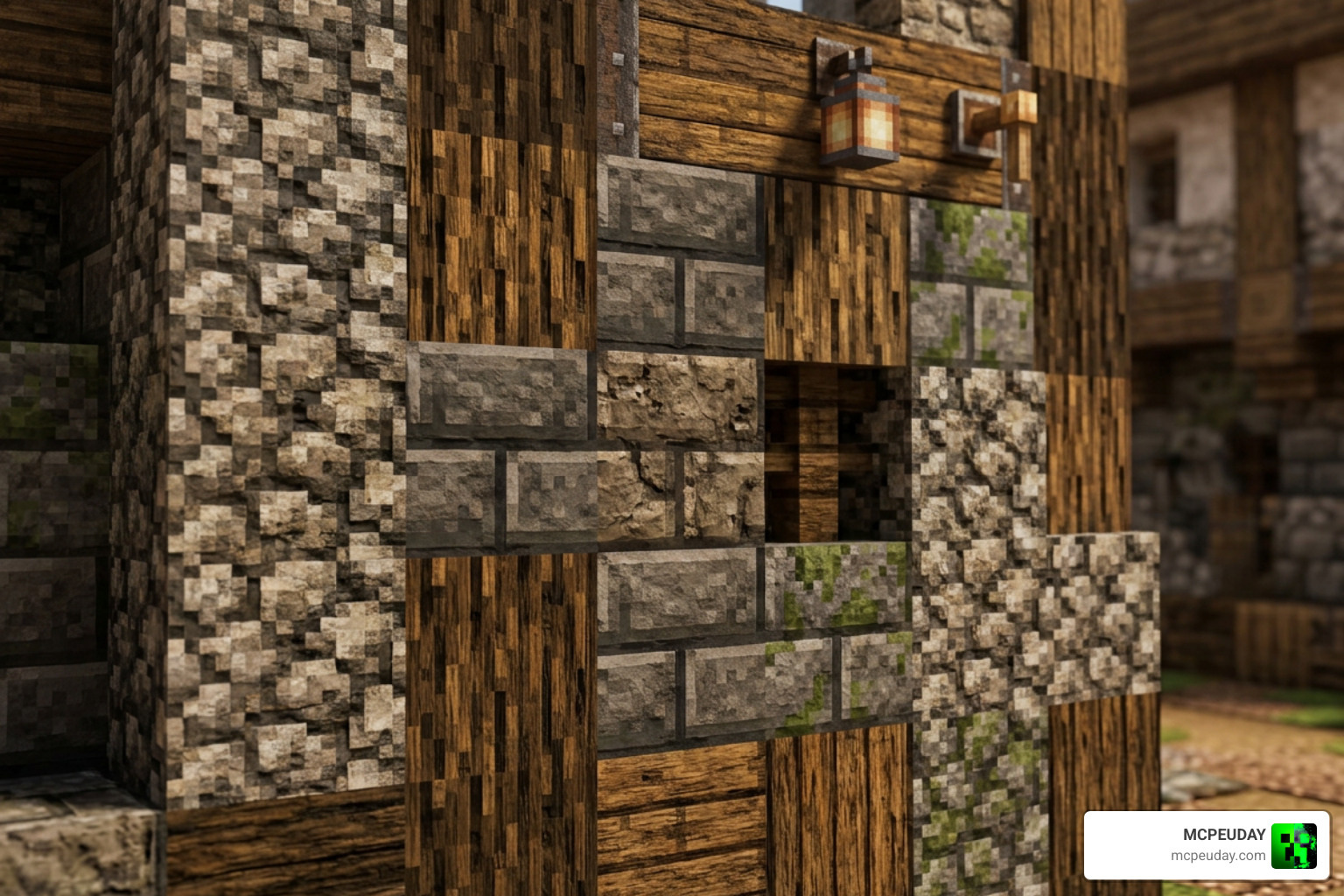
Have you ever built a massive stone wall or a sprawling field, only to realize the repeating textures look incredibly boring? Woodpecker solves this issue by including over 400 random block variations. Natural blocks like grass, dirt, and stone feature subtle differences. For example, stone blocks show realistic weathering patterns, and wood blocks display unique grain lines, breaking up the repetitive grid pattern and making your builds look organic.
Custom Animations and 3D Models
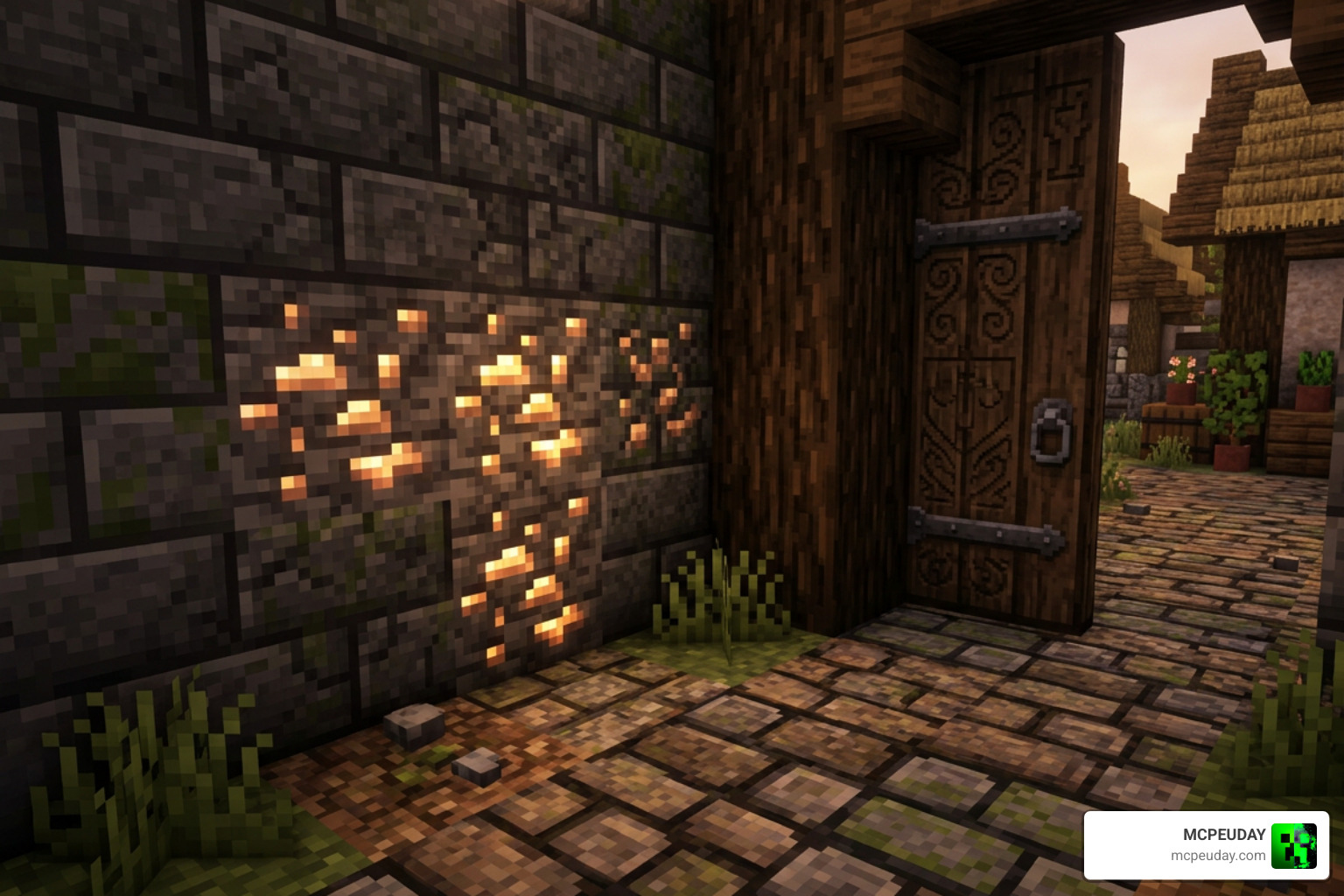
The world feels incredibly alive thanks to more than 50 custom animations. Ores like diamonds, emeralds, and amethyst shards glint in the dark, making mining trips much more exciting. Water flows with fluid grace, and even the squids have custom animations!
Additionally, the pack overhauls 3D block models for structural elements like doors, trapdoors, and fences, adding genuine physical depth to your medieval architecture. If you want to take the natural elements of your world even further, you can pair this pack with the Better Foliage Addon Texture Pack 26 x 1.21 MCPE Bedrock Mod Texture Pack for incredibly lush trees and grass.
Built-in Food Saturation Display
One of our favorite quality-of-life additions is the built-in food saturation display. By utilizing clever language file modifications, the pack displays exact hunger and saturation values directly on food item tooltips!
This works seamlessly in English, Spanish, and most West European languages without requiring you to install complex gameplay mods. Now you will know exactly how much health that cooked chicken or mushroom stew will restore during intense survival situations.
Step-by-Step Installation Guide
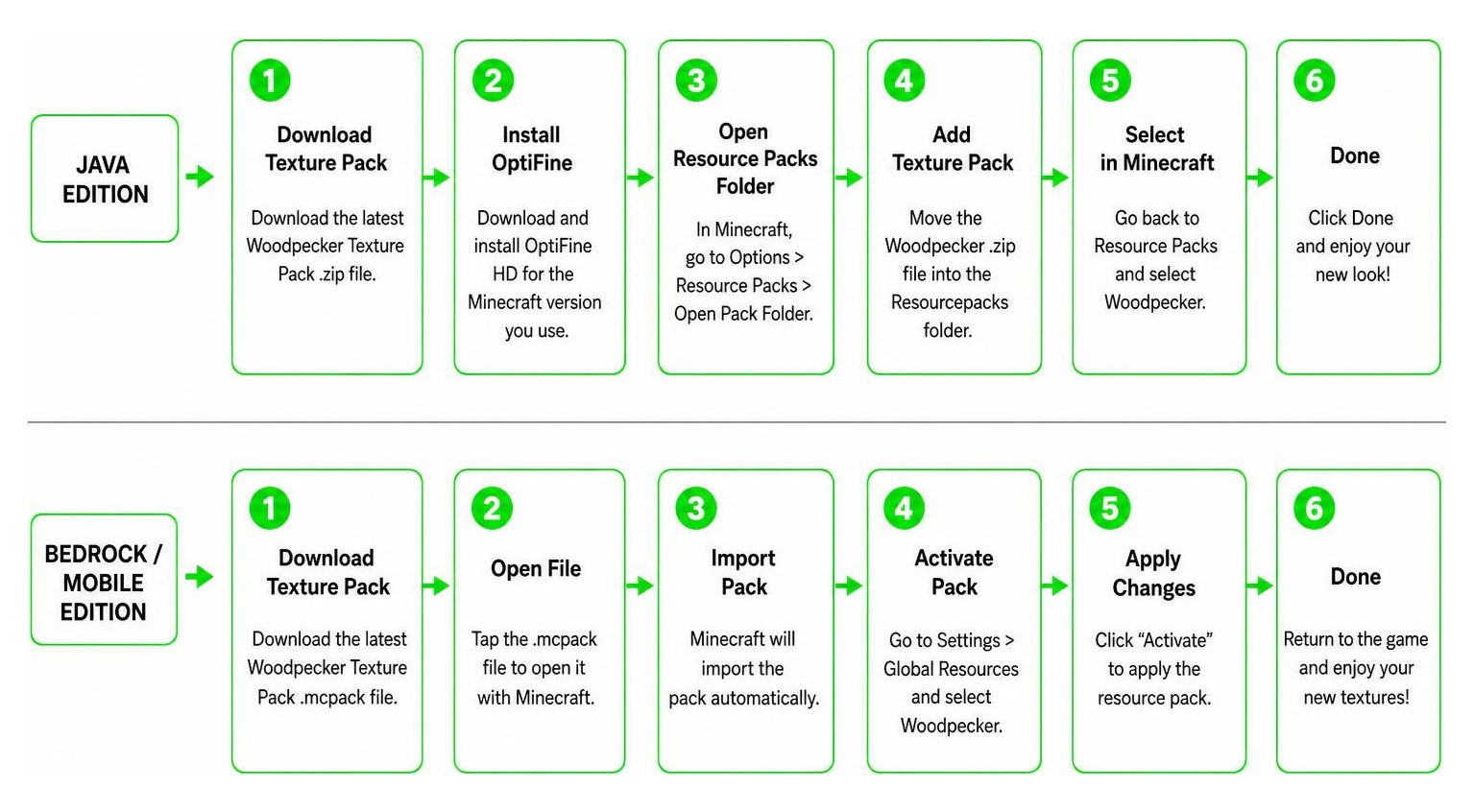
Ready to transform your world? Installing the Woodpecker Texture Pack is incredibly straightforward. Depending on which edition of Minecraft you play, follow our easy guides below to get started.
How to Install the Woodpecker Texture Pack on Java Edition
To get the absolute best out of Woodpecker on Java, we highly recommend installing OptiFine HD first. This unlocks advanced features like connected textures, custom skies, and item animations.
- Download the Woodpecker ZIP file matching your active Minecraft version.
- Launch Minecraft and navigate to Options > Resource Packs.
- Click Open Pack Folder to open your system’s file explorer.
- Drag and drop the downloaded ZIP file directly into this folder.
- Back in Minecraft, hover over the Woodpecker pack in the “Available” column and click the arrow to move it to “Selected”.
- Note: If you get a warning saying the pack was “Made for an older/newer version,” don’t worry! You can safely click “Yes” to bypass it and enjoy the game.
How to Install the Woodpecker Texture Pack on Bedrock and MCPE
Installing on mobile devices, tablets, or Windows Bedrock Edition is even easier thanks to the .mcpack file format.
- Download the
.mcpackfile (often namedpeckerwood.mcpackin community files) onto your device. - Tap or double-click the downloaded file. Your system should automatically launch Minecraft and import the pack.
- Once the import is successful, go to the main menu and select Settings.
- Scroll down to Global Resources and open the My Packs dropdown.
- Select the Woodpecker Texture Pack and click Activate.
- Create or load a world to see your brand-new cartoon medieval realm!
Pros and Cons of Woodpecker 16x
Every resource pack has its strengths and minor drawbacks. Here is our honest take on what makes Woodpecker incredible, and where it has room to grow:
Pros:
- Excellent Performance: Because it is a 16×16 pack, it runs smoothly on older PCs, laptops, and budget smartphones without causing lag.
- Shader-Free Shading: The 4–10 color variation system is brilliant, giving blocks depth and realism without needing power-hungry shader engines.
- Survival Utility: The built-in hunger and saturation tooltips are incredibly helpful for survival players.
- Cozy Atmosphere: The warm, cartoony medieval RPG aesthetic is beautiful and reduces eye strain during long play sessions.
Cons:
- Unfinished Elements: Some decorative items, such as paintings, have not been fully updated in older versions of the pack.
- Niche Aesthetic: The whimsical, cartoonish style might not appeal to players who prefer dark, gritty, or ultra-realistic graphics.
Frequently Asked Questions about Woodpecker
Does the Woodpecker Texture Pack require shaders for realistic lighting?
No! That is the beauty of this pack. It uses a sophisticated color-mapping technique where individual blocks feature 4 to 10 different colors. This creates natural-looking gradients and soft shadows, giving you a cozy, shader-like atmosphere without any of the performance drops associated with actual shader mods.
Is OptiFine required to use this resource pack?
While it is not strictly mandatory for loading the basic textures, OptiFine HD is highly recommended for Java Edition players. Without OptiFine (or equivalent optimization mods), you will miss out on advanced visual features like custom skies, connected glass textures, and the custom item/ore animations.
What Minecraft versions are compatible with Woodpecker?
Woodpecker has excellent backward compatibility! On Java Edition, it supports versions all the way from legacy 1.8.9 up to the modern 1.21.5. On Bedrock/MCPE, it is fully compatible with versions 1.16 through 1.20.1 and beyond. Always try to match your resource pack version to your current Minecraft client version for the smoothest experience.
Conclusion
If you are tired of the default look of Minecraft and want to escape into a bright, cozy, and whimsical medieval realm, the Woodpecker Texture Pack is the perfect choice. It cleverly combines a beautiful cartoon aesthetic with smart survival features like food saturation displays and performance-friendly shading.
We at MCPEUDAY are dedicated to bringing you the absolute best resources to elevate your gameplay. Head over to our Texture Packs Category to discover even more incredible ways to customize your Minecraft adventures!
