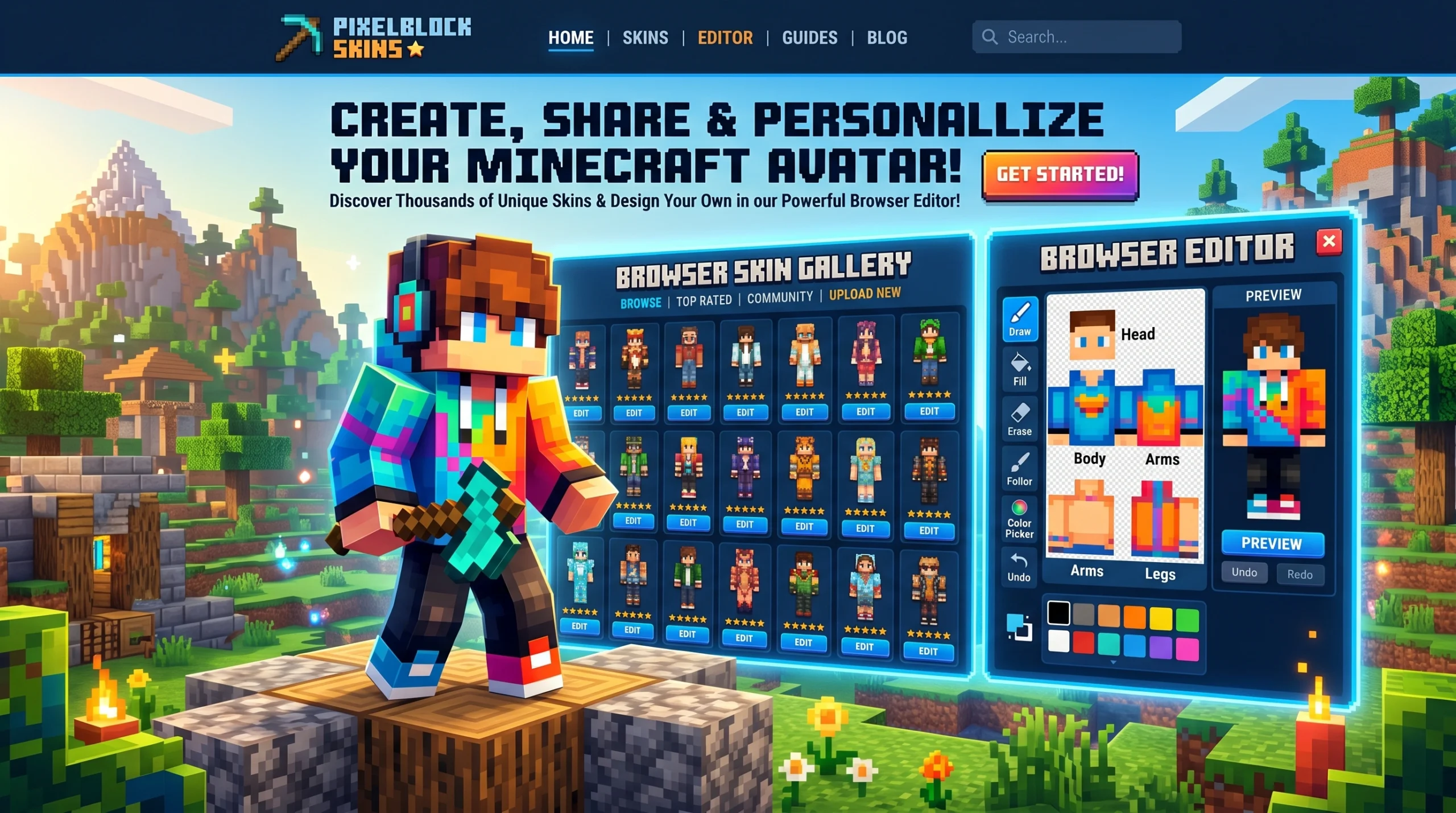
What Skindex Actually Is (And Why Minecraft Players Love It)
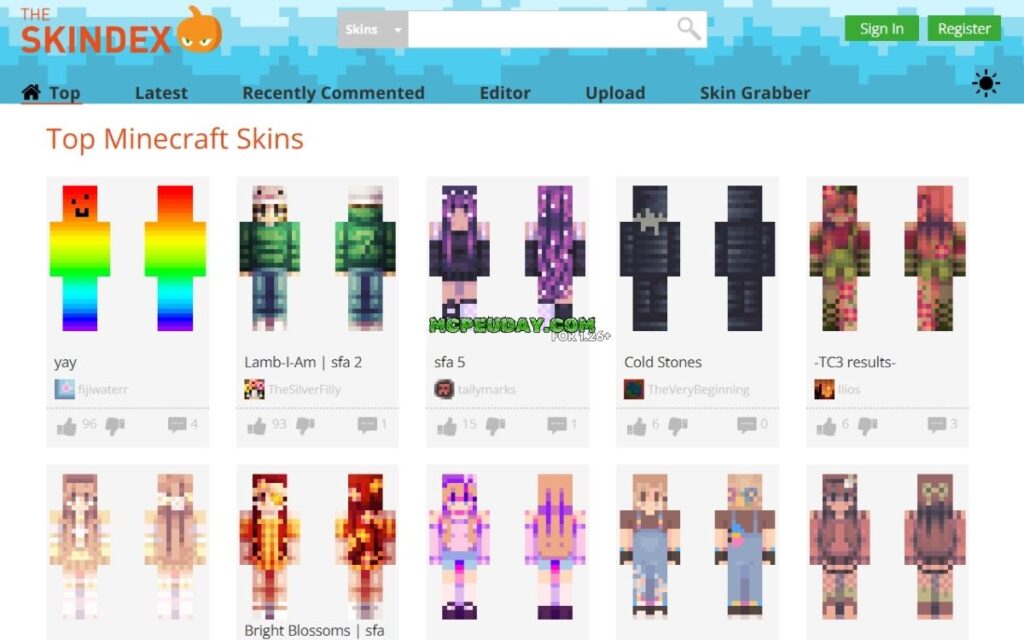
Skindex is the go-to community platform where Minecraft players browse, create, download, and share custom character skins — all for free.
Here’s a quick breakdown of what it covers:
- The Skindex (minecraftskins.com) — the largest fan-made Minecraft skin library on the web
- Skindex skin editor — a browser-based pixel art tool for building skins from scratch or editing existing ones
- Skindex skin grabber — a tool that lets you fetch any player’s skin using their Minecraft username
- Skindex-16 / Skindex-29 — completely separate medical instruments used in dermatology to measure quality of life (not related to Minecraft)
- Skindex AI — a skincare analysis app on Google Play (also unrelated to Minecraft)
Most people searching for Skindex want the Minecraft platform — and that’s exactly what this guide focuses on.
The Skindex is not an official Minecraft product and is not endorsed by Mojang or Microsoft. It’s an independent, community-driven platform built by and for players who want to stand out in-game with a look that’s entirely their own.
Whether you want to download a ready-made skin in seconds or spend an afternoon crafting something totally original, Skindex makes it easy — no mods, no installs, just creativity.
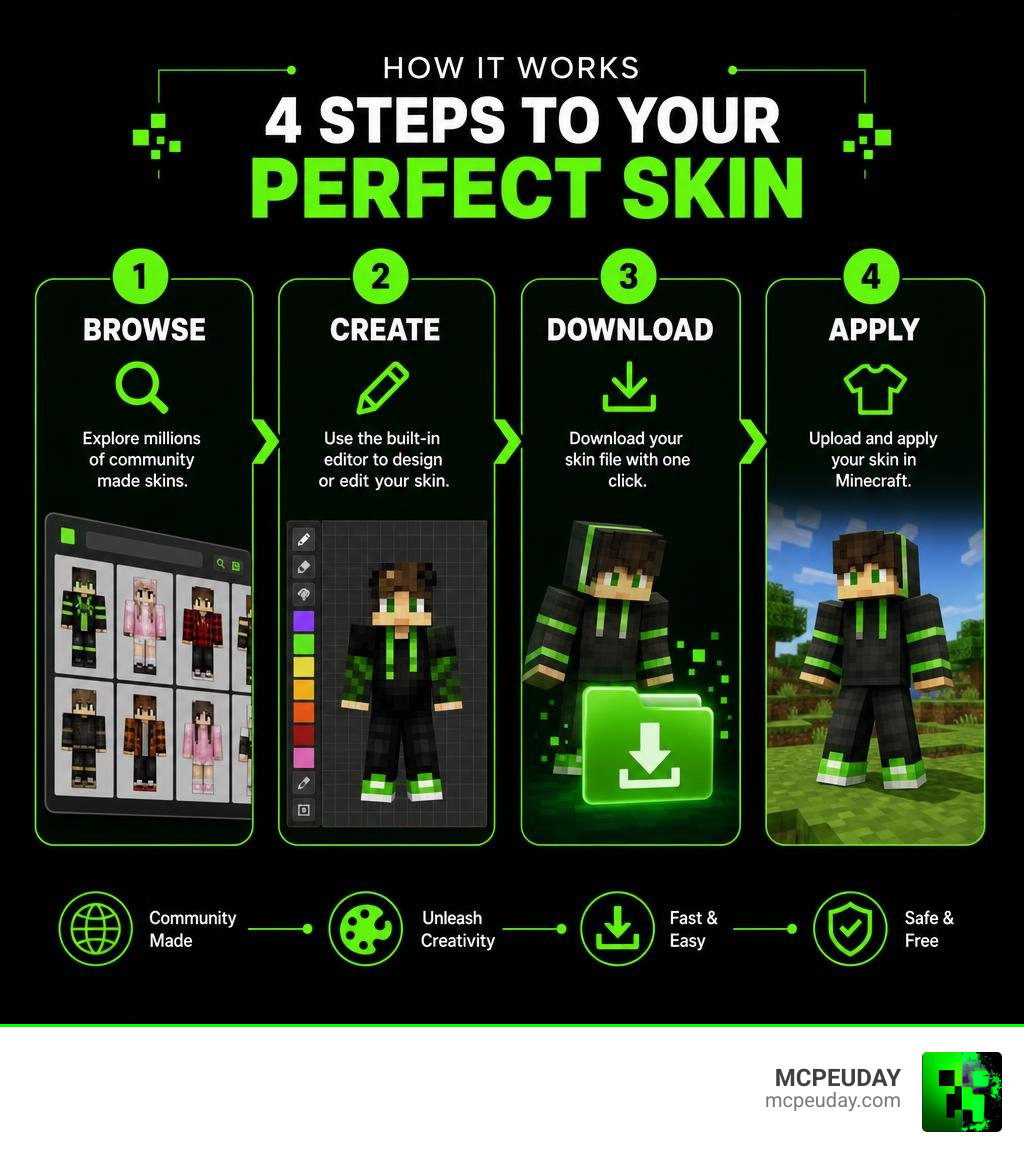
What is Skindex and How Does It Enhance Minecraft?
When we jump into a multiplayer server, the very first thing other players notice is our skin. It is our virtual identity, our outfit, and our personal brand all rolled into one. This is where The Skindex: Minecraft Skins comes into play. As the web’s premier directory for custom Minecraft characters, it hosts millions of designs that allow us to shed the default Steve or Alex look and step into something completely unique.
Whether we want to look like a heroic knight, an anime protagonist, a terrifying monster, or even a living block of grass, the platform serves as a massive, searchable library. By bridging the gap between artistic creators and players who just want a cool look, the platform has fundamentally shaped Minecraft’s social landscape.
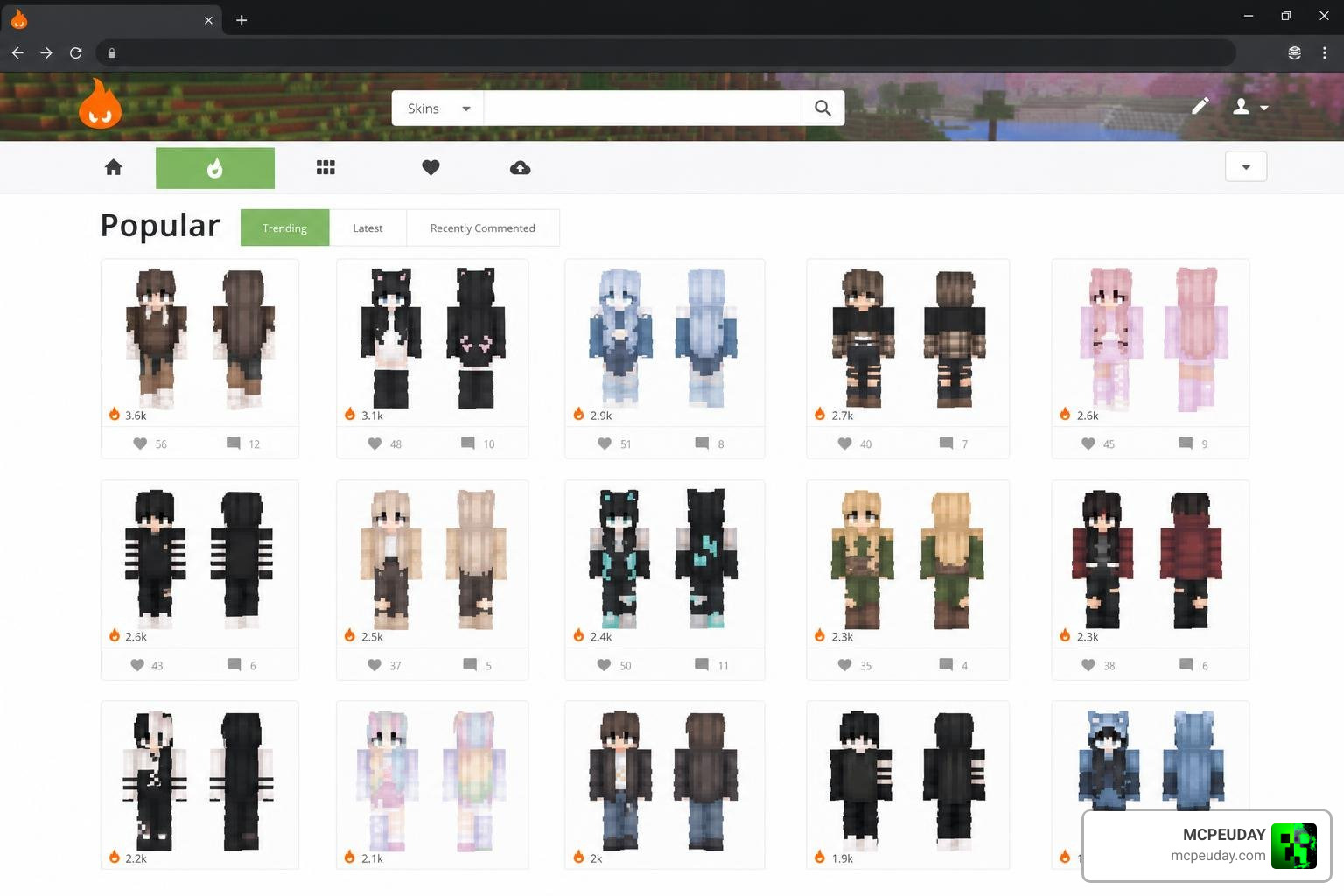
Core Features of the Skindex Platform
Navigating the platform is incredibly straightforward. The site is structured to make finding and using skins as quick as possible. Here are the core features we use most often:
- User Profiles: Creators can build their own profiles to showcase their portfolio of designs, gain followers, and build a reputation within the skin-making community.
- Advanced Search and Tags: Looking for something specific? The platform features over 160 pages of content on the LoverCraft Wiki alone, documenting how players utilize custom skins. By using precise tags (like “steampunk,” “cyberpunk,” or “elf”), we can filter through millions of options in seconds.
- Trending and Top Lists: The homepage dynamically showcases the most popular designs of the day, week, or month, keeping us up-to-date with what the community is currently loving.
- Direct Downloads and Uploads: With simple, one-click buttons, we can download any skin as a standard image file or upload it directly to our Mojang/Microsoft account.
Additionally, some custom multiplayer servers have built their own internal systems inspired by this concept. For example, in Season 3 of the LoverCraft Minecraft server, a custom system called “Skindex” was introduced to preserve custom item appearances across seasons. This system separates an item’s visual skin from its stats, allowing players to save and apply skins to their gear via simple in-game commands like /skindex.
Compliance with Mojang and Microsoft Policies
Whenever we use third-party tools for Minecraft, safety and compliance are top priorities. It is important to remember that the platform is not an official Minecraft product. However, it operates in strict compliance with Mojang and Microsoft’s Terms of Service (ToS) and End User License Agreement (EULA).
Because the platform offers its library completely free of charge and does not sell Mojang’s intellectual property, it remains a safe, community-approved haven. The platform ensures that all user-generated content is hosted safely, protecting players from malicious files by strictly requiring standard image formats that cannot contain harmful executable code.
Mastering the Skin Editor and Customization Tools
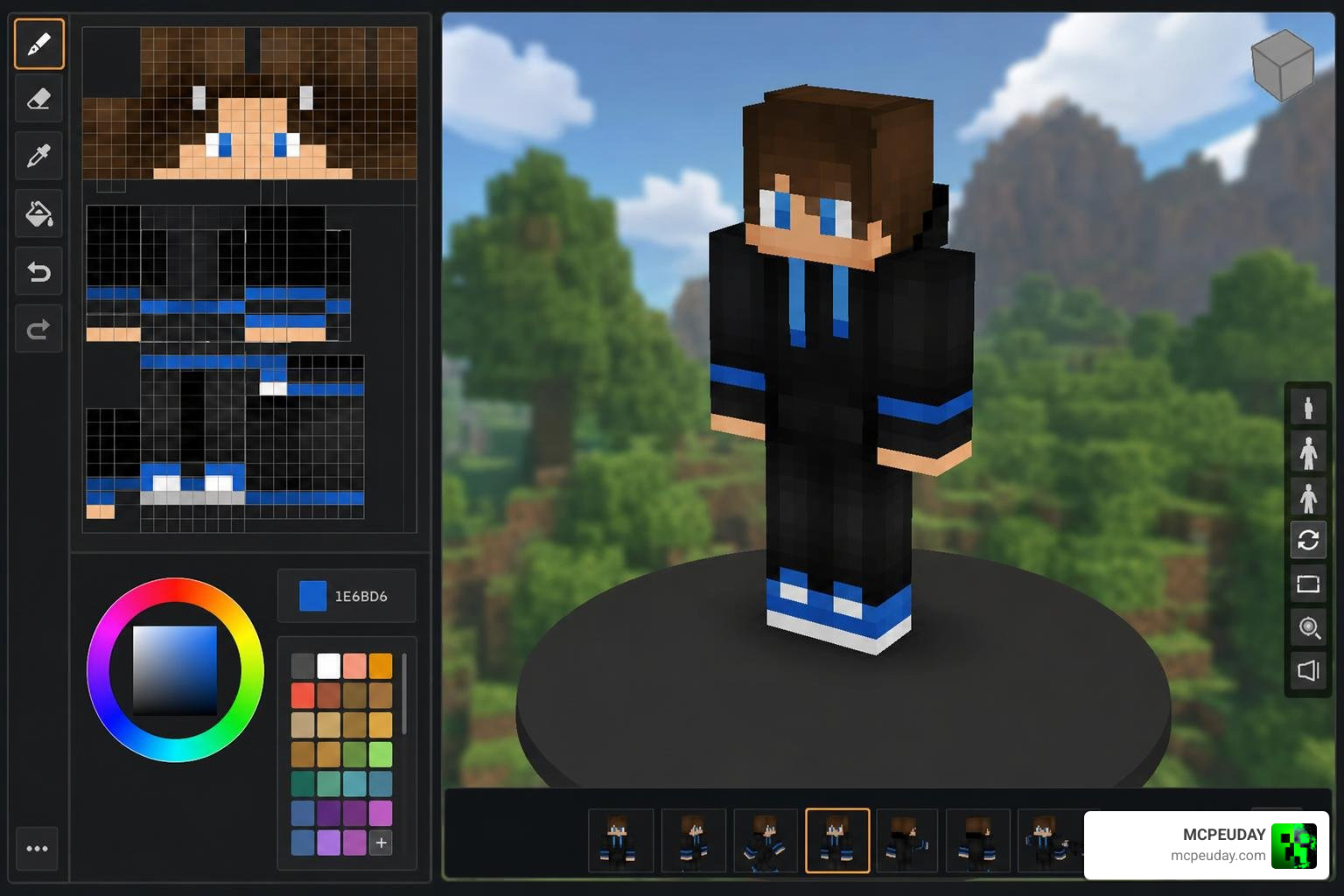
For those of us who want to take creative control, the platform features a powerful, built-in pixel editor. This tool allows us to design our own characters from scratch or modify existing templates with pixel-perfect precision.
Step-by-Step Guide to Creating and Grabbing Skins on Skindex
Creating your masterpiece doesn’t require expensive graphic design software. The web-based editor gives us all the tools we need right in our browser. If you have questions about troubleshooting, you can always refer to the Frequently Asked Questions – SKiNDEX page. Here is how to get started:
- Access the Editor: Navigate to SKiNDEX – The Largest Collection of Minecraft Skins and select the “Editor” option from the top menu.
- Choose Your Base: You can start with a completely blank canvas, import an existing image file from your computer, or use the Skin Grabber tool. The Skin Grabber is incredibly handy: simply type in a player’s case-sensitive Minecraft username, and the tool will fetch their current skin so you can edit it.
- Paint and Customize: Use the pencil, eraser, bucket fill, and color picker tools to color individual pixels. You can toggle the visibility of different body parts (head, torso, arms, legs) to paint hard-to-reach areas like the inside of the legs or under the chin.
- Utilize the Outer Layer: Modern Minecraft skins support a “second layer” (often called the jacket or outer sleeve layer). Use this to add 3D depth, such as raised hair, hats, coats, or glasses.
- Export Your File: Once you are satisfied, download your skin. To upload successfully, your file must be in the .png format. This format is crucial because it accurately preserves pixel layout and, most importantly, transparency.
Tips for Designing High-Quality Minecraft Skins
If you want your designs to stand out on popular servers, keep these expert design tips in mind:
- Master Hue Shifting: Avoid shading by simply adding black or white to your base color. Instead, shift the hue. For example, if your base color is green, shade it using a slightly bluish-green for shadows and a yellowish-green for highlights. This makes your skin look vibrant and professional.
- Embrace the Outer Layer: Don’t leave the outer layer blank! Use it to create realistic depth. Adding a hood, a jacket collar, or even 3D shoelaces on the outer layer makes your character pop in multiplayer lobbies.
- Keep Shading Consistent: Decide where your imaginary light source is coming from (usually from above) and apply consistent highlights and shadows across the head, torso, and limbs.
- Avoid Over-texturing: While shading is great, filling every pixel with random, noisy colors can make your skin look messy. Aim for clean blocks of color with soft, intentional gradients.
Beyond Gaming: The Medical and AI Meanings of Skindex
While gamers recognize this name as a skin library, the term has completely different, highly respected meanings in the fields of medicine, dermatology, and artificial intelligence. If you are looking for medical aesthetics, you might find yourself visiting Home – Skindex , which serves as a definitive source for professional medical aesthetic supplies.
The Skindex-16 and Skindex-29 Dermatology Instruments
In clinical dermatology, the term refers to standardized, patient-reported questionnaires used to measure how much a skin disease affects a patient’s quality of life. Developed by Dr. Mary-Margaret Chren at the University of California San Francisco (UCSF), these instruments are widely considered the gold standard for assessing patient outcomes.
Rather than relying solely on a doctor’s physical observation, these questionnaires capture the patient’s subjective experience across three core domains: Symptoms (like itching or burning), Emotions (like worry or embarrassment), and Functioning (how the condition impacts daily activities or sleep).
To ensure standard clinical use, these questionnaires are documented under standardized LOINC codes, such as LOINC 95975-9 Skindex-16 [Skindex-16] and LOINC 95996-5 Skindex-29 [Skindex-29] . They are officially distributed to researchers and medical professionals worldwide through the Official Skindex-16 | Skindex-16 distributed by Mapi Research Trust platform.
These instruments have been heavily validated. For instance, the Skindex-16 and Skindex-29 have been used in over 500 patients for initial clinical validation studies. Furthermore, Skindex-16 was used in a massive, ten-year longitudinal study of over 1,500 patients diagnosed with nonmelanoma skin cancer (NMSC), proving that patient-reported quality of life before treatment is the single strongest predictor of their overall well-being after surgery.
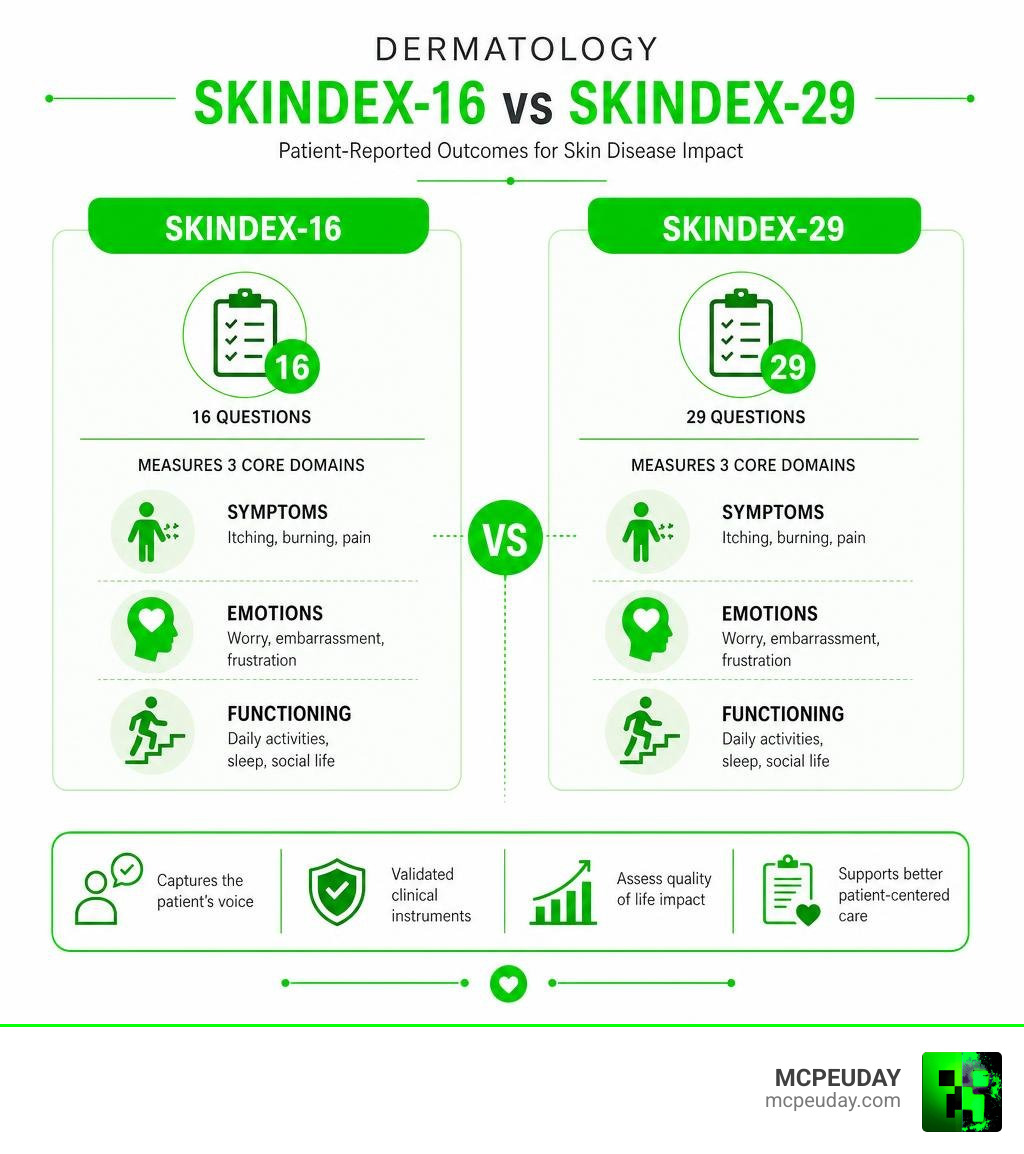
Here is a quick comparison of these two clinical tools:
| Feature | Skindex-16 | Skindex-29 |
|---|---|---|
| Number of Items | 16 questions | 29 questions |
| Core Focus | Measures the degree of bother caused by a skin condition | Measures the frequency of experiences related to the condition |
| Recall Period | Past 1 week | Past 4 weeks |
| Response Scale | 0 (Never bothered) to 6 (Always bothered) Likert scale | 1 (Never) to 5 (All the time) Likert scale |
| Common Use Cases | Quick clinical assessments; longitudinal cancer studies | Detailed clinical trials; comprehensive quality-of-life research |
Skindex AI and Skincare Technology
Moving into the realm of modern consumer technology, the name is also associated with cutting-edge artificial intelligence. The mobile application Skindex AI – Apps on Google Play has gained massive popularity, boasting over 100K+ downloads on Google Play (with over 50K+ downloads highlighted in its active app descriptions).
This app uses advanced AI algorithms to analyze uploaded photos of a user’s skin, tracking blemishes, dryness, or irritation over time. It features:
- AI-Powered Skin Image Analysis: Instant scanning to identify potential areas of concern and suggest personalized skincare routines.
- A Skin Improvement Diary: A digital log where users can track how their skin reacts to different products, weather conditions, or diets over time.
- Expert Recommendations: Tailored advice on ingredients, hydration, and daily habits to improve overall skin health.
Disclaimer: Skindex AI is purely an educational and informational tool. It is not a substitute for professional medical advice, diagnosis, or treatment from a certified dermatologist.
Frequently Asked Questions about Skindex
How do I upload and share my custom skins on Skindex?
To share your creations, log into your profile on the website and click the “Upload” button. Select your custom file, making sure it is in the .png format. To make your design easy for other players to find, write a clear description and add relevant tags (such as “boy,” “wizard,” “medieval,” or “futuristic”). Using descriptive keywords ensures your work shows up when players search the library.
What should I do if the Skindex editor is not working?
If the editor is glitchy, freezing, or refusing to save your progress, try these simple troubleshooting steps:
- Refresh the Page: Sometimes a quick reload resolves minor script errors.
- Clear Your Browser Cache: Accumulated temporary files can interfere with the web-based editor.
- Check Your File Format: Ensure you are trying to edit or upload a valid
.pngfile that fits standard Minecraft dimensions (64×64 or 64×32 pixels). - Try a Different Browser: Switching from Chrome to Firefox, Edge, or Safari often bypasses browser-specific rendering bugs.
Is Skindex safe and compliant with Minecraft’s rules?
Yes, the platform is completely safe to use. It operates as a community-driven sharing platform and does not distribute game cracks, cheats, or malicious files. Since all skins are uploaded as flat image files (.png), they cannot carry executable viruses. The site also employs active moderation to remove inappropriate or copyrighted content, ensuring a family-friendly environment for players of all ages.
Conclusion
Whether you are looking to reinvent your in-game identity with a custom Minecraft skin, studying patient outcomes in a clinical trial, or tracking your daily skincare routine with an AI app, “Skindex” represents the intersection of creativity, health, and technology.
At MCPEUDAY, we love seeing how players express themselves in the sandbox world. Customizing your look is just the first step! If you want to take your game even further, we provide an extensive, up-to-date collection of popular graphics mods, custom shaders, and thrilling gameplay addons.
Ready to transform your world beyond just your character’s outfit? Head over and Explore Minecraft Bedrock Content to discover the best mods, textures, and resources available for your game today!
v
