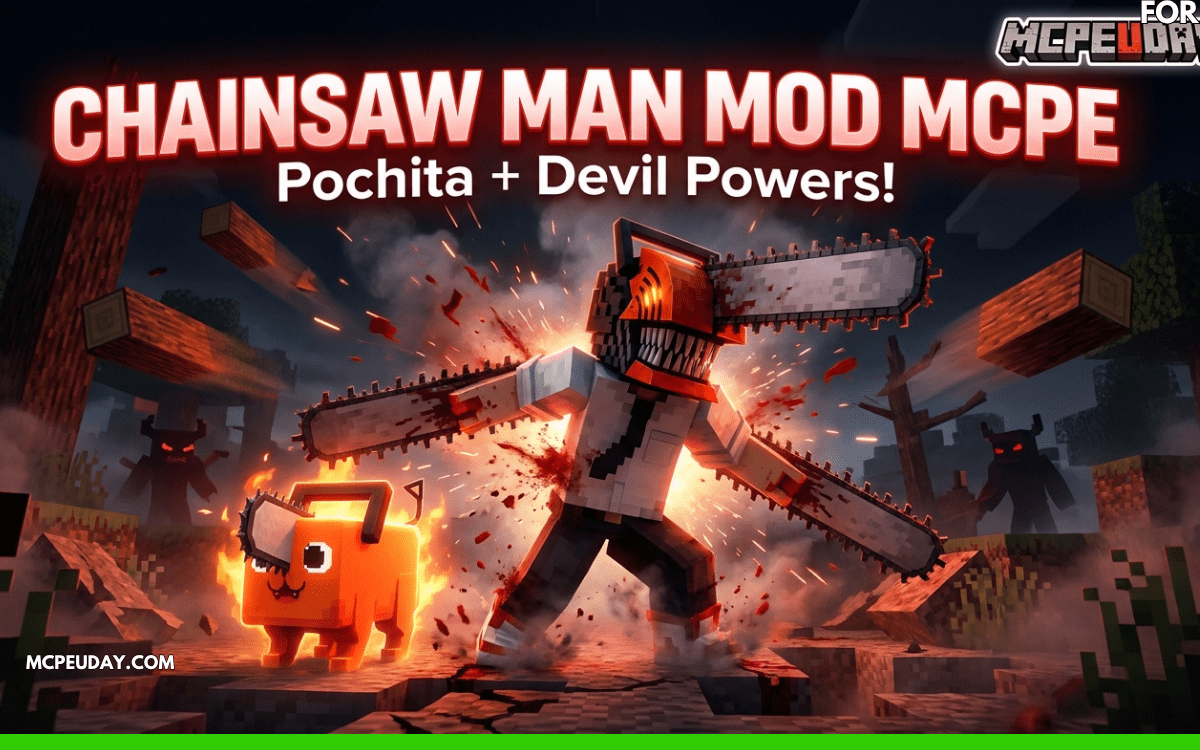
Chainsaw Man Is Now in Minecraft PE — And It’s Wilder Than You’d Expect
If you’ve been hunting for a Chainsaw Man mod mcpe players are actually talking about, here’s your quick answer:
Top Chainsaw Man Addons for MCPE at a Glance (May 2026):
| Addon | Supported Version | Standout Feature |
|---|---|---|
| Chainsaw Man Survival Addon | Bedrock 1.20 | Demonic contracts (levels 1-3) |
| Chainsaw Man Addon (Yuguilu) | 1.21 / 1.26.x | Full transformation + custom models |
| Chainsawman Mcaddon (Mcaddon Tv) | Android (1.19+) | Pochita as a pet tree-cutter |
| Chainsaw Man Mod App | Android (Google Play) | Skinpack + Pochita taming |
All of these are free, work on Android, and require Experimental Gameplay to be turned on.
The Chainsaw Man anime hit hard — and Minecraft PE players didn’t waste time bringing Denji, Pochita, and the whole demon-contract world into Bedrock Edition.
We’re talking real transformation mechanics, a tameable Pochita that actually cuts trees, blood-based survival, and six distinct demonic contracts. This isn’t just a skin swap. Some of these addons genuinely change how you play survival mode.
With over 100K downloads on Google Play and nearly 28,000 views on the top survival addon page, it’s clear the community is hungry for this content.
But not every addon delivers equally. Some have oversized character models. Some require tricky installation steps. And a few download sources are worth avoiding altogether.
This review breaks down what’s actually worth your time.
Core Features of the Chainsaw Man mod mcpe
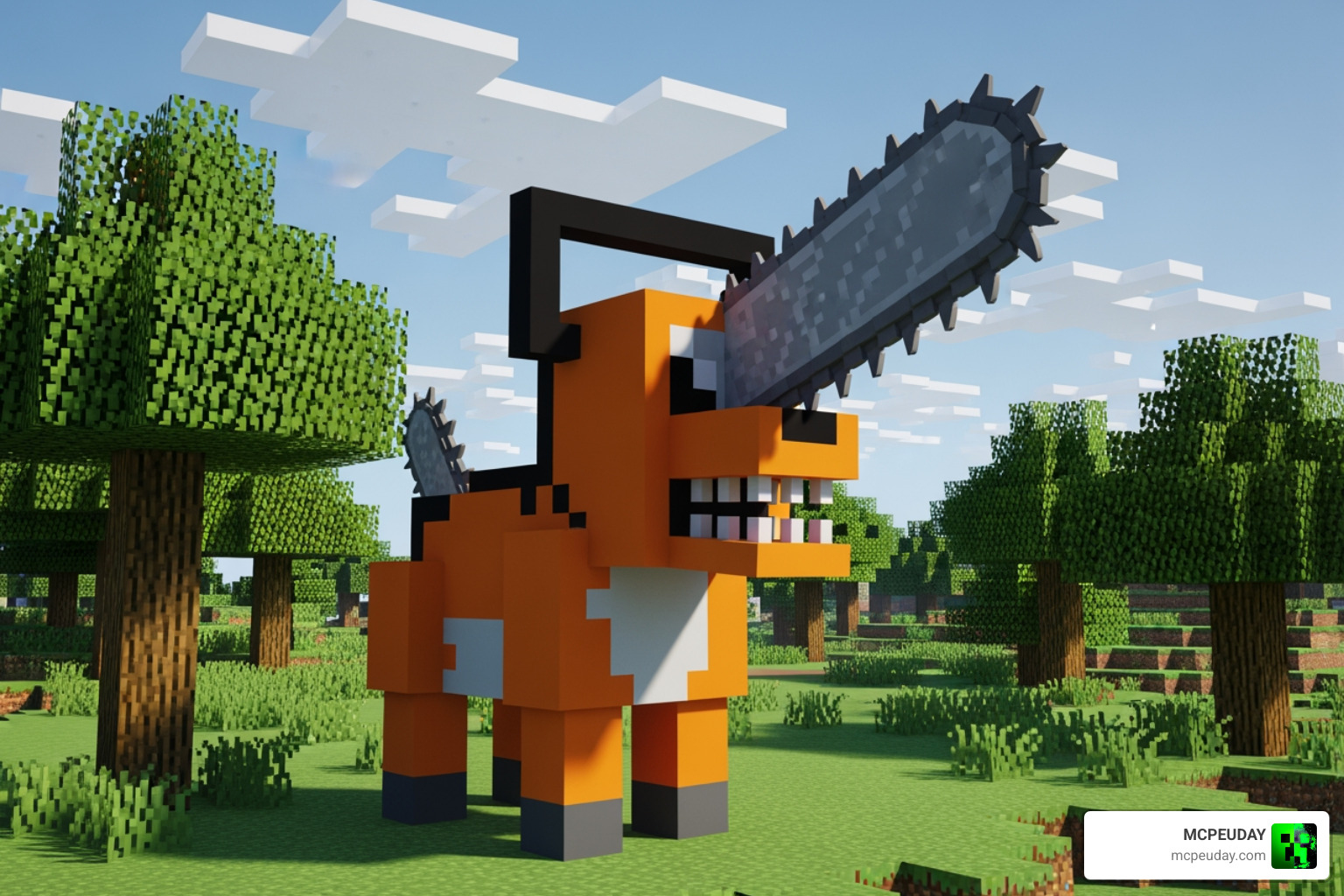
When we talk about a Chainsaw Man mod mcpe, we aren’t just talking about a different player skin. The best versions of these addons introduce entirely new gameplay loops that mirror the dark, high-octane energy of the manga. At the heart of most versions is Pochita, the adorable yet lethal Chainsaw Devil.
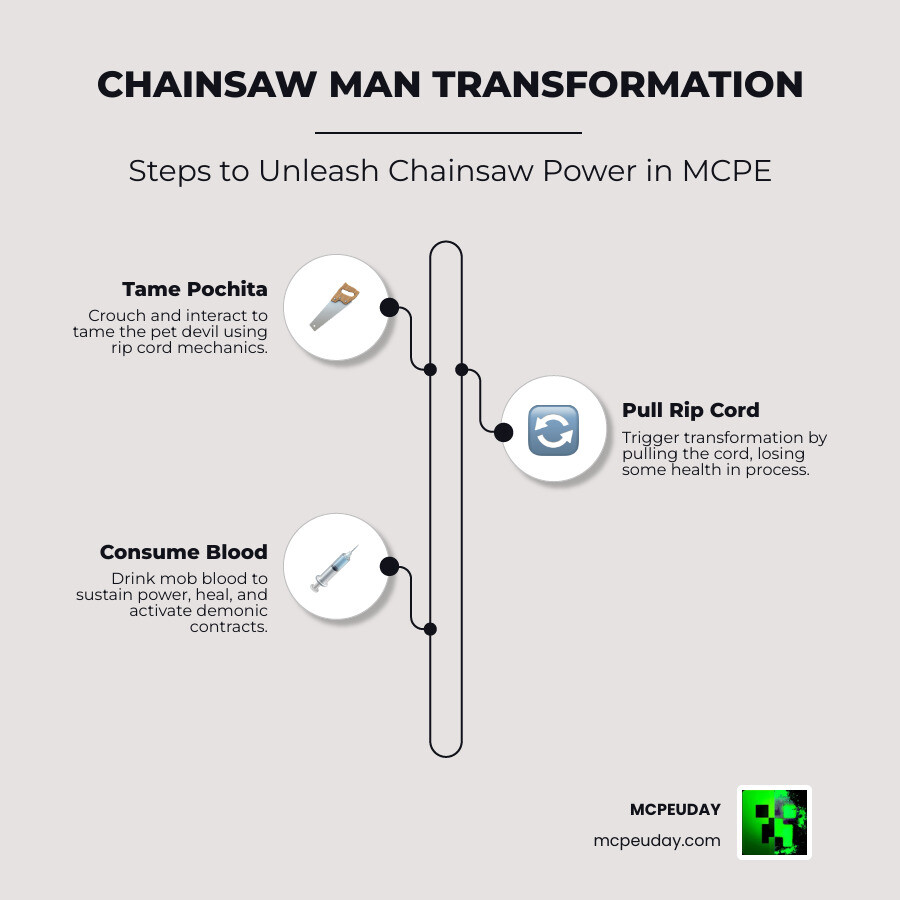
In many of these addons, Pochita serves a dual purpose. He is a loyal pet you can tame, but he also acts as a utility tool. For example, some versions allow Pochita to act as an automated tree cutter, saving you hours of manual labor. Beyond the pet mechanics, the mods often introduce a “Blood System.” Unlike standard Minecraft where you eat steak to heal, being in your transformed state often requires you to consume the blood of mobs to maintain your strength and health.
The crafting system also gets a massive overhaul. You won’t just be crafting iron swords; you’ll be using red dust (Redstone) and rare materials like diamonds to craft specific chainsaws or contract items. If you are looking for more ways to change your game, check out the Chainsaw Man Addon for MCPE/Bedrock and other similar creations.
| Feature | Survival Mode | Creative Mode |
|---|---|---|
| Transformation | Requires “Death” or Rip Cord | Instant via Item |
| Healing | Blood Consumption | Standard / Instant |
| Pochita | Tameable with health loss | Spawn Egg |
| Contracts | Leveling System (1-3) | All unlocked |
| Abilities | Consumes Blood/Hunger | Infinite Use |
Taming Pochita and Using the Rip Cord
Taming Pochita is your first step into this world. In the most popular versions, you can’t just feed him a bone like a wolf. You typically have to crouch and interact with him. A unique (and slightly painful) mechanic is that taming often requires a “sacrifice” of your own health. It’s a thematic nod to the anime’s dark tone. Most addons only allow you to have one Pochita at a time to prevent game-breaking glitches.
Once you have your chainsaw companion, the “Rip Cord” becomes your most important item. Using this trigger is what initiates the transformation into the Chainsaw Man. Your stats—speed, jump height, and attack damage—will skyrocket, but your hunger or blood meter will start to drain. This makes the Chainsaw Man mod mcpe a high-risk, high-reward experience.
Demonic Contracts and Blood Consumption
For those who want to go deeper than just Denji’s powers, the “Survival Addon” versions introduce demonic contracts. These aren’t just cosmetic; they are tiered systems (Level 1 to Level 3) that allow you to summon the Fox Demon or use the abilities of Katana Man.
The blood mechanic is what keeps the combat grounded in survival horror. As a devil-hybrid, your natural regeneration is often disabled. You must stay on the offensive, “feeding” on the blood of the mobs you slay to stay alive. This pairs perfectly with other dark mods, such as the Dark Fantasy Addon/, which can turn your Minecraft world into a truly gothic landscape.
How to Install the Chainsaw Man Mod on Android
Installing a Chainsaw Man mod mcpe can be a bit intimidating if you’re used to the simple “click and play” of the Java Edition. For Bedrock (PE), you are dealing with .mcaddon, .mcpack, or .mcworld files.
First, you need to ensure you have the official Minecraft client installed on your Android device. Third-party or “cracked” versions often fail to load the custom scripts required for transformations. Once you download the files (usually split into a Behavior Pack and a Resource Pack), you simply open them with the Minecraft app, and they will import automatically.
Enabling Experimental Gameplay for Chainsaw Man mod mcpe
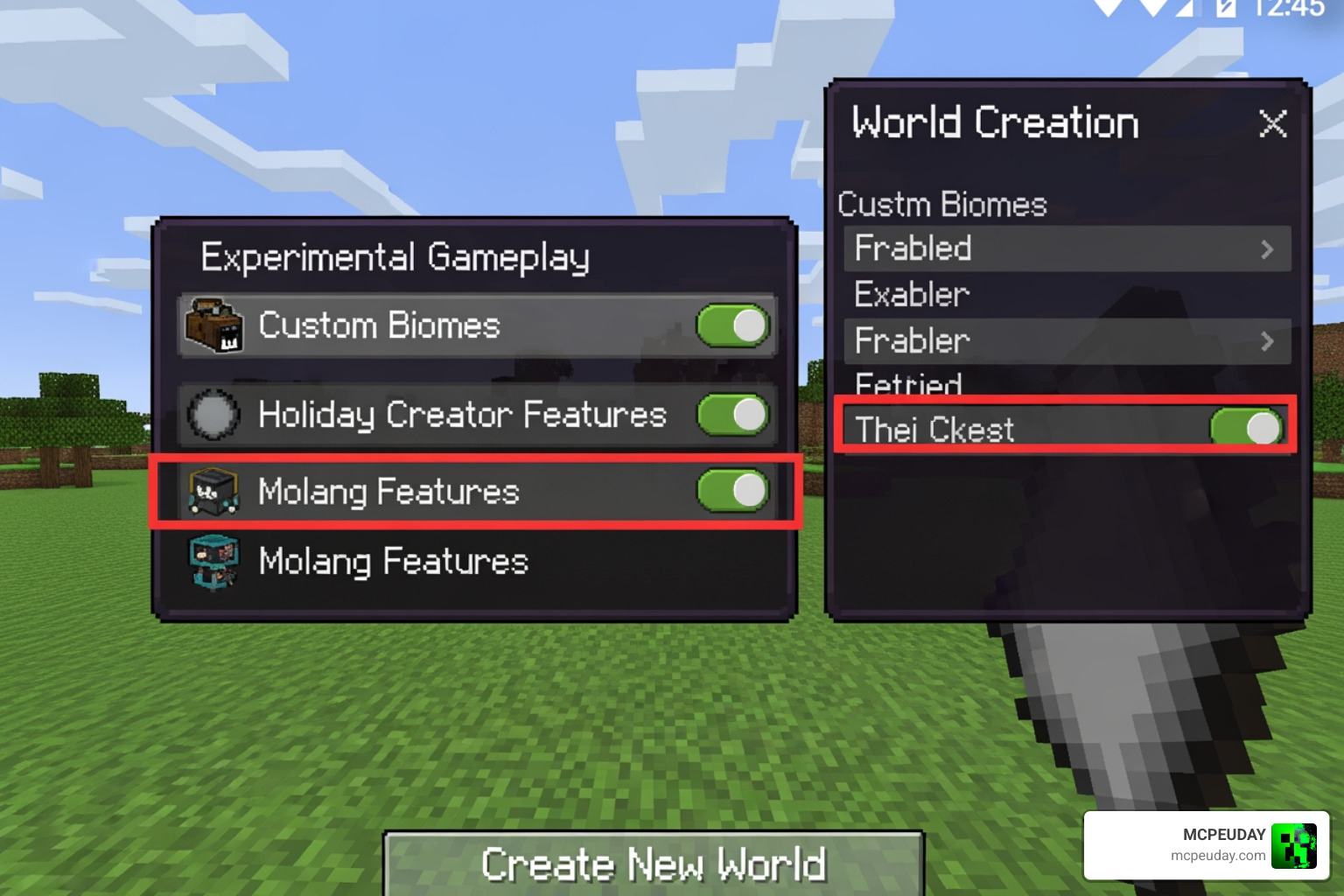
This is the step where most players get stuck. Because these mods use custom animations and advanced scripts, they will not work on a standard world. You must toggle specific settings during world creation.
We recommend enabling the following:
- Beta APIs (Crucial for custom items)
- Holiday Creator Features
- Upcoming Creator Features
- Molang Features
If you forget these, Pochita might appear as a static block, or your Rip Cord won’t trigger the transformation. As of May 2026, version 1.26 of Minecraft PE has made some of these features more stable, but they are still required for the addon to function correctly.
Managing Resource and Behavior Packs
A complete mod usually consists of two files. The Behavior Pack (BP) handles the “brains”—the logic of the blood system, the pet AI, and the damage values. The Resource Pack (RP) handles the “beauty”—the custom 3D models of the chainsaws, the sounds of the motor revving, and the bloody textures.
If you are already running heavy mods like the Pale Mangler Dweller Addon 1 21 Scary Mcpe Horror Mod/, watch your file sizes. Most Chainsaw Man packs are relatively light (around 1.3 MB to 20 MB), but they can cause lag if your device doesn’t have enough RAM to handle the custom animations.
Exploring Popular Addon Variations and Features
Not all Chainsaw Man mod mcpe versions are created equal. Some focus on the “People Mod” aspect, adding NPCs like Power, Aki, and Makima as hunters or demons who wander your world. Others are more focused on the player’s personal power-ups.
For instance, Yuguilu’s version is highly praised for its 1.21 and 1.26 compatibility, offering the most polished models. On the other hand, the Google Play “Chainsaw Man Mod” apps often come with a massive skinpack featuring the top 10 characters from the anime. This is great if you want to roleplay with friends in multiplayer. You can find many of these Latest Anime Mods on MCPEUDAY to see which one fits your playstyle best.
Performance and Compatibility in Chainsaw Man mod mcpe
One common complaint in user reviews is “model lag.” Because the chainsaws have high-poly models and complex spinning animations, older Android devices might struggle. We’ve seen reports of “oversized heads” on some models, which is usually a version mismatch issue.
If you’re looking for a truly terrifying experience, this mod is surprisingly compatible with horror addons. Combining it with the Herobrine Reawakened Addon 1 21 1 26 The Ultimate Horror Experience In Minecraft Pe/ creates a survival world where you actually feel like you need the power of a devil just to survive the night.
Frequently Asked Questions about Chainsaw Man Mods
We know you have questions, and since we’ve tested these extensively, we have the answers.
How do I transform back into a human?
This is the most asked question! Most players transform and then realize they are stuck with chainsaws for hands and a draining hunger bar. In many versions, you have to use a specific command in the chat: /function contract_revoke. This will immediately return you to your human form and stop the blood drain. Some newer versions also include a “revert” item in your inventory.
Can I use this mod in multiplayer?
Yes! Most of the addons we’ve reviewed, especially the Survival Addon (1.20+), are fully compatible with multiplayer. However, every player joining the server must have the Resource Pack downloaded and active. Also, make sure the host has enabled all Experimental Features, or your friends will just see you holding a weird, broken texture.
Where is the safest place to download the files?
Safety is huge. While various community forums and mod repositories are popular, always be wary of “Mod APK” sites that promise “No Ads” but might bundle malware. We recommend using verified community sources or the official Google Play apps that have high ratings (like the 4.4-star rated apps with 100K+ downloads). Our community at MCPEUDAY regularly reviews these files to ensure they are safe for your device.
Conclusion
The Chainsaw Man mod mcpe is one of the most creative ways to spice up your Minecraft survival experience. Whether you want a cute Pochita to help you clear forests or you want to engage in high-stakes demonic contracts, there is an addon out there for you.
From the blood-drinking mechanics to the revving sounds of your chainsaw head, the level of immersion is impressive for a mobile mod. Just remember to back up your worlds, turn on those experimental toggles, and keep an eye on your blood meter!
Ready to start your hunt? Download the latest Minecraft PE addons and turn your Bedrock world into a devil-slaying playground today. For more horror and anime-themed adventures, don’t forget to check out our reviews on the Herobrines Horror Remake Addon or the Poppy Playtime 5 Addon. Happy hunting!
2 thoughts on “Chainsaw Man Addon MCPE 1.21/1.26 – Become Denji in Minecraft PE”