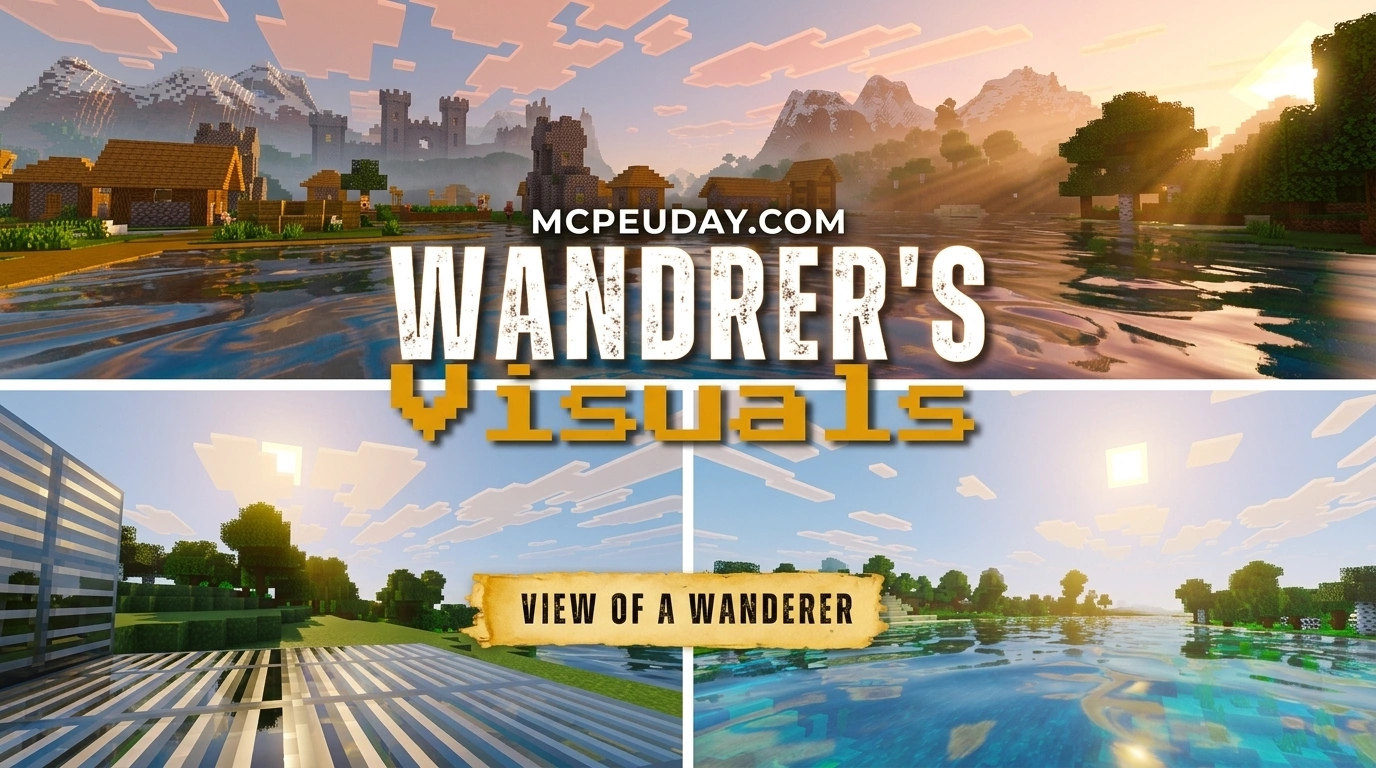
What Wandrer’s Visual Pack Does for Minecraft Bedrock
Wandrer’s Visual Pack is a lightweight resource pack for Minecraft Bedrock Edition that upgrades how the game looks — without changing how it plays.
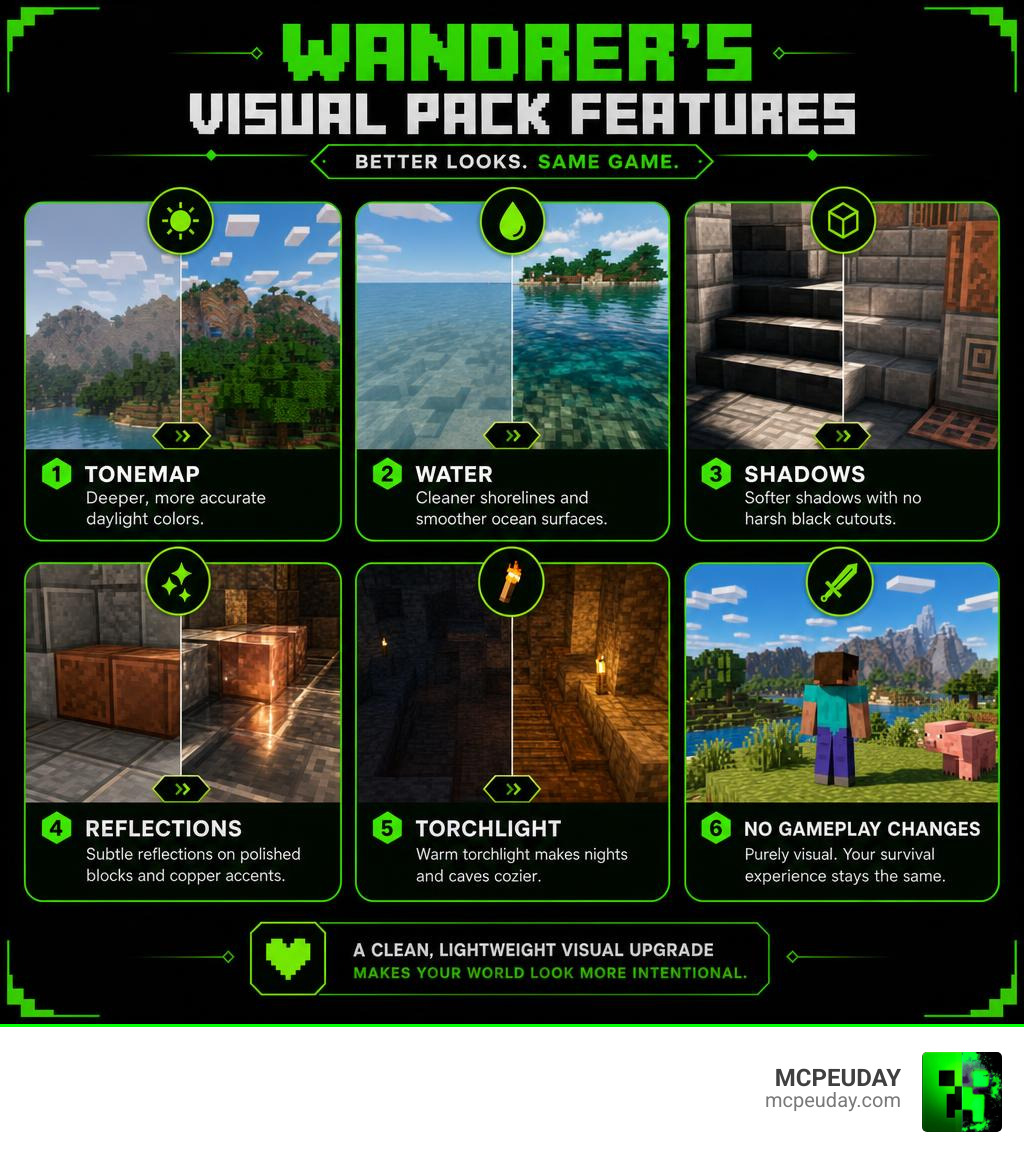
Here’s a quick summary of what it offers:
- Better colors — a new tonemap gives daylight scenes deeper, more accurate tones
- Improved water — cleaner shorelines and smoother ocean surfaces with less visual noise
- Softer shadows — no more harsh black cutouts on stairs, slabs, or trims
- Subtle reflections — polished blocks and copper accents pick up a gentle shine
- Warm torchlight — nights and caves feel cozier and easier to read
- No gameplay changes — purely visual, your survival loop stays exactly the same
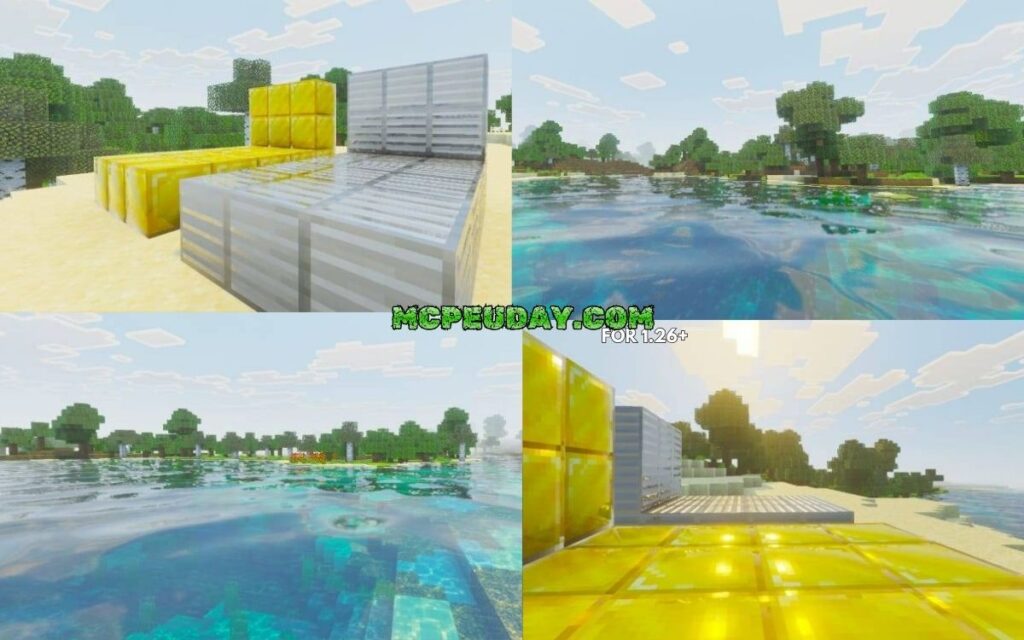
The pack comes as a 7 MB .mcpack file and has earned a 4.4 out of 5 rating from the community, with 659 downloads so far.
Think of it as a clean, punchy refresh for Bedrock — one that makes your world look more intentional without slapping a heavy filter over everything.
Whether you’re taking base tour screenshots, exploring ocean biomes, or just grinding survival, Wandrer’s Visual Pack makes every scene read a little sharper and more polished.
What is Wandrer’s Visual Pack?
When we dive into Minecraft Bedrock customization, we often find ourselves choosing between two extremes. On one side, we have standard texture packs that only swap block designs. On the other side, we have resource-heavy shaders that can make our mobile devices run hotter than a furnace fueled by lava buckets.
Wandrer’s Visual Pack lands perfectly in the sweet spot. It is a specialized visual enhancement resource pack designed specifically for Minecraft Bedrock Edition (including MCPE, Windows 10/11, and consoles). Instead of completely replacing vanilla textures or introducing laggy external shader engines, it works natively with Bedrock’s graphics engine to optimize lighting, contrast, and reflections.
Unlike standard resource packs, this pack targets the core environmental settings of your game. It utilizes advanced rendering parameters similar to those discussed in the official Vibrant Visuals Resource Packs – Microsoft Learn documentation. By tweaking how the game engine interprets light, color, and water, it delivers a punchy, modern aesthetic that makes the standard Minecraft world feel alive and cohesive.
Key Features of Wandrer’s Visual Pack
- Harmonious Color Scheme: The pack introduces a custom-tuned tonemap. This adjustment balances daylight contrast, preventing bright sands and snow biomes from blinding you, while deepening the rich greens of jungles and the warm oranges of badlands.
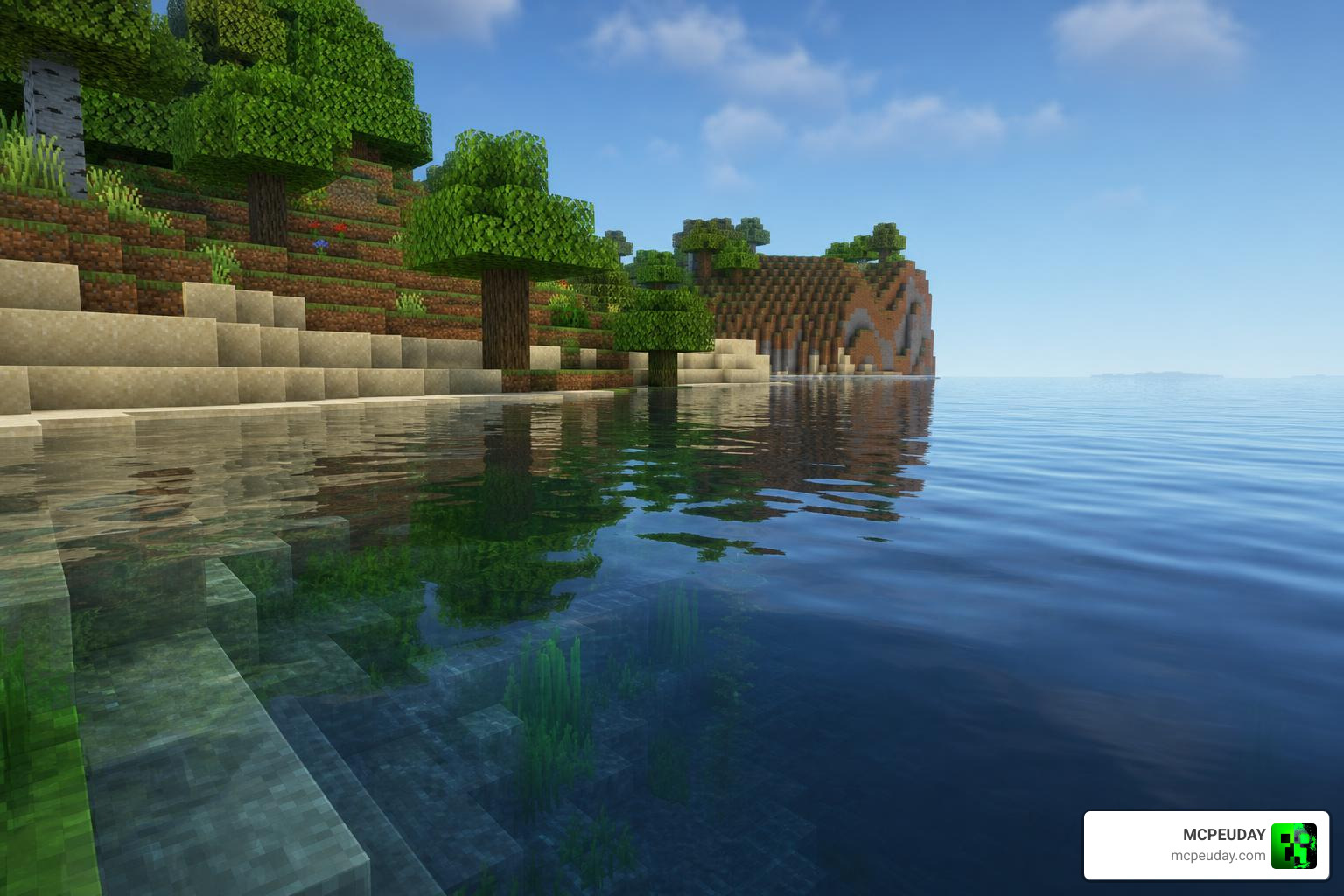
- Reimagined Water Rendering: If you have ever boated across an ocean in Bedrock, you know how noisy and repetitive the water textures can look. This pack smooths out the water’s surface, cleans up the shoreline edges where water meets land, and adds realistic transparency.
- Soft, Volumetric Shadows: Standard Bedrock shadows can look incredibly blocky and harsh, especially around complex structures. This pack softens those edges, eliminating ugly black cutouts on stairs, slabs, fences, and wall trims.
- Polished Block Reflections: Walk past a floor made of polished diorite, deepslate, or copper accents, and you will notice a subtle, realistic gleam. It does not turn your blocks into literal mirrors, but it gives materials an authentic physical depth.
How Wandrer’s Visual Pack Affects Gameplay
One of our favorite things about Wandrer’s Visual Pack is that it is a visuals-only modification. It does not alter block drop rates, entity behavior, or UI layouts. Your core survival loop remains completely intact, making it fully compatible with achievements on your favorite survival worlds.
However, “visuals-only” does not mean it has no impact on how you play. The pack significantly improves readability during exploration:
- Warm Torchlight: Standard vanilla lighting can sometimes feel flat or murky. The warm light emitted by torches, lanterns, and campfires in this pack makes navigating dark caves or village streets feel cozy and highly visible.
- Enhanced Cave Visibility: Instead of pitch-black voids where you cannot see a creeper two blocks away, the improved light diffusion helps you spot cave geometry and ore veins more naturally.
- Reduced Visual Fatigue: By smoothing out harsh contrasts and noisy textures, your eyes will thank you during long, late-night building sessions.
Installation Guide for Android and MCPE Users
Getting Wandrer’s Visual Pack up and running on your Android device or pocket edition setup is incredibly straightforward. Because it is packaged in the user-friendly .mcpack format and weighs in at a lightweight 7 MB, you won’t need to worry about complex file extractions or root access.
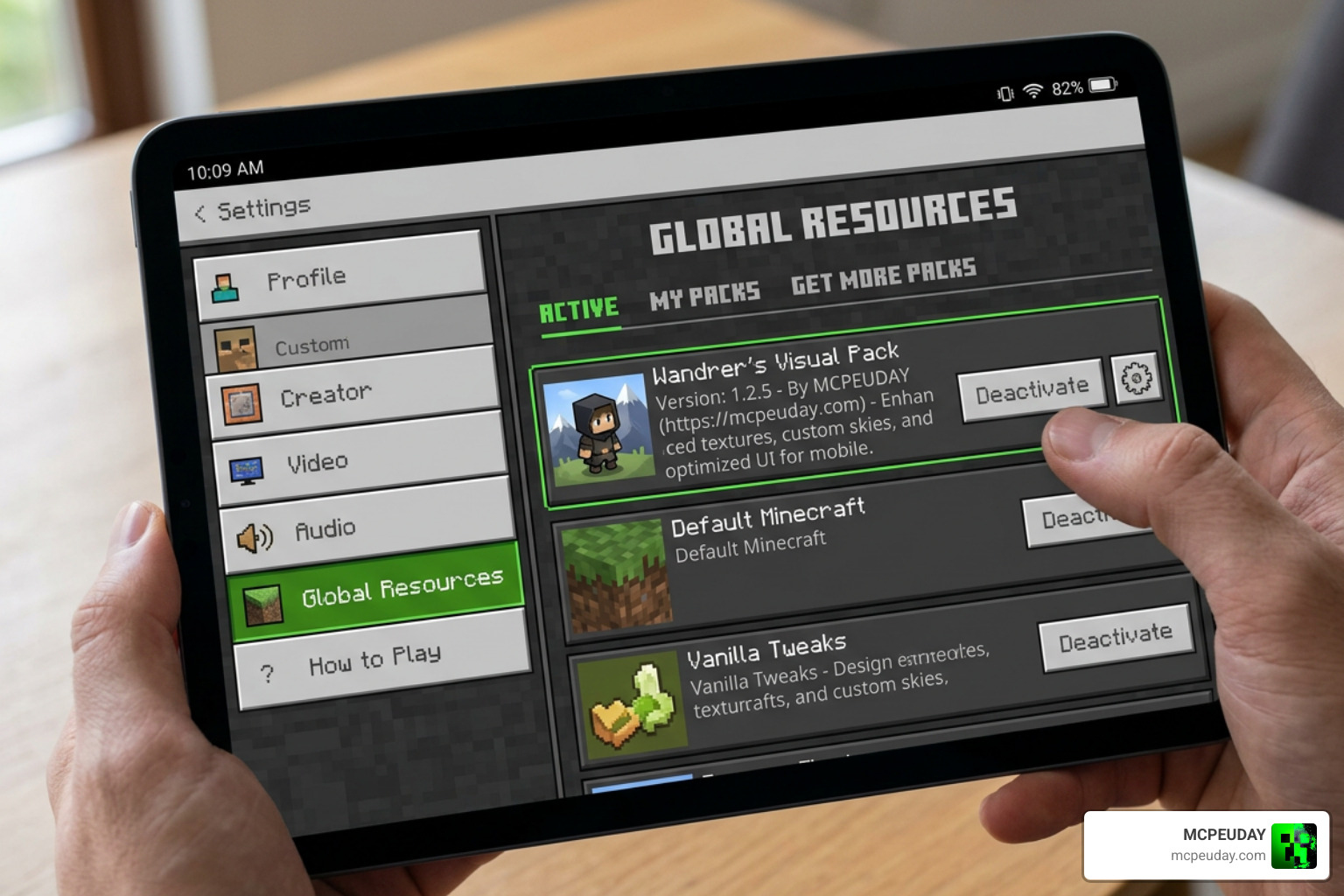
Before we start, if you are looking to pair this with other custom looks, browse our dedicated Minecraft PE Texture Packs category for complementary styles.
Step-by-Step Android Installation
For players using Android devices, follow these quick steps to get the pack running:
- Download the Pack: Download the
wanderers-visuals-pack.mcpackfile directly to your device’s storage. - Import to Minecraft: Open your preferred file manager app, navigate to your Downloads folder, and tap on the downloaded file. Select “Open with Minecraft.” The game will launch automatically and import the pack.
- Manual Installation (Alternative): If your device does not recognize the
.mcpackextension, simply rename the file extension from.mcpackto.zip. Extract the folder, and copy it manually to your game directory:Android/data/com.mojang.minecraftpe/files/games/com.mojang/resource_packs/ - Activate in Settings: Once imported, launch Minecraft, go to Settings > Global Resources > My Packs, select Wandrer’s Visual Pack, and click Activate.
Optimizing Performance and Load Order
To get the absolute best results from this pack, load order is key.
- Put It at the Top: Always place Wandrer’s Visual Pack at the very top of your Active Resource Packs list. This ensures its custom tonemap, water shaders, and shadow parameters overwrite any standard texture packs you might have active underneath.
- Performance Impact: Because it optimizes existing engine shaders rather than adding heavy 3D geometry or massive 512×512 textures, the performance impact is virtually non-existent. You will get beautiful visual upgrades without sacrificing your frame rate.
- Device Compatibility: It works flawlessly across budget Android phones, high-end tablets, and Windows PCs.
Comparing Wandrer’s Visual Pack to Other Shaders
To help you decide if this is the right look for your world, we have put together a comparison showing how Wandrer’s Visual Pack stacks up against other popular choices available on MCPEUDAY.
| Feature | Wandrer’s Visual Pack | Prizma Visuals Pack for MCPE | Lotiif Visuals Shader for MCPE | Solum Visuals Shader |
|---|---|---|---|---|
| Aesthetic Style | Clean, Vibrant, Vanilla-Plus | Fantasy, High-Contrast | Soft, Cinematic, Pastel | Ultra-Realistic, Immersive |
| Water Quality | Smooth, low-noise, clean edges | Vibrant blue, stylized | Translucent, gentle waves | Deep, physically-based reflections |
| Shadow Softness | Medium-Soft | High-Contrast Dark | Very Soft | Dynamic & Volumetric |
| Performance Impact | Extremely Low (7 MB) | Low to Medium | Medium | Medium to High |
| Primary Focus | Readability & clarity | Bright, magical biomes | Cozy, atmospheric builds | Photorealism & depth |
While packs like the Solum Visuals Shader aim for complete realism and others like the Prizma Visuals Pack for MCPE go for a fantasy vibe, Wandrer’s Visual Pack remains committed to preserving the vanilla core. It makes your world look like the game Mojang intended to build, without demanding high-end hardware.
For a broader look at how different styles compare in motion, check out community-curated roundups like the TOP 10 VIBRANT VISUALS TEXTURE PACKS … video comparison.
Frequently Asked Questions About Wandrer’s Visual Pack
Does Wandrer’s Visual Pack lag on low-end mobile devices?
No! Unlike traditional Java shaders or heavy Bedrock RTX packs, Wandrer’s Visual Pack is exceptionally well-optimized. It uses a lightweight 7 MB footprint and works by adjusting the game’s built-in rendering settings rather than forcing your device to calculate complex, real-time light rays. You can expect stable frame rates even on older Android devices.
Can I use this pack alongside other texture packs?
Absolutely. You can easily layer this pack. If you want to combine it with a dark, atmospheric style, for example, you can load the Dark Souls Visuals Texture Pack underneath it. Just remember to keep Wandrer’s Visual Pack at the top of your resource list so its lighting, water, and shadow enhancements take priority over the packs below it.
(Note: If you are looking for Java Edition visual tools rather than Bedrock packs, you might want to look into plugins like Visual Wand – Minecraft Plugin or mod releases such as Releases · themaster402/AstronomersVisualPack · GitHub , which serve different platforms entirely).
What is the average user rating and feedback for this pack?
The pack currently holds an impressive 4.4 out of 5 stars based on community votes, with hundreds of active downloads. Players frequently praise it for its “clean, non-intrusive look” and how warm cave exploration feels with the updated torchlight.
Conclusion
At MCPEUDAY, we love mods and resource packs that elevate the vanilla Minecraft experience without stripping away its charm. Wandrer’s Visual Pack does exactly that. By introducing a balanced tonemap, beautiful water rendering, soft shadows, and subtle block reflections, it breathes new life into Bedrock Edition while keeping performance smooth.
If you are ready to give your survival worlds, creative builds, or multiplayer sessions a gorgeous, clean refresh, download the pack today and see the difference for yourself!
Explore more Minecraft Mod Addons