The Deep Visuals Shader: A Quick Guide for Minecraft PE Players
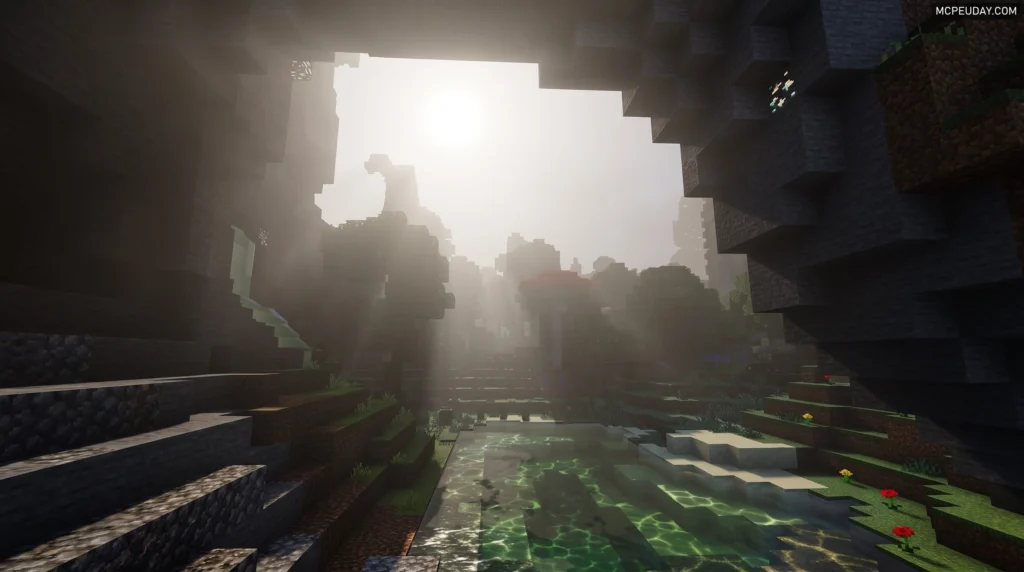
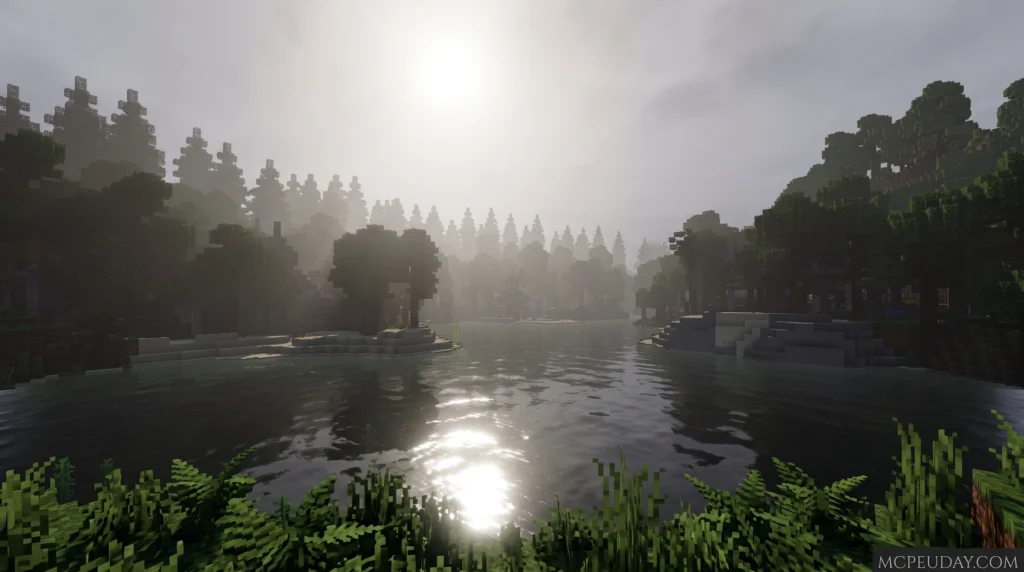
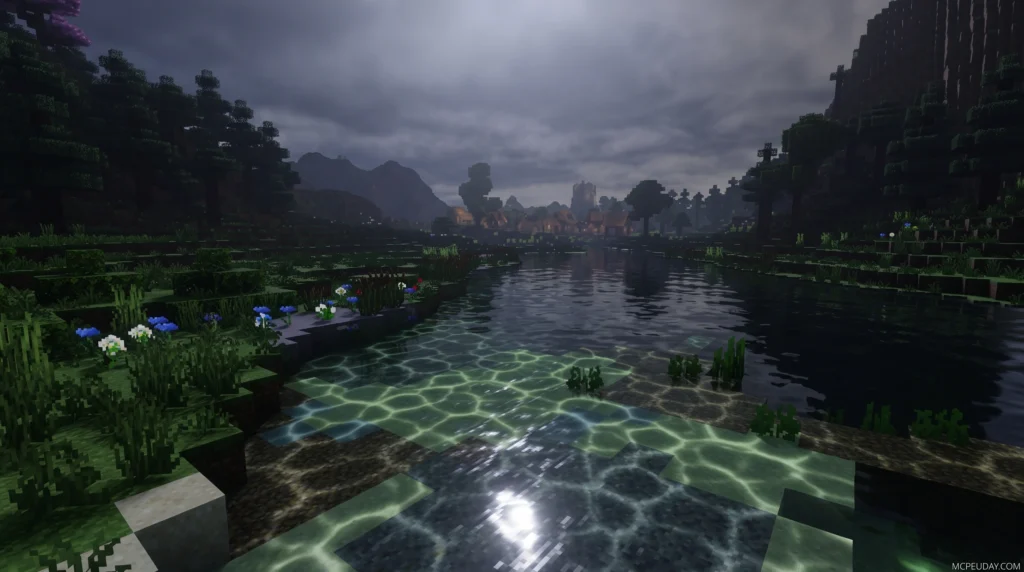
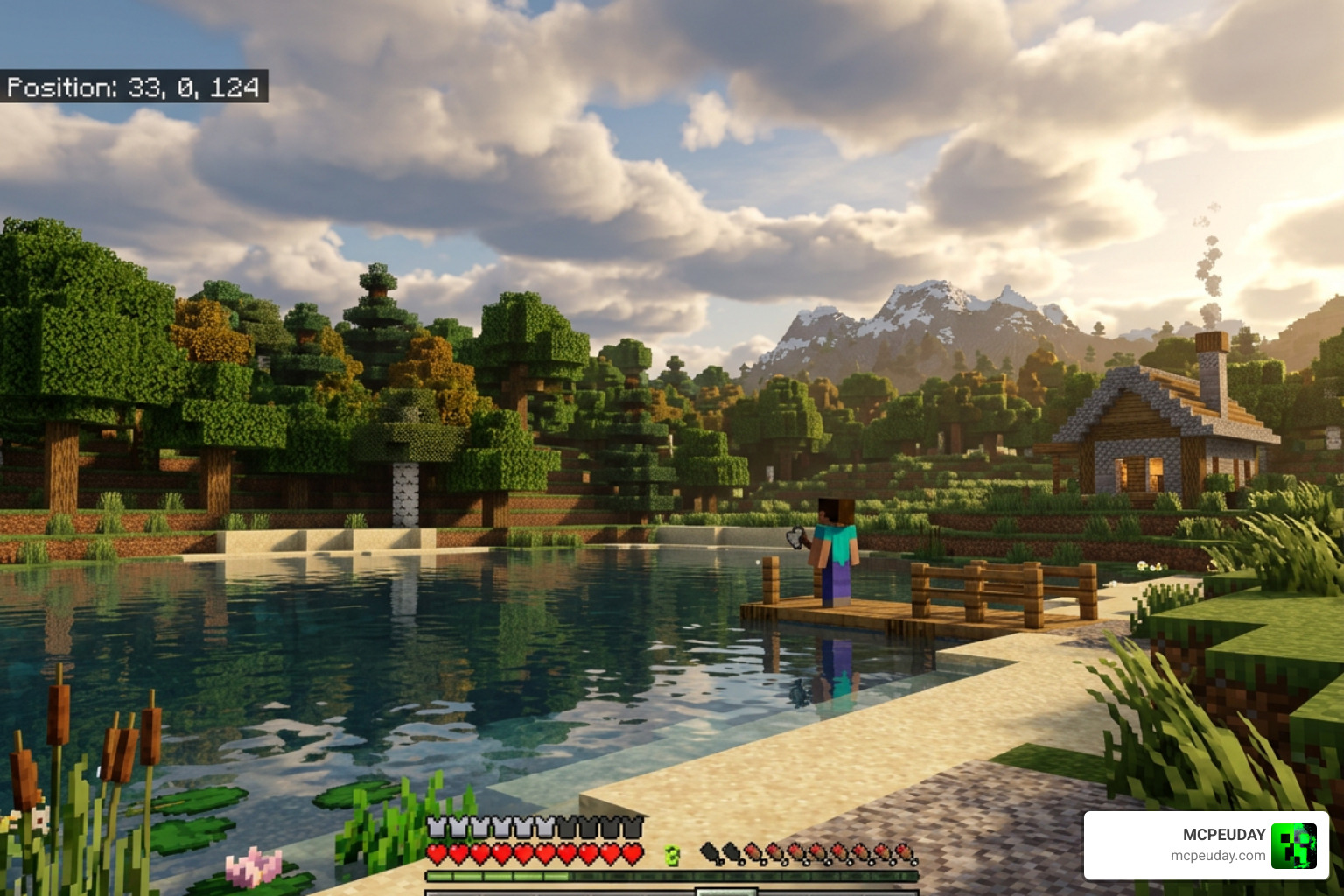
The Deep Visuals Shader is a free, third-party shader pack for Minecraft PE (Bedrock Edition) that upgrades your game’s graphics with better lighting, shadows, fog, and water effects — all while keeping the classic Minecraft look intact.
Here’s what you need to know at a glance:
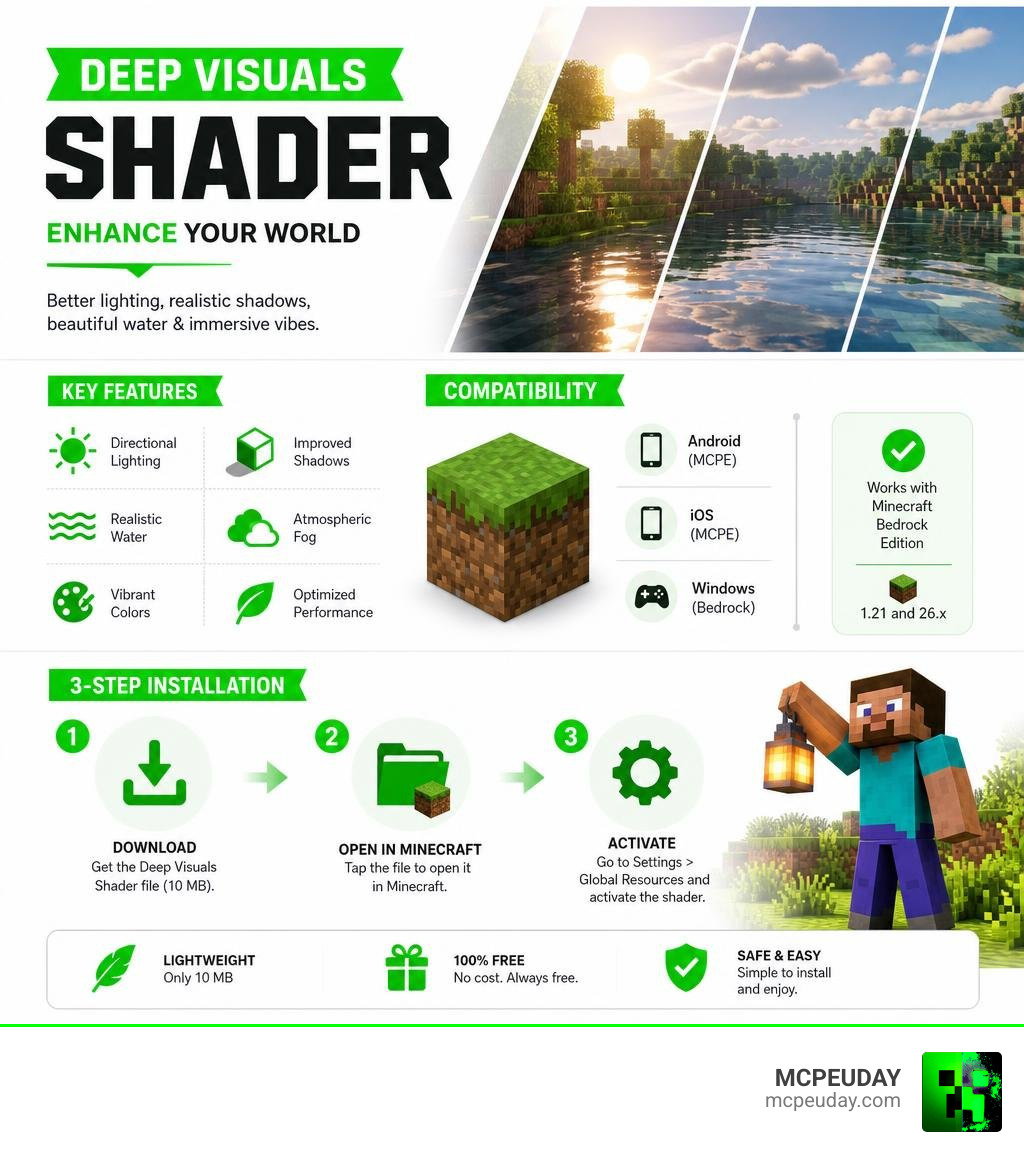
- What it is – A community-made shader mod for MCPE/Bedrock Edition (version 1.21 and 26.x)
- What it does – Adds directional lighting, improved shadows, color adjustments, and better environmental effects
- File size – Only 10 MB, so it’s lightweight on storage
- Cost – Free to download
- How to install – Download the file, open it in Minecraft, and activate it in your settings
It is not the same as Mojang’s official Vibrant Visuals upgrade — it’s a separate community creation you can use right now on most Android and iOS devices.
Keep reading for the full breakdown, comparison, and step-by-step install guide.
What is the Deep visuals Shader?
The Deep visuals Shader is a highly optimized third-party shader pack specifically designed for Minecraft Bedrock Edition (including MCPE 1.21). Built to work seamlessly within modern Bedrock constraints, it modifies the game’s default rendering behavior to deliver a highly immersive, cinematic look without completely rewriting the game’s blocky charm.
Unlike complex setups that require high-end graphics cards, this shader is built with mobile and console hardware in mind. It builds upon the capabilities of the RenderDragon engine, bringing custom adjustments to lighting and environmental colors. As we sit here in 2026, the shader has received major updates to maintain compatibility with the latest Bedrock engine modifications. The transition to the RenderDragon engine initially made it difficult for community creators to implement custom shaders, but the developers of the Deep Visuals Shader have successfully bypassed these limitations to deliver stunning graphics directly to mobile players.
Understanding how these visual upgrades work helps you choose the perfect pack for your device. If you are new to this concept, you can read our guide on What are Shaders in Games to get a solid grasp of how rendering engines manipulate lighting, shadows, and textures. Additionally, you can learn more about how official systems are changing by reading Learn more about Minecraft’s graphics evolution.
Key Features of the Deep visuals Shader
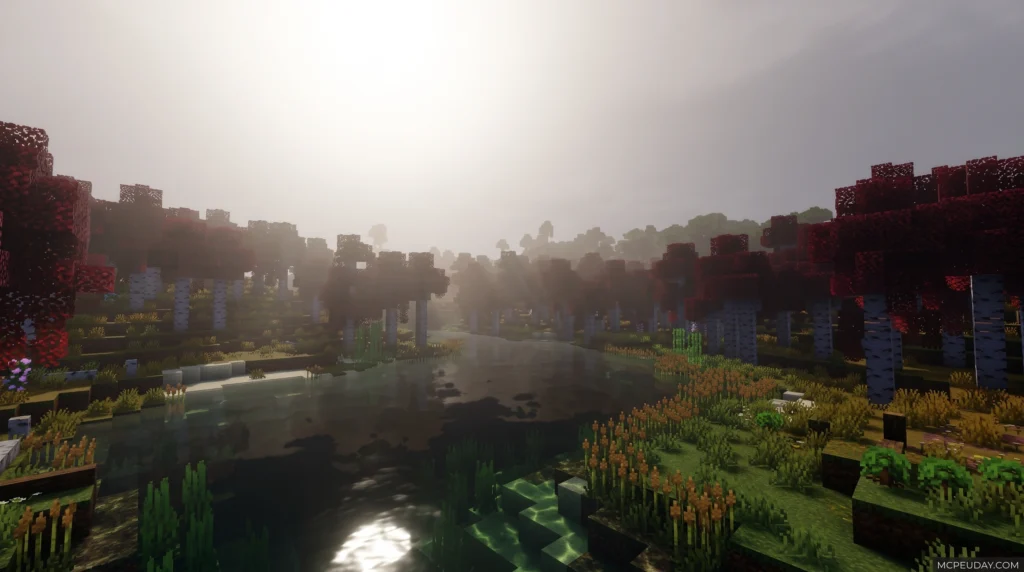
The Deep visuals Shader introduces several visual upgrades that turn your standard Minecraft world into a vibrant, living environment:
- Directional Lighting and Dynamic Shadows: Sunlight and moonlight carve across the Overworld realistically, casting pixel-aligned shadows that move as the day progresses. The angle of the sun directly influences the length and intensity of the shadows, creating a highly realistic day-night cycle.
- Volumetric Fog: Dense, atmospheric fog rolls through valleys and forests, creating dramatic light shafts (crepuscular rays) as the sun rises and sets. This effect is particularly breathtaking during rainy weather or early mornings in deep forest biomes.
- Enhanced Water Rendering: Water surfaces feature realistic transparency, animated caustics, and subtle reflections that react to the surrounding skybox. Instead of the flat, opaque blue of vanilla Minecraft, rivers and oceans now look deep, fluid, and alive.
- PBR (Physically Based Rendering) Support: Materials react dynamically to light. Metallic blocks shine, while rough surfaces like wood scatter light softly. This adds a layer of depth and realism to every single block in your builds.
For a look at how these features stack up against other custom setups, you can Watch a showcase of top shaders to see them in action. If you want to see how this shader performs compared to other popular mobile options, check out our Best Render Dragon Shaders for MCPE 1.21 Tested on Real Devices 2026 Guide.
Customizing Your Deep visuals Shader Experience
One of the best aspects of the Deep visuals Shader is how customizable it is. While the default settings look fantastic, advanced players can use custom resource packs, texture sets, and configuration files to fine-tune their world.
The shader supports MERS (Metalness, Emissive, Roughness, Subsurface scattering) texture maps. This means you can pair the shader with compatible PBR texture packs to make specific blocks glow in the dark (like sculk blocks or redstone ore) or give metallic blocks realistic reflections. This level of customization allows you to create a truly unique visual style, whether you prefer a dark, gothic fantasy aesthetic or a bright, modern, and clean look. If you want to learn how to download and apply these extra resource packs to your game, we have a complete walkthrough in our guide on How to Get Shaders in Minecraft.
Deep Visuals Shader vs. Vibrant Visuals: Compatibility and Performance
Many players confuse third-party shaders like the Deep visuals Shader with Mojang’s official graphics upgrade, Vibrant Visuals. While both aim to make your world look stunning, they differ significantly in compatibility, performance, and availability.
| Feature | Deep Visuals Shader (Third-Party) | Vibrant Visuals (Official Mojang Upgrade) |
|---|---|---|
| Availability | Available now for Bedrock 1.21 / 26.x | Rollout continuing in 2026 (including Java, Switch 2, PS4, PS5) |
| File Size | ~10 MB | Built into the game files |
| Minimum Hardware | Mid-range Android/iOS devices (Adreno 640 / Mali Valhall) | Adreno 640, Mali Valhall, PowerVR A-Series |
| Recommended Hardware | Adreno 740, Mali-G615/G715 or higher | Adreno 740, Mali-G615/G715, Xclipse 920 or higher |
| Max Render Distance | Dependent on device capabilities | Up to 28 chunks on Windows devices |
| Customization | High (via custom MERS maps and resource packs) | Medium (via official settings and creator options) |
While the official Vibrant Visuals mode is fantastic, it is currently not supported on older Nintendo Switch consoles, ChromeOS devices, or Fire tablets. On the other hand, the Deep visuals Shader offers a lightweight, highly compatible alternative that runs smoothly on a wider variety of mobile hardware. Because it is optimized specifically for mobile GPUs, it manages to deliver high-end visual effects without causing your device to overheat or drain its battery rapidly.
Furthermore, the small file size of the Deep Visuals Shader (only 10 MB) makes it incredibly easy to download and store, even on devices with limited storage capacity. This is a massive advantage over official updates that often require gigabytes of additional data.
To explore more shader options tailored specifically for mobile operating systems, check out our dedicated list of Minecraft Shaders Download for Android.
How to Download and Install Deep Visuals Shader in 3 Easy Steps
Getting this beautiful shader set up on your mobile device is incredibly simple. We have broken the entire process down into three straightforward steps.
Step 1: Download the Shader File
First, grab the official, secure Deep visuals Shader package from our secure servers on MCPEUDAY. The file size is only about 10 MB, so the download will complete in just a few seconds. Make sure you save the .mcpack file directly to your device’s storage.
Step 2: Import to Minecraft
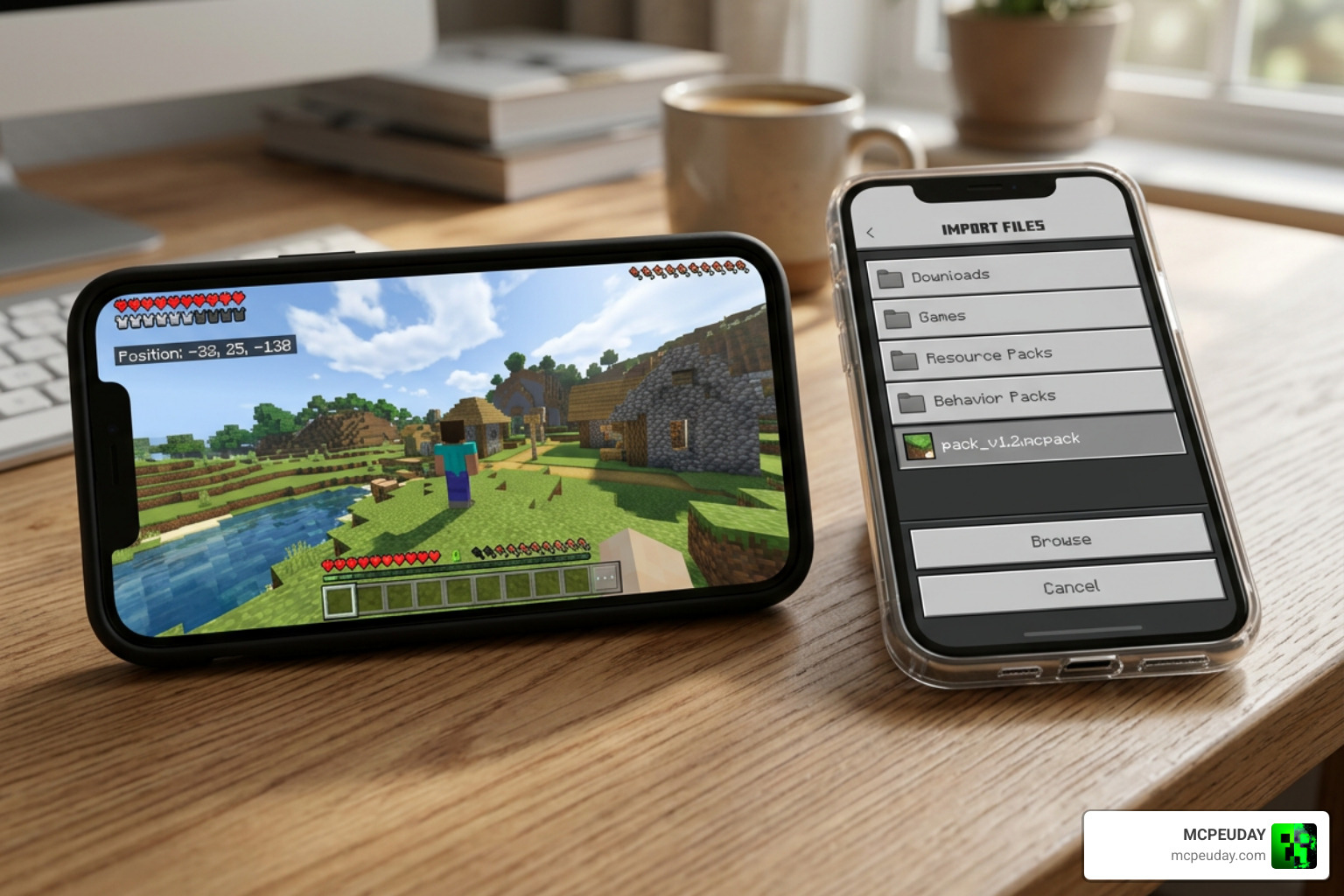
Once the download is complete, locate the .mcpack file using your device’s file manager. Tap on the file and select “Open with Minecraft.” The game will launch automatically and import the shader pack. You will see a notification at the top of your screen saying “Successfully imported Deep Visuals Shader.”
Step 3: Activate in Settings
From the main Minecraft menu, navigate to Settings > Global Resources > My Packs. Find the Deep visuals Shader, click on it, and tap Activate. Once activated, load into your favorite world to enjoy the gorgeous new lighting!
For a more detailed walkthrough that covers troubleshooting, Bedrock setups, and Java configuration, refer to our How to Turn on Shaders in Minecraft 2026 Guide Java Bedrock MCPE Setup Fast Mcpeuday.
Frequently Asked Questions about Deep Visuals Shader
Does Deep Visuals Shader affect gameplay mechanics?
No, the Deep visuals Shader is purely a cosmetic and graphical enhancement. It does not change core gameplay mechanics, mob behavior, crop growth rates, or block properties. However, because it enhances lighting and shadows, it may increase the processing load on lower-end devices, which can occasionally impact your frame rate. If you experience lag, you can try lowering your in-game render distance or disabling fancy graphics settings to free up system resources.
What devices support Deep Visuals Shader in 2026?
In 2026, the shader is highly optimized to run on devices equipped with an Adreno 640 GPU, Mali Valhall architecture (such as G68 and G77), Maleoon, PowerVR A-Series, or Xclipse 530 and higher. For the absolute best performance with maximum frame rates, we recommend devices with Adreno 740, Mali-G615, Mali-G715, or Xclipse 920 and higher. It is fully compatible with both Android and iOS devices running Bedrock Edition 1.21.
Can I use Deep Visuals Shader on multiplayer servers or Realms?
Yes! Since the Deep Visuals Shader is applied as a client-side resource pack, you can use it while playing on multiplayer servers, featured servers, or Minecraft Realms. It will only change the graphics on your screen and will not affect other players on the server. This makes it perfect for showing off your builds or recording gameplay videos without worrying about server-side compatibility issues.
Is Deep Visuals Shader free to download?
Yes! The shader is a community-created project and is 100% free to download and use. We host safe, virus-free, and fully tested download links directly on our platform to ensure your device stays protected while upgrading your game.
Conclusion
Upgrading your Minecraft PE graphics doesn’t require a high-end gaming PC. With the Deep visuals Shader, you can experience breathtaking directional lighting, volumetric fog, and beautiful water reflections right on your phone or tablet.
We at MCPEUDAY are dedicated to bringing you the safest, most up-to-date resources for your favorite block game. To explore more ways to transform your game, browse our extensive Category Shaders section, or take a look at our curated list to Explore the Best Shaders for MCPE 1.21 in 2026. Happy building!