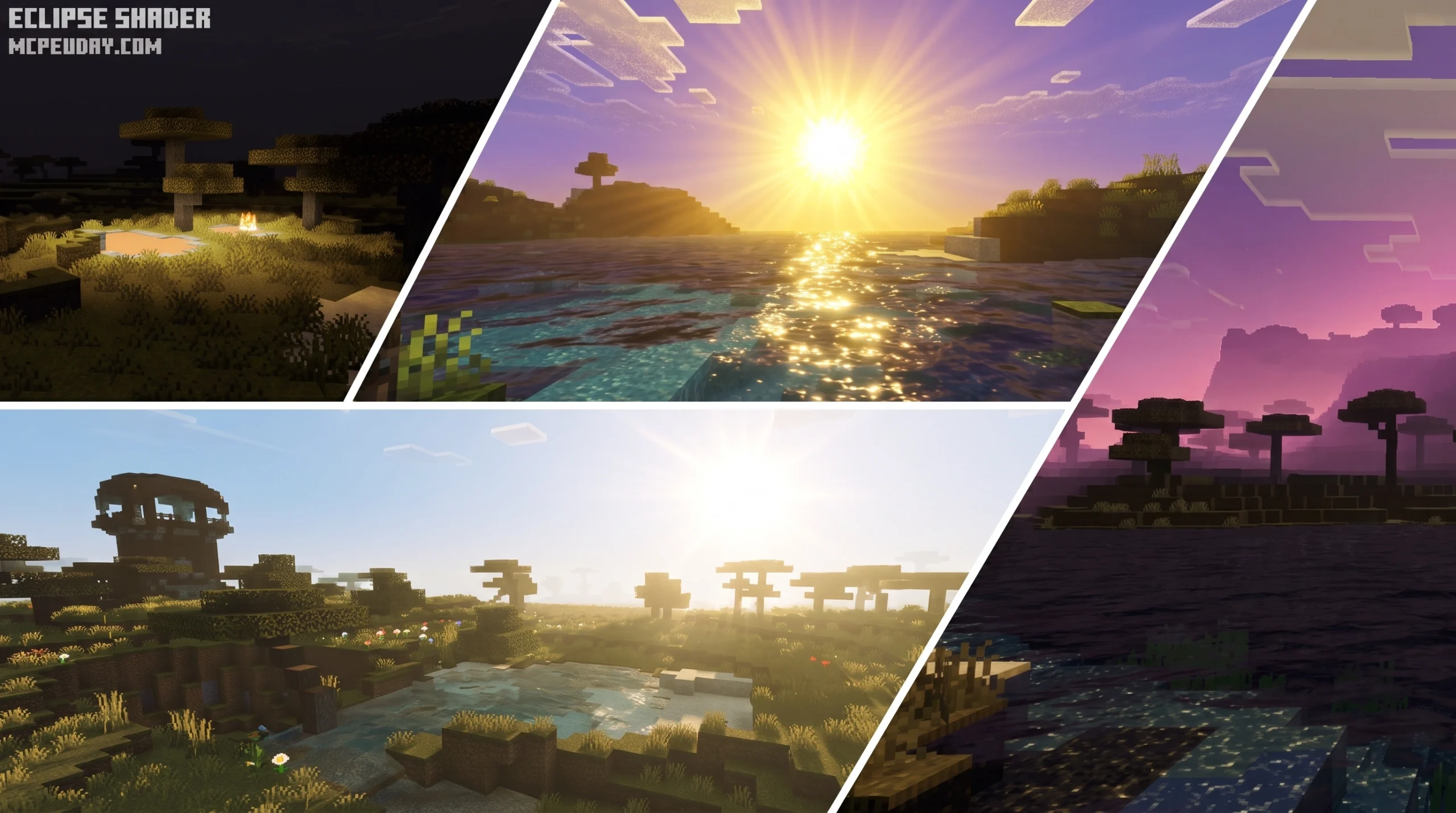
What the Howard Eclipse Shader Does to Your Minecraft World
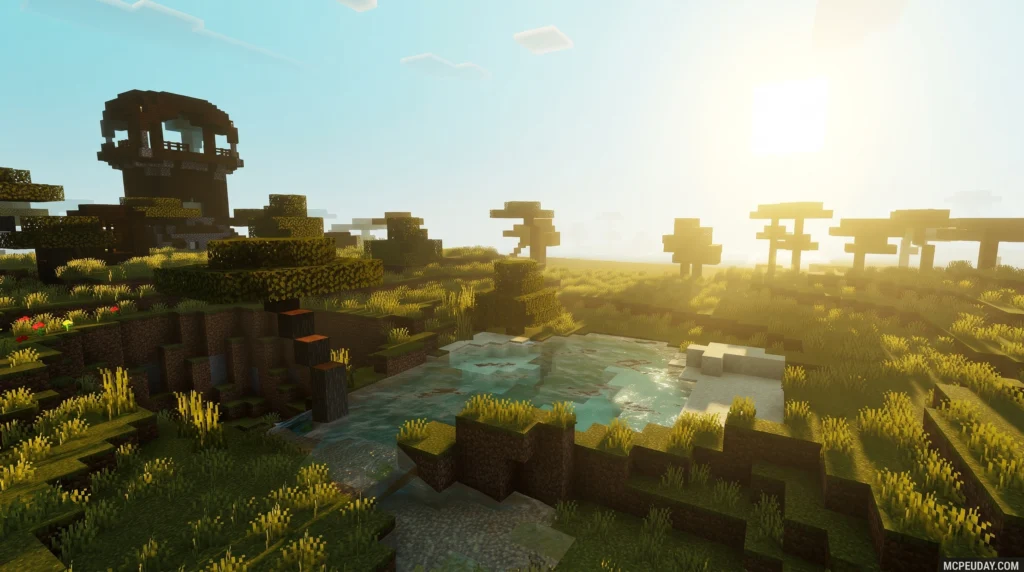
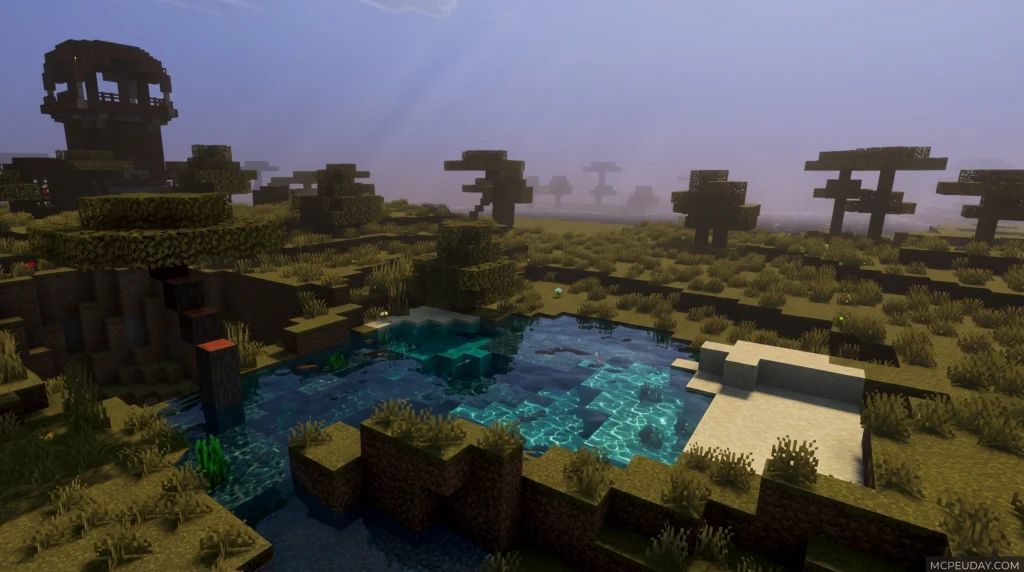
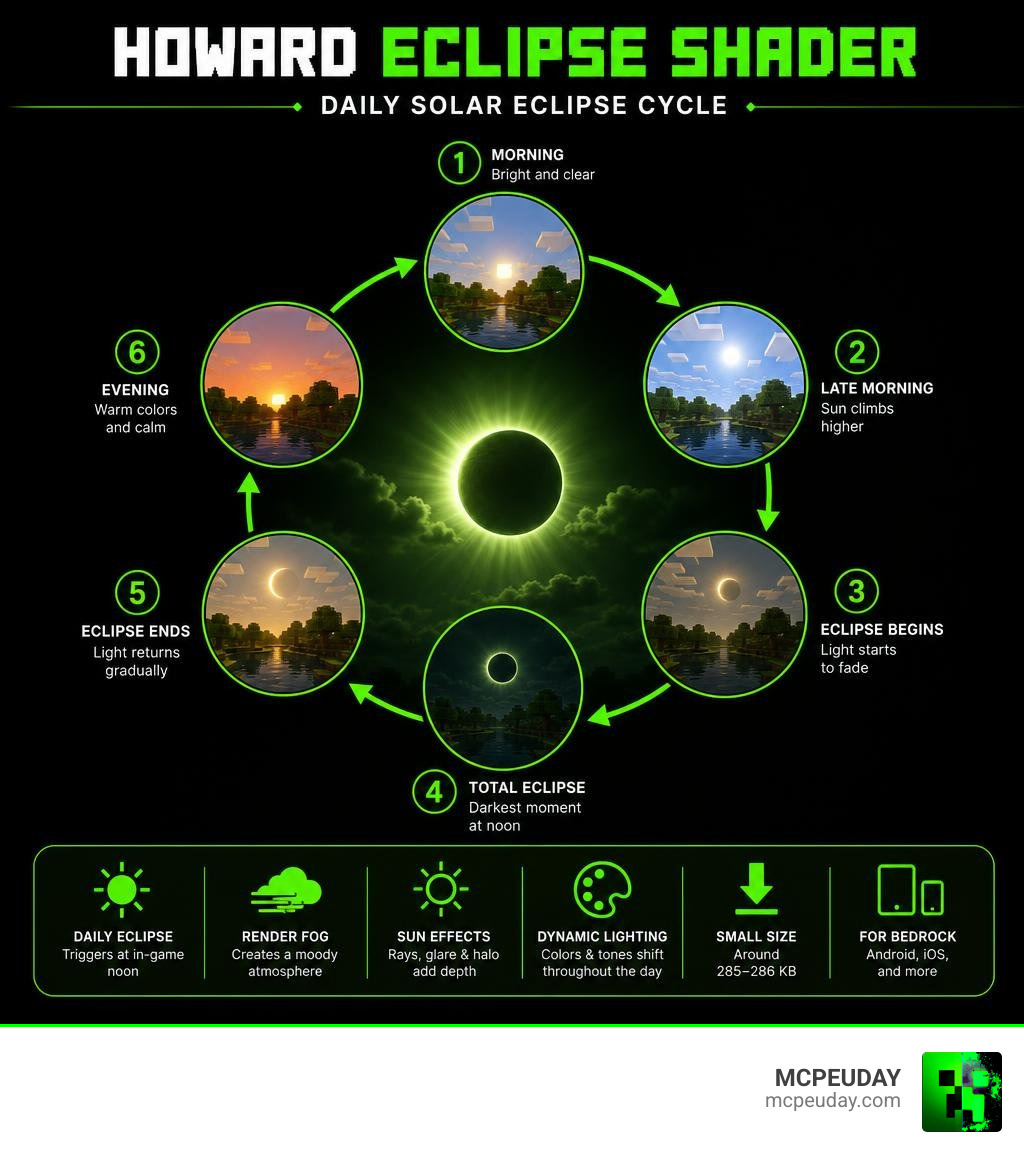
The Howard Eclipse Shader is a Minecraft Bedrock Edition resource pack that transforms your world’s lighting and atmosphere using a built-in daily solar eclipse event. Instead of static visual improvements, it introduces a dynamic moment — every in-game day, at noon, the light dims, the sky shifts, and your world feels completely different.
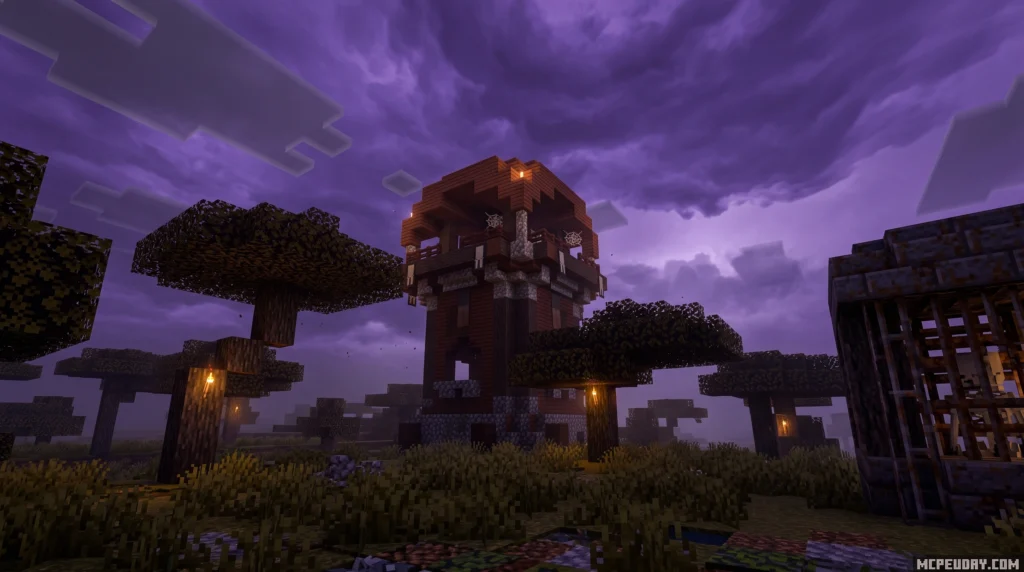
Here’s a quick summary of what it does:
- Daily solar eclipse triggers automatically at in-game noon
- Sun rays, glare, and halo effects add visual depth to the sky
- Render fog creates a moody, atmospheric feel during the eclipse
- Complex lighting and color tones shift throughout the day
- Works on Minecraft Bedrock Edition (Android, iOS, and other devices)
- File size is small — around 285–286 KB
- Has over 93,900 downloads with a 3.8/5 user rating
This guide covers everything you need — features, installation, compatibility, and how it stacks up against similar shaders like Howard Visual.
What is the Howard Eclipse Shader?
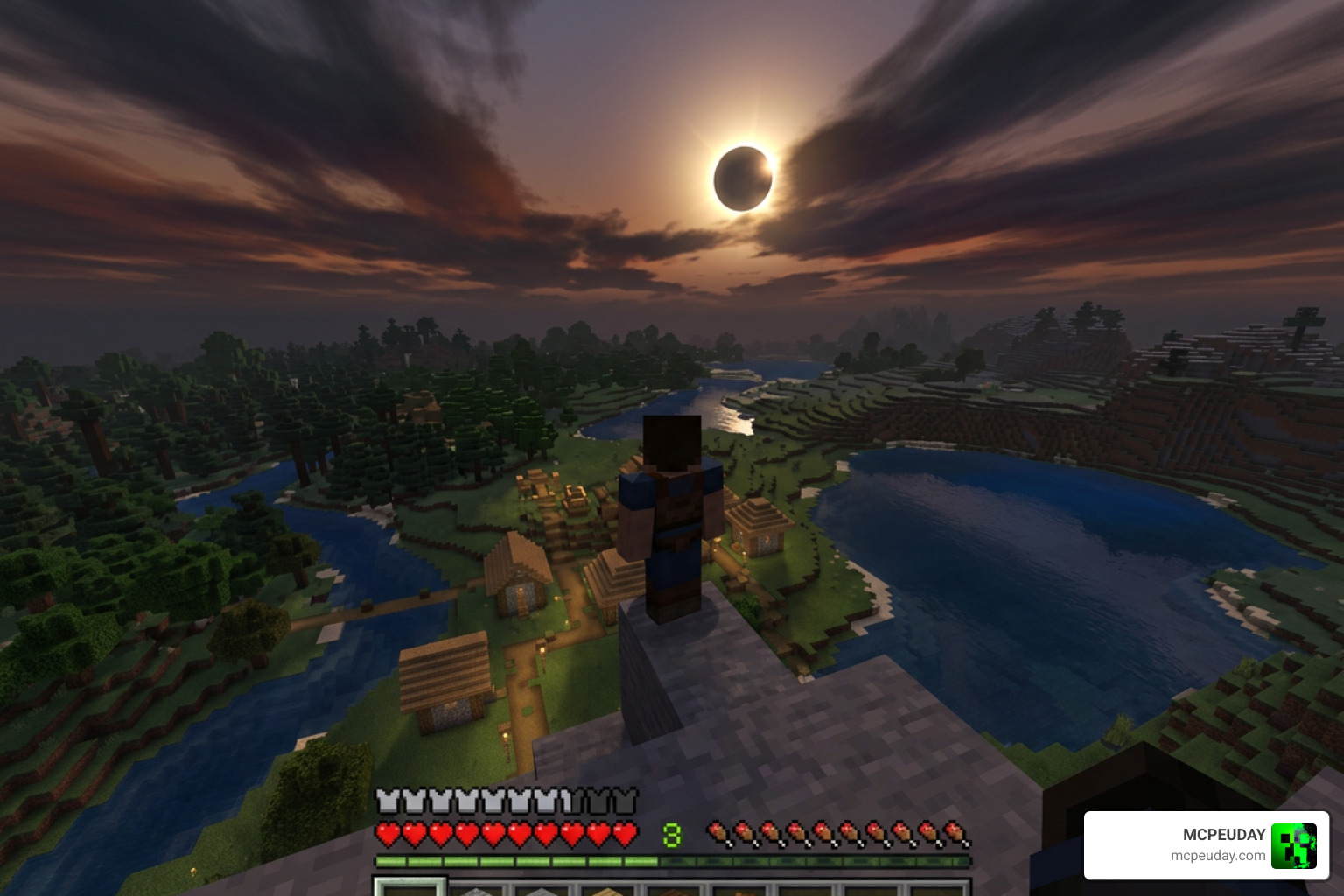
When we look at the graphics landscape of Minecraft Bedrock Edition, many players struggle to find options that offer both stunning visuals and smooth performance. The Howard Eclipse Shader is a lightweight yet highly effective solution designed specifically to address this. Weighing in at just about 285 KB, this shader pack has accumulated over 93.9k downloads and holds a solid 3.8/5 user rating from our community.
Unlike massive Java shaders that require high-end graphics cards, this pack is optimized for the Bedrock codebase (including Render Dragon engine setups). It applies subtle PBR (Physically Based Rendering) refinements to the blocks, giving surfaces a more realistic response to light without tanking your frame rate. If you want to explore more options for modern Bedrock setups, check out our guide on the Best Render Dragon Shaders for MCPE 1.21.
The Render Dragon engine, which now powers Minecraft Bedrock across all platforms, has historically made shader development quite challenging for creators. Many older shaders stopped working entirely after its introduction. The creator of the Howard Eclipse Shader has successfully bypassed these limitations by utilizing modern rendering techniques that work harmoniously with the engine. This ensures that players on mobile devices, consoles, and Windows PCs can enjoy enhanced graphics without experiencing severe lag or game crashes.
How Howard Eclipse Shader Differs from Standard Bedrock Shaders
Standard Bedrock shaders often focus on static visual upgrades — they make the water bluer, the shadows darker, and the sun rounder, but the overall world mood remains the same throughout the in-game day. The Howard Eclipse Shader breaks away from this traditional approach by focusing on an event-driven atmosphere.
Instead of keeping your lighting uniform, it turns the passage of time into a gameplay mechanic. The transition from a bright, cheery morning to a dark, eerie midday eclipse forces you to experience your world differently. It adds a layer of tension and visual drama that standard, static aesthetic packs simply cannot replicate.
Key Visual Features and the Daily Solar Eclipse Event
The absolute star of the show here is the daily solar eclipse event. In standard Minecraft, midday is the safest, brightest time of day. With this shader active, in-game noon becomes the most dramatic hour.
As the clock ticks toward midday, the sun begins to align into a striking eclipse. The game world gradually loses its warmth, dimming down into a cold, shadowy environment. This dimming effect is paired with custom sunbeams, a glowing solar halo, and thick render fog that creeps across the landscape. The resulting atmosphere makes exploration feel tense and mysterious. You can see these visual transitions in action by watching This Is What A Good Minecraft Shader Looks Like – YouTube .
This daily event completely changes how you plan your survival activities. Normally, players use the midday sun to safely explore, gather resources, or build without worrying about hostile mobs. However, during the eclipse, the sudden drop in light levels creates a brief window of vulnerability. The eerie silence and the visual shift serve as a reminder of the wild, unpredictable nature of the Minecraft world. It forces you to seek shelter or prepare for a sudden shift in atmosphere, adding an exciting survival element to your daily routine.
Shading and Lighting Mechanics of the Howard Eclipse Shader
Behind the scenes, the shader uses a complex illuminance system to achieve its signature look. It features:
- Custom Color Grading: Shifting the color balance dynamically depending on the sun’s position.
- White Balance Adjustments: Ensuring that the high-contrast moments during the eclipse don’t look washed out.
- Atmospheric Fog: A customized fog system that matches the color temperature of the sky, creating a cohesive sense of depth.
- Realistic Glare: Sun rays pierce through tree leaves and reflect off surfaces with realistic intensity before fading out as the moon covers the sun.
Compatibility, Performance, and Version Differences
Because the Howard Eclipse Shader is exceptionally lightweight (under 300 KB), it is highly compatible with a wide range of devices. Whether you are playing on a mid-range Android phone, an iPhone, or a Windows PC running Bedrock, you can expect stable performance.
If you do notice a slight dip in frames during the transition phase at noon, we recommend lowering your in-game render distance by a few chunks. This frees up memory for the shader’s dynamic fog and lighting calculations. For more performance-friendly options, take a look at our curated list of the Top 5 Best Realistic Shaders for MCPE.
When choosing between the versions, consider your device’s hardware capabilities and your current Minecraft version. Version 1.7 is specifically tailored for the latest game updates, ensuring that new blocks and biomes introduced in recent patches are rendered correctly with the updated PBR textures. If you are running an older version of Minecraft Bedrock or playing on an older mobile device with limited RAM, version 1.2 or 1.3 might offer a more stable frame rate. These legacy versions have slightly less dense fog calculations, which reduces the load on your device’s GPU during the peak of the eclipse event.
To help you choose the right version to download, we have compiled the differences between the available files:
| Shader Version | File Size | Key Focus / Compatibility |
|---|---|---|
| Howard Eclipse v1.7 | 286.02 KB | Latest release, optimized for Minecraft 1.21+, refined PBR textures |
| Howard Eclipse v1.3 | 284.91 KB | Highly stable for older 1.20 builds, balanced fog density |
| Howard Eclipse v1.2 | 285.36 KB | Legacy version, great for low-end mobile devices |
How to Install and Troubleshoot the Shader
Installing the shader on your mobile device or PC is a straightforward process. Because it is packaged as a .mcpack file, Minecraft can import it automatically.
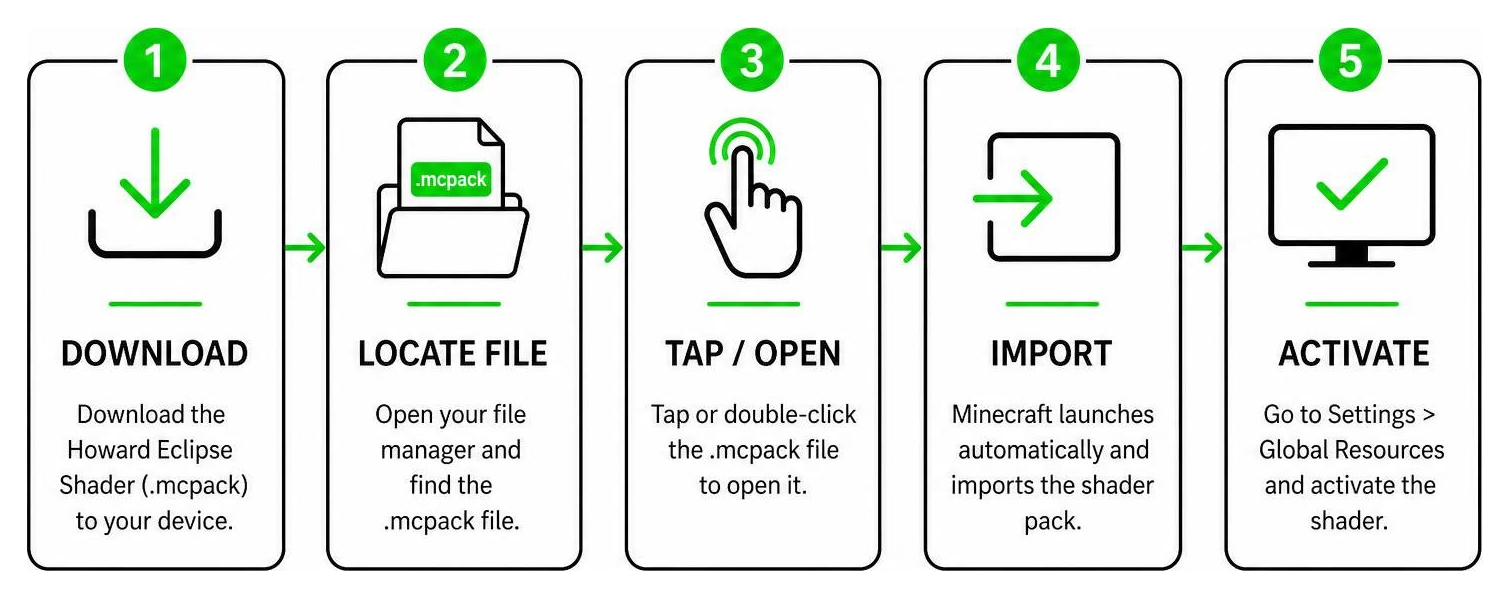
Here is our step-by-step installation guide:
- Download the latest version of the Howard Eclipse Shader (we recommend v1.7 for modern versions of Minecraft) directly to your device.
- Locate the downloaded
.mcpackfile in your device’s file manager. - Tap or double-click the file. This will automatically launch Minecraft and import the pack.
- Once inside the game, go to Settings > Global Resources.
- Find the shader under My Packs, click it, and press Activate.
- Create a new world or enter an existing one to watch the eclipse unfold at noon!
If you run into any issues getting the pack to display correctly, or if you want a deeper look at the setup process across different platforms, read our comprehensive guide on How to Turn On Shaders in Minecraft.
Howard Eclipse vs. Howard Visual Shader
Many players ask us how this pack compares to its sibling, the Howard Visual Shader. While both packs are designed by the same creator and share a commitment to clean performance, they target completely different playstyles.
- Howard Visual Shader is built around making your everyday survival routine look cleaner and warmer. It features a fog-friendly design that opens up the horizon, making the world feel less claustrophobic. It also features gentle water waves and vibrant color grading that makes building and farming feel incredibly peaceful.
- The Howard Eclipse Shader, on the other hand, is all about drama and event-driven gameplay. It trades the constant warmth of Howard Visual for shifting, dynamic lighting cycles and spooky, high-contrast noon-time events.
In terms of performance, both shaders are incredibly well-optimized and lightweight, meaning you won’t have to sacrifice your frame rate regardless of which one you choose. The main difference lies entirely in the aesthetic direction. Howard Visual is perfect for players who enjoy long building sessions, farming, and peaceful exploration under a bright, cheerful sky. On the contrary, the Howard Eclipse Shader appeals to adventure seekers, map makers, and players who want their survival worlds to feel more dynamic, challenging, and cinematic. Some players even switch between the two packs depending on their current gameplay goals.
If you prefer a bright, consistently beautiful world, go with Howard Visual. If you want a survival experience filled with atmospheric tension and cinematic sky events, the Eclipse shader is your best bet. You can compare both of these against other community favorites in our list of the 15 Best Minecraft PE Shaders.
Frequently Asked Questions about Howard Eclipse Shader
What devices support the Howard Eclipse Shader?
This shader is designed for Minecraft Bedrock Edition. It works beautifully on Android devices, iOS (iPhones and iPads), and Windows PCs. It does not require a high-end device, making it perfect for budget and mid-range mobile setups.
Does the solar eclipse happen every in-game day?
Yes! The eclipse is a daily automatic event. Every single in-game day, as the sun reaches its peak at noon, the eclipse cycle will trigger, dimming the world and rolling in the custom fog before returning to normal afternoon lighting.
How do I fix lag while using this shader?
If you experience stuttering, try lowering your render distance in the video settings. Additionally, ensure you do not have other heavy resource-intensive packs active at the same time, as they can conflict with the dynamic lighting engine.
Conclusion
The Howard Eclipse Shader remains one of the most unique visual updates available for Bedrock players in July 2026. By turning a standard midday journey into a dramatic celestial event, it breathes fresh life into classic survival gameplay. It is light, highly optimized, and runs smoothly on almost any device.
If you are ready to take your graphics to the next level, head over to our main platform to discover even more options. Check out our top recommendations on the Best Shaders for MCPE 1.21 and start transforming your worlds today!
Download
Download Shader
MORE SHADERS- Shaders – MCPEUDAY
Free with Minecraft Marketplace All Packs – Click and Join