Why the Truck with Functional Storage Addon Changes Survival Forever
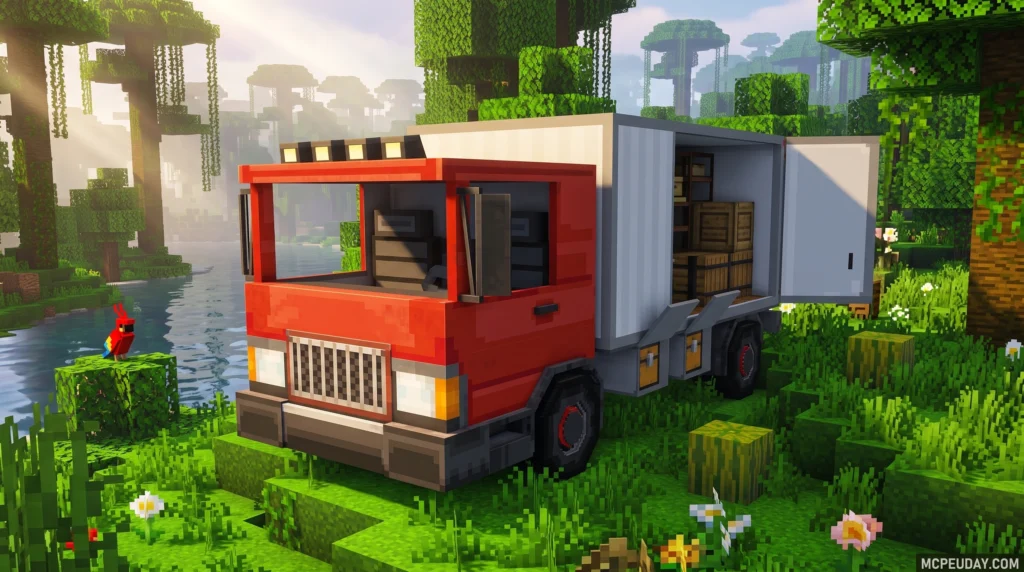
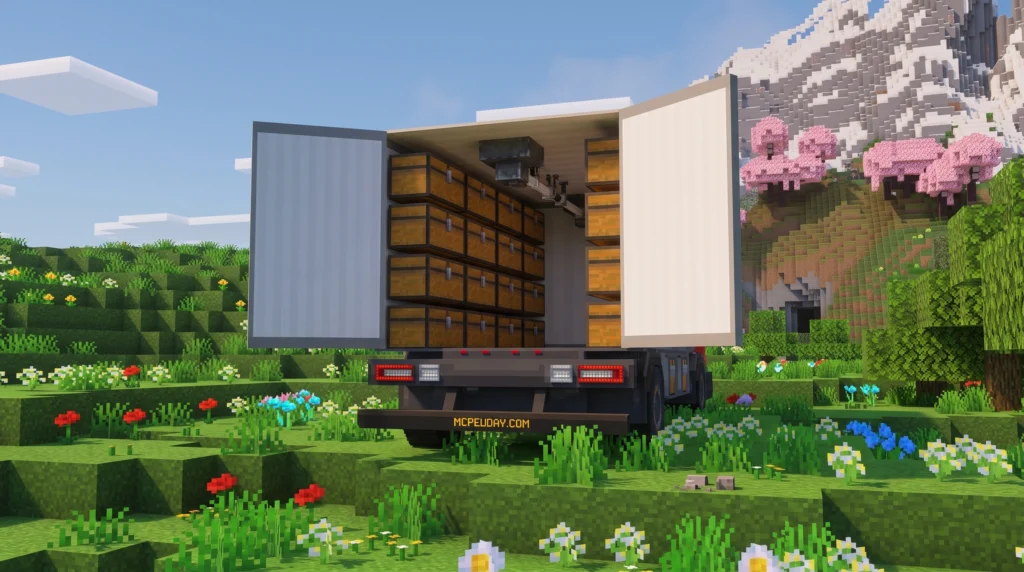
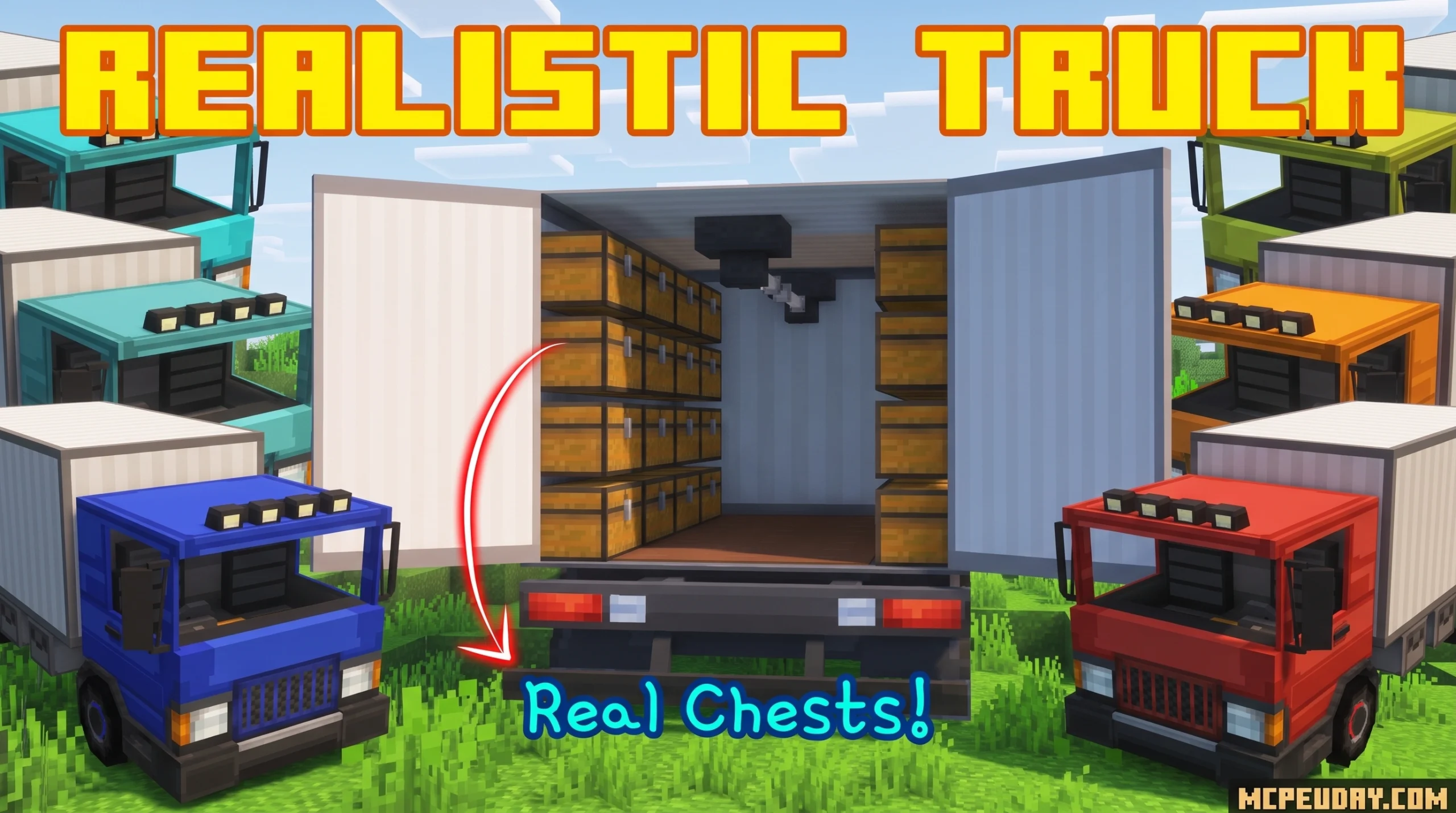
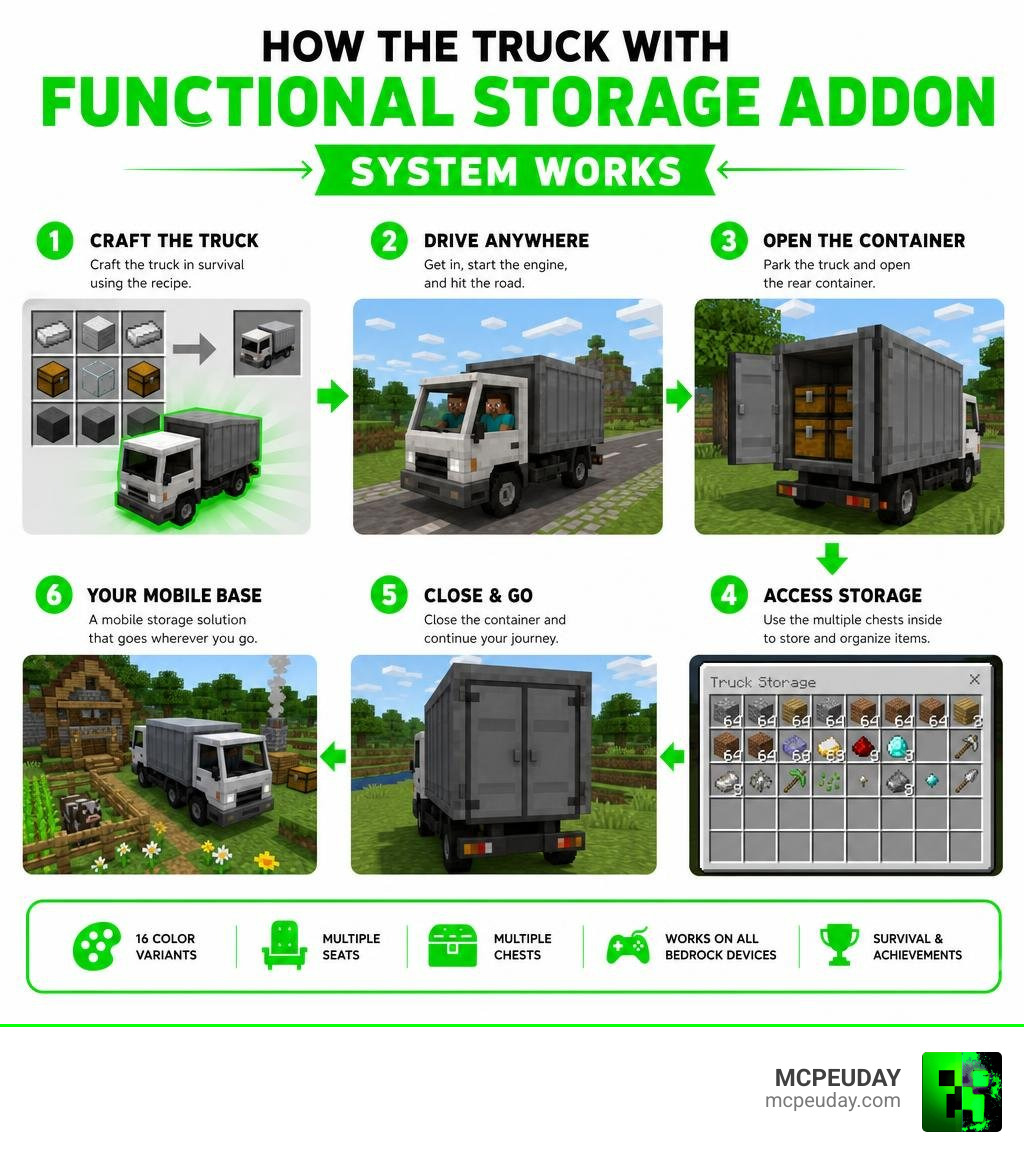
The Truck with Functional Storage Addon is a Minecraft Bedrock addon that adds a fully drivable truck with a real working storage container — packed with multiple chests — right into your survival world.
Quick answer for what this addon does:
- Adds a drivable truck you can craft in survival mode
- Includes a rear container with multiple chests for item storage
- Supports 16 color variants, each with its own unique storage instance
- Works on Android, iOS, Windows, Xbox, PlayStation, and Nintendo Switch
- Compatible with survival mode and achievements — no cheating required
- Requires enabling Experimental Settings in your world to function
If you’ve ever burned 20 minutes hauling stacks of stone back to base on foot, this addon solves that. The truck acts like a mobile warehouse — load it up at your quarry or farm, drive it home, and unload fast. You can even bring friends along, since the truck has multiple seats.
It’s one of those addons that doesn’t just add a cool thing to look at. It actually changes how you play survival.
Core Features of the Truck with Functional Storage Addon
This vehicle is engineered to be a true logistical workhorse. With an average user rating of 4.8 out of 5 based on 9 reviews, players love how it blends utility with an eye-pleasing design.
The addon introduces a fully functional truck equipped with a large cargo compartment. It’s highly customizable, offering 16 different truck colors. Each color corresponds to a unique, independent container instance, making it incredibly easy to manage multiple shipments.
If you are looking to build a massive survival empire, this mod fits perfectly alongside other survival expansions. For instance, pairing it with the Better On Bedrock Addon 1 21 Best Survival Expansion For Mcpe creates an incredibly deep and satisfying gameplay loop where logistics and exploration go hand-in-hand.
Driving Mechanics and Multiplayer Support
Getting behind the wheel is intuitive. To drive the truck, simply approach the vehicle and interact with it to enter the driver’s seat. From there, you use your standard movement controls to accelerate, steer, and reverse.
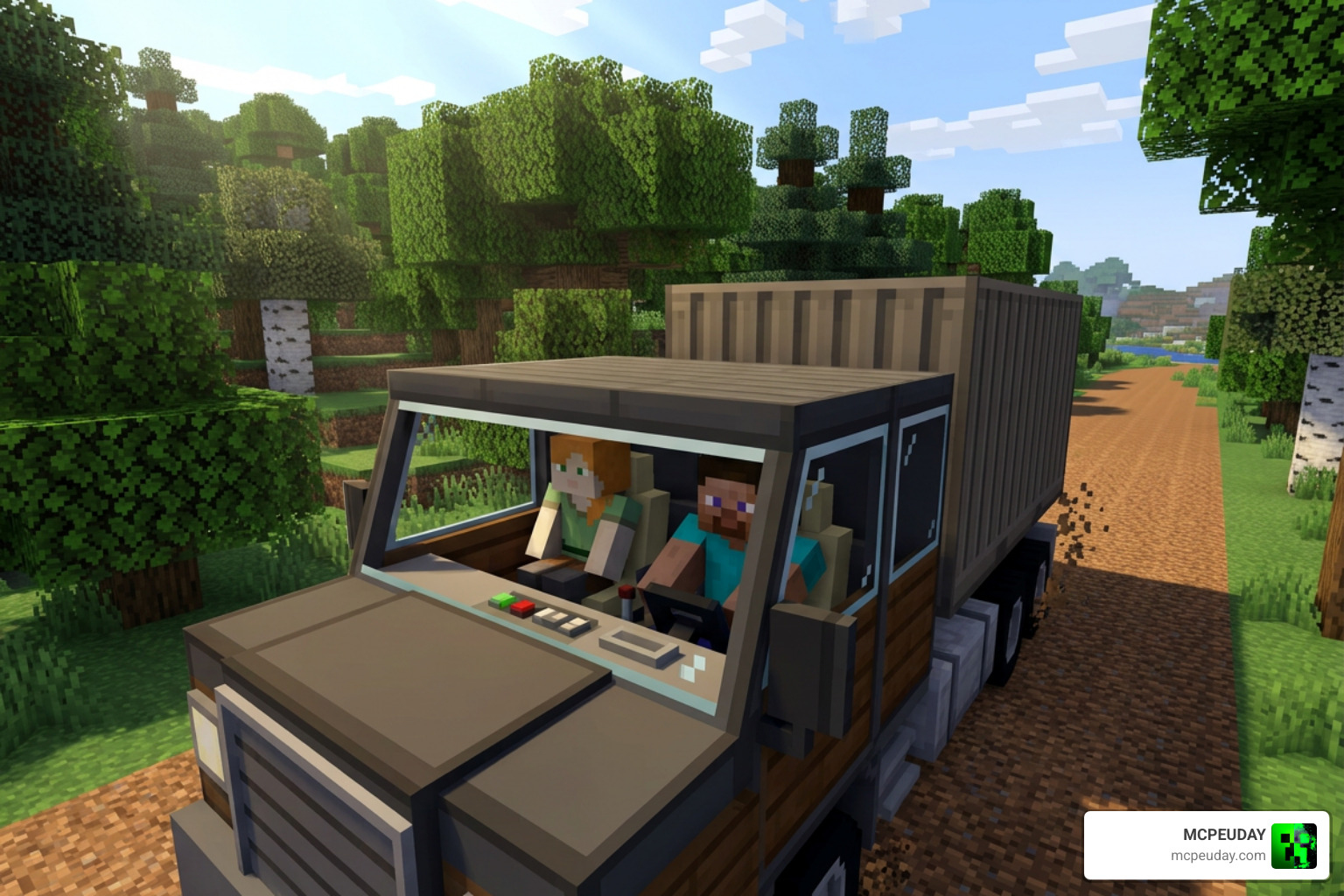
But you don’t have to haul resources alone! The truck features multiple seats, allowing a driver and a crew of loaders to ride together. This turns resource gathering into a cooperative team effort, letting your friends hop in the passenger seats for a massive convoy trip.
Immersive Audio and Dynamic Lighting
The driving experience is enhanced by a suite of realistic visual and audio effects. The truck features a bright headlight system that activates automatically when driving, projecting dynamic lights that illuminate the dark Minecraft nights. It also includes custom, punchy engine sounds and motion animations that make the vehicle feel heavy and powerful.
To make your night drives even more atmospheric, we highly recommend combining this mod with the Better Sounds Resource Pack 26 X 1 21 Mcpe Bedrock Texture Pack for premium audio fidelity, and the Better Dynamic Light Addon For Minecraft Bedrock 1 21 1 20 Realistic Lighting Mod For Mcpe to make your truck’s headlights cast incredibly realistic real-time shadows.
How the Container Storage System Works
The standout feature of this addon is the container towed behind the truck cab. Unlike simple vehicle inventories that offer a single chest’s worth of space, this container is a physical walk-in compartment containing multiple individual chests.
| Storage Type | Capacity | Customization | Portability |
|---|---|---|---|
| Standard Chest | 27 slots (single) / 54 slots (double) | None (fixed block) | Stationary (must break to move) |
| Shulker Box | 27 slots | Color variants | Portable, but occupies player inventory |
| Truck Container | Multiple chests (hundreds of slots) | High (can replace chests with other blocks) | Mobile (drivable warehouse) |
Anti-Duplication and Color-Specific Containers
To prevent game-breaking item duplication, the developer implemented a brilliant content generation system. The contents of the storage container are only generated when a player exits the truck and the surrounding space is completely clear of block obstructions.
Because each of the 16 truck colors maps to a completely unique container instance, the same container contents cannot exist in two places at the same time. If you paint a truck blue, its container’s contents are tied strictly to the blue instance. If the truck is destroyed, those exact items are saved in the “blue” container database and will reload perfectly when you place a new blue truck.
This level of detail rivals logistics systems seen in other games, such as the modular cargo setups found in the Vapid Yankee C105 Box Truck | 3 Cargo Slots | Lore Friendly FiveM – Lore Friendly Cars on Tebex .
Customizing and Repairing Your Truck with Functional Storage Addon
The container isn’t just a static prop; it is highly customizable. Players can step inside the container, remove the default chests, and place other blocks of their choice (such as crafting tables, furnaces, or decorative blocks). These custom modifications are saved and will persist even if the truck is destroyed and re-summoned.
If your truck takes damage from rough terrain or hostile mobs, you can easily repair it. Simply interact with the truck while holding Iron Ingots or Iron Nuggets to restore its health and keep your mobile warehouse running smoothly.
Crafting and Installation Checklist
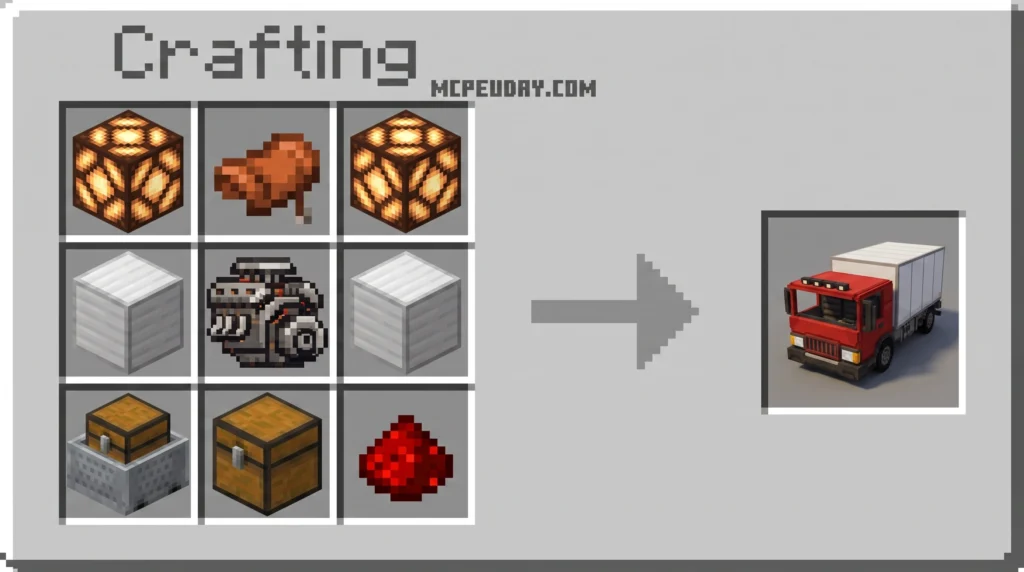
Before you head out on your first delivery route, you will need to gather the materials to craft your vehicle in survival mode.
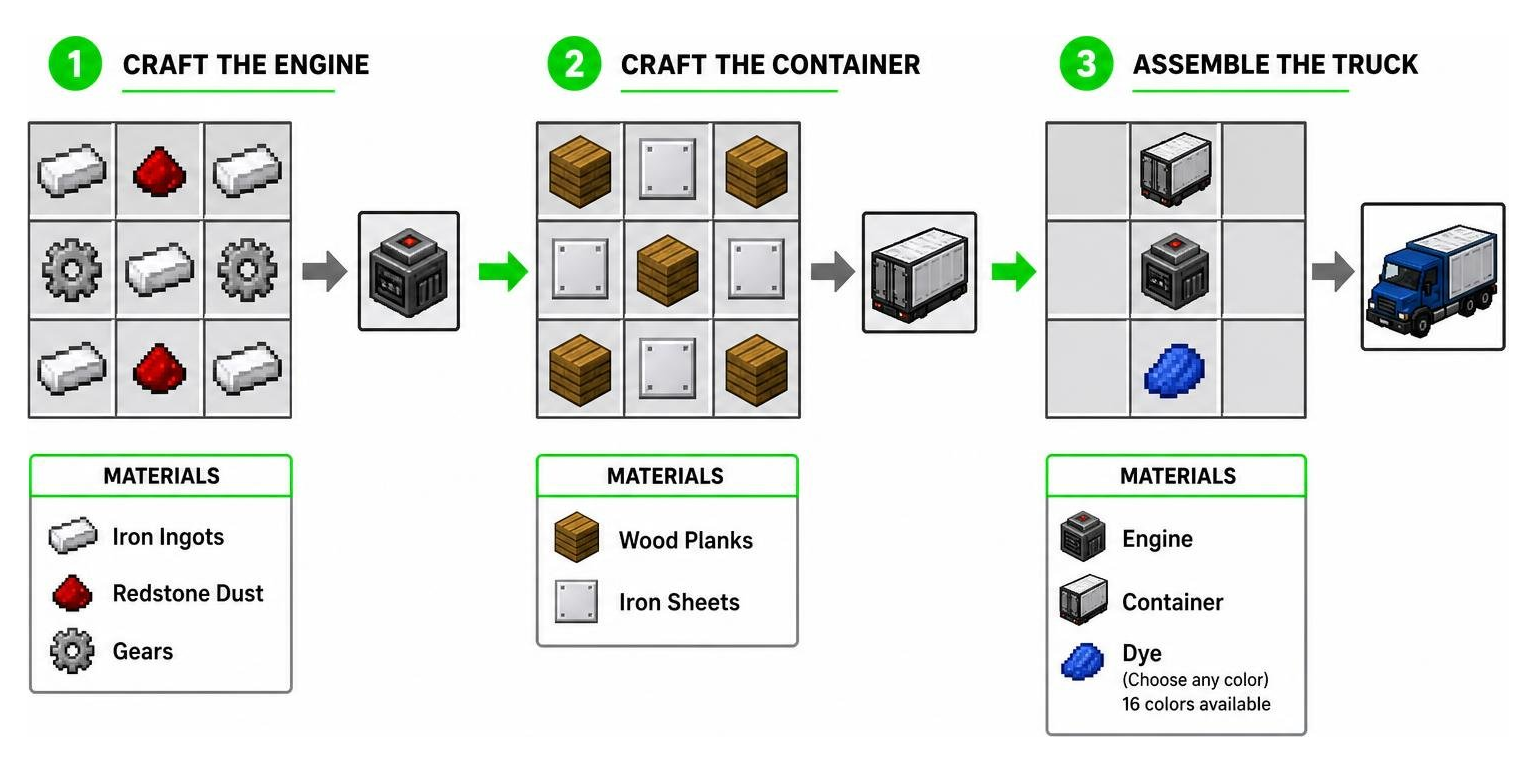
The assembly process is divided into three distinct crafting stages:
- Craft the Engine: Combine iron, redstone, and gears to build the engine.
- Craft the Container: Use wood and iron sheets to build the spacious cargo box.
- Assemble the Truck: Combine the engine, container, and your choice of dye on a crafting table to output your truck in one of the 16 available colors.
Step-by-Step Installation for Truck with Functional Storage Addon
To download and install the addon safely, follow our direct checklist:
- Step 1: Download the official
.mcaddonfile from a trusted source like MCPEUDAY. - Step 2: Locate the downloaded file on your device and double-click or tap it to automatically import it into Minecraft Bedrock.
- Step 3: Open Minecraft, navigate to your World Settings, and activate both the Resource Pack and the Behavior Pack for your world.
- Step 4: Scroll down to the Experiments tab in your world settings and enable crucial settings such as Holiday Creator Features and Beta APIs.
- Step 5: Save settings, load into your world, and enjoy your brand-new truck!
Performance Optimization and Troubleshooting
Adding a complex vehicle with dynamic entities to your Minecraft world can occasionally impact performance, especially on mobile devices or older consoles. To keep your game running at a buttery-smooth frame rate, we recommend a few optimization steps.
First, keep your truck’s storage chests organized. Having hundreds of loose, unsorted items can cause minor loading delays when the container generates. Second, if you experience frame drops while driving through dense forests, consider lowering your simulation and render distances.
To maximize your performance, you can install the Better Fps Texture Pack to boost your frame rate, and pair it with the Better Inventory Pack to make sorting through your truck’s massive cargo inventory clean and lag-free.
Frequently Asked Questions about the Truck Addon
Is the Truck with Functional Storage Addon compatible with survival mode and achievements?
Yes! The addon is fully survival-ready, meaning every component from the engine to the final truck chassis can be crafted legitimately. Because it utilizes the native Bedrock scripting API, it is designed to be achievement-friendly on standard survival worlds, provided you do not activate cheats.
What happens to my items if the truck is destroyed?
If your truck takes fatal damage, it will break and drop as an item on the ground. However, your items inside the container are completely safe! The container contents are stored in a color-coded database. Once you repair and place another truck of the same color, your customized blocks and stored items will reload exactly as you left them.
Why isn’t the truck container generating items?
The container relies on clear physical space to load its interior. If you exit the truck and find that the container has not loaded, make sure the area directly behind and around the truck is clear of solid blocks, walls, or low ceilings. Move the truck to an open area, and the container will generate perfectly.
Conclusion
The Truck with Functional Storage Addon completely revolutionizes the survival loop in Minecraft Bedrock. By transforming resource transportation from a tedious chore into an engaging, realistic driving adventure, it stands out as a must-have utility mod for solo players and multiplayer servers alike. Whether you are running a massive quarry or building a sprawling city, this mobile warehouse is the ultimate tool to haul big and build faster.
Ready to gear up your survival world even further? If you want to protect your valuable cargo shipments from creepers and raiders on the road, check out our guide on the 5 Best Minecraft Bedrock Gun Mods for Survival to arm your convoy today!
1 thought on “Truck with Functional Storage Addon (26.x, 1.21) – MCPE/Bedrock Mod”