What the Unbound Visuals Shader Does for Minecraft PE
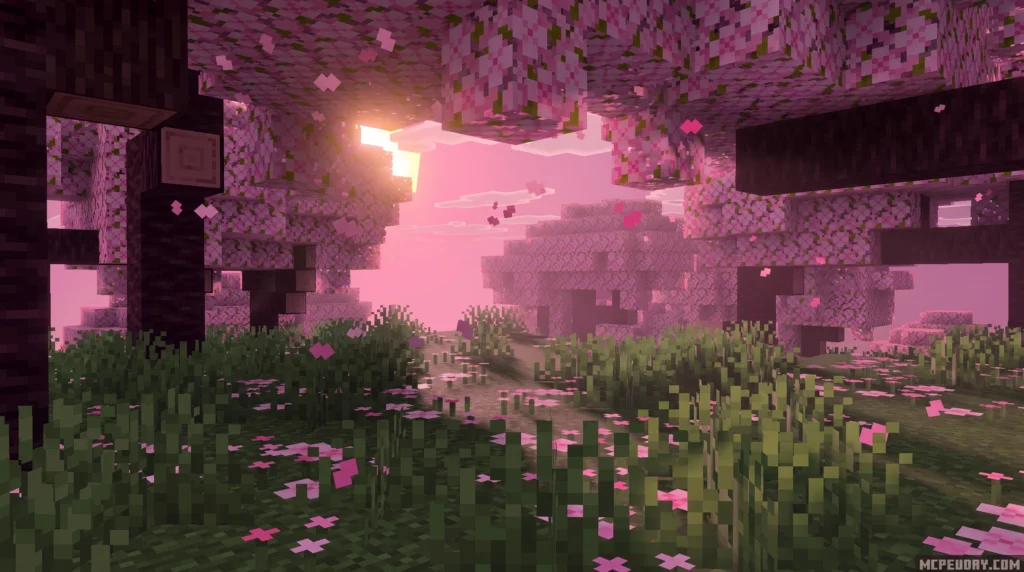
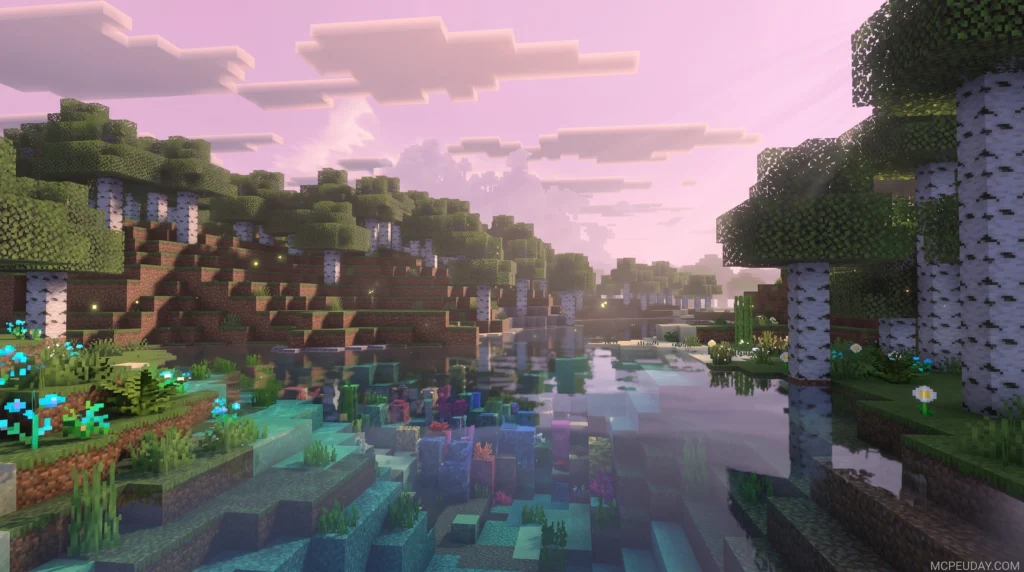
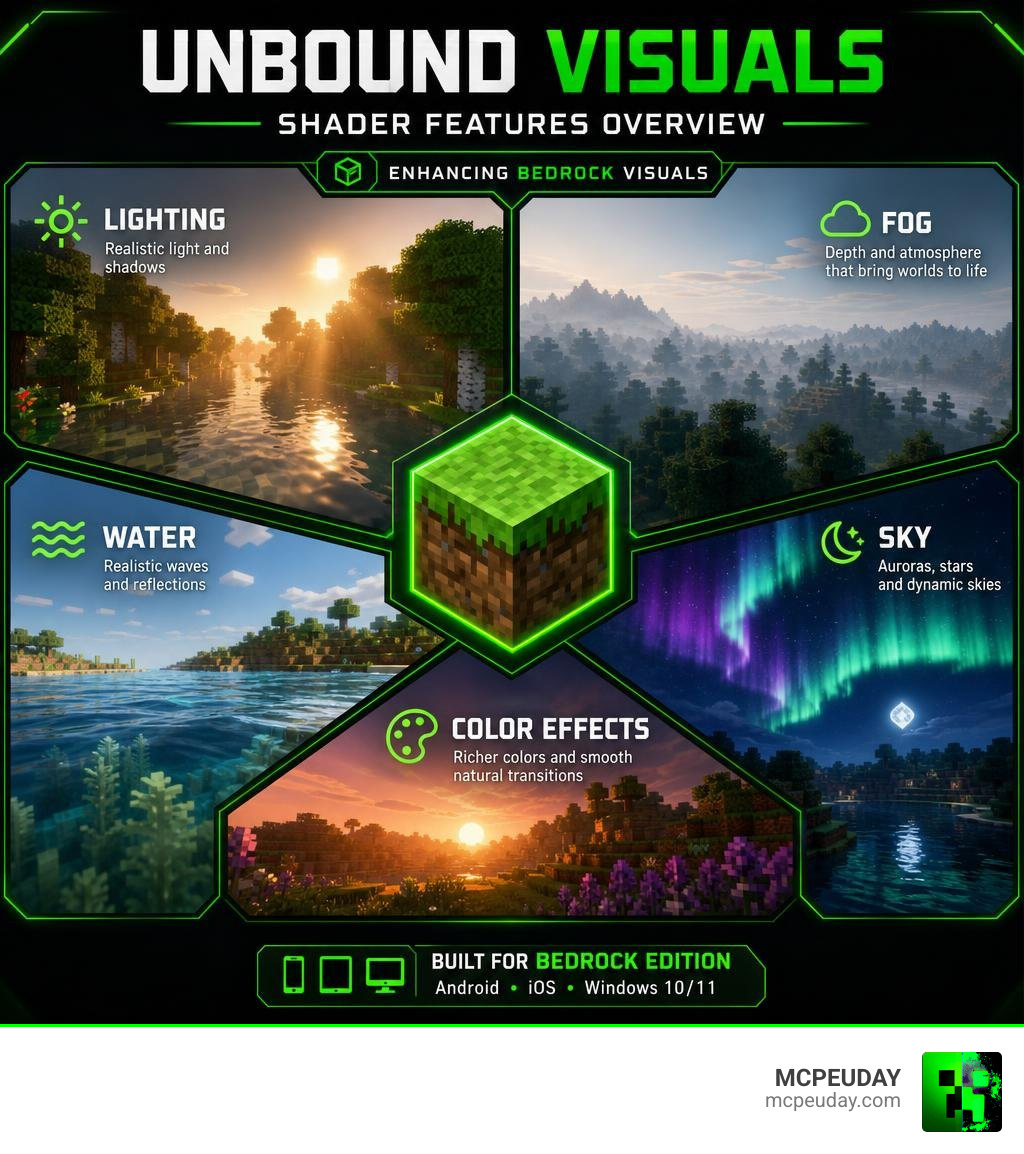
Unbound Visuals Shader is a Bedrock Edition shader pack that transforms how Minecraft PE looks — adding realistic lighting, smooth fog, aurora borealis skies, wave effects on water, and richer color transitions, all without changing how the game actually plays.
Here’s a quick summary of what it offers:
- Platform: Minecraft PE / Bedrock Edition (Android, iOS, Windows 10/11)
- Supported versions: 1.21 and 26.x
- File format: .mcpack
- Gameplay impact: Visual only — no mechanics changed
- Best for: Survival and creative mode players on mobile
It is not the same as the official Complementary Shaders – Unbound for Java Edition, which has over 122 million downloads. That version requires Iris or OptiFine and only runs on Java. Unbound Visuals Shader is a separate, community-made pack built specifically for Bedrock’s Render Dragon engine.
If you play on mobile or Bedrock and want a visual upgrade that runs smoothly without destroying your FPS, this shader is worth a close look.
What is the Unbound Visuals Shader?
The Unbound Visuals Shader is a dedicated graphics pack designed to bring the high-end aesthetic of Java shaders directly to Minecraft Bedrock Edition (MCPE). While Java players have enjoyed hyper-realistic graphic modifications for years, mobile and console players have often been left in the dark due to engine limitations. This shader changes the game by bridging that visual gap.
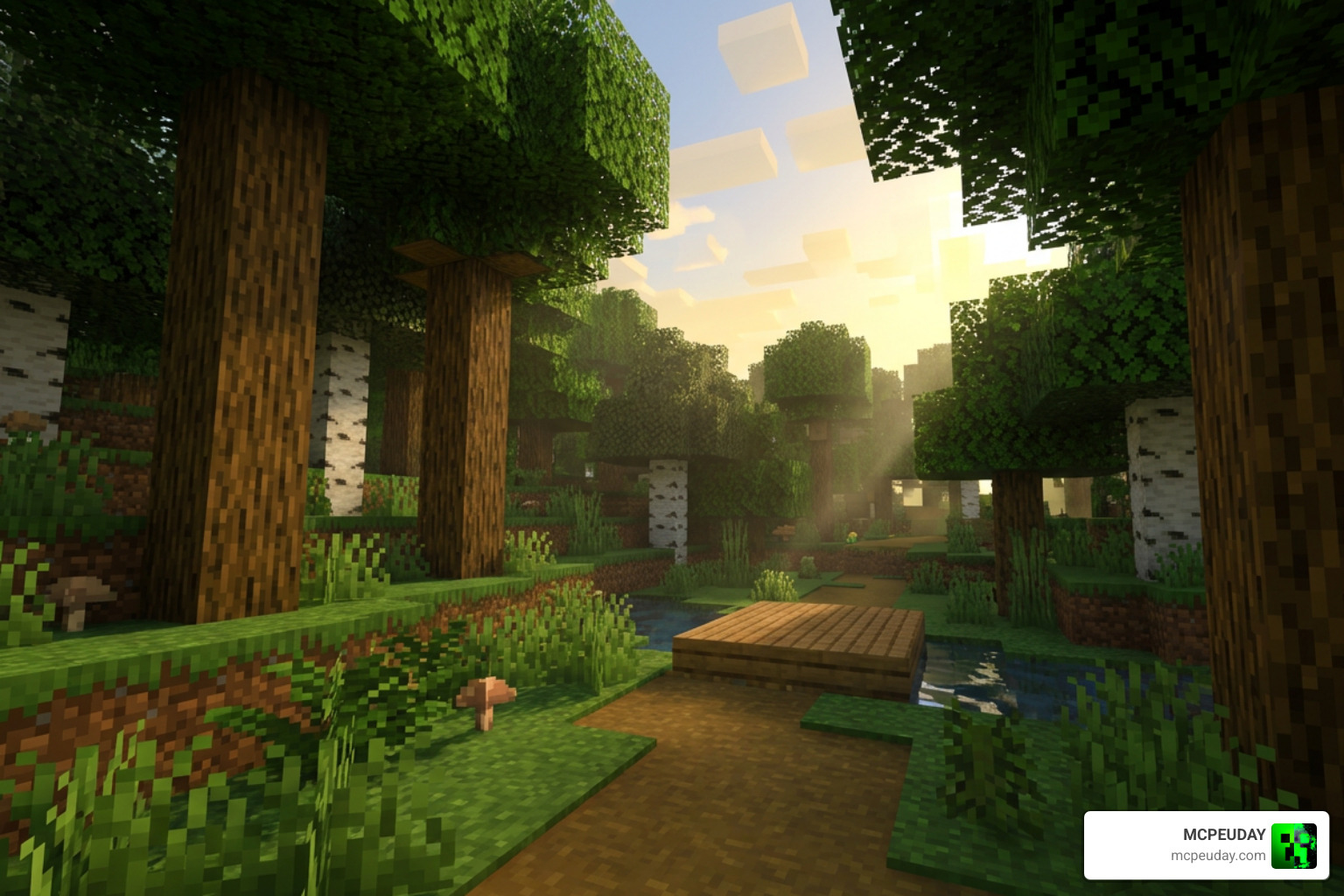
At its core, this shader modifies how your device renders light, water, sky, and atmosphere. Instead of the flat, cartoonish lighting of vanilla Minecraft, you get soft gradients, realistic shadows, and dynamic water that breathes life into your blocky worlds.
Unbound Visuals Shader vs Java Shaders
It is important to understand the technical divide between Java and Bedrock shaders. Java Edition shaders, such as the legendary Complementary Shaders – Unbound (which you can learn more about on the Complementary Shaders | Official Site), rely on heavy-duty rendering APIs like OpenGL, loaded via mods like Iris or OptiFine.
Our mobile devices and consoles run on Minecraft’s native Render Dragon engine. Render Dragon uses modern graphics APIs (like DirectX, Vulkan, and Metal) which do not allow traditional Java shader files to run. Therefore, the Unbound Visuals Shader is a ground-up recreation or adaptation tailored specifically for Bedrock. It achieves similar stunning realism but uses optimization techniques suited for mobile GPUs.
Porting Java Visuals to Bedrock
Porting these visual styles is no easy task. Developers must translate complex GLSL shader code (similar to the workflows seen in technical platforms like the yupferris/fuse-shader-playground) into files that Bedrock’s Render Dragon engine can interpret.
Through clever community ports, creators have managed to approximate the gorgeous color transitions, soft fog systems, and waving foliage of Java packs. The result is a stunning visual parity that makes your pocket-sized Minecraft feel like a high-end PC experience.
Key Features and Visual Enhancements
To give you an idea of how much this pack upgrades your game, we have compiled a comparison of vanilla Minecraft versus the enhanced features of this shader:
| Feature | Vanilla Minecraft PE | Unbound Visuals Shader |
|---|---|---|
| Lighting | Static, flat, and yellow-tinted | Soft, dynamic, with realistic day-night transitions |
| Water | Monotone, flat texture | Waving, reflective, and translucent |
| Sky & Clouds | Flat, blocky clouds | Dynamic clouds, aurora borealis at night |
| Fog System | Harsh, sudden render distance cutoffs | Smooth, atmospheric fog transitions |
| Performance | High FPS, low graphical depth | Optimized, high FPS with stunning graphics |
Atmospheric Lighting and Fog in Unbound Visuals Shader
The lighting system in this shader is a work of art. Sunlight is softened to prevent harsh glare, while shadow depth is adjusted to give caves and forests a mysterious, realistic feel. As the sun sets, you will experience smooth day-night transitions with sky colors that shift naturally from warm oranges to deep, twilight purples.
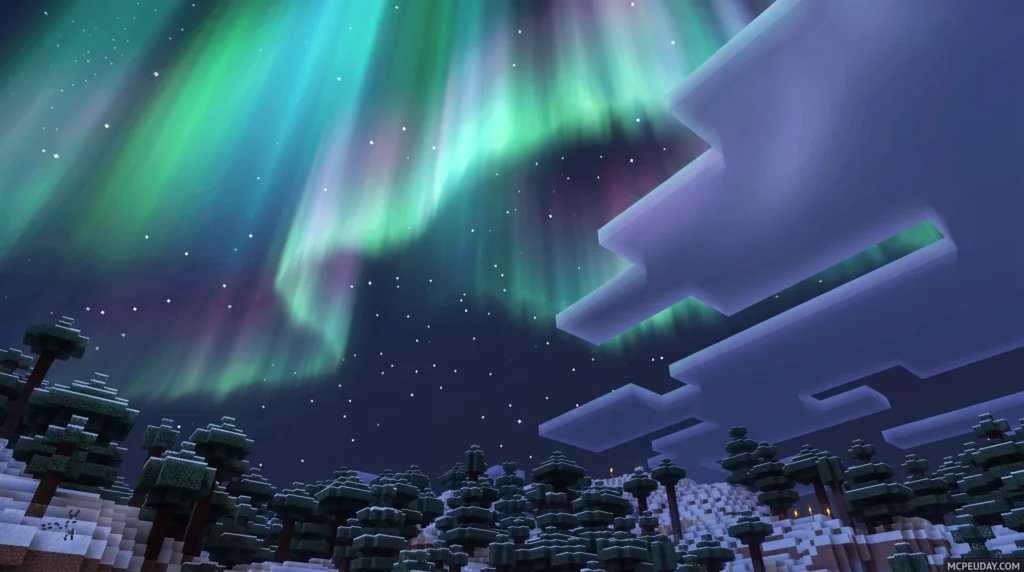
At night, the sky truly shines. The shader introduces a gorgeous aurora borealis effect that dances across the skybox, paired with clearer cloud imagery. The fog system is also completely overhauled. Instead of a solid wall of gray blocking your view, the fog rolls in gently, blending your render distance smoothly into the horizon.
Water and Sky Effects
If you love building seaside docks or exploring deep oceans, you will adore the water modifications. The shader adds subtle wave effects that make bodies of water feel alive. Light reflections dance across the surface during the day, and moonbeams glint off the ripples at night.
Combined with realistic water transparency, exploring reefs and deep oceans feels incredibly immersive. You can see how these water effects stand out when compared to other popular packs featured in The best Minecraft shaders you can use…including Vibrant ….
Performance, Compatibility, and Mobile Optimization
One of the biggest worries with mobile shaders is performance. Nobody wants to play a beautiful slideshow at 5 frames per second! Fortunately, this shader is built with mobile optimization in mind.
While it pushes your device’s GPU to render better lighting and reflections, it avoids the heavy, unoptimized code that causes mobile devices to overheat. If you are using a slightly older phone and want to ensure a stable framerate, you can also check out our guide on the Newb X Unwind Shader For Minecraft Pe Mcpe Best Realistic Shader For Low End Devices or read our complete overview of the Newb X Unwind Shader for more lightweight alternatives.
Supported Minecraft Versions and Platforms
The shader is fully compatible with Minecraft PE / Bedrock Edition version 1.21 and the newer 26.x updates. It runs beautifully across:
- Android devices (Phones and tablets)
- iOS devices (iPhones and iPads)
- Windows 10/11 PCs running the Bedrock version
Thanks to community-driven Bedrock shader updates, compatibility is constantly being refined to keep up with Mojang’s official game patches.
Gameplay Impact and Game Modes
We are happy to report that this shader has zero gameplay impact. It does not alter block behaviors, add new items, or change survival mechanics. It is purely a client-side visual upgrade.
This makes it 100% suitable for survival mode, creative building, and multiplayer. If you want to experience your survival world with ultra-realistic graphics while maintaining smooth FPS, this is an excellent choice. For a detailed look at how shaders elevate your survival immersion, read our thoughts on the Newb X Unwind Shader For Minecraft Ultra Realistic Graphics Smooth Fps Stunning Visuals.
How to Download and Install the Shader
Getting this shader up and running on your mobile device is incredibly simple. Follow our step-by-step installation pipeline below:
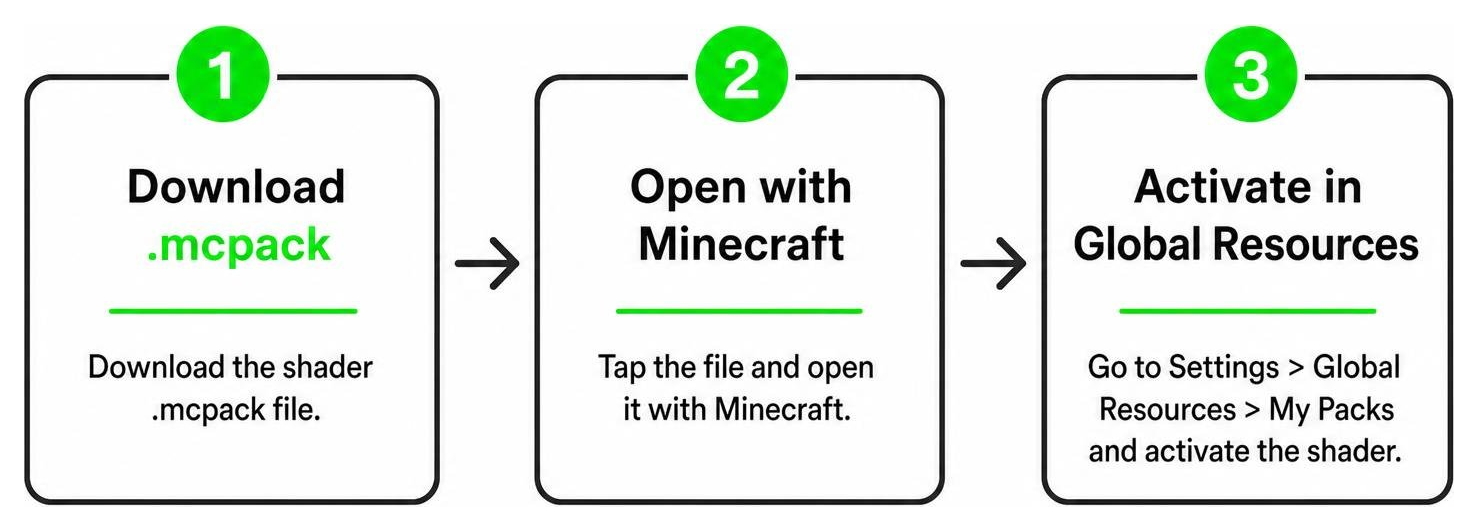
- Download the File: Secure the safe
.mcpackfile from a verified source like the Unbound Visuals Shader (1.26+) – MCPE/Bedrock download page. - Import to Minecraft: Once downloaded, tap on the file. Your mobile device should automatically ask if you want to open it with Minecraft. Select Minecraft, and the game will launch and import the pack automatically.
- Activate Globally: Go to the main menu of Minecraft, navigate to Settings > Global Resources > My Packs. Select the shader and click Activate.
- Enjoy your new world: Load into any survival or creative world and marvel at the gorgeous new atmosphere!
For a more comprehensive look at setting up resources on mobile, check out the Newb X Unwind Shader For Minecraft Pe Mcpe Complete Beginners Guide Installation Settings Fps Tips.
Frequently Asked Questions about Unbound Visuals
Is Unbound Visuals Shader compatible with Render Dragon?
Yes! Unlike older shaders that broke when Mojang introduced the Render Dragon engine, this shader is specifically coded to work with Bedrock’s modern rendering system by utilizing compatible material files.
Does this shader cause lag on low-end mobile devices?
On mid-to-high-end devices, it runs completely lag-free. If you are on a very old budget device and experience minor frame drops, we recommend lowering your in-game render distance. Alternatively, you can try out the highly optimized Newb X Unwind Shader For Minecraft Pe Mcpe 1 21 which is tailored specifically for low-end hardware.
Can I use this shader in multiplayer and survival worlds?
Absolutely. Because it only changes client-side visuals, you can use it on multiplayer servers, Realms, and local survival worlds without any issues or risk of getting banned.
Conclusion
The Unbound Visuals Shader is a phenomenal way to breathe new life into your Minecraft Bedrock worlds. With its gorgeous atmospheric lighting, realistic water reflections, and beautiful night skies, it stands out as a premier choice for MCPE players in 2026.
If you are looking to explore even more graphical options for your game, be sure to check out our handpicked list of the Best Shaders for MCPE 1.21 (2026) to find the perfect look for your next blocky adventure!