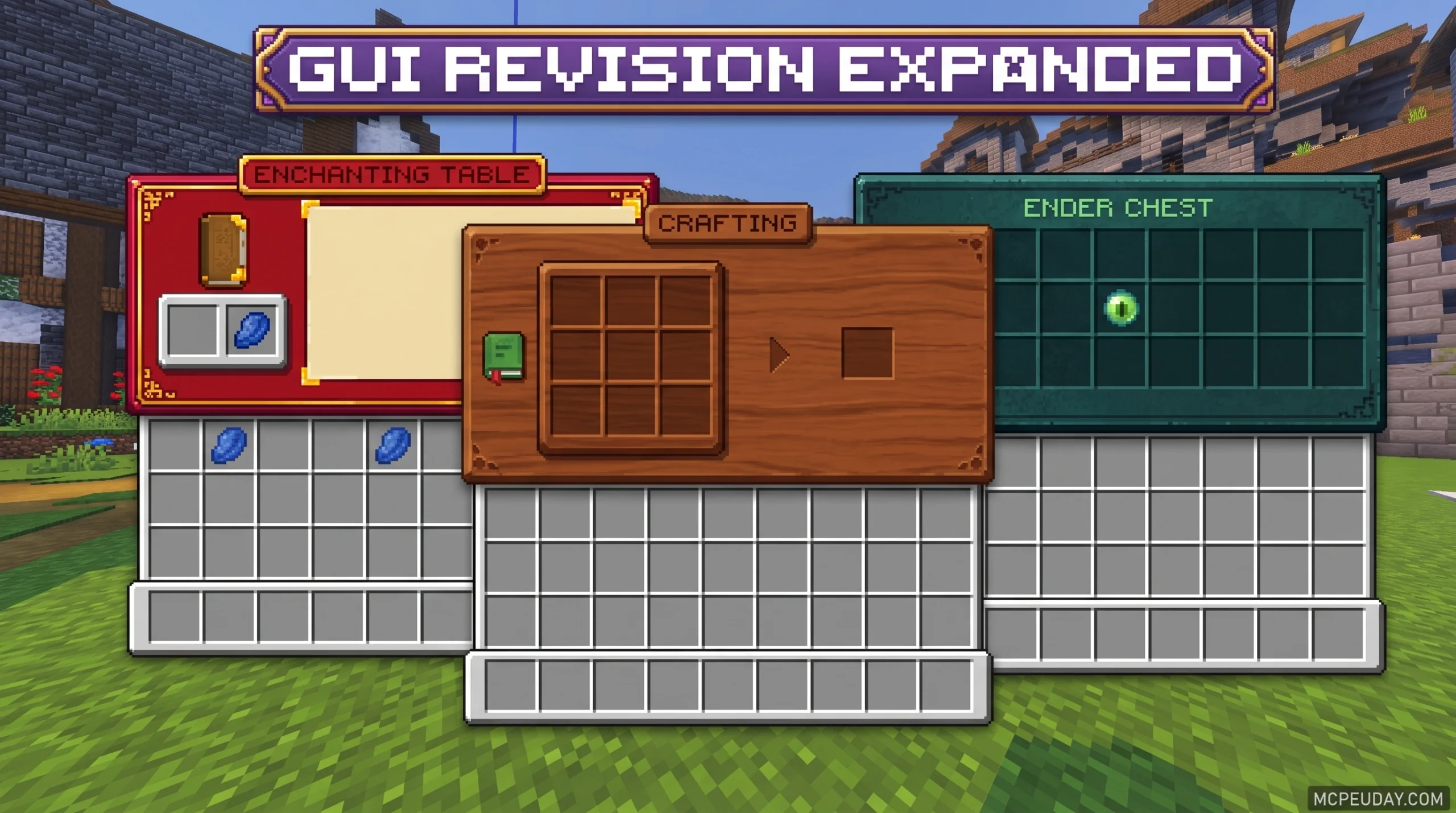
What the GUI Revision Expanded Addon Does (and Why Players Love It)
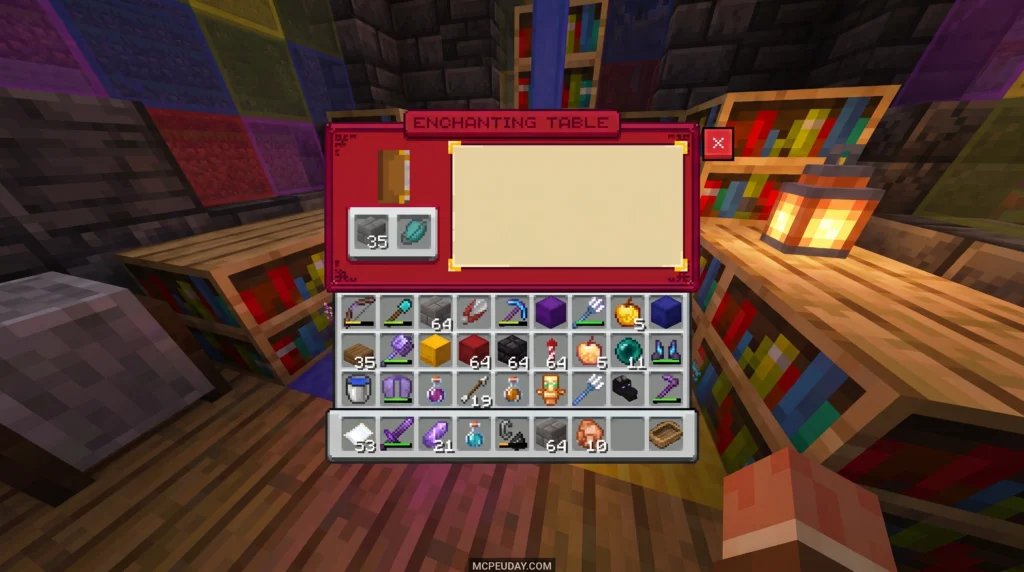
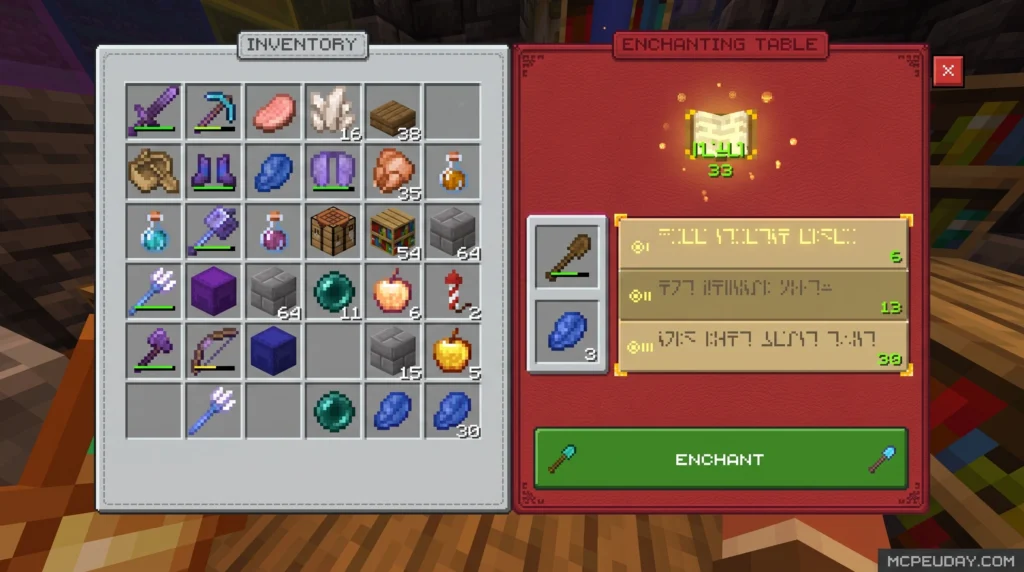
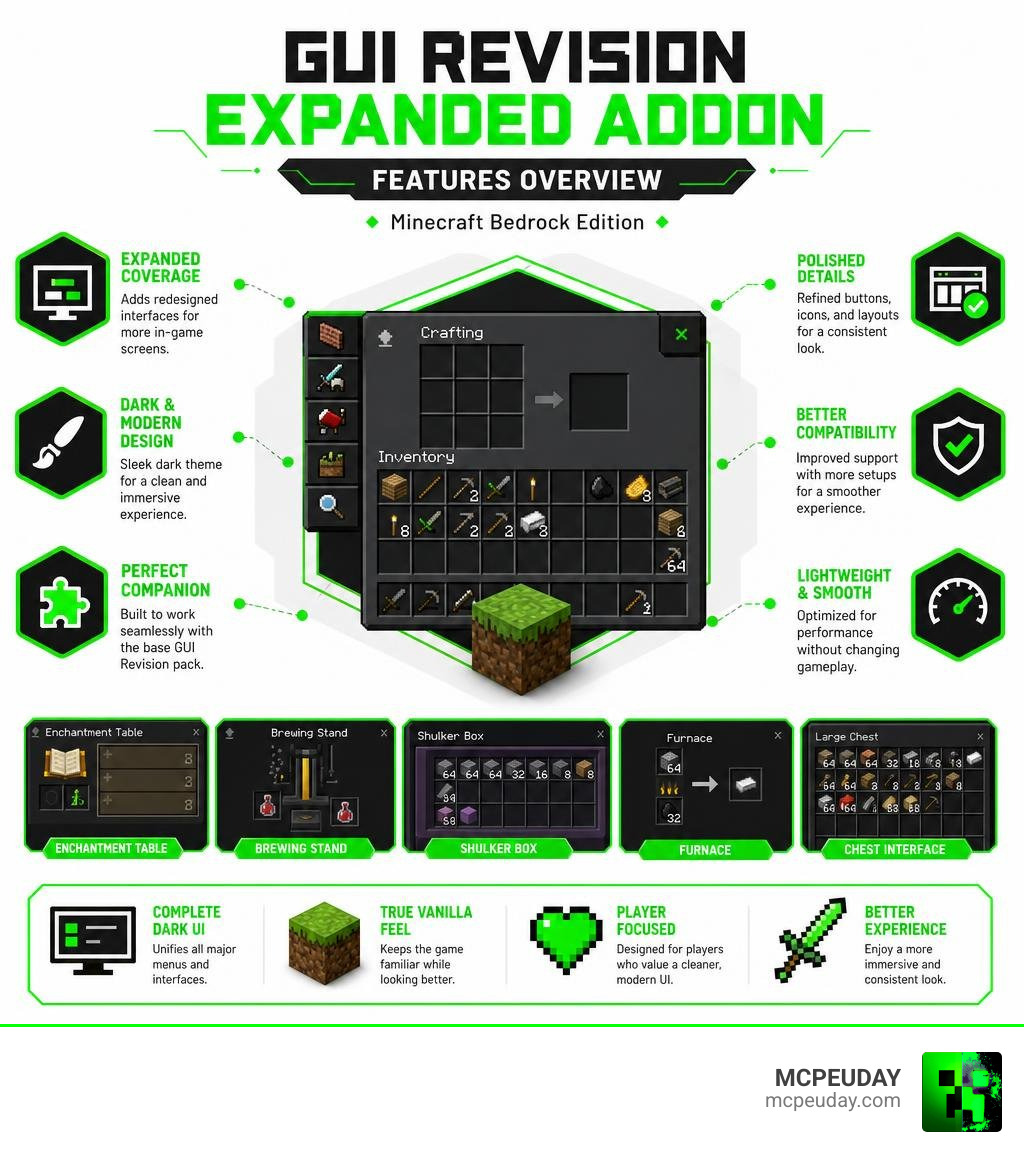
The GUI Revision Expanded Addon is a Minecraft Bedrock texture pack that takes the dark-themed interface overhaul of the base GUI Revision pack and pushes it further — adding extra screen changes, compatibility fixes, and polished UI elements that the original doesn’t cover.
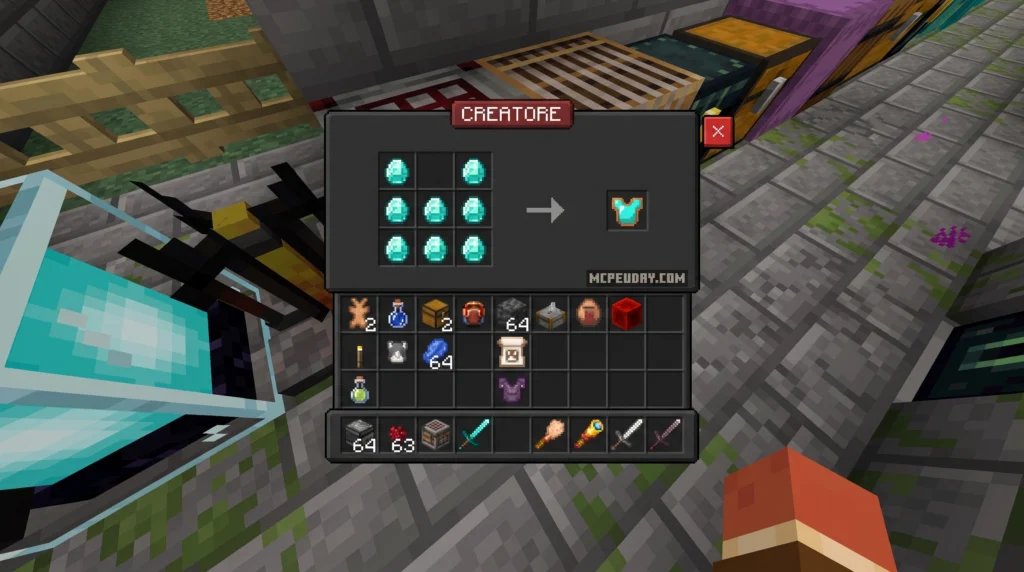
For years, Minecraft players have sought ways to customize their user interface to reduce eye strain and create a more cohesive visual experience. While the default vanilla interface is functional, its bright gray and white menus can be incredibly harsh on the eyes, especially during late-night gaming sessions. This addon addresses that exact problem by introducing a beautifully optimized dark mode that spans across almost every interactive screen in the game.
Here’s a quick snapshot of what it is:
- What it is: A Bedrock Edition texture pack that redesigns Minecraft’s menus and screens with a sleek dark aesthetic
- What makes it “Expanded”: It adds changes to screens like the enchantment table, brewing stand, and shulker box that the base pack leaves untouched
- Who it’s for: Players who want a cleaner, more modern-looking UI without changing gameplay
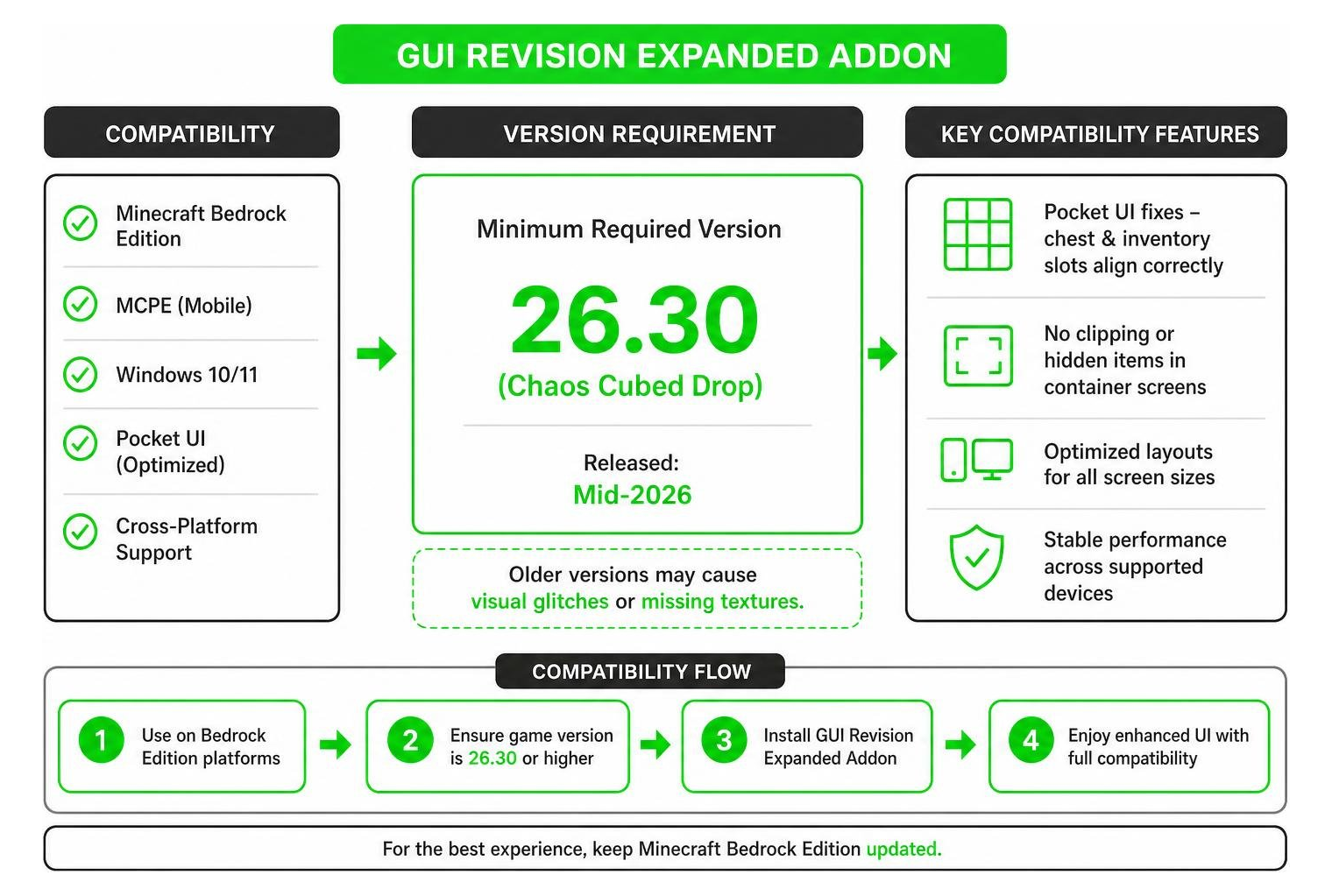
- Minimum version required: Minecraft Bedrock 26.30 (Chaos Cubed Drop)
- Download stats: Over 24,000 downloads, last updated July 2026
- Where to get it: MCPEUDAY resources and official Bedrock community platforms
It launched in April 2026 and has already built a strong following among Bedrock players who care about how their game looks — not just how it plays. By focusing on visual consistency, the addon ensures that transitioning from your inventory to a crafting table or an anvil feels seamless and modern.
The base GUI Revision pack is popular on its own, but the Expanded Addon fills the gaps. Think of it as the complete edition of the same dark UI vision, polished to perfection for the ultimate gameplay experience.
What is the GUI revision Expanded Addon?
The GUI Revision Expanded Addon is a dedicated expansion designed to complement the base dark-themed GUI Revision pack. While the base pack establishes a clean, modern aesthetic across core menus, the Expanded Addon extends this visual overhaul to specialized block interfaces and container layouts. This includes custom designs for the crafting menu, chest interfaces, and inventory overlays.
By focusing on these specialized blocks, the addon ensures that players do not experience a jarring visual transition when opening containers. In vanilla Minecraft, opening a chest or a shulker box brings up a bright, default gray screen that completely clashes with any dark-themed global resource packs. This addon solves that inconsistency entirely, providing a unified dark aesthetic across every single interactive element.
For players searching for a complete dark theme, combining these packs ensures that no vanilla screen looks out of place. If you are a fan of custom layouts like those found in the Java Desktop Ui Pack, this addon provides a similarly structured, highly polished environment for Bedrock Edition users.
| Feature | Base GUI Revision Pack | GUI Revision Expanded Addon |
|---|---|---|
| Primary Theme | Dark Mode Interface | Dark Mode Interface |
| Inventory Overhaul | Yes | Yes (Enhanced) |
| Chest Redesign | Standard Dark | Custom Layouts & Pocket UI Fixes |
| Enchantment Table Screen | No | Yes (Fully Redesigned) |
| Brewing Stand Toggle | No | Yes (Integrated) |
| Shulker Box Naming | No | Yes (Clean Layout) |
| Minimum Required Version | Varies | 26.30 (Chaos Cubed Drop) |
Key Differences from the Base GUI revision Expanded Addon
The main difference lies in screen coverage. The base pack styles major menus, but leaves complex interactive blocks untouched. The GUI Revision Expanded Addon specifically targets these missing screens.
For instance, the enchantment table screen is styled with custom graphical accents. The brewing stand screen features a dedicated toggle for easier navigation, and shulker boxes feature streamlined naming layouts. Additionally, the addon introduces crucial fixes for Pocket UI players, ensuring container layouts do not clip or hide vital items. This attention to detail makes the Expanded Addon an essential upgrade for anyone who wants a truly complete dark mode interface.
Supported Minecraft Versions and Editions
The GUI Revision Expanded Addon is officially optimized for Minecraft Bedrock Edition (including MCPE on mobile devices and Bedrock on Windows). It requires a minimum version of 26.30 (Chaos Cubed Drop), which was released in mid-2026.
Using this addon on older versions may cause visual glitches or missing textures, especially on complex screens. If you want to combine your visual overhaul with settings management, it pairs beautifully with utility overlays like The Ty Els Settings Overlay Ui Pack to give you complete control over your interface.
Compatibility Features of the GUI revision Expanded Addon
One of the standout features of the Expanded Addon is its focus on fixing long-standing Pocket UI bugs. In the vanilla Bedrock interface, players using the Pocket UI setting often run into issues where inventory slots fail to display correctly inside the chest screen. The Expanded Addon completely resolves this, ensuring that grid slots align perfectly on mobile screens.
Whether you prefer a minimalist dark aesthetic or love flashier designs like the Animated Rgb Gui Pack, the performance and layout fixes in this addon make it an essential utility.
Key Features and GUI Elements Redesigned
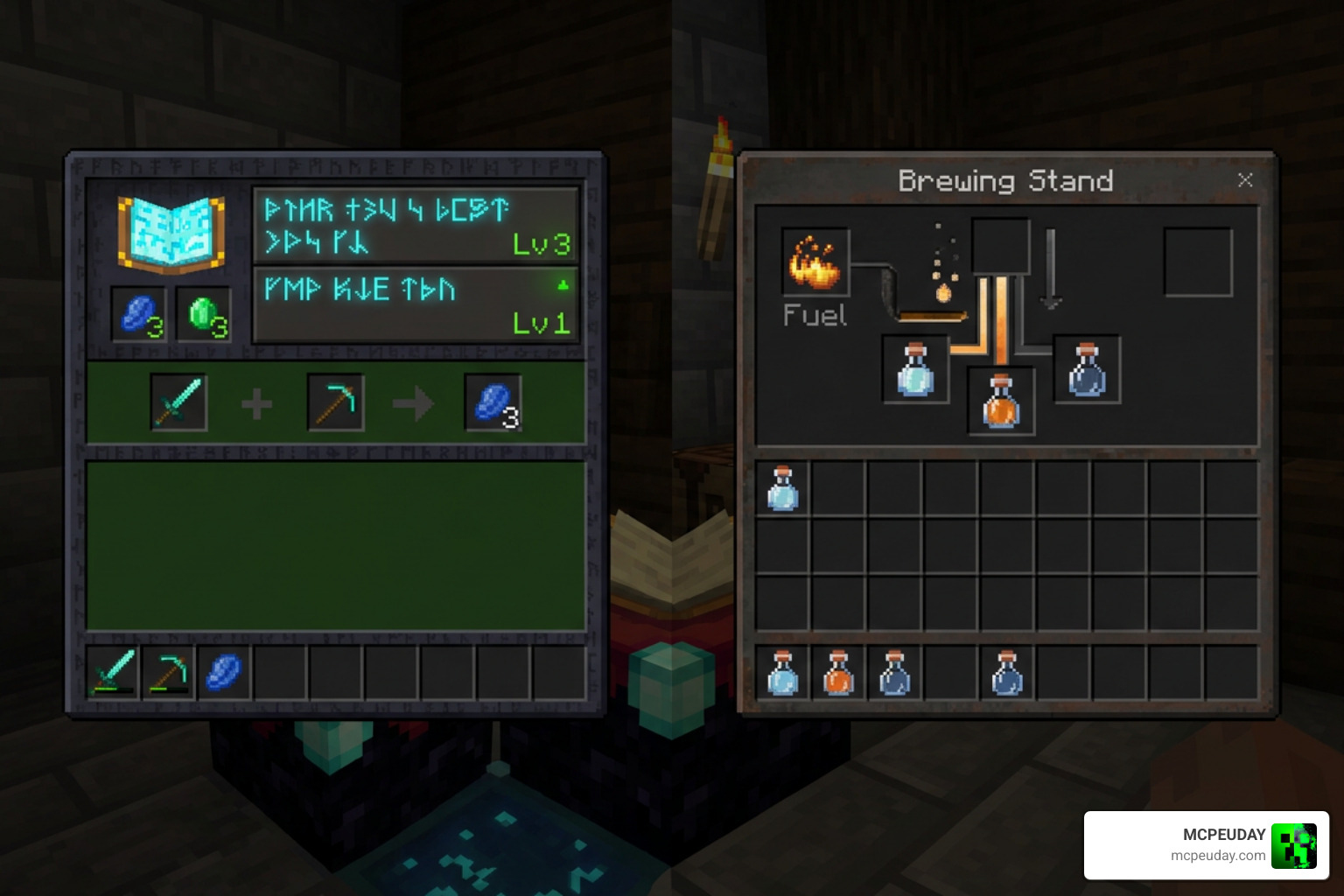
The addon introduces several aesthetic and functional improvements to Bedrock Edition:
- Enchantment Table Screen: Completely redesigned with a darker, more magical aesthetic that reduces eye strain during late-night enchanting sessions.
- Brewing Stand Toggle: Features a cleaner layout with visual indicators that make active brewing paths easier to follow.
- Shulker Box Naming: Modified text fields and labels so that custom shulker box names do not overlap with the main container inventory.
- Pocket UI Enhancements: Realigned slots for chests, double chests, and large storage blocks.
Mod and Mod Loader Performance
On Bedrock Edition, the GUI Revision Expanded Addon functions as a resource pack, meaning it has a negligible impact on device performance. It loads quickly and does not require complex scripting.
For Java Edition players using similar dark packs, tools like OptiFine or OptiGUI are recommended to achieve custom container layouts. However, on Bedrock, this addon delivers those features natively without external mod loaders. It is highly compatible with other decorative UI packs, such as the cozy Mita Ui Pack.
How to Install the GUI Revision Expanded Addon
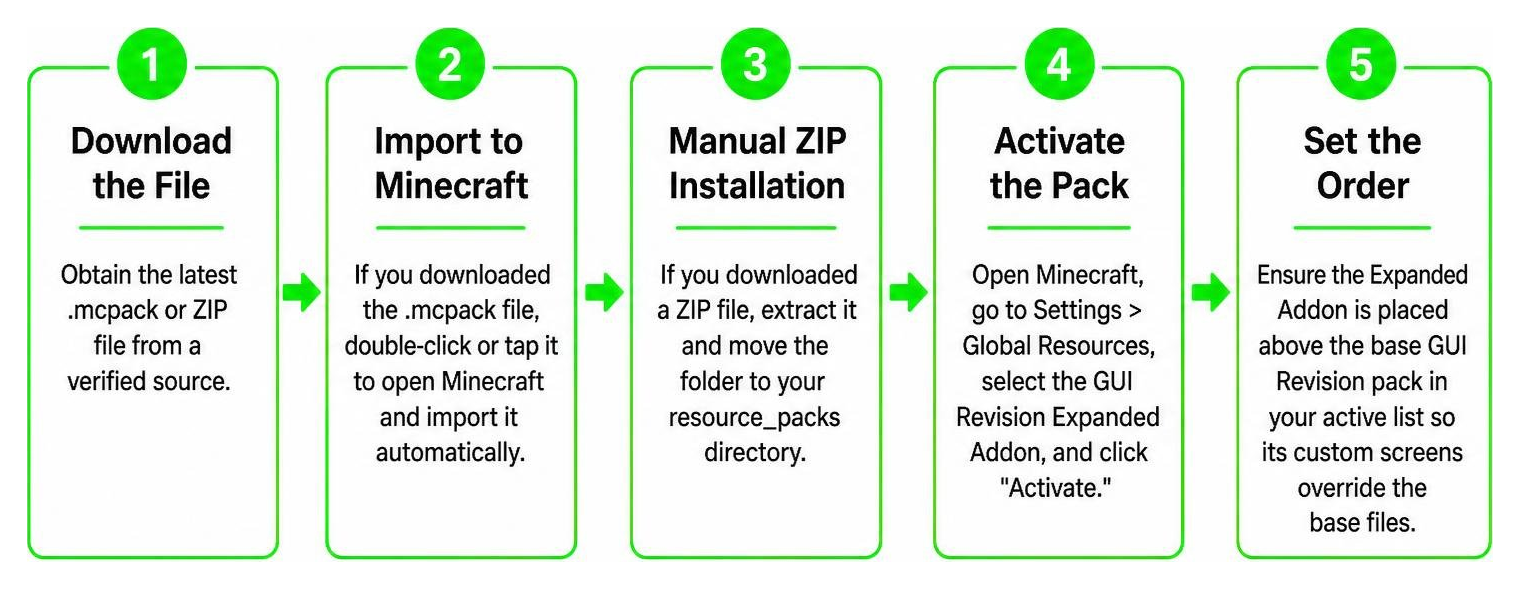
Installing the addon on your Bedrock device is straightforward. Follow these steps:
- Download the File: Obtain the latest
.mcpackor ZIP file from a verified source. - Import to Minecraft: If you downloaded the
.mcpackfile, simply double-click or tap it to open Minecraft and import it automatically. - Manual ZIP Installation: If you downloaded a ZIP file, extract it and move the folder to your
resource_packsdirectory. - Activate the Pack: Open Minecraft, go to Settings > Global Resources, select the GUI Revision Expanded Addon, and click “Activate.”
- Set the Order: Ensure the Expanded Addon is placed above the base GUI Revision pack in your active list so its custom screens override the base files.
Known Issues and Future Developer Plans
While the addon is highly stable, the developer has noted a few minor limitations:
- Pocket UI Alignment: On extremely wide aspect ratios, some container titles may sit slightly off-center.
- Future Updates: The developer plans to add custom layouts for the loom and stonecutter screens in upcoming updates.
- Mod Compatibility: If you are running heavy custom-coded behavior packs, some custom UI elements might default to vanilla layouts.
If you are looking for a different style altogether, you can always explore alternatives like the elegant Deesse Ui Pack to change up your game’s look.
Frequently Asked Questions about GUI Revision
Where can I download the GUI Revision Expanded Addon?
You can download the latest version of the pack directly from MCPEUDAY resources. Always ensure you are downloading the correct file format for your specific Bedrock version to avoid compatibility issues or visual glitches. By downloading from verified sources, you ensure that you receive the most up-to-date files containing the latest bug fixes and layout optimizations.
If you are interested in general UI development tools outside of Minecraft, you can also check out external open-source projects like the omid3098/expander-addon on GitHub, the rossunger/GodotExtraGUI library, or the modular LimonenZitrone/expanded-mod-family-gui repository. For advanced control nodes, developers often look at Rito13/godotcontroladdon or openFrameworks addons like frauzufall/ofxGuiExtended.
Does this addon require OptiFine or OptiGUI?
No. Because this addon is built specifically for Bedrock Edition, it does not require OptiFine, OptiGUI, or any other Java-specific mod loaders. It runs completely natively within Bedrock’s built-in resource pack engine. This makes it incredibly lightweight and easy to install, as you do not need to configure any external modding clients or APIs to enjoy the redesigned dark interface.
Is the Expanded Addon compatible with Minecraft Java Edition?
The GUI Revision Expanded Addon is designed exclusively for Bedrock Edition. While there are separate dark-themed GUI packs available for Java Edition, this specific addon cannot be imported directly into Java without a conversion tool. Java Edition utilizes a completely different file structure and rendering system for its user interface, meaning Bedrock resource packs are not natively compatible.
Conclusion
The GUI Revision Expanded Addon is a must-have for any Minecraft Bedrock player who loves a clean, modern, dark-themed interface. By filling in the gaps left by the base pack and introducing crucial fixes for Pocket UI players, it stands out as one of the most polished visual resources available in 2026.
If you want to take your Bedrock experience even further with custom gameplay additions, be sure to check out our list of the 5 Best Minecraft Bedrock Gun Mods for Survival & PVP (2026) to upgrade your survival worlds today!